
Create Old Copper Stuffs Model – Brings Back Classic Create Copper Blocks

 0


Create Old Copper Stuffs Model restores the older pre-6.0.0 copper textures and shapes for the Create mod. This pack packs in 163 custom 3D models and 104 texture files to replace newer copper graphics with their classic looks. It refreshes the visual appearance of copper scaffolding, all fluid items, and copper building blocks across your game. A Blockbench source model is also included if you want to edit the parts yourself.

Features:
- Classic Copper Return: Restores the pre-6.0.0 textures for copper items and blocks from the Create mod.
- Large Model Set: Includes 163 custom 3D models paired with 104 texture files.
- Fluid and Building Overhaul: Restyles all fluid items, copper building blocks, and copper scaffoldings.
- Includes 1 Blockbench source model named
model_for_editingfor custom tweaks.
Included Model Parts:
- Machine and Mechanical Parts: Restyles
block_cogs,block_shaft_input,casing,tube, andglowelements. - Block Faces and States: Updates
block,block_bottom,block_top,block_flat,block_open, anditemmodels. - Structural Pieces: Replaces
cap,cap_alt,post,post_ends,side,side_alt,fold_left, andfold_rightparts. - Directional and Core Connections: Covers
core_x,core_y,core_z,up,down,north,south,east, andwestconnection pieces.
How to Use:
- Move the pack into your resource packs folder and activate it in the game settings menu.
- Grab copper building blocks, copper scaffoldings, and fluid items from the Create creative inventory tab or craft them in survival mode.
- Place down copper scaffoldings and casings to see how the
post,post_ends,cap,side, andcasingmodels connect together. - Set up fluid blocks and pipes to watch the
tube,core_x,core_y,core_z, and directional pieces (north,south,east,west,up,down) change shape as they link up. - Connect rotational power to copper machines to inspect the classic
block_cogs,block_shaft_input,fold_left,fold_right, andblock_openmodels in action. - Open the included
model_for_editingfile in Blockbench if you want to customize the 3D shapes yourself.
Requirements:
- Blockbench, only if you want to edit the included source models
Screenshots:


Create Old Copper Stuffs Model Download Links
Click to rate this post!
[Total: 0 Average: 0]
You May Also Like
Picked for this page
 Bare Bones X Model – Brings Simple 3D Foliage and Modded Block Visuals
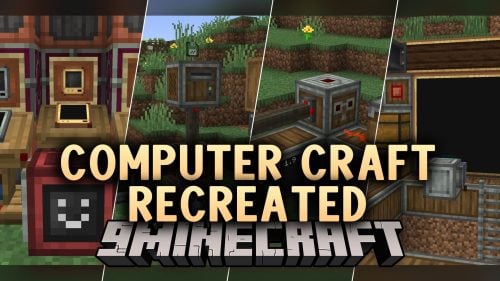 Computer Craft ReCreated Model – Transforms Computers Into Brass Machines
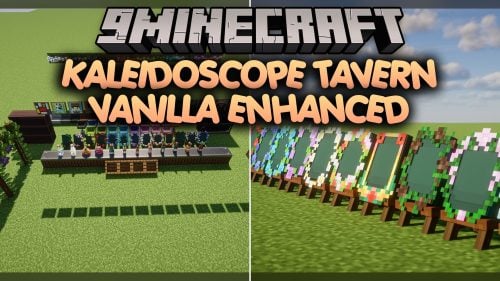 Kaleidoscope Tavern Vanilla Enhanced Model – Brings 3D PBR Tavern Visuals
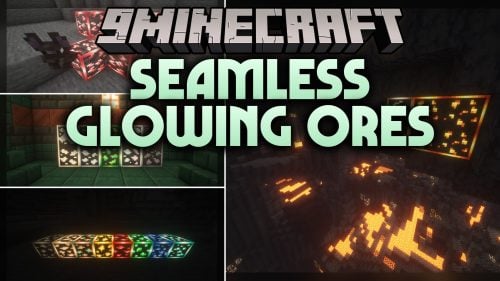 Seamless Glowing Ores Model – Adds Connected Glowing Borders to Ores
 Brush & Juice Model – Brings Animated 3D Redstone and Mechanical Blocks
 The Original Work Programmer Art Model – Brings Classic Retro Visuals and Models
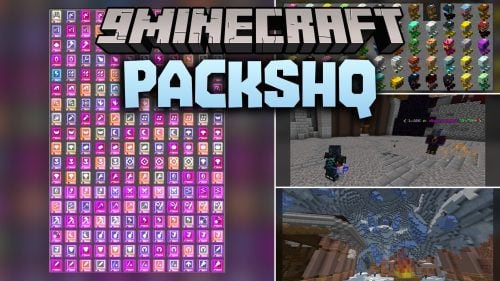 PacksHQ Model – Brings Custom 3D Gear and Animated Textures to Hypixel Skyblock
 HLG Model – Transforms Storage Cells and Metal Gear Into Animated 3D Objects
 All Industry New Model – Transforms Industrial Mod Blocks Into 3D Factory Gear
 Bits & Tweaks LITE Model – Brings Animated 3D Depth to Vanilla Blocks and Tools
 Tom’s Storage Create Style Model – Brings Mechanical Brass Visuals to Terminals
 STAR21 Model – Brings the Class 952 Shinkansen Bullet Train to MTR4 Tracks
Most viewed in Models over the last 7 days
 Jenny Mod Skin Pack Mega Collection – 310+ Characters
 The Most Complete Collection of Jenny Mod Resources – Models, Animations, Structures,…
 Albedo Rework Jenny Mod Model
 750 Models Addon for Yes Steve Model Mod
 Galath Rework Model – Custom Girl for PleasureCraft Mod
 Power Model – Custom Girl for PleasureCraft Mod
 Femboy Ellie Rework Jenny Mod Model
 Ram Model – Custom Girl for PleasureCraft Mod
 Pomni Jenny Mod Model
 100+ Custom Animations For Jenny Mod
 Ellie Rework Jenny Mod Model
 Halloween Pack Jenny Mod Model – Transforms Companions with Spooky Costumes
More from Models
 Items & Stuff X Enchantment Outline Model – Adds Glowing Outlines to 3D Gear
 Zero Particles Model – Brings Clear PvP Views and Readable Enchanting Spells
 XK Redstone Display Model – Brings Animated 3D Visuals to Redstone Circuits
 MirRP CIT Model – Adds 3D Cafe Drinks, Meals, Plushies, and Wearable Furry Ears
 KTRC Generic Stock Model – Adds Custom MTR Rolling Stock Trains
 DOCTOR YELLOW S1 S2 Model – Brings Bright Yellow Trains to Transit Railways
 Visible String Model – Transforms Faint Tripwire Into Clear 3D Lines
 Modilla Model – Brings 3D Depth and Animated Textures to Everyday Vanilla Blocks
 Birch Mushrooms Model – Adds 3D Mushroom Growths to Birch Tree Bark
 Qube Model – Adds Physical 3D Depth to Vanilla Workstations, Rails, and Crops
 Zhongtong Base Model – Brings Custom Zhongtong Buses to MTR Transit Networks
 JR East E531 Series Model – Brings Japanese Commuter Trains to MTR Railways

This post has no comments yet. Be the first — your comment will appear here.