
Qube Model – Adds Physical 3D Depth to Vanilla Workstations, Rails, and Crops
 4
 0

Qube Model transforms the look of everyday Minecraft blocks by giving them extra 3D volume while keeping their original vanilla textures. The pack includes 62 custom 3D models and 2 texture files that make flat surfaces pop out around your world. You will notice raised details on workstation blocks like the crafting table, furnace, cartography table, and enchanting table, as well as storage and building blocks like gold, emerald, and diamond blocks. It also adds physical depth to Nether terrain, railway tracks, ladders, and growing wheat crops across different stages.

Features:
- 62 Custom 3D Models: Gives flat block faces physical depth and volume across 62 block states and variants.
- Original Vanilla Look: Keeps the default Minecraft textures and only adds 2 small texture files so blocks keep their classic colors.
- Adds 3D geometry to workstation blocks and switches the furnace model between its unlit and burning states.
- Updates rail tracks with raised 3D shapes for straight rails, curved corners, and both off and active powered rails.
- Reshapes growing wheat crops with distinct 3D models for stages 0, 1, 2, 4, 5, and 6.
Workstations & Base Blocks:
- Crafting Table: Adds 3D depth to the tabletop and side tools.
- Furnace: Includes custom 3D models for both the normal furnace and the lit furnace_on state when smelting items.
- Cartography Table: Gives the surface map and side tools raised 3D shapes.
- Enchanting Table: Adds extra physical volume to the table body.
- Bookshelf: Makes the books on the shelves stand out with 3D depth.
- Bricks: Gives brick walls raised individual brick textures.
- Ladder: Turns flat ladder rungs into 3D steps on wall surfaces.
- TNT: Adds 3D volume to the explosive block exterior.
Valuable & Storage Blocks:
- Diamond Block: Gives the solid diamond surface a raised 3D shape.
- Emerald Block: Adds physical depth to the cut emerald pattern.
- Gold Block: Reshapes the gold block face with extra volume.
- Dried Kelp Block: Gives the tied kelp bundle a 3D surface.
Nether Blocks:
- Crimson Stem & Crimson Hyphae: Adds 3D bark ridges to crimson forest tree blocks.
- Warped Stem & Warped Hyphae: Gives warped forest wood blocks raised 3D bark details.
- Crimson Nylium & Warped Nylium: Adds 3D depth to the grass-like ground cover in Nether forests.
- Magma Block: Reshapes the glowing cracks and surface of magma blocks with extra volume.
Rails & Farming Crops:
- Rail & Rail Corner: Turns flat minecart tracks and curved corners into 3D rails and wooden ties.
- Powered Rail: Includes 3D track models for both unpowered and powered_rail_on states.
- Wheat Crops: Provides separate 3D growth models for wheat_stage0, wheat_stage1, wheat_stage2, wheat_stage4, wheat_stage5, and wheat_stage6.
How to Use:
- Move the downloaded pack into your Minecraft resourcepacks folder, open Options > Resource Packs in the game menu, and activate Qube Model.
- Craft or look at a Crafting Table, Cartography Table, Enchanting Table, Bookshelf, and Furnace in your base, then smelt an item inside the Furnace to see the 3D model switch to its lit furnace_on state.
- Craft a Gold Block, Emerald Block, Diamond Block, Dried Kelp Block, Bricks, TNT, and a Ladder, then place them down to inspect their raised 3D faces and rungs.
- Place a Rail and a Powered Rail on the ground, bend two regular rails together to form a 3D rail_corner, and power the Powered Rail with a redstone torch to watch it change to the powered_rail_on model.
- Till dirt near water with a hoe and plant wheat seeds to watch the 3D crop model change shape as it grows through wheat stages 0, 1, 2, 4, 5, and 6.
- Enter a Nether portal and visit Crimson Forest and Warped Forest biomes to see the 3D models on Crimson Stem, Warped Stem, Crimson Hyphae, Warped Hyphae, Crimson Nylium, Warped Nylium, and Magma Blocks.
Screenshots:


Qube Model Download Links
Click to rate this post!
[Total: 0 Average: 0]
You May Also Like
Picked for this page
 Hidyk’s Realm Model – Brings Animated 3D Depth to Vanilla Blocks
 New Faithful Overlays Model – Brings Smooth Grass and Path Transitions
 Quadral Model – Brings Vivid Colors and 31 Custom 3D Models to Vanilla
 Coquet Model – Transforms Vanilla Foliage and Terrain with 3D Shapes
 Pixel-Tree Model – Transforms Everyday Vanilla Blocks with Detailed 3D Shapes
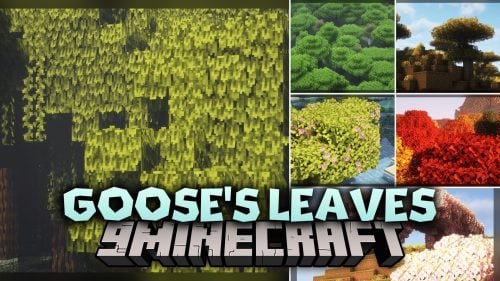 Goose’s Leaves Model – Transforms Flat Leaves Into Bushy 3D Foliage
 Gui’s Better Vanilla Model – Brings Animated 3D Torches and Plants
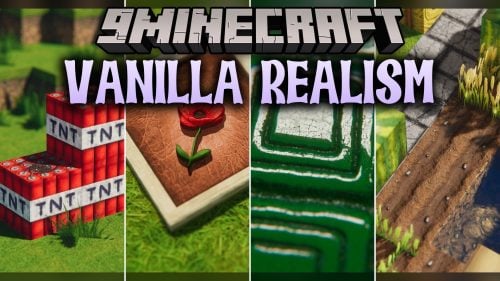 Vanilla Realism Model – Transforms Flat Blocks Into Animated 3D Shapes
 Weskerson’s Torches Model – Brings Animated 3D Flames to Torches and Redstone
 Brush & Juice Model – Brings Animated 3D Redstone and Mechanical Blocks
 The Original Work Programmer Art Model – Brings Classic Retro Visuals and Models
 Justzilla’s Classic Model – Brings Retro Aesthetics to Modern Blocks
Most viewed in Models over the last 7 days
 Jenny Mod Skin Pack Mega Collection – 310+ Characters
 The Most Complete Collection of Jenny Mod Resources – Models, Animations, Structures,…
 Albedo Rework Jenny Mod Model
 750 Models Addon for Yes Steve Model Mod
 Galath Rework Model – Custom Girl for PleasureCraft Mod
 Power Model – Custom Girl for PleasureCraft Mod
 Pomni Jenny Mod Model
 Ram Model – Custom Girl for PleasureCraft Mod
 Femboy Ellie Rework Jenny Mod Model
 100+ Custom Animations For Jenny Mod
 Ellie Rework Jenny Mod Model
 Steve (Jenny & Zoey) Pack Jenny Mod Model
More from Models
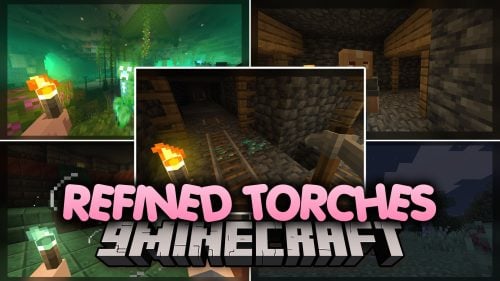 Refined Torches Model – Adds Detailed 3D Torches and Animated Lanterns
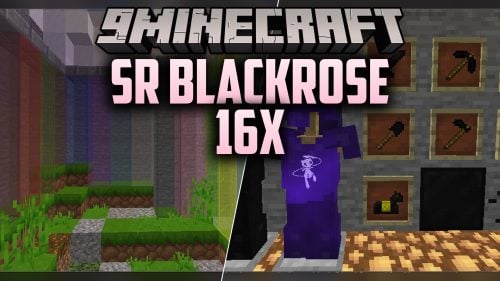 SR BlackRose 16x Model – Transforms PvP Combat with Animated 3D Gear
 Mob Cards Nether Model – Transforms Spawn Eggs Into Animated Collectible Cards
 ASTERA Model – Brings Sharp 3D Blades to Vanilla Melee Battles
 Mob Cards End Model – Transforms Spawn Eggs Into Collectable Trading Cards
 Mob Cards Blue Model – Transforms Spawn Eggs Into 3D Trading Cards
 Shirahane Vehicle Model – Brings Custom Passenger Trains to Rail Networks
 Enhanced Visuals Model – Adds Animated Foliage and Crisp 3D Blocks
 WIN350 Model – Brings Sleek Shinkansen Bullet Trains to Railway Lines
 Dee’s Extended Equipment Model – Equips 3D Gauntlets, Claws, and Shields
 Zerotekz’s Blades Of War 1 Model – Equips Animated 3D Blades and Magic Staves
 HORYO Model – Transforms Vanilla Blocks and Redstone with Clean 3D Shapes

This post has no comments yet. Be the first — your comment will appear here.