
Items & Stuff X Enchantment Outline Model – Adds Glowing Outlines to 3D Gear

 0

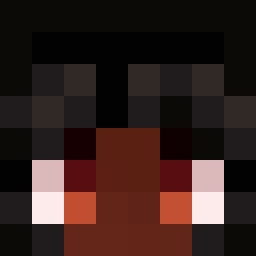
Items & Stuff X Enchantment Outline Model adds visual compatibility between the Items & Stuff and Enchantment Outline packs. It ships with 32 custom 3D models and 15 texture files that give enchanted tools and weapons a clear outlined look. This pack covers your main gear across wood, stone, iron, gold, diamond, and netherite tiers, along with utility tools like shears and flint and steel. You must have both base packs active for these visual changes to appear in your game.

Features:
- Pack Compatibility: Connects the custom visuals of Items & Stuff with the glowing borders of Enchantment Outline so both styles work together on the same item.
- 32 Custom 3D Models: Includes 32 distinct models backed by 15 texture files for enchanted gear.
- Applies the enchantment outline effect to enchanted axes, hoes, pickaxes, and shovels across all six material tiers.
- Updates enchanted iron, gold, diamond, and netherite swords with matching outlined 3D models.
- Brings custom enchanted outline models to utility tools, specifically enchanted shears and enchanted flint and steel.
Enchanted Axes:
- Wooden Axe: Features a custom 3D enchanted outline model (
enchanted_axe_wood). - Stone Axe: Features a custom 3D enchanted outline model (
enchanted_axe_stone). - Iron Axe: Features a custom 3D enchanted outline model (
enchanted_axe_iron). - Golden Axe: Features a custom 3D enchanted outline model (
enchanted_axe_gold). - Diamond Axe: Features a custom 3D enchanted outline model (
enchanted_axe_diamond). - Netherite Axe: Features a custom 3D enchanted outline model (
enchanted_axe_netherite).
Enchanted Hoes:
- Wooden Hoe: Features a custom 3D enchanted outline model (
enchanted_hoe_wood). - Stone Hoe: Features a custom 3D enchanted outline model (
enchanted_hoe_stone). - Iron Hoe: Features a custom 3D enchanted outline model (
enchanted_hoe_iron). - Golden Hoe: Features a custom 3D enchanted outline model (
enchanted_hoe_gold). - Diamond Hoe: Features a custom 3D enchanted outline model (
enchanted_hoe_diamond). - Netherite Hoe: Features a custom 3D enchanted outline model (
enchanted_hoe_netherite).
Enchanted Pickaxes:
- Wooden Pickaxe: Features a custom 3D enchanted outline model (
enchanted_pickaxe_wood). - Stone Pickaxe: Features a custom 3D enchanted outline model (
enchanted_pickaxe_stone). - Iron Pickaxe: Features a custom 3D enchanted outline model (
enchanted_pickaxe_iron). - Golden Pickaxe: Features a custom 3D enchanted outline model (
enchanted_pickaxe_gold). - Diamond Pickaxe: Features a custom 3D enchanted outline model (
enchanted_pickaxe_diamond). - Netherite Pickaxe: Features a custom 3D enchanted outline model (
enchanted_pickaxe_netherite).
Enchanted Shovels:
- Wooden Shovel: Features a custom 3D enchanted outline model (
enchanted_shovel_wood). - Stone Shovel: Features a custom 3D enchanted outline model (
enchanted_shovel_stone). - Iron Shovel: Features a custom 3D enchanted outline model (
enchanted_shovel_iron). - Golden Shovel: Features a custom 3D enchanted outline model (
enchanted_shovel_gold). - Diamond Shovel: Features a custom 3D enchanted outline model (
enchanted_shovel_diamond). - Netherite Shovel: Features a custom 3D enchanted outline model (
enchanted_shovel_netherite).
Enchanted Swords:
- Iron Sword: Features a custom 3D enchanted outline model (
enchanted_sword_iron). - Golden Sword: Features a custom 3D enchanted outline model (
enchanted_sword_gold). - Diamond Sword: Features a custom 3D enchanted outline model (
enchanted_sword_diamond). - Netherite Sword: Features a custom 3D enchanted outline model (
enchanted_sword_netherite).
Enchanted Utility Tools:
- Flint and Steel: Features a custom 3D enchanted outline model when enchanted (
enchanted_flint_and_steel). - Shears: Features a custom 3D enchanted outline model when enchanted (
enchanted_shears).
How to Use:
- Place this compatibility pack in your resource packs folder and load it alongside both Items & Stuff and Enchantment Outline in your active pack list.
- Craft or grab any wood, stone, iron, gold, diamond, or netherite axe, pickaxe, shovel, or hoe from your inventory.
- Apply an enchantment to the tool at an Enchanting Table or Anvil so the model switches to its outlined enchanted version.
- Enchant an iron, gold, diamond, or netherite sword to see the updated 3D blade model with the enchantment outline applied.
- Use an Anvil with an enchanted book (such as Unbreaking) on a pair of shears or a flint and steel to trigger their custom
enchanted_shearsandenchanted_flint_and_steel3D models. - Hold the enchanted tools in your hand or inspect them in your inventory slots to view the combined Items & Stuff shapes and Enchantment Outline borders.
Screenshots:


Items & Stuff X Enchantment Outline Model Download Links
Click to rate this post!
[Total: 0 Average: 0]
You May Also Like
Picked for this page
 Klautos Fantasia Model – Brings Medieval Dark Fantasy 3D Blocks and Foliage
 Simply Alive Model – Brings Animated 3D Blocks and Capybara Totems
 Better Gear Model – Transforms Flat Tools Into Animated 3D Weapons
 TheRa 3D Model – Brings Animated Bows and Depth to Vanilla Items
 ShadowBlade Model – Equips Animated 3D Fantasy Weapons for PvP Combat
 Universal 3D Archery – Transforms Flat Bows and Crossbows Into 3D Weapons
 Slimefun Model – Brings 3D Shields, Solar Panels, and Animated Server Tech
 Vanilla SMP Model – Brings Clear 3D Weapons and Visible Traps to PvP
 ASTERA Model – Brings Sharp 3D Blades to Vanilla Melee Battles
 Gravestone Dungeons Resource Pack Model – Brings Animated 3D Dungeon Rituals
 Drown’s Tool Tweaks Model – Brings Animated 3D Weapons and Glowing Altars
 Agamyst RE Cherry Blossom Model – Transforms Vanilla Gear Into Floral Weapons
Most viewed in Models over the last 7 days
 Jenny Mod Skin Pack Mega Collection – 310+ Characters
 The Most Complete Collection of Jenny Mod Resources – Models, Animations, Structures,…
 Albedo Rework Jenny Mod Model
 750 Models Addon for Yes Steve Model Mod
 Galath Rework Model – Custom Girl for PleasureCraft Mod
 Power Model – Custom Girl for PleasureCraft Mod
 Pomni Jenny Mod Model
 Ram Model – Custom Girl for PleasureCraft Mod
 Femboy Ellie Rework Jenny Mod Model
 100+ Custom Animations For Jenny Mod
 Ellie Rework Jenny Mod Model
 Steve (Jenny & Zoey) Pack Jenny Mod Model
More from Models
 Justzilla’s Classic Model – Brings Retro Aesthetics to Modern Blocks
 SR BlackRose 16x Model – Transforms PvP Combat with Animated 3D Gear
 Mob Cards Nether Model – Transforms Spawn Eggs Into Animated Collectible Cards
 Mob Cards End Model – Transforms Spawn Eggs Into Collectable Trading Cards
 Mob Cards Blue Model – Transforms Spawn Eggs Into 3D Trading Cards
 Shirahane Vehicle Model – Brings Custom Passenger Trains to Rail Networks
 Enhanced Visuals Model – Adds Animated Foliage and Crisp 3D Blocks
 WIN350 Model – Brings Sleek Shinkansen Bullet Trains to Railway Lines
 Dee’s Extended Equipment Model – Equips 3D Gauntlets, Claws, and Shields
 Zerotekz’s Blades Of War 1 Model – Equips Animated 3D Blades and Magic Staves
 HORYO Model – Transforms Vanilla Blocks and Redstone with Clean 3D Shapes
 More Immersive Aircraft Model – Brings Cleaner Flying Vehicle Visuals

This post has no comments yet. Be the first — your comment will appear here.