
Throwable Items Data Pack (26.3, 1.21.1) – Throw Slime, Webs, And Gunpowder
 6
 0

Throwable Items Data Pack adds a quick throw attack that triggers area effects, sounds, and particles when you toss certain items hard enough. Across 7 special items, including squishy materials alongside fire charges, gunpowder, webs, and slime, each hard landing sets off a helpful combat or escape reaction. You slow down rival players, ignite TNT fast for sudden ambushes, or get away from hostile mobs during survival, PvP, and Manhunt matches. Each tossed item needs 1.5 blocks of air underneath it to activate, while gentle drops let you pass items safely to friends.

Features:
- 7 Custom Throw Attacks: Lets you toss 7 select items hard enough to create a small area effect, custom sound, and particle burst right where they land.
- 1.5-Block Drop Trigger: Requires at least 1.5 blocks of open air beneath a tossed item at any point during its throw before the impact effect fires.
- PvP And Manhunt Utility: Gives you quick crowd-control tools to slow or debuff pursuers right behind you, ignite TNT on the fly, or break free from hostile mobs.
- Triggers on impact with non-solid blocks, including water, as well as solid terrain.
- Allows safe item sharing with teammates when you drop items softly from the same height while looking slightly downward.
- Activates automatically if a dropped item falls off a ledge or gets moved with enough vertical drop, so careful handling around cliffs and item transport systems matters.
Named Item Effects:
- Fire Charge: Ignites TNT and deals impact damage when thrown hard enough.
- Gunpowder: Ignites TNT faster than a fire charge, behaving as if another TNT lit it instead of flint and steel, and deals 1/2 heart more damage.
- Webs: Triggers an impact effect that is slightly stronger than slime.
- Slime: Triggers a squishy throw effect similar to webs, though slightly weaker.
How to Use:
- Hold one of the 7 special items from Throwable Items Data Pack, such as a fire charge, gunpowder, web, or slime, while facing your target area.
- Throw the item so it passes through at least 1.5 blocks of air below it; when it hits the ground, water, or another non-solid block, it triggers its area effect, sound, and particles.
- Toss gunpowder instead of a fire charge when you want to light TNT faster and deal an extra 1/2 heart of damage in PvP or Manhunt fights.
- To pass one of these items to a friend without triggering its effect, stand at the same height as your teammate, look slightly downward, and drop it gently.
- Be careful around ledges, water, and item transport setups, because a dropped item falling past 1.5 blocks of air can trigger its effect on landing, and avoid pairing with packs that reuse the same function or tag names.
Screenshots:


How to Install:
New to Minecraft? Follow our step-by-step guide to install Data Packs on your PC.View Guide
Throwable Items Data Pack Download Links
For Minecraft 26.3
For Minecraft
26.2,
26.1.2,
26.1.1
All Versions Covered
26.2
26.1.2
26.1.1
26.1
For Minecraft
1.21.11,
1.21.10,
1.21.9
All Versions Covered
1.21.11
1.21.10
1.21.9
1.21.8
1.21.7
1.21.6
1.21.5
1.21.4
1.21.3
1.21.2
1.21.1
1.21
How often do you play with datapacks installed in your Java Edition worlds?
1 responses · See the full results →
You May Also Like
Picked for this page
 Vanilla Refresh Data Pack (26.3, 1.20.1) – Handy Habits for Everyday Survival
 Tool Trims Data Pack (26.2, 1.20.1) – Hunt Patterns to Trim Gear
 Moss Ruins Data Pack (26.3, 1.20.1) – Explore Buried Stone Cities
 Colorful Trims Data Pack (26.3, 1.20.1) – Style Every Set You Wear
 Sculk Expansion Data Pack (1.21.11, 1.20.1) – Farm Sculk and Track Mobs
 Better Mace Data Pack (26.2, 1.21.1) – Shockwaves on Heavy Hits
 Vanilla Fireflies Data Pack (26.3, 1.21.1) – Glowing Fireflies Fill Swamp Nights
 Mo-Variants Data Pack (26.3, 1.20.1) – Encounter New Creature Variants
 Vanilla Plus Data Pack (26.3, 1.21.11) – Forge Rare Spears and Cook Hearty Meals
 Skippy Pearls Data Pack (26.3, 1.20.1) – Bounce Across Oceans with Every Throw
 Almost Double Shulker Shells Data Pack (26.3, 1.21.1)
 Tab Player Health Data Pack (26.3, 1.21.1) – Check Friend Hearts to Keep
Most viewed in Data Packs over the last 7 days
 Cheaper Golden Apple Recipe Data Pack (26.3, 1.20.1) – Golden Apples for Every
 Player Death Count Data Pack (26.3, 1.20.1) – Track Every Death Right
 Rare Villages Data Pack (26.3, 1.21.1) – Long Treks Make Every Village Worth
 Profet’s Timber Data Pack (26.3, 1.21.1) – Chop One Log to Fell Whole Cartoon
 Absolute Pot Fection Data Pack (26.2, 26.1.2) – Stamp, Paint, and Bake Clay
 Unlimited Enchantments Data Pack (26.3, 1.21.1) – Push Every Power to Level 255
 Shingeki No Craft Data Pack (1.21.8, 1.21.1) – Attack On Titan In Minecraft
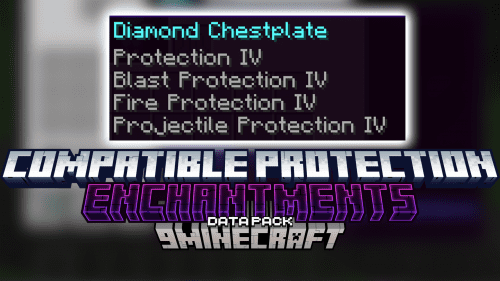 Compatible Protection Enchantments Data Pack (26.3, 1.21.1)
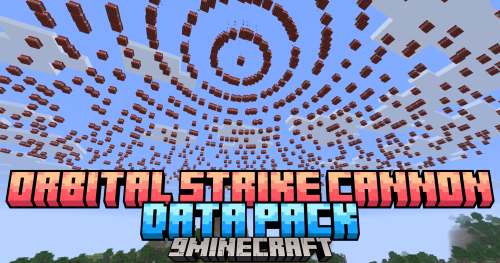 Orbital Strike Cannon Data Pack (26.3, 1.21.11) – Call Down Massive Explosions
 Terralith Data Pack (26.3, 1.20.1) – Biomes, Exploration
 World Generator Ocean Only Water World Data Pack (26.3, 1.21.1)
 TreeCapitator Data Pack (26.1.2, 1.20.1) – Chop Down Entire Trees
More from Data Packs
 Drinking Craft ENG Data Pack (26.3, 1.21.1) – Party Drinking Rules
 Simplicity Simple World Generation Data Pack (26.3, 1.21.1)
 Phantom Scarecrows Data Pack (26.3, 1.21.1) – Guard Your Night Skies
 Dungeons of Doom Data Pack (1.21.10) – Explore Deadly Catacombs
 Dyeable Dice Data Pack (26.3, 1.21.11) – Craft, Color, and Roll Custom Playing
 Elytra Lunge Data Pack (1.21.11) – Dash Forward Through the Sky While Gliding
 Hundred Lives Data Pack (1.21.11, 1.21.1) – Survive One Hundred Deaths
 Featured Before Data Pack (26.1.2) – Collect Removed Blocks, Old Gear
 Lapis Advancements Data Pack (1.21.11, 1.21.1) – Over 40 New Vanilla Challenges
 Flat Dimensions World Preset Data Pack (26.3) – Survive Every Realm
 Drop Head Data Pack (26.3, 1.20.1) – Turn Defeat Into Trophies
 Cobblemon Browt Data Pack (1.21.11, 1.21.1) – Hunt Rare Flying Companions

This post has no comments yet. Be the first — your comment will appear here.