
MBackupSystem Plugin (1.16) – Keep Every Player Build Safe Without Lag Spikes
 0
 0

MBackupSystem Plugin automates world backups on multiplayer servers without interrupting active gameplay. It packs world folders into timestamped ZIP archives off the main server thread so players avoid lag spikes and TPS drops during saves. Admins can schedule backups on a set minute timer, run them automatically at startup and shutdown, or trigger a manual save anytime with one command. Multi-language messages, adjustable world lists, custom storage locations, and automatic old-backup cleanup keep server management simple on any world.

Features:
- Asynchronous ZIP Backups: Runs archive creation off the main server thread with 16K buffers to prevent lag spikes and TPS drops while players stay online.
- Scheduled And Lifecycle Saves: Creates backups on a repeatable minute interval defaulting to 60 minutes, plus optional automatic saves when the server starts up or shuts down.
- Full World Structure Archiving: Saves timestamped ZIP files that keep empty folders along with
level.dat,region,entities,data,playerdata, andsession.lock. - Automatic Old Backup Cleanup: Removes backup archives older than a chosen number of days, set to 7 days by default, to save disk space.
- Lets you pick which worlds get saved through the
world-listsetting, starting withworld,world_nether, andworld_the_endby default. - Saves completed ZIP archives either in the server root directory (
Main-folder) or inside the plugin folder (Plugin-folder). - Includes built-in messages in English (
en), Turkish (tr), and Russian (ru) selectable insideconfig.yml. - Records actions and errors in server logs when the
debugoption is turned on.
Commands:
/mbackupsystem reload: Reloads the plugin and its settings (requires thembackupsystem.adminpermission)./mbackupsystem start: Forces an immediate manual backup to start right away (requires thembackupsystem.adminpermission).
Configuration:
language: Sets the plugin message language inconfig.ymlto English (en), Turkish (tr), or Russian (ru).debug: Turns detailed action and error logging on or off inconfig.yml.world-list: Lists the world folders included in backups, defaulting toworld,world_nether, andworld_the_end.backup-type: Chooses whether ZIP archives save to the server root (Main-folder) or the plugin directory (Plugin-folder).delete-old-backups: Controls automatic deletion of archives older than the chosen day limit (default7days).mbackupsystem.admin: Grants permission to run/mbackupsystem reloadand/mbackupsystem start.
How to Use:
- Stop your server, place the downloaded file into the
pluginsfolder, and start the server so it generatesconfig.yml. - Open
config.ymlto pick yourlanguage(en,tr, orru), list worlds underworld-list, set yourbackup-typepath (Main-folderorPlugin-folder), adjust the minute interval (default60minutes), and set startup, shutdown, or old-backup cleanup options (default7days). - Give server admins the
mbackupsystem.adminpermission, then run/mbackupsystem reloadto apply any changes made toconfig.yml. - Run
/mbackupsystem startwhenever you want an immediate ZIP backup outside the regular schedule, and check your chosen output folder for timestamped world archives.
Screenshots:


How to Install:
New to Minecraft? Follow our step-by-step guide to install Plugins on your PC.View Guide
MBackupSystem Plugin Download Links
For Minecraft 1.16
How often do you vote for servers on server list websites to get in-game rewards?
0 responses · See the full results →
You May Also Like
Picked for this page
 Image Frame Plugin (26.1.2, 1.20.1) – Decorate Every Base with Custom Web Art
 Grim Anticheat Plugin (26.3, 1.20.1) – Clean Fights Without Kicking Laggy
 DiSky Plugin (26.1.2, 1.20.1) – Bring Discord Bots Directly to Chat
 Plugin Constructor API (1.12.2) – Zero Lag Even with Tons of Addons
 Ultimate Donut SMP Plugin (26.2, 1.21.11) – Everything Players Need to Trade
 Player Tally Plugin (1.12.2) – See Who Is Online and Know Who Plays the Most
 MCStat Plugin (1.20.4, 1.13) – Track Active Playtime and Spot Lag Before Players Quit
 Physics Toggle Plugin (1.12.2) – Build Floating Maps Without Block Lag
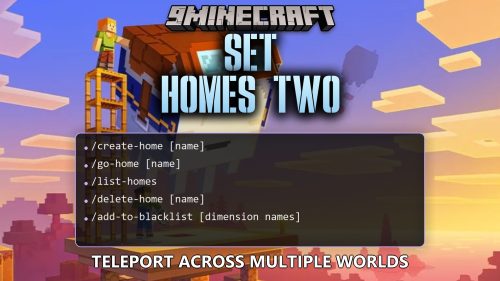 Set Homes Two Plugin (26.2, 1.20.1) – Give Players a Safe Way Back
 Crafters Staff Plugin (1.21.11, 1.21.1) – Catch Rule Breakers Without Ruining
 AddonBridge Plugin – Bring Your Favorite Bedrock Addons to Your Server
 Nekorelay Plugin (26.2, 26.1.2) – Play with Friends Instantly Without Router
Most viewed in Plugins over the last 7 days
 Astro Powers Plugin (26.3, 1.21.1) – Unlockable Superpowers Spark Intense
 WorldEdit Plugin (1.21.11, 1.20.1) – Easy In-Game Minecraft Map Editor
 BedWars1058 Plugin (1.20.6, 1.20.1) – Play BedWars in Your Native Language
 CustomAliases Plugin (1.20) – Turn Long Server Commands Into Quick Chat Shortcuts
 Citizens Plugin (1.21.10, 1.20.1) – Talk to Living Characters
- MCStat Plugin (1.20.4, 1.13) – Track Active Playtime and Spot Lag Before Players Quit
- Ultimate Donut SMP Plugin (26.2, 1.21.11) – Everything Players Need to Trade
 Christmas Season Plugin (26.3, 1.21.11) – Turn Worlds Into Snowy Wonderlands
 Totem of Null Plugin (26.3, 1.21.1) – Prank Your Friends By Sending Them
 Psycho1v1Rtp Plugin (1.21) – Queue Up for Instant 1v1 Duels Out in the Wild
 Raknetify2 Plugin (26.3) – Smoother Multiplayer Even When Packets Go Missing
 Multiverse Netherportals Plugin (26.3, 1.20.1) – Fixes Portal Links Across Worlds
More from Plugins
 Throwing Dics Plugin (1.21.11) – Add Ranged Disk Weapons to Spice Up Server PvP
 Secure MC Plugin (1.21.11, 1.20.1) – Block Bot Attacks and VPNs So Real Players
 Donut TPA Teleport Requests Plugin (26.3, 1.21.1) – Fast Friend Teleports
 Donut Homes Plugin (26.3, 1.21.1) – Teleport Home Through a Clean Visual Bed
 Banana SMP Plugin (1.21.11, 1.21.1) – Trade on the Auction House and Battle
 Via Visuals Plugin (26.3, 1.21.11) – See New Mobs and Blocks on Older Minecraft
 Donut AFK Plugin (26.3, 1.21.1) – Earn Shards and Money While Waiting
 DragonBuildTools Plugin (1.20) – Let Builders Craft Massive Worlds for Your Community
 SwiftDelivery Plugin (1.16) – Deliver Goods Across the World for Quick Cash
 Minecraft Server Plugin Hilltop Defense Plugin (1.21) – Team Up to Defend the Village
 ChatControl Free Plugin (1.13) – Keep Player Conversations Clean and Spam Free
 Mcgui Plugin (1.21) – Browse Web Pages and Play Minigames on In-Game Spawn Walls

This post has no comments yet. Be the first — your comment will appear here.