
Plasmo Voice Mod (26.3, 1.20.1) – Talk Freely with Friends

 0


Plasmo Voice Mod brings proximity voice chat with 3D audio positioning to Minecraft. Nearby players sound loud and clear, while distant voices fade smoothly as you move apart. This mod cuts out microphone background noise, muffles sound through solid blocks, and lets you switch talking modes or adjust individual player volumes on the fly. It also supports optional server and client addons for group channels, whispering, broadcasts, music discs, replay recording, and mob voice reactions. It runs in singleplayer, Open to LAN, and multiplayer servers across Fabric, Forge, NeoForge, Paper, and Folia, and players without the client mod can still join and play normally.
Features:
- 3D Sound Positioning: Uses the OpenAL sound engine and stereo audio sources so voices sound like they come from each player’s exact spot.
- Noise Reduction: Uses RNNoise to remove background noise from your microphone for clearer talking.
- Sound Occlusion and Direction: Optionally muffles voices through solid blocks and lowers volume when a speaker faces away from you.
- Talking Modes and Distance: Lets you choose between Push to Talk or Voice Activation and adjust how far your voice travels.
- Smooths out volume changes as players move closer or farther away.
- Lets you look at a player, hold RMB, and scroll the mouse wheel to adjust their volume.
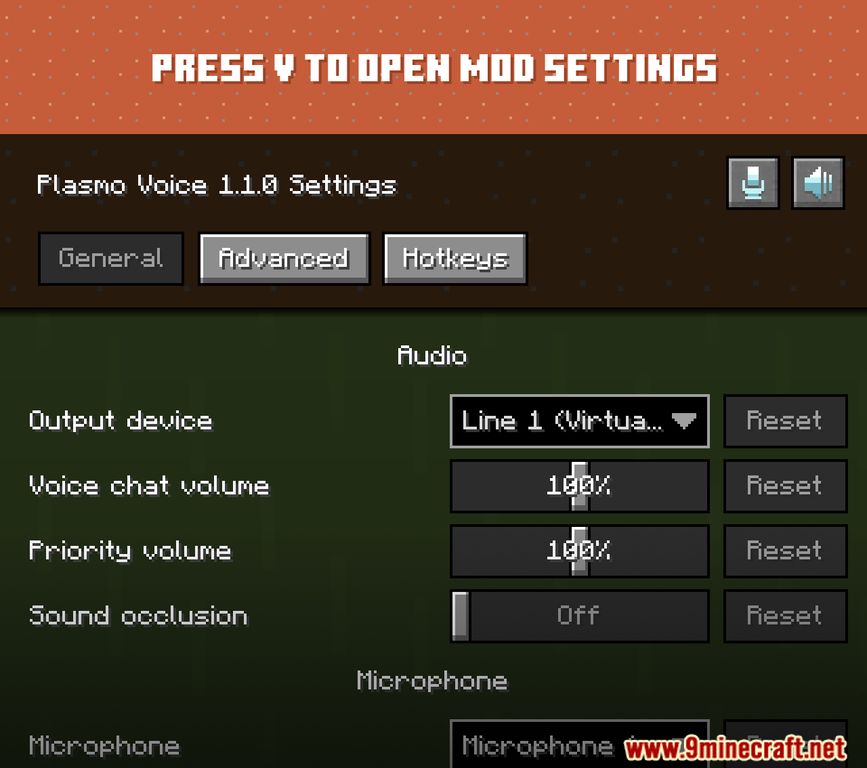
- Lets you select your input microphone and output audio devices.
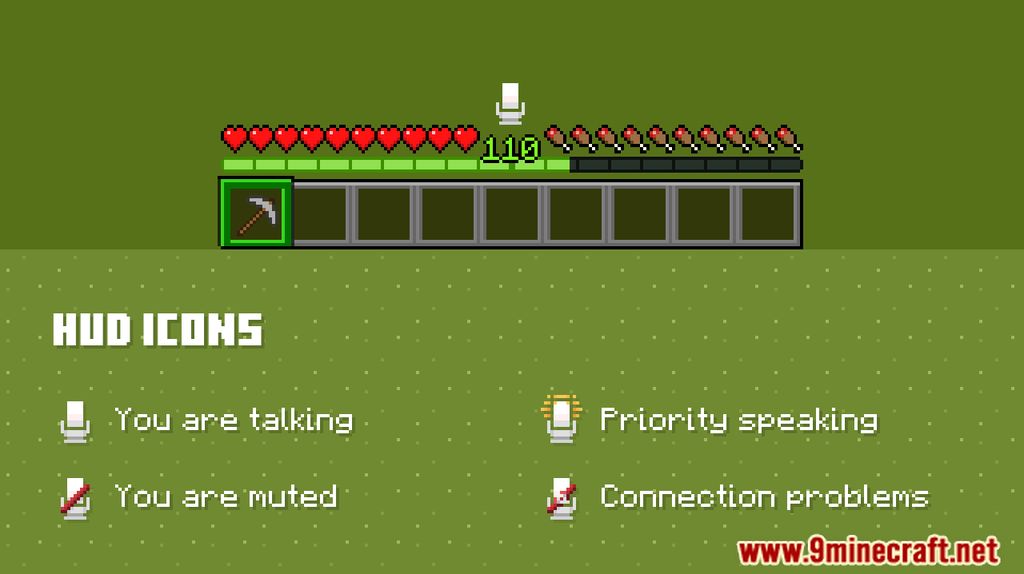
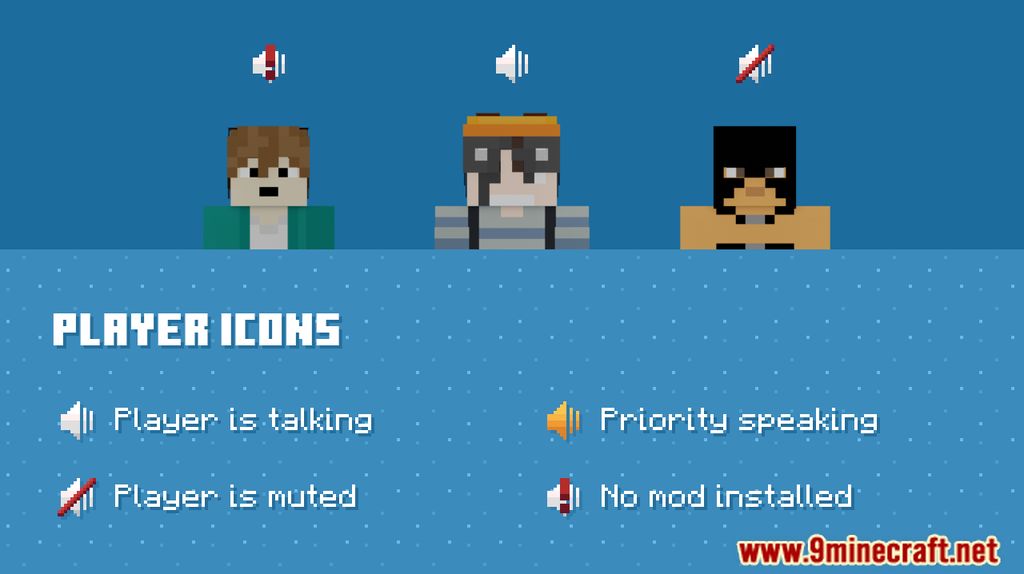
- Lets you move GUI icons on your screen, toggle player icon visibility, and turn on a Discord-like in-game overlay.
Server Features:
- Uses the Opus codec to keep audio clear while using little internet bandwidth.
- Encrypts all voice communication to keep conversations secure.
- Lets servers configure the voice chat distance.
- Includes chat commands for server-side muting, along with permissions support and vanish support.
- Lets players without the client mod still join and play as usual without voice chat, or gives servers the option to kick them.
- Supports PlaceholderAPI and includes an advanced API for extra features.
- Works in singleplayer, Open to LAN, BungeeCord, and Velocity networks across Paper, Folia, Fabric, Forge, and NeoForge servers with Fabric, Forge, and NeoForge clients.
Server-Side Addons:
Universal server addons work on Fabric, Forge, NeoForge, and Paper.
- Pv-addon-groups creates group voice chat channels so you can keep talking with players far away.
- Pv-addon-sculk triggers the Warden and sculk sensors when you speak in proximity voice chat.
- Pv-addon-broadcast sends your voice to all players in a radius, world, server, or proxy.
- Pv-addon-spectator lets all players hear spectators.
- Pv-addon-whisper adds whispering, set to half of the current proximity distance by default.
- Pv-addon-priority adds voice activation with a larger, configurable distance.
- Pv-addon-lavaplayer-lib bundles the LavaPlayer fork library needed by some addons.
- Voiceless Survival is a third-party addon that makes mobs react to your voice, with hostile mobs following the sound and animals running away.
- Pv-addon-discs plays audio from YouTube and other sources on Minecraft music discs, including YouTube and Twitch live streams.
- Simple Voice Radio is a third-party addon that adds a radio block so players can talk over long distances.
Client Addons:
- Pv-addon-soundphysics adds compatibility with Sound Physics Remastered so voices follow sound physics.
- Pv-addon-replaymod is a fork of Replay Voice Chat that records voice chat with ReplayMod.
- Pv-addon-flashback records voice chat inside Flashback replays.
- Talking Heads is a third-party addon that scales player heads when they talk.
- Let Them Talk (LTT) is a third-party addon that lowers your music and other apps while someone is speaking.
- Talking Huds is a third-party addon that replaces the voice overlay with a new one offering several styles.
How to Use:
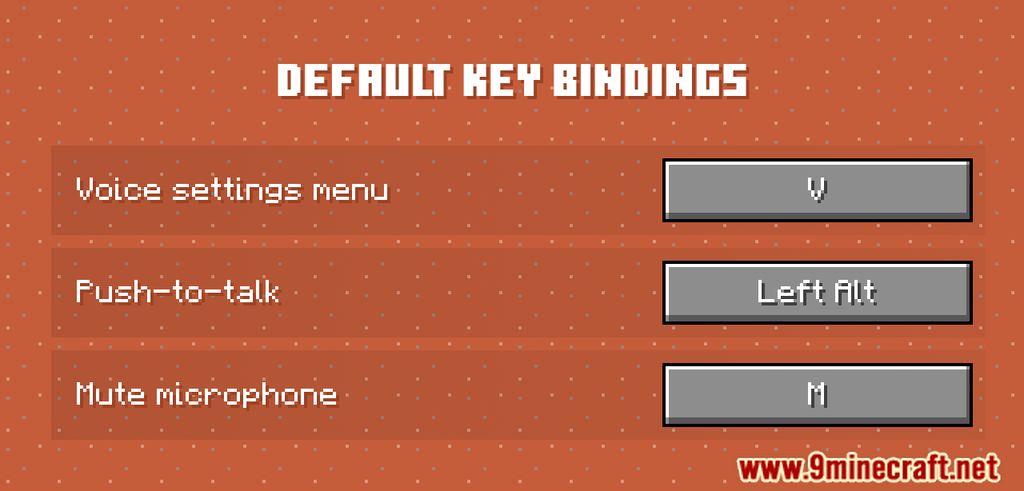
- Press V in-game to open the voice settings menu.
- Select your input microphone and output audio devices, and check that your microphone works so other players can hear you.
- Choose Push to Talk or Voice Activation and set your voice chat distance to control how and how far you speak.
- Turn on optional settings like sound occlusion, directional audio, GUI icon positions, player icon visibility, or the Discord-like overlay to match your setup.
- Look at another player, hold RMB, and scroll your mouse wheel to raise or lower that player’s volume right away.
Screenshots:

How to Install:
New to Minecraft? Follow our step-by-step guide to install Mods on your PC.View Guide



Plasmo Voice Mod Download Links
For Minecraft 26.3
For Minecraft 26.2
For Minecraft 26.1.2, 26.1.1, 26.1
For Minecraft
1.21.11,
1.21.10,
1.21.9
All Versions Covered
1.21.11
1.21.10
1.21.9
1.21.8
1.21.7
1.21.6
1.21.5
1.21.4
1.21.1
1.21
For Minecraft 1.21.10, 1.21.9
For Minecraft 1.21.8, 1.21.7, 1.21.6
For Minecraft 1.21.5
For Minecraft 1.21.4
For Minecraft 1.21.3, 1.21.2
For Minecraft 1.21.1, 1.21
For Minecraft 1.20.6
For Minecraft 1.20.4
For Minecraft 1.20.3
For Minecraft 1.20.2
For Minecraft 1.20.1, 1.20
For Minecraft 1.19.4
For Minecraft 1.19.3
For Minecraft 1.19.2
For Minecraft 1.19.1
For Minecraft 1.19
For Minecraft 1.18.2
For Minecraft 1.17.1
For Minecraft 1.16.5
How often do you tweak mod configuration files (.cfg or .toml)?
10 responses · See the full results →
You May Also Like
Picked for this page
 Elytra Chestplate Swapper Mod (26.3, 1.20.1) – Functionality to Keystroke
 Silk Mod (26.3, 1.20.1) – Kotlin Minecraft API
 Status Mod (26.3, 1.20.1) – Set Your Own Status
 Noxesium Mod (26.3, 1.20.1) – Elevate Your Minecraft Experience
 Reacharound Mod (26.3, 1.20.1) – The Ultimate Block Placement Mod
 Mob Filter Mod (26.3, 1.20.1) – Managing Mob Populations
 QuickCraft Mod (26.1.2, 1.20.1) – Simplify Your Crafting Experience
 Cardboard Mod (26.1.2, 1.20.1) – Implements Plugins API as a Fabric Mod
 Legends Anime Heropack Mod (1.18.2) – Superpowered Character Battles
 Talk Balloons Mod (26.3, 1.20.1) – See Chat Messages In Style
 Your Options Shall Be Respected Mod (26.3, 1.20.1) – YOSBR, Default Options
 No More Phantoms Mod (1.21.5, 1.20.1) – Disables Phantoms From Spawning
Most viewed in Mods over the last 7 days
 Ala Industrial Mod (26.3) – Run Electric Power Grids and Automated Factories
 PleasureCraft Mod (26.3, 1.21.1) – Jenny Mod Remake for Fabric
 Jennycraft Mod (26.3, 1.20.1) – Virtual Girlfriend in Minecraft
 Fapcraft Mod (26.3, 1.12.2) – Comprehensive and Detailed Content
 Jenny Mod (Fapcraft) Official Complete Guide – How to use, Tutorial
 BangCraft Mod (1.20.1) – Jenny, Ellie and Elliot
 Fabric Loader (26.3, 1.20.1) – Fabric Installer for All Minecraft Versions
 The Shooting Star Demo Mod (26.3, 1.20.1) – Vaporize Terrain From Orbit
 Meteor Client Mod (26.3, 1.20.1) – Xray, HUD, Fly
 OptiFine HD (26.3, 1.20.1) – Run Faster, FPS Boost, Shaders Support
 Aristois Client Mod (1.21.4, 1.20.1) – World Class Minecraft Utility
 Prestige Client Mod (1.21.11, 1.21.4) – Powerful Ghost Features for Crystal & Sword PvP
More from Mods
 Beli’s SkyLyrics Mod (1.21.11) – Sing Along to Desktop Tracks Projected in the Night Sky
 Explainstone and Songmelyn Mod (1.21.1) – Broadcast Custom Music Across Your Base
 Rockstar Shaders Mod (26.3) – Cast Ray-Traced Light Across Vast Distant Horizons
 ERYDON Mod (1.20.1) – Design Grand Courtyards with Carved Marble Pillars
 Infinity Bound Mod (1.21.1) – Snap Away Enemies with Legendary Superhero Gear
 Legacy Gecko Lib Fabric Mod (1.16.5) – Power Animated Creatures in Modpacks
 The Man from the Shadow Horror Mod (1.20.1) – Fight Hallucinations to Survive
 Shade & Saturation Slider Mod (26.2, 1.21.11) – Make Every Biome Vibrant
 Cataclysm X Yung’s Better Nether Fortresses Compat Mod (1.21.1, 1.20.1)
 Patchouli 9minecraft Mod (26.3) – Read Mod Guides Without Leaving Minecraft
 Paintings ++ 9minecraft Mod (26.3) – Pick the Exact Painting You Want
 owo-lib 9minecraft Mod (26.3) – Run Your Favorite Mods Without Errors

This post has no comments yet. Be the first — your comment will appear here.