
Puzzle Mod (26.3, 1.20.1) – Tweak Visuals on the Fly

 0


Puzzle Mod brings a clean, vanilla-style menu to manage your OptiFine replacement mods in one place. You do not need to search through ModMenu for many separate mods, because it puts their settings right inside the normal Minecraft options menu and ModMenu. It works right out of the box with 8 popular alternative mods, such as Iris, Continuity, Cull Leaves, and LambDynamicLights. This mod also adds helpful resource pack features like custom splash screens, unlocked rotation values, and bigger JSON models.
Features:
- Combines settings for multiple OptiFine replacement mods into one vanilla-style menu inside both the standard options screen and ModMenu.
- Organizes options into clean pages for Resource, Graphics, Performance, and Miscellaneous settings so everything is easy to find.
- Includes built-in support for 8 popular OptiFine alternative mods: Cull Leaves, Iris, Continuity, LambDynamicLights, LambdaBetterGrass, CITResewn, Custom Entity Models, and Entity Texture Features.
- Adds built-in OptiFine-style resource pack features on its own, such as custom splash screens loaded from resource packs.
- Unlocks rotation values and allows bigger sizes for JSON models in custom resource packs.
- Provides an API that lets other mods connect to and use the same shared configuration menu.
How to Use:
- Open the normal Minecraft options menu, or open ModMenu from the game screen.
- Click the settings button for Puzzle Mod to open the shared configuration menu.
- Switch between the Resource, Graphics, Performance, and Miscellaneous pages to change settings for your installed OptiFine replacement mods in one place.
Screenshots:
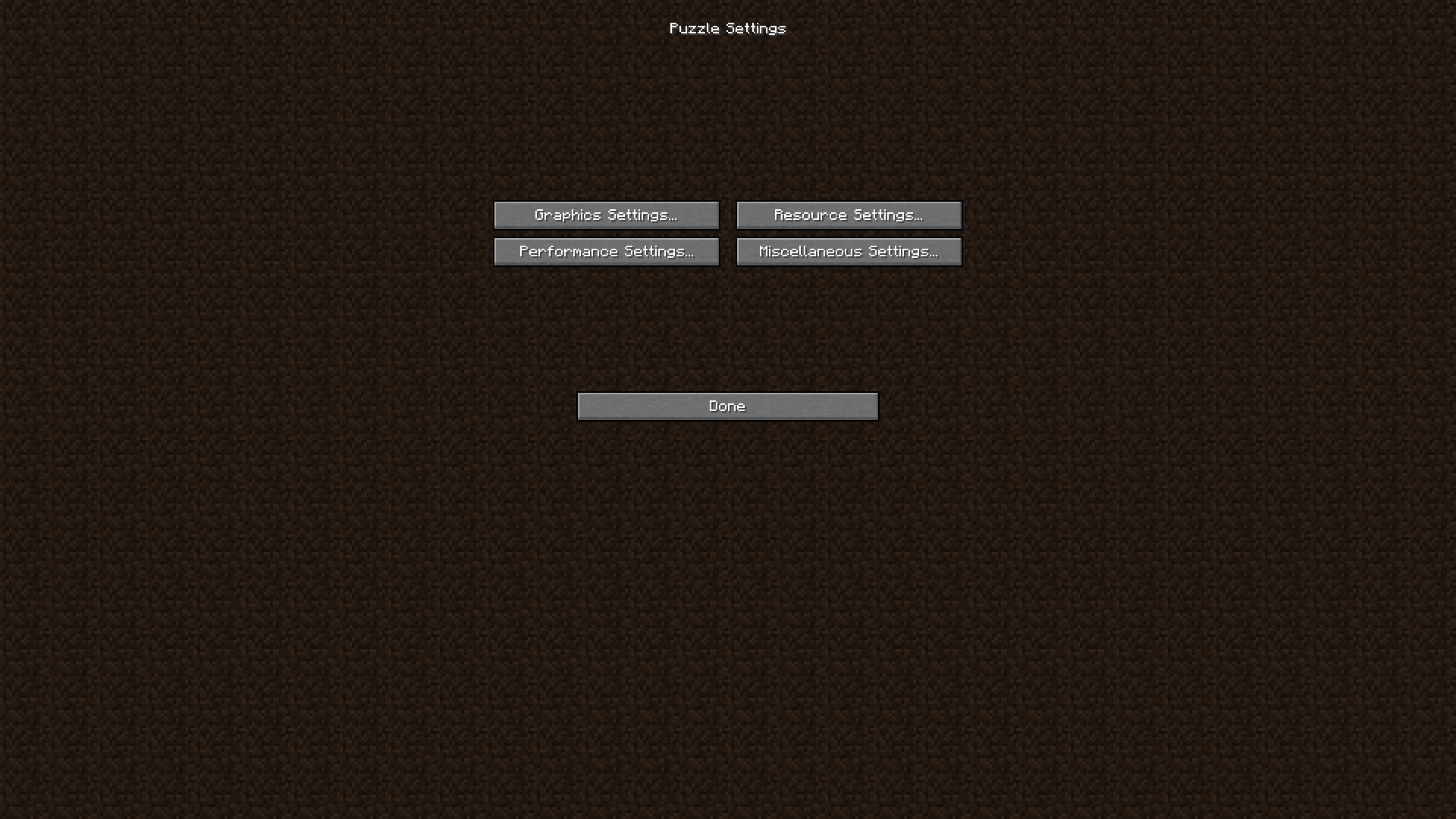
The Puzzle Options
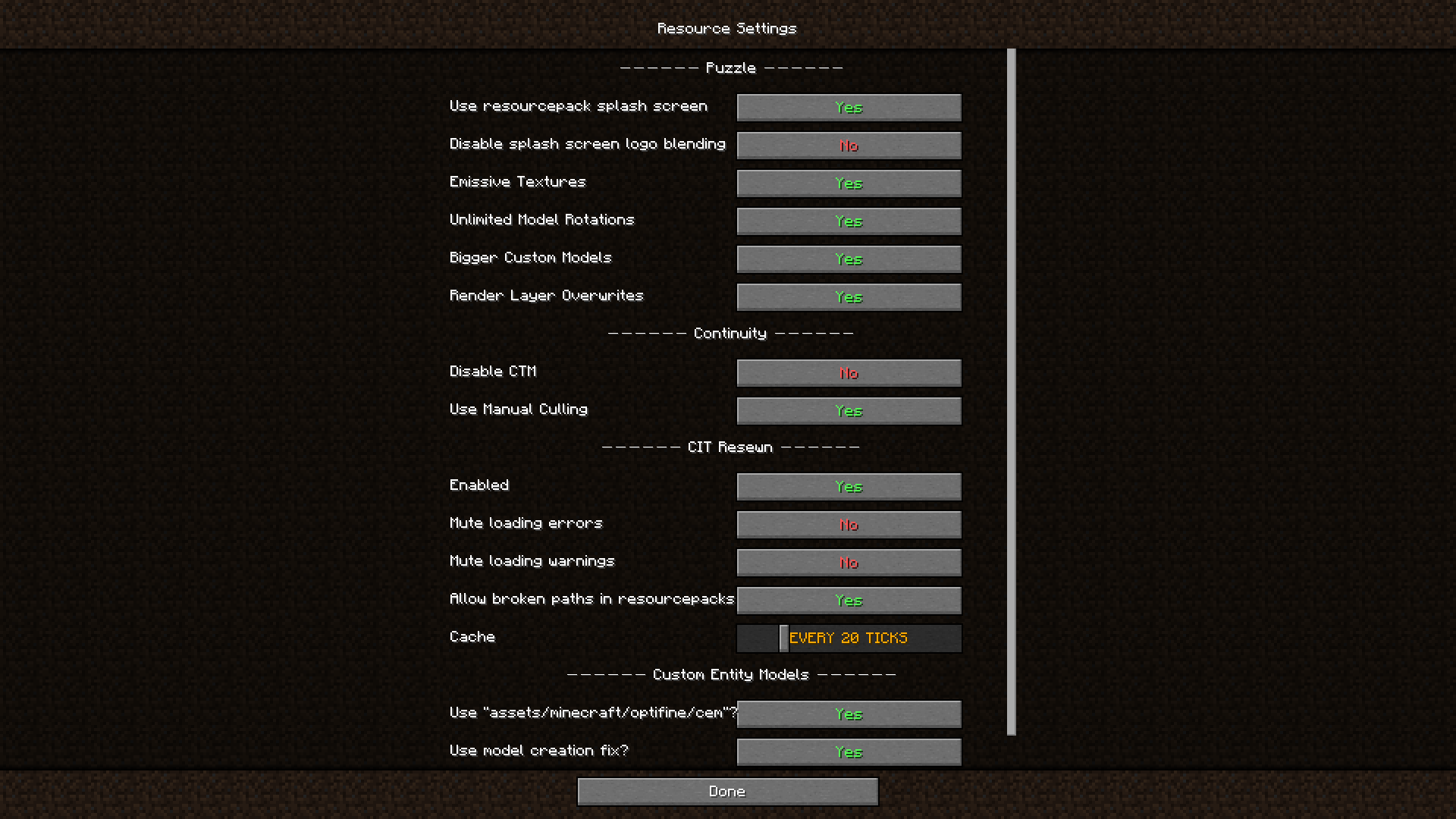
Puzzle Resource Settings Page
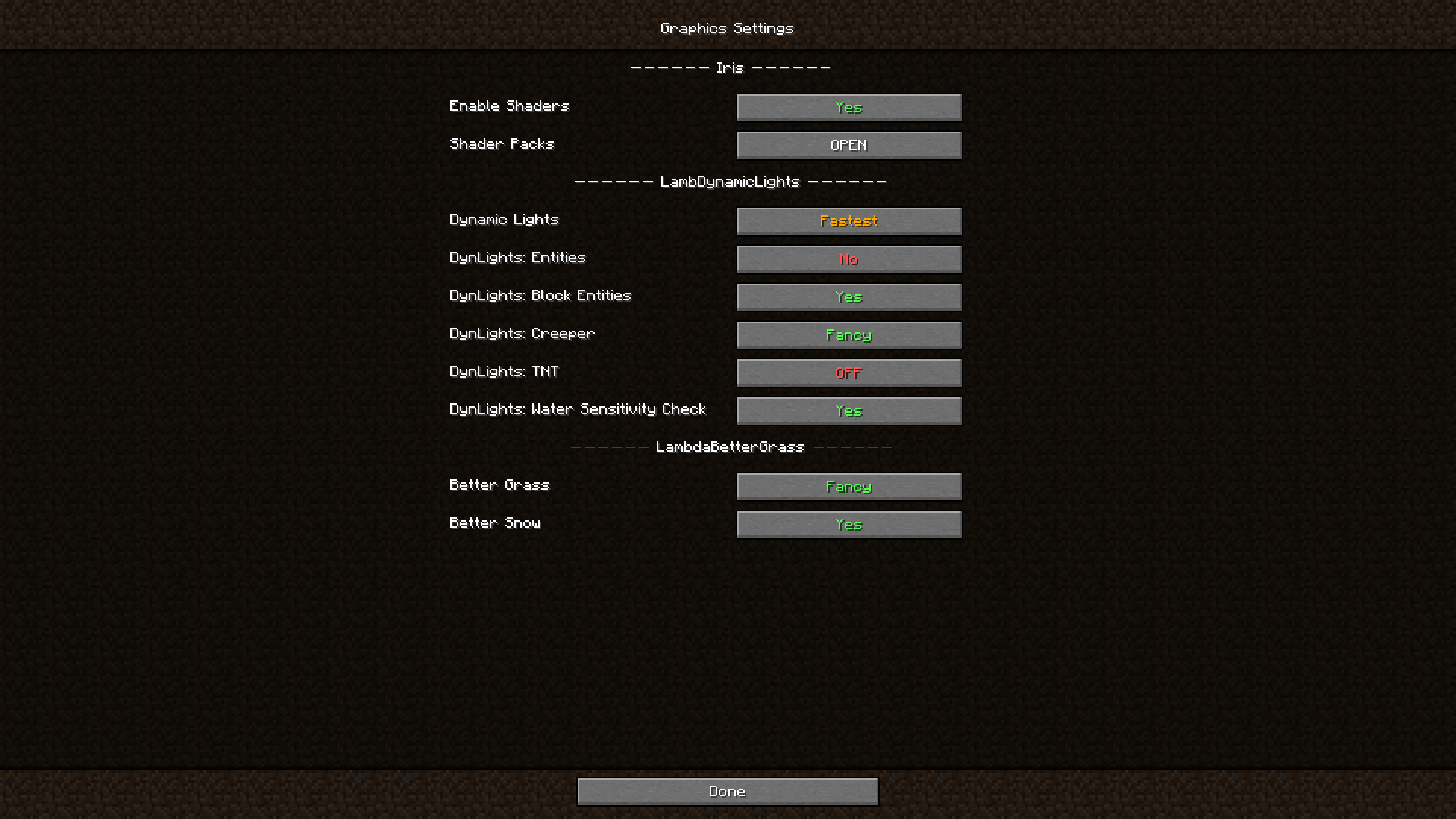
Puzzle Graphics Settings Page
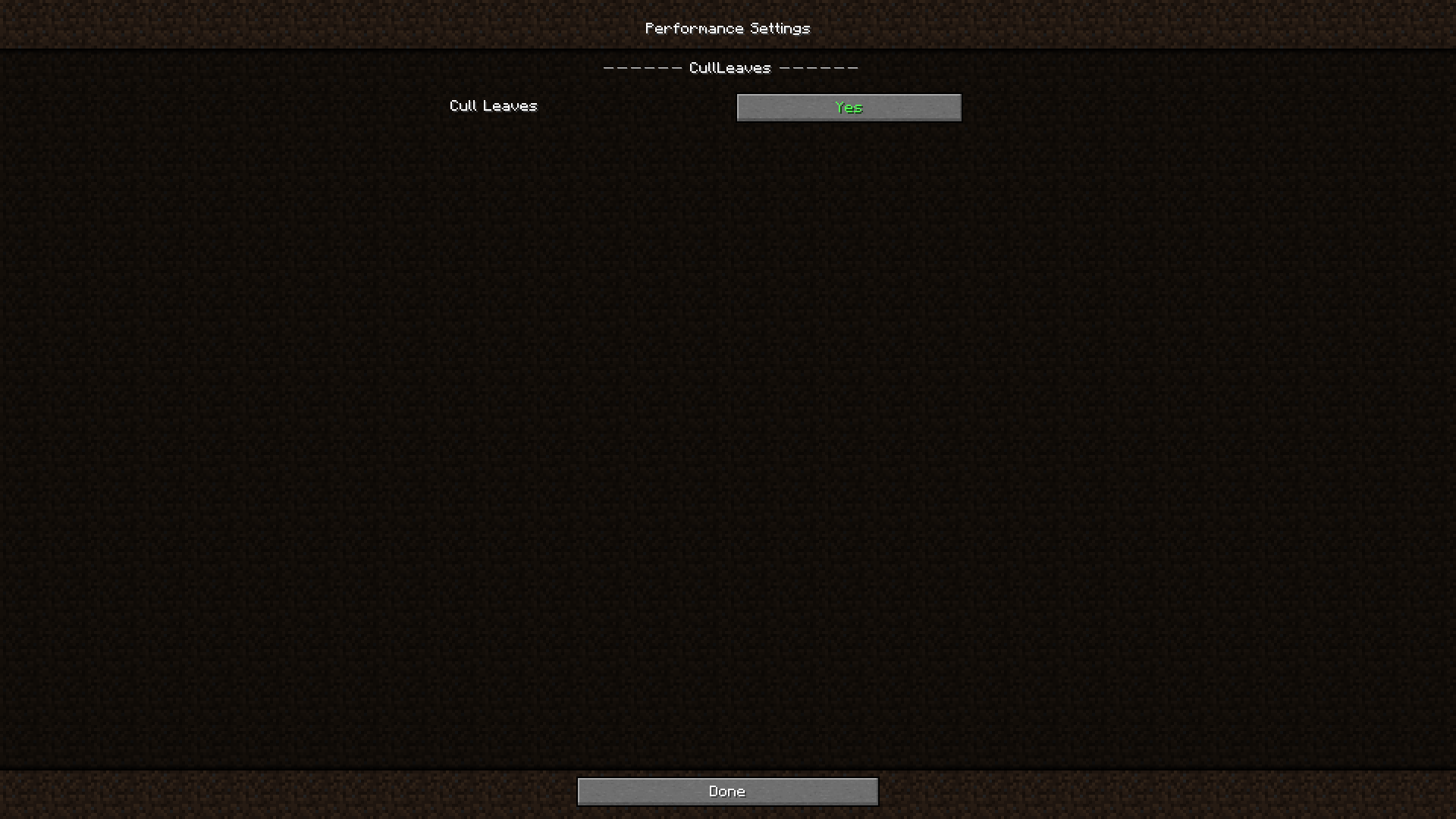
Puzzle Performance Settings Page
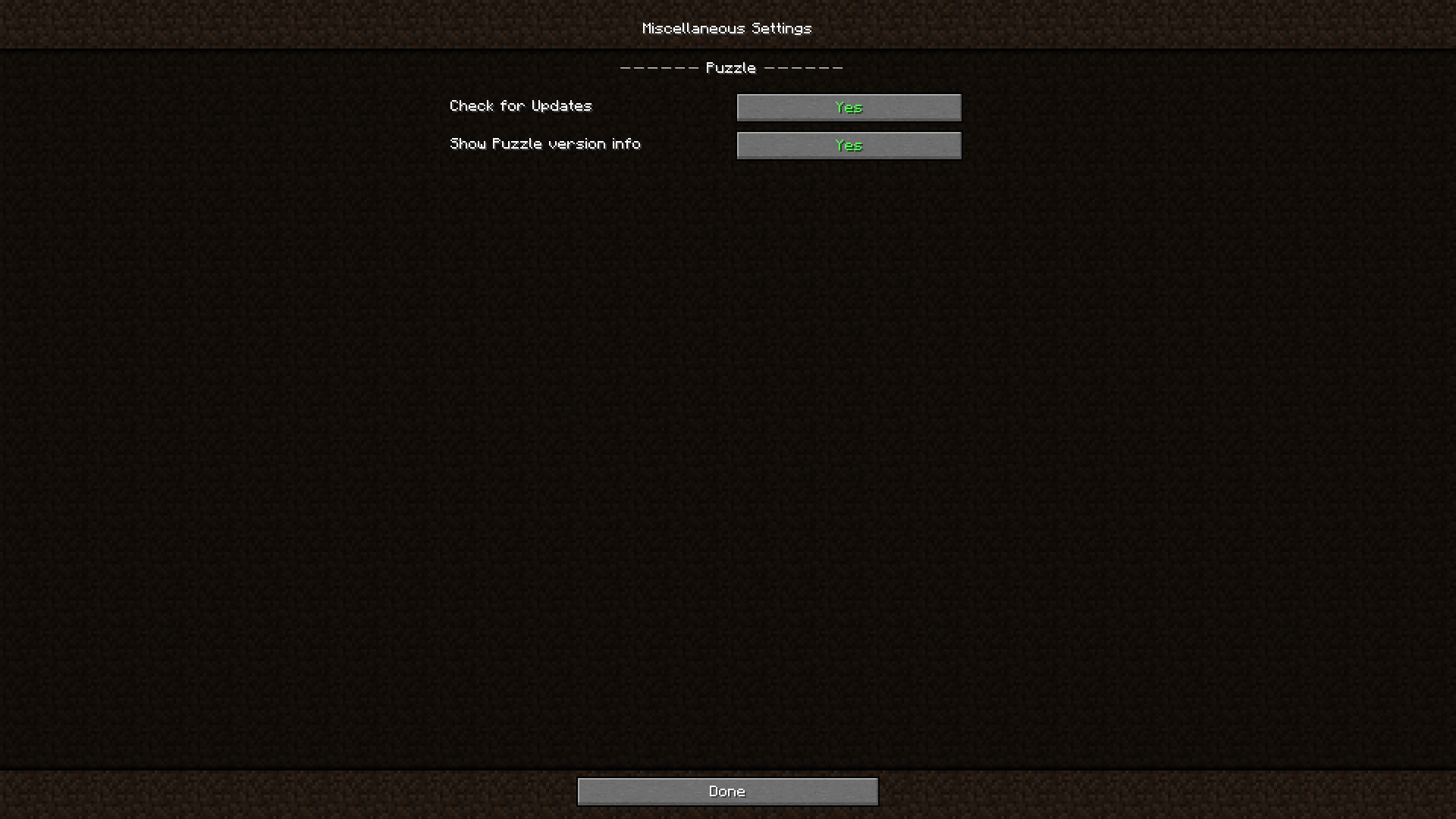
Puzzle Miscellaneous Settings Page
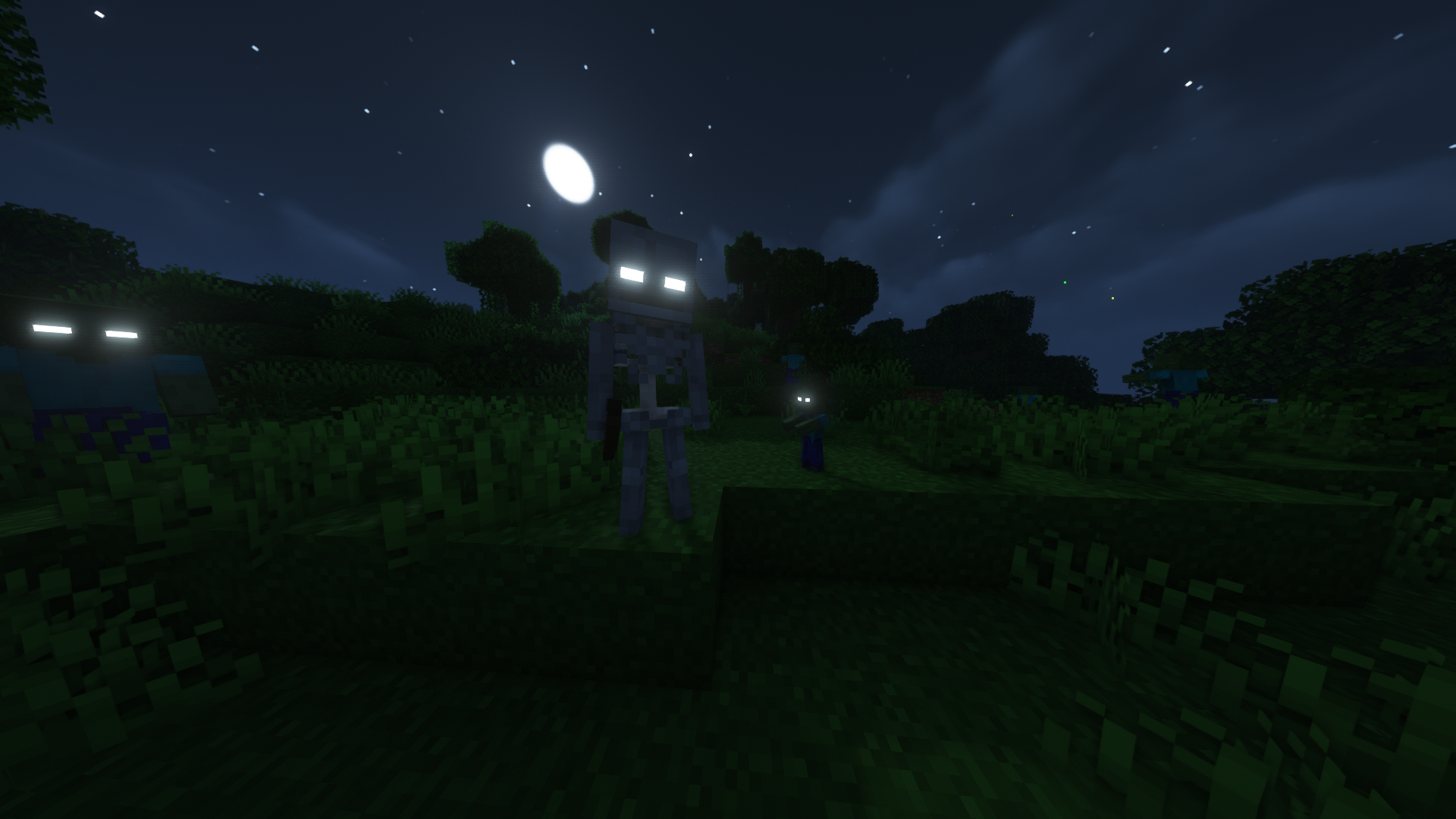
Emissive Mob Textures
How to Install:
New to Minecraft? Follow our step-by-step guide to install Mods on your PC.View Guide
Requirements:



Puzzle Mod Download Links
For Minecraft 26.3
For Minecraft 26.2
For Minecraft 26.1.2, 26.1.1, 26.1
For Minecraft
1.21.11,
1.21.10,
1.21.9
All Versions Covered
1.21.11
1.21.10
1.21.9
1.21.8
1.21.7
1.21.6
1.21.5
1.21.4
1.21.1
1.21
For Minecraft 1.21.10, 1.21.9
For Minecraft 1.21.8, 1.21.7, 1.21.6
For Minecraft 1.21.5
For Minecraft 1.21.4
For Minecraft 1.21.3, 1.21.2
For Minecraft 1.21.1, 1.21
For Minecraft 1.20.6
For Minecraft 1.20.4
For Minecraft 1.20.2
For Minecraft 1.20.1, 1.20
For Minecraft 1.19.4
For Minecraft 1.19.3
For Minecraft 1.19.2
For Minecraft 1.19.1, 1.19
For Minecraft 1.18.2, 1.18.1
You May Also Like
Picked for this page
 Humbling Bundle Mod (26.3, 1.20.1) – Doubles All Entity Loot
 Wavey Capes Mod (26.3, 1.20.1) – A Flowing Cape As You Move
 Better McDonald’s Mod (26.3, 1.20.1) – Food & Drink Additions
 Item Highlighter Mod (26.3, 1.20.1) – Animated Star Markers
 NBT Autocomplete Mod (26.3, 1.20.1) – Easy NBT Data Editing
 Keep My Soil Tilled Mod (26.3, 1.20.1) – Auto-Tilling Logic
 Recipe Commands Mod (26.3, 1.20.1) – Recipe Lookup via Commands
 Deepslate Instamine Mod (26.2, 1.20.1) – Instantly Break Deepslate
 Refined Advancements Mod (26.1.1, 1.20.1) – New Goals And Milestones
 Audio Hotkeys Mod (26.3, 1.20.1) – Easily Tweak the Volume
 Replaceitem Maze World Mod (26.3, 1.20.1) – The World Is A Maze!
 Nuit Mod (26.3, 1.20.1) – Keyframes, Weather, And Fog Control
Most viewed in Mods over the last 7 days
 Ala Industrial Mod (26.3) – Run Electric Power Grids and Automated Factories
 PleasureCraft Mod (26.3, 1.21.1) – Jenny Mod Remake for Fabric
 Jennycraft Mod (26.3, 1.20.1) – Virtual Girlfriend in Minecraft
 Fapcraft Mod (26.3, 1.12.2) – Comprehensive and Detailed Content
 Jenny Mod (Fapcraft) Official Complete Guide – How to use, Tutorial
 BangCraft Mod (1.20.1) – Jenny, Ellie and Elliot
 Fabric Loader (26.3, 1.20.1) – Fabric Installer for All Minecraft Versions
 The Shooting Star Demo Mod (26.3, 1.20.1) – Vaporize Terrain From Orbit
 Meteor Client Mod (26.3, 1.20.1) – Xray, HUD, Fly
 OptiFine HD (26.3, 1.20.1) – Run Faster, FPS Boost, Shaders Support
 Aristois Client Mod (1.21.4, 1.20.1) – World Class Minecraft Utility
 Prestige Client Mod (1.21.11, 1.21.4) – Powerful Ghost Features for Crystal & Sword PvP
More from Mods
 Anvil Uses Mod (26.3, 1.20.1) – Track Item Anvil Usage
 Animal Info Mod (26.3, 1.21.11) – Quick Stats For Your Animals
 Timber Tales Dynamic Tree System Mod (26.3, 1.20.1) – Watch Entire Trees Topple
 Gabou’s Libs Mod (26.3, 1.20.1) – Keep Custom Weather and Survival Mods Stable
 /Sit Mod (26.3, 1.21.1) – Make The Player Sit Down
 Arcane Redstone Dial Mod (26.3, 1.20.1) – Trigger Commands and Shortcuts
 The Graveyard Mod (26.3, 1.20.1) – Cemeteries in Minecraft
 Enhanced Overlay Mod (26.3, 1.21.11) – Remove Screen Clutter
 Flint Mod (1.21.11) – Run DiamondFire Community Addons Without Crashing
 Not Just Sandwich Mod (26.3, 1.20.1) – Edibles, Sandwiches
 Waddles Mod (26.3, 1.20.1) – Make Icy Biomes Feel Alive
 Artemis’ Thin Logs Mod (26.3, 1.20.1) – Build Custom Trees and Detailed Wood

This post has no comments yet. Be the first — your comment will appear here.