
ImmersiveMC Mod (26.3, 1.20.1) – Craft Items Without Opening Menus

 0


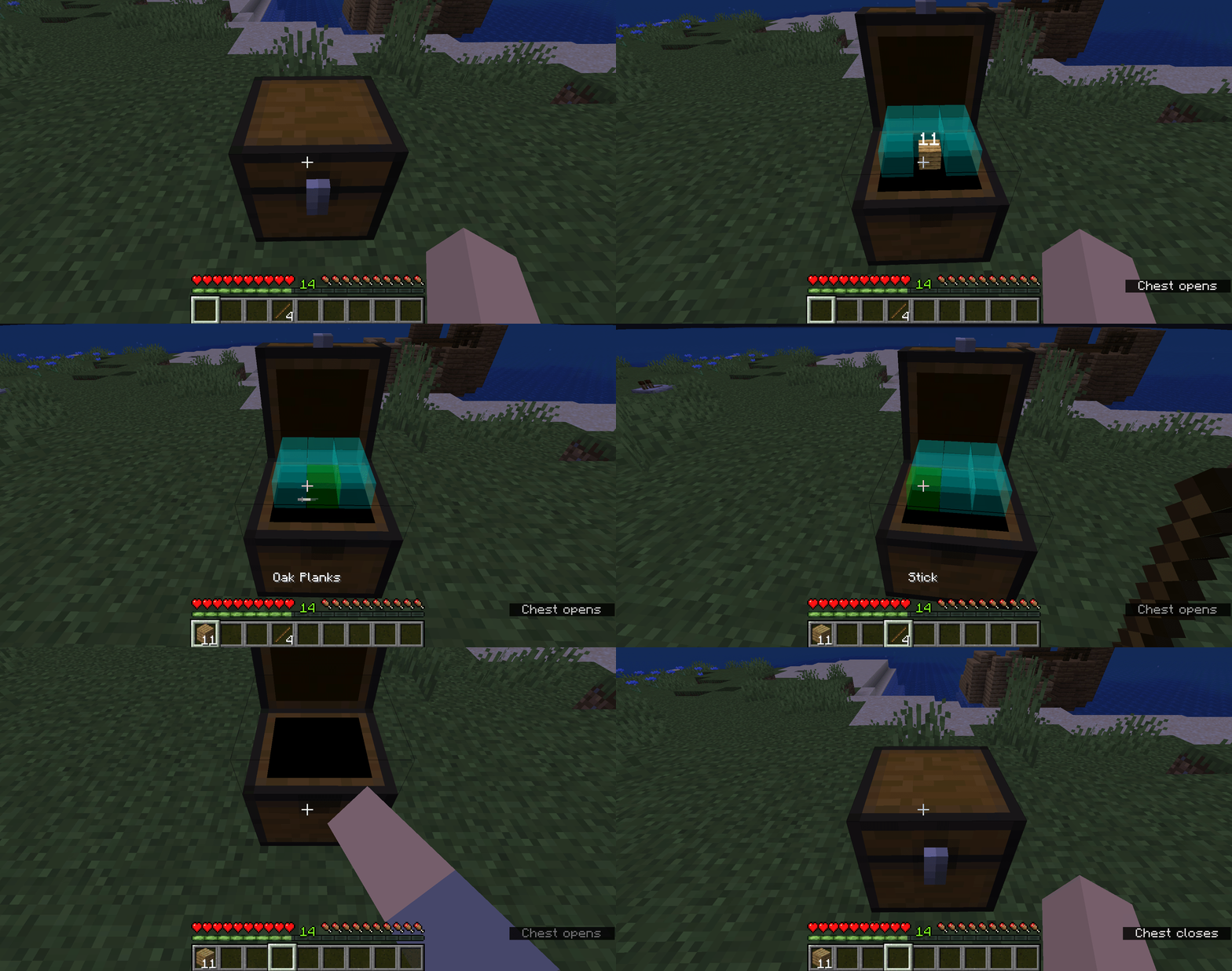
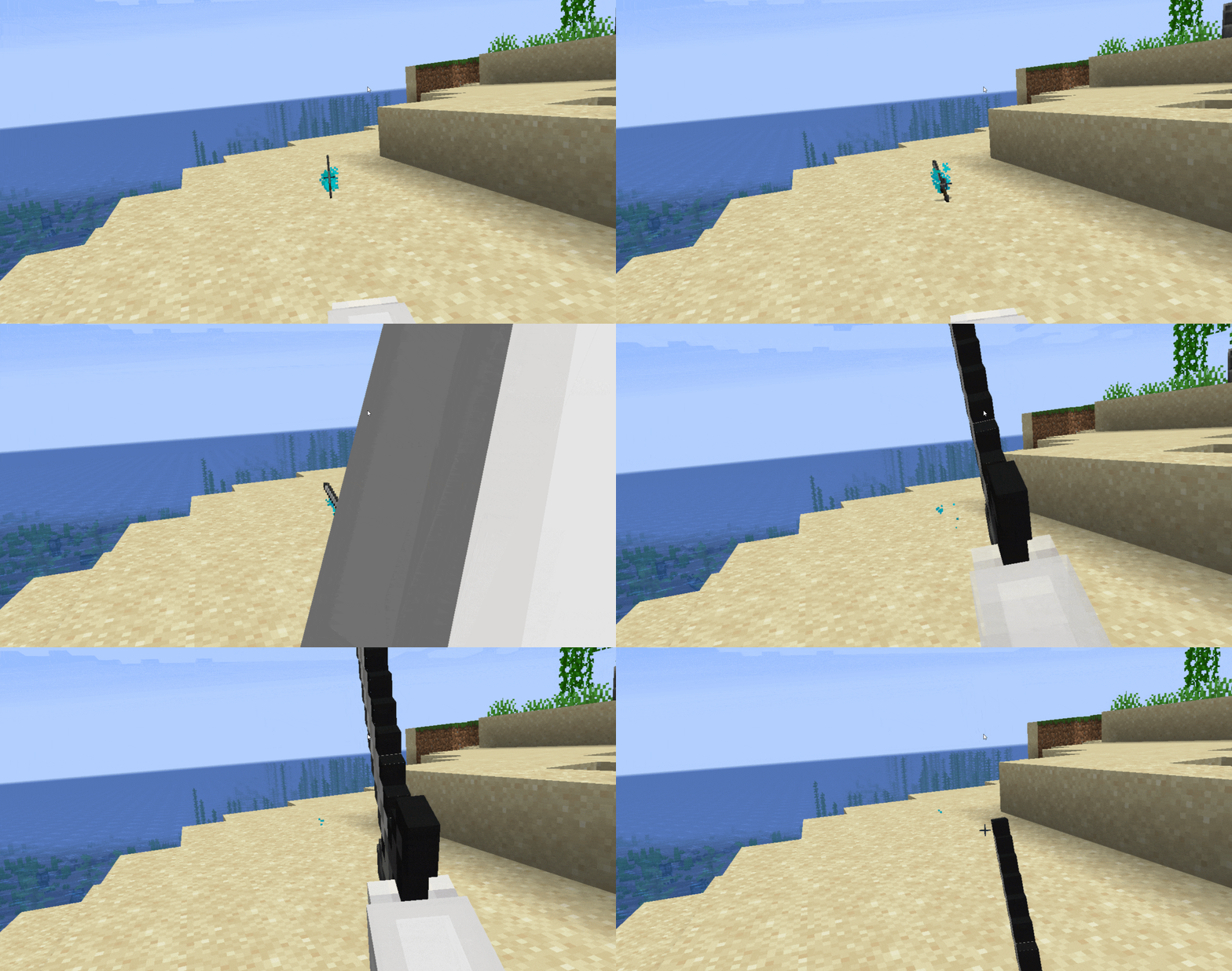
ImmersiveMC Mod lets you interact with blocks directly in the world instead of opening standard screen menus. You can use crafting tables, furnaces, and brewing stands right in front of you without opening a separate window. This mod works in normal play and also adds many special VR features to improve gameplay with Vivecraft. It supports many modloaders, and both the server and the client need it for multiplayer games.
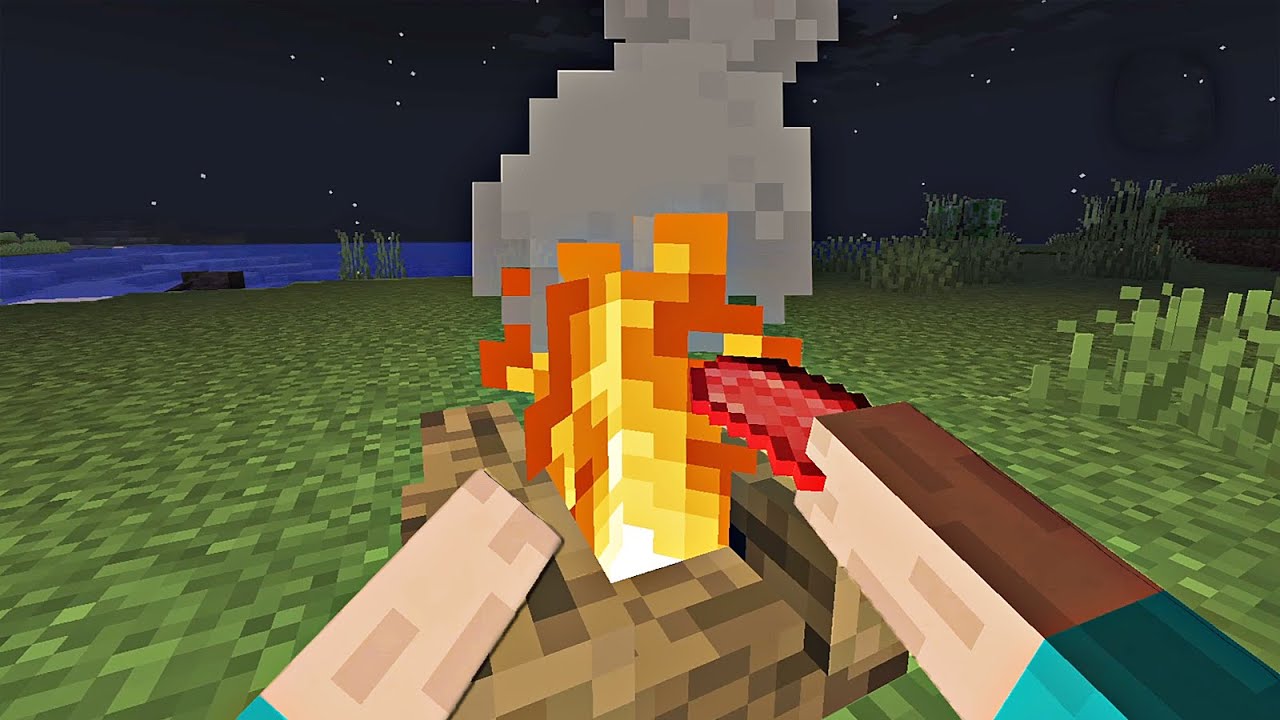
Features:
- Minimizes in-game screen menus so you stay focused inside the Minecraft world.
- Lets you use crafting tables, furnaces, and brewing stands directly in the world without opening separate windows.
- Works in both regular non-VR gameplay and virtual reality.
- Adds many special VR features for Vivecraft (version 1.3.3 or later), letting you use your hands to place items instead of only right-clicking.
- Supports multiplayer servers, Open to LAN, and world-sharing mods when installed on both the server or host and the client.
- Includes built-in settings that let players or hosts turn off its features if they do not want to use them during a shared game.
- Runs across many different modloaders and uses Fabric API when played on Fabric.
- Upgrades its stored data alongside Minecraft when you update a world to a newer version, though backing up your world first is still a smart habit.
How to Use:
- Add Fabric API if you play on Fabric, and make sure Vivecraft 1.3.3 or later is ready if you play in virtual reality.
- Install ImmersiveMC Mod on both the server (or host) and your client when playing on multiplayer servers, Open to LAN, or world-sharing mods.
- Walk up to blocks like crafting tables, furnaces, or brewing stands and interact with them directly in the world instead of opening standard screen menus.
- In VR, use your hands to place items right onto blocks instead of only right-clicking.
- Open the mod settings if you or the host want to disable its features while keeping it active for multiplayer.
- Make a backup copy of your world before updating to a newer Minecraft version so your save stays safe while the mod updates its data.
Screenshots:
How to Install:
New to Minecraft? Follow our step-by-step guide to install Mods on your PC.View Guide
Requirements:





ImmersiveMC Mod Download Links
For Minecraft 26.3
For Minecraft 26.2
For Minecraft 26.1.2, 26.1.1, 26.1
For Minecraft 1.21.11
For Minecraft 1.21.10, 1.21.9
For Minecraft 1.21.5
For Minecraft 1.21.4
For Minecraft 1.21.1, 1.21
For Minecraft 1.20.4
For Minecraft 1.20.2
For Minecraft 1.20.1, 1.20
For Minecraft 1.19.4
For Minecraft 1.19.3
For Minecraft 1.19.2
For Minecraft 1.18.2
For Minecraft 1.16.5
Click to rate this post!
[Total: 30 Average: 3.7]
You May Also Like
Picked for this page
 Effortless Building Mod (26.3, 1.20.1) – Tools and Functions for Builders
 Survive Mod (26.2, 1.20.1) – Harder Survival
 WTHIT Mod (26.2, 1.20.1) – What The Hell Is That?
 Forge Config API Port Mod (26.3, 1.20.1) – Bring Forge Mods to Fabric
 DefaultSettings Mod (26.3, 1.20.1) – Preserve Local Settings
 Weaker Spiderwebs Mod (26.3, 1.20.1) – Easier to Break Spiderwebs
 Everlasting Abilities Mod (26.3, 1.20.1) – Discover Abilities That Stick
 Spice of Life Carrot Edition Mod (26.3, 1.20.1) – Turn Food Into More Health
 TweakerMore Mod (26.3, 1.20.1) – A Collection of Client-Side Tweak Kits
 LibJF Mod (26.3, 1.20.1) – Library for JFronny’s Mods
 G4mespeed Mod (26.3, 1.20.1) – Advanced Tick Rate Control
 MiscTweaks Mod (26.3, 1.20.1) – Customize Minecraft Experience
Most viewed in Mods over the last 7 days
 Ala Industrial Mod (26.3) – Run Electric Power Grids and Automated Factories
 PleasureCraft Mod (26.3, 1.21.1) – Jenny Mod Remake for Fabric
 Jennycraft Mod (26.3, 1.20.1) – Virtual Girlfriend in Minecraft
 Fapcraft Mod (26.3, 1.12.2) – Comprehensive and Detailed Content
 Jenny Mod (Fapcraft) Official Complete Guide – How to use, Tutorial
 BangCraft Mod (1.20.1) – Jenny, Ellie and Elliot
 Fabric Loader (26.3, 1.20.1) – Fabric Installer for All Minecraft Versions
 The Shooting Star Demo Mod (26.3, 1.20.1) – Vaporize Terrain From Orbit
 Meteor Client Mod (26.3, 1.20.1) – Xray, HUD, Fly
 OptiFine HD (26.3, 1.20.1) – Run Faster, FPS Boost, Shaders Support
 Aristois Client Mod (1.21.4, 1.20.1) – World Class Minecraft Utility
 Prestige Client Mod (1.21.11, 1.21.4) – Powerful Ghost Features for Crystal & Sword PvP
More from Mods
 ERYDON Mod (1.20.1) – Design Grand Courtyards with Carved Marble Pillars
 Infinity Bound Mod (1.21.1) – Snap Away Enemies with Legendary Superhero Gear
 Legacy Gecko Lib Fabric Mod (1.16.5) – Power Animated Creatures in Modpacks
 The Man from the Shadow Horror Mod (1.20.1) – Fight Hallucinations to Survive
 Shade & Saturation Slider Mod (26.2, 1.21.11) – Make Every Biome Vibrant
 Cataclysm X Yung’s Better Nether Fortresses Compat Mod (1.21.1, 1.20.1)
 Patchouli 9minecraft Mod (26.3) – Read Mod Guides Without Leaving Minecraft
 Paintings ++ 9minecraft Mod (26.3) – Pick the Exact Painting You Want
 owo-lib 9minecraft Mod (26.3) – Run Your Favorite Mods Without Errors
 Moonlight 9minecraft Lib (26.3, 26.2) – Run Complex Mods Without Errors
 Load My Tags 9minecraft Mod (26.3) – Mix Mods Without Breaking Recipes
 Kambrik 9minecraft Mod (26.3) – Run Kotlin Mods Without Game Lag

This post has no comments yet. Be the first — your comment will appear here.