
Utility Belt Mod (1.21.4, 1.20.1) – Swap Tools Without Opening Your Inventory
 9,057
 0


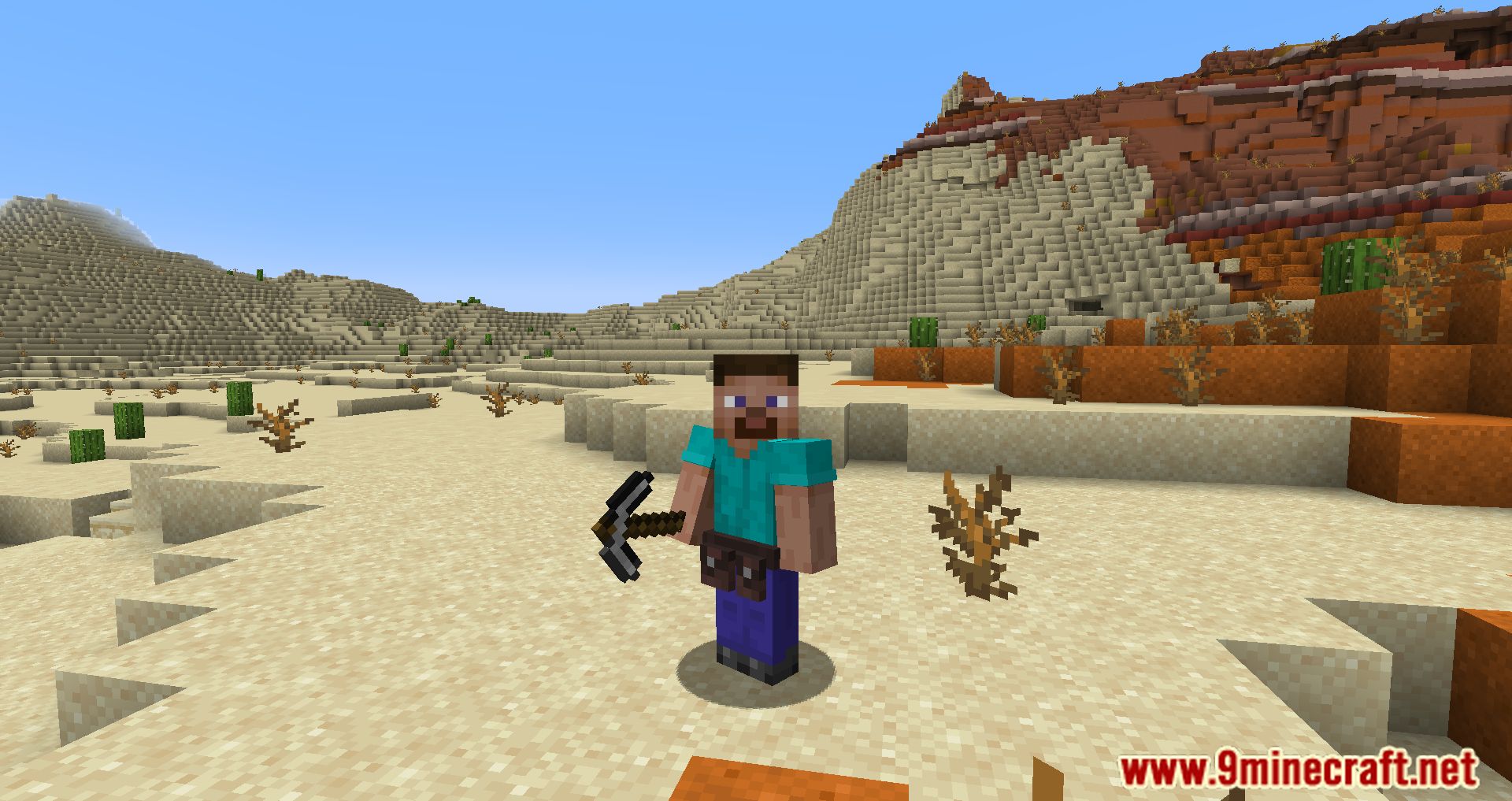
Utility Belt Mod gives you a wearable second hotbar to clear inventory clutter and store your tools and weapons. Nine regular hotbar slots fill up fast, especially when you play with other mods. This mod starts you with 4 extra slots that you can upgrade up to 6 slots in a Smithing Table. You switch between your main hotbar and the extra bar with simple keybinds, or quickly swap the item in your hand when you sneak. It also works with LambDynamicLights so torches and lanterns in the belt light up the area around you, and you can adjust its options through an in-game config screen or datapacks.
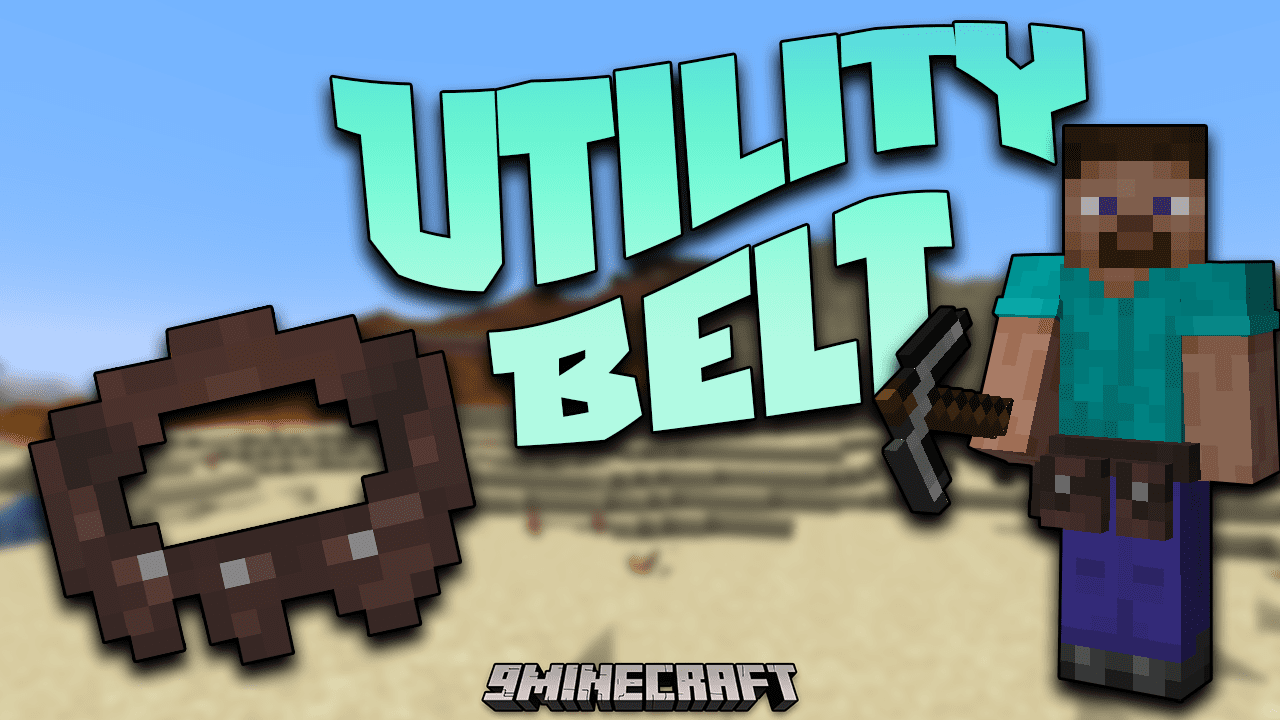
Utility Belt Mod – Video Showcase
Features:
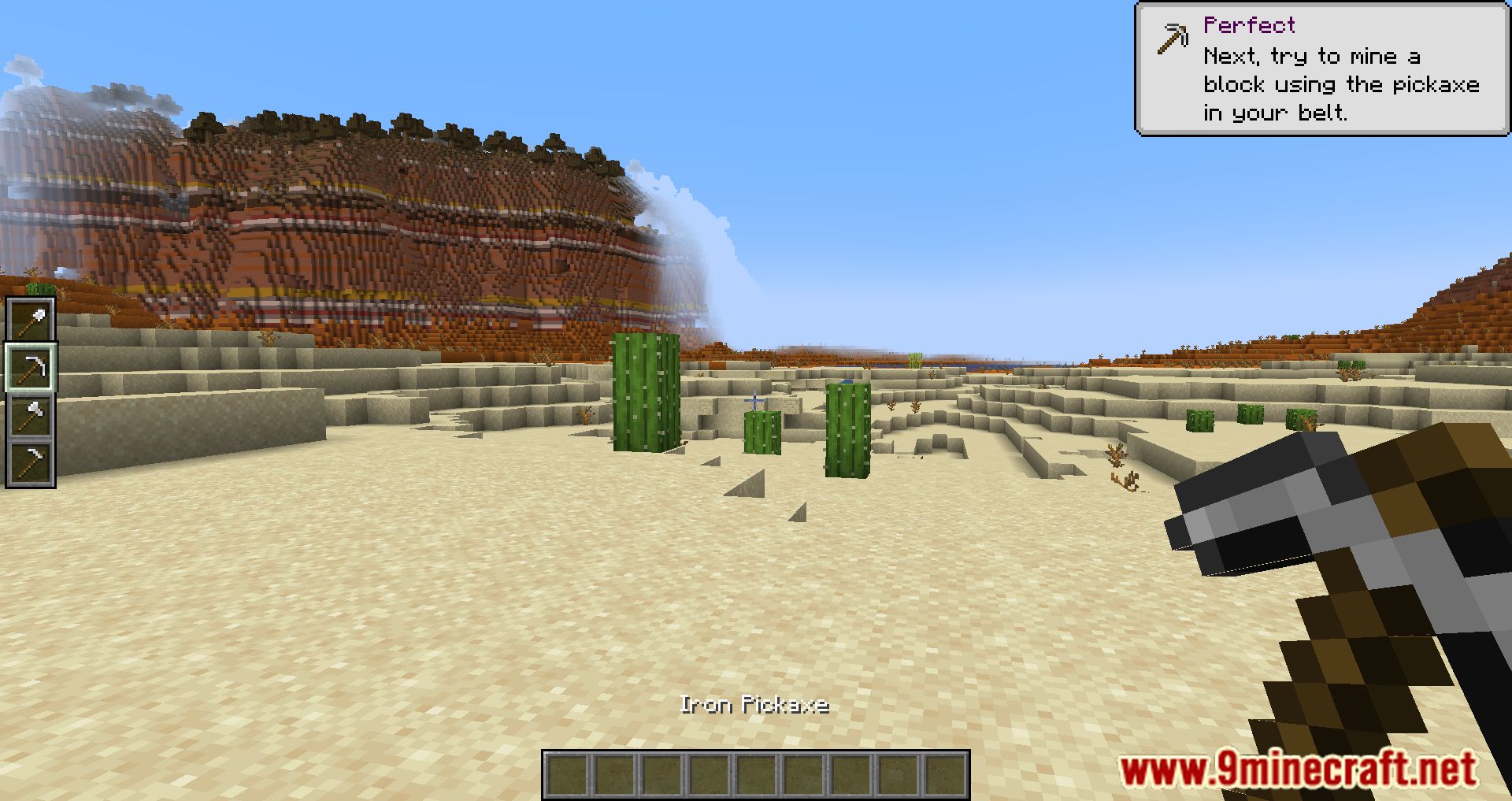
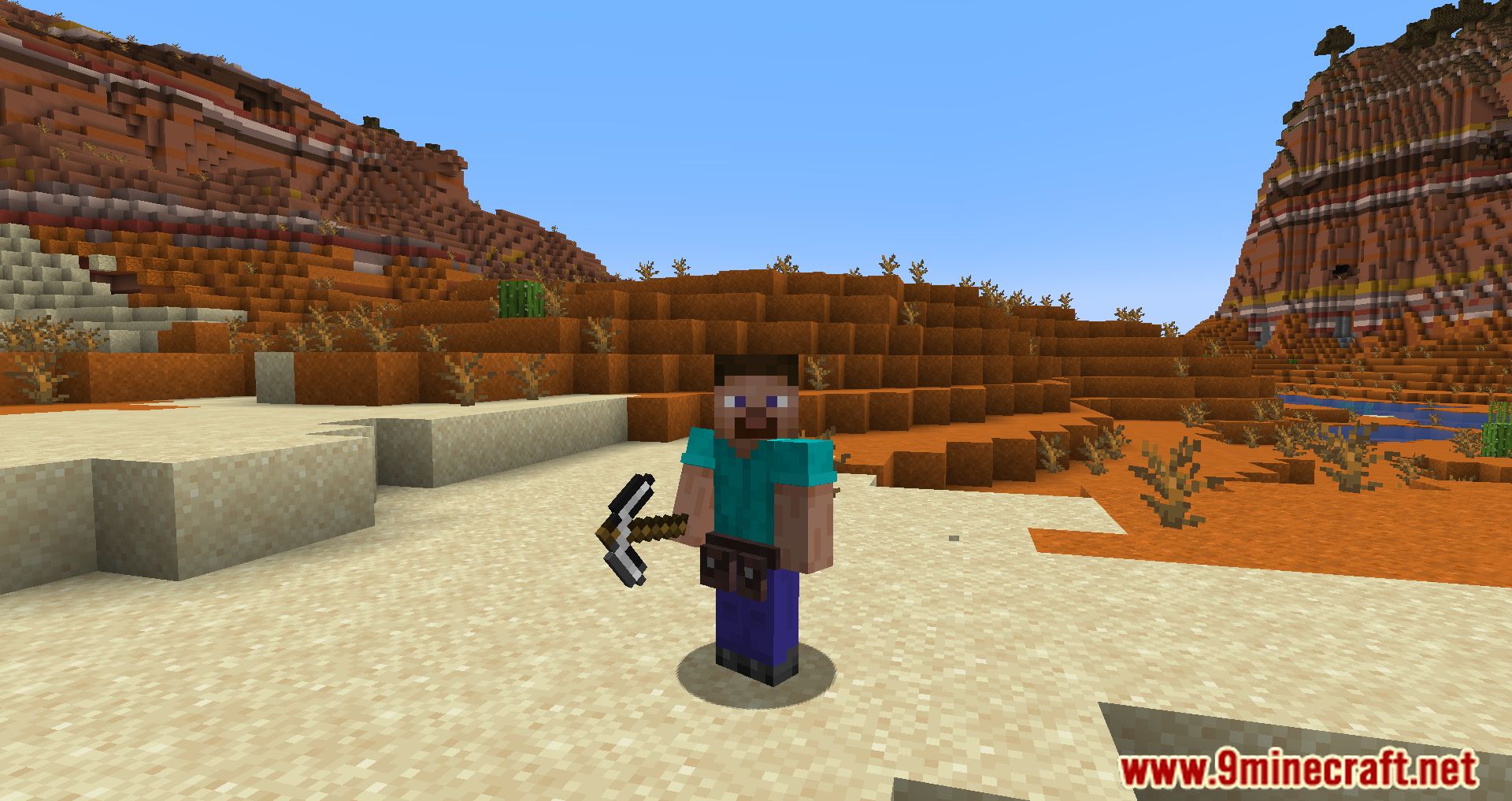
- Adds a wearable belt that gives you a second hotbar just for tools and weapons, freeing up space in your 9 main hotbar slots.
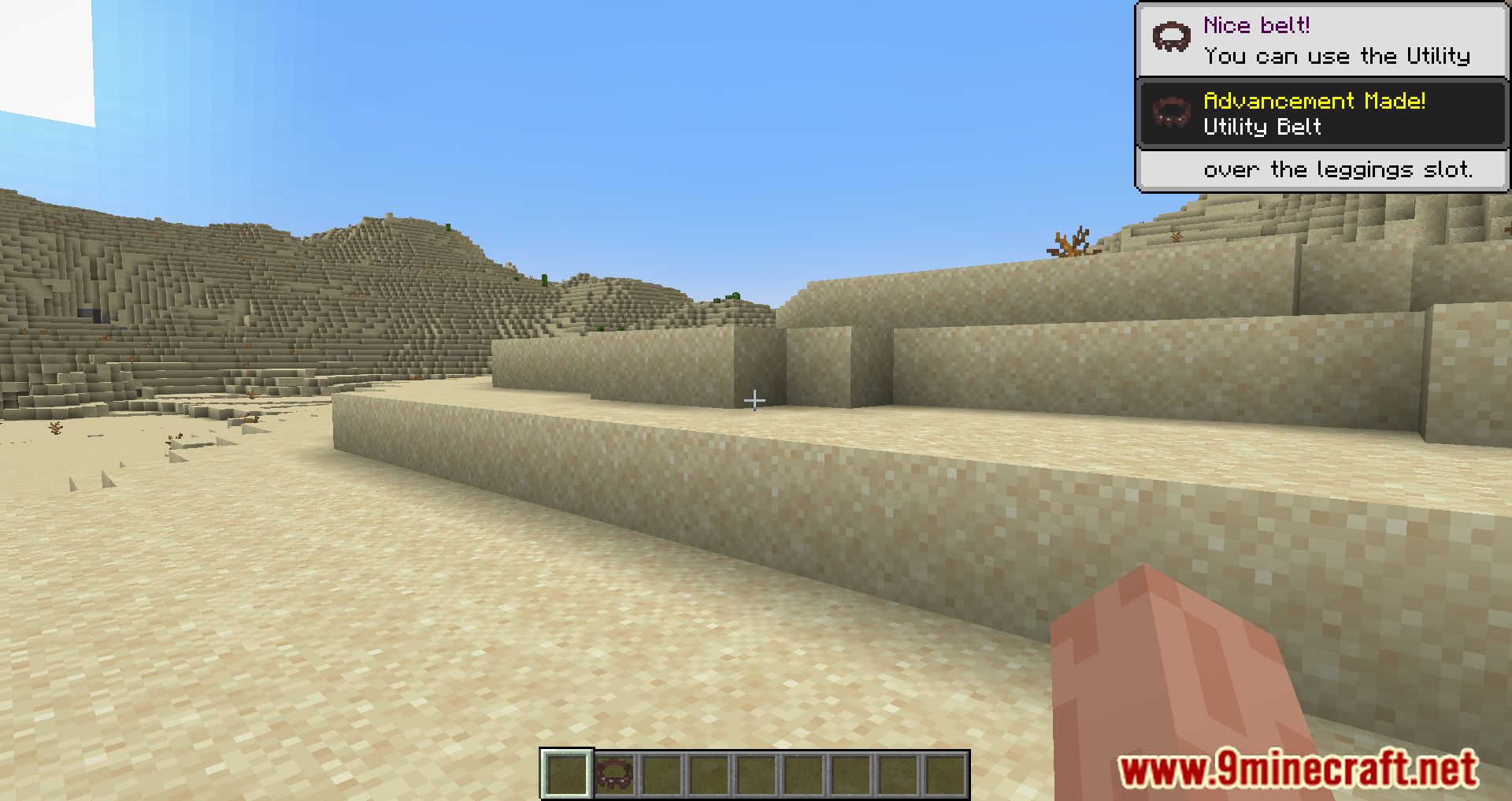
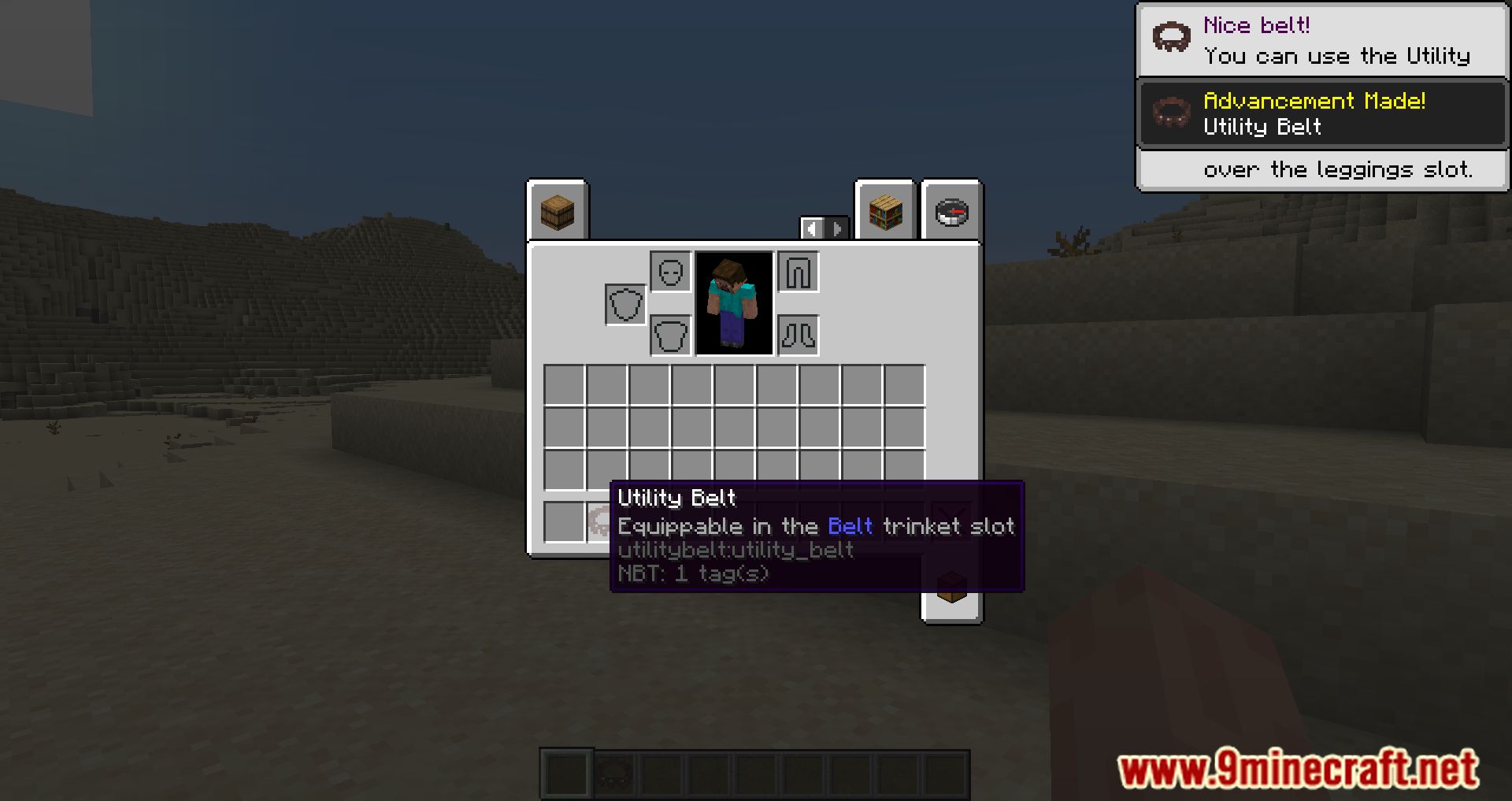
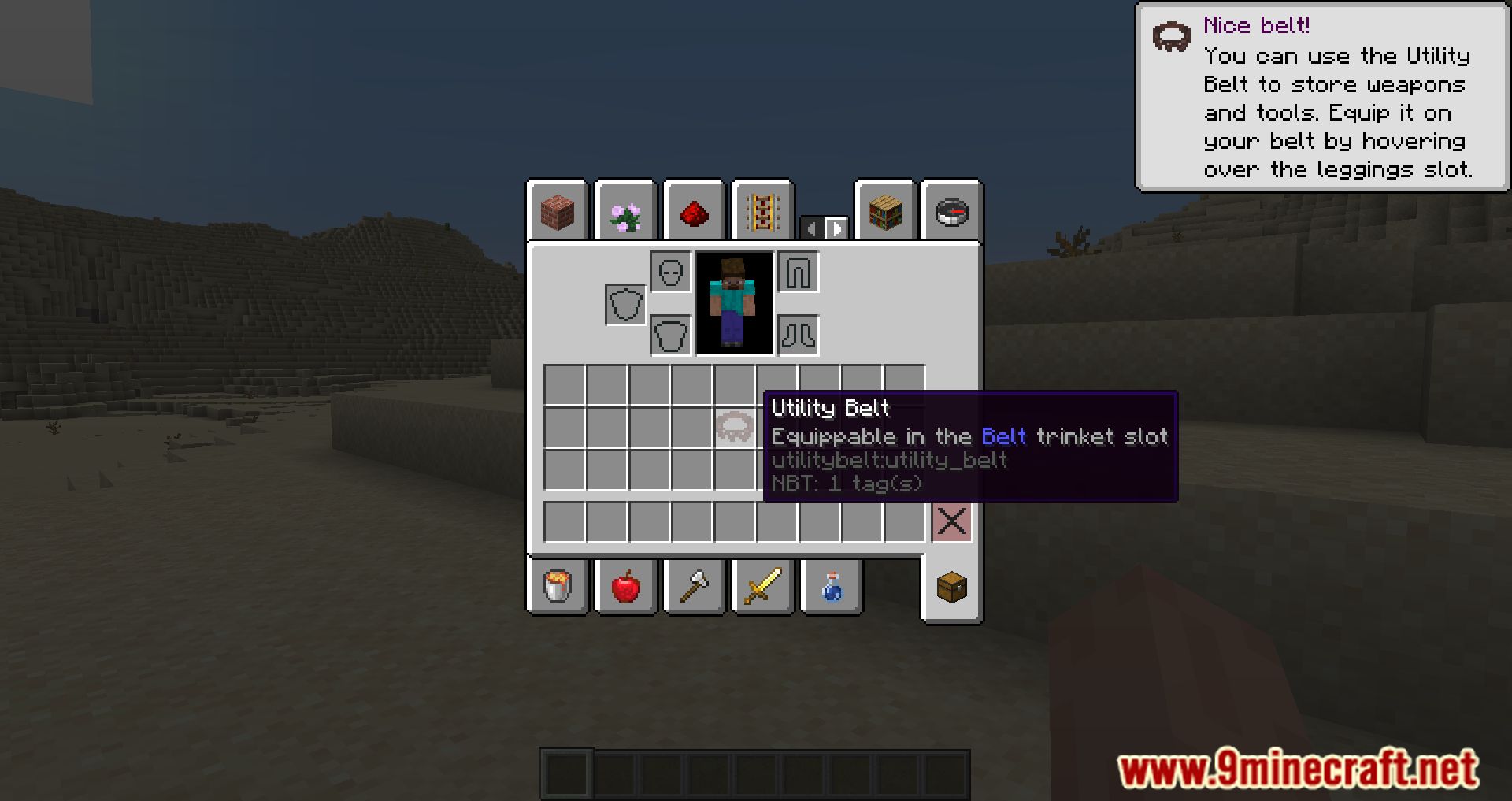
- Lets you craft two belt pouches, turn them into the belt, and wear it in your belt slot.
- Starts with 4 default slots and lets you add more slots in a Smithing Table up to 6 slots.
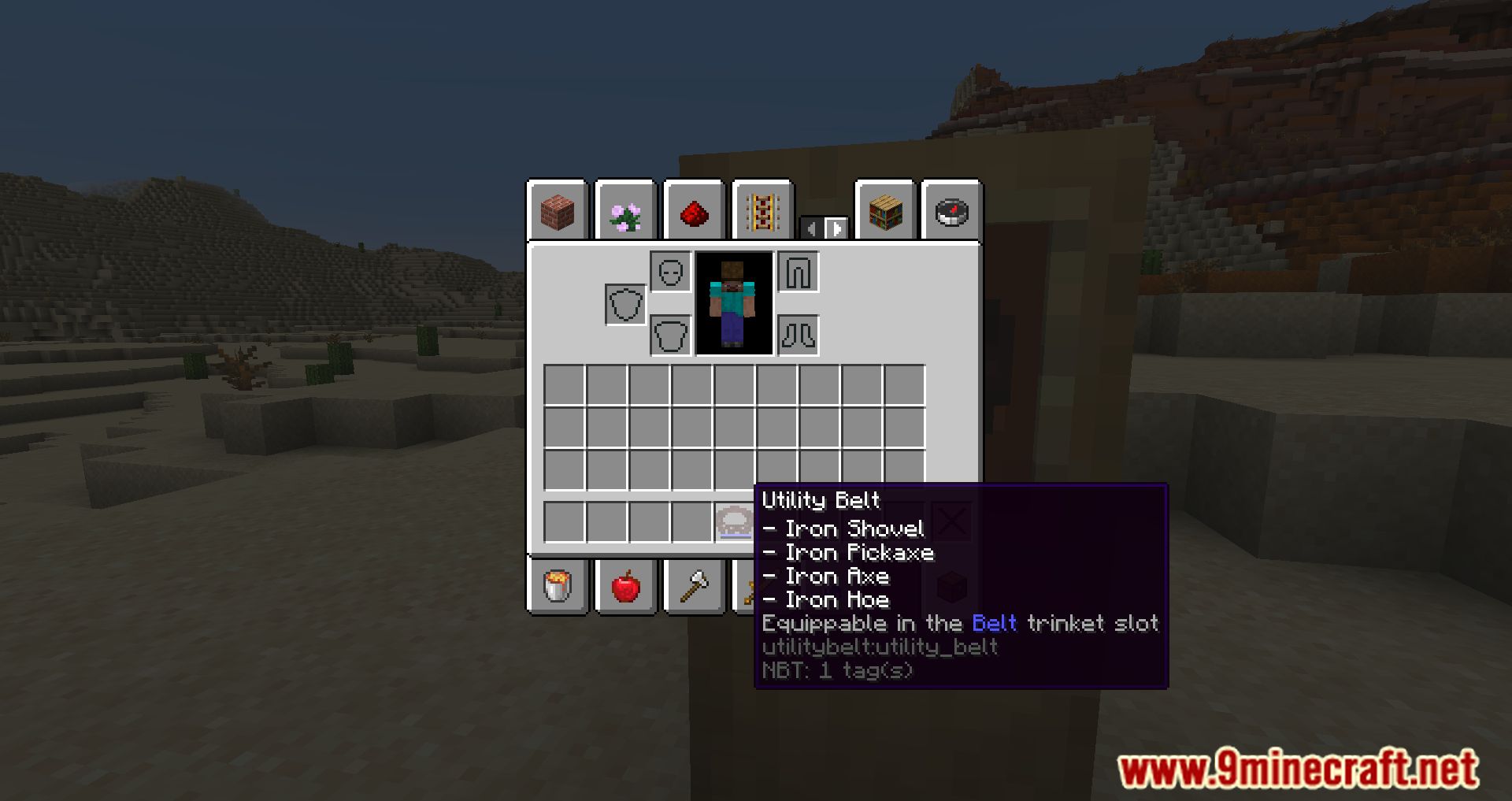
- Opens a belt GUI screen when you press ‘ so you can store and manage your items.
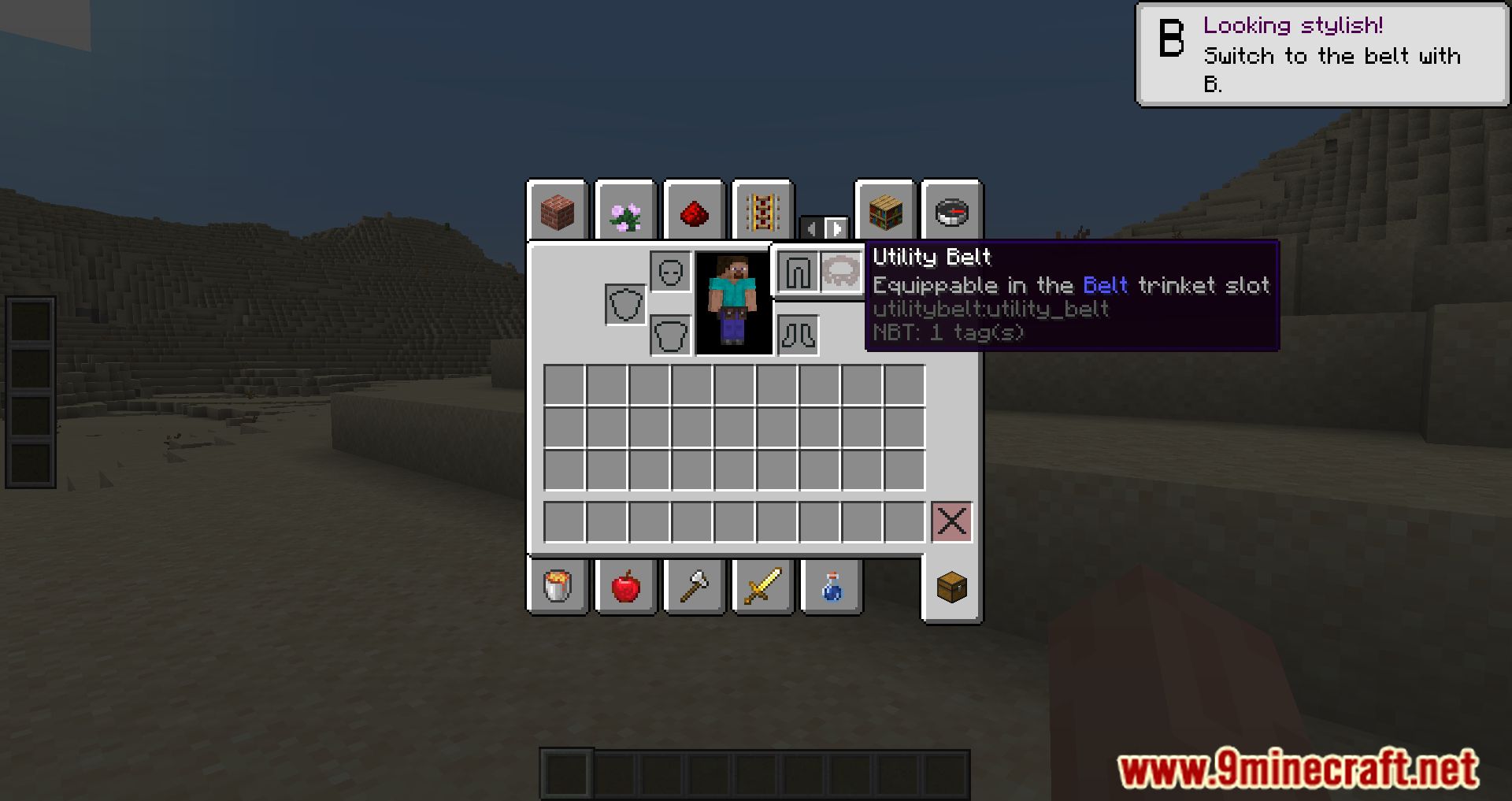
- Switches between your main hotbar and the belt hotbar when you press B to toggle or hold N.
- Swaps the item in your hand between your main hotbar and the belt when you hold Sneak and press your Swap key.
- Includes an in-game configuration screen to change slot limits and other options through ModMenu on Fabric or the Mods screen on Forge and NeoForge.
- Supports custom datapacks so you can change which items the belt accepts by adding them to the
allowed_in_utility_belttag. - Works with LambDynamicLights so torches and lanterns kept in the belt light up the world around you.
Commands:
/utilitybelt fixme: tries to fix issues with the belt if you run into a problem.
Configuration:
allowed_in_utility_belt: datapack tag used to control which items can go into the belt.
How to Use:
- Craft two belt pouches first, then use them to craft a Utility Belt.
- Equip the Utility Belt in your belt slot to activate your second hotbar.
- Press ‘ to open the belt GUI screen and fill it with your tools and weapons.
- Press B to toggle between your main hotbar and the belt hotbar, or hold N to switch while holding the key.
- Hold Sneak and press your Swap key to quickly swap the item in your hand between your main hotbar and the belt.
- Use a Smithing Table to add extra slots to the belt, upgrading it from 4 default slots up to 6 slots.
- Open the in-game configuration screen through ModMenu on Fabric or the Mods screen on Forge and NeoForge to change the default and maximum slot counts.
- Make a datapack and add items to the
allowed_in_utility_belttag to change which items the belt accepts. - Run
/utilitybelt fixmein chat if you run into a bug and want to try resolving it.
Screenshots:
How to Install:
New to Minecraft? Follow our step-by-step guide to install Mods on your PC.View Guide
Requirements:


Utility Belt Mod Download Links
For Minecraft 1.21.4
Fabric version: Download from Server 1 – Download from Server 2
NeoForge version: Download from Server 1 – Download from Server 2
For Minecraft 1.21.1, 1.21
Fabric version: Download from Server 1 – Download from Server 2
NeoForge version: Download from Server 1 – Download from Server 2
For Minecraft 1.20.6
Fabric version: Download from Server 1 – Download from Server 2
NeoForge version: Download from Server 1 – Download from Server 2
For Minecraft 1.20.4
Forge version: Download from Server 1 – Download from Server 2
NeoForge version: Download from Server 1 – Download from Server 2
Fabric version: Download from Server 1 – Download from Server 2
Quilt version: Download from Server 1 – Download from Server 2
For Minecraft 1.20.1, 1.20
Fabric/Quilt version: Download from Server 1 – Download from Server 2
For Minecraft 1.19.4
Fabric version: Download from Server 1 – Download from Server 2
For Minecraft 1.19.3
Fabric version: Download from Server 1 – Download from Server 2
For Minecraft 1.19.2, 1.19.1, 1.19
Fabric version: Download from Server 1 – Download from Server 2
You May Also Like
Picked for this page
 Custom Fences And Walls Mod (26.3, 1.20.1) – Lets You Build More Stylish
 Better Ping Display Mod (1.21.11, 1.20.1) – Ping in the Player List
 Durability Plus Mod (26.1, 1.20.1) – Item Durability Tooltips
 Audio Player Mod (26.3, 1.20.1) – Put Your Own Audio Files on Music Discs
 Random Bone Meal Flowers Mod (26.3, 1.20.1) – Biome-Free Flower Spawning
 Vault Patcher Mod (26.2, 1.20.1) – Coverts Hard Coded Strings Into Localization Strings
 Smelting Sand In A Blast Furnace Mod (26.2, 1.20.1) – Faster Smelting
 Discord-MC-Chat Mod (26.3, 1.20.1) – Discord Minecraft Integration
 RFTools Control Mod (1.21.1, 1.20.1) – Code Your Own Automation
 Waffle’s Moss Mod (1.21.4, 1.20.1) – 200+ Moss Covered Blocks
 D-hand Mod (1.21.5, 1.20.1) – Never Misclick Totems in Crystal PvP
 Glow Squids Actually Glow Mod (26.3, 1.20.1) – Underwater Brightness
Most viewed in Mods over the last 7 days
 Ala Industrial Mod (26.3) – Run Electric Power Grids and Automated Factories
 PleasureCraft Mod (26.3, 1.21.1) – Jenny Mod Remake for Fabric
 Jennycraft Mod (26.3, 1.20.1) – Virtual Girlfriend in Minecraft
 Fapcraft Mod (26.3, 1.12.2) – Comprehensive and Detailed Content
 Jenny Mod (Fapcraft) Official Complete Guide – How to use, Tutorial
 BangCraft Mod (1.20.1) – Jenny, Ellie and Elliot
 Fabric Loader (26.3, 1.20.1) – Fabric Installer for All Minecraft Versions
 Meteor Client Mod (26.3, 1.20.1) – Xray, HUD, Fly
 The Shooting Star Demo Mod (26.3, 1.20.1) – Vaporize Terrain From Orbit
 OptiFine HD (26.3, 1.20.1) – Run Faster, FPS Boost, Shaders Support
 Aristois Client Mod (1.21.4, 1.20.1) – World Class Minecraft Utility
 Prestige Client Mod (1.21.11, 1.21.4) – Powerful Ghost Features for Crystal & Sword PvP
More from Mods
 GTNH’s Forgelin Mod (1.7.10) – Play Kotlin-Powered Mods on Minecraft 1.7.10
 Nodeflow Mod (26.1.2, 1.21.1) – Wire Custom Redstone Logic on Visual Graph
 Winter Client Mod (1.21.11) – Survive Ruthless PvP on Anarchy Servers
 LARP Client Mod (1.21.11) – Dominate Crystal PvP on Anarchy Servers
 Berlin Client Mod (1.21.11) – Hunt Stashes and Win Crystal Fights
 Kaleidoscope Cookery Refabricated Mod (26.3, 1.20.1) – Cook Hearty Meals
 Minecraft MusicBox Mod (1.21.12) – Play Your Favorite Songs While Mining and Building
 Legacy Wavey Capes Mod (1.8.9) – Watch Your Cape Flow Naturally While Sprinting
 Warrior Cats Events Mod (1.21.1, 1.20.1) – Live As a Wild Clan Cat
 Apex Enchantment Freedom Mod (26.3) – Stack Conflicting Enchantments
 Tensura GUI Mod (1.21.1) – Track Your Fantasy Skills and Race Evolutions
 Remnants Roguelite Dungeons Mod (26.3, 1.20.1) – Risk It All in Procedural

This post has no comments yet. Be the first — your comment will appear here.