
EMI Trades Mod (1.20.4, 1.20.1) – Never Waste Emeralds on Bad Deals
 2,003
 0


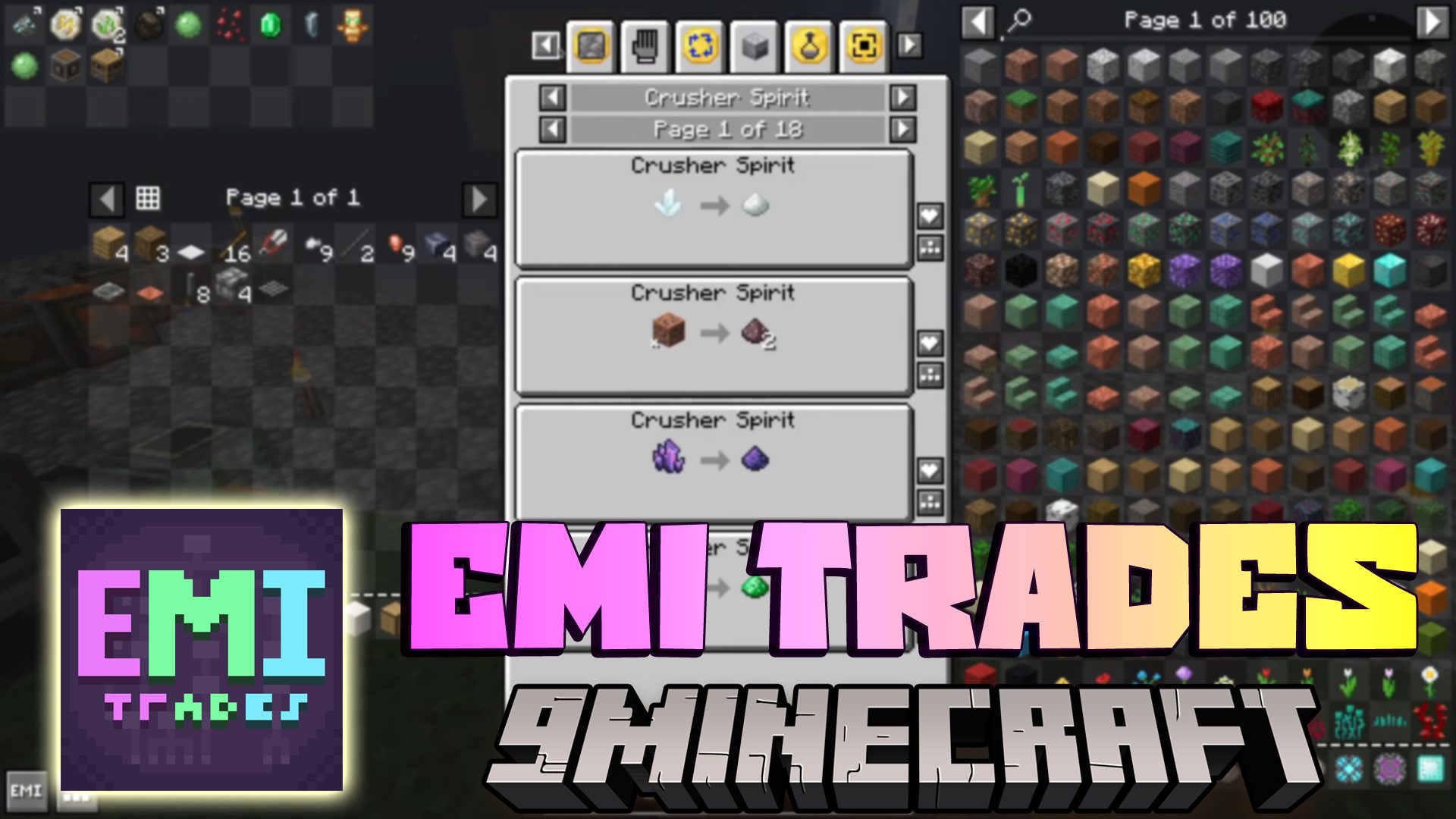
EMI Trades Mod adds villager trade support for EMI. This addon lets you check villager and wandering trader offers right inside the EMI recipe viewer. It clearly shows the item costs, payments, and villager levels needed for every trade, along with librarian enchanted book tooltips. It also works automatically with modded villagers and requires EMI to run.
Features:
- Shows the item costs and payments for every villager trade inside the EMI recipe viewer.
- Displays the villager level you need to unlock each trade.
- Supports trades from wandering traders in the same menu.
- Works automatically with modded villagers without any extra setup.
- Lets you browse librarian trades and read tooltips for possible enchanted books.
- Includes a simple config file so you can switch between the old and new recipe display styles.
Configuration:
config/emitrades.tomlorconfig/emitrades.json5: Edit this config file manually to switch between the old and new display styles for trade recipes.
How to Use:
- Open the EMI recipe viewer screen while playing with EMI active.
- Select the EMI Trades category in the menu to bring up villager and wandering trader offers.
- Look through the trade list to see item costs, payments, required villager levels, and librarian enchanted book tooltips.
- Open
config/emitrades.tomlorconfig/emitrades.json5and edit it manually if you want to switch between the old and new recipe display styles.
Screenshots:
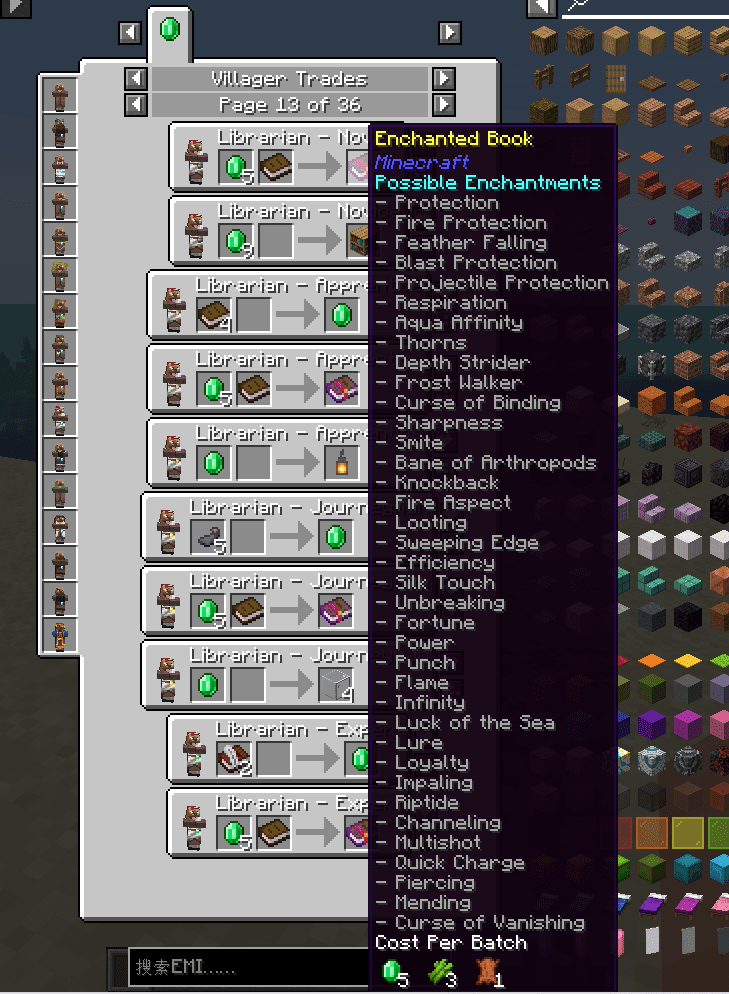
Shows an open EMI recipe viewer screen with the EMI Trades category selected, displaying a selection of trades along with a tooltip describing enchanted books.
How to Install:
New to Minecraft? Follow our step-by-step guide to install Mods on your PC.View Guide
Requirements:
EMI Trades Mod Download Links
For Minecraft 1.20.4
NeoForge version: Download from Server 1 – Download from Server 2
Fabric/Quilt version: Download from Server 1 – Download from Server 2
For Minecraft 1.20.1, 1.20
Forge/NeoForge version: Download from Server 1 – Download from Server 2
Fabric/Quilt version: Download from Server 1 – Download from Server 2
For Minecraft 1.19.3
Fabric/Quilt version: Download from Server 1 – Download from Server 2
For Minecraft 1.19.2
Fabric/Quilt version: Download from Server 1 – Download from Server 2
For Minecraft 1.18.2
Fabric version: Download from Server 1 – Download from Server 2
You May Also Like
Picked for this page
 Bad Mobs Mod (1.21.1, 1.20.1) – Banning Mob Spawning
 Chunky McChunkFace Mod (26.2, 1.20.1) – Simple Chunk Loader
 Transmog Mod (26.2, 1.20.1) – Hide Your Power Level
 No Resource Pack Warnings Mod (26.3, 1.20.1) – Disable Pop-up Warning
 BoxLib Mod (26.2, 1.20.1) – Boost Mod Compatibility With BoxLib
 Spice Of Fabric Mod (26.1.2, 1.20.1) – Food Containers
 Daily Dad Mod (26.2, 1.20.1) – One Joke At A Time
 Crossbow Enchants Mod (26.3, 1.20.1) – Allows Bow-exclusive Enchantments on Crossbows
 Prickle Mod (26.3, 1.21.1) – Lightweight JSON-Based Config System
 Custom Piglin Bartering Mod (26.3, 1.20.1) – Unique Loot For Every Trade
 One Warden For Each Ancient City Mod (26.1.2, 1.20.1)
 Frostbyte’s Maximum Mobility Mod (26.3, 1.20.1) – Smooth Movement For Minecraft
Most viewed in Mods over the last 7 days
 Ala Industrial Mod (26.3) – Run Electric Power Grids and Automated Factories
 PleasureCraft Mod (26.3, 1.21.1) – Jenny Mod Remake for Fabric
 Jennycraft Mod (26.3, 1.20.1) – Virtual Girlfriend in Minecraft
 Fapcraft Mod (26.3, 1.12.2) – Comprehensive and Detailed Content
 Jenny Mod (Fapcraft) Official Complete Guide – How to use, Tutorial
 BangCraft Mod (1.20.1) – Jenny, Ellie and Elliot
 Fabric Loader (26.3, 1.20.1) – Fabric Installer for All Minecraft Versions
 Meteor Client Mod (26.3, 1.20.1) – Xray, HUD, Fly
 The Shooting Star Demo Mod (26.3, 1.20.1) – Vaporize Terrain From Orbit
 OptiFine HD (26.3, 1.20.1) – Run Faster, FPS Boost, Shaders Support
 Aristois Client Mod (1.21.4, 1.20.1) – World Class Minecraft Utility
 SchnurriTV Mod (1.12.2) – Characters and Features
More from Mods
 The Man from the Shadow Horror Mod (1.20.1) – Fight Hallucinations to Survive
 Shade & Saturation Slider Mod (26.2, 1.21.11) – Make Every Biome Vibrant
 Cataclysm X Yung’s Better Nether Fortresses Compat Mod (1.21.1, 1.20.1)
 Patchouli 9minecraft Mod (26.3) – Read Mod Guides Without Leaving Minecraft
 Paintings ++ 9minecraft Mod (26.3) – Pick the Exact Painting You Want
 owo-lib 9minecraft Mod (26.3) – Run Your Favorite Mods Without Errors
 Moonlight 9minecraft Lib (26.3, 26.2) – Run Complex Mods Without Errors
 Load My Tags 9minecraft Mod (26.3) – Mix Mods Without Breaking Recipes
 Kambrik 9minecraft Mod (26.3) – Run Kotlin Mods Without Game Lag
 Fast Paintings 9minecraft Mod (26.3, 26.2) – Place Wall Art Exactly Where You Want It
 Bonsai Trees 9minecraft Mod (26.3, 26.2) – Automate Wood Farming in Tiny Pots
 Enhanced Block Entities 9minecraft Mod (26.3) – Build Lag-Free Storage Rooms

This post has no comments yet. Be the first — your comment will appear here.