
One Block Plus Mod (1.16.5, 1.12.2) – Build Worlds From an Infinite Block
 27,541
 0


One Block Plus Mod brings single-block survival to multiplayer by giving every player their own starting block to mine. As you break the block, it spawns new blocks, mobs, and containers like chests and furnaces across 8 default phases from Plains to End. This mod also adds 3 special tools, in-game customization commands, structure generation, and an Ex Nihilo Generator for automatic farming. You can change every phase and loot table to fit your survival world or modpack. It does not change world generation, so you need a separate void world mod if you want to play in skyblock.

Features:
- Lets every player have their own one block in multiplayer games.
- Generates different blocks, mobs, and containers like chests and furnaces based on the current level.
- Levels up automatically after you mine a set number of blocks.
- Prevents pistons and sticky pistons from pushing or pulling the one block.
- Allows vanilla structures like a blacksmith house and modded structures like the Ancient Shrine from Astral Sorcery to spawn as random results.
- Supports generating big structures, though large structures can cause lag, high CPU usage, or crashes.
- Adds the Ex Nihilo Generator to produce items and automatically kill spawned mobs from a chosen phase.
- Uses a Block Catalyst with the
oblevelNBT tag (such as{oblevel:0}for Plains) to set the generator phase, and accepts an Enchanted Book to apply its enchantments. - Supports negative level numbers (such as
level;-2;WitherGenerator;minecraft:dirt) to create phases that only work inside the Ex Nihilo Generator. - Lets you fully edit phases and loot in the config file, and supports adding custom entry types with the
WeightedActivableandWeightedDeserializerAPI classes. - Leaves normal world generation untouched, so a separate void world mod is needed for skyblock play.
Tools:
- OBMaker: Given to each player at the start; right-click a block to create a new one block in that spot.
- OBRemover: Removes a placed one block from the world and can be found in the Creative inventory.
- OBAnalyzer: Shows a one block’s current level and total mined block count in chat and can be found in the Creative inventory.
Default Phases:
- Plains (0 blocks mined): Generates grass, logs, leaves, pigs, cows, chickens, bonus chests, and more.
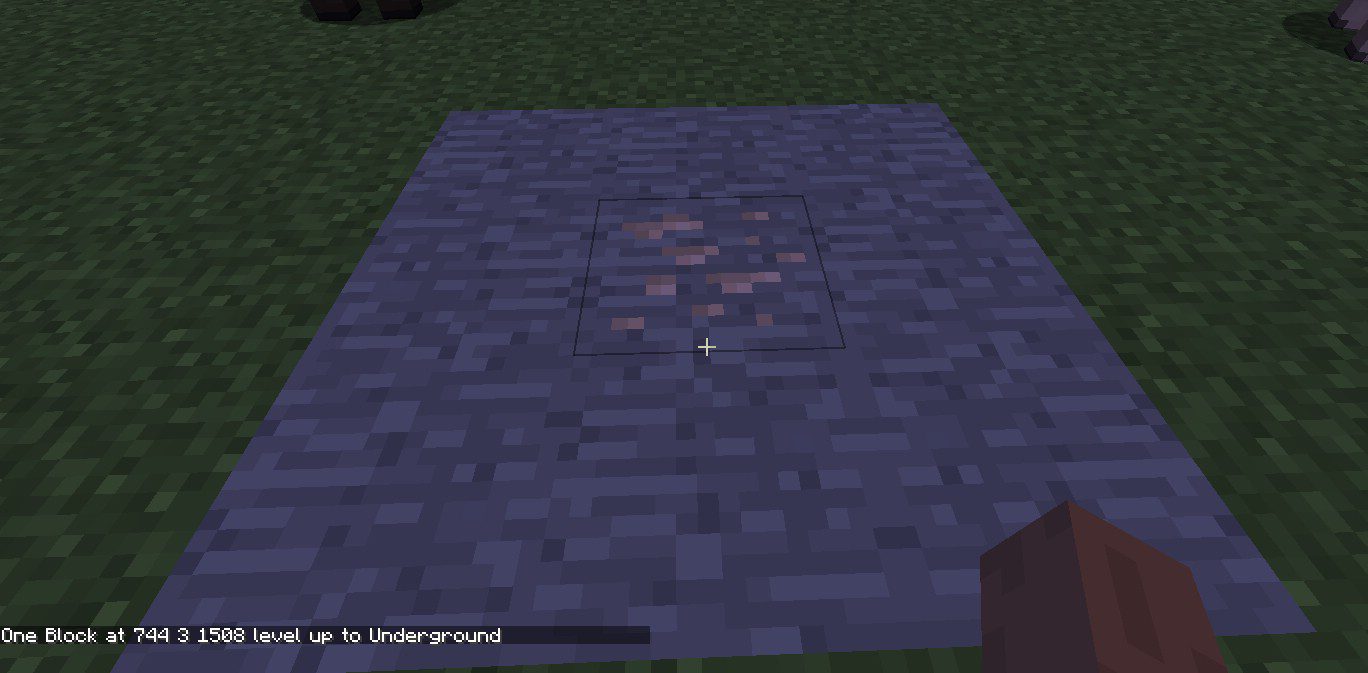
- Underground (350 blocks mined): Generates stone, gravel, coal ore, iron ore, logs, dirt, zombies, creepers, dungeon chests, and more.
- Mountain (900 blocks mined): Generates grass, snow, packed ice, ice, gold ore, wolves, strays, polar bears, igloo chests, and more.
- Ocean (1800 blocks mined): Generates prismarine, lapis ore, sand, gravel, sponge, diamond ore, squids, guardians, treasure chests, and more.
- Jungle (3000 blocks mined): Generates cobblestone, mossy cobblestone, jungle logs, diamond ore, parrots, ocelots, witches, dungeon chests, and more.
- Nether (4500 blocks mined): Generates netherrack, soul sand, nether brick, quartz ore, emerald ore, gold ore, magma blocks, zombie pigmen, blazes, wither skeletons, nether dungeon chests, and more.
- New OneBlock (5999 blocks mined): Generates an OBMaker item.
- End (6000 blocks mined): Generates end stone, end brick, purpur blocks, obsidian, endermites, endermen, shulkers, end city chests, and more.
Commands:
/oneblock chest: adds the chest at the selected position to the matching one block level based on blocks mined./oneblock clear: clears all levels from the config./oneblock fill: adds a new level based on the items inside a selected chest, including modded chests if you need more slots./oneblock list: shows all levels by blocks mined or lists all content inside a specific level./oneblock remove: removes a specific level.
How to Use:
- Use a separate void world mod if you want to play in skyblock, then open your inventory to find the starting OBMaker item.
- Right-click any block while holding the OBMaker to create your own one block at that spot.
- Break the block repeatedly to collect resources, open bonus chests, and fight mobs; it levels up automatically when you mine enough blocks.
- Use the OBAnalyzer tool on your one block to print its current level and total blocks mined in chat.
- Use the OBRemover tool from the Creative inventory whenever you want to delete a one block from the world.
- Fill a vanilla or modded chest with items and run
/oneblock fillto make a custom level, or run/oneblock chestto add a chest to an existing level. - Place an Ex Nihilo Generator and put in a Block Catalyst with an
oblevelNBT tag (such as{oblevel:0}for the Plains phase) to choose which phase it farms. - Insert an Enchanted Book into the Ex Nihilo Generator to apply its enchantments as the machine outputs items and automatically kills mobs from that phase.
Screenshots:
How does it work?
Each player starts with an “OBMaker” in his inventory.
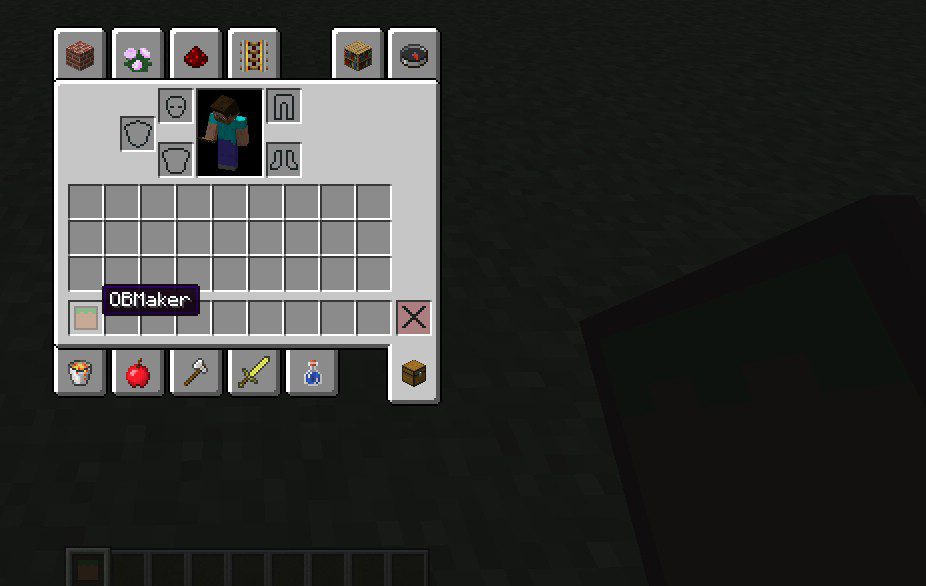
A right click on a block with this OBMaker will create a new “one block” at this place.
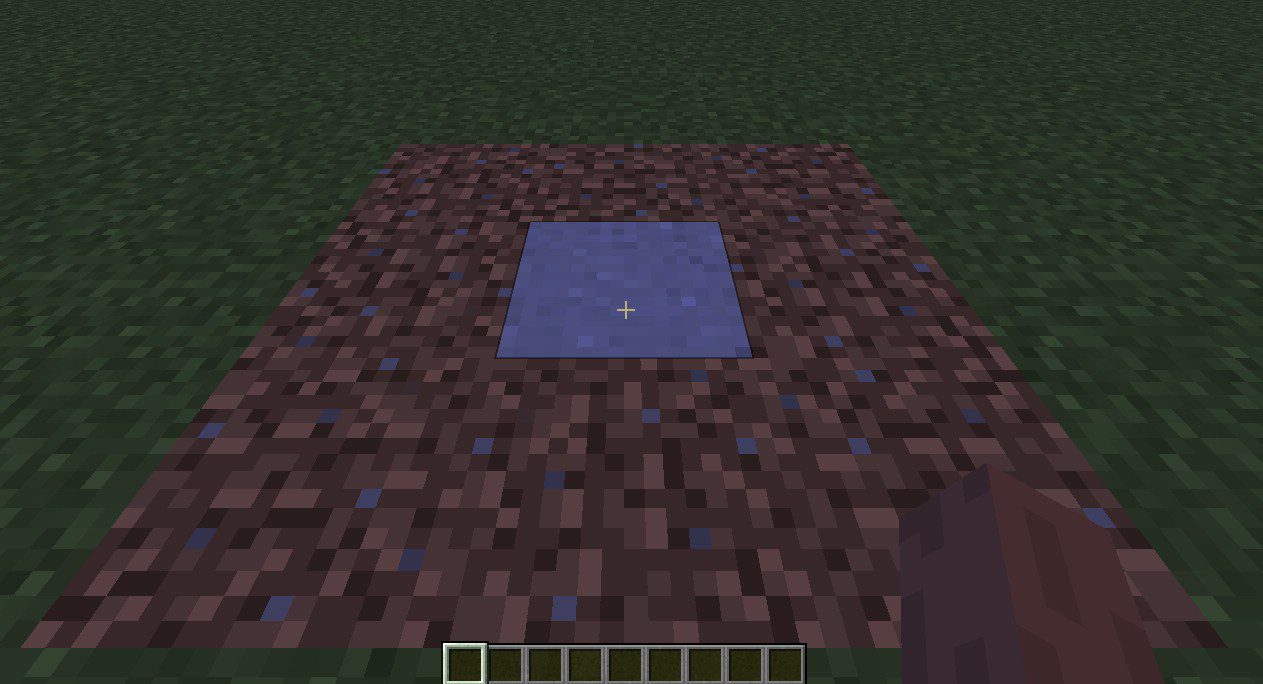
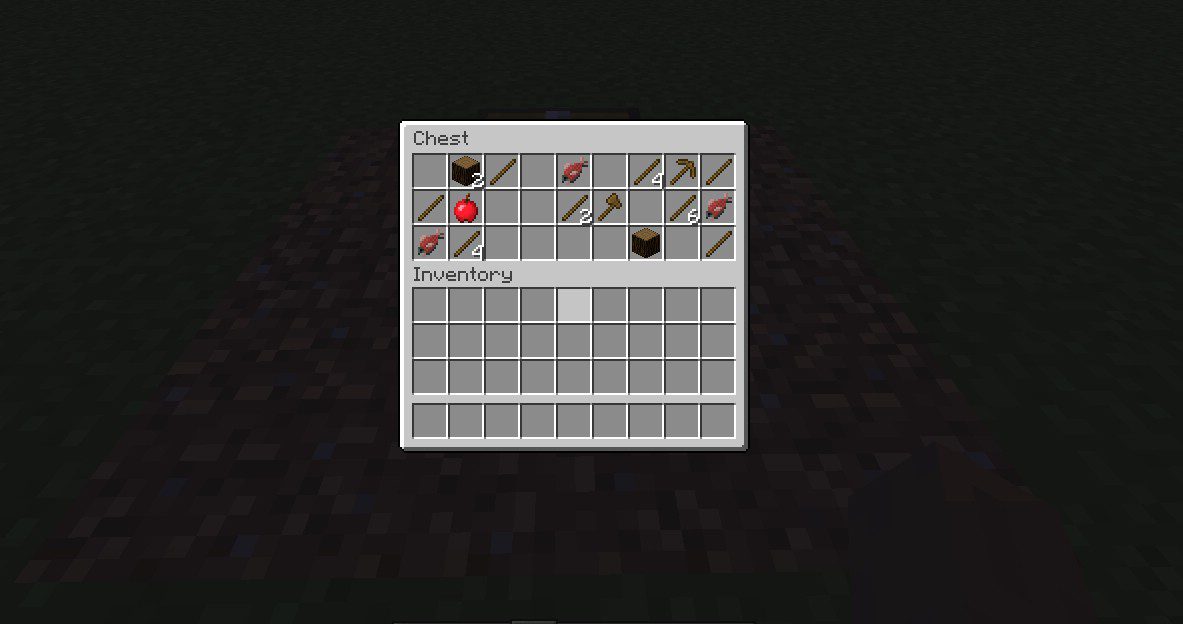
The one block can generate different blocks depending on its level. It can also generate a chest.
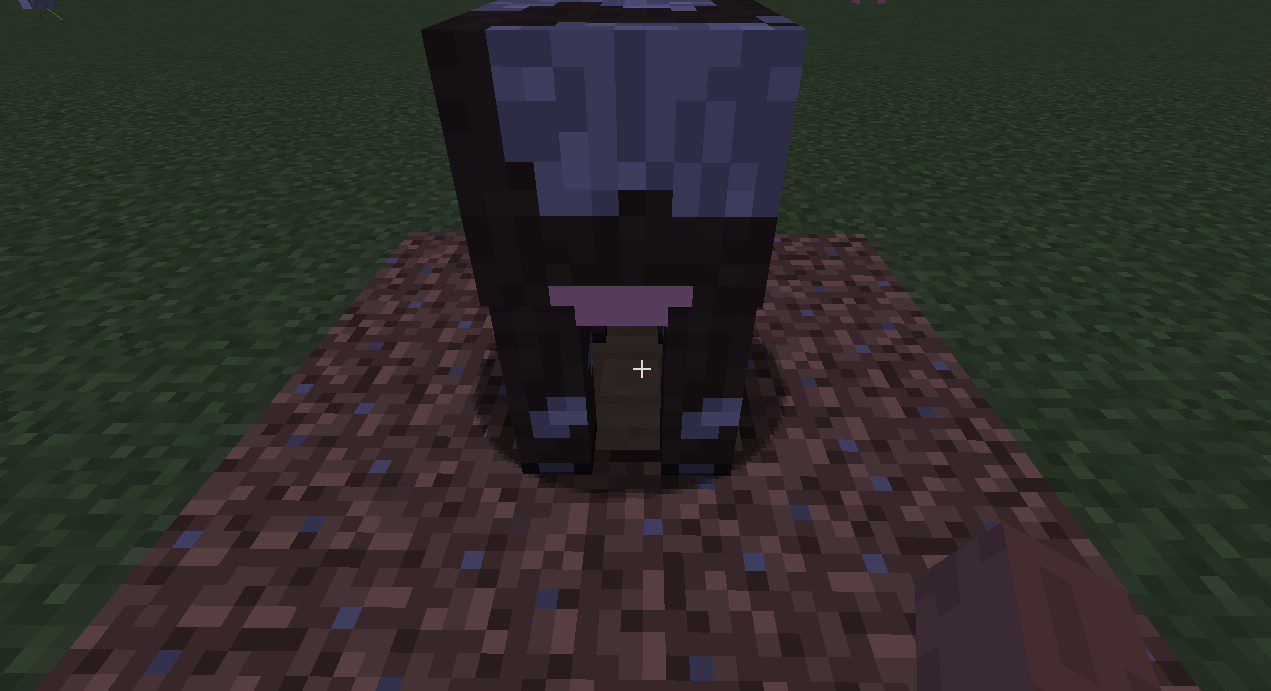
Or an entity.
The one block level up after a certain amount of blocks mined.
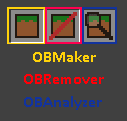
The creative inventory contains 3 tools.
- The OBMaker creates a new one block.
- The OBRemover removes a one block from the world.
- The OBAnalyzer displays the level and the amount of block mined in the chat for a one block.
How to Install:
New to Minecraft? Follow our step-by-step guide to install Mods on your PC.View Guide
Requirements:

One Block Plus Mod Download Links
For Minecraft 1.17.1
Forge version: Download from Server 1
For Minecraft 1.16.5
Forge version: Download from Server 1 – Download from Server 2
For Minecraft 1.15.2
Forge version: Download from Server 1
For Minecraft 1.12.2
Forge version: Download from Server 1 – Download from Server 2
Do you include client-side quality-of-life mods (like inventory tweaks or mini-maps) when playing on public servers?
16 responses · See the full results →
You May Also Like
Picked for this page
 Veinminer Mod (26.2, 1.20.1) – Quick Mining
 Mystical Agriculture Mod (26.1.2, 1.20.1) – Grow Diamonds From a Seed
 I18n Update Mod (1.21.11, 1.20.1) – Localization for Chinese Players
 Legendary Survival Overhaul Mod (1.21.1, 1.20.1) – Temperature, Thirst, Health Overhaul
 Options Profiles Mod (1.21.11, 1.20.1) – Load and Save Your Options from In-game
 BlossomTpa Mod (26.3, 1.20.1) – Teleport to Friends Across the Map
 PTS Deco Mod (26.3, 1.20.1) – Luxury And Modern Design
 LIMBO Dimension Mod (1.21.11, 1.20.1) – Stunning Environment with Valuable Hidden Loots
 EMI Loot Mod (1.21.11, 1.20.1) – Loot Drops for EMI Recipe and Item Viewer
 Expanded Trident Enchanting Mod (26.2, 1.20.1) – Trident Enchanting Revolution
 Tinted Campfires Mod (26.3, 1.20.1) – Change The Color Of The Campfire
 Classic Enchanted Golden Apple Crafting Mod (26.2, 1.20.1) – Crafting Recipe For Enchanted Golden Apples
Most viewed in Mods over the last 7 days
 Ala Industrial Mod (26.3) – Run Electric Power Grids and Automated Factories
 PleasureCraft Mod (26.3, 1.21.1) – Jenny Mod Remake for Fabric
 Jennycraft Mod (26.3, 1.20.1) – Virtual Girlfriend in Minecraft
 Fapcraft Mod (26.3, 1.12.2) – Comprehensive and Detailed Content
 Jenny Mod (Fapcraft) Official Complete Guide – How to use, Tutorial
 BangCraft Mod (1.20.1) – Jenny, Ellie and Elliot
 Fabric Loader (26.3, 1.20.1) – Fabric Installer for All Minecraft Versions
 The Shooting Star Demo Mod (26.3, 1.20.1) – Vaporize Terrain From Orbit
 Meteor Client Mod (26.3, 1.20.1) – Xray, HUD, Fly
 OptiFine HD (26.3, 1.20.1) – Run Faster, FPS Boost, Shaders Support
 Aristois Client Mod (1.21.4, 1.20.1) – World Class Minecraft Utility
 Prestige Client Mod (1.21.11, 1.21.4) – Powerful Ghost Features for Crystal & Sword PvP
More from Mods
 Timber Tales Dynamic Tree System Mod (26.3, 1.20.1) – Watch Entire Trees Topple
 Gabou’s Libs Mod (26.3, 1.20.1) – Keep Custom Weather and Survival Mods Stable
 /Sit Mod (26.3, 1.21.1) – Make The Player Sit Down
 Arcane Redstone Dial Mod (26.3, 1.20.1) – Trigger Commands and Shortcuts
 The Graveyard Mod (26.3, 1.20.1) – Cemeteries in Minecraft
 Enhanced Overlay Mod (26.3, 1.21.11) – Remove Screen Clutter
 Flint Mod (1.21.11) – Run DiamondFire Community Addons Without Crashing
 Not Just Sandwich Mod (26.3, 1.20.1) – Edibles, Sandwiches
 Waddles Mod (26.3, 1.20.1) – Make Icy Biomes Feel Alive
 Artemis’ Thin Logs Mod (26.3, 1.20.1) – Build Custom Trees and Detailed Wood
 Asterion Mod (26.3, 1.20.1) – Survive Ancient Mazes and Slay the Legendary Minotaur
 Passthrough Signs Mod (26.3, 1.20.1) – Right-Click Through Wall Signs

This post has no comments yet. Be the first — your comment will appear here.