
Veinminer Mod (26.2, 1.20.1) – Harvest Full Ore Deposits in Seconds
 275,909
 1


Veinminer Mod lets you break connected ore and log veins with one normal block break. It works right away without any setup command, so you can hold Shift while mining to clear a whole vein and save time. You can also switch between hold and toggle modes, set custom outline particles, and keep your tools safe with durability checks. For server balance and control, the mod includes block and tool lists, per-tool rules, cooldowns, exhaustion costs, a default cap of 64 blocks per break, and optional LuckPerms permissions. It runs server-side out of the box for both dedicated servers and single-player worlds, while an optional client setup adds the V hotkey.
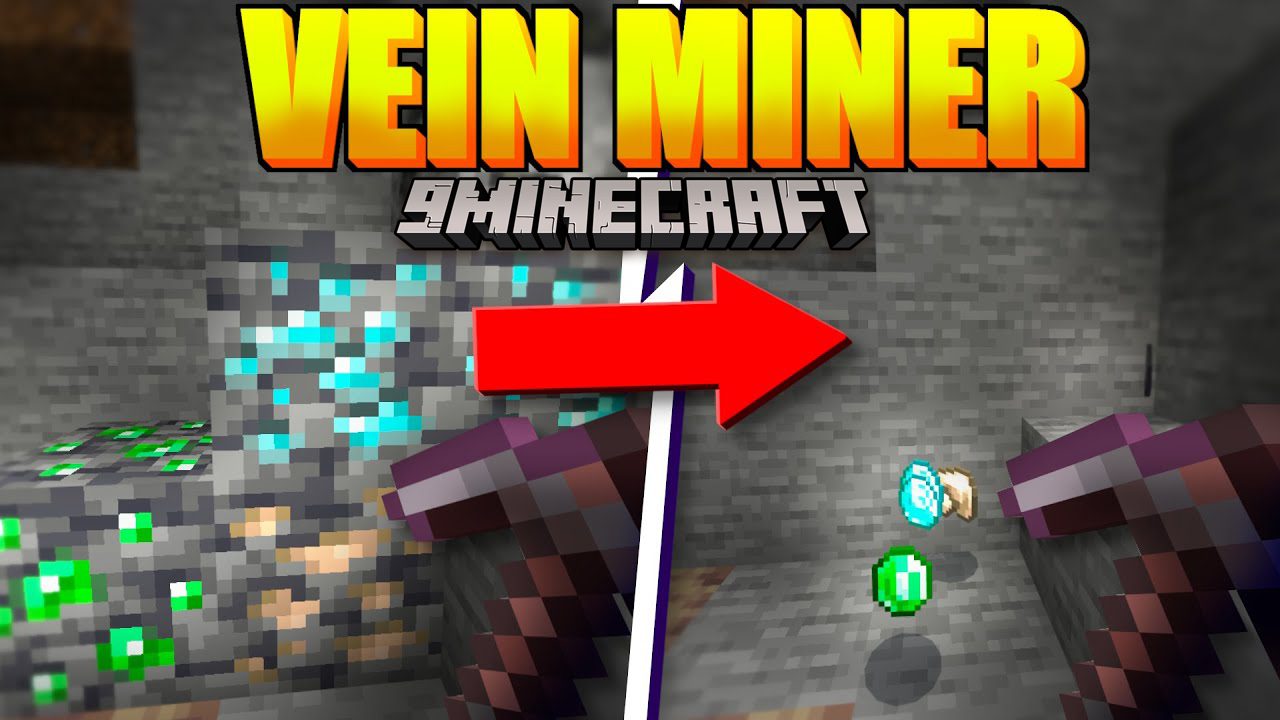
Features:
- One-Hit Vein Breaking: Breaks connected ore, log, and other supported blocks in one normal break while staying within a safe block cap (64 blocks by default).
- Flexible Activation: Activates by holding Shift by default or by pressing an optional client hotkey (default key V), with hold or toggle mode available per player.
- Global and Per-Tool Lists: Gives server owners global block and tool lists using item IDs, tags, or custom entries in whitelist or blacklist mode, plus optional advanced per-tool block lists.
- Tool Durability Guard: Checks tool durability by default and stops mining before your tool breaks, with a configurable durability cap (default 1), durability mode, and an option to require the right tool.
- Outline Particles: Shows per-player outline particles on mined veins, letting each player turn them on or off and customize their RGB color and tick duration.
- Works right away without needing any setup command.
- Allows server owners to enable empty hands as an allowed tool entry.
- Adds optional cooldown timers and hunger exhaustion costs to balance fast mining.
- Lets each player toggle personal chat feedback messages for permissions, disabled status, cooldowns, and durability alerts.
- Supports optional LuckPerms integration for permission-managed servers across general use, blocks, tools, per-tool lists, and particle controls.
- Reloads config files live from disk so updates take effect without a server restart.
- Includes an optional advanced mode with a built-in feature test harness and debug logging.
- Runs server-side out of the box on dedicated servers and single-player worlds, while an optional client build adds hotkey support and keeps Shift activation ready for vanilla clients.
Commands:
/veinminer: Shows quick help./veinminer help [topic]: Shows help for toggle, reload, activation, togglemessages, or particles./veinminer toggle: Turns the mod on or off for yourself./veinminer activation keybind: Switches between Shift and the optional client keybind./veinminer activation mode hold|toggle: Sets your activation mode to hold or toggle./veinminer togglemessages permission|disabled|cooldown|durability: Turns your personal feedback messages on or off./veinminer particles toggle: Turns your outline particles on or off./veinminer particles setcolor <red> <green> <blue>: Sets your outline particle color./veinminer particles setduration <ticks>: Sets how long your outline particles stay visible in ticks./veinminer reload: Reloads config files from disk (requires admin or manage permission)./vmadmin blocks add|remove|list|clear <id|#tag>: Manages the global block list./vmadmin tools add|remove|list|clear <id|#tag|hand>: Manages the allowed tools list./vmadmin settings blocklistmode whitelist|blacklist: Sets the global block list to whitelist or blacklist mode./vmadmin settings maxblocks <value>: Sets the maximum blocks broken per activation./vmadmin settings cooldown enable|disable|set <seconds>: Configures the mining cooldown./vmadmin settings exhaustion enable|disable|scale <value>: Configures the exhaustion cost./vmadmin settings luckperms enable|disable: Turns LuckPerms integration on or off./vmadmin reload: Reloads config files from disk./vmadmin confirm//vmadmin cancel: Confirms or cancels pending destructive admin actions./vmadvanced blockpertool ...: Manages per-tool block lists (only registered whenadvanced.enabled = trueinGeneralConfig.toml)./vmadvanced settings blockpertool: Turns per-tool block list mode on or off (requiresadvanced.enabled = true)./vmadvanced test: Runs the advanced feature test harness (requiresadvanced.enabled = true)./vmadvanced confirm//vmadvanced cancel: Confirms or cancels pending destructive advanced actions.
Configuration:
Config files generate inside config/Veinminer/ in TOML format on first run.
GeneralConfig.toml: Stores main settings includingbasic.enabled(defaulttrue),basic.activation_key(defaultSHIFT),basic.require_correct_tool(defaulttrue),basic.check_tool_durability(defaulttrue),basic.durability_cap(default1),basic.durability_mode(defaultABSOLUTE),visual.show_particles(defaulttrue),visual.show_chat_feedback(defaulttrue),advanced.enabled(defaultfalse),advanced.debug_logging(defaultfalse),advanced.block_limits.max_blocks(default64),advanced.cooldown.enabled(defaultfalse), andadvanced.exhaustion.enabled(defaultfalse).ToolsList.toml: Lists allowed tools, including optionalhandsupport.BlocksList.toml: Stores the global block list for supported ores, logs, tags, or custom entries.BlockPerToolList.toml: Stores per-tool block lists when advanced per-tool mode is enabled.
Permissions:
- General:
veinminer.use,veinminer.reload,veinminer.settings.manage,veinminer.*. - Blocks:
veinminer.blocks.manage,veinminer.blocks.add,veinminer.blocks.remove,veinminer.blocks.list,veinminer.blocks.*. - Tools:
veinminer.tools.manage,veinminer.tools.add,veinminer.tools.remove,veinminer.tools.list,veinminer.tools.*. - Per-Tool:
veinminer.blockpertool.manage,veinminer.blockpertool.blocks.add|remove|list,veinminer.blockpertool.tools.add|remove|list,veinminer.blockpertool.blocks.*,veinminer.blockpertool.tools.*. - Particles:
veinminer.particles.manage,veinminer.particles.enable,veinminer.particles.disable,veinminer.particles.setcolor,veinminer.particles.setduration.
How to Use:
- Hold the right tool for the block you want to mine, or use an empty hand if your server allows
handin the tools list. - Hold Shift while breaking a supported ore or log block; the entire connected vein breaks at once up to the server block cap (64 blocks by default).
- If you use the optional client build, run
/veinminer activation keybindand press V instead of Shift to trigger vein breaking with the hotkey. - Run
/veinminer activation mode hold|toggleto choose whether you hold the key while mining or tap it to switch on and off. - Type
/veinminer toggleanytime to turn the effect on or off for yourself, or use/veinminer togglemessages permission|disabled|cooldown|durabilityto control which chat alerts appear. - Adjust your vein outline visuals with
/veinminer particles toggle,/veinminer particles setcolor <red> <green> <blue>, and/veinminer particles setduration <ticks>. - Server admins can manage allowed blocks, tools, block limits, cooldowns, exhaustion, and LuckPerms using
/vmadmincommands, or edit the TOML files inconfig/Veinminer/and apply changes live with/veinminer reloador/vmadmin reload. - To unlock per-tool block lists and test tools, set
advanced.enabled = trueinGeneralConfig.toml, reload the config, and manage rules using/vmadvancedcommands.
Screenshots:
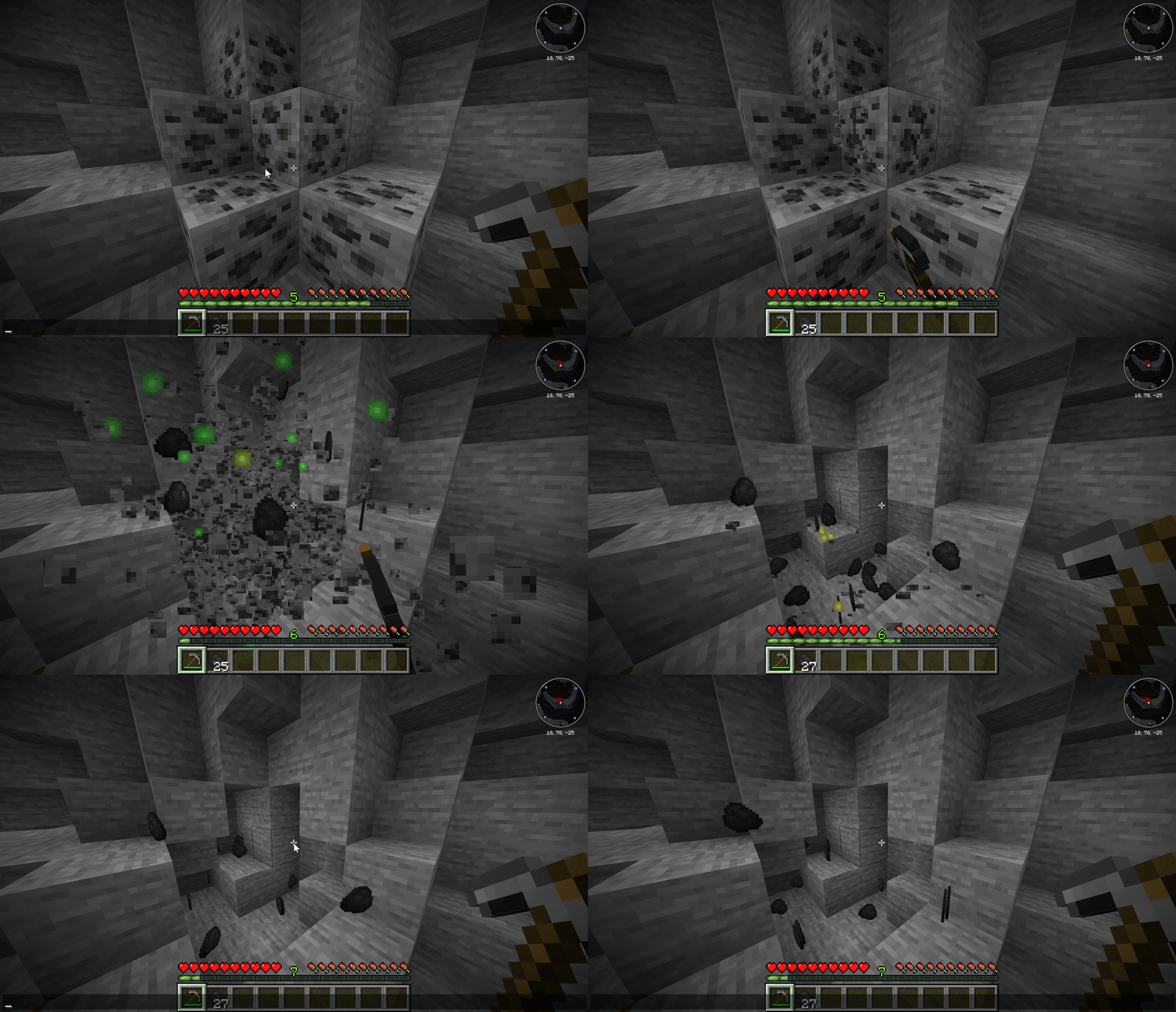
Mining one ore mines all adjusting similar ores
How to Install:
New to Minecraft? Follow our step-by-step guide to install Mods on your PC.View Guide
Requirements:





Veinminer Mod Download Links
For Minecraft 26.2
For Minecraft 26.1.2, 26.1.1, 26.1
For Minecraft 1.21.11
For Minecraft 1.21.10, 1.21.9
For Minecraft 1.21.8, 1.21.7, 1.21.6
For Minecraft 1.21.5, 1.21.4
For Minecraft 1.21.4
For Minecraft 1.21.3, 1.21.2
For Minecraft 1.21.1, 1.21
For Minecraft 1.20.6
For Minecraft 1.20.4, 1.20.3, 1.20.2
For Minecraft 1.17.1 –> 1.20.1
For Minecraft 1.20.1, 1.20

1 Comment
What do you think?
Your opinion means a lot - we'd love to hear from you.
You May Also Like
Picked for this page
 Mystical Agriculture Mod (26.1.2, 1.20.1) – Grow Diamonds From a Seed
 WorldEdit CUI Mod (26.3, 1.20.1) – A Graphical User Interface for WorldEdit
 Padoru Mod (26.1.2, 1.20.1) – Adding Nero Claudius to Minecraft
 Audio Player Mod (26.3, 1.20.1) – Put Your Own Audio Files on Music Discs
 Torcherino Mod (26.3, 1.20.1) – Torch That Speeds Up Tile Entities
 NBT Autocomplete Mod (26.3, 1.20.1) – Easy NBT Data Editing
 Random Bone Meal Flowers Mod (26.3, 1.20.1) – Biome-Free Flower Spawning
 Vault Patcher Mod (26.2, 1.20.1) – Coverts Hard Coded Strings Into Localization Strings
 Respawn Delay Mod (26.3, 1.20.1) – Spectate Your Death Scene
 The Fletching Table Mod (26.3, 1.20.1) – Transform Your Arrows With Ease
 Glow Squids Actually Glow Mod (26.3, 1.20.1) – Underwater Brightness
 Raw Copper Beacon Base Mod (26.3, 1.20.1) – Allows Copper Blocks As Beacon Base
Most viewed in Mods over the last 7 days
 Ala Industrial Mod (26.3) – Run Electric Power Grids and Automated Factories
 PleasureCraft Mod (26.3, 1.21.1) – Jenny Mod Remake for Fabric
 Jennycraft Mod (26.3, 1.20.1) – Virtual Girlfriend in Minecraft
 Fapcraft Mod (26.3, 1.12.2) – Comprehensive and Detailed Content
 Jenny Mod (Fapcraft) Official Complete Guide – How to use, Tutorial
 BangCraft Mod (1.20.1) – Jenny, Ellie and Elliot
 Fabric Loader (26.3, 1.20.1) – Fabric Installer for All Minecraft Versions
 The Shooting Star Demo Mod (26.3, 1.20.1) – Vaporize Terrain From Orbit
 Meteor Client Mod (26.3, 1.20.1) – Xray, HUD, Fly
 OptiFine HD (26.3, 1.20.1) – Run Faster, FPS Boost, Shaders Support
 Aristois Client Mod (1.21.4, 1.20.1) – World Class Minecraft Utility
 Prestige Client Mod (1.21.11, 1.21.4) – Powerful Ghost Features for Crystal & Sword PvP
More from Mods
 Flint Mod (1.21.11) – Run DiamondFire Community Addons Without Crashing
 Not Just Sandwich Mod (26.3, 1.20.1) – Edibles, Sandwiches
 Waddles Mod (26.3, 1.20.1) – Make Icy Biomes Feel Alive
 Artemis’ Thin Logs Mod (26.3, 1.20.1) – Build Custom Trees and Detailed Wood
 Asterion Mod (26.3, 1.20.1) – Survive Ancient Mazes and Slay the Legendary Minotaur
 Passthrough Signs Mod (26.3, 1.20.1) – Right-Click Through Wall Signs
 Packing Tape Mod (26.3, 1.20.1) – Move Chests, Machines
 No XP Anvils Mod (26.3, 1.20.1) – Repair And Enchant Without XP
 Naruto Shippuden Mod (26.3, 1.16.5) – Immerse Yourself in The World of Ninja
 Araxer’s Bestiary Mod (26.3, 1.20.1) – Build an In-Game Encyclopedia of Every Mob
 Villagers Plus Mod (26.3, 1.20.1) – Expanded Villager Types and Villages
 Ore Excavation 9minecraft Mod (26.3) – Mine Ores and Chop Trees in a Single Swing

your mod have a forge version but Silk mod only have a Fabric version and you mod need Silk…