
Raised Clouds Mod (1.21.4, 1.20.1) – Build Above Clouds Without Fog Limits

 0


Raised Clouds Mod lets you change the height at which clouds appear in the game. This mod gives you full control to customize your sky view and adjust cloud placement to suit your world and tall structures.

Features:
- Adjustable Cloud Height: Easily change the default height of clouds to match your tall buildings and world designs.
- Enhanced Sky View: Customize cloud placement to create a more immersive and visually appealing sky over any terrain.
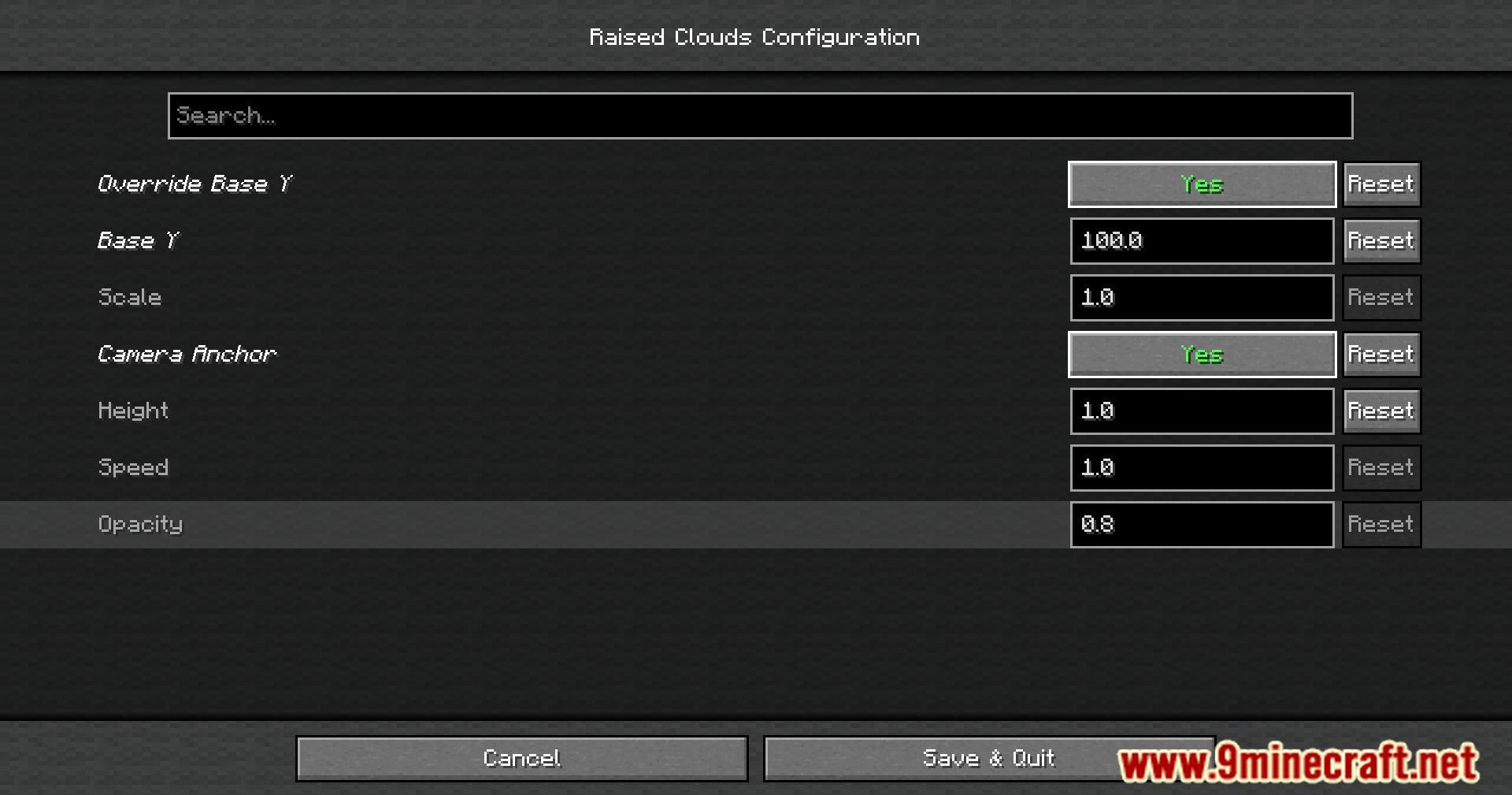
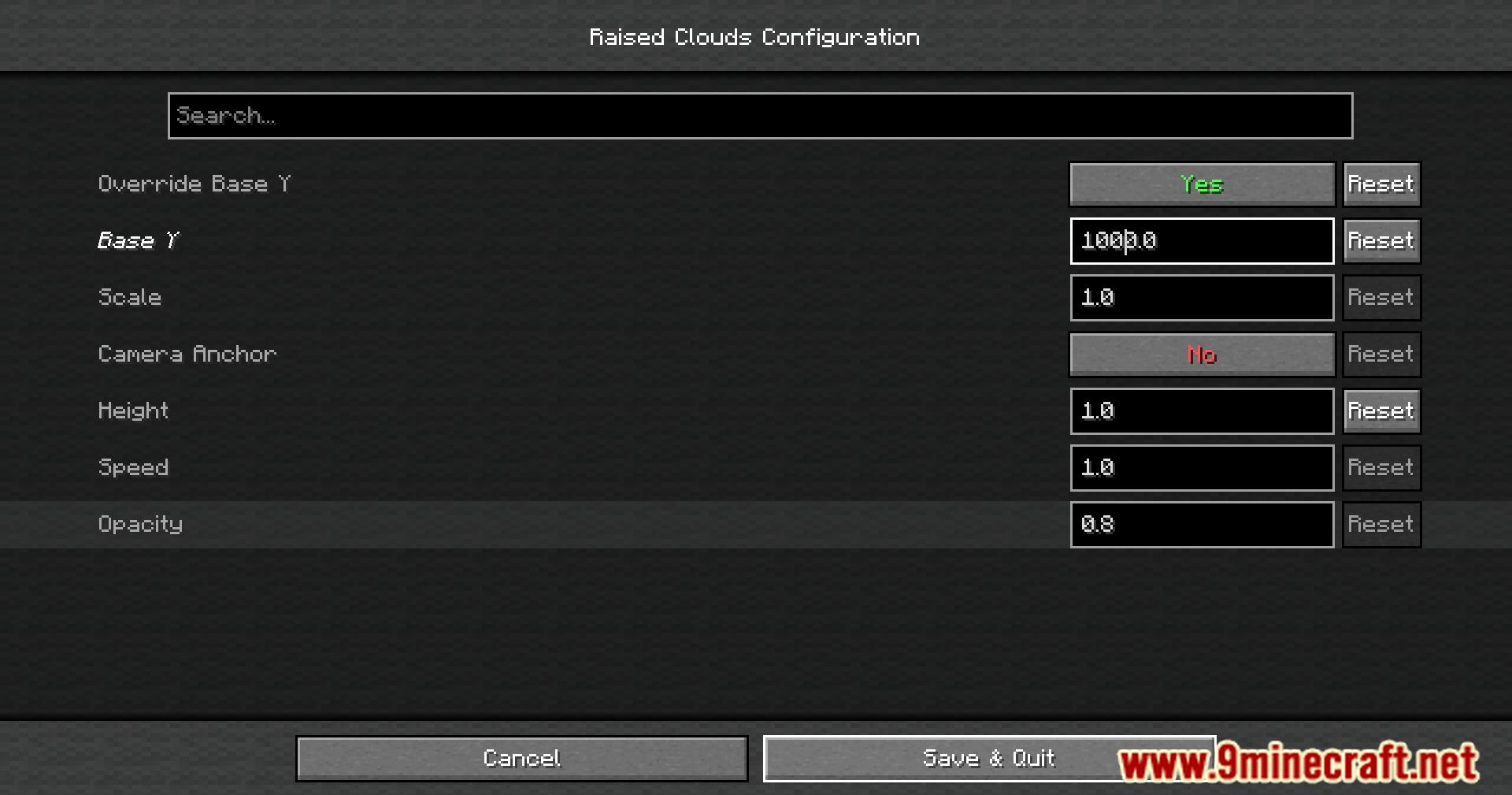
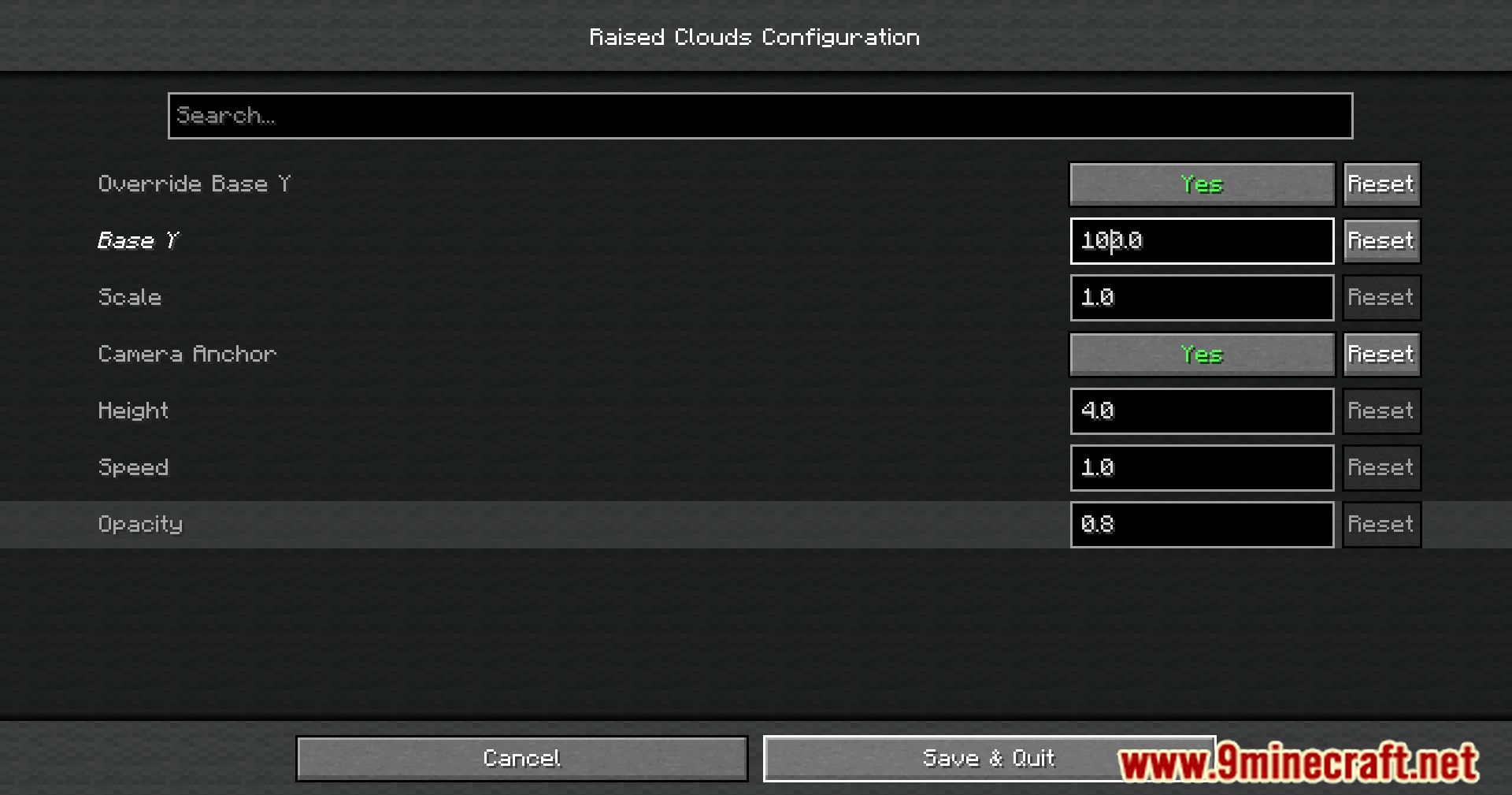
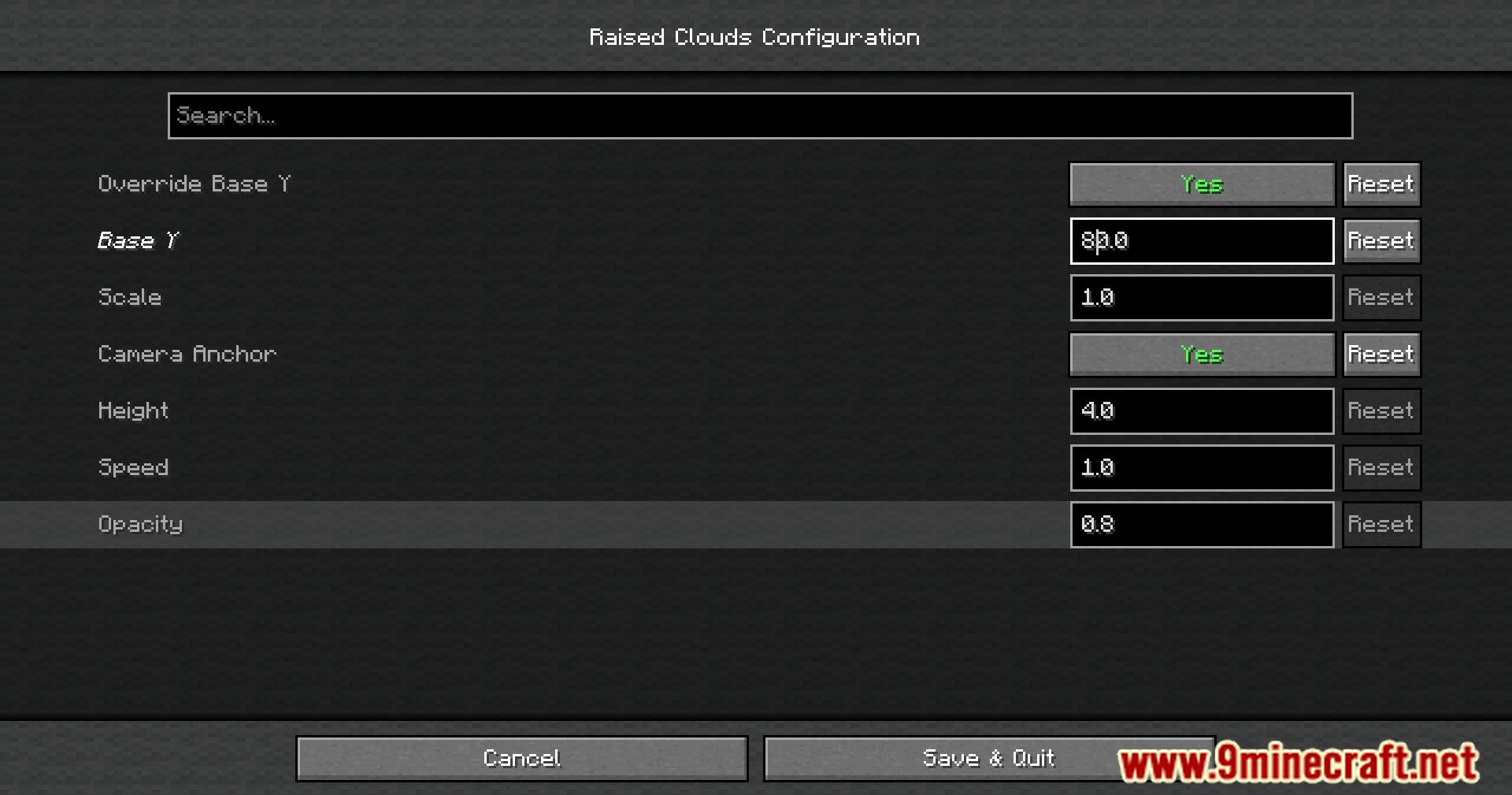
- Changes the Y position of clouds by configuring base height and scale settings.
- Anchors cloud position directly to the camera view.
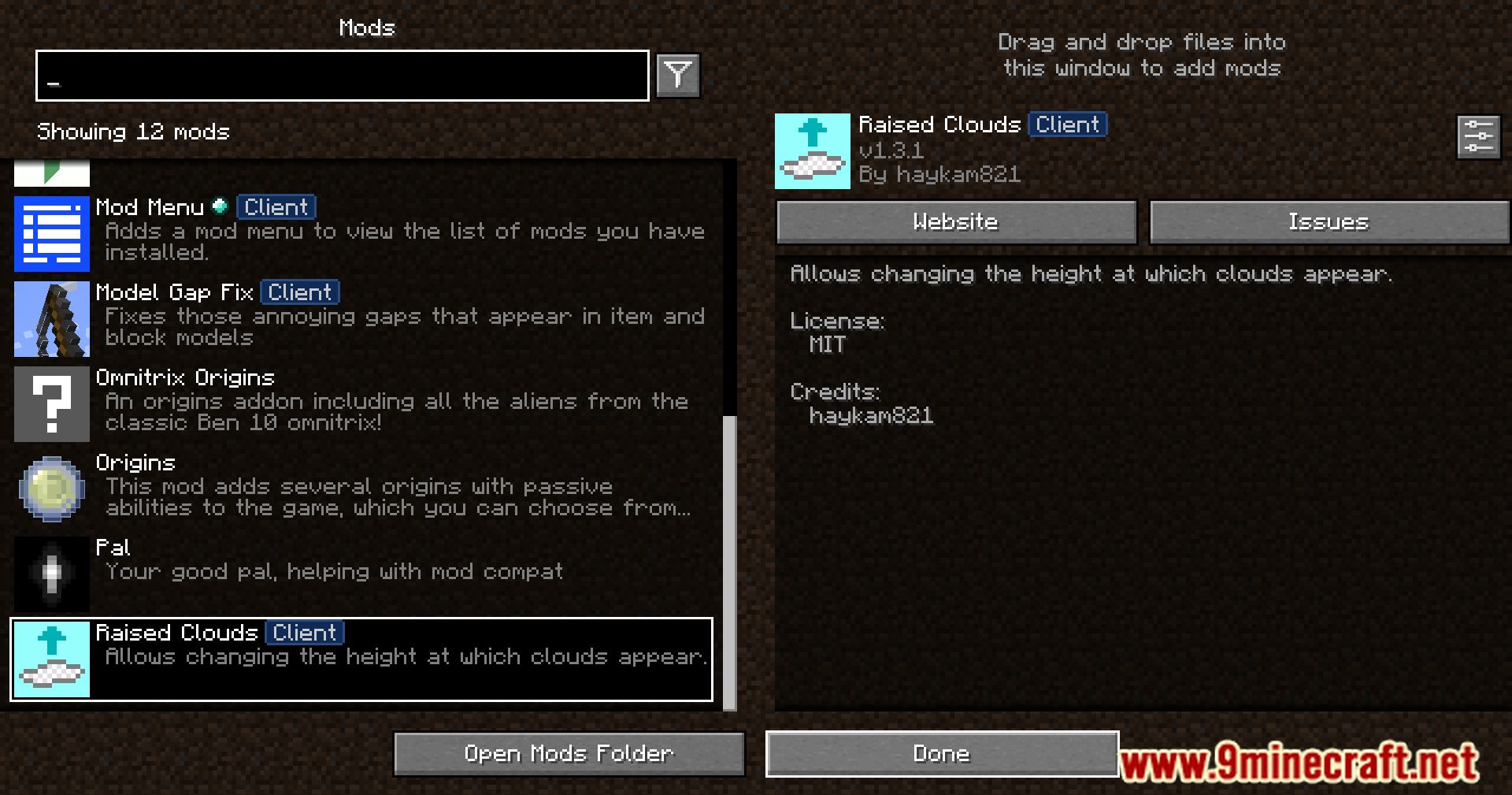
- Edits configuration easily through the
config/raisedclouds.jsonfile or via the Mod Menu interface in-game.
How to Use:
- Open the configuration file at
config/raisedclouds.jsonor use the Mod Menu mod in-game. - Adjust the base Y height, scale settings, and camera anchor options for clouds.
- Save the settings to apply your new cloud view in the world.
Screenshots:







How to Install:
New to Minecraft? Follow our step-by-step guide to install Mods on your PC.View Guide
Raised Clouds Mod Download Links
For Minecraft 1.21.4, 1.21.3
Fabric version: Download from Server 1 – Download from Server 2
For Minecraft 1.21.1, 1.21
Fabric version: Download from Server 1 – Download from Server 2
For Minecraft 1.20.6, 1.20.5
Fabric version: Download from Server 1 – Download from Server 2
For All Versions from Minecraft 1.19.3 to Minecraft 1.20.4
Fabric version: Download from Server 1 – Download from Server 2
For Minecraft 1.19.2, 1.19.1, 1.19
Fabric version: Download from Server 1 – Download from Server 2
For All Versions from Minecraft 1.17.1 to Minecraft 1.18.2
Fabric version: Download from Server 1 – Download from Server 2
For Minecraft 1.16.5
Fabric version: Download from Server 1 – Download from Server 2
You May Also Like
Picked for this page
 Simple Planes Mod (1.21.1, 1.20.1) – New Vehicles, Flying
 LAN World Plug-N-Play Mod (26.3, 1.20.1) – Utilities Server
 DefaultSettings Mod (26.3, 1.20.1) – Preserve Local Settings
 Additional Lanterns Mod (26.3, 1.20.1) – Lamps Made from New Materials
 Better Biome Blend Mod (26.3, 1.20.1) – Improve Biome Color Blending
 UNU Parts Pack Mod (1.20.1) – Library for MTS Content Packs
 Firmament Mod (1.21.11, 1.20.1) – Essential Tools And Overlays For Hypixel SkyBlock
 CraftGR Mod (26.3, 1.20.1) – Bringing Gensokyo Radio To Minecraft
 Boat Break Fix Mod (26.2, 1.20.1) – Hotfix to Prevent Accidental Deaths
 Nemo’s Woodcutter Mod (26.3, 1.20.1) – Simplify Wooden Item Crafting
 Crash Exploit Fixer Mod (26.3, 1.20.1) – Keep Your Server Running Smoothly
 Put A Plug In It Mod (26.3, 1.20.1) – Memory Leak Mitigation And Optimization Patch
Most viewed in Mods over the last 7 days
 Ala Industrial Mod (26.3) – Run Electric Power Grids and Automated Factories
 PleasureCraft Mod (26.3, 1.21.1) – Jenny Mod Remake for Fabric
 Jennycraft Mod (26.3, 1.20.1) – Virtual Girlfriend in Minecraft
 Fapcraft Mod (26.3, 1.12.2) – Comprehensive and Detailed Content
 Jenny Mod (Fapcraft) Official Complete Guide – How to use, Tutorial
 BangCraft Mod (1.20.1) – Jenny, Ellie and Elliot
 Fabric Loader (26.3, 1.20.1) – Fabric Installer for All Minecraft Versions
 The Shooting Star Demo Mod (26.3, 1.20.1) – Vaporize Terrain From Orbit
 Meteor Client Mod (26.3, 1.20.1) – Xray, HUD, Fly
 OptiFine HD (26.3, 1.20.1) – Run Faster, FPS Boost, Shaders Support
 Aristois Client Mod (1.21.4, 1.20.1) – World Class Minecraft Utility
 Prestige Client Mod (1.21.11, 1.21.4) – Powerful Ghost Features for Crystal & Sword PvP
More from Mods
 Swing Through Grass 9minecraft Mod (26.3, 26.2) – Fight Mobs Without Breaking Tall Grass
 Improved Boss Bars 9minecraft Mod (26.3) – Unique Health Bars for Every Boss Fight
 Cozy’s Improved Wolves Mod (26.3, 1.20.1) – Bond with Loyal Dogs That Never Die
 Rctapi Fix Mod (1.21.1) – Fight Cobblemon Trainers Without Any Server Crashes
 XinexLib Mod (1.21.1) – Keep Your Ultreon Studios Mods Running
 Libvulpes – Fixed Mod (1.12.2) – Launch Rockets with Fewer Bugs
 Freelook Perspective Mod (26.3, 1.21.1) – Watch Your Back While Sprinting
 FAUNA Engine Mod (1.21.1, 1.20.1) – Powering Legendary Dragons
 Avali Nexus Mod (26.3) – Settle Frozen Frontiers with High-Tech Bird Tribes
 Orient’s Hotpot Chronicles Mod (1.20.1) – Boil Fresh Hotpot Meals Over Open Flames
 Far Lands Traveler Mod (26.1.2) – Survive the Long Trek to the Edge of the World
 Beli’s SkyLyrics Mod (1.21.11) – Sing Along to Desktop Tracks Projected in the Night Sky

This post has no comments yet. Be the first — your comment will appear here.