
Armor Overlay Mod (1.11.2, 1.7.10) – Never Misjudge Your Armor
 710
 0


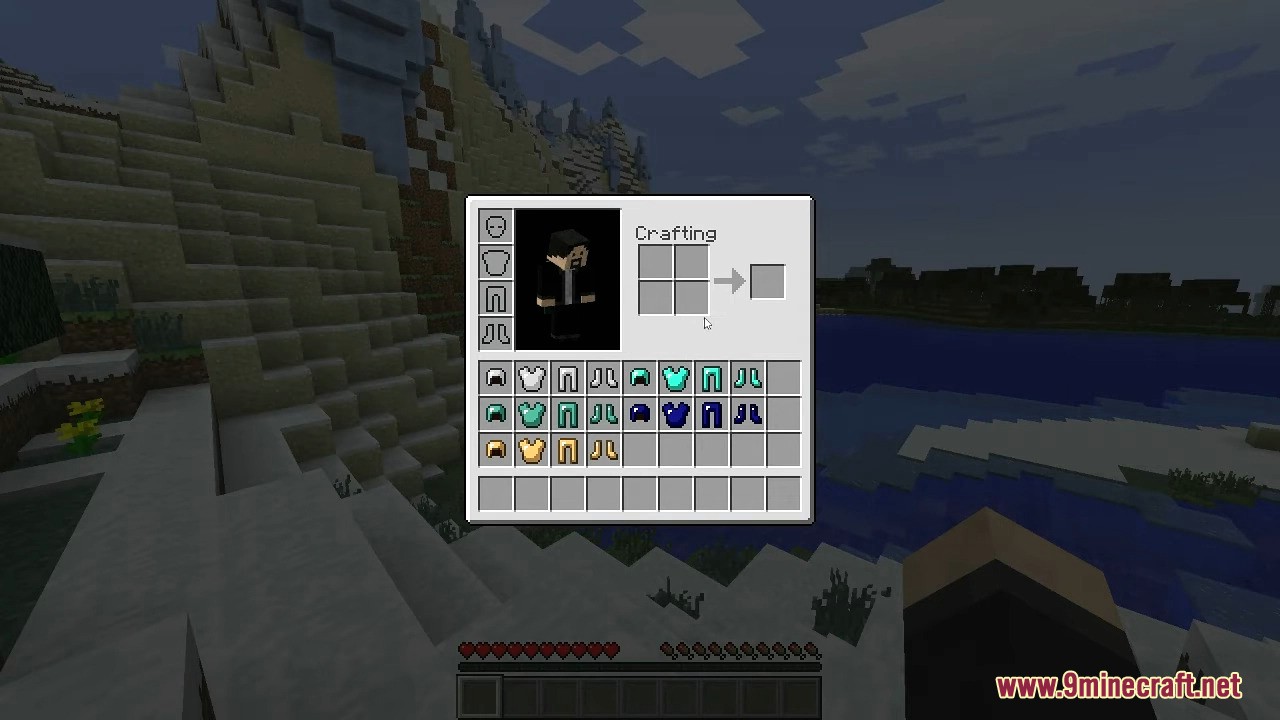
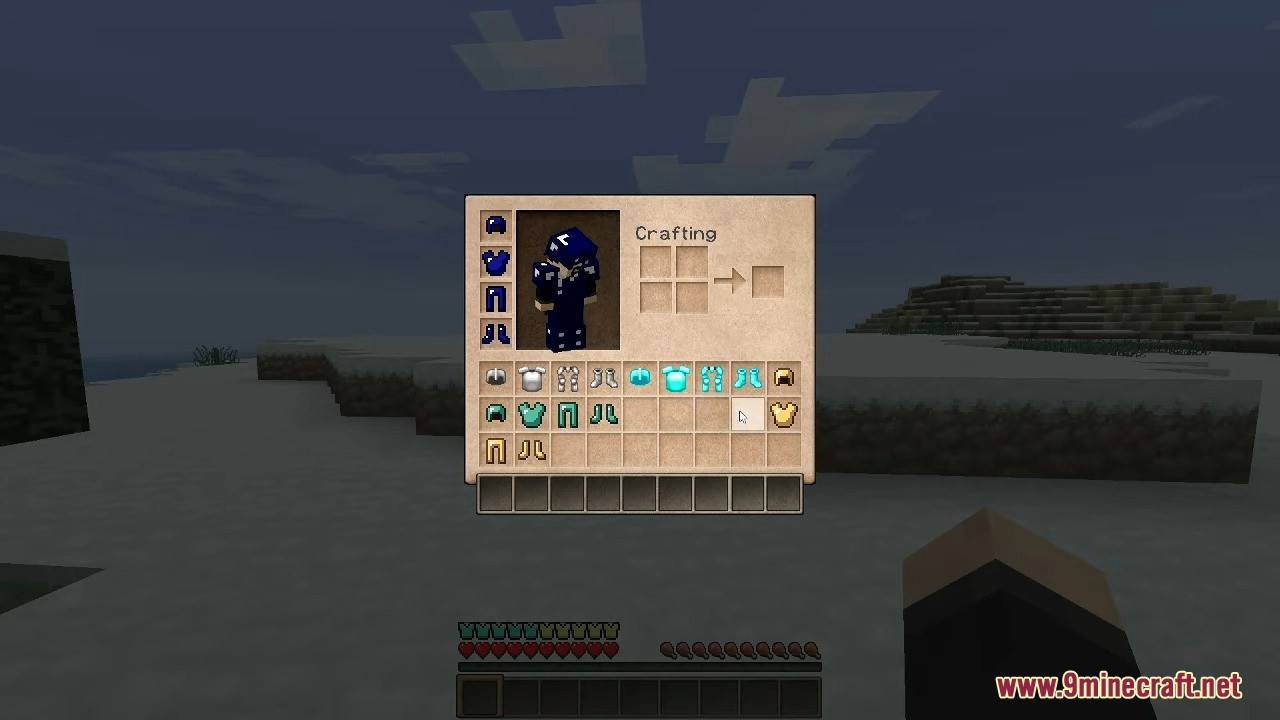
Armor Overlay Mod changes the armor bar to show every armor level from 0 to 30. The vanilla bar only displays whole points, even when your gear gives partial armor values. This mod breaks each armor icon into smaller pieces and lets you adjust the scale in the config. You can also use it with the Armor Recalc mod so partial armor points count in damage calculations.

Features:
- Expands the armor bar to show the full range of armor levels from 0 to 30.
- Shows partial armor values from the generic.armor attribute instead of only whole points like vanilla Minecraft.
- Makes each full icon on the armor bar worth 1 armor point instead of the vanilla 2 points.
- Displays each 0.25 armor point by default with 1/4 armor icons rather than vanilla 1/2 icons.
- Lets you change the config to show smaller steps down to 0.04167 of a point.
- Pairs with the Armor Recalc mod so partial armor points count during damage calculations.
- Displays gold icons for each point above diamond armor in the 1.7.10 version, then switches to diamond icons once the gold bar is full.
- Lets you adjust the 1.7.10 config to use 1/4 icons instead of 1/2 icons, show 1 full icon per point, or start counting from leather armor.
- Adds an optional text display in the 1.7.10 version that shows your exact armor number.
Screenshots:





How to Install:
New to Minecraft? Follow our step-by-step guide to install Mods on your PC.View Guide
Armor Overlay Mod Download Links
For Minecraft 1.11.2
Forge version: Download from Server 1
For Minecraft 1.10.2, 1.9.4
Forge version: Download from Server 1
For Minecraft 1.7.10
Forge version: Download from Server 1 – Download from Server 2
Click to rate this post!
[Total: 0 Average: 0]
QUICK MINECRAFT SURVEY · ONE TAP
Mods & Modpacks
Who do you usually play modded Minecraft with?
55 responses · See the full results →
You May Also Like
Picked for this page
 Curios API (26.3, 1.20.1) – Library for TheIllusiveC4’s Mods
 Hit Range Mod (26.3, 1.20.1) – Reach Visualization
 Mekanism Tools Mod (1.21.1, 1.20.1) – Powerful Tools and Armor
 Very Many Players Mod (26.3, 1.20.1) – Improve Server Performance
 Countered’s Settlement Roads Mod (1.21.10, 1.20.1) – Generates Roads Between Villages
 Health Levels Mod (26.2, 1.20.1) – Maximizing Experience Gains
 Wooden Bucket Mod (26.3, 1.20.1) – A Wooden Bucket
 Better Smithing Table Mod (26.3, 1.20.1) – Reforged The Interface
 Beautified Chat Server Mod (26.3, 1.20.1) – Change The Style and Colour of Chat
 Idle Tweaks Mod (1.21.11, 1.20.1) – Reduces Minecraft’s Resource Usage
 ArisuwuMei’s Deer Mod (26.3, 1.20.1) – Deer In Minecraft
 Tinkers Thinking Mod (1.20.1, 1.19.2) – Rediscover Old and New Tool Crafting
Most viewed in Mods over the last 7 days
 Ala Industrial Mod (26.3) – Run Electric Power Grids and Automated Factories
 PleasureCraft Mod (26.3, 1.21.1) – Jenny Mod Remake for Fabric
 Jennycraft Mod (26.3, 1.20.1) – Virtual Girlfriend in Minecraft
 Fapcraft Mod (26.3, 1.12.2) – Comprehensive and Detailed Content
 Jenny Mod (Fapcraft) Official Complete Guide – How to use, Tutorial
 BangCraft Mod (1.20.1) – Jenny, Ellie and Elliot
 Fabric Loader (26.3, 1.20.1) – Fabric Installer for All Minecraft Versions
 Meteor Client Mod (26.3, 1.20.1) – Xray, HUD, Fly
 The Shooting Star Demo Mod (26.3, 1.20.1) – Vaporize Terrain From Orbit
 OptiFine HD (26.3, 1.20.1) – Run Faster, FPS Boost, Shaders Support
 Aristois Client Mod (1.21.4, 1.20.1) – World Class Minecraft Utility
 Prestige Client Mod (1.21.11, 1.21.4) – Powerful Ghost Features for Crystal & Sword PvP
More from Mods
 Villager Timetable Mod (26.3, 1.20.1) – Master Villager Schedules
 Artemis Laboratory Blocks Mod (26.3, 1.20.1) – Lab Blocks And Dynamic Decorations
 Fabric ORM Jimmer Mod (26.3, 1.20.1) – Prevent Sudden Server Crashes
 Cafe Core Mod (26.2, 1.21.1) – Bypass Anvil Limits and Tame Pets in Seconds
 GTNH’s Forgelin Mod (1.7.10) – Play Kotlin-Powered Mods on Minecraft 1.7.10
 Nodeflow Mod (26.1.2, 1.21.1) – Wire Custom Redstone Logic on Visual Graph
 Winter Client Mod (1.21.11) – Survive Ruthless PvP on Anarchy Servers
 LARP Client Mod (1.21.11) – Dominate Crystal PvP on Anarchy Servers
 Berlin Client Mod (1.21.11) – Hunt Stashes and Win Crystal Fights
 Kaleidoscope Cookery Refabricated Mod (26.3, 1.20.1) – Cook Hearty Meals
 Minecraft MusicBox Mod (1.21.12) – Play Your Favorite Songs While Mining and Building
 MTR Navigation Mod (1.21.1) – Plan Railway Trips and Never Miss a Train Stop

This post has no comments yet. Be the first — your comment will appear here.