
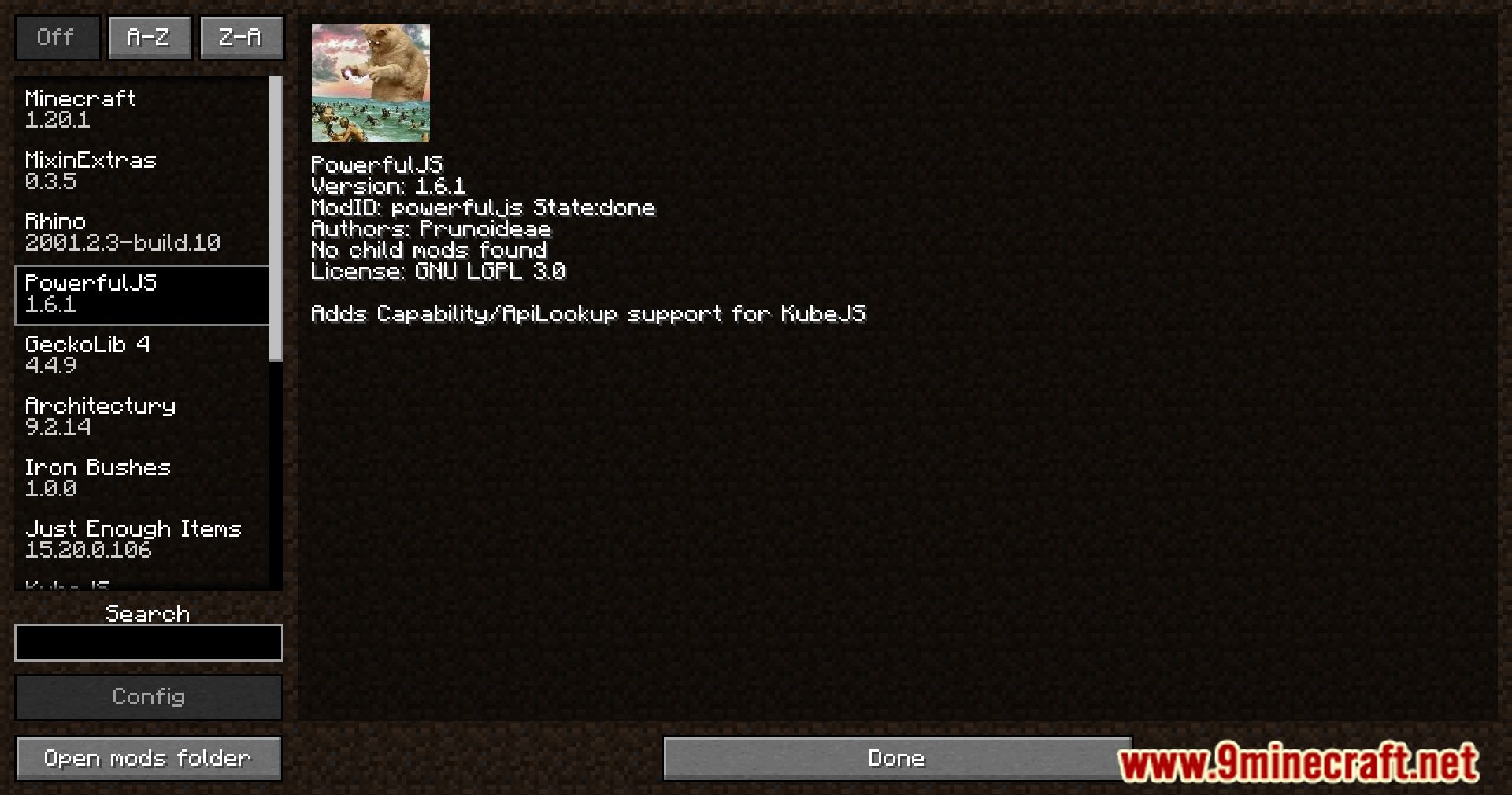
PowerfulJS Mod (1.21.1, 1.20.1) – Turn Any Vanilla Block Into a Machine
 590
 0


PowerfulJS Mod extends KubeJS with NeoForge’s capability system so you can attach new behaviors to items, blocks, block entities, and entities. This mod lets you add Forge Energy storage, fluid tanks, steady energy or fluid sources, and item-filling changes right through KubeJS scripts. It also lets you intercept how blocks tick or make non-ticking blocks like chests run custom logic with a fast RuleSet system. The mod supports ProbeJS for helpful code hints in VSCode and works with Curios, Botania, FE energy, and fluid handling for custom modpacks.

Requires:
Features:
- Custom Capabilities for Game Objects: Lets you add NeoForge capabilities to items, blocks, block entities, and entities through KubeJS startup scripts.
- Block Ticking Control: Lets you intercept and change how blocks tick, or force non-ticking blocks like chests to start ticking with custom logic.
- Fast RuleSet System: Uses a rule-and-effect system to run custom block logic with speed close to native Java while staying flexible.
- Full ProbeJS Support: Works with ProbeJS so you get helpful code hints and autocomplete in VSCode while writing scripts.
- Supports Forge and NeoForge capability setups, including Curios, Botania, Forge Energy (FE), and fluid handling.
- Lets custom blocks and items connect with other mods’ machines and pipes, such as letting blocks work with hoppers or letting items fill up in a Mekanism fluid tank.
- Refreshes ticking interception when you reload server scripts, while blocks that already have injected logic need to be broken and placed again to update.
Capability Types:
- Constant Energy: Gives a block a steady FE output with set extract and receive limits, such as making a redstone block produce 100 FE per tick for an extractor cable to pull out.
- Fixed Fluid Storage: Adds a fluid tank with set capacity and transfer limits to block entities or items, with optional fluid filters and item changes when full, such as turning lava-filled netherrack or soul sand into a magma block.
- Fixed FE Storage: Adds Forge Energy storage with set capacity and max input or output limits to block entities like a furnace.
- Constant Fluid: Turns a block into a steady fluid source with optional condition checks, such as limiting infinite lava extraction to lava source blocks inside Nether biomes.
Ticking Rules and Effects:
- Block state matching: Checks specific block states like a burning furnace facing any direction, with options to invert or combine conditions.
- Fluid and timer rules: Checks whether a block holds enough fluid (such as 1000 mB of lava) or triggers an action on a set tick interval (such as every 20 ticks).
- Energy and fluid effects: Drains fluid from a block or generates FE energy during each tick.
- Toggle and item effects: Turns a block’s normal ticking logic on or off, or inserts items like cookies directly into a block’s inventory.
How to Use:
Adding Capabilities
- Run this mod alongside KubeJS and keep ProbeJS active if you want autocomplete hints in VSCode while writing scripts.
- Open your KubeJS startup script and add
PowerfulEvents.registerCapabilities(event => { ... })so your capabilities register when the game starts. - Use
event.registerBlock(...),event.registerBlockEntity(...), orevent.registerItem(...)to pick whether the new capability goes on a block, a block entity, or an item. - Set up steady energy output with
powerfuljs:constant_energyusingmaxExtractandmaxReceive(for example, givingredstone_block100 FE/t that you pull out with an extractor cable). - Add energy or fluid storage to block entities like
minecraft:furnaceusingpowerfuljs:fixed_storage_feorpowerfuljs:fixed_storage_fluidwithcapacity,maxExtract, andmaxReceivevalues. - Create a conditional fluid source with
powerfuljs:constant_fluidand.validate(...)to check conditions like a lava source block in a Nether biome, and avoid relying onvalidatefor blocks that change state while running since capabilities are reused for speed. - Use
event.registerItem('powerfuljs:fixed_storage_fluid', ...)withvalidatorandchangeItemWhento transform items likenetherrackorsoul_sandintominecraft:magma_blockwhen filled withminecraft:lava.
Intercepting Block Ticking
- Open your KubeJS server script and add
PowerfulEvents.interceptTicking(event => { ... })to define custom block ticking logic. - Call
event.intercept('minecraft:furnace', () => [ ... ])to override a ticking block withRulesandEffects. - Chain conditions such as
Rules.matchBlock(...),.negate(),.or(...), andRules.hasFluid(...)with actions likeEffects.drainFluid(...),Effects.fillEnergy(...), andEffects.toggleEnable()to control when the block runs and what resources it uses or produces. - Call
event.forceTicker('chest', true)beforeevent.intercept(...)when targeting a block that does not normally tick, then pairRules.every(20)withEffects.insertItem('cookie', null)to run timed effects. - Reload your server scripts to apply ticking changes, and break and replace any block that already has injected logic so its ticker refreshes.
Screenshots:









How to Install:
New to Minecraft? Follow our step-by-step guide to install Mods on your PC.View Guide
Requirements:

PowerfulJS Mod Download Links
For Minecraft 1.21.1, 1.21
NeoForge Version: Download from Server 1 – Download from Server 2
For Minecraft 1.20.1
Forge/NeoForge Version: Download from Server 1 – Download from Server 2
For Minecraft 1.19.2
Forge Version: Download from Server 1 – Download from Server 2
What do you do when a mod you love is abandoned by its creator?
19 responses · See the full results →
You May Also Like
Picked for this page
 No Hostiles Around Campfire Mod (26.3, 1.20.1) for Minecraft
 Mystical Agriculture Mod (26.1.2, 1.20.1) – Grow Diamonds From a Seed
 Player Tracking Mod (26.3, 1.20.1) – Find And Raid
 Ctrl Q Mod (26.1, 1.20.1) – Take Control Of Your Inventory
 IBE Editor Mod (1.20.4, 1.20.1) – Simple GUI to Edit Item, Block or Entity
 Chunky McChunkFace Mod (26.2, 1.20.1) – Simple Chunk Loader
 Banner Flags Mod (26.3, 1.20.1) – Customize Your World With Banner Flags
 Arcane Lanterns Mod (26.3, 1.20.1) – The Power of Light
 Peek Mod (26.3, 1.20.1) – Elevating Your Minecraft Experience
 Integrated Circuit Mod (26.3, 1.20.1) – Compact Your Redstone Circuitry
 Mowzie’s Mobs ReBroken Blade Mod (1.20.1, 1.20) – Wield a World-Breaking Blade
 Forward Forge Client Reset Packet Mod (1.20.1) – Better Server Switching
Most viewed in Mods over the last 7 days
 Ala Industrial Mod (26.3) – Run Electric Power Grids and Automated Factories
 PleasureCraft Mod (26.3, 1.21.1) – Jenny Mod Remake for Fabric
 Jennycraft Mod (26.3, 1.20.1) – Virtual Girlfriend in Minecraft
 Fapcraft Mod (26.3, 1.12.2) – Comprehensive and Detailed Content
 Jenny Mod (Fapcraft) Official Complete Guide – How to use, Tutorial
 BangCraft Mod (1.20.1) – Jenny, Ellie and Elliot
 Fabric Loader (26.3, 1.20.1) – Fabric Installer for All Minecraft Versions
 The Shooting Star Demo Mod (26.3, 1.20.1) – Vaporize Terrain From Orbit
 OptiFine HD (26.3, 1.20.1) – Run Faster, FPS Boost, Shaders Support
 Meteor Client Mod (26.3, 1.20.1) – Xray, HUD, Fly
 Aristois Client Mod (1.21.4, 1.20.1) – World Class Minecraft Utility
 Baritone 9minecraft Client Mod (26.3, 26.1.2) – Mine and Build Bases Hands-Free
More from Mods
 Winter Client Mod (1.21.11) – Survive Ruthless PvP on Anarchy Servers
 LARP Client Mod (1.21.11) – Dominate Crystal PvP on Anarchy Servers
 Berlin Client Mod (1.21.11) – Hunt Stashes and Win Crystal Fights
 Kaleidoscope Cookery Refabricated Mod (26.3, 1.20.1) – Cook Hearty Meals
 Minecraft MusicBox Mod (1.21.12) – Play Your Favorite Songs While Mining and Building
 MTR Navigation Mod (1.21.1) – Plan Railway Trips and Never Miss a Train Stop
 TheHouse Mod (1.21.11) – Host Casino Tables and Track Every Bet in Real Time
 CinematicInteractions Mod (1.21.1) – Watch Your Hands Work at Every Crafting Table
 Earth Platform Mod (1.21.1) – Travel Across Real Continents in a True Scale World
 Taunahi Mod (26.1.2) – Automate Daily Farming and Slayers in Hypixel Skyblock
 HORROR Fake Join Leave Messages Mod (1.20.1) – Trigger Creepy Chat Scares
 Bons Voyage Mod (1.20.1) – Teleport Across Biomes Through Hidden Waystones

This post has no comments yet. Be the first — your comment will appear here.