
Otter Lib Mod (26.3, 1.20.1) – Styled Chat and Menus

 0


Otter Lib Mod provides a simple library system for Minecraft on Fabric, Spigot, and Paper. This mod does not add new gameplay content on its own, so you only need it when another mod asks for it as a dependency. It includes shared tools for styled chat messages, server-side language files, config file saving and updating, and custom in-game config screens.
Features:
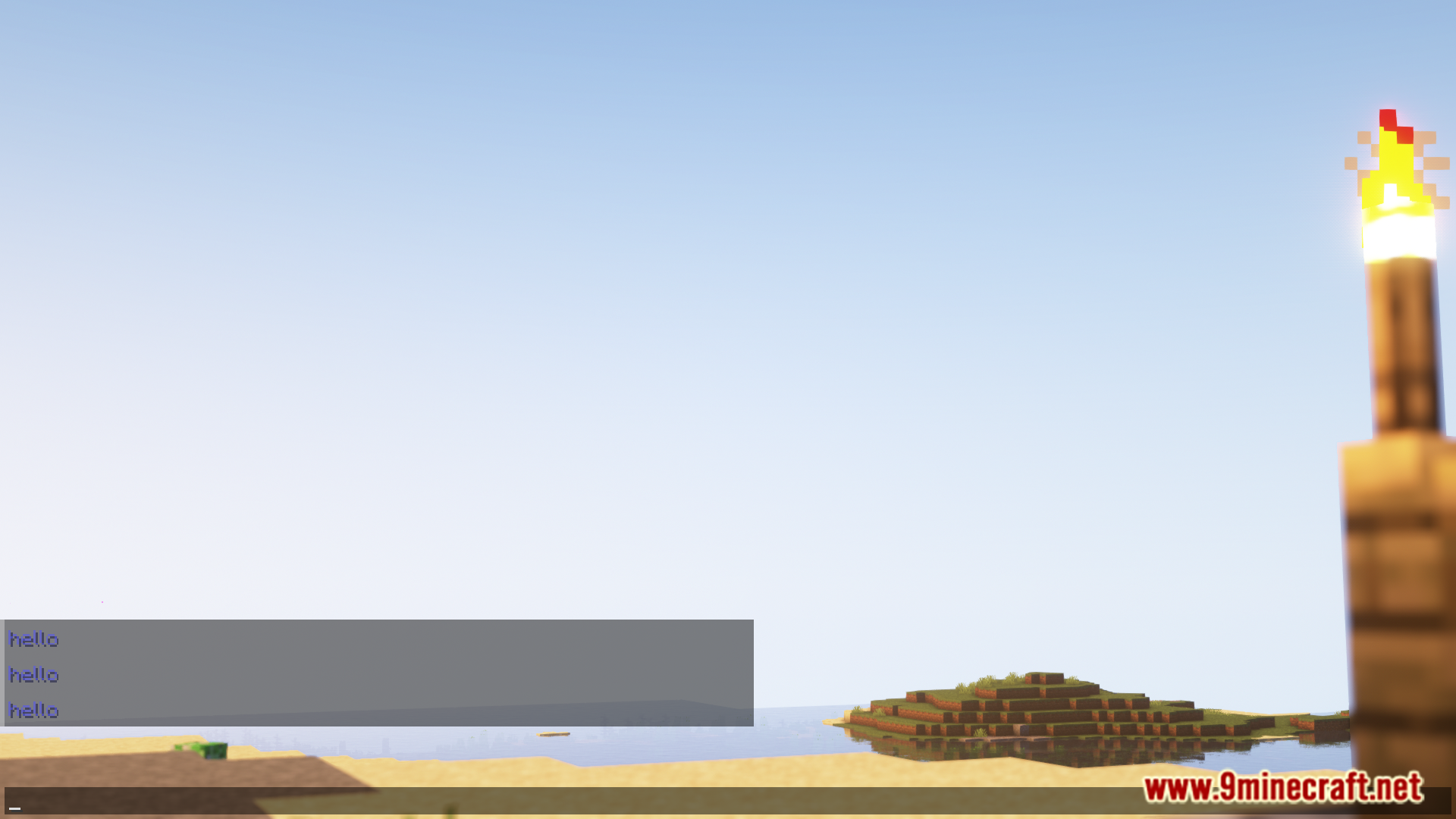
- Simple Chat Builder: Builds styled in-game chat messages with colors, rainbow effects, bold, italic, underline, and strikethrough text, and joins multiple text parts into one message.
- Custom Language Reader: Handles server-side language support across all supported loaders and offers a second location for language files so players can override text easily.
- Config File Saving and Loading: Gives mods a reliable way to create, save, and load JSON config files, including version checks that update older config entries to newer versions.
- Custom Config Screen: Displays a customizable in-game menu with a banner image so you can edit multiple config files, open other screens, or open links to social media and websites.
- Supports custom middle and bottom buttons with optional icons or images, including file editor, wiki, help, warning, donate, and done button templates.
- Works across Fabric, Spigot, and Paper loaders so other mods can run using the same shared library.
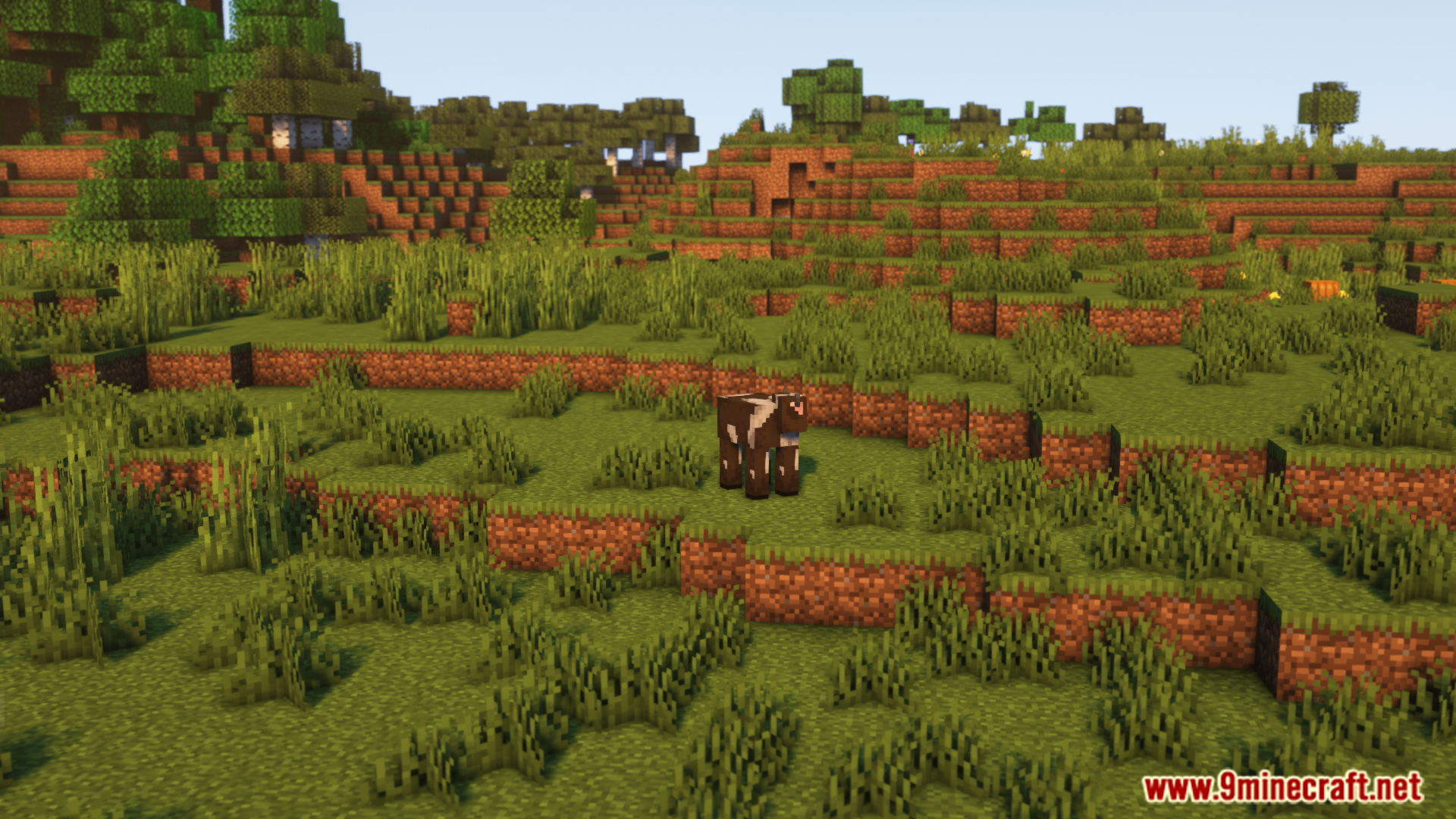
Screenshots:

How to Install:
New to Minecraft? Follow our step-by-step guide to install Mods on your PC.View Guide


Otter Lib Mod Download Links
For Minecraft 26.3
For Minecraft 26.2
For Minecraft 26.1.2, 26.1.1, 26.1
For Minecraft 1.21.11
For Minecraft 1.21.10, 1.21.9
For Minecraft 1.21.8, 1.21.7, 1.21.6
For Minecraft 1.21.5
For Minecraft 1.21.4
For Minecraft 1.21.1, 1.21
For Minecraft 1.20.6
For Minecraft 1.20.4
For Minecraft 1.20.1, 1.20
Click to rate this post!
[Total: 0 Average: 0]
QUICK MINECRAFT SURVEY · ONE TAP
Mods & Modpacks
How do you feel about 'expert' modpacks that change recipes to be much harder and interconnected?
18 responses · See the full results →
You May Also Like
Picked for this page
 BCLib Mod (26.3, 1.20.1) – Library for BetterX Team’s Mods
 Mooblooms Mod (1.21.11, 1.20.1) – Colorful and Flowery Cows
 Lambda Better Grass Mod (26.3, 1.20.1) – Connected Textures for Grass Blocks
 More Villagers Re-Employed Mod (26.3, 1.21.1) – More Jobs, More Trades
 Enchantment Glint Outline Mod (26.2, 1.21.11) – Adds a Glowing Outline to Enchanted Items
 Huge Structure Blocks Mod (26.3, 1.20.1) – Pushing Limits With Huge Structure Blocks Mod
 Item Restrictions Mod (26.2, 1.20.1) – Enforcing Fair Play
 Spawner Control Mod (26.1.2, 1.20.1) – Adjust Spawn Limits and Destruction Timers
 Shadow Mounts Mod (26.3, 1.20.1) – Adds the Shadow Saddle
 Skin Grabber Mod (26.2, 1.20.1) – Grab Skins From The Nearest Player
 Guita’s Branches Mod (26.2, 1.20.1) – Branches For All Wood Types
 Scholar Mod (26.3, 1.20.1) – Two-page Book Viewing and Editing UI
Most viewed in Mods over the last 7 days
 Ala Industrial Mod (26.3) – Run Electric Power Grids and Automated Factories
 PleasureCraft Mod (26.3, 1.21.1) – Jenny Mod Remake for Fabric
 Jennycraft Mod (26.3, 1.20.1) – Virtual Girlfriend in Minecraft
 Fapcraft Mod (26.3, 1.12.2) – Comprehensive and Detailed Content
 Jenny Mod (Fapcraft) Official Complete Guide – How to use, Tutorial
 BangCraft Mod (1.20.1) – Jenny, Ellie and Elliot
 Fabric Loader (26.3, 1.20.1) – Fabric Installer for All Minecraft Versions
 Meteor Client Mod (26.3, 1.20.1) – Xray, HUD, Fly
 The Shooting Star Demo Mod (26.3, 1.20.1) – Vaporize Terrain From Orbit
 OptiFine HD (26.3, 1.20.1) – Run Faster, FPS Boost, Shaders Support
 Aristois Client Mod (1.21.4, 1.20.1) – World Class Minecraft Utility
 Prestige Client Mod (1.21.11, 1.21.4) – Powerful Ghost Features for Crystal & Sword PvP
More from Mods
 Shade & Saturation Slider Mod (26.2, 1.21.11) – Make Every Biome Vibrant
 Cataclysm X Yung’s Better Nether Fortresses Compat Mod (1.21.1, 1.20.1)
 Patchouli 9minecraft Mod (26.3) – Read Mod Guides Without Leaving Minecraft
 Paintings ++ 9minecraft Mod (26.3) – Pick the Exact Painting You Want
 owo-lib 9minecraft Mod (26.3) – Run Your Favorite Mods Without Errors
 Moonlight 9minecraft Lib (26.3, 26.2) – Run Complex Mods Without Errors
 Load My Tags 9minecraft Mod (26.3) – Mix Mods Without Breaking Recipes
 Kambrik 9minecraft Mod (26.3) – Run Kotlin Mods Without Game Lag
 Fast Paintings 9minecraft Mod (26.3, 26.2) – Place Wall Art Exactly Where You Want It
 Bonsai Trees 9minecraft Mod (26.3, 26.2) – Automate Wood Farming in Tiny Pots
 Enhanced Block Entities 9minecraft Mod (26.3) – Build Lag-Free Storage Rooms
 Better Nether 9minecraft Mod (26.3, 26.2) – Survive Forever in the Nether

This post has no comments yet. Be the first — your comment will appear here.