
Preloading Tricks Mod (26.1.2, 1.20.1) – Smooth Early Loading for Modpacks
 310
 0


Preloading Tricks Mod lets you run advanced code during the earliest stage of the Minecraft mod loader. It gives you early hooks, SPI-based callbacks, and Java Instrumentation class transformation tools to extend how the loader starts up. You can change mod lists before discovery, edit classes that are already loaded in the JVM, and bundle LexForge and NeoForge files inside one JAR. This mod works on Fabric, LexForge, and NeoForge, and it relies on the loader version rather than the Minecraft version.

Features:
- Early Loader Entrypoint: Gives you early access to the loader through
PreloadingEntrypointusing SPI-based callbacks that run before regular mods start up. - Java Instrumentation ClassTransform: Lets you edit the bytecode of already-loaded classes in the JVM, including Java core classes and classloader classes.
- Forge Variant Detection: Provides
ForgeVariantson Forge-like loaders so your code can detect specific Forge or NeoForge versions at runtime. - Registers class transformers on all supported platforms by adding the
ClassTransformConfigattribute to yourMANIFEST.MFfile. - Lets you bundle both LexForge and NeoForge JARs together via jar-in-jar in a single mod file, loading each part only on its matching loader.
- Runs on Fabric, Forge (LexForge), and NeoForge based on the loader version instead of the Minecraft version.
- Supports automatic platform selection through Gradle variant matching and Cloche, with optional classifiers for
fabric,forge-service,neoforge-modlauncher, andneoforge-fancy-mod-loader.
Early Callback Events:
- Runs
SETUP_LANGUAGE_ADAPTERthroughPreloadingTricksCallbacksduring the early language adapter setup stage. - Runs
COLLECT_MOD_CANDIDATESso you can dynamically add mod candidate paths before mod discovery begins. - Runs
SETUP_MODSso you can add, remove, or check mods in the mod list using theModManagerAPI.
How to Use:
- Add the Maven repository
https://raw.githubusercontent.com/settingdust/maven/main/repository/to your Gradle build file so Gradle can resolve the library. - Add the base dependency
implementation("settingdust.preloading_tricks:PreloadingTricks:VERSION")and replaceVERSIONwith the latest release (for example,3.5.9); Gradle variant matching or Cloche automatically selects the matching platform artifact based on your loader attributes. - Optionally pin a platform classifier (
fabric,forge-service,neoforge-modlauncher, orneoforge-fancy-mod-loader) if you want to avoid accidentally using APIs from other platforms. - Use
PreloadingEntrypointand register callbacks onPreloadingTricksCallbacks(SETUP_LANGUAGE_ADAPTER,COLLECT_MOD_CANDIDATES, orSETUP_MODS) to run early loader logic before standard mod setup begins. - To transform loaded classes, create a JSON config file listing your
packageandtransformers, then register it inMANIFEST.MFwithClassTransformConfigso the transformers apply early in the JVM. - When bundling LexForge and NeoForge JARs together via jar-in-jar, add
ForgeVariant: LexForgeorForgeVariant: NeoForgeto eachMANIFEST.MFso only the matching variant loads at runtime.
Example Gradle setup (Kotlin DSL):
repositories {
    maven("https://raw.githubusercontent.com/settingdust/maven/main/repository/")
}

dependencies {
    implementation("settingdust.preloading_tricks:PreloadingTricks:VERSION")
}
Configuration:
ClassTransformConfig: Declares one or more class transformer JSON files insideMANIFEST.MFon all platforms. Point to one file withClassTransformConfig: xxxx.classtransform.json, or list multiple files separated by commas such asClassTransformConfig: first.classtransform.json,second.classtransform.json.ForgeVariant: Limits a mod JAR to a specific Forge-like loader insideMANIFEST.MF. Set it toForgeVariant: LexForgeorForgeVariant: NeoForgeso the mod only loads when running on the matching loader variant.
Example ClassTransform config file (xxxx.classtransform.json):
{
  "package": "settingdust.preloading_tricks.neoforge.transformer",
  "transformers": [
    "mod_setup_hook.FMLLoaderTransformer"
  ]
}
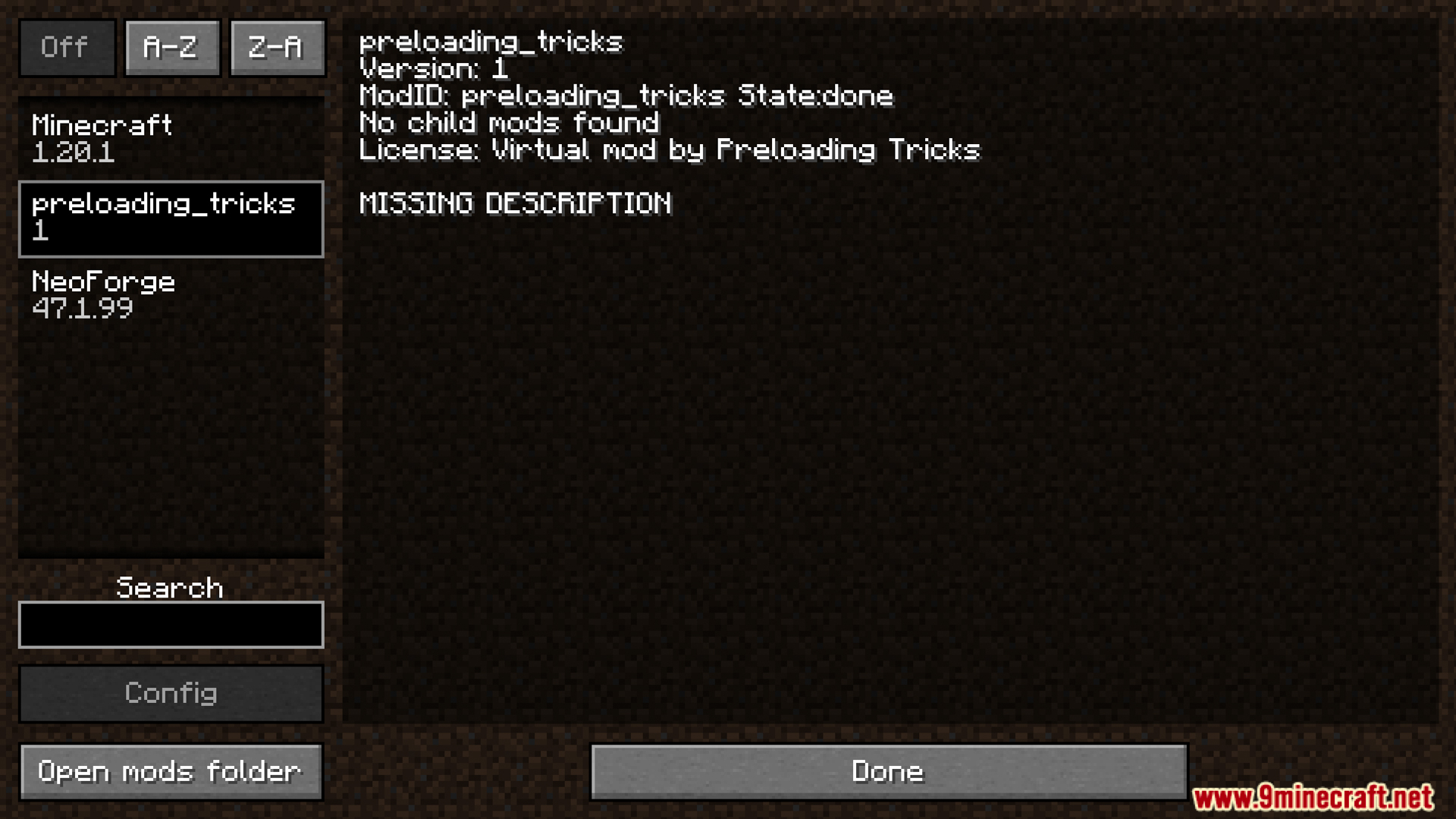
Screenshots:






How to Install:
New to Minecraft? Follow our step-by-step guide to install Mods on your PC.View Guide
Requirements:








Preloading Tricks Mod Download Links
For Minecraft
26.1.2,
26.1.1,
26.1
All Versions Covered
26.1.2
26.1.1
26.1
1.21.11
1.21.10
1.21.9
1.21.8
1.21.7
1.21.6
1.21.5
1.21.4
1.21.3
1.21.2
1.21.1
1.21
1.20.1
1.20
For Minecraft 1.20.1 –> 1.21.11
For Minecraft
1.21.11,
1.21.5,
1.21.4
All Versions Covered
1.21.11
1.21.5
1.21.4
1.20.1
For Minecraft
1.20.2,
1.20.1,
1.20
All Versions Covered
1.20.2
1.20.1
1.20
1.19.4
1.19.3
1.19.2
1.19.1
1.19
1.18.2
1.18.1
1.18
For Minecraft
1.20.1,
1.20,
1.19.4
All Versions Covered
1.20.1
1.20
1.19.4
1.19.3
1.19.2
1.19.1
1.19
1.16.5
What is the longest real-time wait you will tolerate for a heavily modded game to load to the main menu?
2 responses · See the full results →
You May Also Like
Picked for this page
 Falling Tree Mod (26.3, 1.20.1) – Making The Trees Fall in One Cut
 Better Than Mending Mod (26.3, 1.20.1) – Repair Item by Experience
 Kapiteon’s FreeCam Mod (26.3, 1.21.11) – Spectator Mode
 WaterMedia Mod (26.2, 1.20.1) – Multimedia API
 Weaker Spiderwebs Mod (26.3, 1.20.1) – Easier to Break Spiderwebs
 Spoorn Weapon Attributes Mod (26.2, 1.20.1) – Randomized Weapon Attributes
 Server Sleep Mod (26.2, 1.20.1) – One Rule To Sleep Them All
 Leaves Us In Peace Mod (26.3, 1.20.1) – Swift Leaf Decay
 The Splash Milk Mod (26.2, 1.20.1) – Splashing Milk All Over The Place
 First Join Message Mod (26.3, 1.20.1) – Custom Welcome Messages
 QuickCraft Mod (26.1.2, 1.20.1) – Simplify Your Crafting Experience
 Chat Sounds Mod (26.3, 1.20.1) – Different Sounds for Each Interaction
Most viewed in Mods over the last 7 days
 Ala Industrial Mod (26.3) – Run Electric Power Grids and Automated Factories
 PleasureCraft Mod (26.3, 1.21.1) – Jenny Mod Remake for Fabric
 Jennycraft Mod (26.3, 1.20.1) – Virtual Girlfriend in Minecraft
 Fapcraft Mod (26.3, 1.12.2) – Comprehensive and Detailed Content
 Jenny Mod (Fapcraft) Official Complete Guide – How to use, Tutorial
 BangCraft Mod (1.20.1) – Jenny, Ellie and Elliot
 Fabric Loader (26.3, 1.20.1) – Fabric Installer for All Minecraft Versions
 Meteor Client Mod (26.3, 1.20.1) – Xray, HUD, Fly
 The Shooting Star Demo Mod (26.3, 1.20.1) – Vaporize Terrain From Orbit
 OptiFine HD (26.3, 1.20.1) – Run Faster, FPS Boost, Shaders Support
 Aristois Client Mod (1.21.4, 1.20.1) – World Class Minecraft Utility
 SchnurriTV Mod (1.12.2) – Characters and Features
More from Mods
 Passthrough Signs Mod (26.3, 1.20.1) – Right-Click Through Wall Signs
 Packing Tape Mod (26.3, 1.20.1) – Move Chests, Machines
 No XP Anvils Mod (26.3, 1.20.1) – Repair And Enchant Without XP
 Naruto Shippuden Mod (26.3, 1.16.5) – Immerse Yourself in The World of Ninja
 Araxer’s Bestiary Mod (26.3, 1.20.1) – Build an In-Game Encyclopedia of Every Mob
 Villagers Plus Mod (26.3, 1.20.1) – Expanded Villager Types and Villages
 Ore Excavation 9minecraft Mod (26.3) – Mine Ores and Chop Trees in a Single Swing
 Dirigo Mod (26.1.2, 1.21.1) – Walk Across Nether Lava Seas and Automate Animal
 HandLib Mod (26.3, 1.21.1) – Keep Your Multiplayer World Stable
 Happy Ghasts Boost Mod (26.1.2, 1.20.1) – Fly Across Vast Distances at Top Speed
 LiquidBounce Client Mod (26.3, 1.20.1) – LiquidLauncher, A Free Client
 Create Hand Made Mod (1.21.1) – Craft Create Recipes By Hand in Your Workshop

This post has no comments yet. Be the first — your comment will appear here.