
Diorite Tunnel Schematic (1.19.x) – A Simple Diorite Nether Hub Tunnel Build

 0


Diorite Tunnel Schematic gives you a ready-to-use path for your Nether hub. It is a long, straight hallway built mostly out of diorite and other basic blocks. You can place this build in your world to save time when making safe roads in the Nether. The design is simple and fits well into any survival world.
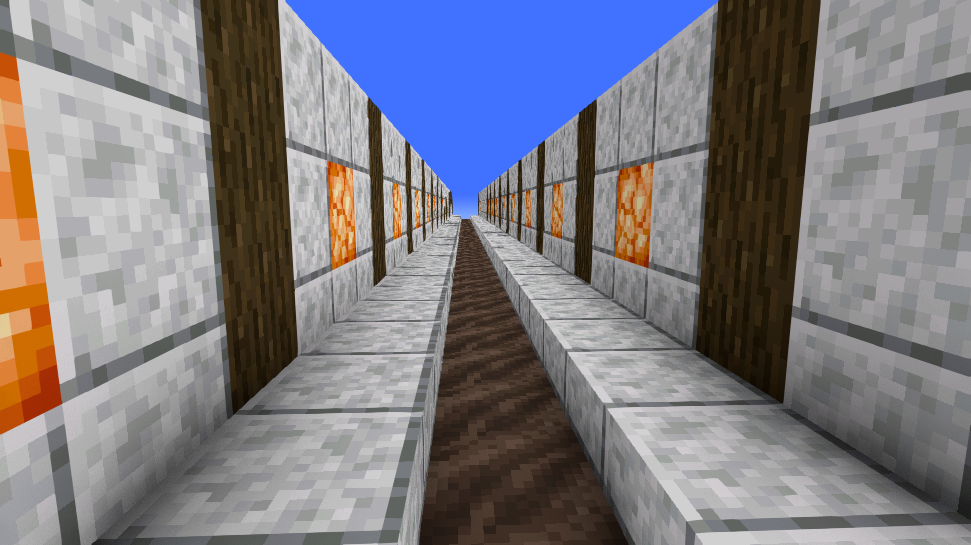
3D Preview & Editor:
Materials
9 types · 1,237 blocks
| Netherrack | 650 | Polished Diorite | 224 | Polished Diorite Slab | 114 | |||
| Dark Oak Log | 90 | Soul Soil | 57 | Blackstone | 47 | |||
| Shroomlight | 28 | Gravel | 24 | Nether Gold Ore | 3 |
How to place this schematic
.litematic This is a Litematica schematic. You place it with the Litematica mod, which shows the build as a ghost overlay you fill in.
| 1 | Install Litematica (plus MaLiLib) for your Minecraft version. |
| 2 | Put the .litematic file in .minecraft/schematics. |
| 3 | In game press M → Load Schematics, pick the file, then Load. |
| 4 | Position the ghost preview, then build it by hand — or turn on Easy Place to place blocks straight from your hotbar. |
Features:
- Perfect Size: The tunnel is 6 blocks wide, 5 blocks high, and 57 blocks long.
- Vanilla Blocks: Uses exactly 1,237 normal Minecraft blocks, so you do not need any extra add-ons to load the blocks.
- Works well as a safe road inside the Nether to connect your portals.
- Loads as a Litematic file that you can paste directly into your map.
- Uses bright diorite blocks to make the dark Nether look a bit lighter.
Schematic Specs:
 Minecraft1.19.x
 Dimensions6×5×57
 Total Blocks1,237
Diorite Tunnel Schematic Download Links
For Minecraft 1.19.x
Click to rate this post!
[Total: 0 Average: 0]
You May Also Like
Picked for this page
 Mega Mob XP Farm Schematic (1.21.x) – Massive Monster Farm Build With Zero Redstone
 Pokémon Temple Arena Japanese Litematica Schematic (1.21.x) – Large Asian Fortress With Fighting Rin
 Iron Farm Expandable Version Schematic (1.21.x) – Automatic Three Story Iron Farm Build
 Medieval Castle Undecorated Interior Schematic (1.21.x) – Medium Sized Medieval Castle With Empty Ro
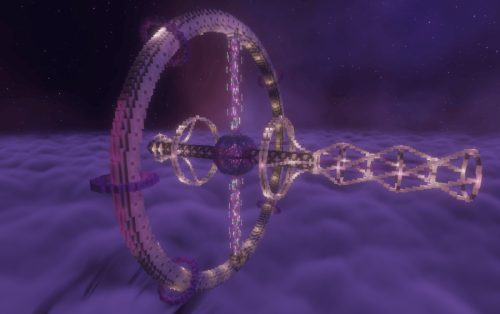 The Damocles Schematic (1.21.x) – Giant Futuristic Space Station Build
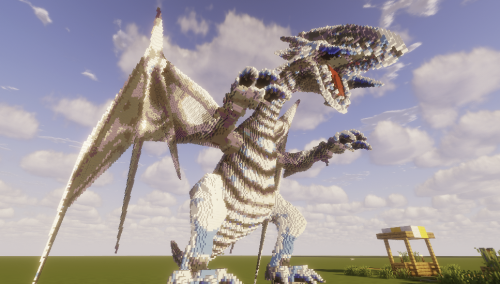 Blue Eyes White Dragon Schematic (1.19.x) – Giant Yu-Gi-Oh Dragon Build For Vanilla
 Twenture Emerald Spawner Farm Schematic (1.21.x) – Double Vindicator Spawner Emerald Farm Layout
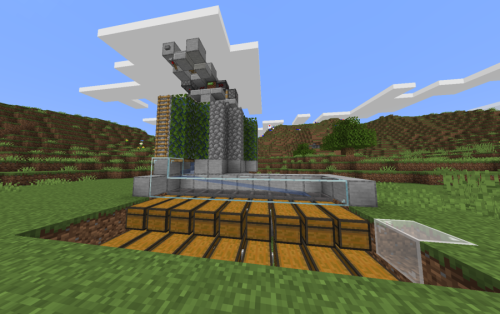 Cobblestone Generator Farm Schematic (1.21.x) – Small Vanilla Redstone Farm Build
 Easy Shulker Loader Donut Smp Schematic (1.21.x) – Compact Vanilla Redstone Build For Filling Boxes
 End House Schematic (1.21.x) – Unfurnished End Base With Piston Door
 Cozy Spruce Log House Schematic (1.21.x) – Medium Survival Starter Build For Java
 Minimal Medieval House Schematic (1.20.x) – A Simple Medieval Home For Your World
Most viewed in Schematics over the last 7 days
 Fastest Bonemeal Farm Donut Smp Schematic (1.21.x) – Fast Redstone Bonemeal Farm Build
 KelpFarmV9.9 Schematic (1.21.x) – Compact And Simple Seaweed Farm Build
 64 Module Cobblestone Farm Schematic (1.21.x) – Massive Automated Stone Gathering Build
 Gold Farm Schematic (1.21.x) – Automatic Nether Roof Gold Farm
 Villager Trading Hall Schematic (1.21.x) – Modern Shop Build For 48 Villagers
 Minutes End Base Before Spoke Null End Video Schematic (1.21.x) – Giant Unstable SMP End Base Schema
 Bamboo Farm Schematic (1.21.x) – Small Automated Redstone Bamboo Farm
 Best Railgun Tp Trap on Donutsmp Schematic (1.21.x) – Unescapable Multiplayer Redstone Trap Build
 36 Module Cobble Farm 18m per Hour Donut SMP Schematic (1.21.x) – Massive Automated Stone Generator
 Bamboss V2 800k Bamboo per Hour Schematic (1.21.x) – High Speed Automated Bamboo Farm Schematic
 Fastest Kelp Farm Donut Smp Schematic (1.21.x) – Compact Redstone Kelp Farm Design
 Donut Smp Stash and Regear Schematic (1.21.x) – Large Storage And Regear Room Build
More from Schematics
 Apartment Schematic (1.20.x) – Stylish Blue Modern City Building
 The Red Brick Sanctuary Schematic (1.20.x) – Beautiful Red Brick Starter Base
 Emerald Dojo Schematic (1.21.x) – Beautiful Asian Inspired Savanna Sanctuary Build
 Japanese Tent Schematic (1.21.x) – A Small Asian Style Build for Your World
 Ultimate Detailed Modern House but No Decoration Schematic (1.21.x) – A Large Modern Home Shell
 Greenhouse Schematic (1.21.x) – Beautiful Two Story Botanical Glass House
 Hilversum Broadcasting Tower 1 1.5 Scale Replica Schematic (1.21.x) – Realistic Modern Dutch Radio T
 Minecraft Enchanting Table Schematic (1.21.x) – Ready To Use Level 30 Enchanting Room
 Minecraft Cake Tried to Make It Accurate Schematic (1.21.x) – Large Scale Vanilla Cake Block Build
 Modern Yellow Apartment Schematic (1.20.x) – Bright Modern Urban Housing Structure
 Desert Outpost Schematic (1.21.x) – Small Medieval Style Desert Watch Base
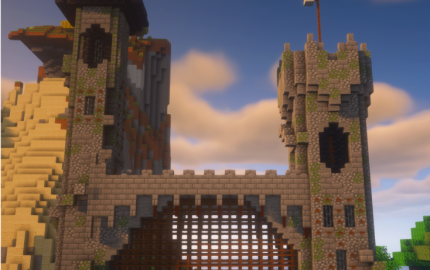 Castle Gate Schematic (1.20.x) – Medieval Gate For Your Castle Build

This post has no comments yet. Be the first — your comment will appear here.