
Aeronautics Player Tilt Mod (1.21.1) – Lean with Your Ship on Every Banking Turn
 0
 0

Aeronautics Player Tilt Mod extends Aeronautics Camera Sync with player body and hitbox tilting on moving contraptions. The camera already tilts with the ship, and this mod makes your character model lean alongside it. Mobs and dropped items on the deck lean at the exact same angle. It also includes gravity settings so you can pick how you fall over tilted floors.

Features:
- Body and Hitbox Tilting: Makes your character model and collision box lean along with the ship deck.
- Mob and Item Tilting: Leans animals, monsters, and dropped items when they rest on moving floors.
- Two Gravity Modes: Offers World gravity where you drift sideways and Sub-level gravity where the deck acts like flat ground.
- Projectiles, ray casts, and entity clicks connect accurately with the tilted player hitboxes.
- Lets you quickly toggle the tilting effect on or off using a single key press.
How to Use:
- Board a Create Aeronautics ship while it turns or tilts.
- Press O on your keyboard to turn body tilting on or off.
- Change the keybind in your controls menu if you want to use a different key.
- Set the gravity mode to World or Sub-level depending on how you want falling to feel.
How to Install:
New to Minecraft? Follow our step-by-step guide to install Mods on your PC.View Guide
Requirements:
Aeronautics Player Tilt Mod Download Links
For Minecraft 1.21.1, 1.21
Click to rate this post!
[Total: 0 Average: 0]
You May Also Like
Picked for this page
 Litematica Mod (26.3, 1.20.1) – Build From a Holographic Blueprint
 Better Conduit Placement Mod (26.3, 1.20.1) – Placing Conduit Prismarine Blocks Easier
 AFKFish Mod (26.3, 1.20.1) – Effortless Fishing
 Noisium Forked Mod (26.2, 1.21.1) – Optimized Noise Generation
 Alex’s Mobs Fabric Mod (26.3, 1.20.1) – Populate Every Biome with Exotic
 Scannable Reforged Mod (26.1.2, 1.21.1) – Locate Underground Ores
 FeyTweaks 9minecraft Mod (26.3) – Boost FPS Across Busy Towns and Storage Hubs
 Flimsy Torches Mod (1.21.1, 1.20.1) – Manage Light Sources As Torches Burn
 Tornado7 Mod (1.21.1, 1.20.1) – Survive Massive Twisters and Supercell Storms
 Citadel Legacy Mod (1.12.2) – Run Modern Creature Animations in 1.12.2 Worlds
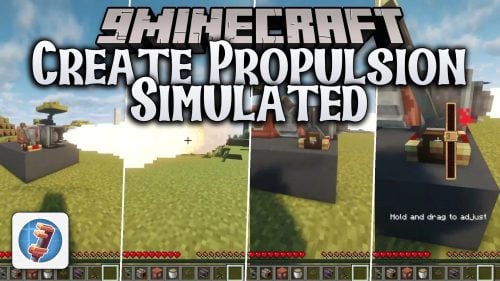 Create Propulsion Simulated Mod (1.21.1) – Pilot Custom Airships Powered
 Radiant Glazed Treats Mod (1.21.1) – Bake Cookies to Turn Your Cobblemon Shiny
Most viewed in Mods over the last 7 days
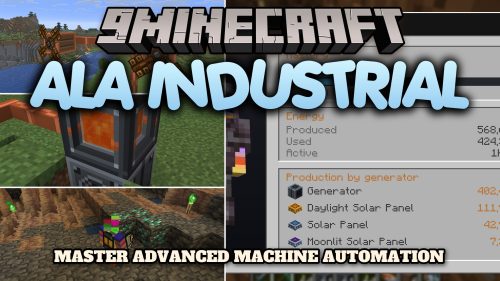 Ala Industrial Mod (26.3) – Run Electric Power Grids and Automated Factories
 PleasureCraft Mod (26.3, 1.21.1) – Jenny Mod Remake for Fabric
 Jennycraft Mod (26.3, 1.20.1) – Virtual Girlfriend in Minecraft
 Fapcraft Mod (26.3, 1.12.2) – Comprehensive and Detailed Content
 Meteor Client Mod (26.3, 1.20.1) – Xray, HUD, Fly
 Jenny Mod (Fapcraft) Official Complete Guide – How to use, Tutorial
 BangCraft Mod (1.20.1) – Jenny, Ellie and Elliot
 Fabric Loader (26.3, 1.20.1) – Fabric Installer for All Minecraft Versions
 OptiFine HD (26.3, 1.20.1) – Run Faster, FPS Boost, Shaders Support
 SchnurriTV Mod (1.12.2) – Characters and Features
 NeoForge (26.3, 1.21.1) – NeoForged, Modding API
 Cinematic Interactions Mod (26.3, 1.20.1) – Watch Your Hands Work
More from Mods
 Quiet Air Mod (26.3) – Keep Your Server Console Free of Standing on Air Spam
 Server Performance HUD Mod (26.3, 26.1.2) – Check Server TPS and Folia Lag
 Better Freecam Mod (26.3, 1.21.11) – Fly Your Camera Around While Your Player
 ParcoolX Sable Mod (1.21.1) – Wall Run and Vault Across Flying Airship Decks
 Reload Looping Sound Fix Mod (26.3, 1.20.1) – Keep Bees Buzzing After Every
 Mane Pear Spear Glitch Mod (1.21.11) – Sneak Behind Players As a Ghost
 Temperature API Mod (1.20.1) – Build Heat and Cold Survival Systems for Mods
 Chest Light Mod (26.3) – Light Up Mobs and Entities with Custom Colored Glows
 Hudified Mod (26.3, 1.21.11) – Clear Fire, Pumpkin Blur, and Boss Bar Clutter
 Onryo Anticheat Mod (26.3, 1.21.1) – Spot Banned Fabric Mods and Kick Players
 City Shops Mod (1.20.1) – Run Your Own Supermarket in a Player-Driven City
 Atay’s Weapons Traps Mod (1.21.1, 1.20.1) – Defend Your Base with Turrets

This post has no comments yet. Be the first — your comment will appear here.