
Hudified Mod (26.3, 1.21.11) – Clear Fire, Pumpkin Blur, and Boss Bar Clutter
 9
 0

Hudified Mod lets you edit almost every annoying HUD element in vanilla Minecraft. You can lower the fire overlay, fade the pumpkin blur, and shrink the powdered snow effect. This mod also lets you move the boss bar, scoreboard, and more with your mouse. Every option has its own toggle and keybind, so you can switch things on and off while you play.

Features:
- Toggle and keybind: Every option, except the Environment & Gameplay ones, has an Enabled/Disabled switch and its own keybind.
- Move HUD parts with your mouse: The boss bar, scoreboard, attack indicator, and pie chart each have a screen where you drag them into place.
- Overlay control: Changes the opacity of the pumpkin, fire, portal, freeze, and vignette overlays.
- Shield tuning: Sets shield position, rotation, and size, with ready-made presets to pick from.
- Particle control: Lets you set how often each Minecraft particle shows up.
- Weather and fog switches: Turns off fog, rain particles, or snow, and adds a fullbright switch.
- Lets you see your held item while riding a boat.
- Unlocks the boat camera so you can look a full 360 degrees.
- Changes the size of chosen items from a list you control.
- Highlights arrows that fly in your line of sight, with your own color.
Visual Overlays:
- Pumpkin: opacity slider and a switch to hide the overlay.
- Fire: opacity slider and a pixel offset to lower or raise the flames.
- Spyglass: scale slider.
- Portal: opacity slider, animation speed, and switches to allow GUIs in a portal or the portal nausea effect.
- Freeze: opacity slider and X, Y scale of the overlay.
- Blindness and Darkness: simple enable/disable switch and keybind.
- Vignette: opacity slider.
- Projectile Highlight: R, G, B sliders and an opacity slider. It only works on arrows you can see directly, not through walls.
HUD & UI:
- Boss Bar: X, Y offset, scale slider, and a mouse-drag screen.
- Scoreboard: X, Y offset, scale slider, and a mouse-drag screen.
- Attack Indicator: X, Y offset, scale slider, and a mouse-drag screen.
- Pie Chart: X, Y offset, scale slider, and a mouse-drag screen.
- Totem: switches for the pop animation and the pop particles.
Entity & World Renderer:
- Boat: show the held item and unlock the full camera.
- Item Scale: scale slider and a list of items to resize.
- Particles: global, self, and other entity render chance, plus a full list of every particle.
- Shields: quick Y-offset and presets. You can set X, Y, Z rotation, position, and scale for first-person, third-person, and other players.
Environment & Gameplay:
- Fullbright switch.
- Disable fog switch and a fog density slider.
- Clear lava and clear water switches.
- Rain opacity slider.
- No rain particles and no snow switches.
- Switch to turn off the block breaking overlay.
How to Install:
New to Minecraft? Follow our step-by-step guide to install Mods on your PC.View Guide
Requirements:
Hudified Mod Download Links
For Minecraft 26.3
For Minecraft 26.2
For Minecraft 1.21.11, 1.21.10, 1.21.9
Click to rate this post!
[Total: 0 Average: 0]
You May Also Like
Picked for this page
 Hit Range Mod (26.3, 1.20.1) – Reach Visualization
 Very Many Players Mod (26.3, 1.20.1) – Improve Server Performance
 Alex’s Caves Delight Mod (1.21.1, 1.20.1) – Bring The Flavor Of Caves To Your Table
 Experience Bottler Mod (26.3, 1.20.1) – Maximize Your Progression
 Loot Integrations: Towns And Towers Mod (26.3, 1.20.1) – Better Loots
 Earth & Water Mod (26.3, 1.20.1) – Fight Earth and Water Elementals
 Haybale Mod (1.21.8, 1.20.1) – Registration, Networking, And Platform Services
 Native Vein Textures Mod (26.3, 1.20.1) – Make Ore Veins Match Every
 Survival Instinct Skills Mod (26.3, 1.20.1) – Unlock Custom Combat
 TONI’s TNT Lib Mod (26.3, 1.20.1) – Blow Up Entire Landscapes
 OR-Lib Mod (1.21.11, 1.20.1) – Show Off 3D Rings and Trinkets on Your Character
 Interference API Mod (1.21.11, 1.20.1) – Run Modern Modpacks Without Code
Most viewed in Mods over the last 7 days
 Ala Industrial Mod (26.3) – Run Electric Power Grids and Automated Factories
 PleasureCraft Mod (26.3, 1.21.1) – Jenny Mod Remake for Fabric
 Jennycraft Mod (26.3, 1.20.1) – Virtual Girlfriend in Minecraft
 Fapcraft Mod (26.3, 1.12.2) – Comprehensive and Detailed Content
 Jenny Mod (Fapcraft) Official Complete Guide – How to use, Tutorial
 Meteor Client Mod (26.3, 1.20.1) – Xray, HUD, Fly
 BangCraft Mod (1.20.1) – Jenny, Ellie and Elliot
 Fabric Loader (26.3, 1.20.1) – Fabric Installer for All Minecraft Versions
 OptiFine HD (26.3, 1.20.1) – Run Faster, FPS Boost, Shaders Support
 SchnurriTV Mod (1.12.2) – Characters and Features
 Aristois Client Mod (1.21.4, 1.20.1) – World Class Minecraft Utility
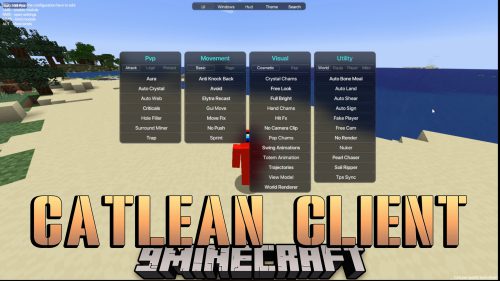 CatLean Client Mod (26.2, 1.21.11) – ThunderHack Recode Alternatives
More from Mods
 Chk Data Pack Link Mod (26.3) – Let Stream Viewers Trigger Events in Your World
 Hearthstead Biome Villages Mod (26.3, 1.20.1) – Walk Through Real Towns
 Re Terra Forged from the Ashes Mod (26.3, 1.21.1) – Climb Real Snowy Mountains
 Damaged Order of the Stone Temple Mod (26.3, 1.20.1) – Explore a Wrecked Story
 Mallard Guard Immersive Parrying Mod (1.21.1) – Block Hits with Perfectly Timed
 Minecart Chains Mod (26.3, 1.20.1) – Chain Minecarts Together and Ride Long
 Leaf Litter Critters Mod (26.3, 26.1.2) – Watch Forest Floors Come Alive
 Biome Summoner Mod (26.3, 1.21.11) – Spawn Every Regional Mob Variant
 Hcapi Mod (26.3, 26.1.2) – Attach Custom Data Across Every Block and Biome
 The Forgotten Amulet Mod (26.3, 26.1.2) – Survive Deadly Traps
 Not Enough Totems Mod (26.3) – Survive Deadly Attacks and Turn Fatal Fights
 Shear Pocket Mod (26.3, 1.21.1) – Disarm Dangerous Mobs and Snatch Their Loot

This post has no comments yet. Be the first — your comment will appear here.