


All-U-Want Mod 1.7.10
 891
891
 16
16

About All-U-Want Mod:
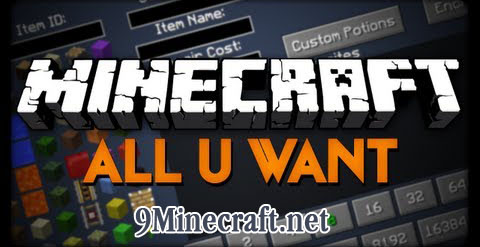
All-U-Want Mod 1.7.10 allows you to give yourself almost every possible item in the game, including: Fireworks with any amount of explosions and custom colors, potions with potion effects up to level 127, any enchantment on any item up to level 32767, and custom item names with colors and formatting. All-U-Want Mod can give you more items than toomanyitems can.
Screenshots and Tutorials:
(TL;DR: open your inventory and push ‘r’ over an inventory slot to open the GUI)
Basics:
Show More
Click on the item you want on the left to select it, and it will appear in the slot on the top left. To see the rest of the items click on the arrows in the bottom left. You can also search for items by typing their name in the “search” box. I clicked on the sponge block.
Now you can modify the sponge. Find out how to modify items in the other spoilers. Once you’re done modifying the sponge, click “save”. The sponge is now in your inventory! If you don’t like the changes you made to that slot, press “cancel” or the escape key and your inventory won’t change.
Stack count and damage:
Show More
You can enter numbers less than 1 and more than 64, but the items might act weird.Certain attributes of items are controlled by their damage value, like wool color, tool and armor durability, and wood type. There are two ways to change the damage value of the item you want to give yourself. You can enter a number in the “damage” box or you can click on the buttons with numbers on them at the bottom of the screen. This is useful for potions. Here is select wool, than enter the number 14 for red.
Name and lore text:
Show More
If you want your item to have text on multiple lines, you can use lore text. For the first line of lore text, type the text you want in the “lore line” box. If you want more lines click on the right arrow next to the “lore line” box and type more text. To go back to previous lines click the left arrow. To remove a line click “remove line”.
Repair cost:
Show More
Leather armor color:
Show More
Player heads:
Show More
Books:
Show More
To edit the contents of the book, either change the id in the “item id” box to 386 or pick “Book and Quill” from the item selection (second to last page). Then click “save” and you can edit the book again. When you want to sign it again re-enter the author and title.
Enchantments:
Show More
Enchantment levels can be between -32768 and 32767.
Enchantment books:
Show More
Custom potions:
Show More
If you want to modify something about a potion effect like it’s duration or level, click on it then click “edit”. The “edit” button now says “done”, and now the text boxes have the values of that effect and the effect that it uses is selected on the left. You can change the numbers in the text boxes and which effect on the left is selected then click “done” (NOT “save”) and the potion effect in the list will be changed. Here I change the 100 ticks to 1000 ticks.
Potion levels can go from -128 to 127 (what do negative ones do?) and durations can go up to 2,147,483,648.
Custom fireworks:
Show More
colored and formatted text:
In order to do formatted text, you need to type a §. On windows hold alt then type 0167 on the numeric keypad, on mac hold option then type 6. Or you can just push the “§” button in the GUI. Here are all the color and format codes, except use § instead of &: http://ess.khhq.net/mc/ For example, if I type §bBlue into the “item name” box, the items name will be blue. It will also show up blue in the text box.
Saving favorite items:
Show More
All-U-Want Mod Video:
All-U-Want Mod Changelogs:
Show More
v2.1
- Updated for 1.7.10!
- Added “Command” button in inventory and entity editor GUI that copies the command to spawn it into your clipboard for pasting into command blocks.
- Pressing enter while typing in search gets the top item, and pressing up and down selects items below it.
- More stuff that I forgot about. I should write it down somewhere when I add a new feature.
- Tons of bugs fixed.
v2.0
- Updated to 1.7.2
v1.17
- Updated to 1.6.4!
- Fixed crash in potion GUI.
- GUI now clicks when opened.
- Got rid of dirt background in some GUIs.
- Added “Ambient” option in potion effect GUI. This doesn’t actually do anything yet, but in the entity editor on entities, it makes the effect invisible.
How to Install:
New to Minecraft? Follow our step-by-step guide to install Mods on your PC.View Guide
All-U-Want Mod 1.7.10 Download Links
For Minecraft 1.5.2
For Minecraft 1.6.2
For Minecraft 1.6.4
For Minecraft 1.7.2
For Minecraft 1.7.10
You May Also Like







This post has no comments yet. Be the first — your comment will appear here.