
Animal Garden Red Panda Mod (26.3, 1.20.1) – Travel with Playful Jungle
 570
 0


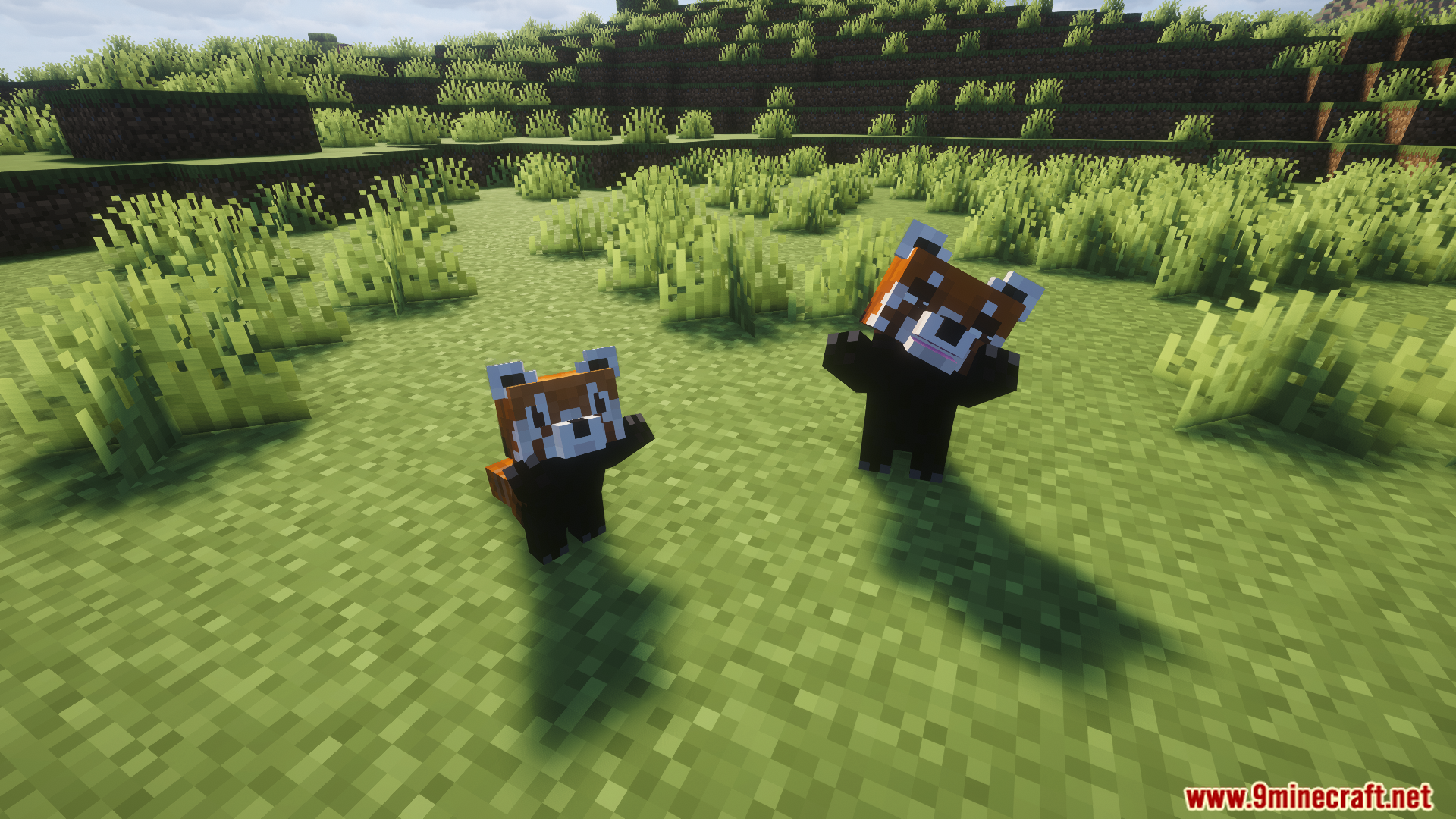
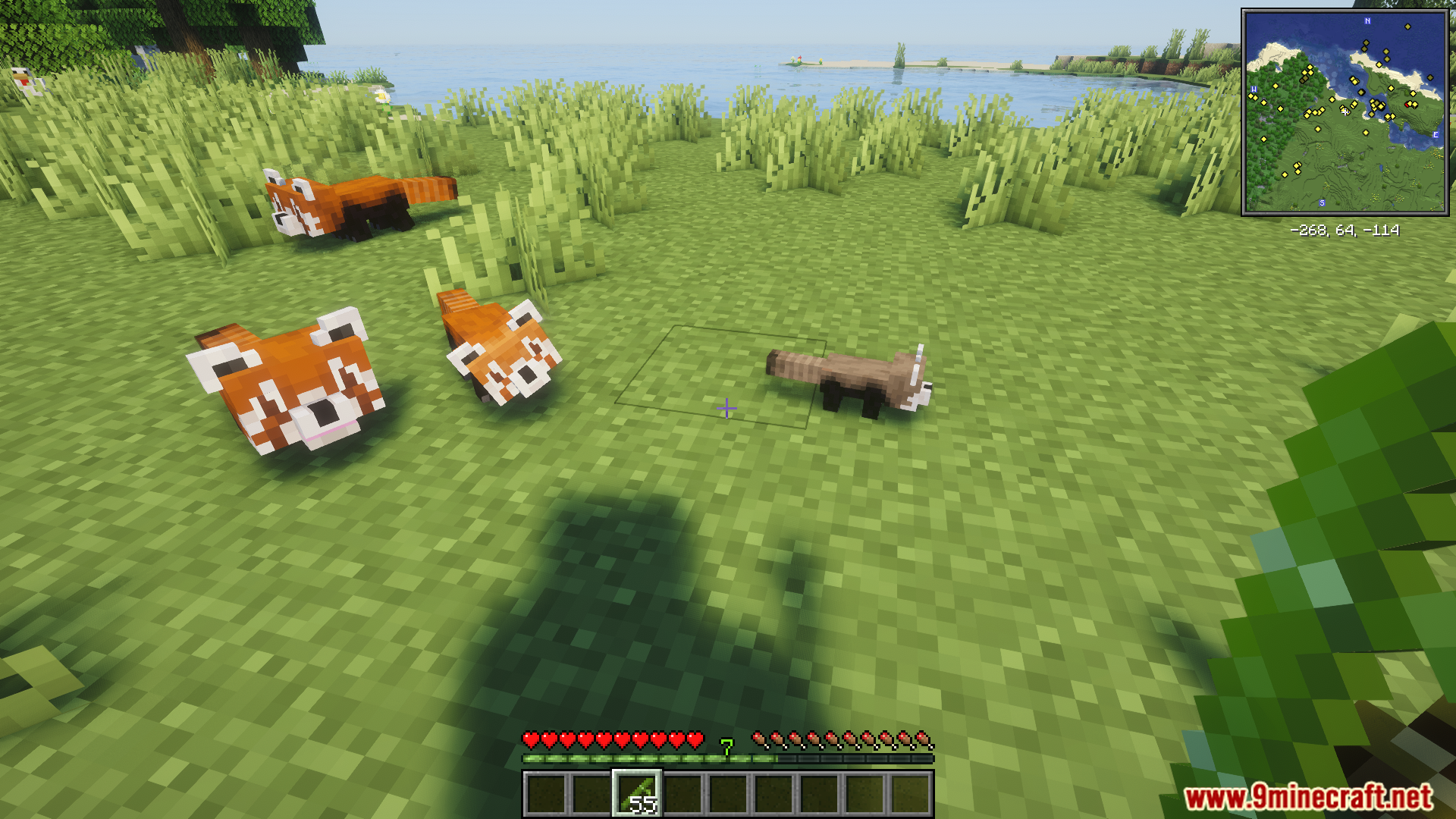
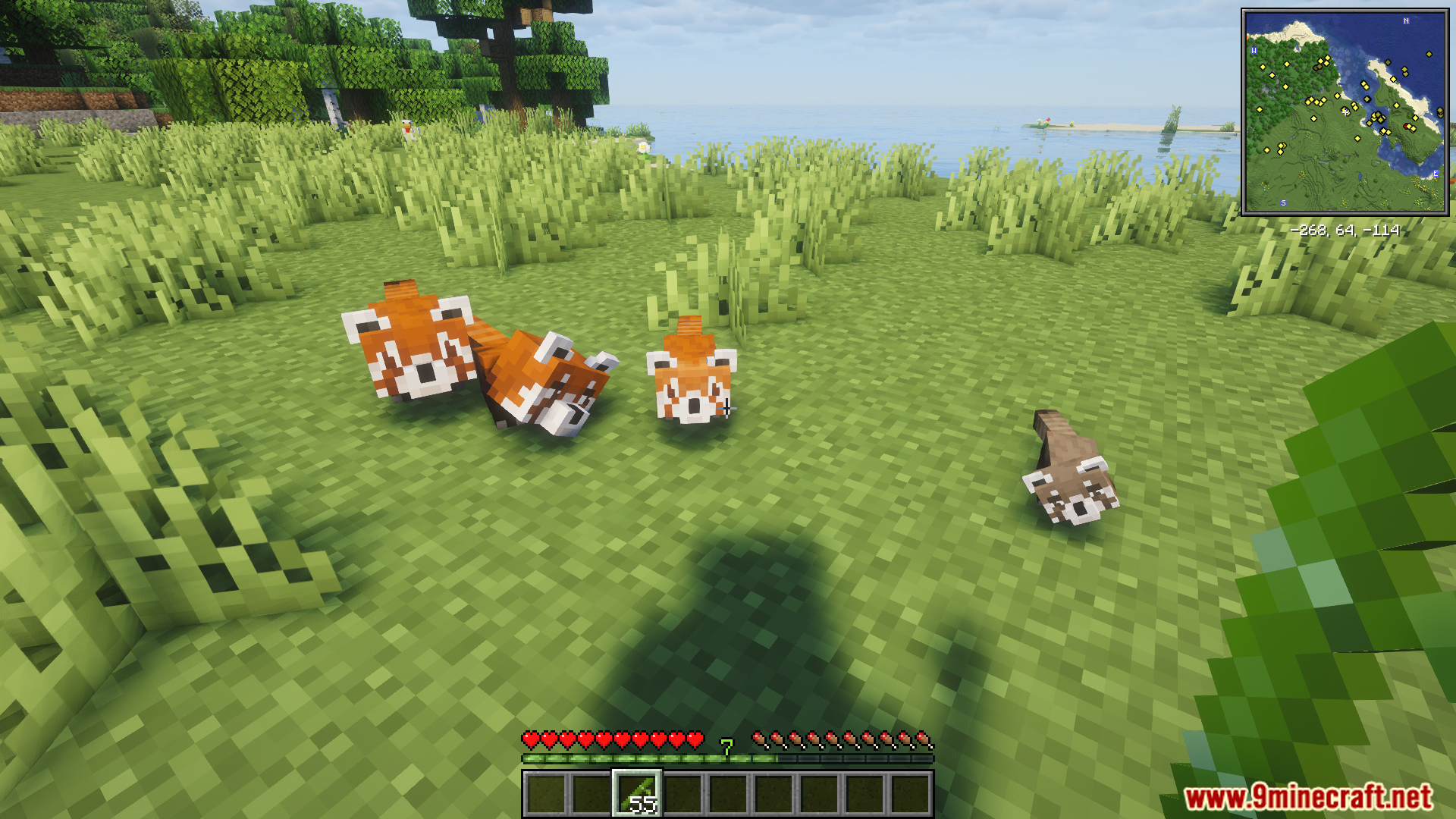
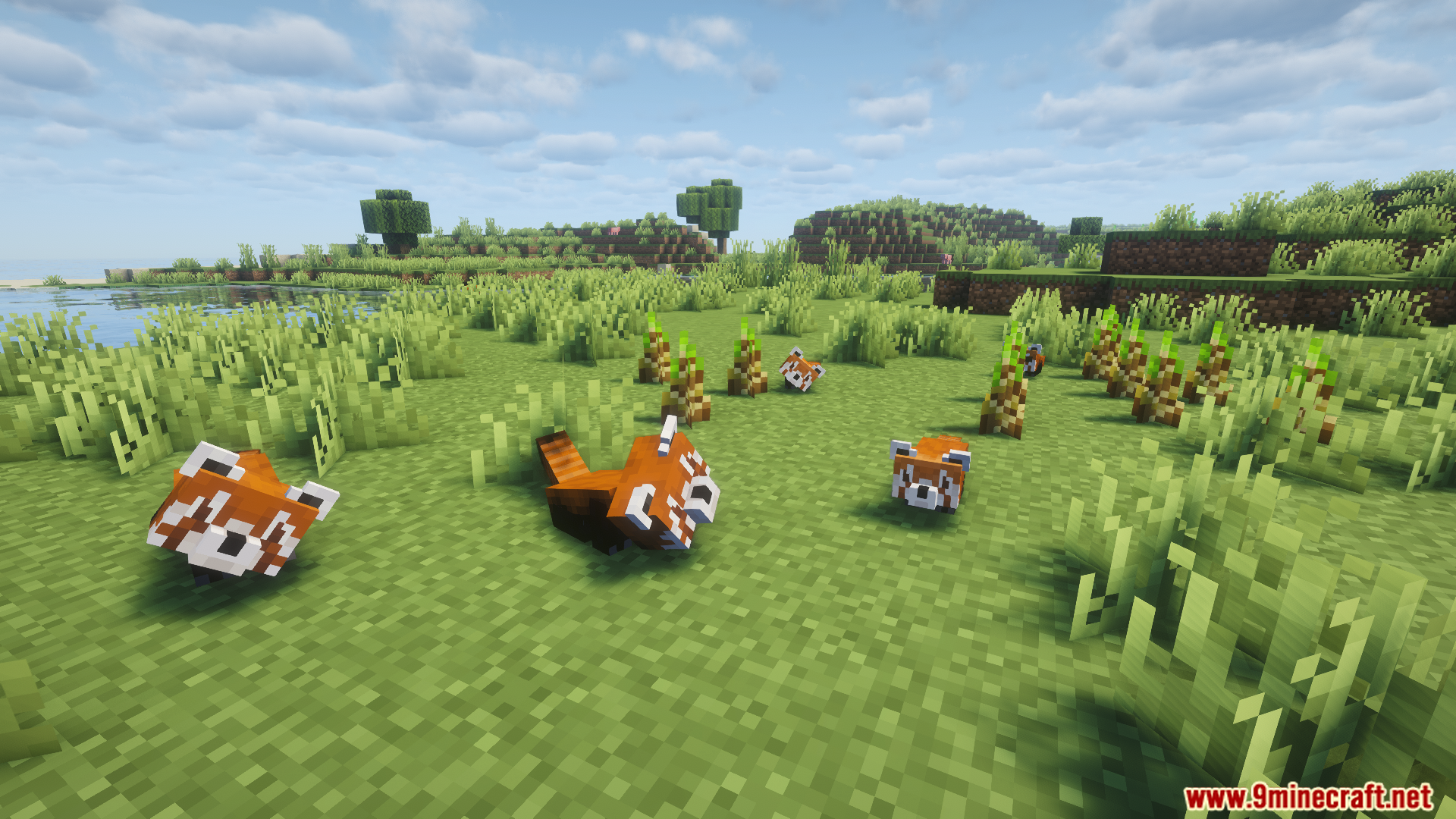
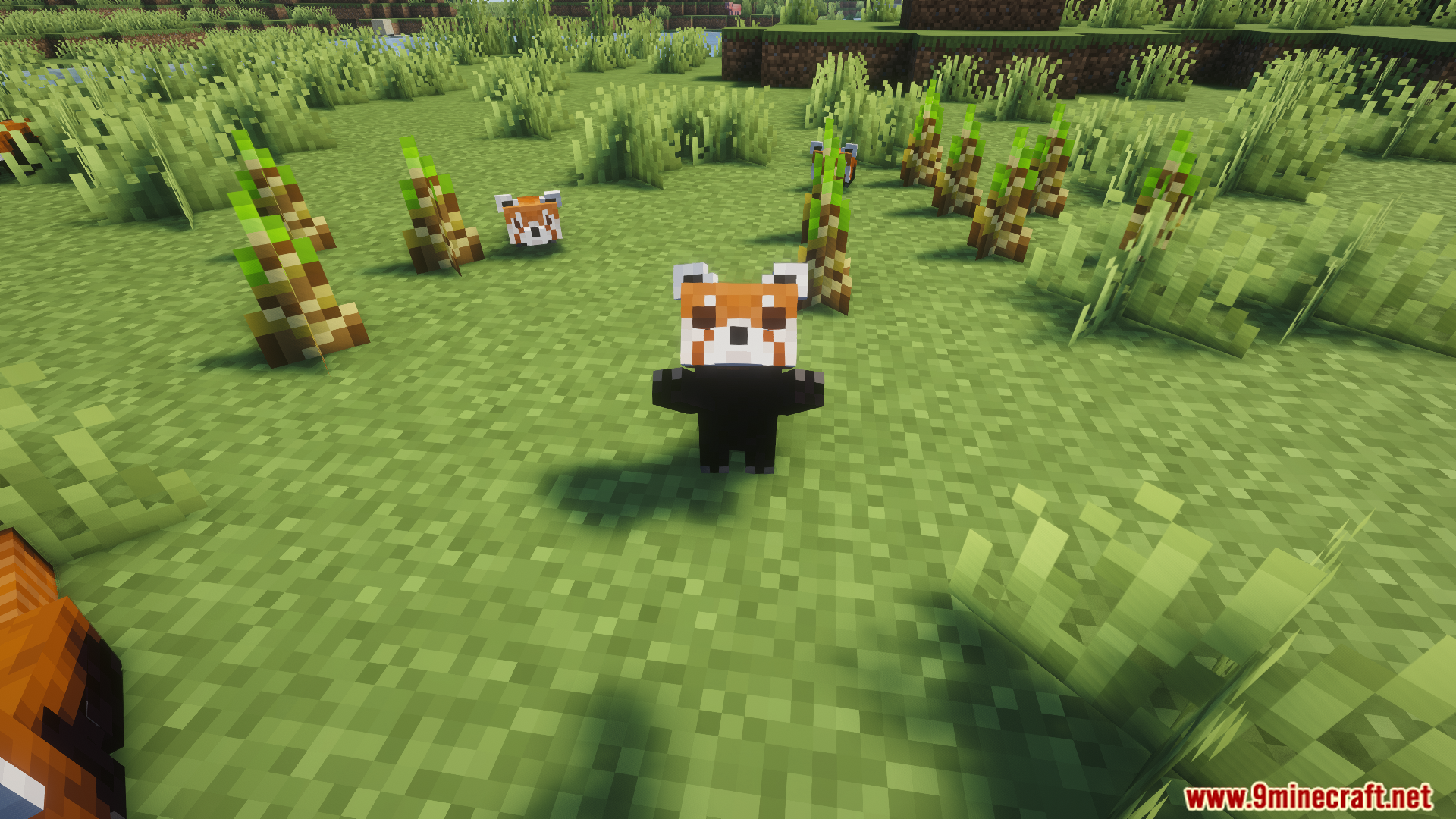
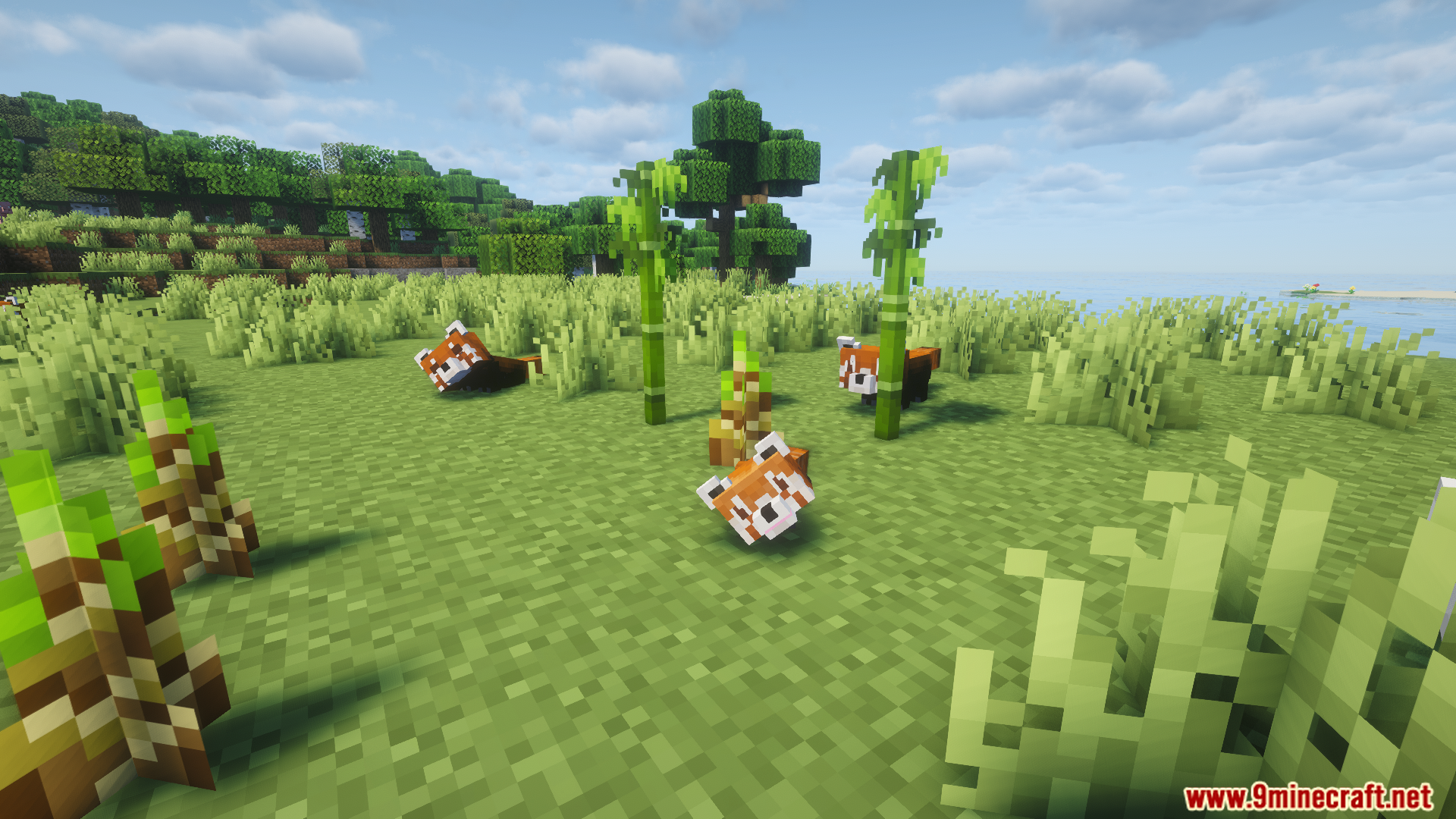
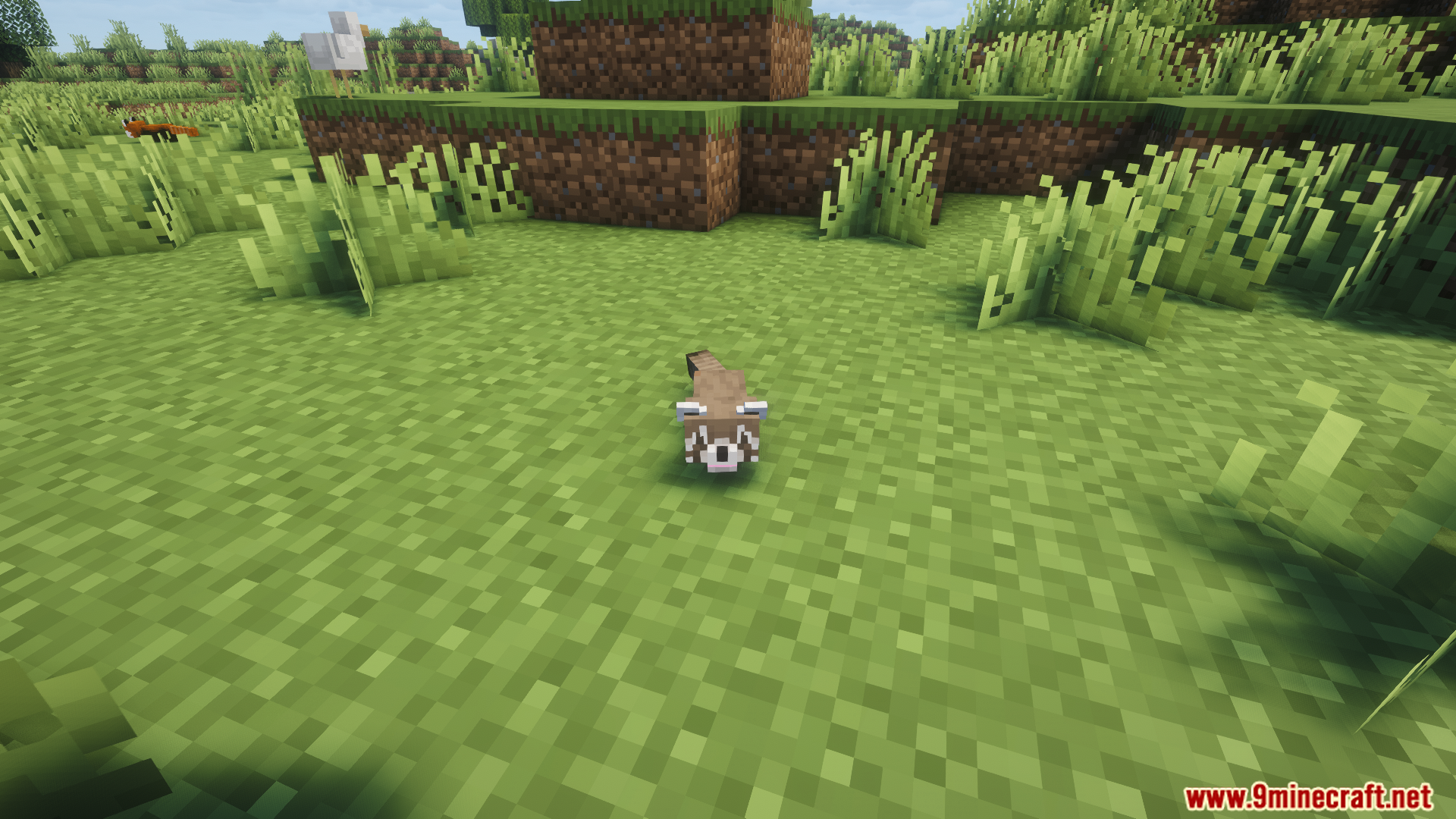
Animal Garden Red Panda Mod adds tamable red pandas with many animations to make your world feel more lively. It includes 2 adult variants, the default red panda and the smaller Himalayan Red panda, plus grayer babies with idle sounds from Minecraft Dungeons. You can find these mobs in jungle, sparse jungle, and bamboo jungle biomes, and use bamboo to tame, breed, or heal them. After taming, you can switch their movement modes between wandering, sitting, and following, and the mod needs AquariusLibs to run.

Features:
- Adds tamable red pandas with many different animations that make them and your world feel more lively.
- Spawns naturally by default in jungle, sparse jungle, and bamboo jungle biomes.
- Uses idle sounds from Minecraft Dungeons.
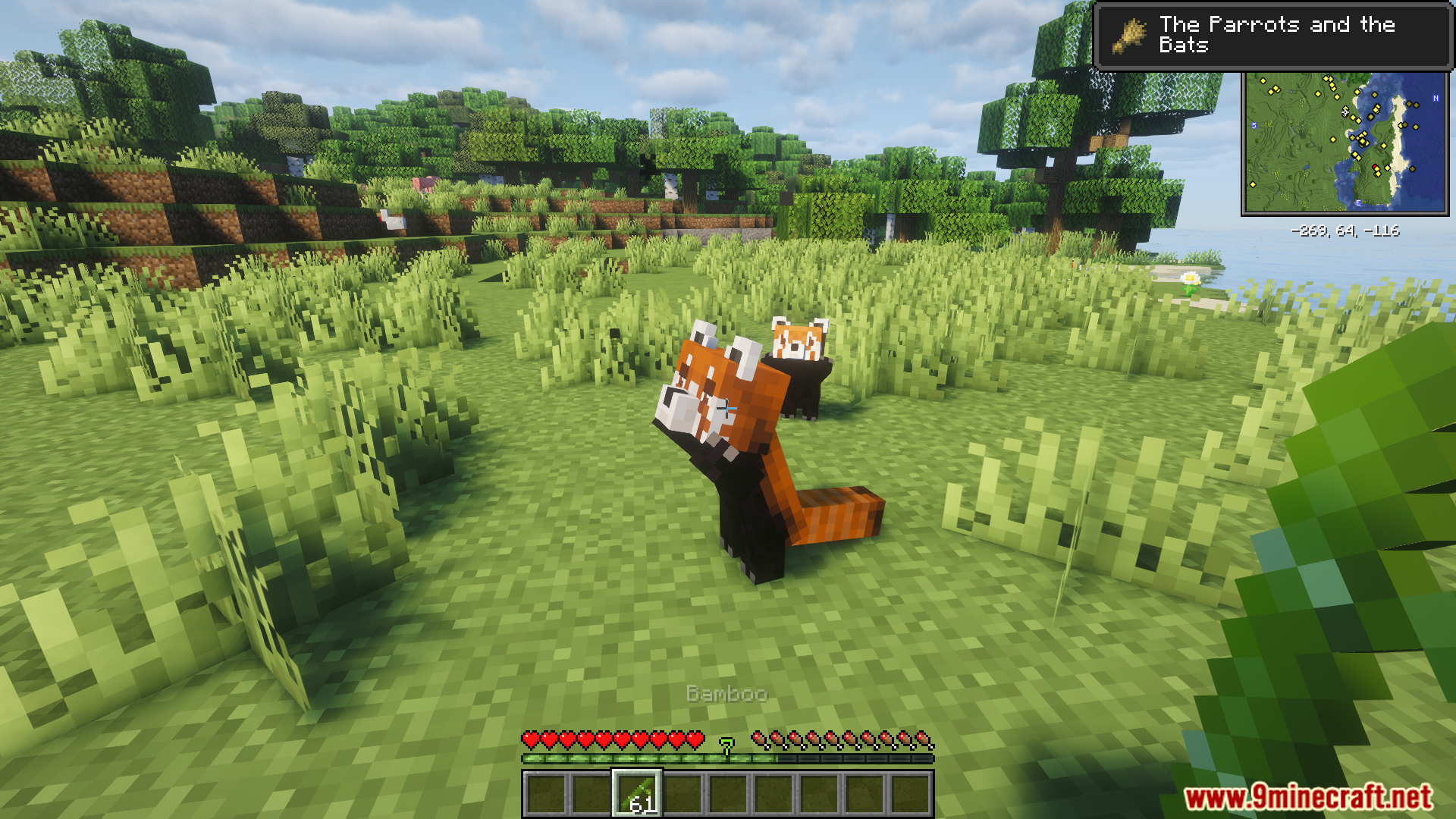
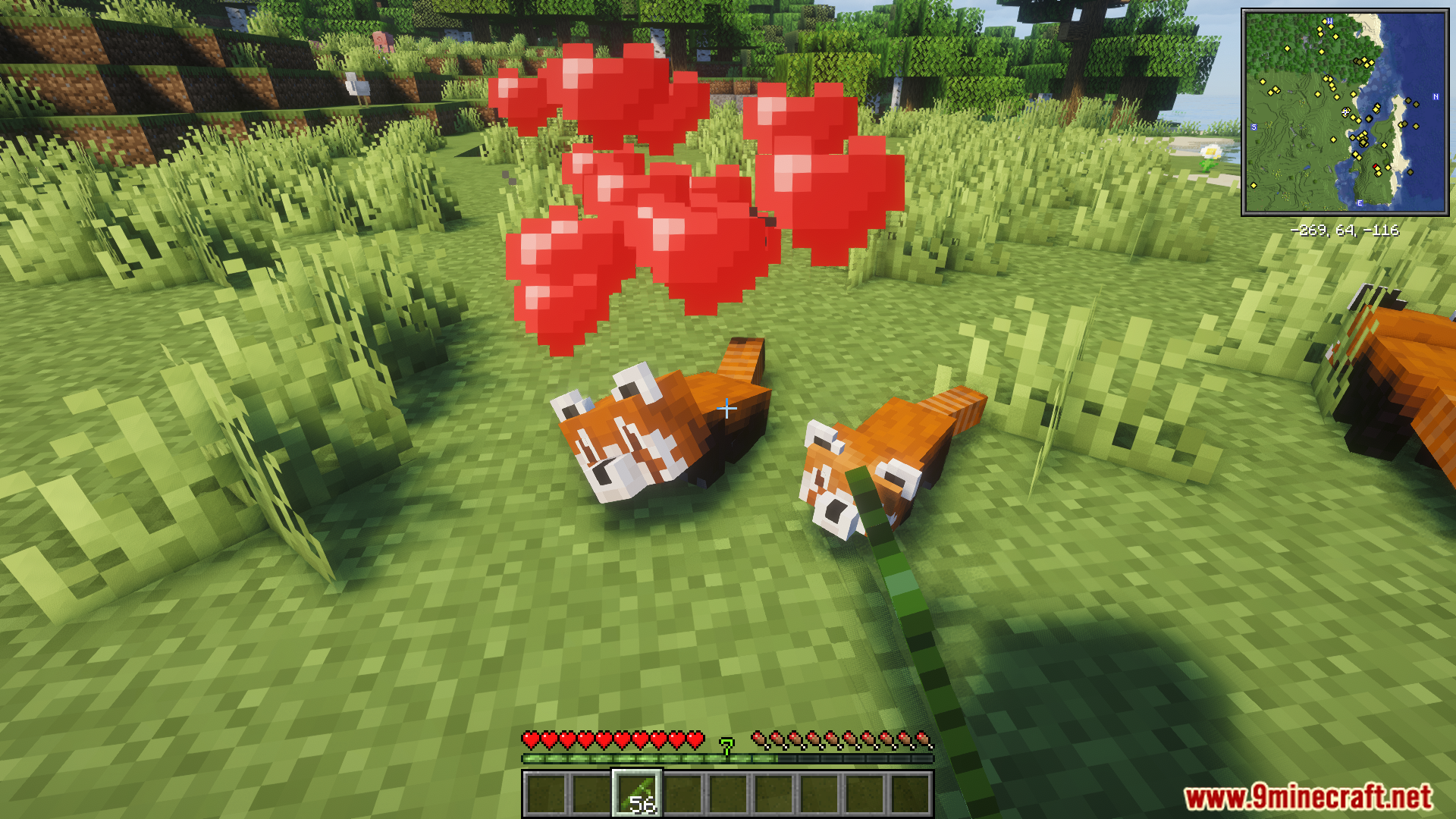
- Lets you use bamboo to tame, breed, or heal red pandas.
- Increases a red panda’s health from 8 to 25 after you tame it.
- Lets you click on a tamed red panda with any item except bamboo to switch its behavior in order: Wandering, Sitting, and Following.
- Plays a little bark sound when you put a red panda into Following mode to show it is ready to follow you.
- Baby red pandas have a grayer color.
- You can change spawn biomes and other spawn settings with a config file on Fabric, or by editing the JSON files in the data (biome tags and biome modifier) folders or using a resource pack on Forge.
Red Panda Variants:
- Default Red Panda: The standard red panda look and size.
- Himalayan Red Panda: A slightly smaller variant with a little change in colors.
How to Use:
- Explore a jungle, sparse jungle, or bamboo jungle biome to find red pandas spawning naturally.
- Use bamboo on a red panda to tame it; after taming, its health goes up from 8 to 25.
- Use bamboo on red pandas to breed them or heal them.
- Click on a tamed red panda with any item that is not bamboo to switch its behavior in order: Wandering, Sitting, and Following.
- Listen for a little bark sound to know the red panda is in Following mode and ready to follow you.
- Change spawn biomes or other spawn settings if needed by using the config file on Fabric, or by editing the JSON files in the data (biome tags and biome modifier) folders or using a resource pack on Forge.
Screenshots:
How to Install:
New to Minecraft? Follow our step-by-step guide to install Mods on your PC.View Guide



Animal Garden Red Panda Mod Download Links
For Minecraft 26.3
For Minecraft 26.2
For Minecraft 26.1.2, 26.1.1, 26.1
For Minecraft 1.21.11
For Minecraft 1.21.10, 1.21.9
For Minecraft 1.21.8, 1.21.7, 1.21.6
For Minecraft 1.21.5
For Minecraft 1.21.4
For Minecraft 1.21.1, 1.21
For Minecraft 1.20.1, 1.20
How do you usually play Minecraft?
7 responses · See the full results →
You May Also Like
Picked for this page
 Hopo Better Mineshaft Mod (26.3, 1.20.1) – Improved Mineshaft
 Animal Garden Meerkat Mod (26.3, 1.20.1) – From Savanna Animals
 Private: Orbital Strike Wemmbu Mod (1.21.11, 1.21.4) – Call Down Explosive Strikes From The Sky
 Firework Rocket Duration Mod (26.3, 1.20.1) – Flight-Inspired Display
 Deimos Lib Mod (26.3, 1.20.1) – Provides a Data Generation and Configuration Library
 Interdimensional Wireless Transmitter Mod (26.1.2, 1.20.1) – No More Range Limits
 TNT Slimes Mod (26.1.2, 1.20.1) – Now Slimes Can Explode as Creeper
 Dolphin Fix Mod (26.1.2, 1.20.1) – Dolphin Fix For Aquarium Lovers
 lullaby6 Life Steal Enchantment Mod (26.3, 1.21.1) – Vampiric Weapon Enchant
 Village Masquerade Mod (26.3, 1.21.11) – Villager Disguise Challenge
 Simple Emotes Mod (26.3, 1.20.1) – Keybind Triggered Emotes
 Life Series Mod (26.3, 1.20.1) – Recreates All Life Series Seasons
Most viewed in Mods over the last 7 days
 Ala Industrial Mod (26.3) – Run Electric Power Grids and Automated Factories
 PleasureCraft Mod (26.3, 1.21.1) – Jenny Mod Remake for Fabric
 Jennycraft Mod (26.3, 1.20.1) – Virtual Girlfriend in Minecraft
 Fapcraft Mod (26.3, 1.12.2) – Comprehensive and Detailed Content
 Jenny Mod (Fapcraft) Official Complete Guide – How to use, Tutorial
 BangCraft Mod (1.20.1) – Jenny, Ellie and Elliot
 Fabric Loader (26.3, 1.20.1) – Fabric Installer for All Minecraft Versions
 Meteor Client Mod (26.3, 1.20.1) – Xray, HUD, Fly
 The Shooting Star Demo Mod (26.3, 1.20.1) – Vaporize Terrain From Orbit
 OptiFine HD (26.3, 1.20.1) – Run Faster, FPS Boost, Shaders Support
 Aristois Client Mod (1.21.4, 1.20.1) – World Class Minecraft Utility
 SchnurriTV Mod (1.12.2) – Characters and Features
More from Mods
 Ipla Mod (26.3, 1.20.1) – Showcase Your Favorite Items
 MesdagPortLib Mod (1.20.1) – Run Modern Minecraft Mechanics on Older Versions
 Hellion’s API Mod (1.21.11, 1.21.1) – Play Hellion Series Addons Without Crashes
 Terrestria Mod (26.3, 1.20.1) – Highly Detailed Biomes
 Tre’s Tack Library Mod (1.20.1) – Outfit Your Horses with Fully Detailed Tack
 YDM’s coreX Library Mod (1.20.1) – Loot RPG Gear with Random Names
 DayTimeControl Mod (1.20.1) – Enjoy Longer Days for Big Builds or Endless Nights
 Builders Companion Core Mod (1.20.1) – Power Custom Waters for Better Creative
 Giacomo’s Fishing Net Mod (1.20.1) – Catch Fish and Treasure While Away
 Ender Portal Stone Mod (1.22) – Fast Travel to Distant Biomes and Dungeons
 Chat Spellcheck Mod (26.2) – Never Send Embarrassing Typos to Friends Again
 NovaUtils Mod (26.1.2) – Locate Buried Ores and Inspect Chests Through Walls

This post has no comments yet. Be the first — your comment will appear here.