
Big Beautiful Buttons Mod (26.3, 1.20.1) – Blend Secret Redstone Switches

 0


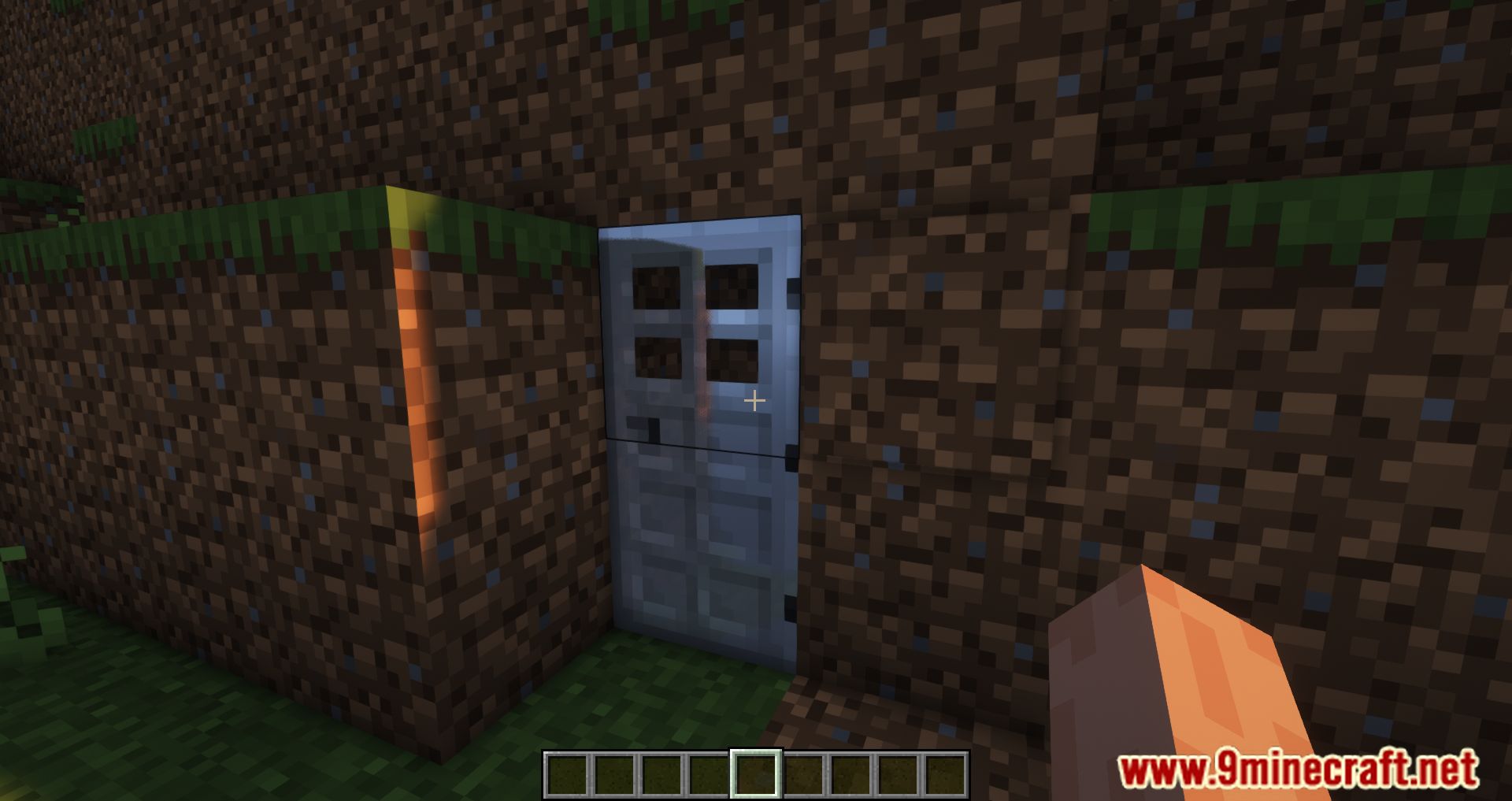
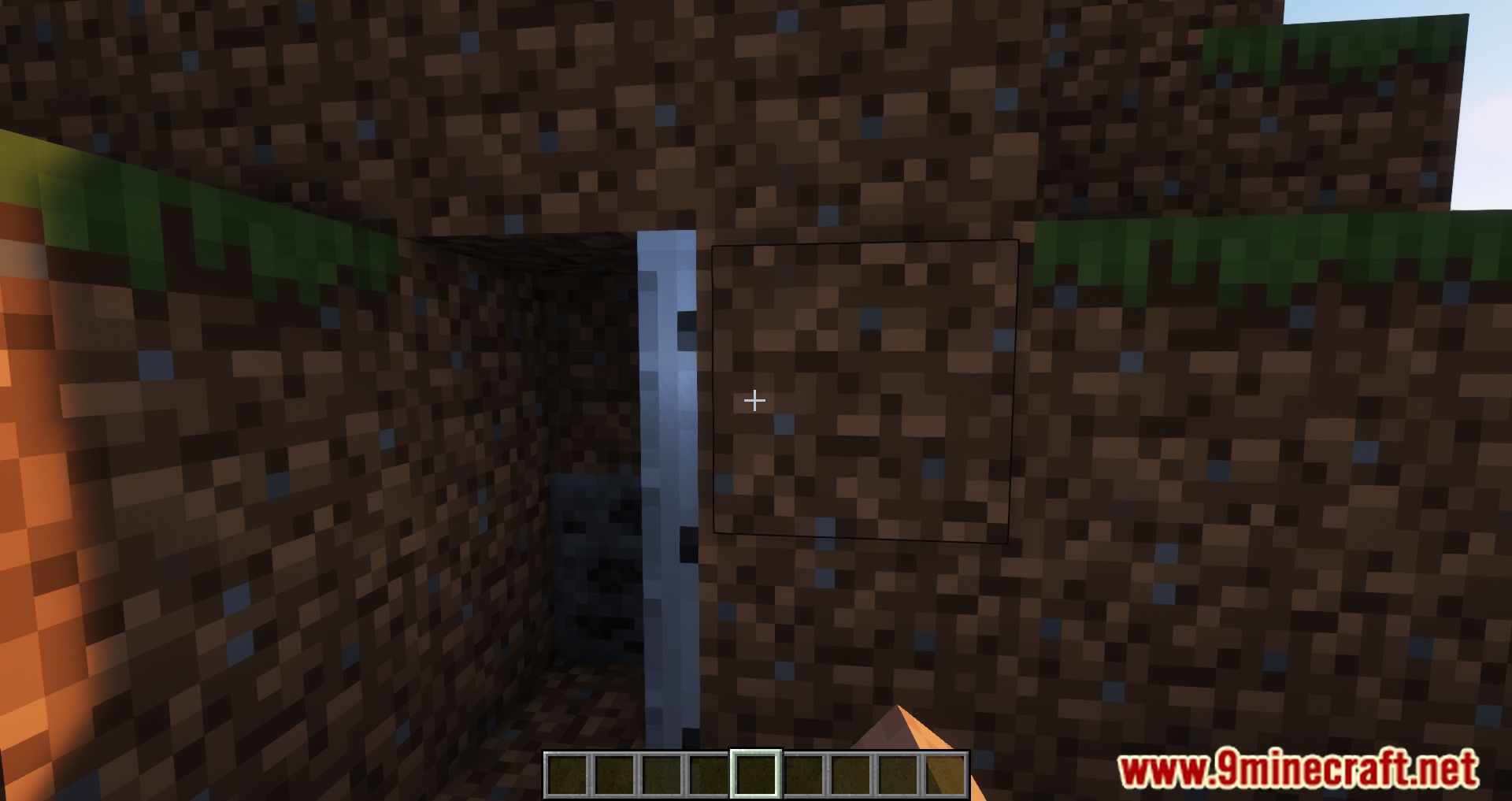
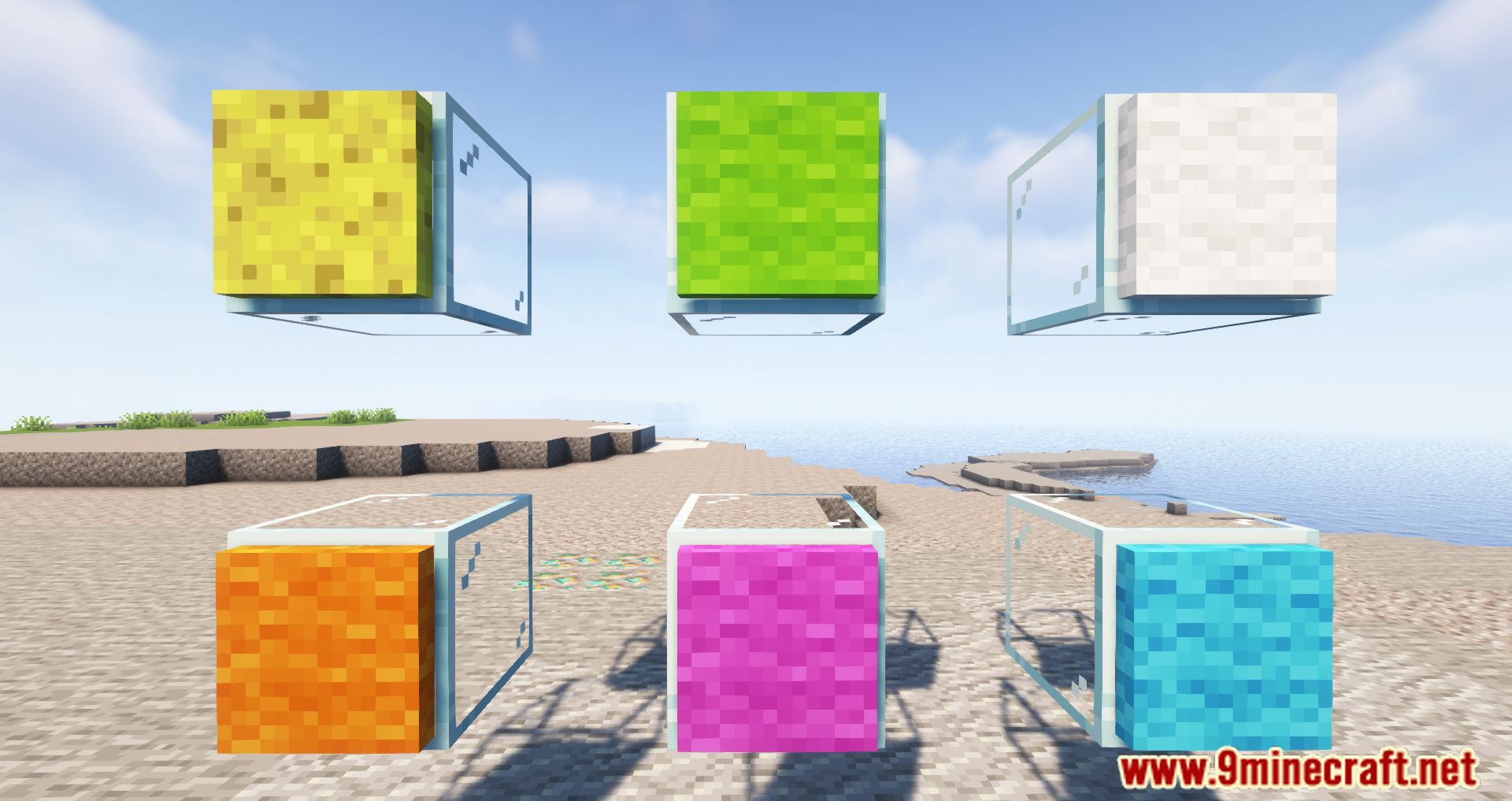
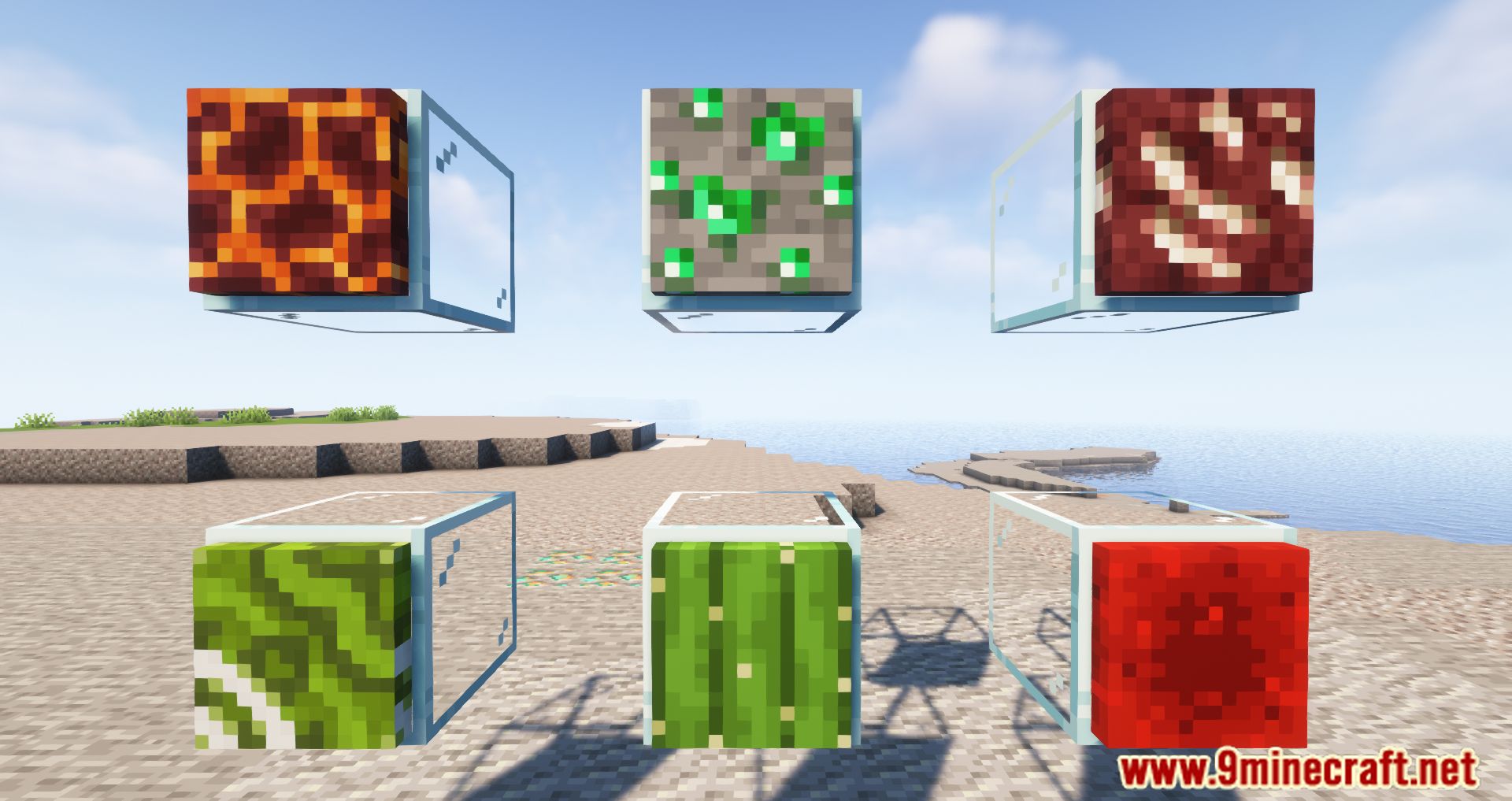
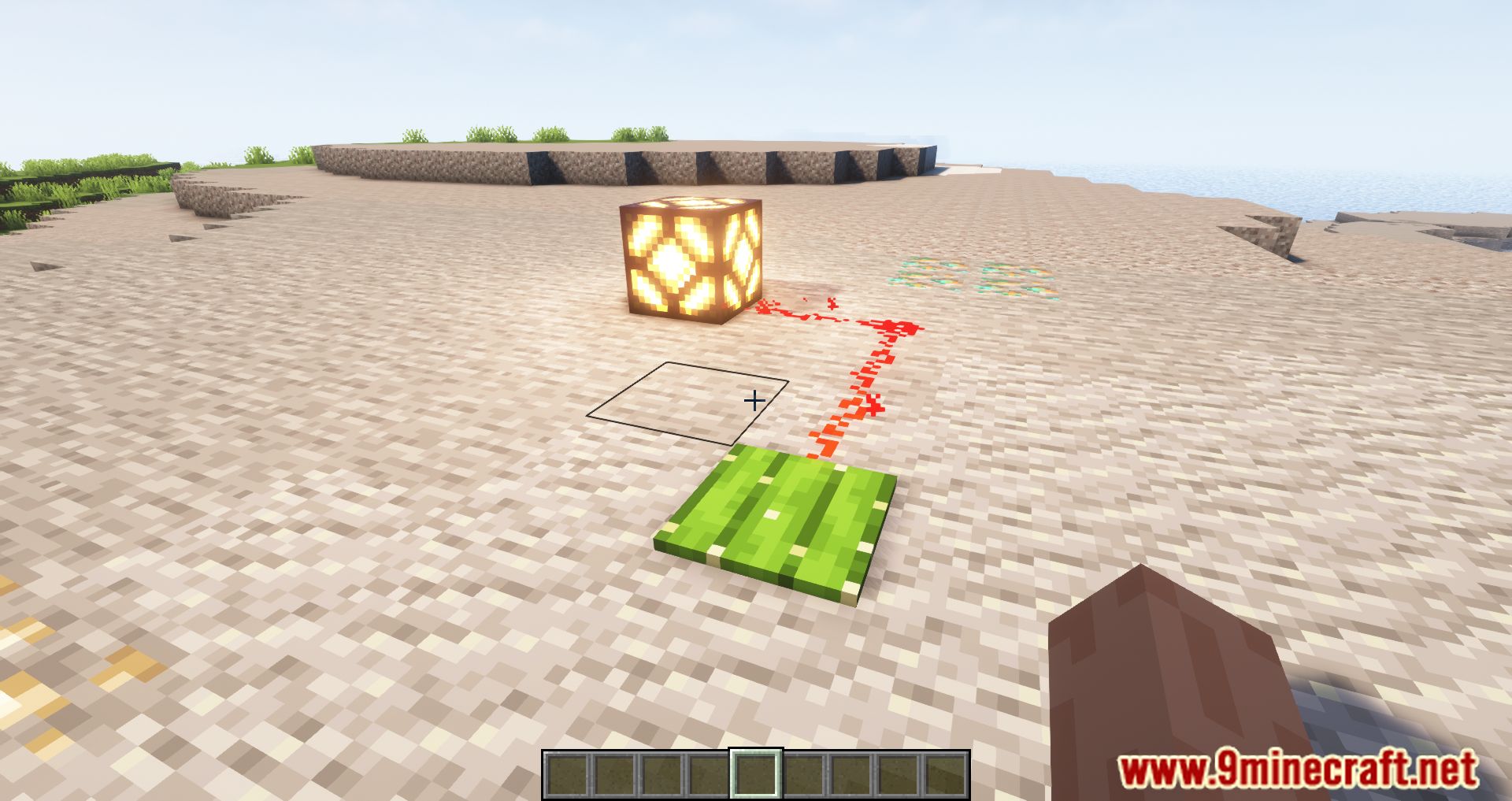
Big Beautiful Buttons Mod adds 211 big buttons that match the size of pressure plates to Minecraft. Each button looks like a normal game block, so it hides well in walls, floors, and ceilings or acts as a large switch that is easy to press. Every button works like a regular redstone switch and keeps the hardness, tool needs, and light or see-through look of its block. This mod also includes an optional placer-only mode so only the player who places a button can press it by hand, with arrows, or with wind charges. You can change press times and light levels anytime using the config or an operator command.
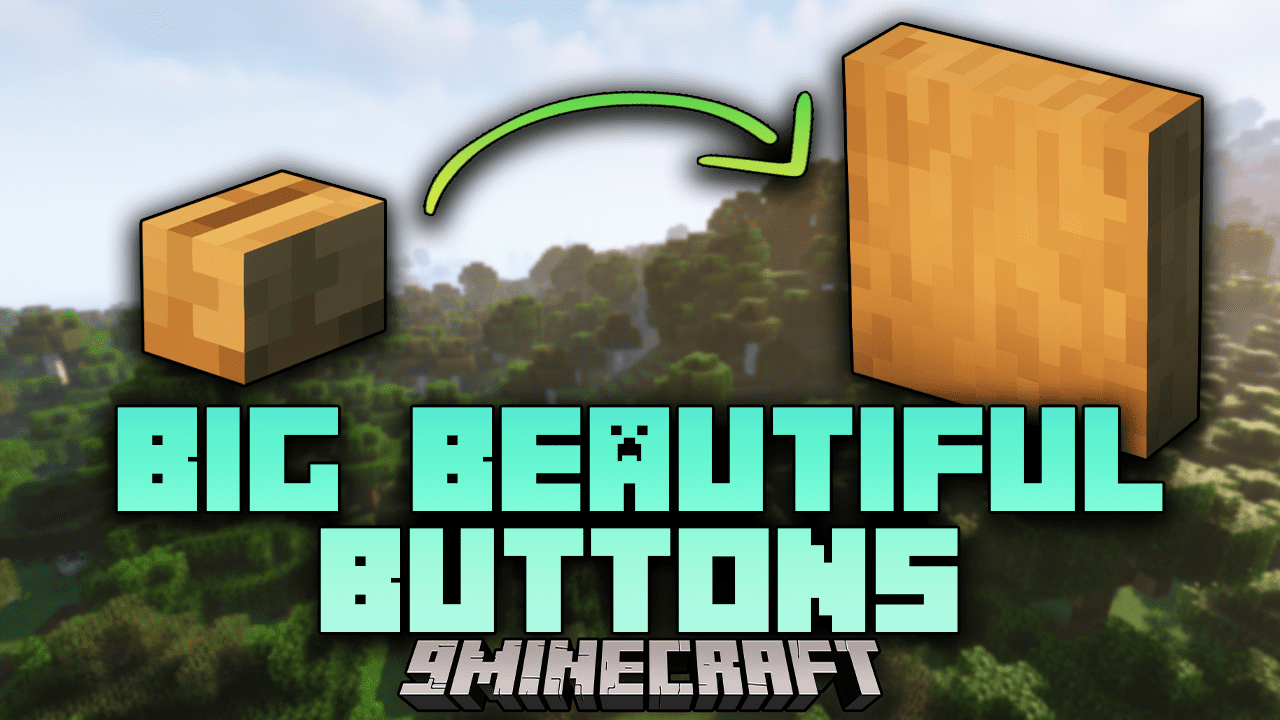
Features:
- 211 Pressure-Plate-Sized Buttons: Adds 211 large buttons with the wider surface of pressure plates, making them easy to spot and click.
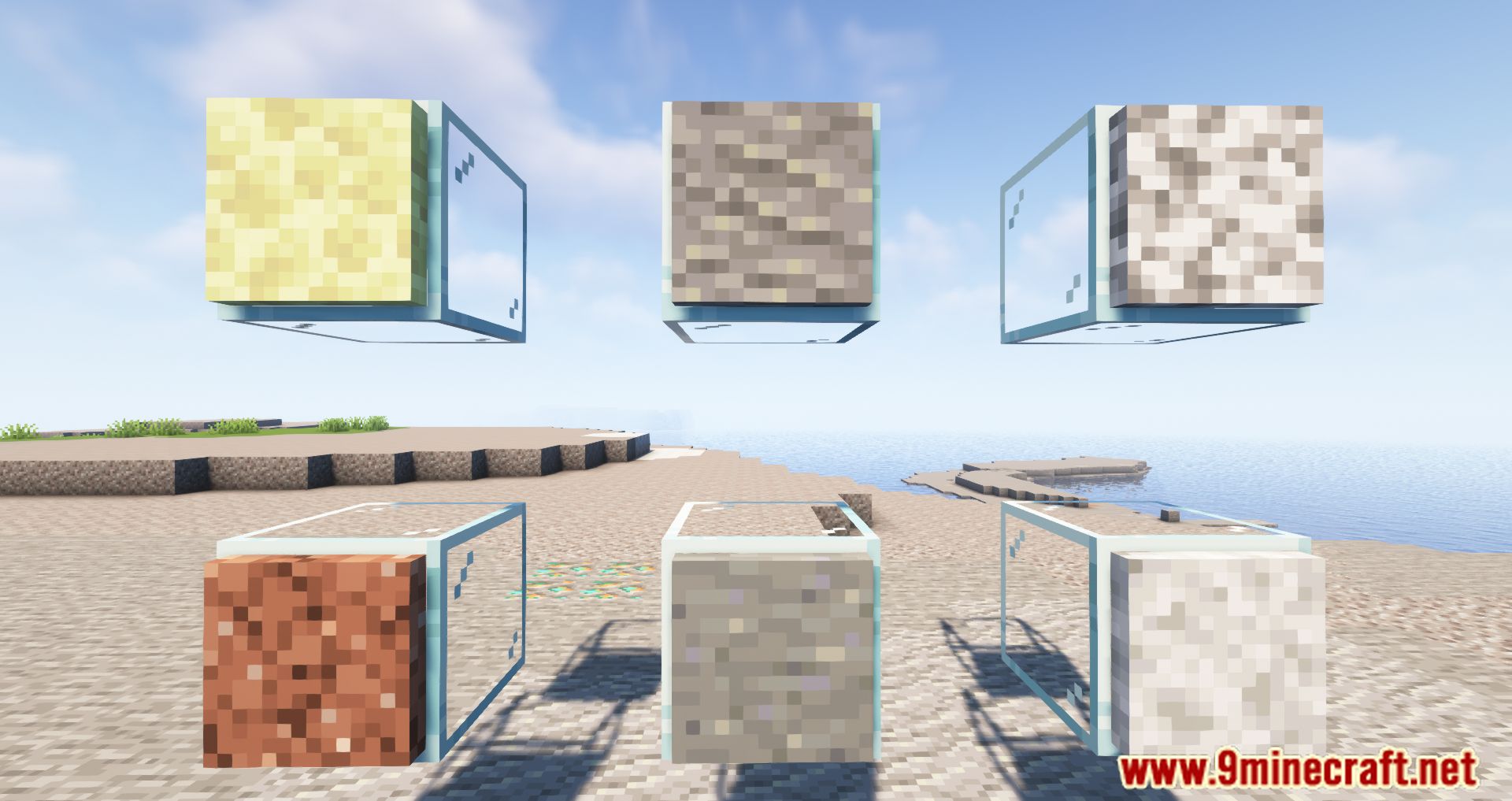
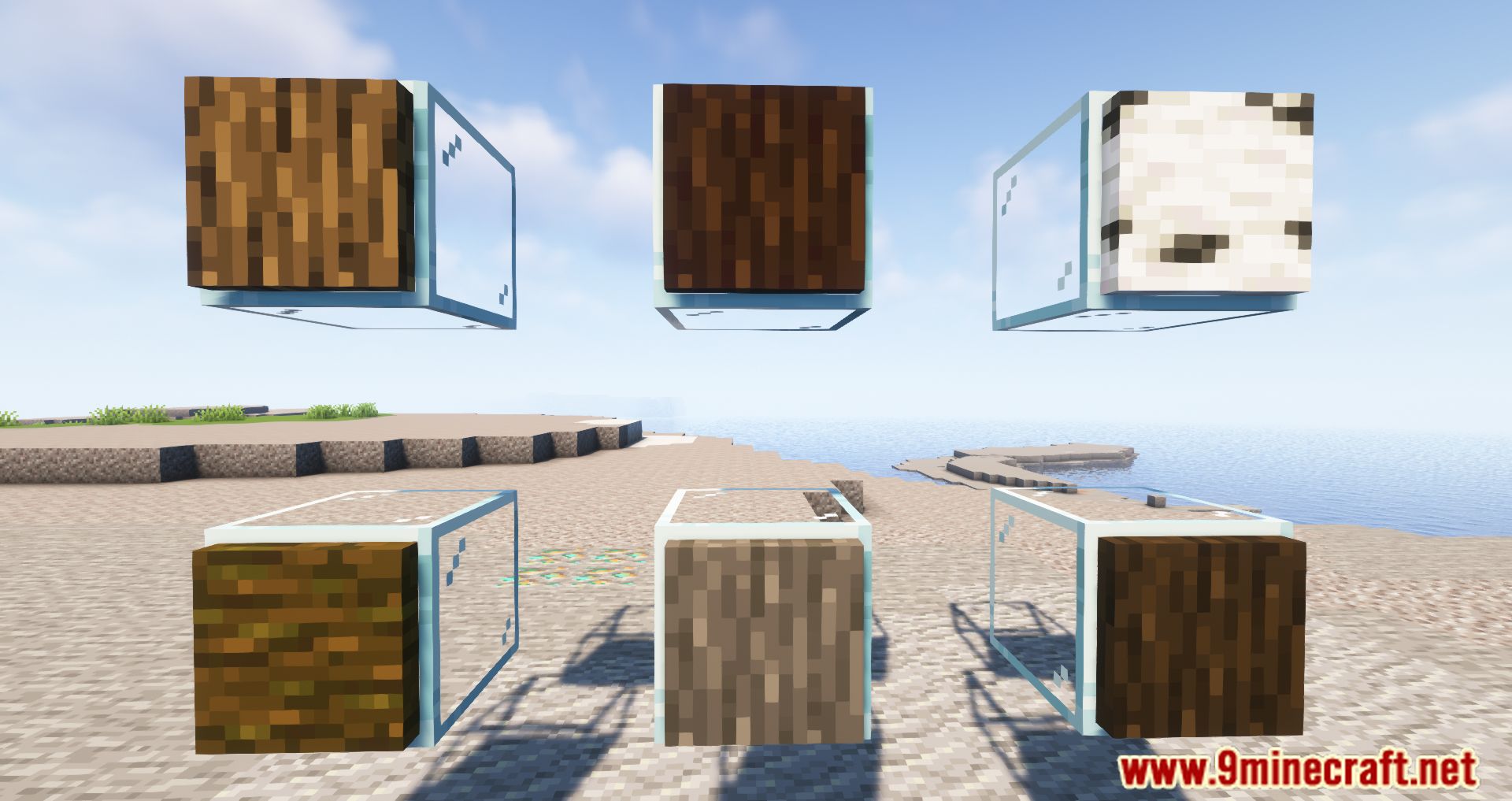
- Matching Block Textures: Lets you craft each button from a chest and a matching block, such as dirt, wood, stone, sand, cactus, wool, or terracotta, so you can hide secret switches inside walls or terrain.
- Optional Placer-Only Mode: Offers a lock setting (off by default) where only the player who places a button can press it by hand, with their own arrows, or with their own wind charges.
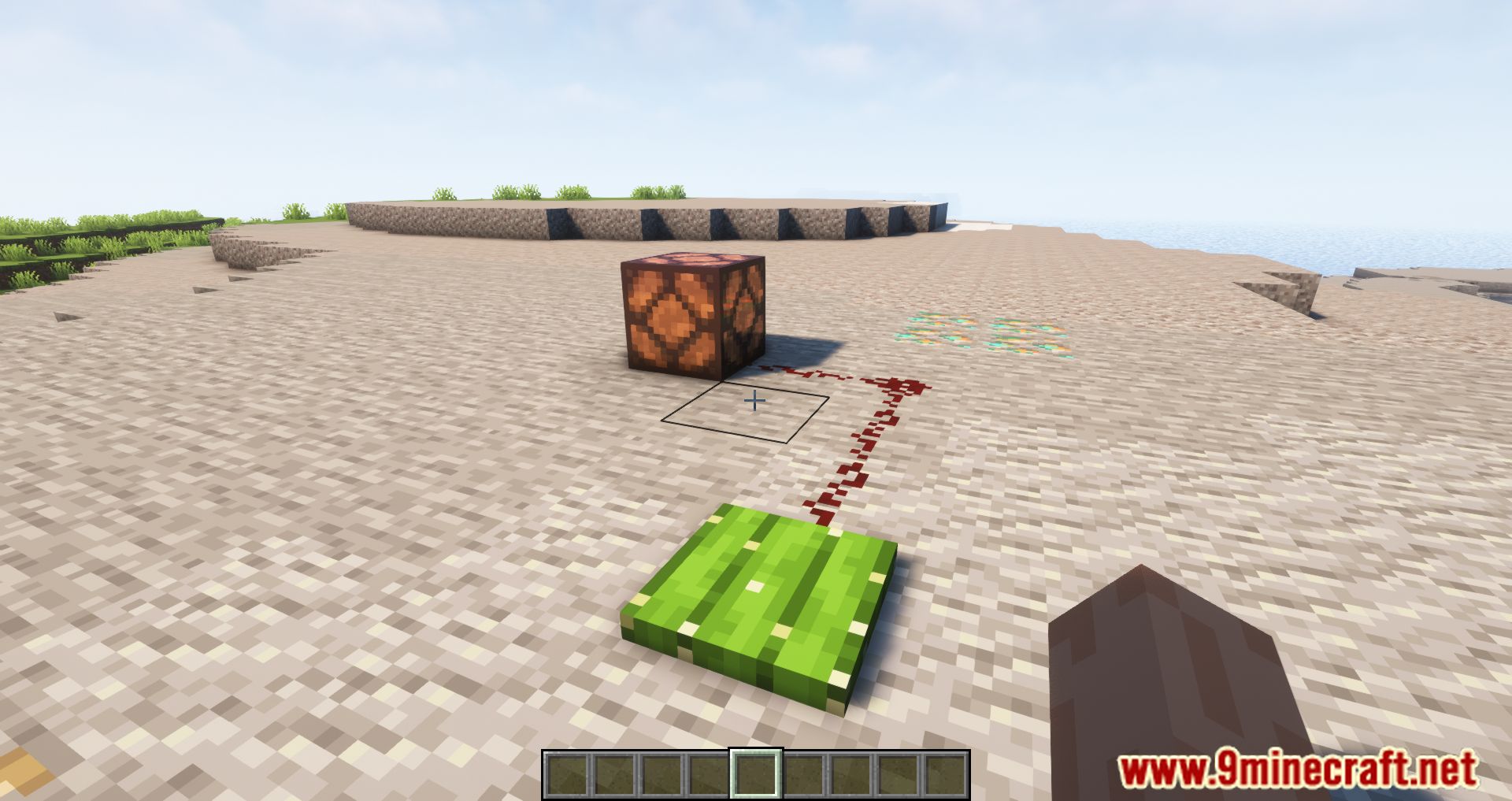
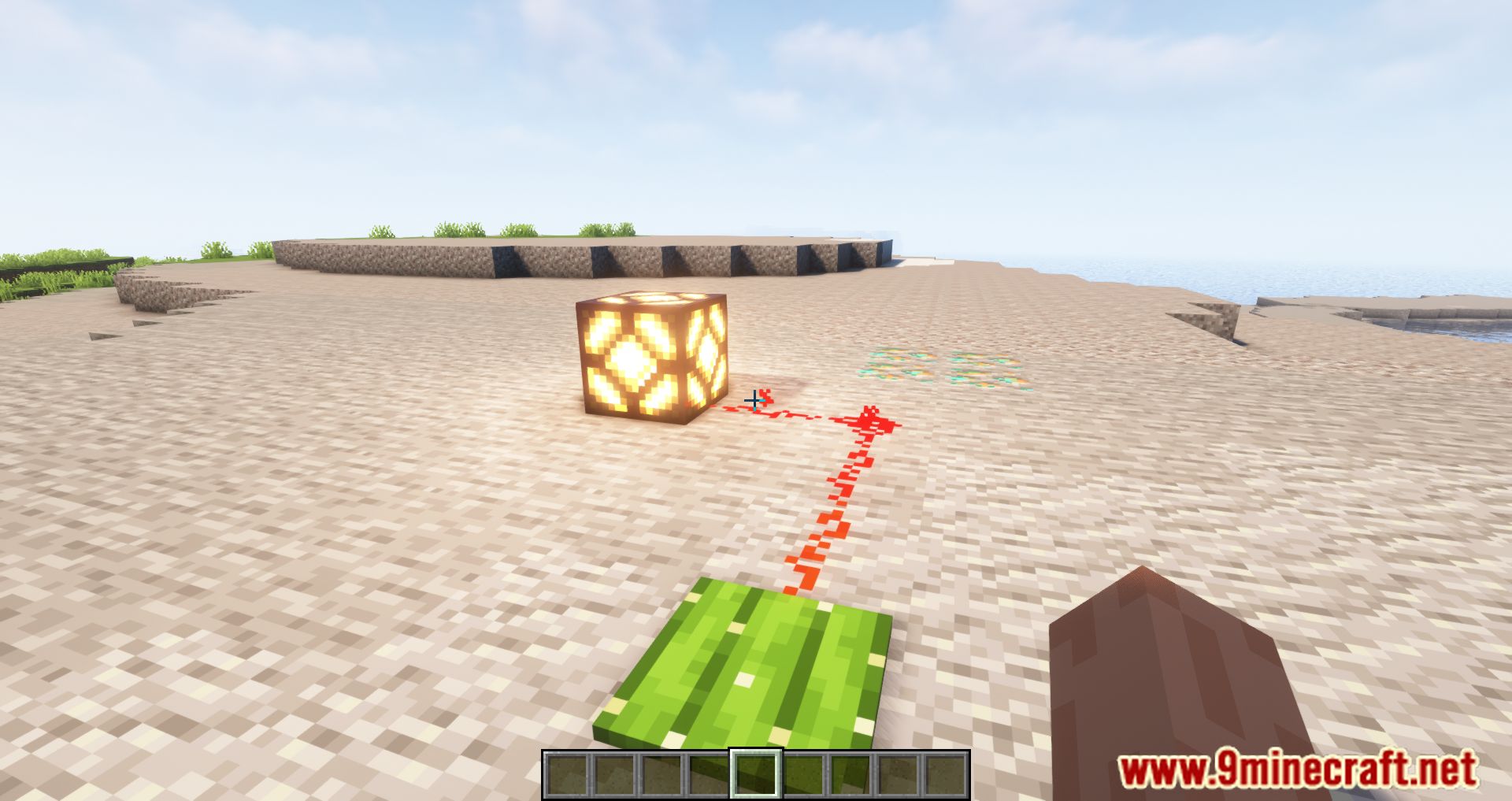
- Works like a normal redstone button on floors, walls, and ceilings to power redstone dust, doors, and lamps.
- Copies the hardness of its base block and needs the same tool to drop, so an obsidian button needs a diamond pickaxe.
- Keeps glass, ice, and slime buttons see-through just like their base blocks.
- Makes glowstone and magma buttons give off light.
- Lets you change press times and light levels in the config file, in the in-game config screen, or with an operator command.
Commands:
/big_beautiful_buttons <option> [value]: Lets operators change button press times and light levels directly in-game.
How to Use:
- Combine one chest with a matching block in a crafting grid to craft a large button with that block’s texture.
- Place the button on any floor, wall, or ceiling next to redstone dust, doors, or lamps to build a clear switch or a hidden trigger.
- Press the button by hand, or hit it with an arrow or wind charge to send out a standard redstone signal.
- Mine a placed button with the same tool needed for its original block, such as a diamond pickaxe for an obsidian button, so it drops as an item.
- Open the in-game config screen, edit
config/bigbeautifulbuttons-common.toml, or run/big_beautiful_buttons <option> [value]as an operator to change press times and light levels.
Configuration:
config/bigbeautifulbuttons-common.toml: Config file for changing button press times and light levels. You can also adjust these options in the in-game config screen.
Crafting Recipes:
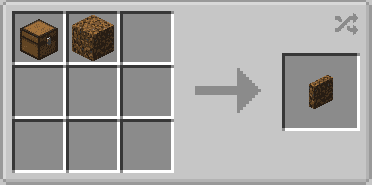
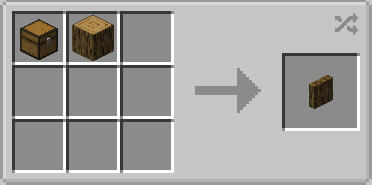
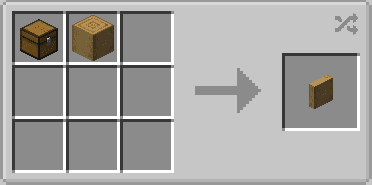
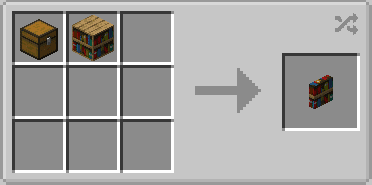
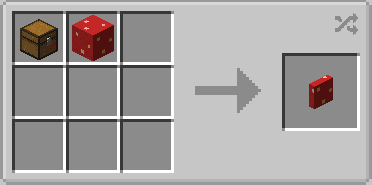
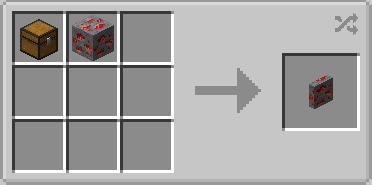
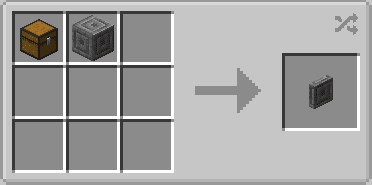
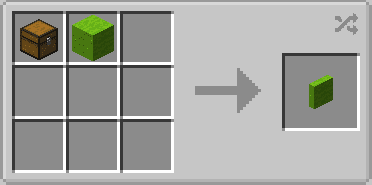
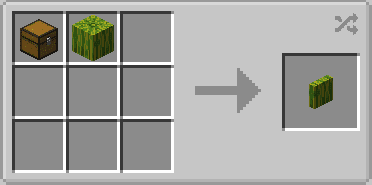
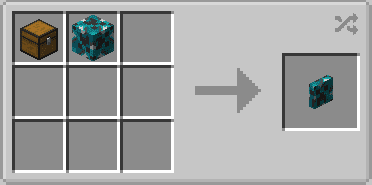
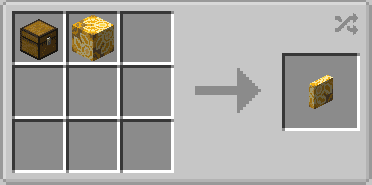
Screenshots:
How to Install:
New to Minecraft? Follow our step-by-step guide to install Mods on your PC.View Guide



Big Beautiful Buttons Mod Download Links
For Minecraft 26.3
For Minecraft 1.21.1, 1.21
For Minecraft 1.20.4
For Minecraft 1.20.2
For Minecraft 1.20.1, 1.20
For Minecraft 1.19.4
For Minecraft 1.19.2
For Minecraft 1.18.2
For Minecraft 1.12.2
How much RAM do you usually allocate to a modded Minecraft profile?
33 responses · See the full results →
You May Also Like
Picked for this page
 Shield Parry Mod (1.21.1, 1.20.1) – Reflective Shield
 Reinforced Chests Mod (1.21.11, 1.20.1) – Levels Up Your Minecraft Storage Game
 TelePastries Mod (26.1.2, 1.20.1) – Travel Through Dimensions by Pastries
 Immersive Vehicles Official Content Pack Mod (1.21.1, 1.20.1)
 Bigger Sponge Absorption Radius Mod (26.3, 1.20.1) – Expanded Absorption Radius
 Simple Night Vision Mod (1.21.11, 1.20.1) – Permanent Night Vision for Everyone
 More Beautiful Walls Mod (26.3, 1.20.1) – Hundreds of New Wall Blocks
 Totem Tweaks Mod (26.2, 1.20.1) – Small Totem Pop and Extensive Customizability
 Big Pony Mod (26.2, 1.20.1) – Customizable Camera Position, Distance, and Body Size
 Dye All The Things Mod (26.3, 1.20.1) – Ultimate Armor Dyeing Mod
 More Beautiful Fences and Gates Mod (1.21.11, 1.20.1) – Over 240 New Fences and 240 New Gates
 Chisel Modern Mod (26.1.2, 1.20.1) – Iron Chisel And Accessing New Blocks
Most viewed in Mods over the last 7 days
 Ala Industrial Mod (26.3) – Run Electric Power Grids and Automated Factories
 PleasureCraft Mod (26.3, 1.21.1) – Jenny Mod Remake for Fabric
 Jennycraft Mod (26.3, 1.20.1) – Virtual Girlfriend in Minecraft
 Fapcraft Mod (26.3, 1.12.2) – Comprehensive and Detailed Content
 Jenny Mod (Fapcraft) Official Complete Guide – How to use, Tutorial
 BangCraft Mod (1.20.1) – Jenny, Ellie and Elliot
 Fabric Loader (26.3, 1.20.1) – Fabric Installer for All Minecraft Versions
 The Shooting Star Demo Mod (26.3, 1.20.1) – Vaporize Terrain From Orbit
 Meteor Client Mod (26.3, 1.20.1) – Xray, HUD, Fly
 OptiFine HD (26.3, 1.20.1) – Run Faster, FPS Boost, Shaders Support
 Aristois Client Mod (1.21.4, 1.20.1) – World Class Minecraft Utility
 Prestige Client Mod (1.21.11, 1.21.4) – Powerful Ghost Features for Crystal & Sword PvP
More from Mods
 Better Enchantment Bookshelf Placement Mod (26.2, 1.20.1)
 SimpleRPGCore Mod (1.21.4, 1.21.1) – Fight with Classic RPG Stats
 Bard RPG Series Plus by Fichte Mod (1.21.1, 1.20.1) – Buff Allies in Combat
 Fabric Gui ImGui Mod (26.3, 1.21.11) – Clean Custom Menus and In-Game Control
 Multi Item Lib Mod (1.20.1) – Wield Custom Gear with Flawless Hand Animations
 Universe3090 Mod (1.20.1) – Survive Corrupted Dimensions Filled
 Wireless Automate Mod (1.21.1) – Automate Base Logistics Without Messy Pipes
 Vaskars Opus Faction War Quests & Bosses Mod (1.21.11, 1.20.1)
 Multitools and More Mod (26.3, 1.20.1) – Clear Your Hotbar and Travel
 Luxium Let There Be Light Mod (1.20.1) – Stunning Lighting on Low-End Computers
 Soulscraft Tarnished Legacy Mod (1.21.1) – Hunt Relics to Forge Dark Fantasy
 Fetzi’s Displays Mod (26.1.2, 1.20.1) – Turn Rare Gear and Weapons

This post has no comments yet. Be the first — your comment will appear here.