
Black Mesa Monorail Tram Model – Brings Half-Life Transit Cars to Builds

 0

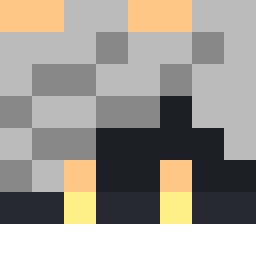
Black Mesa Monorail Tram Model adds the famous tram from the opening ride of Black Mesa, the remake of Half-Life, along with a custom monorail track that fits it. This pack includes 1 Blockbench source model and 3 texture files so players can view, place, or edit the sci-fi transit car for their own builds.

Features:
- Black Mesa Intro Tram: Recreates the passenger tram from the beginning sequence of Black Mesa.
- Matching Monorail: Includes a compatible custom monorail track built to fit the tram car.
- Included Source Files: Comes with 1 Blockbench source model and 3 texture files for viewing or editing.
How to Use:
- Unzip the downloaded pack folder to find the included model and texture files.
- Open the 1 included source model in Blockbench if you want to inspect the 3D tram and custom monorail track up close.
- Check how the 3 texture files wrap around the tram body and monorail rail pieces.
- Load the model into your resource pack or model loader setup to place the Black Mesa Monorail Tram Model inside your world.
- Set down the custom monorail track blocks and position the tram on top to recreate the Black Mesa intro ride.
Requirements:
- Blockbench, only if you want to edit the included source models
Screenshots:


Black Mesa Monorail Tram Model Download Links
Click to rate this post!
[Total: 0 Average: 0]
You May Also Like
Picked for this page
 Pastelcraft Model – Brings Soft Pastel Colors and 3D Redstone Blocks
 MTR Austrian Express Collection 1 Model – Brings Detailed Austrian Trains
 Esterlon Network Textures Model – Brings Realistic Modern City Streets
 Minebox Plus Model – Transforms Caves, Plants, and Redstone with 3D Models
 The Original Work Programmer Art Model – Brings Classic Retro Visuals and Models
 Justzilla’s Classic Model – Brings Retro Aesthetics to Modern Blocks
 Tooniverse Texture Pack 256x Model – Adds Animated Comic Book Visuals
 Redstone Tweaks For Bare Bones Model – Brings Clear 3D Signal States
 STAR21 Model – Brings the Class 952 Shinkansen Bullet Train to MTR4 Tracks
 Sky 16x Model – Brings 3D Maces, Rails, and Animated PvP Visuals
 Visible String Model – Transforms Faint Tripwire Into Clear 3D Lines
 Night UI – Transforms Game Menus and Glass Panes with Sleek Dark Visuals
Most viewed in Models over the last 7 days
 Jenny Mod Skin Pack Mega Collection – 310+ Characters
 The Most Complete Collection of Jenny Mod Resources – Models, Animations, Structures,…
 Albedo Rework Jenny Mod Model
 750 Models Addon for Yes Steve Model Mod
 Galath Rework Model – Custom Girl for PleasureCraft Mod
 Power Model – Custom Girl for PleasureCraft Mod
 Femboy Ellie Rework Jenny Mod Model
 Ram Model – Custom Girl for PleasureCraft Mod
 Pomni Jenny Mod Model
 100+ Custom Animations For Jenny Mod
 Ellie Rework Jenny Mod Model
 Halloween Pack Jenny Mod Model – Transforms Companions with Spooky Costumes
More from Models
 Bray’s Enchantment Outlines Model – Adds Glowing Animated Borders to Gear
 Fresh Food VR Model – Brings 3D Food and Bite-By-Bite Eating Animations to VR
 Pekit’s Bows To Guns – Transforms Ranged Gear Into WWII Firearms
 OLD MINECRAFT Model – Brings Classic Textures and Custom 3D Redstone Shapes
 Clean PvP Model – Brings Minimalist 3D Tools and Animated Combat Visuals
 Weskerson’s 3D Food Model – Adds Animated Bite Stages to Everyday Snacks
 3D Projectiles Model – Transforms Flat Thrown Items Into Detailed 3D Objects
 Drodi’s Arsenal Model – Transforms Default Tools and Armor Into 3D Gear
 Undopia 3D Rails Model – Transforms Flat Minecart Tracks Into Detailed Railways
 Enhanced Flower Pots Model – Brings 3D Shapes to Potted Plants
 Golden Days Base Model – Brings Classic Beta Visuals to Modern Blocks
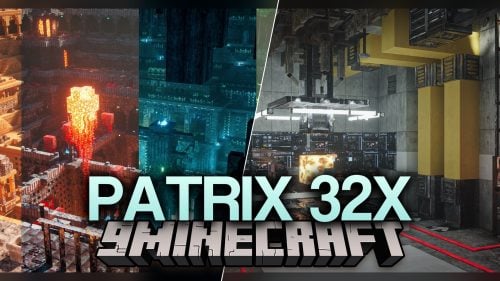 Patrix 32x Model – Brings Realistic 3D Blocks and Animated Nature to Life

This post has no comments yet. Be the first — your comment will appear here.