
Block Helper Mod (1.5.2, 1.4.7) – Spot Dark Corners Before Creepers Spawn
 2
 0

Block Helper Mod brings WAILA block and mob tooltips to old versions of Minecraft. It shows the name of the block or mob you look at, along with its health and which mod it comes from. The mod also adds helpful world overlays for light levels and chunk borders, plus recipe and enchantment shortcuts when paired with inventory mods.
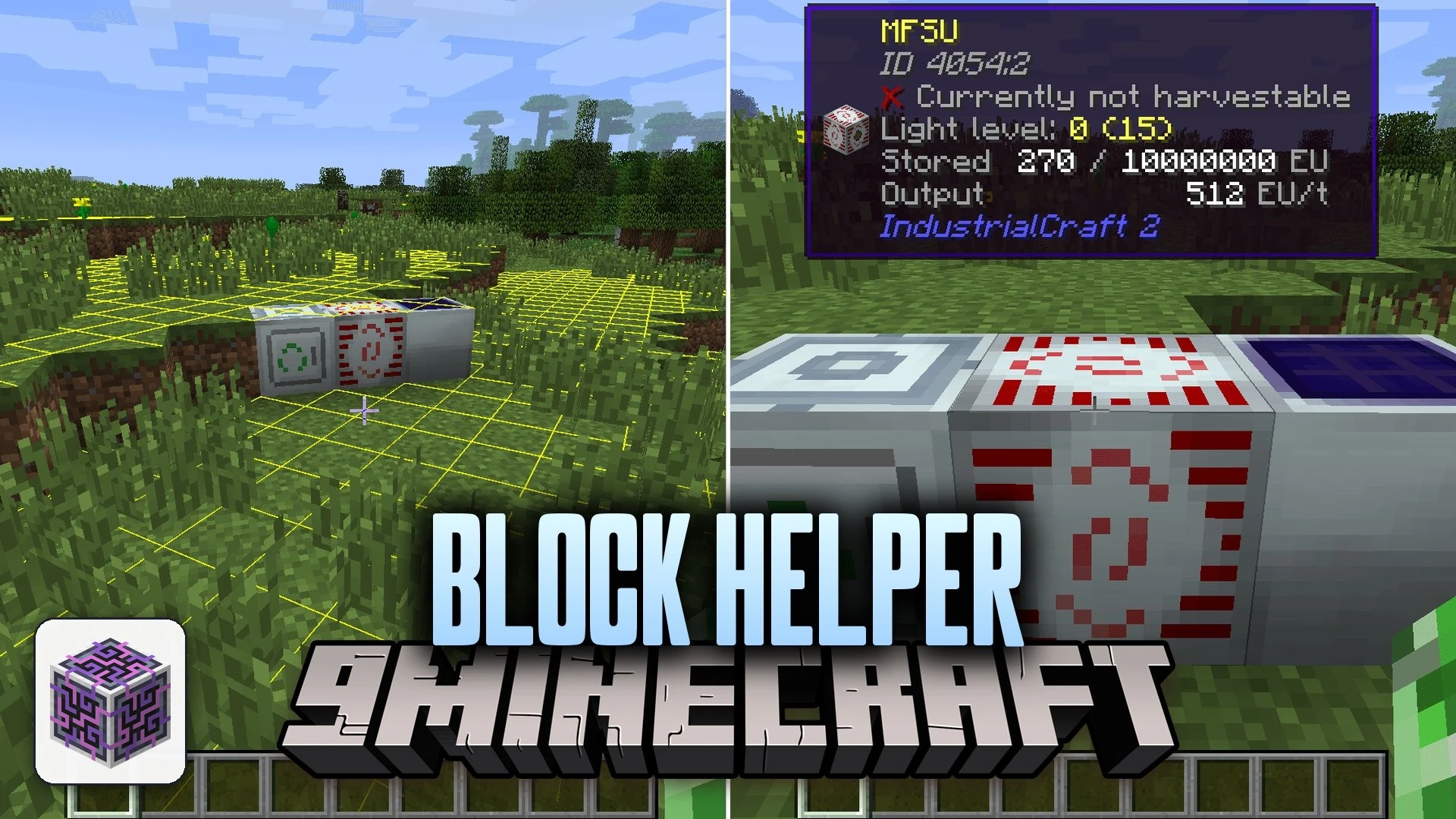
Features:
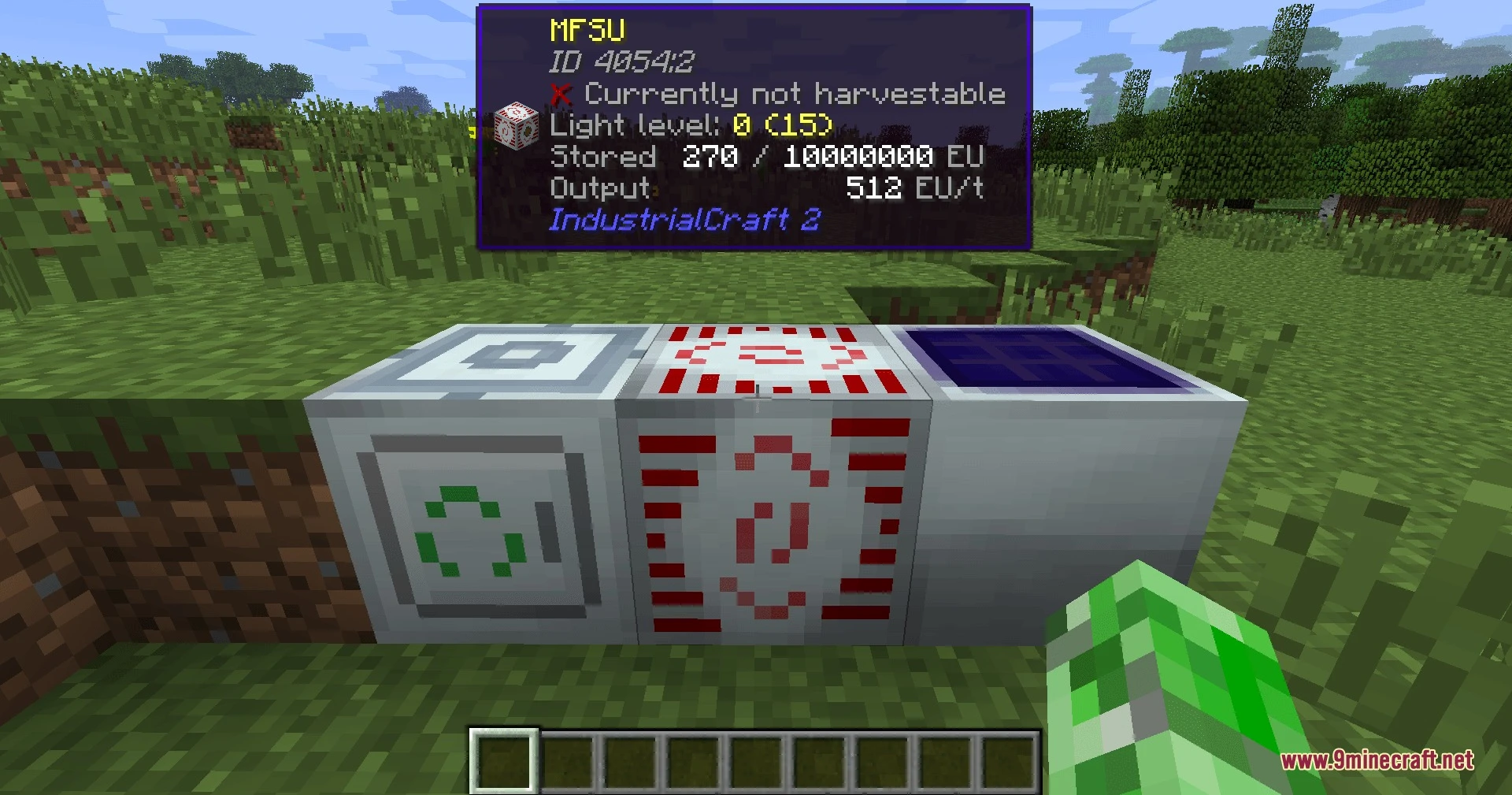
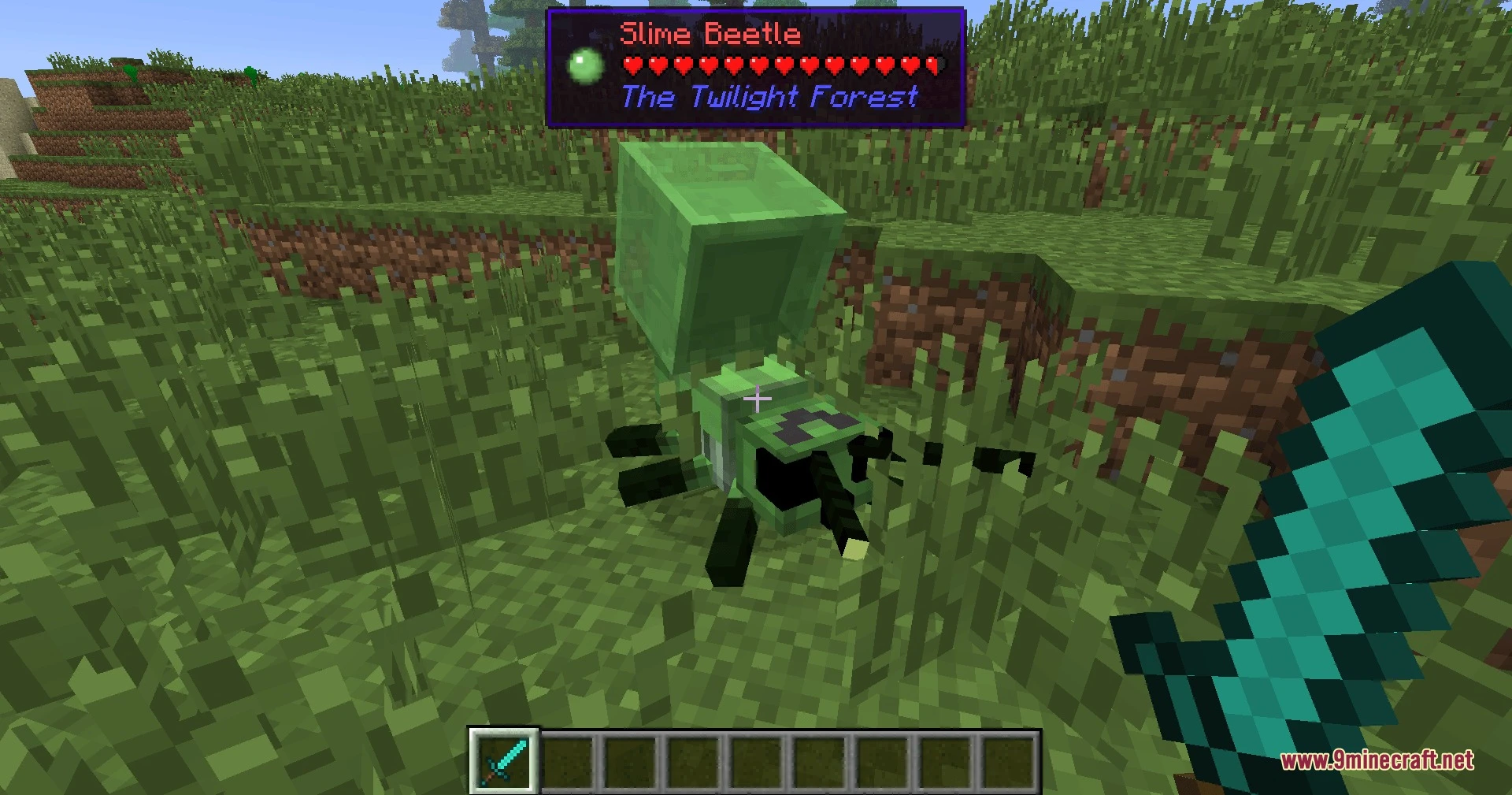
- Block and Mob HUD: Shows the name and extra details of the block or mob you are looking at right on your screen, including mob health and mod origin.
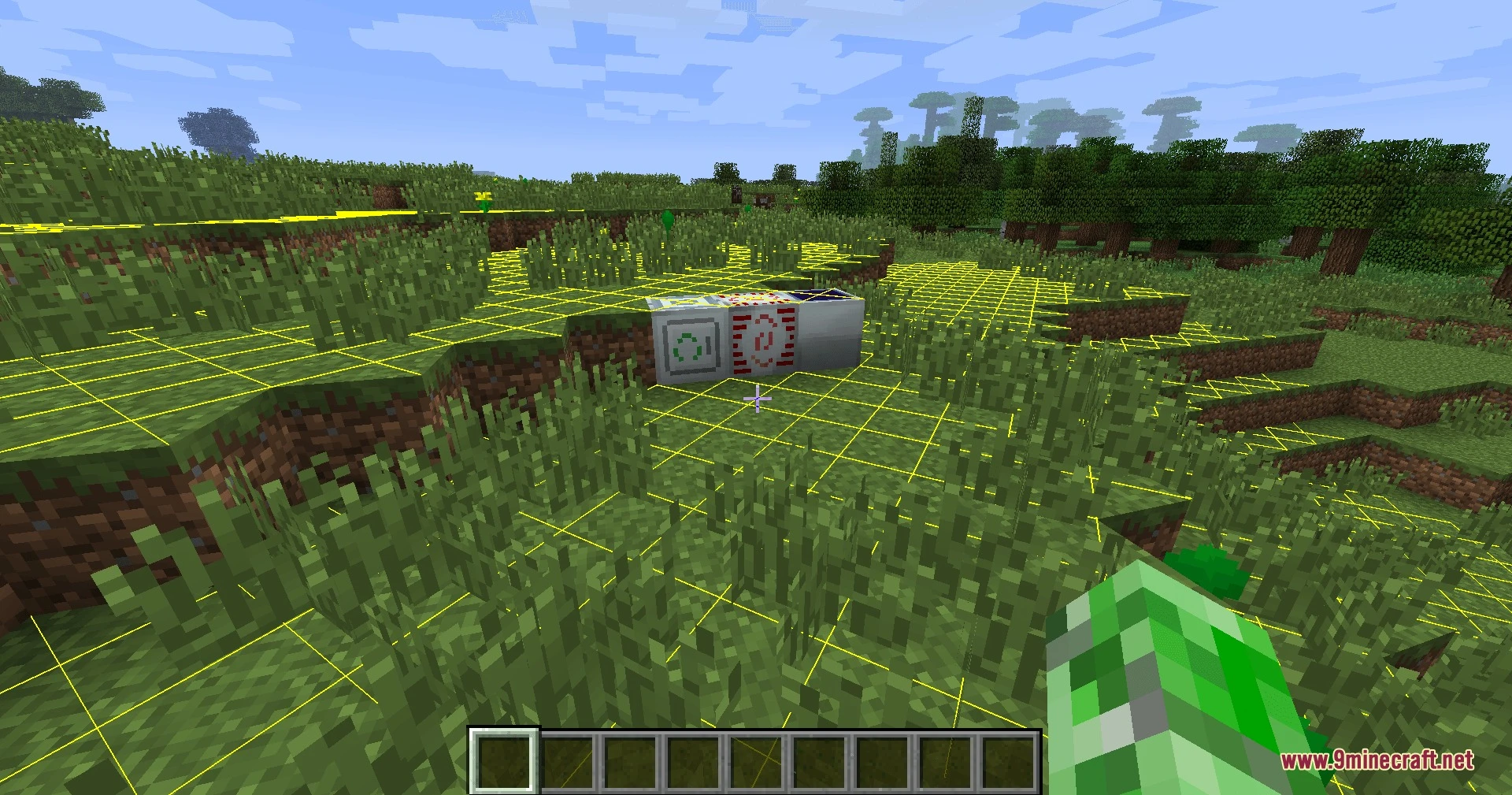
- Light Level Overlay: Displays a light level overlay on blocks so you can see where hostile mobs can spawn.
- Chunk Border Overlay: Draws the borders and corners of chunks and highlights your current chunk in green.
- Recipe and Enchantment Lookups: Works with NEI, AMI, and HMI to show crafting recipes, block uses, and valid item enchantments with simple key presses.
- Adds the source mod name to item tooltips inside your inventory.
- Includes built-in compatibility modules for classic mods like BuildCraft, IndustrialCraft, Applied Energistics 1, Thaumcraft, Forestry, Thermal Expansion, GregTech, Red Power, and Twilight Forest.
- Provides an in-game menu to adjust nearly every feature on the fly.
- Includes WAILA’s API so other addon plugins can hook into the display system.
How to Use:
- Point your crosshair at any block or mob in the world to view its name, health, and mod details on the HUD.
- Press NUM0 to open the in-game settings menu and toggle features on or off.
- Press F7 to turn on the light level overlay and check for dark spots where mobs can spawn.
- Press F9 to toggle the chunk border and corner overlay.
- Look at a block and press NUM3 or NUM4 (with NEI, AMI, or HMI installed) to view recipes for making or using that block.
- Hover over an item in your inventory and press I (with NEI installed) to list all enchantments that work on that item.
Screenshots:
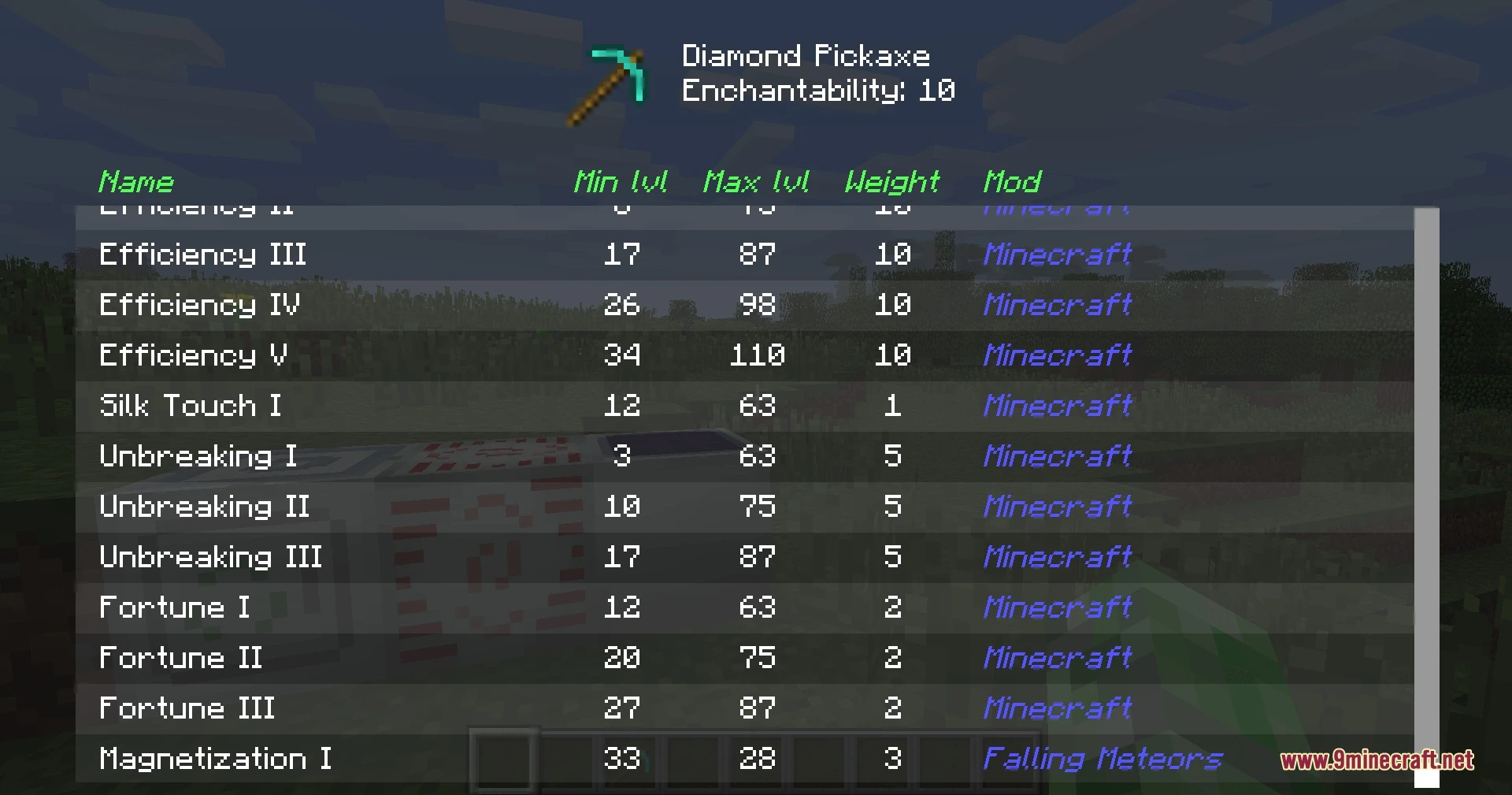
How to Install:
New to Minecraft? Follow our step-by-step guide to install Mods on your PC.View Guide
Requirements:

Block Helper Mod Download Links
For Minecraft 1.5.2, 1.5.1
For Minecraft 1.4.7, 1.4.6
For Minecraft 1.4.5, 1.4.4
Click to rate this post!
[Total: 0 Average: 0]
You May Also Like
Picked for this page
 Cloud Boots Mod (26.3, 1.20.1) – Leap Across Valleys with Zero Fall Damage
 YUNG’s Better Dungeons Mod (1.21.11, 1.20.1) – Raid Sprawling Catacombs
 Cluttered Mod (1.21.11, 1.20.1) – Make Every Room Feel Cozy
 Advanced Hook Launchers Mod (26.3, 1.20.1) – Swing Across Deep Ravines
 TreeAxe Mod (1.21.11, 1.20.1) – Harvest Wood Faster
 DarkMenu Mod (26.3, 1.20.1) – Bring Dark Fantasy to Every Menu
 Improved Anvils Mod (1.21.11, 1.20.1) – Never Run Out of Levels Repairing Gear
 DragonLoot Mod (26.3, 1.20.1) – Craft Armor From Dragon Scales
 Startup Timer Mod (1.12.2) – Track Exactly How Long Startup Takes
 Sort It Out Mod (26.3, 1.20.1) – Organize Chests Instantly Everywhere
 Mob Proof Crystals Mod (26.3, 1.20.1) – Stop Monster Spawns Across Large Bases
 Deus Ex Machina Reborn Mod (1.21.1, 1.20.1) – Bottle of Ambrosia And Boss-Specific Scaling
Most viewed in Mods over the last 7 days
 Ala Industrial Mod (26.3) – Run Electric Power Grids and Automated Factories
 PleasureCraft Mod (26.3, 1.21.1) – Jenny Mod Remake for Fabric
 Jennycraft Mod (26.3, 1.20.1) – Virtual Girlfriend in Minecraft
 Fapcraft Mod (26.3, 1.12.2) – Comprehensive and Detailed Content
 Jenny Mod (Fapcraft) Official Complete Guide – How to use, Tutorial
 Meteor Client Mod (26.3, 1.20.1) – Xray, HUD, Fly
 BangCraft Mod (1.20.1) – Jenny, Ellie and Elliot
 OptiFine HD (26.3, 1.20.1) – Run Faster, FPS Boost, Shaders Support
 Fabric Loader (26.3, 1.20.1) – Fabric Installer for All Minecraft Versions
 CatLean Client Mod (26.2, 1.21.11) – ThunderHack Recode Alternatives
 SeedCrackerX Mod (26.3, 1.20.1) – Find Any World Seed
 SchnurriTV Mod (1.12.2) – Characters and Features
More from Mods
 Minecraft Music Player Mod (1.21.1) – Stream Custom Playlists with Your Server Friends
 Armor Trim Customizer Mod (26.3, 1.21.11) – Wear Any Armor Trim Pattern
 Aurorite Client Mod (26.3) – Clean PvP Overlays and FreeLook Camera for Fabric
 Load Shift Mod (26.3) – Auto-Tune Graphics to Keep Your Frame Rate Stable
 Hotbar Lock Mod HLM Mod (26.3) – Never Drop Your Best Gear By Accident Again
 Tiered Shears Mod (26.3, 1.21.1) – Upgrade Your Shears with Five New Material
 Polymer Patch for Serene Seasons Mod (26.3) – Enjoy Server-Side Seasons
 Isle of Berk 9minecraft Mod (26.3, 26.2) – Tame and Fly Iconic Dragons
 Create Crafted Beginning Mod (1.21.1) – Power Factories with Gas Networks
 Krafted Katanas Mod (26.3, 1.20.1) – Forge and Upgrade Elemental Blades
 Liroth Revamped Mod (26.3, 1.21.1) – Survive Alien Realms Packed
 Apex Integration Mod (1.21.1) – Open Your Cobblemon PC Anywhere with One Key

This post has no comments yet. Be the first — your comment will appear here.