
Cobblemon Catch Rate Display Mod (1.21.1, 1.21) – Never Waste Another Poke Ball



Cobblemon Catch Rate Display Mod adds a live catch rate HUD for Cobblemon so you can see your exact odds before throwing a Poké Ball. This mod calculates catch chances from the target’s current HP, status, turn count, held ball, and special ball rules. You can compare Poké Balls in battle to see the strongest picks at the top, or point at a wild Pokémon outside battle to check its odds. It also includes built-in translations for 28 languages and lets you move the display or change its colors. Because this mod runs on the client side using data Cobblemon already syncs, it works on any server without server installation.
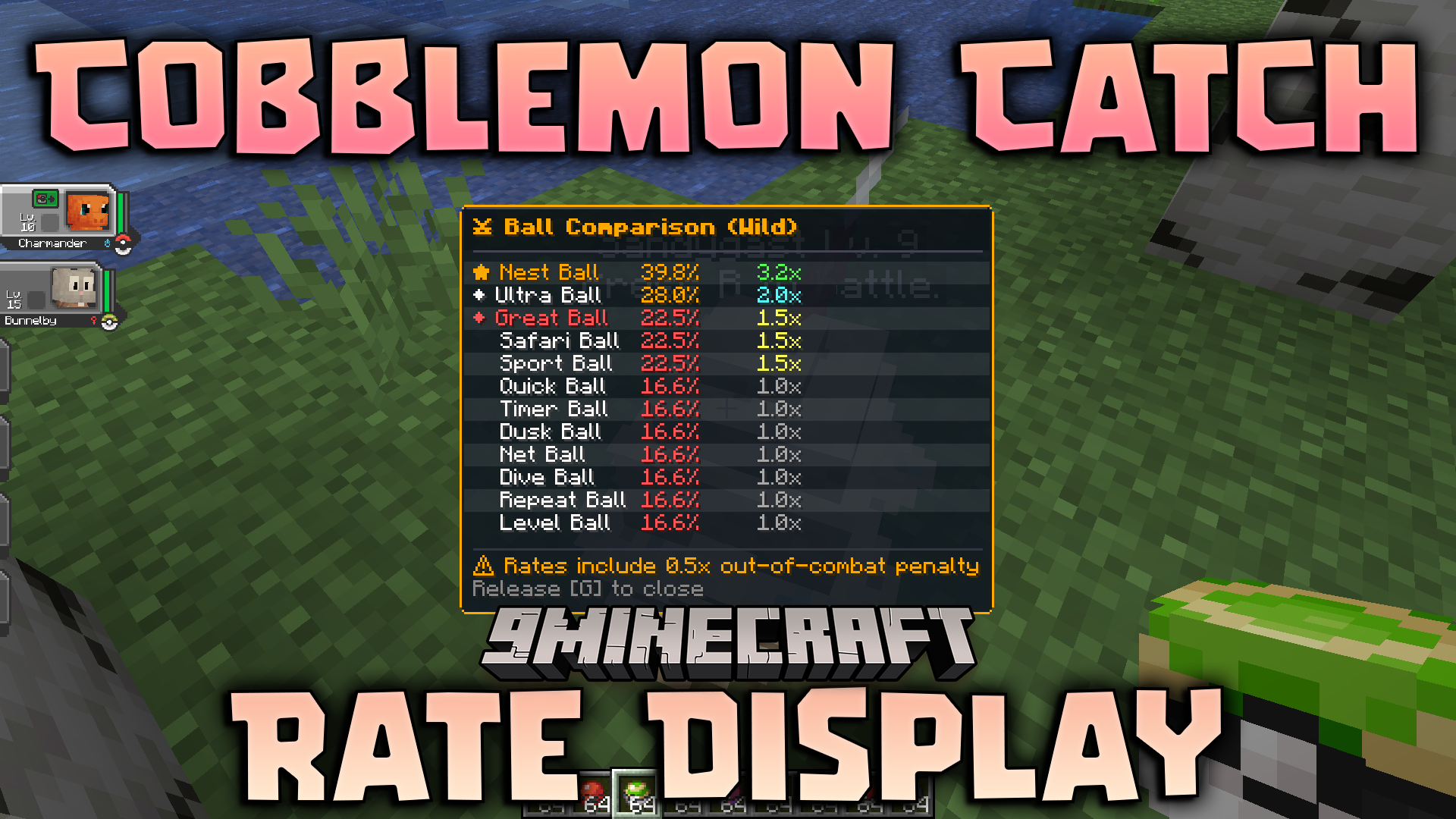
Features:
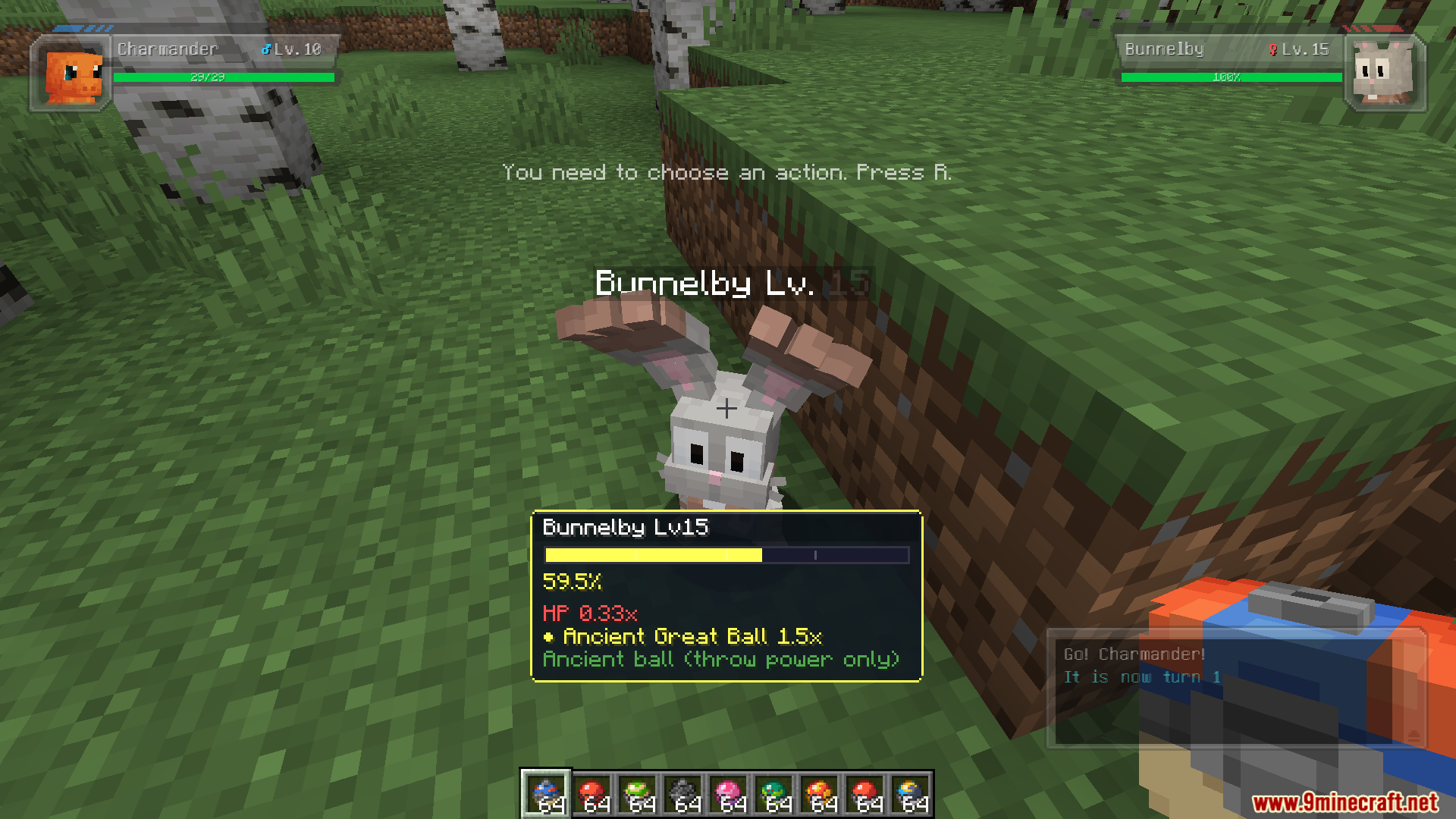
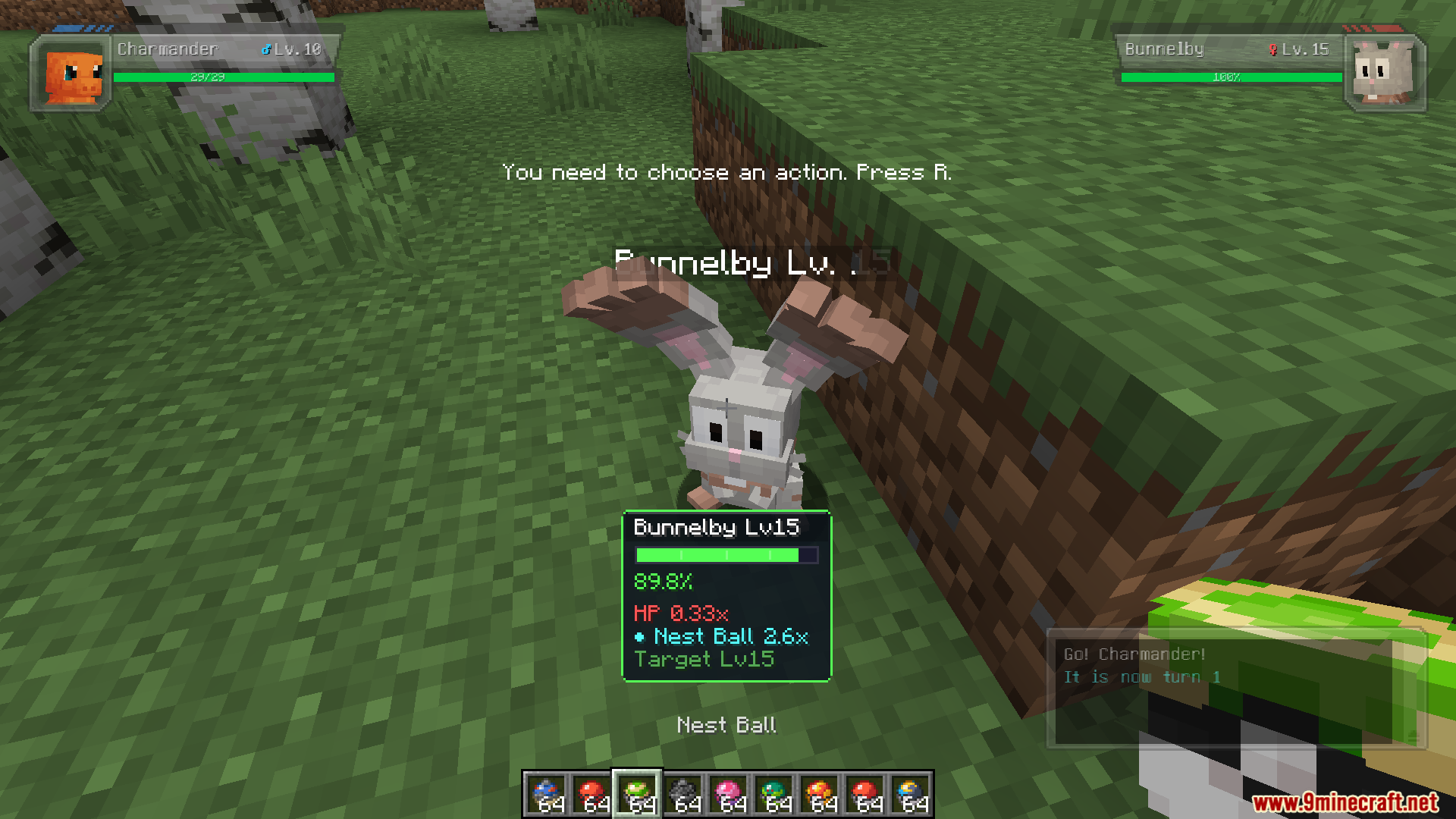
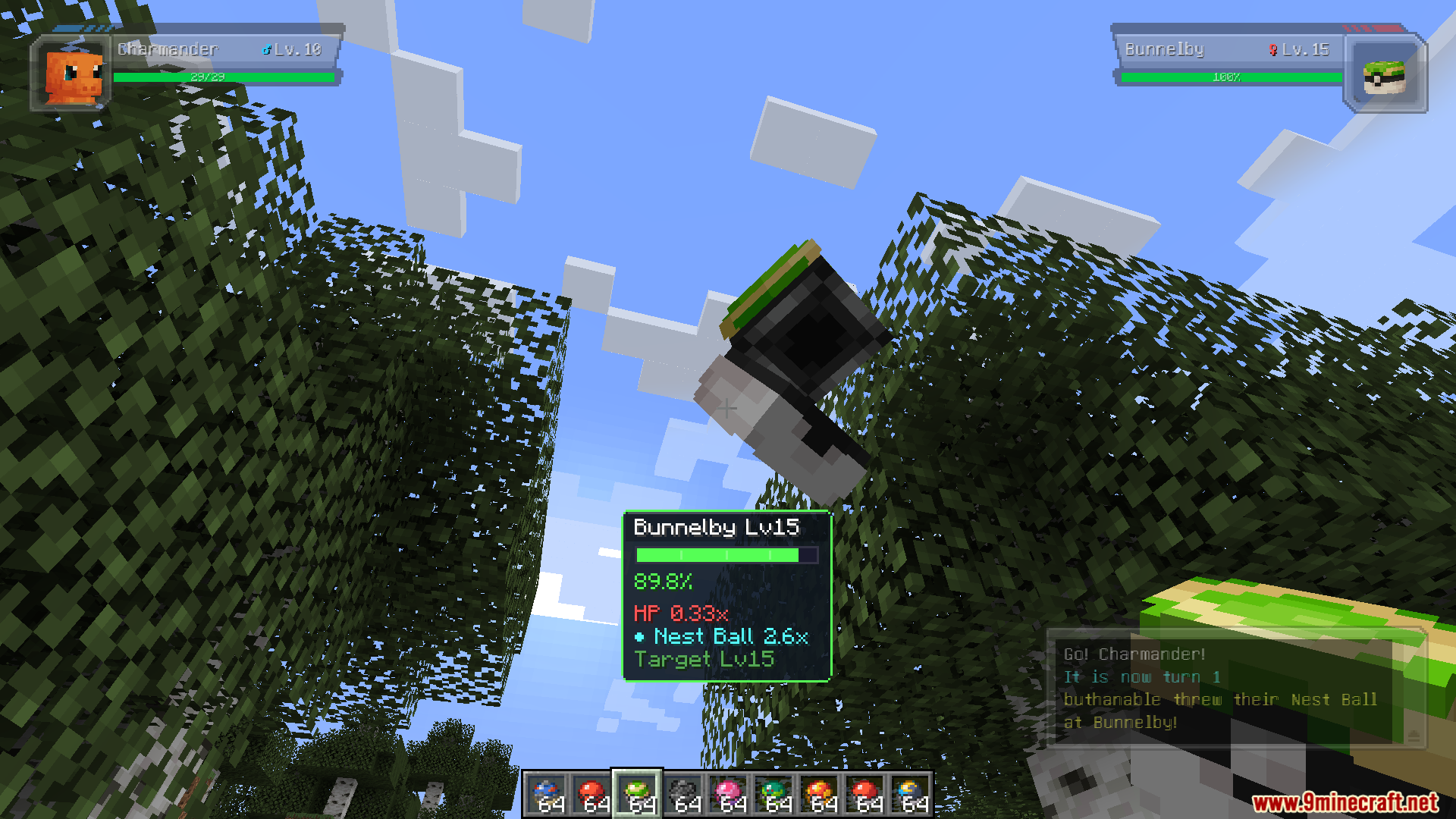
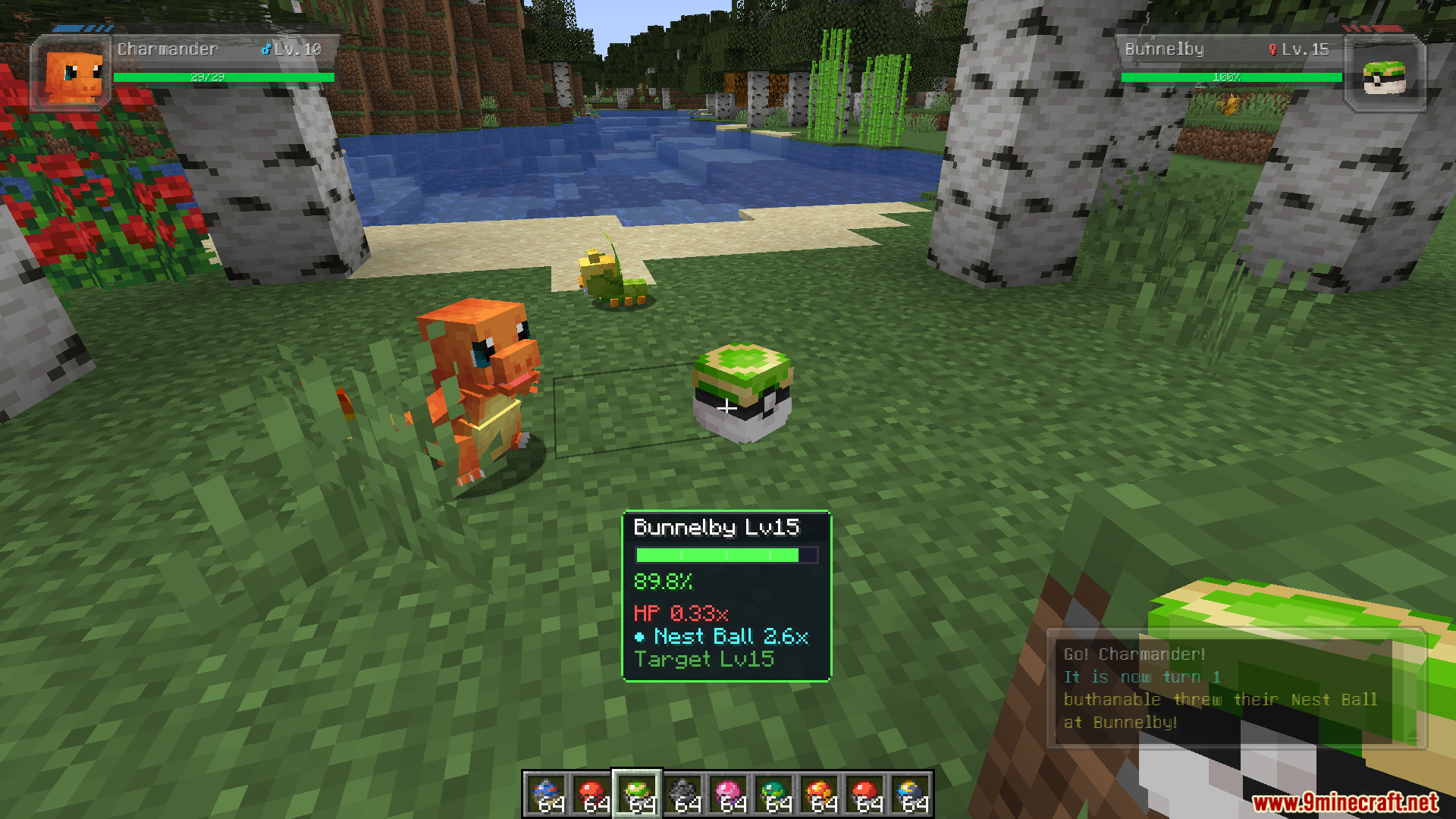
- Shows the exact catch chance Cobblemon uses before you throw a Poké Ball in battle.
- Calculates live odds based on the target’s current HP, status, turn count, and the Poké Ball in your hand.
- Displays special ball rules so you can see what affects Heavy Balls, Timer Balls, Net Balls, and other special balls.
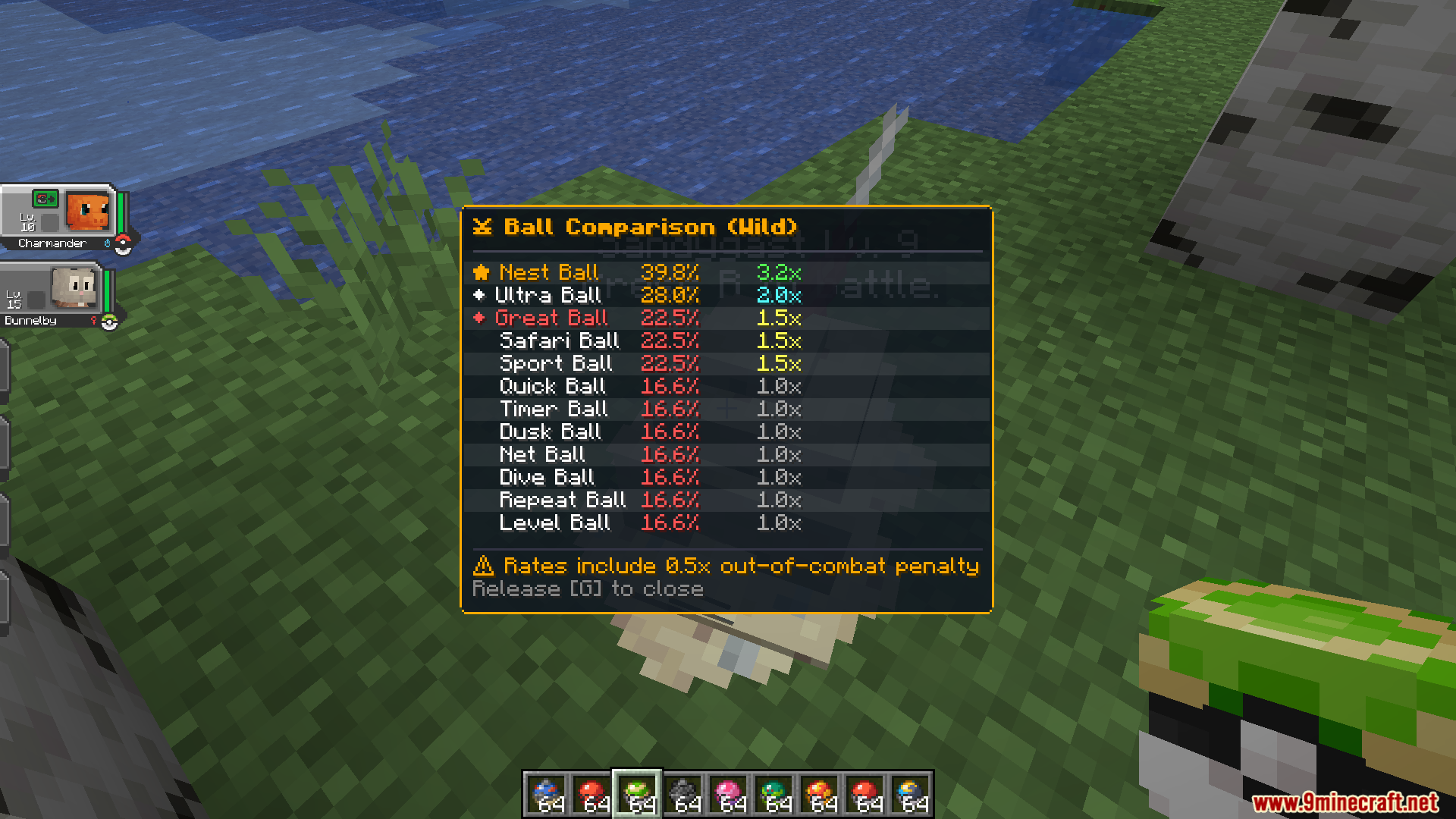
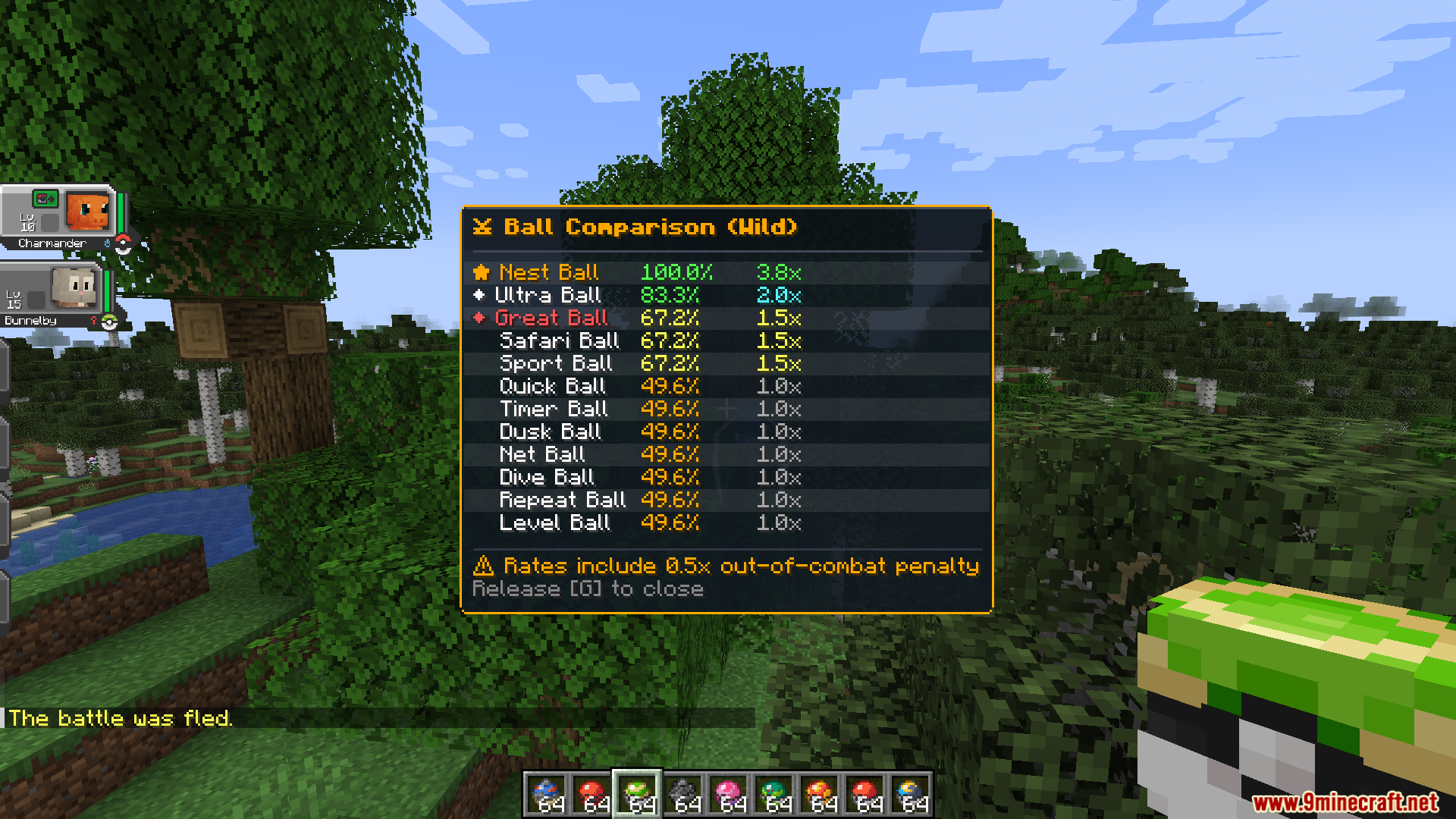
- Compares Poké Balls against the Pokémon you are fighting when you hold G, placing the strongest options at the top.
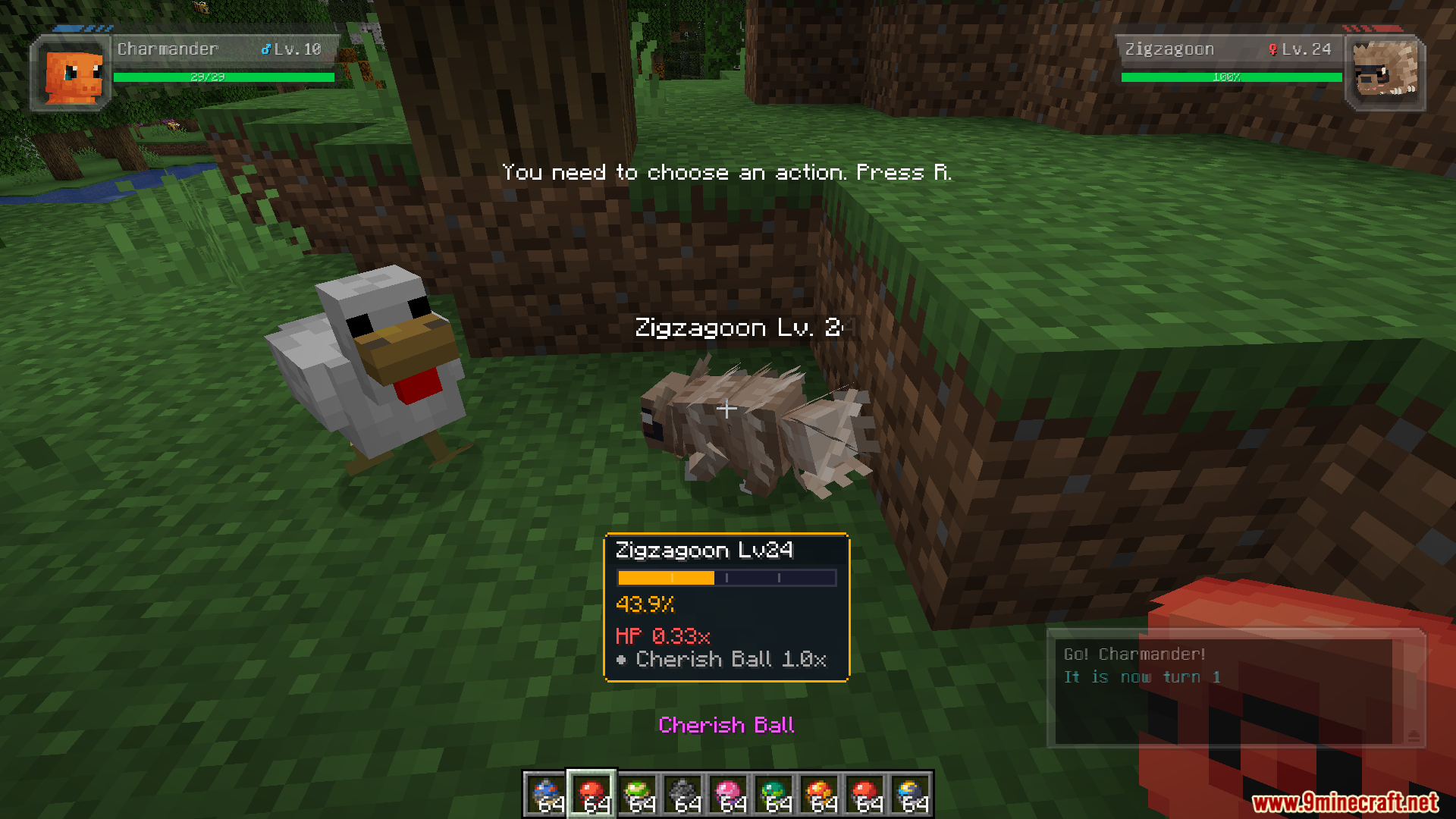
- Checks catch rates outside battle when you point at a wild Pokémon while holding a Poké Ball.
- Hides the HUD whenever you press K.
- You can move the HUD around the screen and change its colors in
config/catchrate-display.json. - Includes built-in translations for 28 languages.
- Runs on the client side using data Cobblemon already syncs, so servers do not need to install anything.
- Supports custom Poké Balls and catch-rate boosts through a built-in compatibility API.
How to Use:
- Hold any Poké Ball in your hand during a Cobblemon battle to bring up the catch rate HUD on your screen.
- Check the HUD to view your live catch chance along with the target’s HP, status, turn count, and special ball rules.
- Hold G during battle to compare Poké Balls and see the strongest options ranked at the top.
- Outside battle, hold a Poké Ball and point at a wild Pokémon to display its catch rate on screen.
- Press K whenever you want to hide the HUD.
- Open
config/catchrate-display.jsonto move the HUD to a new spot on your screen or change its colors.
Screenshots:
How to Install:
New to Minecraft? Follow our step-by-step guide to install Mods on your PC.View Guide
Requirements:



Cobblemon Catch Rate Display Mod Download Links
For Minecraft 1.21.1, 1.21
Fabric version: Download from Server 1 – Download from Server 2
NeoForge version: Download from Server 1 – Download from Server 2

1 Comment
 What do you think?
Your opinion means a lot - we'd love to hear from you.
You May Also Like
Picked for this page
 Mindful Darkness Mod (26.3, 1.20.1) – Turning Minecraft into Dark Mode
 Vanilla Cookbook Mod (1.21.1, 1.20.1) – A Bunch Of New Food Is Added
 Neko UI Mod (1.21.11, 1.20.1) – Say Goodbye to Boring Game Menus
 Server MainMenu Lib Mod (1.21.11, 1.20.1) – Custom Main Menu For Servers
 Dynamic Electricity Mod (1.21.1, 1.20.1) – Stop Building Two Power Grids
 Omni Evo Aliens Mod (1.20.1) – Morph Into Aliens To Smash Mobs And Fly
 Sort It Out Mod (26.3, 1.20.1) – Flexible Inventory Sorting
 End Ores Mod (1.21.5, 1.20.1) – Expanded Dimension Mining
 Horror Messages Mod (1.21.8, 1.20.1) – Random Horror Messages
 Tensura Compat Ftb Mod (1.21.1, 1.21) – Protect Claimed Land From Anime Magic Spells
 LopyMine’s Inventory Interactions Mod (1.21.11, 1.20.1) – Items Swing on Cursor
 Multi Arrow Effects Mod (1.21.1, 1.20.1) – Multiple Effects on One Arrow
Most viewed in Mods over the last 7 days
 Ala Industrial Mod (26.3) – Run Electric Power Grids and Automated Factories
 PleasureCraft Mod (26.3, 1.21.1) – Jenny Mod Remake for Fabric
 Jennycraft Mod (26.3, 1.20.1) – Virtual Girlfriend in Minecraft
 Fapcraft Mod (26.3, 1.12.2) – Comprehensive and Detailed Content
 Jenny Mod (Fapcraft) Official Complete Guide – How to use, Tutorial
 BangCraft Mod (1.20.1) – Jenny, Ellie and Elliot
 Fabric Loader (26.3, 1.20.1) – Fabric Installer for All Minecraft Versions
 The Shooting Star Demo Mod (26.3, 1.20.1) – Vaporize Terrain From Orbit
 Meteor Client Mod (26.3, 1.20.1) – Xray, HUD, Fly
 OptiFine HD (26.3, 1.20.1) – Run Faster, FPS Boost, Shaders Support
 Aristois Client Mod (1.21.4, 1.20.1) – World Class Minecraft Utility
 Prestige Client Mod (1.21.11, 1.21.4) – Powerful Ghost Features for Crystal & Sword PvP
More from Mods
 Enhanced Overlay Mod (26.3, 1.21.11) – Remove Screen Clutter
 Flint Mod (1.21.11) – Run DiamondFire Community Addons Without Crashing
 Not Just Sandwich Mod (26.3, 1.20.1) – Edibles, Sandwiches
 Waddles Mod (26.3, 1.20.1) – Make Icy Biomes Feel Alive
 Artemis’ Thin Logs Mod (26.3, 1.20.1) – Build Custom Trees and Detailed Wood
 Asterion Mod (26.3, 1.20.1) – Survive Ancient Mazes and Slay the Legendary Minotaur
 Passthrough Signs Mod (26.3, 1.20.1) – Right-Click Through Wall Signs
 Packing Tape Mod (26.3, 1.20.1) – Move Chests, Machines
 No XP Anvils Mod (26.3, 1.20.1) – Repair And Enchant Without XP
 Naruto Shippuden Mod (26.3, 1.16.5) – Immerse Yourself in The World of Ninja
 Araxer’s Bestiary Mod (26.3, 1.20.1) – Build an In-Game Encyclopedia of Every Mob
 Villagers Plus Mod (26.3, 1.20.1) – Expanded Villager Types and Villages

help you