
CompatLink – Epic Fight Weapons Compat Mod (1.21.1, 1.20.1)
 5
 0

CompatLink – Epic Fight Weapons Compat Mod extends Epic Fight with custom JSON mappings for modded weapons. Out of the box, that combat system only recognizes vanilla gear. This mod connects claymores to greatsword swings, katanas to uchigatana draws, and modded spears to proper thrust attacks without any coding. It also fixes broken modded armor textures in battle mode so every piece of gear renders clearly during fights.

Features:
- Custom Weapon Movesets: Connects any item or modded weapon to built-in weapon types like sword, greatsword, longsword, uchigatana, tachi, spear, dagger, axe, and bow.
- Addon Moveset Sharing: Borrows weapon presets and attack animations registered by other combat addon mods so any item in your modpack can use them.
- Battle Mode Armor Fix: Repairs garbled or invisible 64×64 modded armor textures in battle mode by generating a corrected vanilla-shaped mesh automatically.
- Automatic Swing Trails: Gives mapped weapons matching swing trails right away, with JSON options to customize trail colors and particles or turn them off per weapon.
- Maps all items from a mod in one line with wildcards like
somemod:*while letting exact item IDs or higher priority rules override single weapons. - Skips non-armor items and armor that already renders properly when using wildcards, though mods that already have dedicated 3D armor compat mods should not be listed in the armor fix.
- Gives modded mobs combat AI and attack animations when mapped to a preset that shares the exact same model family and texture layout.
- Ignores mistyped or broken mapping files and writes the reason to the log so a bad JSON file never crashes the game.
- Loads safely even if the main combat mod is missing, waiting until it is installed to apply your mappings.
- Reads mapping files from both the config folder and datapacks placed at
data/<your_namespace>/compatlink/mappings/*.json.
Commands:
/reload: applies new or edited weapon and mob JSON mappings while the game is running.
Configuration:
config/compatlink/mappings/: stores your custom JSON mapping files and creates an example file on first launch.config/compatlink/settings.json: turns off automatic swing trails globally when you set"auto_trails": false.
Example weapon mapping file (mymappings.json):
{
  "format": 1,
  "backend": "epicfight",
  "weapons": [
    { "target": "simplyswords:iron_claymore", "preset": "epicfight:greatsword" },
    { "target": "cataclysm:the_incinerator",  "preset": "epicfight:greatsword" },
    { "target": "somemod:*_katana",           "preset": "epicfight:uchigatana" }
  ]
}
Example battle mode armor fix:
{
  "format": 1,
  "backend": "epicfight",
  "armors": [
    { "target": "somemod:*" }
  ]
}
How to Use:
- Start Minecraft once so the mod creates the
config/compatlink/mappings/folder with an example file. - Create a JSON file such as
mymappings.jsoninside that folder and enter your target weapon or armor IDs. - Run
/reloadin chat or restart the game to apply weapon movesets. - Press F3+T or relaunch the game to reload resources after adding a battle mode armor fix.
- Install the mod and place the exact same JSON mapping files on both the client and server when playing on a dedicated server.
How to Install:
New to Minecraft? Follow our step-by-step guide to install Mods on your PC.View Guide

CompatLink Download Links
For Minecraft 1.21.1, 1.21
For Minecraft 1.20.1, 1.20
Click to rate this post!
[Total: 0 Average: 0]
You May Also Like
Picked for this page
 Craftable Smithing Templates Mod (26.3, 1.20.1) – New Recipes For Smithing Templates
 Ragdolls Mod (26.2, 1.21.11) – Send Defeated Mobs Tumbling to the Ground
 Epic Fight Skill TacZ Mod (1.20.1, 1.20) – Ammo Control, Mobility And Precision Skills
 TFC Electrical Appliances Mod (1.20.1, 1.20) – Never Let Your Food Spoil
 Simply Swords EpicFied 2 Mod (1.20.1, 1.20) – Weapon Progression And Combat Styles
 Infinity Item Editor Re Mod (26.3, 1.20.1) – Create Custom Items Without Chat
 TKVM Weapons Mod (1.20.1) – Turn Nether Stars Into Powerful Medieval Weapons
 Proyect Berserk Mod (1.20.1) – Wield Heavy Swords Against Massive Manga Bosses
 F Sang Tweaks Mod (1.20.1) – Stack Hero Powers and Safely Capture Wild Symbiotes
 Casual Tinkering Mod (1.20.1) – Tear Through Forests and Enemy Hordes
 Spell Craft Magic World by Kadirmert0035 Mod (26.2, 1.20.1)
 Amphibian Fallen Empire Mod (1.21.1) – Trade and Battle in Ancient Axolotl Ruins
Most viewed in Mods over the last 7 days
 Ala Industrial Mod (26.3) – Run Electric Power Grids and Automated Factories
 PleasureCraft Mod (26.3, 1.21.1) – Jenny Mod Remake for Fabric
 Jennycraft Mod (26.3, 1.20.1) – Virtual Girlfriend in Minecraft
 Fapcraft Mod (26.3, 1.12.2) – Comprehensive and Detailed Content
 Meteor Client Mod (26.3, 1.20.1) – Xray, HUD, Fly
 Jenny Mod (Fapcraft) Official Complete Guide – How to use, Tutorial
 Let it Walk Mod (1.21.1) – Pilot Spider Tanks and Mechs Built From Your Blocks
 BangCraft Mod (1.20.1) – Jenny, Ellie and Elliot
 OptiFine HD (26.3, 1.20.1) – Run Faster, FPS Boost, Shaders Support
 Fabric Loader (26.3, 1.20.1) – Fabric Installer for All Minecraft Versions
 SchnurriTV Mod (1.12.2) – Characters and Features
 CatLean Client Mod (26.2, 1.21.11) – ThunderHack Recode Alternatives
More from Mods
 TotemCounterV2 Mod (1.21.11, 1.21.1) – Track Enemy Totem Pops Live
 Vanilib Mod (26.3, 1.21.1) – Run Choculaterie Mods Smoothly Without Launch
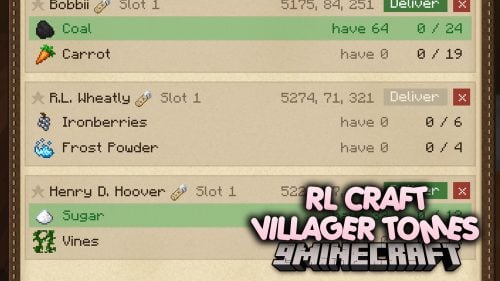 RL Craft Villager Tomes Mod (1.12.2) – Turn Found Enchanted Books
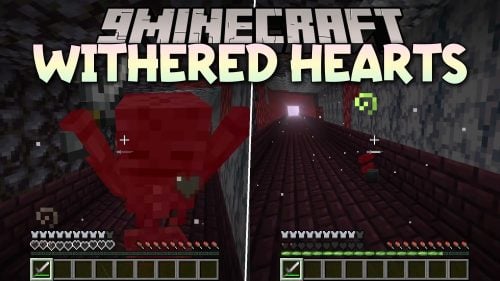 Withered Hearts Mod (26.3, 1.21.1) – Read Your Exact Health Clearly
 Version Tooltips Mod (26.3, 1.20.1) – See Which Update Added Every Item
 Quivers Upgradeable & Dyeable Mod (26.3, 26.1.2) – Carry and Swap All
 Afterburner Mod (26.3, 1.21.1) – Play with Higher FPS and Zero Lag
 Combat Display Mod (26.3, 1.20.1) – Track Live Kill Streaks and Combos
 Screencapper Mod (26.3, 1.20.1) – Better Screenshot Interactions
 Nether Villager Merchant Mod (26.3, 1.20.1) – Trading In The Nether
 Da Bomb Mod (26.3, 1.20.1) – Explosives With Purpose
 WTHIT Mod (26.3, 1.20.1) – Identify Every Block You See Instantly

This post has no comments yet. Be the first — your comment will appear here.