
Completionist’s Index Mod (26.3, 1.20.1) – Collect and Catalog Every Item

 0


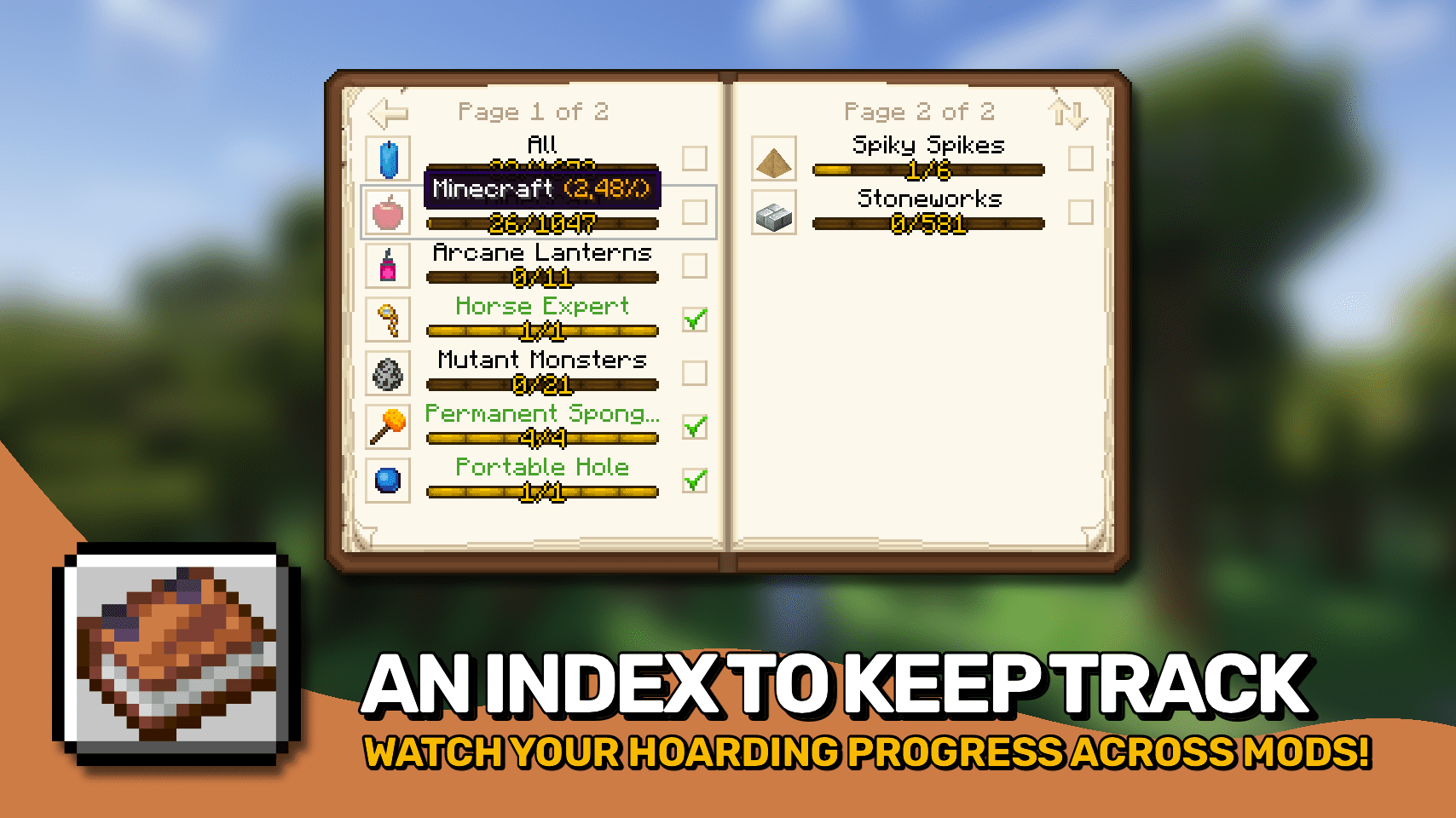
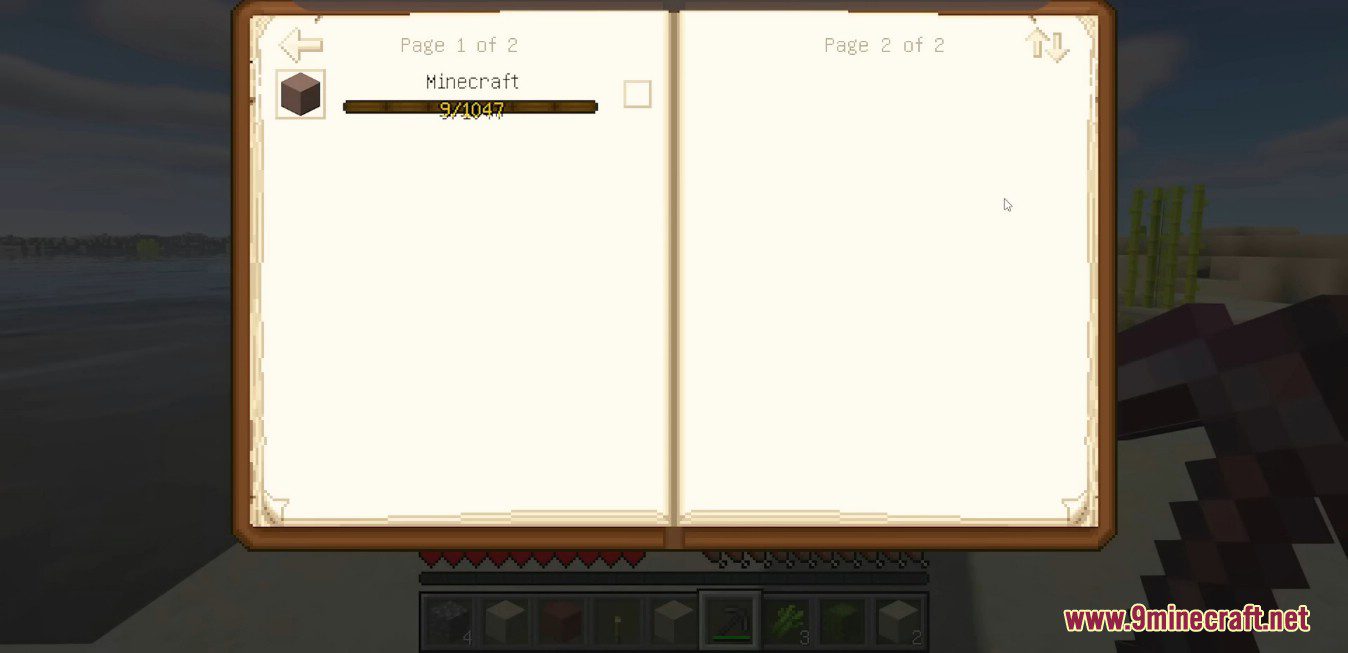
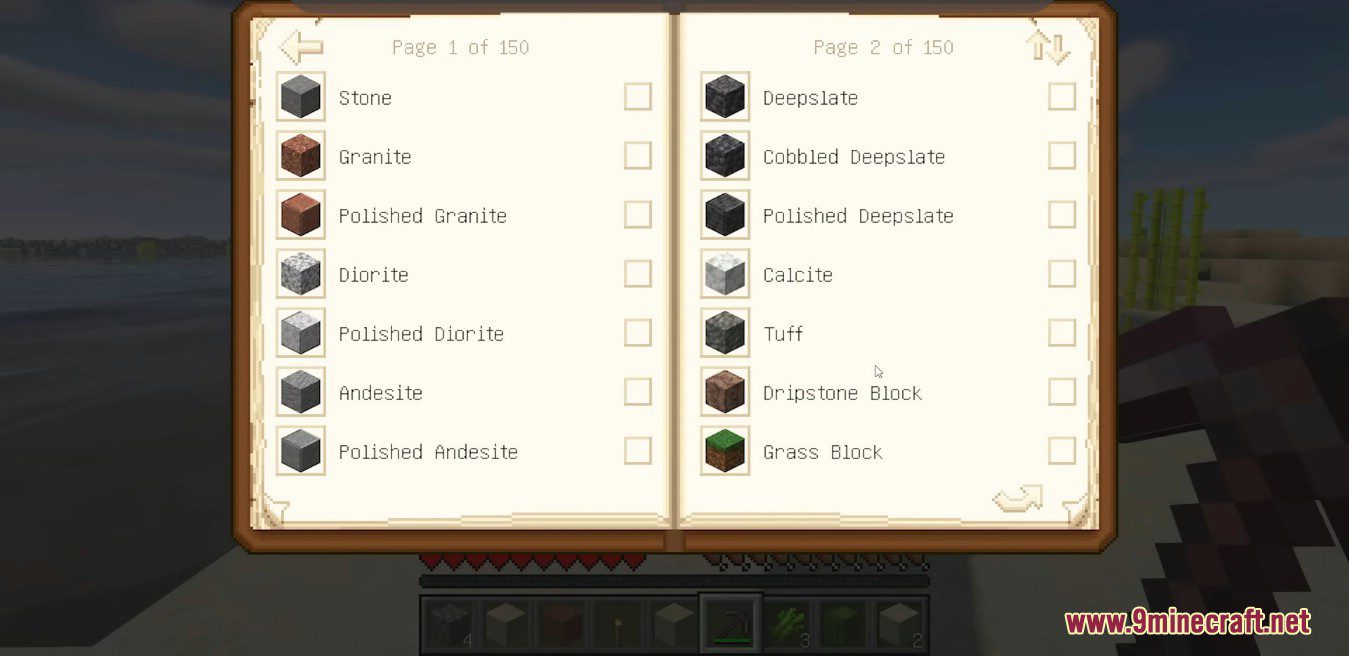
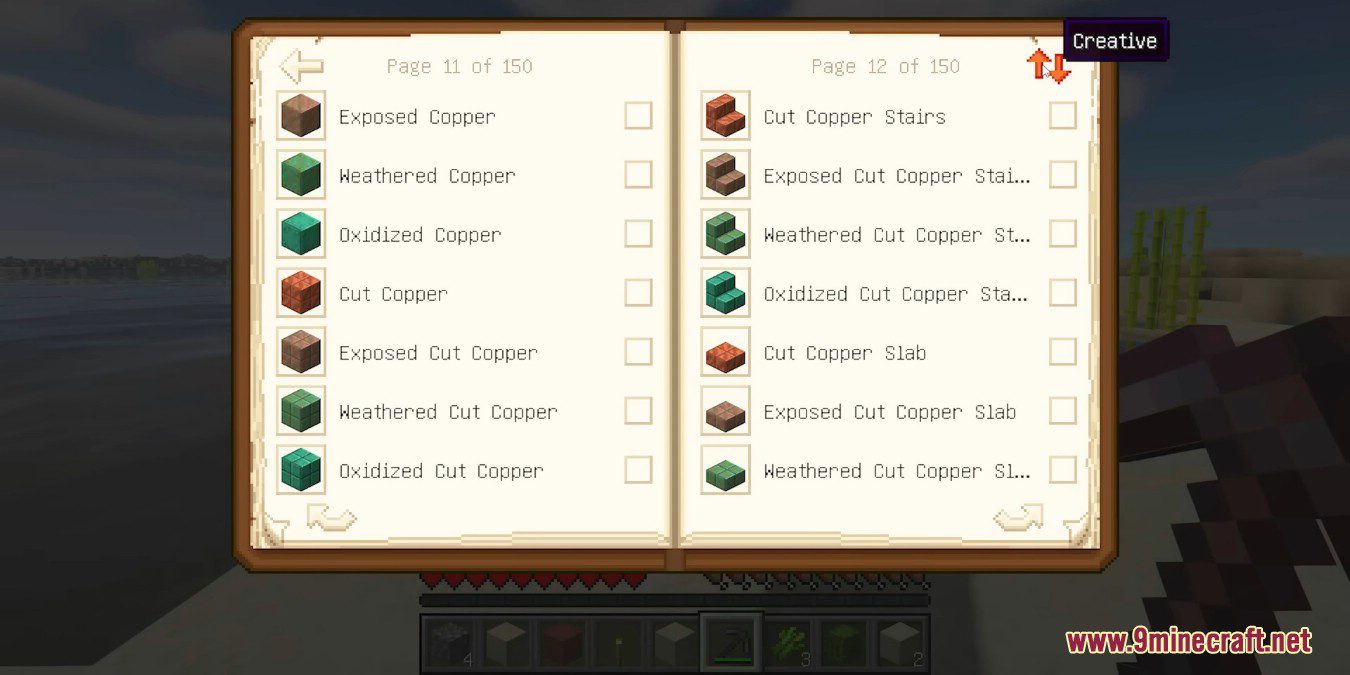
Completionist’s Index Mod adds a client-side checklist for every block and item you collect in your world. It gives you a clear way to track your progress as you gather all items in the game. The menu sorts items by mod and creative mode tab, with progress bars and a search bar to help you find things fast. This mod runs on the client side, opens from your inventory or pause screen, and lets you move the menu button or blacklist items in the config.

Features:
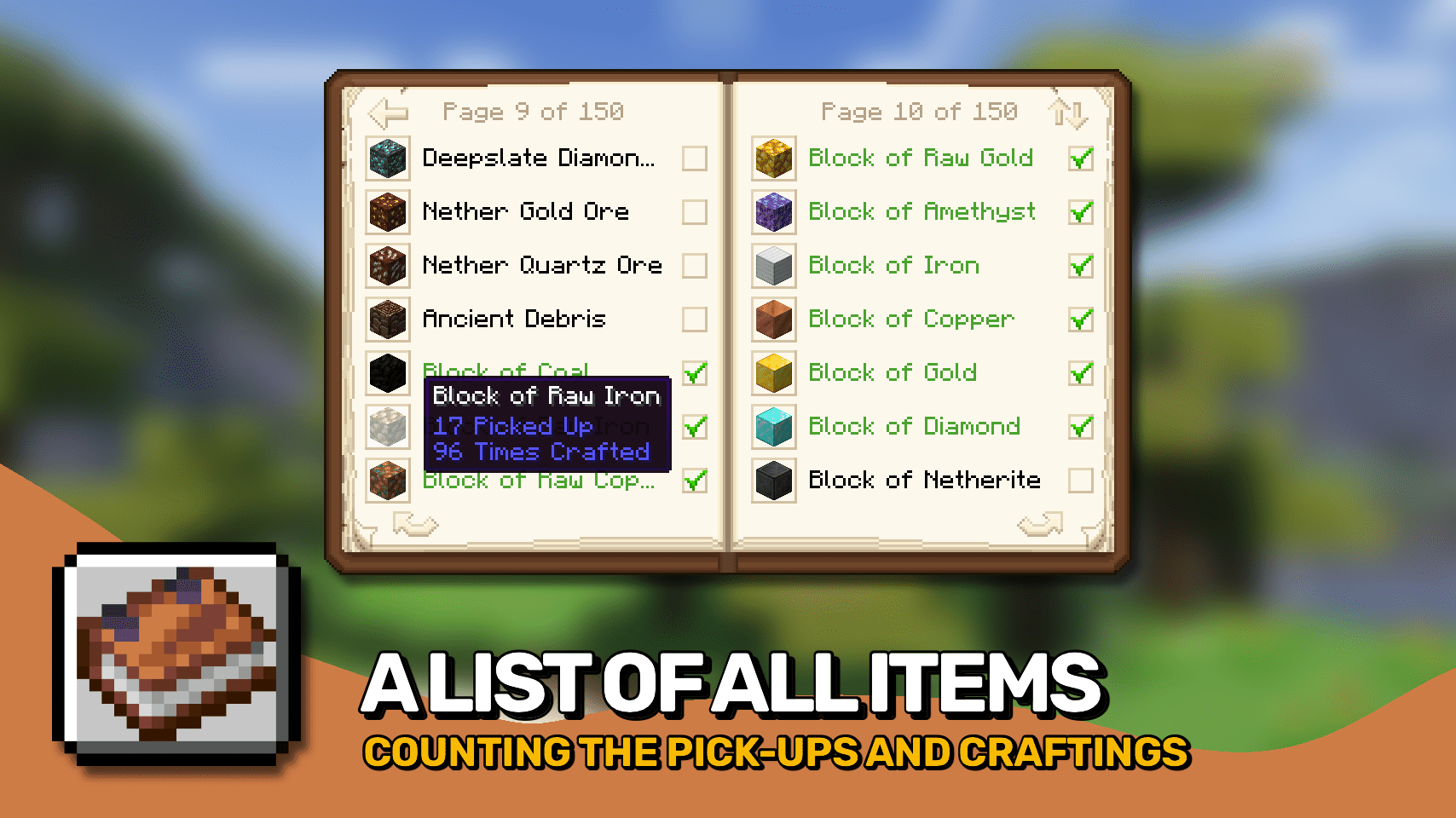
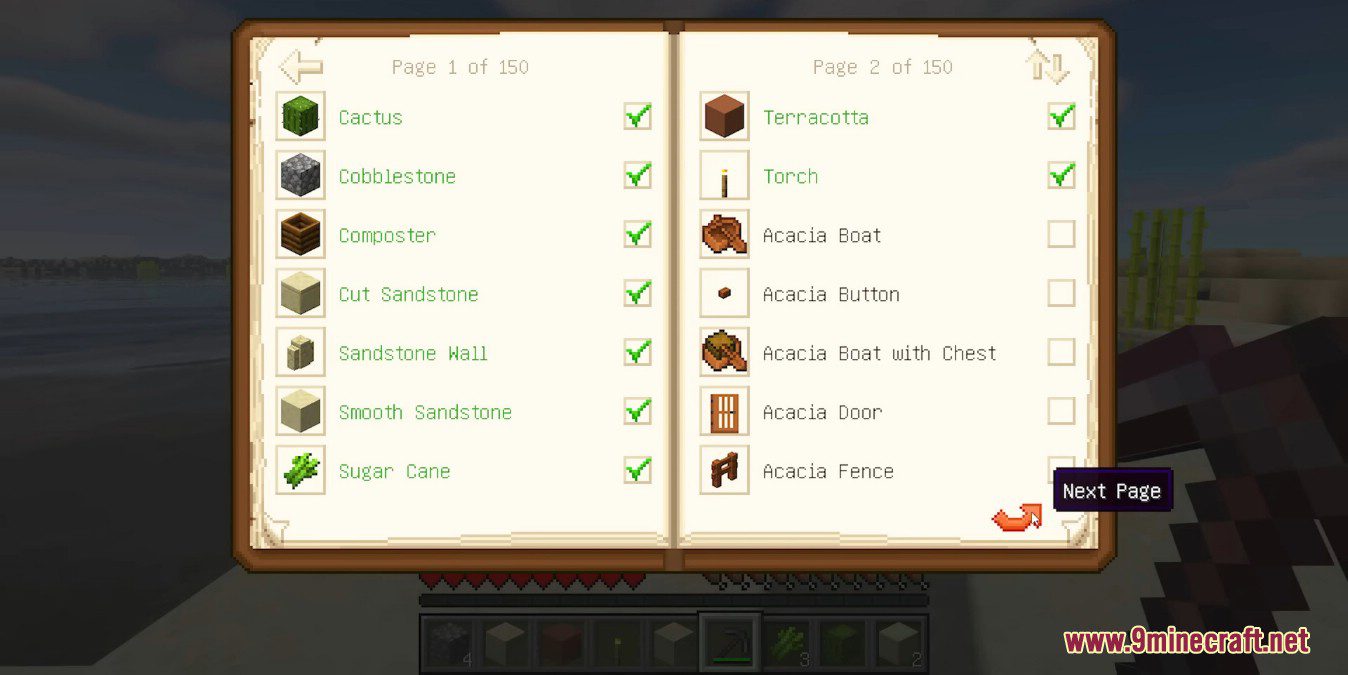
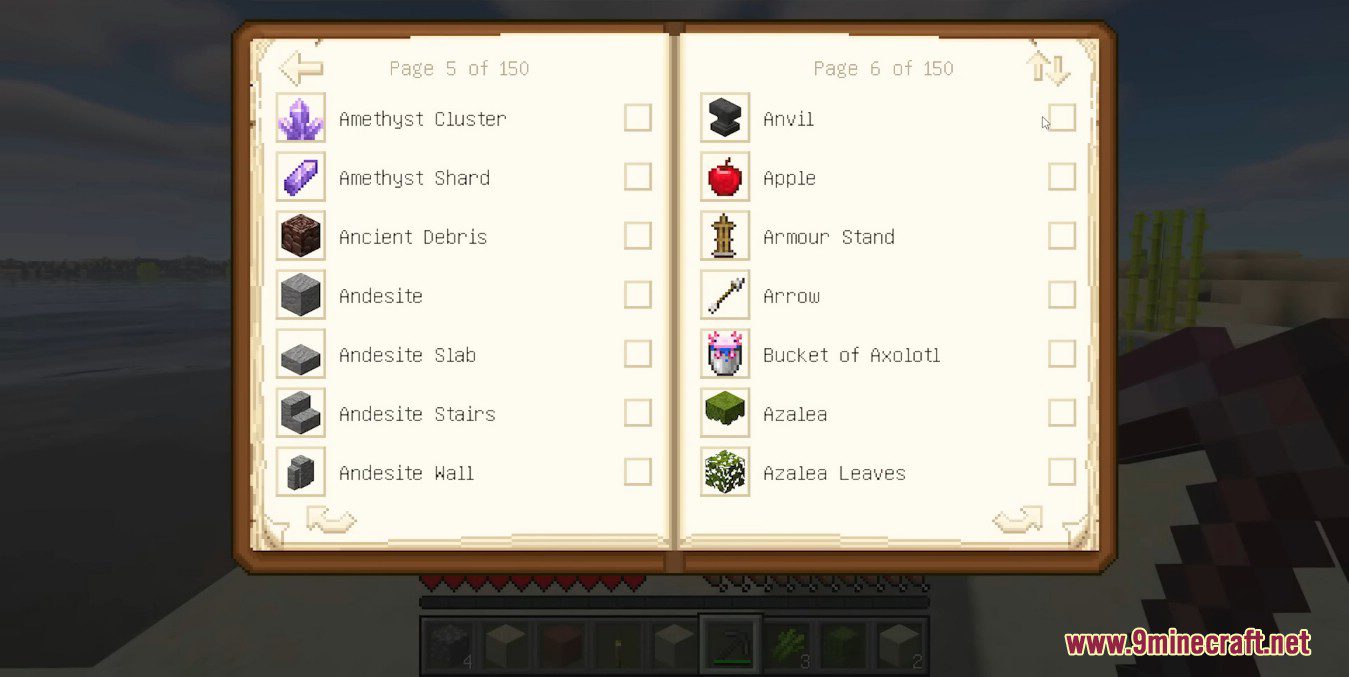
- Client-Side Book Checklist: Adds a book menu that tracks every block and item you pick up in your world, marking collected entries with green checkmarks and showing checkboxes for items you still need.
- Mod Sorting and Progress Bars: Sorts all items by installed mod and groups them by creative mode tab, with progress bars that show both your overall total and your progress in each category.
- Built-In Search Bar: Lets you search inside the book menu so you can find any specific block or item right away.
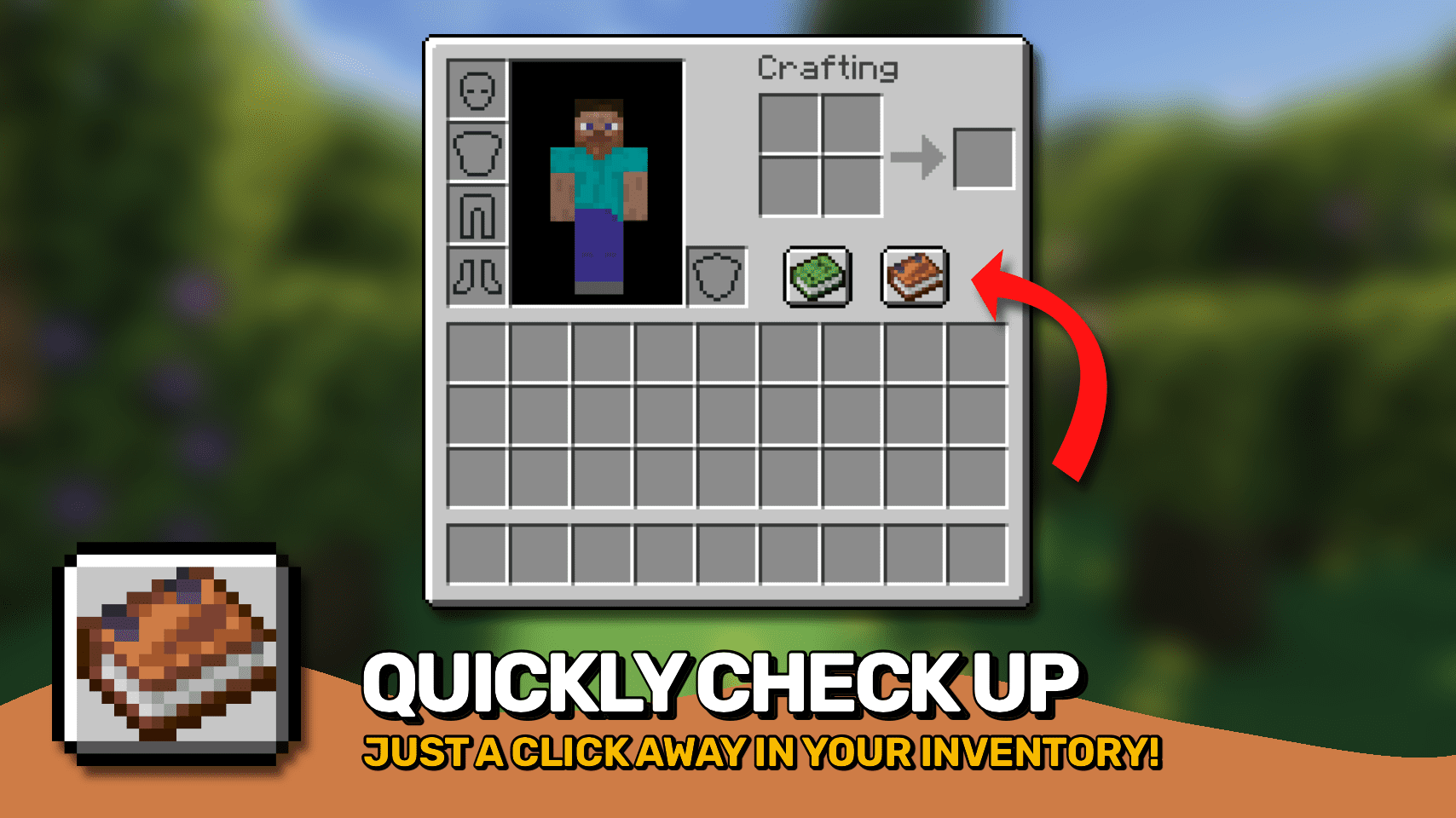
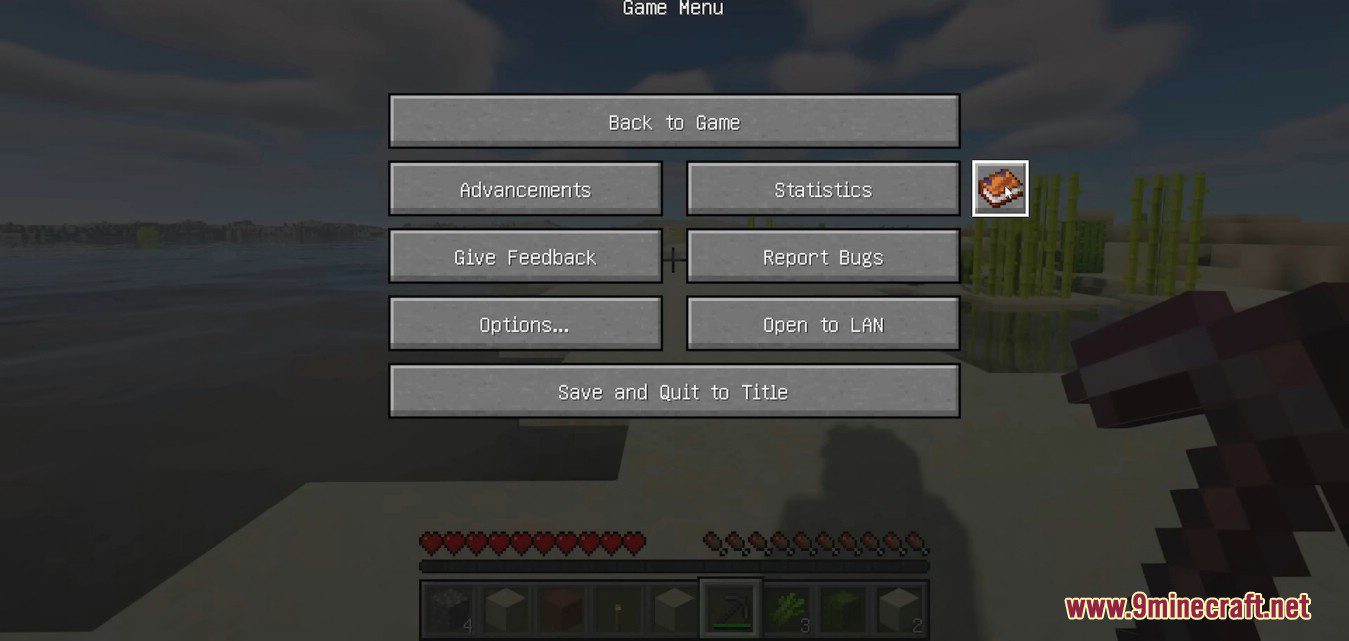
- You can open the checklist anytime from a brown book button in your inventory (next to the recipe book) or on the pause menu (next to the statistics button).
- Shows crafting and pickup stats for the blocks and items you collect on detailed book pages.
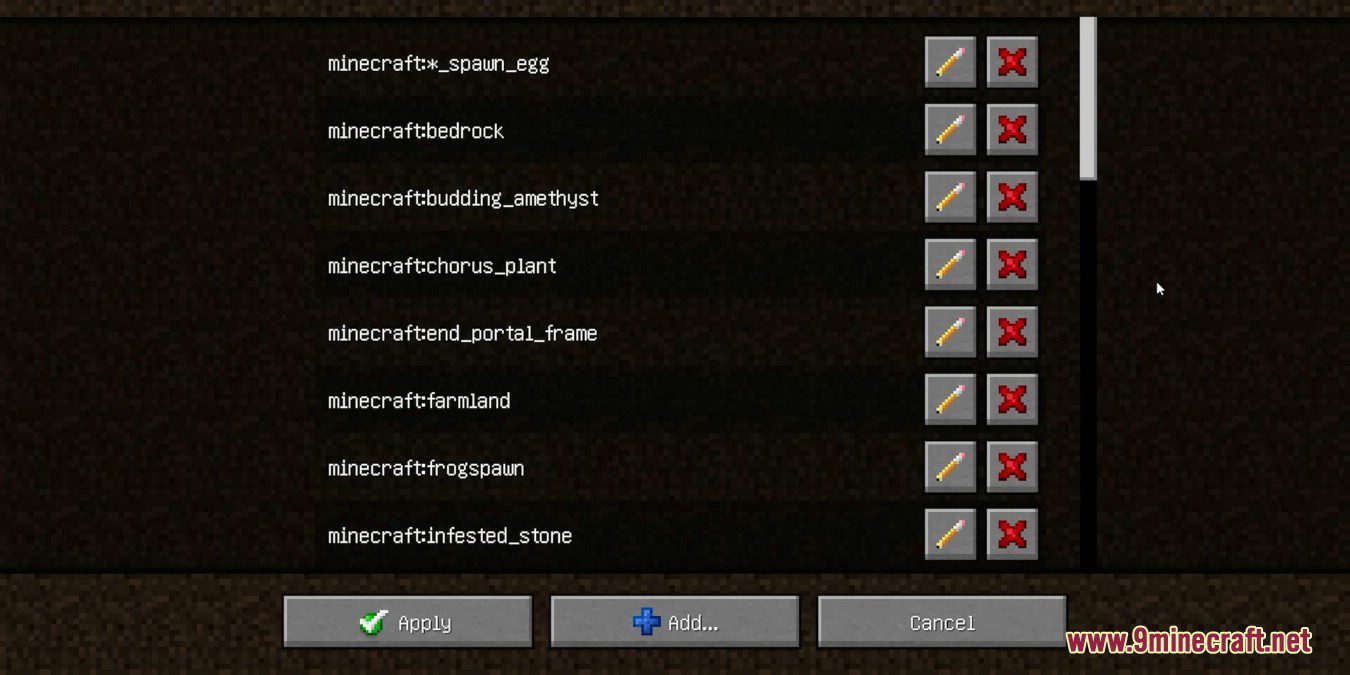
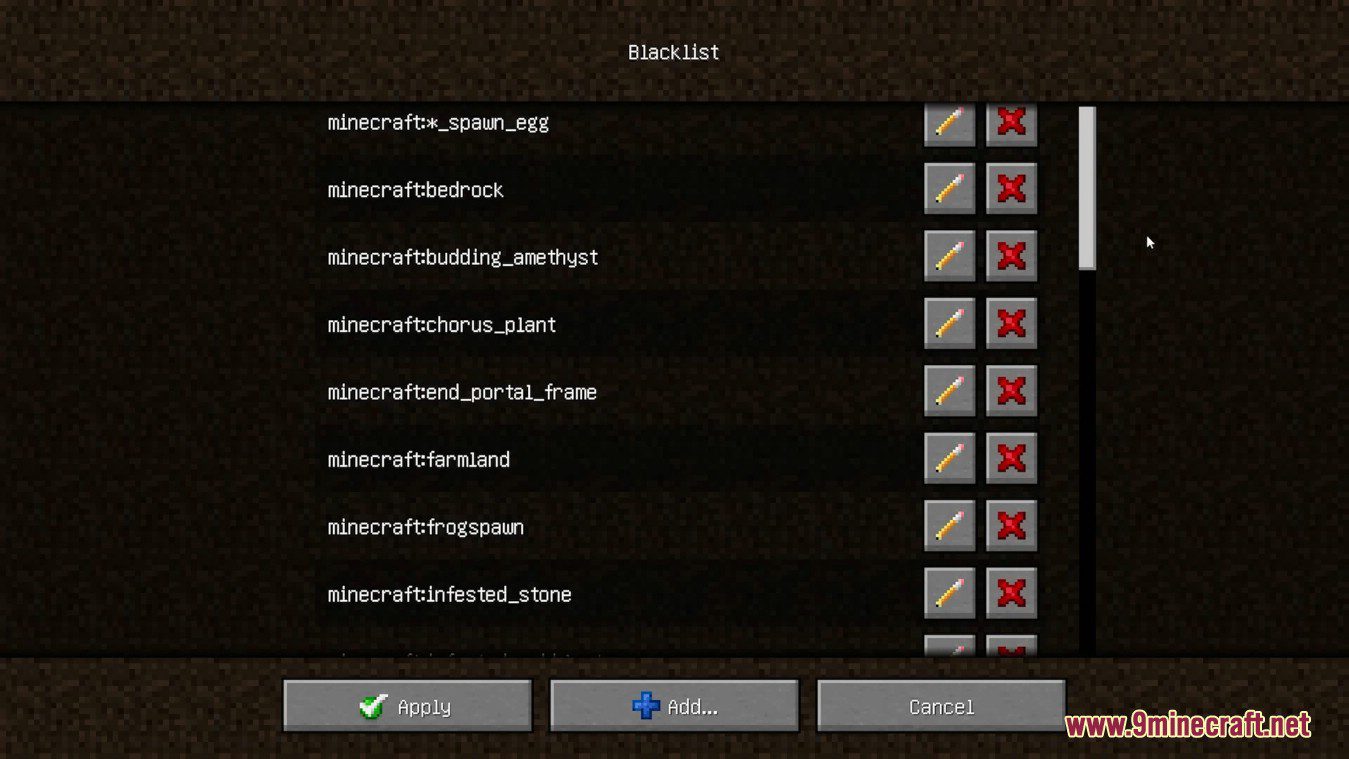
- Includes a config blacklist so you can hide unobtainable blocks and items like bedrock, portal frames, and spawn eggs from your list.
- Lets you move the menu button position and customize tracked items in the config settings, either from the in-game mod menu or through the config files in
.minecraft/config.
How to Use:
- Open your inventory or pause the game while playing in your world.
- Click the brown book button next to the recipe book in your inventory, or next to the statistics button on the pause menu, to open the checklist.
- Pick a mod or creative mode tab to view your progress bars, see green checkmarks on items you already own, and check crafting or pickup stats.
- Type a name into the search bar inside the book menu to quickly find a block or item and see if you still need to collect it.
- Open the config screen in-game (using Mod Menu on Fabric) or edit the config file in
.minecraft/configif you want to change the button position or add unobtainable items like bedrock and spawn eggs to the blacklist.
Screenshots:
How to Install:
New to Minecraft? Follow our step-by-step guide to install Mods on your PC.View Guide
Requirements:





Completionist's Index Mod Download Links
For Minecraft 26.3
For Minecraft 26.2
For Minecraft 26.1.2, 26.1.1, 26.1
For Minecraft 1.21.11
For Minecraft 1.21.10, 1.21.9
For Minecraft 1.21.8, 1.21.7, 1.21.6
For Minecraft 1.21.5
For Minecraft 1.21.4
For Minecraft 1.21.3, 1.21.2
For Minecraft 1.21.1, 1.21
For Minecraft 1.20.4
For Minecraft 1.20.1, 1.20
For Minecraft 1.19.4
For Minecraft 1.19.2
For Minecraft 1.18.2
Click to rate this post!
[Total: 0 Average: 0]
You May Also Like
Picked for this page
 Capes Mod (26.3, 1.20.1) – Wear any Cape You Wish In-Game
 Crystals Overhauled Mod (26.3, 1.20.1) – A Minecraft Mod Revolution
 Inventory Management Mod (26.3, 1.20.1) – Sorting, Transferring, Stacking
 Ctrl Q Mod (26.1, 1.20.1) – Take Control Of Your Inventory
 Friendly Endermite Mod (26.3, 1.20.1) – Friendermite Mod
 Ametrin API (26.3, 1.20.1) – Library for Ametrin Studios Mods
 MAtmos Ambient Sound Mod (26.3, 1.20.1) – Adjusts Sounds Based On The Environment
 Sprint Indicator Mod (26.3, 1.20.1) – Simple UI Element Showing
 Spell Checker Mod (26.2, 1.20.1) – Communicate Clearly
 Wither Cage Fix Mod (26.3, 1.20.1) – Fixes Wither Memory Bug
 All HUD Bars Mod (1.21.11, 1.20.1) – Makes HUD Elements In Bar Form
 Experience Progress Mod (26.3, 1.20.1) – Track XP Progress Easily
Most viewed in Mods over the last 7 days
 Ala Industrial Mod (26.3) – Run Electric Power Grids and Automated Factories
 PleasureCraft Mod (26.3, 1.21.1) – Jenny Mod Remake for Fabric
 Jennycraft Mod (26.3, 1.20.1) – Virtual Girlfriend in Minecraft
 Fapcraft Mod (26.3, 1.12.2) – Comprehensive and Detailed Content
 Jenny Mod (Fapcraft) Official Complete Guide – How to use, Tutorial
 BangCraft Mod (1.20.1) – Jenny, Ellie and Elliot
 Fabric Loader (26.3, 1.20.1) – Fabric Installer for All Minecraft Versions
 The Shooting Star Demo Mod (26.3, 1.20.1) – Vaporize Terrain From Orbit
 Meteor Client Mod (26.3, 1.20.1) – Xray, HUD, Fly
 OptiFine HD (26.3, 1.20.1) – Run Faster, FPS Boost, Shaders Support
 Aristois Client Mod (1.21.4, 1.20.1) – World Class Minecraft Utility
 Prestige Client Mod (1.21.11, 1.21.4) – Powerful Ghost Features for Crystal & Sword PvP
More from Mods
 Create Hand Made Mod (1.21.1) – Craft Create Recipes By Hand in Your Workshop
 Seed Map for Xaero Mod (26.1) – See Rare Biomes and Dungeons Before You Travel
 MCPersist Mod (26.3) – Keep Your World Online for Friends Even After Logging Off
 Minecraft Java MCP Server Mod (1.21.11) – Command Your World Through External AI Tools
 Arcanism Mod (26.2) – Build Magic Factories and Program Custom Spells
 Archangel Client Mod (1.21.11) – Master Every PvP Duel with Clean Screen Stats
 Block Front Survival Patch Mod (1.21.1) – Wage Tactical Warfare in Survival
 Better Enchantment Bookshelf Placement Mod (26.2, 1.20.1)
 SimpleRPGCore Mod (1.21.4, 1.21.1) – Fight with Classic RPG Stats
 Bard RPG Series Plus by Fichte Mod (1.21.1, 1.20.1) – Buff Allies in Combat
 Fabric Gui ImGui Mod (26.3, 1.21.11) – Clean Custom Menus and In-Game Control
 Multi Item Lib Mod (1.20.1) – Wield Custom Gear with Flawless Hand Animations

This post has no comments yet. Be the first — your comment will appear here.