
CrankShaft Mod (26.3, 1.12.2) – Stop Lag From Crowded Mobs and Block Entities
 0
 0

CrankShaft Mod ports the Flywheel rendering engine and the Vanillin instancing toolset into a single library. This mod gives the game a unified way to draw mobs and block entities using GPU instancing on your graphics card. It also packs in Vanillate, a built-in option that brings this fast rendering method to vanilla objects. Vanillate stays off by default so your world renders like normal until you turn it on.

Features:
- GPU Instancing Engine: Uses your graphics card to draw repeated mobs and block entities on one unified rendering path.
- Bundled Vanillate Mode: Includes instanced rendering for vanilla mobs and block entities right inside the main mod file.
- Keeps vanilla instancing turned off at first so nothing changes in your game until you opt in.
- Lets you turn instanced rendering on or off for single mobs and block entities one at a time.
- Handles custom instance formats and custom shaders to process rendering data smoothly.
- Uses a custom shader loading and templating system to manage CPU and GPU tasks behind the scenes.
Configuration:
"enabled": true: turns on Vanillate instanced rendering inconfig/vanillin.jsonwhen running on Fabric.enabled = true: turns on Vanillate instanced rendering inconfig/vanillin-client.tomlwhen running on NeoForge.
How to Use:
- Open
config/vanillin.jsonon Fabric orconfig/vanillin-client.tomlon NeoForge. - Set
"enabled": trueon Fabric orenabled = trueon NeoForge to opt in and turn on Vanillate. - Switch individual mobs and block entities on or off per entry inside the same file.
How to Install:
New to Minecraft? Follow our step-by-step guide to install Mods on your PC.View Guide



CrankShaft Mod Download Links
For Minecraft 26.3
For Minecraft 26.2
For Minecraft 1.12.2
Click to rate this post!
[Total: 0 Average: 0]
You May Also Like
Picked for this page
 Building Wands Mod (26.2, 1.20.1) – Place Blocks Faster Than Ever
 XyCraft World Mod (26.1.2, 1.20.1) – Uncover Glowing Ores Underground
 More Banner Features Mod (26.3, 1.20.1) – Banners as Capes, Hats
 Skin Overrides Mod (26.3, 1.20.1) – Instantly Change Skins and Capes on Screen
 The Box Trot Mod (1.21.1, 1.20.1) – Disguising yourself
 Reaping Mod (26.2, 1.21.1) – Easy Way to Harvest Animals
 Decorative Computers Mod (26.2, 1.20.1) – Add Stylish Computers To Your Minecraft World
 Wood Plus Mod (26.3, 1.20.1) – Wood Variations For Wooden Items
 Snow Under Trees Mod (26.3, 1.20.1) – Realistic Snow Interaction
 Cull Particles MultiLoader Mod (1.21.5, 1.21.1) – Go Wild with TNT and Potions
 Functional Storage Downgrade Fix Mod (1.20.1) – Stop Storage Drawers
 World of Silence Mod (26.3, 26.1.2) – Survive a Dark Sculk Realm
Most viewed in Mods over the last 7 days
 Ala Industrial Mod (26.3) – Run Electric Power Grids and Automated Factories
 PleasureCraft Mod (26.3, 1.21.1) – Jenny Mod Remake for Fabric
 Jennycraft Mod (26.3, 1.20.1) – Virtual Girlfriend in Minecraft
 Fapcraft Mod (26.3, 1.12.2) – Comprehensive and Detailed Content
 Meteor Client Mod (26.3, 1.20.1) – Xray, HUD, Fly
 Jenny Mod (Fapcraft) Official Complete Guide – How to use, Tutorial
 Let it Walk Mod (1.21.1) – Pilot Spider Tanks and Mechs Built From Your Blocks
 BangCraft Mod (1.20.1) – Jenny, Ellie and Elliot
 OptiFine HD (26.3, 1.20.1) – Run Faster, FPS Boost, Shaders Support
 Fabric Loader (26.3, 1.20.1) – Fabric Installer for All Minecraft Versions
 SchnurriTV Mod (1.12.2) – Characters and Features
 CatLean Client Mod (26.2, 1.21.11) – ThunderHack Recode Alternatives
More from Mods
 FPS UP Rainbow Mod (26.3, 1.20.1) – Brag About Fake High Frames
 Pet Recall Whistle & Teleport Mod (26.3, 1.20.1) – Never Lose Your Tamed
 New Better Dropped Items Mod (26.1.2, 1.21.1) – Spot Ground Loot Clearly
 Hit Marker Enhanced Mod (26.3, 1.21.1) – See and Hear Every Ranged Shot You Land
 Scrapeable Signs Mod (26.3) – Remove Wax with an Axe to Edit Sign Text Anytime
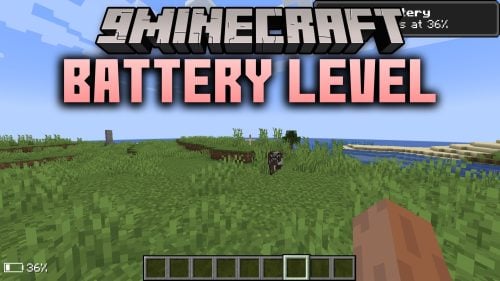 Battery Level Mod (26.3, 1.21.11) – Never Lose Progress From a Sudden Laptop
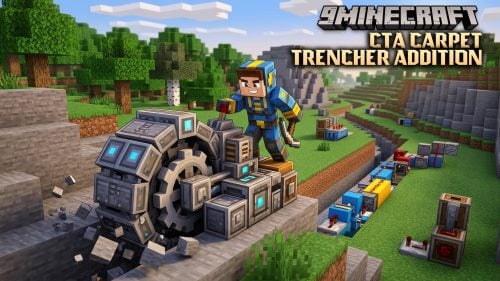 CTA Carpet Trencher Addition Mod (26.3, 1.21.1) – Run Massive TNT Diggers
 Moonhex Tiers Tiertagger Mod (26.3, 1.20.1) – See Opponent Skill Tiers
 Fophand A.k.a. Foxhand Mod (1.21.1) – Carry a Pet Fox for a Second Offhand Slot
 FPS Boost Turbo Mod (26.3, 1.20.1) – Show Off Fake High Frame Rates to Friends
 Sky Weeb Mod (26.3, 26.1.2) – Show Custom Anime Discord Icons
 Stutter Fix Reforged Mod (1.20.1) – Explore New Chunks Without Screen Freezes

This post has no comments yet. Be the first — your comment will appear here.