
Debug Server Info Mod (1.12.2) – Spot Server Lag Instantly While Playing

 0


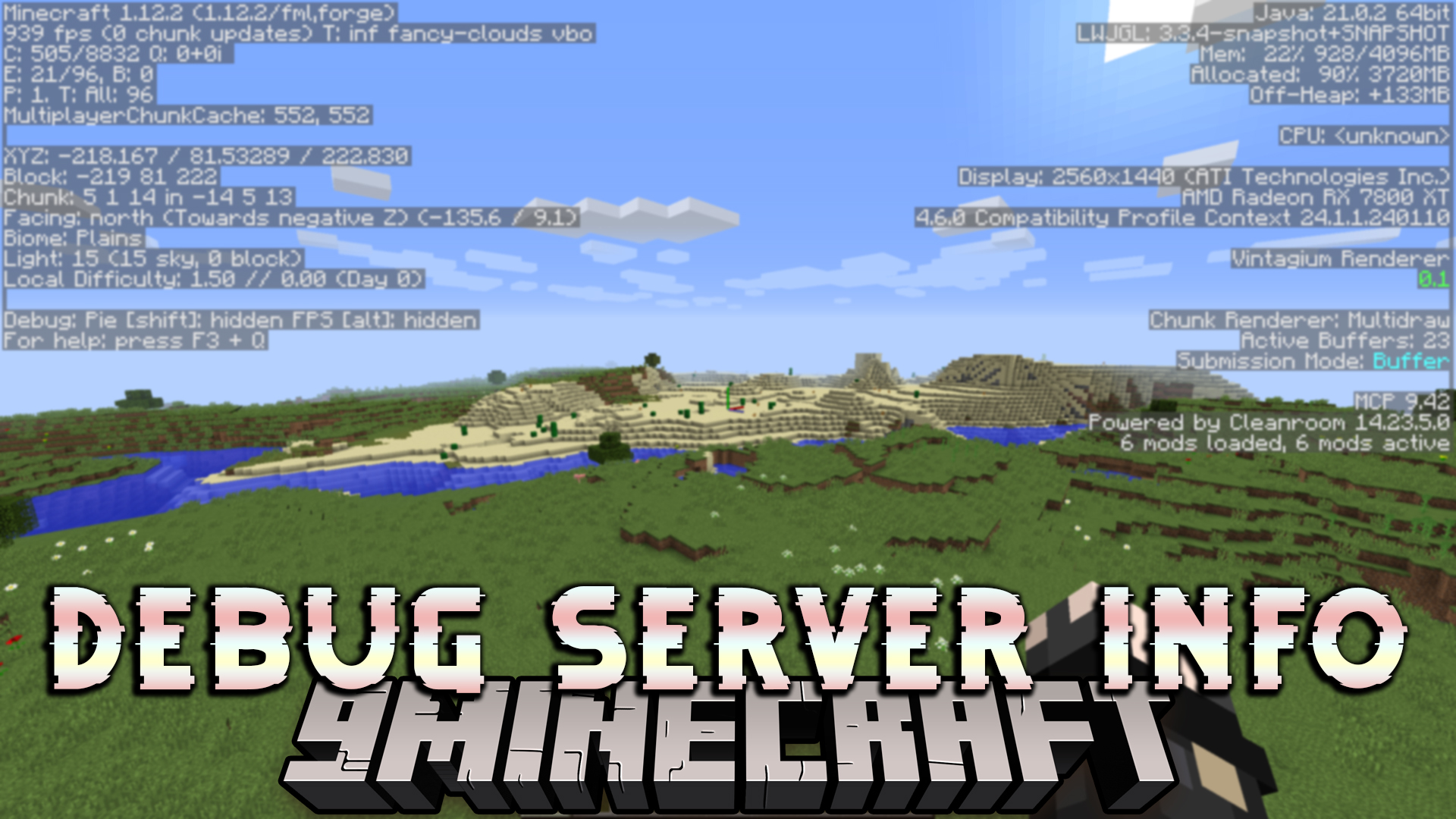
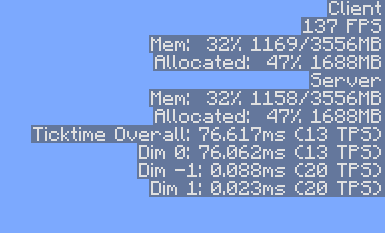
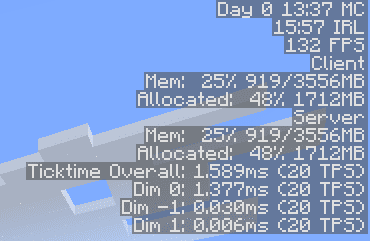
Debug Server Info Mod adds helpful performance details directly to your screen. It shows server tick time, memory use, a clock, and your FPS while you play. You can adjust when and where this text appears to keep your screen clean. This mod needs to be on the server to share server-side details, but players without it can still connect normally.
Features:
- Shows server tick time (TPS), memory use, a clock, and your FPS right on your screen.
- Lets you pick when the info shows up: always on, only on the F3 debug screen, or only when the F3 screen is closed.
- Places the text on the right side of the screen by default, with an option to move it to the left side.
- Lets you hide server-side info from players who are not server operators.
- Requires this mod on the server to send server-side data, while players without it can still join the game normally.
Screenshots:
How to Install:
New to Minecraft? Follow our step-by-step guide to install Mods on your PC.View Guide
Debug Server Info Mod Download Links
For Minecraft 1.12.2
Forge version: Download from Server 1 – Download from Server 2
For Minecraft 1.11.2
Forge version: Download from Server 1
For Minecraft 1.10.2
Forge version: Download from Server 1
Click to rate this post!
[Total: 0 Average: 0]
You May Also Like
Picked for this page
 Ocean Floor Mod (1.21.1, 1.20.1) – Clay, Sand and Dirt
 Wynntils Mod (1.21.11, 1.21.1) – Utilities for Wynncraft
 Hit Range Mod (26.3, 1.20.1) – Reach Visualization
 Super Ore Block Mod (26.1.2, 1.20.1) – For Storage and Construction
 Colored Bricks Mod (1.21.11, 1.20.1) – Colored Bricks, Stairs & Slabs
 Simple Voice Chat Radio Mod (26.1.2, 1.20.1) – Radio Devices for Long-distance Talk
 Pcal43 Splitscreen Support Mod (26.3, 1.20.1) – Easy Window Positioning For Local Multiplayer
 Brick Hopper Mod (26.3, 1.20.1) – Perfect for Rustic or Medieval Builds
 Curse of Pandora Mod (1.21.1, 1.20.1) – A lot of Items to Strengthen The Player
 FPS Boost Mod (26.1.2, 1.20.1) – Optimize Minecraft For Smoother Gameplay
 Poor Golems Mod (1.21.11, 1.20.1) – Mob Farm Drop Rate Control
 No Mob Farms Mod (1.21.11, 1.20.1) – Prevents Farming On Servers
Most viewed in Mods over the last 7 days
 Ala Industrial Mod (26.3) – Run Electric Power Grids and Automated Factories
 PleasureCraft Mod (26.3, 1.21.1) – Jenny Mod Remake for Fabric
 Jennycraft Mod (26.3, 1.20.1) – Virtual Girlfriend in Minecraft
 Fapcraft Mod (26.3, 1.12.2) – Comprehensive and Detailed Content
 Jenny Mod (Fapcraft) Official Complete Guide – How to use, Tutorial
 BangCraft Mod (1.20.1) – Jenny, Ellie and Elliot
 Fabric Loader (26.3, 1.20.1) – Fabric Installer for All Minecraft Versions
 The Shooting Star Demo Mod (26.3, 1.20.1) – Vaporize Terrain From Orbit
 Meteor Client Mod (26.3, 1.20.1) – Xray, HUD, Fly
 OptiFine HD (26.3, 1.20.1) – Run Faster, FPS Boost, Shaders Support
 Aristois Client Mod (1.21.4, 1.20.1) – World Class Minecraft Utility
 Prestige Client Mod (1.21.11, 1.21.4) – Powerful Ghost Features for Crystal & Sword PvP
More from Mods
 Universe3090 Mod (1.20.1) – Survive Corrupted Dimensions Filled
 Wireless Automate Mod (1.21.1) – Automate Base Logistics Without Messy Pipes
 Vaskars Opus Faction War Quests & Bosses Mod (1.21.11, 1.20.1)
 Multitools and More Mod (26.3, 1.20.1) – Clear Your Hotbar and Travel
 Luxium Let There Be Light Mod (1.20.1) – Stunning Lighting on Low-End Computers
 Soulscraft Tarnished Legacy Mod (1.21.1) – Hunt Relics to Forge Dark Fantasy
 Fetzi’s Displays Mod (26.1.2, 1.20.1) – Turn Rare Gear and Weapons
 Primal Plushies Paleo Pals Mod (1.21.1, 1.20.1) – Decorate Your Base
 Ipla Mod (26.3, 1.20.1) – Showcase Your Favorite Items
 MesdagPortLib Mod (1.20.1) – Run Modern Minecraft Mechanics on Older Versions
 Hellion’s API Mod (1.21.11, 1.21.1) – Play Hellion Series Addons Without Crashes
 Terrestria Mod (26.3, 1.20.1) – Highly Detailed Biomes

This post has no comments yet. Be the first — your comment will appear here.