
Dee’s Extended Equipment Model – Equips 3D Gauntlets, Claws, and Shields

 0


Dee’s Extended Equipment Model adds custom 3D weapons, shields, tools, and armor textures to Minecraft using Custom Item Textures (CIT). The pack includes 38 custom 3D models and 843 texture files that turn standard gear into close-quarters combat weapons like claws, gauntlets, fists, talons, and tonfas. It also introduces arm shields and bucklers across iron, golden, diamond, and netherite tiers with active blocking poses.

Features:
- Custom Item Textures (CIT): Changes the look of standard items into new equipment pieces without removing vanilla gear.
- 38 Custom 3D Models: Includes close-combat weapons and defensive shields built with 3D geometry.
- 843 Texture Files: Provides textures for weapons, tools, armor, and arm templates across multiple material tiers.
- Blocking Pose Models: Shields and bucklers switch to dedicated blocking models when you raise your guard.
- Includes Alex and Steve arm templates (
arm_alex_templateandarm_steve_template) so fist and arm gear lines up with both player skin styles.
Close-Combat Weapons:
- Claws: Available in iron (
iron_claws), golden (golden_claws), diamond (diamond_claws), and netherite (netherite_claws). - Fists: Available in iron (
iron_fist), golden (golden_fist), diamond (diamond_fist), and netherite (netherite_fist). - Gauntlets: Available in iron (
iron_gauntlet), golden (golden_gauntlet), diamond (diamond_gauntlet), and netherite (netherite_gauntlet). - Talons: Available in iron (
iron_talons), golden (golden_talons), and diamond (diamond_talons). - Tonfas: Available in iron (
iron_tonfa), golden (golden_tonfa), and diamond (diamond_tonfa).
Shields and Defensive Gear:
- Buckler: Includes a base
bucklermodel and abuckler_blockingmodel when raised. - Iron Arm Shield: Uses
arm_shield_ironat rest and switches toarm_shield_iron_blockingwhen blocking. - Golden Arm Shield: Uses
arm_shield_goldenat rest and switches toarm_shield_golden_blockingwhen blocking. - Diamond Arm Shield: Uses
arm_shield_diamondat rest and switches toarm_shield_diamond_blockingwhen blocking. - Netherite Arm Shield: Uses
arm_shield_netheriteat rest and switches toarm_shield_netherite_blockingwhen blocking.
How to Use:
- Make sure you have a Custom Item Textures (CIT) mod or OptiFine active, then place the pack into your resource packs folder and turn it on in the game settings.
- Craft or grab iron, golden, diamond, or netherite equipment and place an Anvil down in your world.
- Rename your weapons or tools at the Anvil to match the CIT item names, such as
diamond_claws,iron_gauntlet,golden_tonfa,diamond_talons, ornetherite_fist, to change their 3D model. - Hold the renamed weapon in your main hand or off-hand to see how the 3D gauntlet, claw, or tonfa model fits around your character’s Steve or Alex arm.
- Rename a shield at the Anvil to obtain a
buckler,arm_shield_iron,arm_shield_golden,arm_shield_diamond, orarm_shield_netherite. - Hold Right-Click with an arm shield or buckler equipped to watch the model shift from its resting position into its active blocking pose.
Screenshots:


Dee’s Extended Equipment Model Download Links
Click to rate this post!
[Total: 0 Average: 0]
You May Also Like
Picked for this page
 Reward GUI Model
 Fantasy Pack Vol 1 Model
 Azazel Model
 ShadowBlade Model – Equips Animated 3D Fantasy Weapons for PvP Combat
 TheRa 3D Model – Brings Animated Bows and Depth to Vanilla Items
 Slimefun Model – Brings 3D Shields, Solar Panels, and Animated Server Tech
 Aurin’s ShinobiCraft Icons Model – Brings 3D Elemental Ninja Powers
 Gravestone Dungeons Resource Pack Model – Brings Animated 3D Dungeon Rituals
 ZickZack ORI Red Model – Brings 3D Pen Bows, Trackers, and Custom Skies
 PacksHQ Model – Brings Custom 3D Gear and Animated Textures to Hypixel Skyblock
 Vanilla SMP Model – Brings Clear 3D Weapons and Visible Traps to PvP
 Drown’s Tool Tweaks Model – Brings Animated 3D Weapons and Glowing Altars
Most viewed in Models over the last 7 days
 Jenny Mod Skin Pack Mega Collection – 310+ Characters
 The Most Complete Collection of Jenny Mod Resources – Models, Animations, Structures,…
 Albedo Rework Jenny Mod Model
 750 Models Addon for Yes Steve Model Mod
 Pomni Jenny Mod Model
 Galath Rework Model – Custom Girl for PleasureCraft Mod
 Power Model – Custom Girl for PleasureCraft Mod
 Ram Model – Custom Girl for PleasureCraft Mod
 Femboy Ellie Rework Jenny Mod Model
 Ellie Rework Jenny Mod Model
 100+ Custom Animations For Jenny Mod
 Ellen Model – Custom Girl for PleasureCraft Mod
More from Models
 Rappenem’s Reforge Model – Brings Detailed 3D Pumpkins and Animated Doors
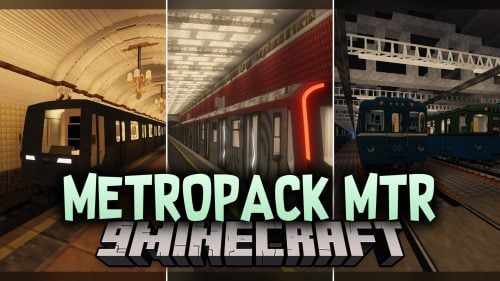 Metropack MTR Model – Brings Detailed Russian Metro Trains to Rail Networks
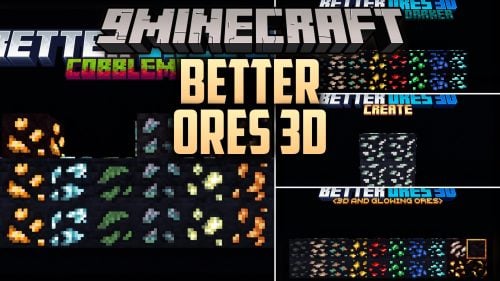 Better Ores 3D Model – Transforms Flat Cave Walls with Glowing Mineral Crystals
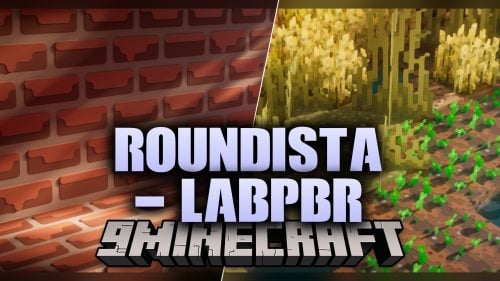 Roundista – Transforms Blocks with Rounded 3D Models and Animated Textures
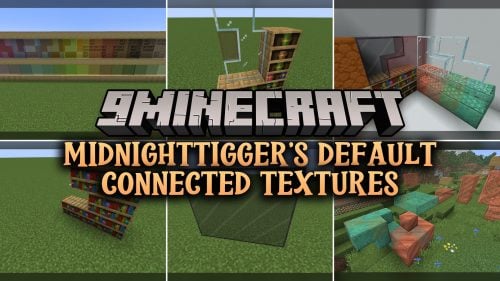 Midnighttigger’s Default Connected Textures Model – Adds 3D Animated Block Panes
 ItemBound ReBound Model – Transforms Renamed Items Into 3D Weapons and Decor
 Lucipo’s Hoplite PvP Pack – Brings Animated 3D Blocks to PvP Combat
 Doc’s Whimscape Additions Friends & Foes Model – Restyles Modded Mobs and Gear
 U Bahn Berlin Großprofil Model – Brings Authentic Berlin Subway Trains
 Moons Simple Bedwars Model – Brings Clean Animated 3D Blocks to Matches
 NS Trains Model – Brings Realistic Dutch Railway Vehicles to MTR4 Networks
 Dokucraft Light Model – Transforms Everyday Blocks Into Fantasy 3D Shapes

This post has no comments yet. Be the first — your comment will appear here.