
Easy NPC Config UI Mod (26.3, 1.20.1) – Bring Your Towns to Life
 1,619
 0

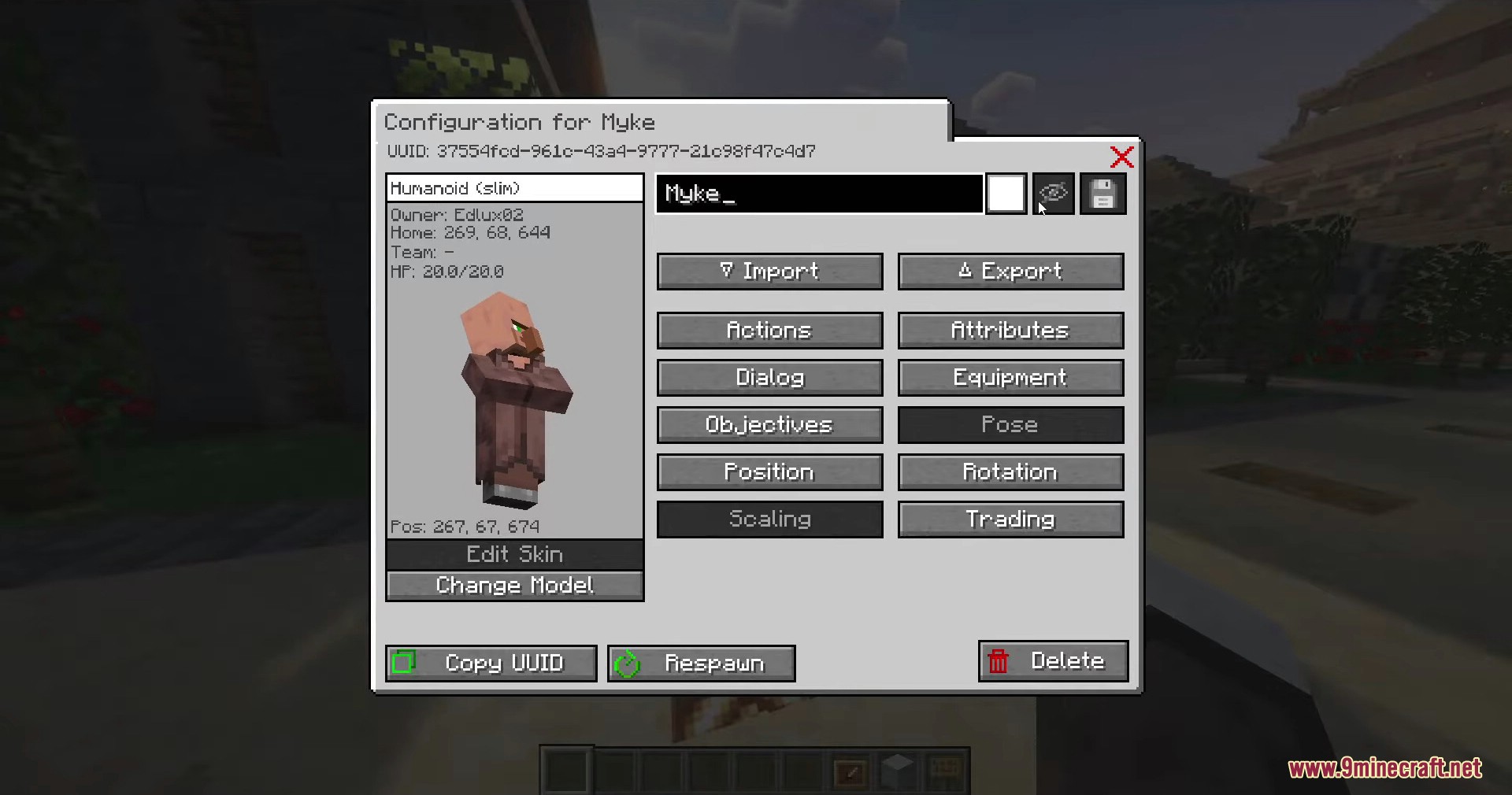
Easy NPC Config UI Mod adds a visual in-game menu for the Easy NPC mod. With this mod, you can pick skins, select custom mob models, edit dialog text, adjust character scale and rotation, and set up trades right on your screen. It lets you customize NPCs with simple clicks instead of commands or external config files. You need the Easy NPC: Core module for this mod to work, and you do not need it if you already have the full Easy NPC bundle.
Features:
- Adds a user-friendly visual menu inside Minecraft for customizing NPC settings.
- Lets you set up characters with clicks instead of typing commands or editing external config files.
- Works as a visual addon for the Easy NPC: Core module when you do not use the full Easy NPC bundle.
- Fits well in modpacks that want a simple visual option for managing NPCs.
In-Game Menus:
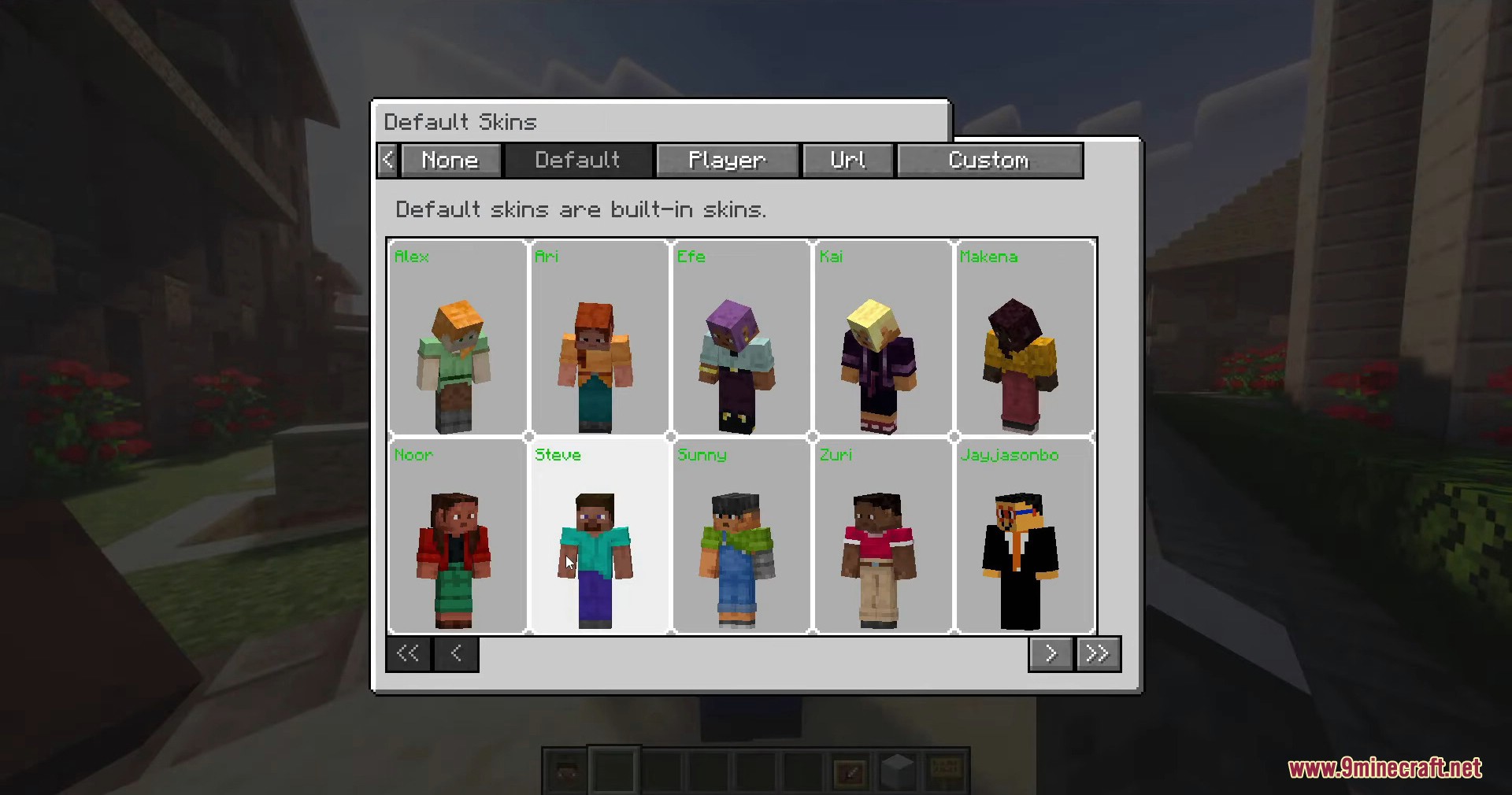
- Includes a skin selection screen with various default character models.
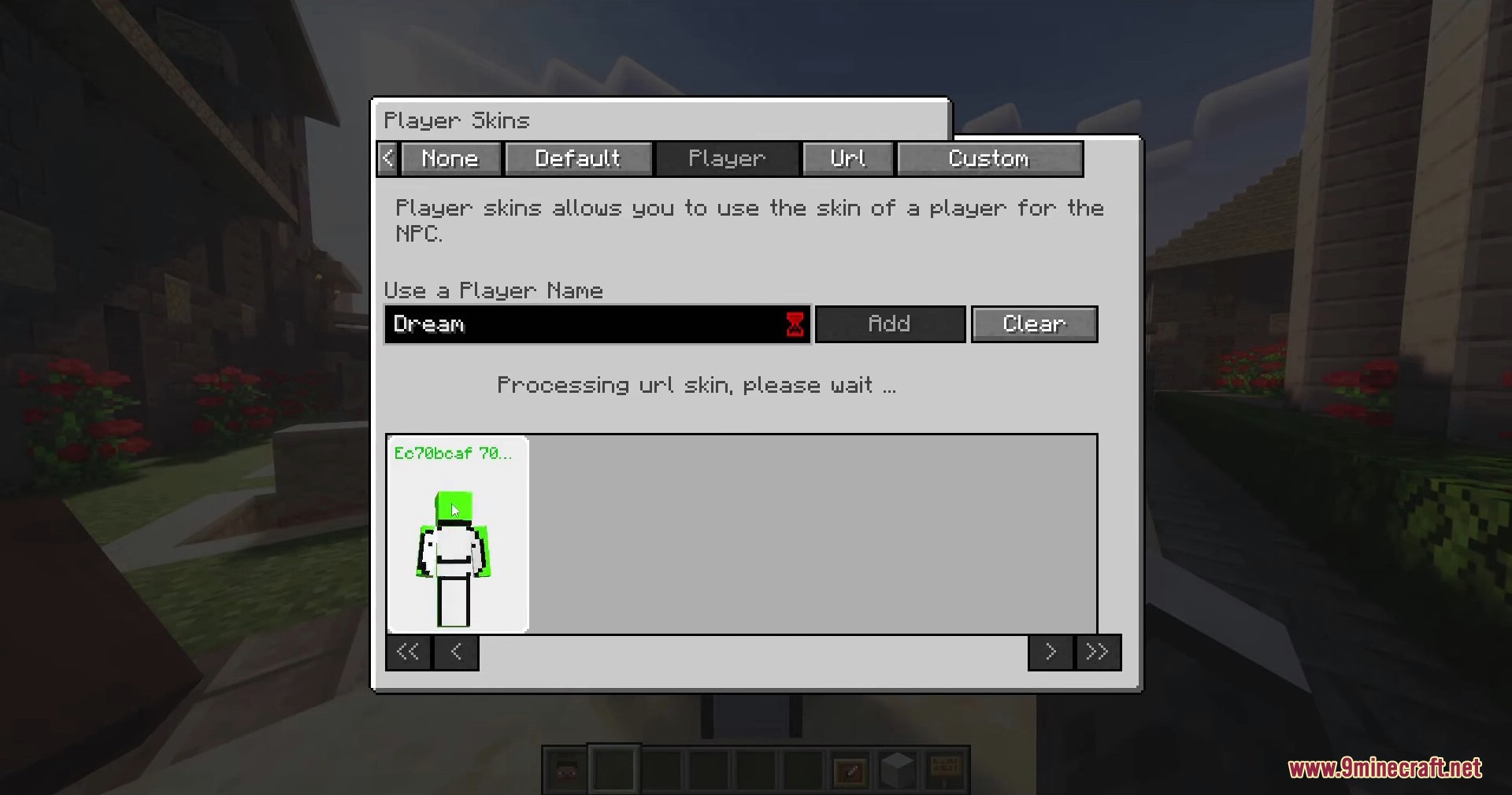
- Offers player skin settings to change how an NPC looks.
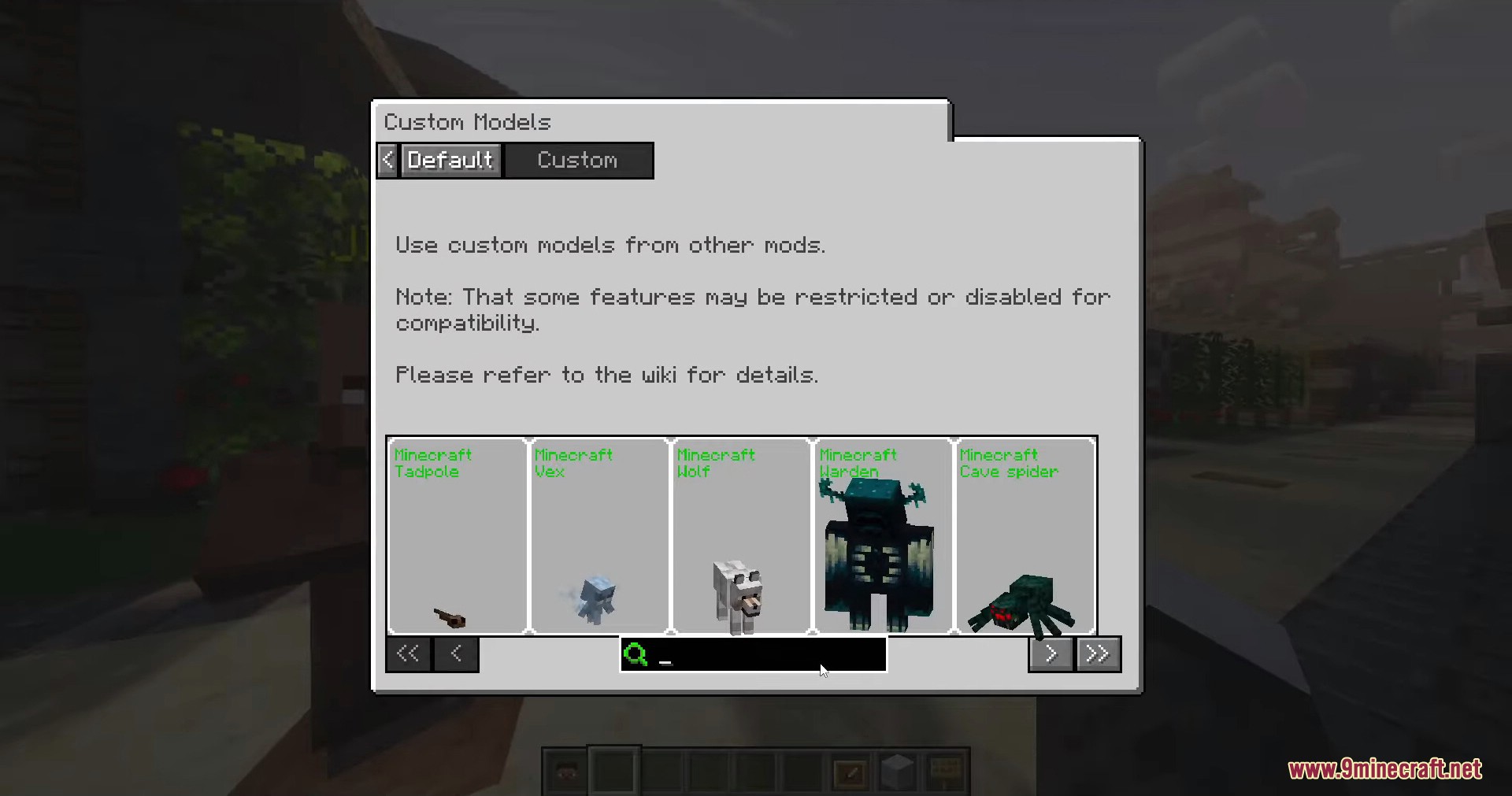
- Provides a custom model menu with different mob options.
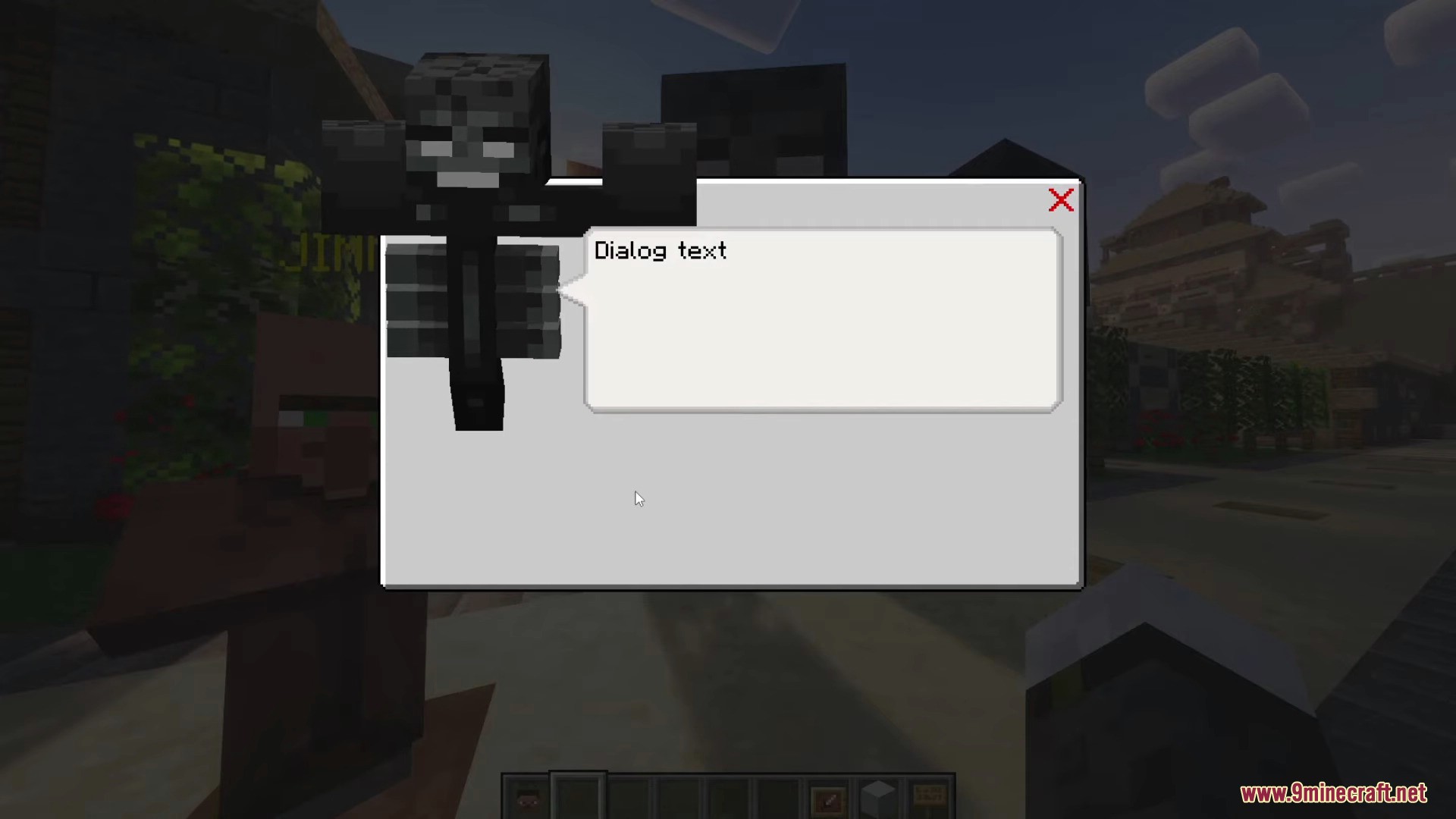
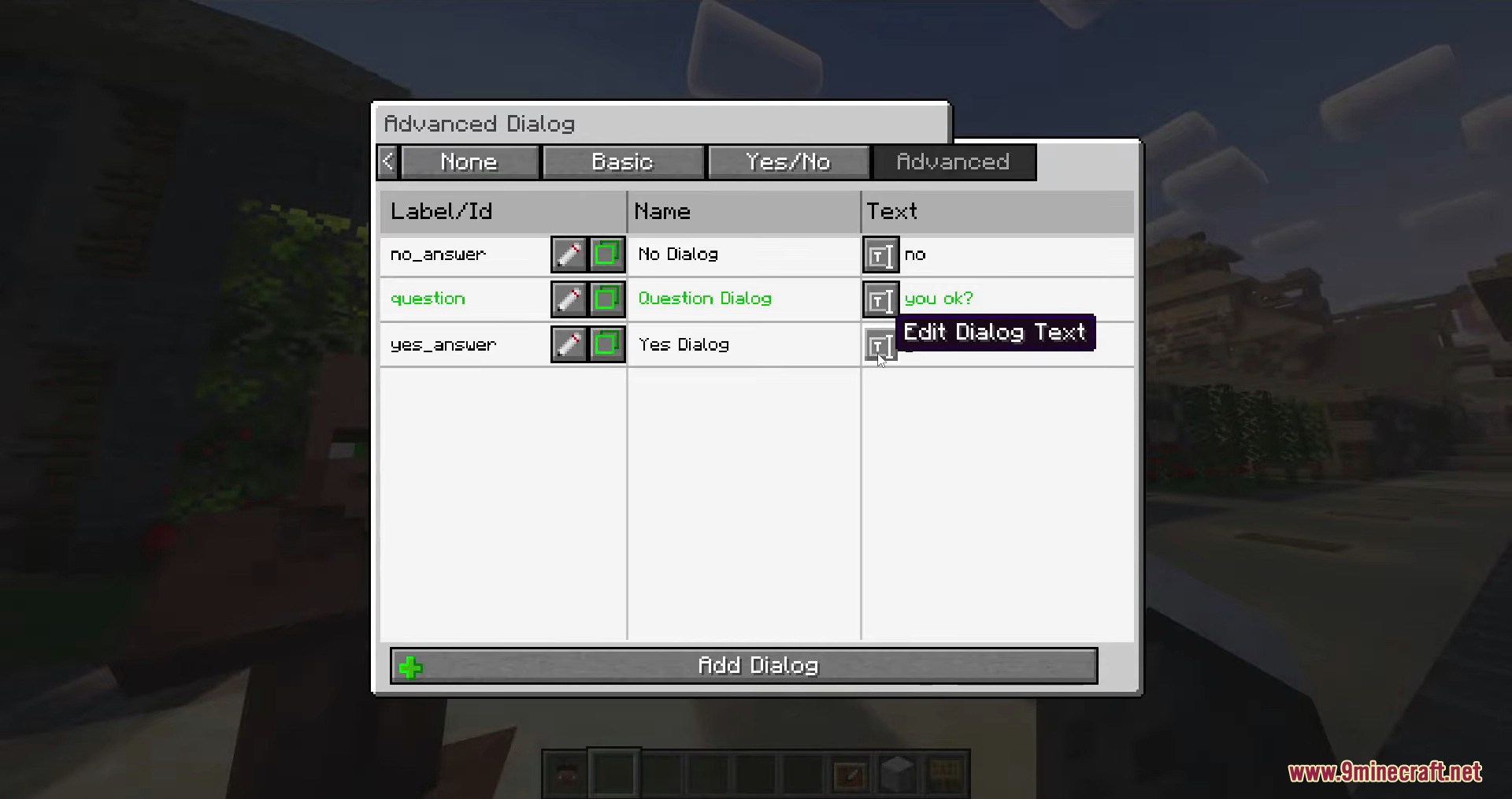
- Features a dialog box and an advanced dialog menu with editable labels and text.
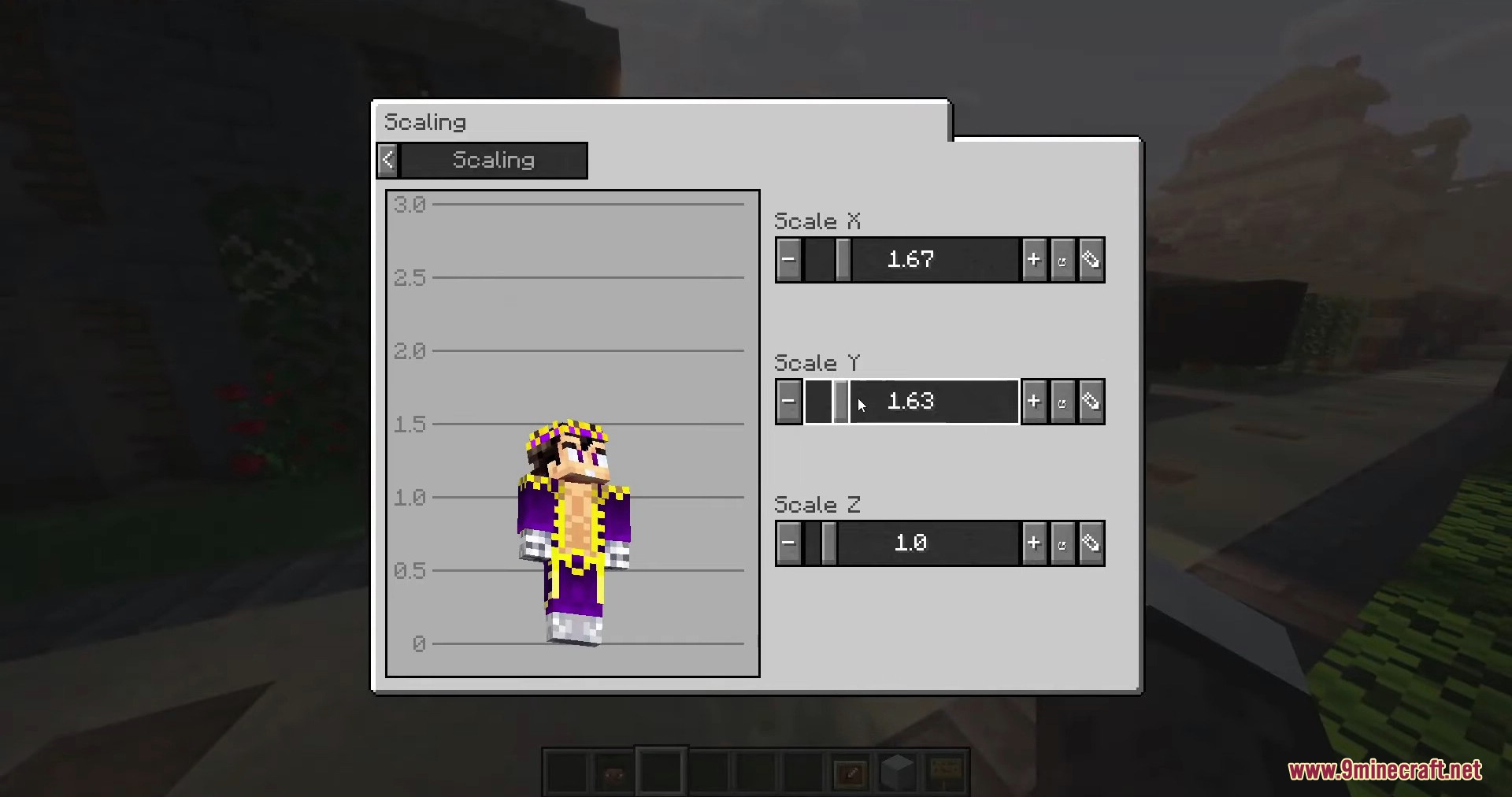
- Lets you adjust NPC scale values right inside the graphical interface.
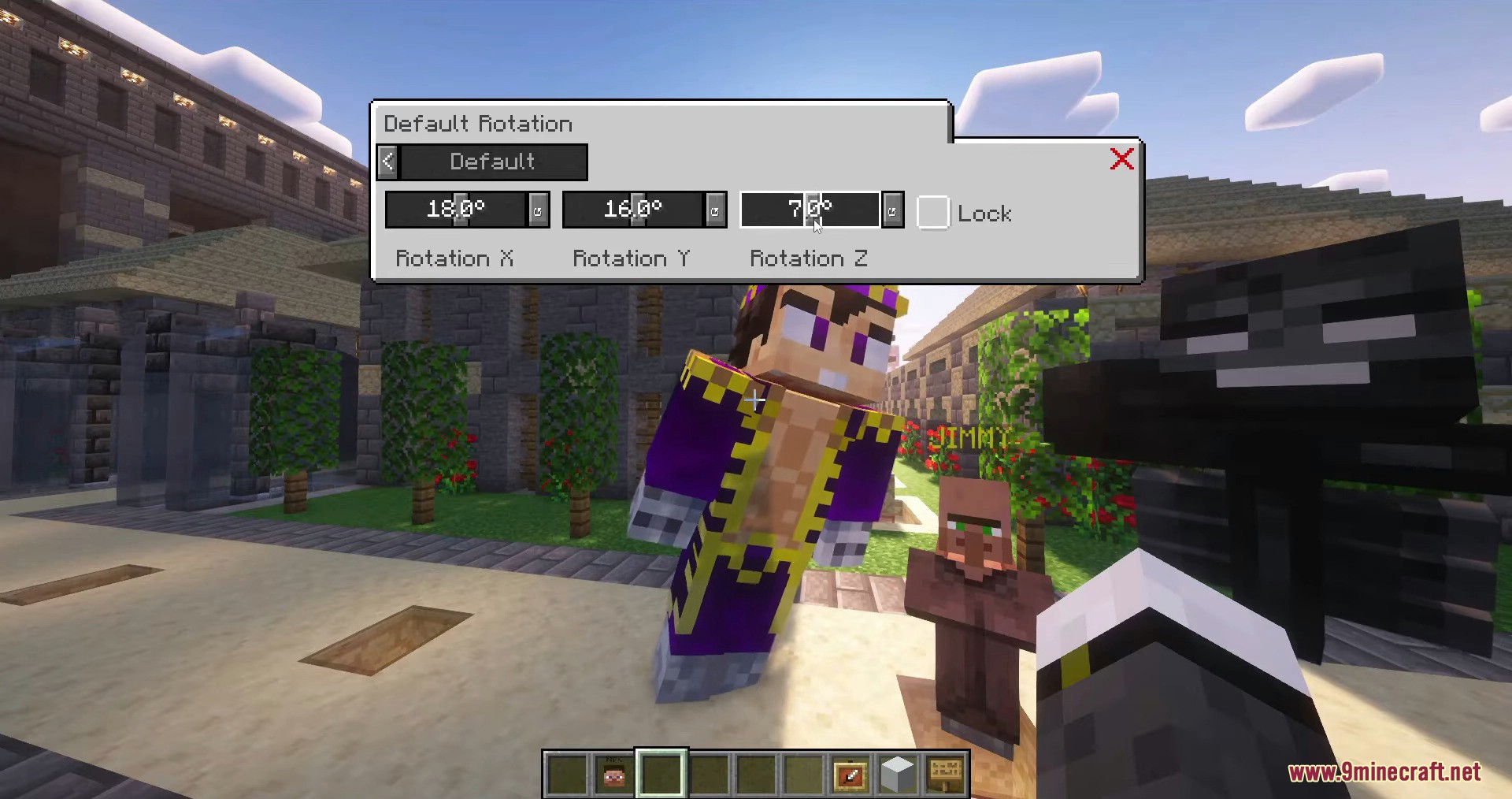
- Supports changing NPC rotation angles through an in-game screen.
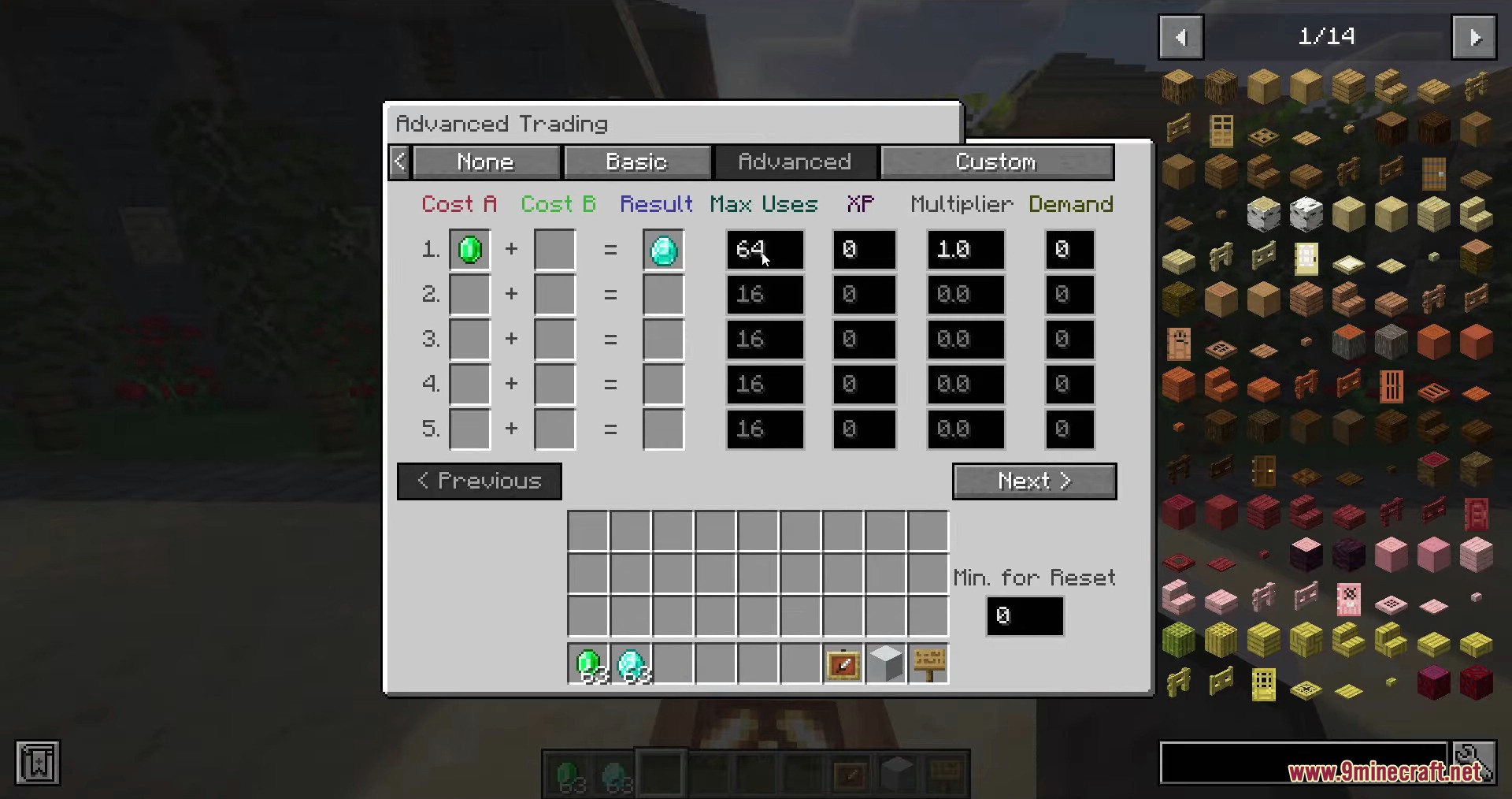
- Includes an advanced trading screen for setting up NPC trades.
How to Use:
- Load this mod together with the Easy NPC: Core module so the menu can run (skip this mod if you already use the full Easy NPC bundle).
- Open the Easy NPC configuration menu inside the game to bring up the visual settings screen.
- Click through the menus to pick skins or custom mob models, edit dialog labels and text, adjust scale and rotation angles, and set up trades.
Screenshots:
How to Install:
New to Minecraft? Follow our step-by-step guide to install Mods on your PC.View Guide
Requirements:




Easy NPC Config UI Mod Download Links
For Minecraft 26.3
For Minecraft 26.2
For Minecraft 26.1.2, 26.1.1, 26.1
For Minecraft 1.21.11
For Minecraft 1.21.10, 1.21.9
For Minecraft 1.21.8, 1.21.7, 1.21.6
For Minecraft 1.21.5
For Minecraft 1.21.4
For Minecraft 1.21.3, 1.21.2
For Minecraft 1.21.1, 1.21
For Minecraft 1.20.1, 1.20
For Minecraft 1.19.2
For Minecraft 1.18.2
Click to rate this post!
[Total: 3 Average: 4]
You May Also Like
Picked for this page
 Forge Config API Port Mod (26.3, 1.20.1) – Bring Forge Mods to Fabric
 Immersive Vehicles Mod (26.1.2, 1.20.1) – Planes, Automobiles with Realistic Physics
 NoFog Mod (26.2, 1.20.1) – Increased Render Distance
 Hopo Better Mineshaft Mod (26.3, 1.20.1) – Improved Mineshaft
 Click Manaita Mod (26.3, 1.20.1) – Item Multiplication
 Macaw’s Holidays Mod (26.3, 1.20.1) – Halloween, Christmas, and Easter Decoration
 Huge Structure Blocks Mod (26.2, 1.20.1) – Pushing Limits With Huge Structure Blocks Mod
 Click Through Plus Mod (26.3, 1.20.1) – Click Through Signs & Item Frames
 Health Indicator Mod (26.3, 1.20.1) – Shows A Warning on Your Hud
 Integrated Scripting Mod (26.3, 1.20.1) – Advanced Automation Made Simple
 Reliquary Reincarnations Mod (26.3, 1.20.1) – Magical Tools And Artifacts
 Modern Networking Mod (26.3, 1.20.1) – Run Multiplayer Mods Without Errors
Most viewed in Mods over the last 7 days
 Ala Industrial Mod (26.3) – Run Electric Power Grids and Automated Factories
 PleasureCraft Mod (26.3, 1.21.1) – Jenny Mod Remake for Fabric
 Jennycraft Mod (26.3, 1.20.1) – Virtual Girlfriend in Minecraft
 Fapcraft Mod (26.3, 1.12.2) – Comprehensive and Detailed Content
 Jenny Mod (Fapcraft) Official Complete Guide – How to use, Tutorial
 BangCraft Mod (1.20.1) – Jenny, Ellie and Elliot
 Fabric Loader (26.3, 1.20.1) – Fabric Installer for All Minecraft Versions
 The Shooting Star Demo Mod (26.3, 1.20.1) – Vaporize Terrain From Orbit
 Meteor Client Mod (26.3, 1.20.1) – Xray, HUD, Fly
 OptiFine HD (26.3, 1.20.1) – Run Faster, FPS Boost, Shaders Support
 Aristois Client Mod (1.21.4, 1.20.1) – World Class Minecraft Utility
 Prestige Client Mod (1.21.11, 1.21.4) – Powerful Ghost Features for Crystal & Sword PvP
More from Mods
 ERYDON Mod (1.20.1) – Design Grand Courtyards with Carved Marble Pillars
 Infinity Bound Mod (1.21.1) – Snap Away Enemies with Legendary Superhero Gear
 Legacy Gecko Lib Fabric Mod (1.16.5) – Power Animated Creatures in Modpacks
 The Man from the Shadow Horror Mod (1.20.1) – Fight Hallucinations to Survive
 Shade & Saturation Slider Mod (26.2, 1.21.11) – Make Every Biome Vibrant
 Cataclysm X Yung’s Better Nether Fortresses Compat Mod (1.21.1, 1.20.1)
 Patchouli 9minecraft Mod (26.3) – Read Mod Guides Without Leaving Minecraft
 Paintings ++ 9minecraft Mod (26.3) – Pick the Exact Painting You Want
 owo-lib 9minecraft Mod (26.3) – Run Your Favorite Mods Without Errors
 Moonlight 9minecraft Lib (26.3, 26.2) – Run Complex Mods Without Errors
 Load My Tags 9minecraft Mod (26.3) – Mix Mods Without Breaking Recipes
 Kambrik 9minecraft Mod (26.3) – Run Kotlin Mods Without Game Lag

This post has no comments yet. Be the first — your comment will appear here.