
Helpful Crosshair Mod (26.3, 1.21.11) – See Block Stats and Tool Info
 0
 0

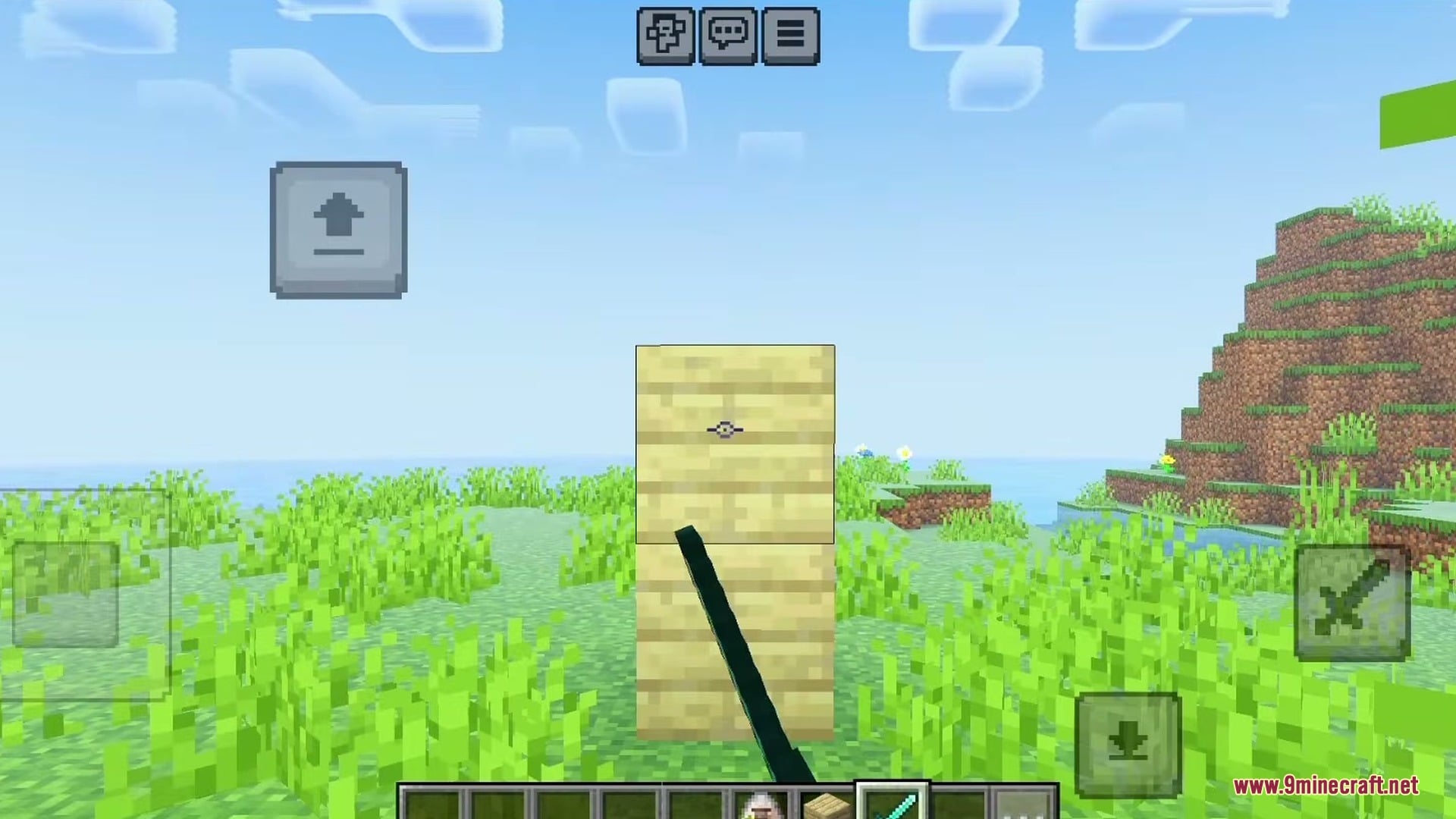
Helpful Crosshair Mod adds useful quality of life indicators right next to your crosshair. This mod gives you quick hints about the blocks, mobs, and tools you are using. You can check crop growth, redstone power levels, and remaining arrow counts without opening your inventory or debug screen.

Features:
- Incorrect Tool Hint: Warns you when your held tool cannot mine the block you are looking at, such as using a wooden pickaxe on a deepslate redstone block.
- Tool Durability Hint: Shows how much durability is left on your equipped tool.
- Arrow Count Hint: Displays the type of arrow you are about to shoot and the total number of arrows remaining when holding a bow.
- Redstone Level Hint: Shows the exact power level of the redstone dust you point at.
- Leashed Mobs Hint: Tells you how many mobs you currently have on a leash.
- Crop Growth Hint: Displays the growth percentage of plants like carrots so you know when they are 100% grown.
Configuration:
The mod generates a helpful_crosshair.config.json file the first time you load the game. You can turn individual hints on or off inside this file:
{
  "hints": [
    {
      "identifier": "incorrect_tool",
      "enabled": true
    },
    {
      "identifier": "tool_durability",
      "enabled": true
    },
    {
      "identifier": "arrow_count",
      "enabled": true
    },
    {
      "identifier": "redstone_level",
      "enabled": true
    },
    {
      "identifier": "leashed_mobs",
      "enabled": true
    },
    {
      "identifier": "crop_growth",
      "enabled": true
    }
  ]
}
Screenshots:


How to Install:
New to Minecraft? Follow our step-by-step guide to install Mods on your PC.View Guide
Requirements:

Helpful Crosshair Mod Download Links
For Minecraft 26.3
For Minecraft 26.2
For Minecraft 1.21.11
For Minecraft 1.21.8, 1.21.7, 1.21.6
For Minecraft 1.21.5
Click to rate this post!
[Total: 0 Average: 0]
You May Also Like
Picked for this page
 Jade Mod (26.3, 1.20.1) – Inspect Blocks and Mobs at a Glance
 Hit Range Mod (26.3, 1.20.1) – See Your Exact Attack Reach
 CleanCut Mod (26.3, 1.20.1) – Fight Mobs Through Tall Grass
 Custom Cursor Mod (26.3, 1.20.1) – Style Your Pointer Anywhere
 Perspektive Mod (26.3, 1.20.1) – Look Around Without Turning
 Double Hotbar Mod (26.3, 1.20.1) – Double Your Inventory Space for Quick Access
 Fire Spread Tweaks Mod (26.3, 1.20.1) – Stop Accidental Fires From Burning
 Brick Hopper Mod (26.3, 1.20.1) – Build Custom Storage Systems Without Vanilla
 Cookie Block Mod (26.3, 1.20.1) – Pack More Food in Your Inventory
 Reliquified Artifacts Mod (1.21.1, 1.20.1) – Level Up Your Favorite Artifacts
 No Mob Farms Mod (1.21.11, 1.20.1) – Stop Automated Mob Farming
 Ynotnaexists’s Netherite Elytra Mod (1.21.11, 1.21.5) – Lava-Proof And Knockback Resistant
Most viewed in Mods over the last 7 days
 Ala Industrial Mod (26.3) – Run Electric Power Grids and Automated Factories
 PleasureCraft Mod (26.3, 1.21.1) – Jenny Mod Remake for Fabric
 Jennycraft Mod (26.3, 1.20.1) – Virtual Girlfriend in Minecraft
 Fapcraft Mod (26.3, 1.12.2) – Comprehensive and Detailed Content
 Jenny Mod (Fapcraft) Official Complete Guide – How to use, Tutorial
 Meteor Client Mod (26.3, 1.20.1) – Xray, HUD, Fly
 Let it Walk Mod (1.21.1) – Pilot Spider Tanks and Mechs Built From Your Blocks
 BangCraft Mod (1.20.1) – Jenny, Ellie and Elliot
 OptiFine HD (26.3, 1.20.1) – Run Faster, FPS Boost, Shaders Support
 CatLean Client Mod (26.2, 1.21.11) – ThunderHack Recode Alternatives
 Fabric Loader (26.3, 1.20.1) – Fabric Installer for All Minecraft Versions
 SeedCrackerX Mod (26.3, 1.20.1) – Find Any World Seed
More from Mods
 Let it Walk Control Addation Mod (1.21.1) – Wire Up Walking Builds with Redstone
 Elytra Without the End Mod (26.3, 1.20.1) – Fly Early Before You Beat the Ender
 Multi Mine Fabric Mod (1.21.11, 1.21.1) – Pause Mining and Pick Up Right
 Luminous Drafting Grid Mod (26.3, 1.20.1) – Monitor Base Storage
 S-Lib Mod (26.3, 1.20.1) – Keep Custom Server Settings Synced Across Modpacks
 Bad Wither No Cookie Mod (26.3, 1.20.1) – Farm Bosses Without the Global Roar
 Prism Flight Geometry Mod (26.3, 1.20.1) – Glide Across Skies with Cockpit
 Prefab Mod (26.3, 1.20.1) – Build Your Base Instantly
 Modern Dynamics Mod (26.3, 1.20.1) – Build Complex Logistics Networks
 BUTTERFINGERS Mod (26.3, 1.20.1) – Defend Your Base and Sort Chests
 Mo’ Bends Mod (26.3, 1.20.1) – Move and Fight Naturally
 Torch Optimizer Mod (26.3, 1.12.2) – Stop Monster Spawns with Perfect Lighting

This post has no comments yet. Be the first — your comment will appear here.