
I Know What I’m Doing Mod (1.19.3, 1.18.2) – No Popups When Starting Fresh
 54,974
 0


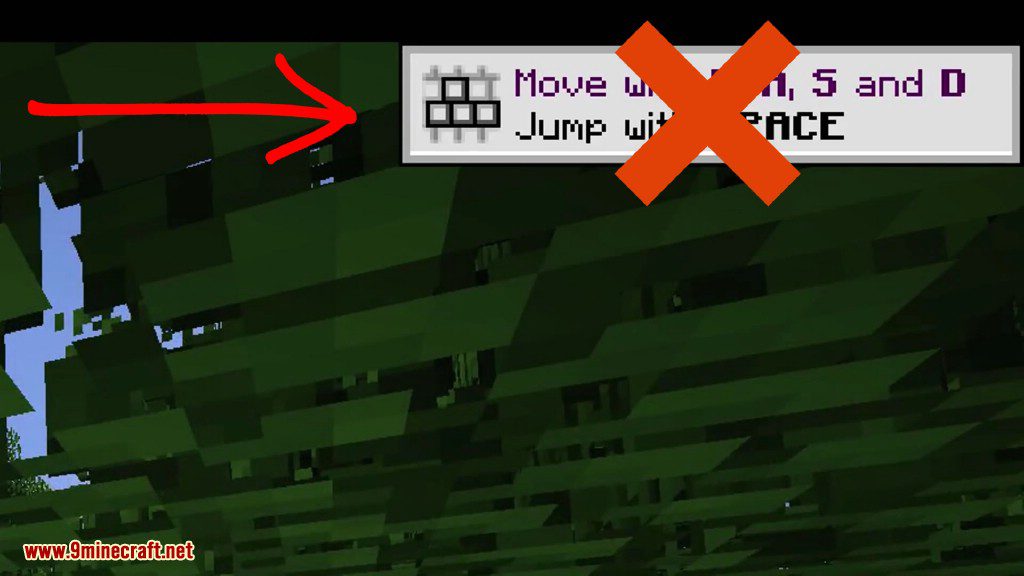
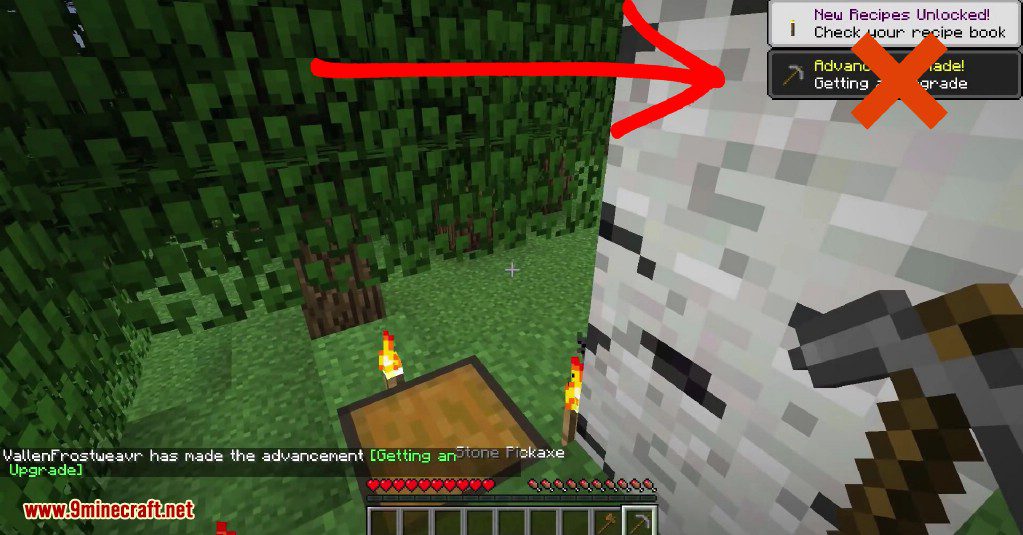
I Know What I’m Doing Mod hides in-game tutorial hints when you start a new Minecraft instance. This client-side mod removes tutorial cards, tooltip banners, and tutorial overlays from your screen. It keeps your screen clear so you can play right away.

Features:
- Turns off in-game tutorial hints automatically in new Minecraft instances.
- Removes tutorial cards and tooltip banners that cover your screen.
- Hides tutorial overlays and advancement toast notifications.
- Runs only on the client side as a single-class mod.
Screenshots:
How to Install:
New to Minecraft? Follow our step-by-step guide to install Mods on your PC.View Guide
I Know What I'm Doing Mod Download Links
For Minecraft 1.19.3
Fabric version: Download from Server 1 – Download from Server 2
Forge version: Download from Server 1 – Download from Server 2
For Minecraft 1.19.2
Fabric version: Download from Server 1
Forge version: Download from Server 1
For Minecraft 1.19
Fabric version: Download from Server 1
Forge version: Download from Server 1
For Minecraft 1.18.2
Fabric version: Download from Server 1
Forge version: Download from Server 1
For Minecraft 1.18.1
Fabric version: Download from Server 1
Forge version: Download from Server 1
For Minecraft 1.17.1
Fabric version: Download from Server 1
Forge version: Download from Server 1
For Minecraft 1.16.5
Fabric version: Download from Server 1
Forge version: Download from Server 1
For Minecraft 1.12.2, 1.12.1, 1.12
Forge version: Download from Server 1
You May Also Like
Picked for this page
 World Edit Mod (26.3, 1.20.1) – A Minecraft Map Editor
 Corail Tombstone Mod (26.2, 1.20.1) – Never Lose Your Items Again
 Indicatia Mod (26.3, 1.20.1) – Simple In-game Info and Utility
 FTB Quests Mod (26.1.2, 1.20.1) – Build a Story for Your Team
 Pickle Tweaks Mod (26.1.2, 1.20.1) – Never Break Your Tools Again
 Durability Notifier Mod (26.3, 1.20.1) – Warning! Your Durability is Low
 Fullbright Mod (26.1.2, 1.20.1) – Toggle Fullbright in Minecraft
 Just Enough Resources Mod (26.3, 1.20.1) – JER, Efficient Resource Management
 RPG-Hud Mod (26.2, 1.20.1) – Your Screen Becomes an RPG
 Death Counter Mod (1.21.11, 1.20.1) – Turn Dying Into a Contest
 MineMenu Mod (26.1.2, 1.20.1) – Make Your Life Easier
 AvoMod Mod (1.21.11, 1.21.1) – Wynncraft Quality of Life Mod
Most viewed in Mods over the last 7 days
 Ala Industrial Mod (26.3) – Run Electric Power Grids and Automated Factories
 PleasureCraft Mod (26.3, 1.21.1) – Jenny Mod Remake for Fabric
 Jennycraft Mod (26.3, 1.20.1) – Virtual Girlfriend in Minecraft
 Fapcraft Mod (26.3, 1.12.2) – Comprehensive and Detailed Content
 Jenny Mod (Fapcraft) Official Complete Guide – How to use, Tutorial
 BangCraft Mod (1.20.1) – Jenny, Ellie and Elliot
 Fabric Loader (26.3, 1.20.1) – Fabric Installer for All Minecraft Versions
 Meteor Client Mod (26.3, 1.20.1) – Xray, HUD, Fly
 The Shooting Star Demo Mod (26.3, 1.20.1) – Vaporize Terrain From Orbit
 OptiFine HD (26.3, 1.20.1) – Run Faster, FPS Boost, Shaders Support
 Aristois Client Mod (1.21.4, 1.20.1) – World Class Minecraft Utility
 SchnurriTV Mod (1.12.2) – Characters and Features
More from Mods
 Shield System Mod (1.21.1) – Tank Heavy Monster Hits Without Losing Hearts
 Shin’s Tensura Race Models Mod (1.19.2) – Play As Unique 3D Anime Race
 Offgrid Mod (26.3, 1.20.1) – Furnish Compact Interiors Without Strict Grid
 Tempest Almanac Iron’s Spells ‘n Spellbooks Mod (1.21.1, 1.20.1)
 Chat Guides Mod (26.3, 1.21.11) – Never Memorize Complex Server Commands Again
 TRMT Reimagined the Roads More Travelled Mod (26.3, 1.20.1)
 Morrowless Mod (1.21.1) – Defend Your Shelter From Nightmare Creatures
 THE SLOPSTROSITY Mod (1.21.1) – Battle a Ridiculous Slime Boss
 Decoween Mod (1.21.1, 1.20.1) – Transform Ordinary Survival Bases
 Simply Light 9minecraft Mod (26.3) – Decorate Builds Without Torches
 Alex’s Caves Continued Mod (26.3, 1.20.1) – Conquer Six Massive Underground
 Anvil Uses Mod (26.3, 1.20.1) – Track Item Anvil Usage

This post has no comments yet. Be the first — your comment will appear here.