
Icy’s Lib Mod (26.2, 1.20.1) – Create Custom In-Game Guidebooks
 11
 0

Icy’s Lib Mod provides the core guidebook system required by other related mods. This library holds no artwork or JSON files of its own. Instead, the mod reads external files and handles drawing custom guidebooks and their interactive parts in the game.

Features:
- Layered Page System: Combines images, text, buttons, selectable tabs, entry lists, item displays, and recipe grids in an ordered list of layers.
- Automatic Click Detection: Reads full-canvas PNG images with transparent backgrounds to find visible bounds and clickable areas without manual coordinates.
- Custom Text Styling: Controls text area, alignment, size, color, translation keys, and page curves so words follow the shape of the book artwork.
- Interactive Tabs and Filters: Stores player choices like biome or tab selections to filter entry lists and swap out descriptions or artwork using conditions and placeholders.
- Item and Recipe Displays: Shows selectable entries in a grid with custom frames and displays 3×3 crafting recipes alongside their result items.
- Cycles through multiple item IDs in ingredient slots and changes the page layout based on whether an entry has a recipe.
Guidebook File Structure:
book.json: Defines the canvas size, texture folder, text styling, and interface layers.- PNG Artwork: Supplies the book background, illustrations, buttons, tabs, and visual pieces.
entries/<category>/<name>.json: Holds content for entry lists and selections like items, mobs, or structures.
Commands:
/icys_lib book mymod:guide: Opens a custom book directly for testing./icys_lib debug: Shows clickable areas and canvas coordinates to help adjust the page layout.
How to Use:
- Give your custom book an ID, such as
mymod:guide, and place its files inassets/mymod/icys_lib/books/guide/. - Set up your
book.json, PNG artwork, and entry JSON files inside that folder. - Register a
GuideBookItempointing to your book ID to give players an in-game item that opens the guide. - Run the test and debug commands in chat to check your layout and clickable bounds.
How to Install:
New to Minecraft? Follow our step-by-step guide to install Mods on your PC.View Guide



Icy’s Lib Mod Download Links
For Minecraft 26.2
For Minecraft 1.21.1, 1.21
For Minecraft 1.20.1, 1.20
Click to rate this post!
[Total: 0 Average: 0]
You May Also Like
Picked for this page
 Rhodonite Mod (1.21.11, 1.20.1) – Craft End Game Gear for Ultimate Combat
 Wabi-Sabi Structures Mod (1.21.11, 1.20.1) – Explore Rustic Ruins and Cabins
 Block Meter Mod (26.2, 1.20.1) – Measure Build Sizes Accurately
 Mini Effects Mod (26.1.2, 1.20.1) – Clear Clutter From Your Inventory HUD
 Cinematic Interactions Mod (26.3, 1.20.1) – Watch Your Hands Work
 Item Restrictions Mod (26.2, 1.20.1) – Control Every Allowed Item on Server
 Nether Invader Mod (1.21.11, 1.20.1) – Piglins Raid Your World
 Shadow Mounts Mod (26.3, 1.20.1) – Adds the Shadow Saddle
 Island Menu Mod (26.3, 1.20.1) – Join MCC Island Fast From Menu
 SkyCofl Hypixel Skyblock AH And Bazaar Mod (26.3, 1.21.11)
 EventsLib Mod (26.1.2, 1.21.1) – Custom Potion Effect Triggers
 Mdcdi1315’s BML Mod (26.1.2, 1.20.1) – Keep Your Favorite Addons Running
Most viewed in Mods over the last 7 days
 Ala Industrial Mod (26.3) – Run Electric Power Grids and Automated Factories
 PleasureCraft Mod (26.3, 1.21.1) – Jenny Mod Remake for Fabric
 Jennycraft Mod (26.3, 1.20.1) – Virtual Girlfriend in Minecraft
 Fapcraft Mod (26.3, 1.12.2) – Comprehensive and Detailed Content
 Jenny Mod (Fapcraft) Official Complete Guide – How to use, Tutorial
 Meteor Client Mod (26.3, 1.20.1) – Xray, HUD, Fly
 BangCraft Mod (1.20.1) – Jenny, Ellie and Elliot
 OptiFine HD (26.3, 1.20.1) – Run Faster, FPS Boost, Shaders Support
 CatLean Client Mod (26.2, 1.21.11) – ThunderHack Recode Alternatives
 Let it Walk Mod (1.21.1) – Pilot Spider Tanks and Mechs Built From Your Blocks
 Fabric Loader (26.3, 1.20.1) – Fabric Installer for All Minecraft Versions
 SeedCrackerX Mod (26.3, 1.20.1) – Find Any World Seed
More from Mods
 TONI’s Better Ancient Cities Sculk Warden & Vault Mod (26.3, 1.20.1)
 Bossclient Mod (26.3, 1.21.1) – Win PvP Fights with Over 80 HUD, Combat
 The Otherside Dimension 4 Mod (26.1.2) – Open the Ancient City Portal
 Extend Ruby Mod (26.2) – Mine Rubies to Craft Red Armor, Tools, and Shields
 By Powder and Steel Mod (1.20.1) – Hunt Armed Mobs to Craft Powerful Firearms
 Real Tanks Mod (1.21.1) – Command a Full Abrams Crew in Armored Tank Warfare
 Beyond the Hatch Mod (1.21.1) – Explore Floating Sky Islands
 Sophisticated Backpacks Unofficial Fabric Continuation Mod (26.3)
 Advanced Weather Mod (1.21.1) – Predict Deadly Storms with Custom Weather
 From Just Sticks Mod (1.21.1, 1.20.1) – Knap Flint, Cast Copper
 Cinematic Belongings Mod (1.21.1, 1.20.1) – Open a Real 3D Satchel Instead
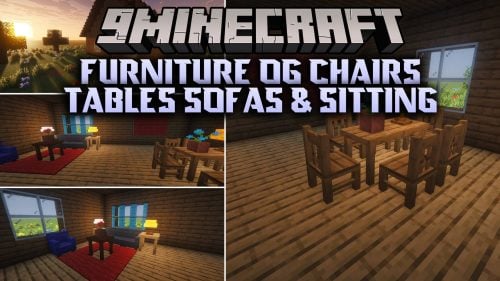 Furniture OG Chairs Tables Sofas & Sitting Mod (26.3, 1.20.1)

This post has no comments yet. Be the first — your comment will appear here.