
Jukebox Playlists Mod (1.21.1) – Loop Music Discs Automatically Without Redstone
 3
 0

Jukebox Playlists Mod backports the playlist feature from Minecraft 26.4 Snapshot 4 to NeoForge 1.21.1. It lets you place a chest or barrel right above a jukebox to play all your music discs in a row. You do not need to build redstone hopper systems or swap discs by hand anymore. The mod also works automatically with storage blocks from other mods.

Features:
- Automatic Disc Looping: Places a single Chest, Trapped Chest, or Barrel directly on top of a jukebox to turn the stored music discs into a looping playlist.
- Playing Next Tooltip: Shows a Playing Next label when you hover your mouse over the upcoming disc inside the container.
- Plays music discs in slot order while skipping over empty slots and non-disc items.
- Swaps the finished disc inside the jukebox with the next disc in the chest automatically, and loops back to the start after the last song.
- Repeats the current disc inside the jukebox if the container above it has no music discs.
- Lets you skip to the next song in the queue by ejecting the current disc from the jukebox.
- Ignores double chests to match the original snapshot behavior, so only single containers work as playlists.
- Includes new jukebox textures along with a built-in resource pack if you want to keep the old jukebox look.
- Works out of the box with modded containers that use the
#c:chestsor#c:barrelsblock tags. - Lets you add custom containers from other mods by putting their blocks into the
jukeboxplaylists:playlist_containersblock tag using a datapack.
How to Use:
- Place a jukebox on the ground and put a music disc inside it to start playing.
- Crouch and place a single Chest, Trapped Chest, or Barrel directly on top of the jukebox.
- Open the container and fill the slots with your favorite music discs in the order you want to hear them.
- Hover your cursor over the discs in the chest to see which song has the Playing Next tag.
- Right-click the jukebox to eject the current disc whenever you want to skip to the next song in the container.
How to Install:
New to Minecraft? Follow our step-by-step guide to install Mods on your PC.View Guide
Requirements:

Jukebox Playlists Mod Download Links
For Minecraft 1.21.1, 1.21
Click to rate this post!
[Total: 0 Average: 0]
You May Also Like
Picked for this page
 Dynamic Crosshair Mod (26.3, 1.20.1) – Enjoy Clutter-Free Views While Exploring
 Better Bundle Mod (1.21.11, 1.20.1) – Maximize Your Inventory
 ServerReplay Mod (26.3, 1.20.1) – Record Server Timelapses
 Complete Cobblemon Collection Mod (1.21.11, 1.21.1) – Adds Hundreds Of Animated Pokemon
 Millager Village Defenders Mod (26.2, 1.20.1) – Build a Villager Army
 Mine Fargo Mod (1.20.1) – Gain Powerful Survival Buffs Using Magical Soul Stones
 Freedom Chat Mod (26.3, 1.21.11) – Disable Vanilla Chat Reporting
 Thread Tweak Reforged Mod (26.3, 1.20.1) – Play Without Lag on Struggling
 Macaws Regions Unexplored Mod (1.21.1, 1.20.1) – Build Custom Furniture
 Zedonho Mod (1.21.8, 1.20.1) – Befriend Helpful Ghosts and Survive Haunted
 TONI’s Better Mansions Mod (26.3, 1.20.1) – Raid Walled Manors Full
 Armor Trim Customizer Mod (26.3, 1.21.11) – Wear Any Armor Trim Pattern
Most viewed in Mods over the last 7 days
 Ala Industrial Mod (26.3) – Run Electric Power Grids and Automated Factories
 PleasureCraft Mod (26.3, 1.21.1) – Jenny Mod Remake for Fabric
 Jennycraft Mod (26.3, 1.20.1) – Virtual Girlfriend in Minecraft
 Fapcraft Mod (26.3, 1.12.2) – Comprehensive and Detailed Content
 Jenny Mod (Fapcraft) Official Complete Guide – How to use, Tutorial
 Meteor Client Mod (26.3, 1.20.1) – Xray, HUD, Fly
 BangCraft Mod (1.20.1) – Jenny, Ellie and Elliot
 OptiFine HD (26.3, 1.20.1) – Run Faster, FPS Boost, Shaders Support
 Fabric Loader (26.3, 1.20.1) – Fabric Installer for All Minecraft Versions
 SeedCrackerX Mod (26.3, 1.20.1) – Find Any World Seed
 CatLean Client Mod (26.2, 1.21.11) – ThunderHack Recode Alternatives
 Baritone Client Mod (26.3, 1.20.1) – Autominer, Build with AI, Xray
More from Mods
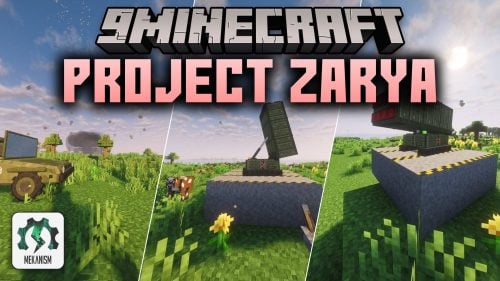 Project Zarya Mod (1.20.1) – Build Soviet Nuclear Missiles and Armored Vehicles
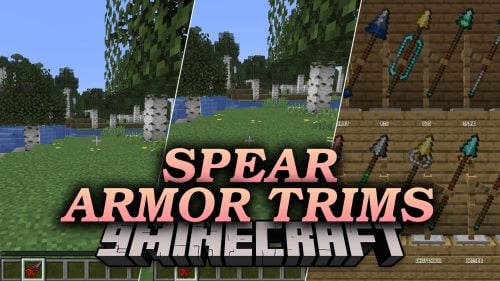 Spear Armor Trims Mod (26.3) – Customize Your Spears with Any Vanilla Armor Trim
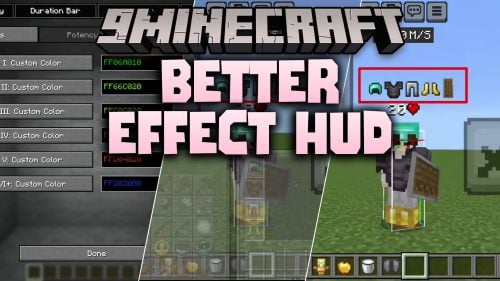 Better Effect HUD Mod (26.3) – Track Active Potion Timers Right on Your Screen
 Coins N’ Auctions Mod (26.1.2) – Trade Gear in a Player-Driven Auction House
 Leaderboard Hologram Mod (26.3, 1.20.1) – Display Live Server Stats
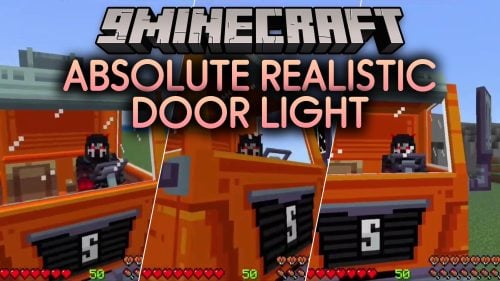 Absolute Realistic Door Light Mod (26.3, 1.20.1) – Closed Doors Block Light
 Dap Your Homies Mod (26.3) – Unleash Shockwaves and Yeet Friends in Multiplayer
 Create Radars Remote Control Mod (1.21.1) – Track Enemies with Radar HUDs
 Effortless Structure 9minecraft Mod (26.3, 26.2) – Build Massive Megabases
 Map Art Grid Mod (26.3, 1.21.11) – Build Pixel-Perfect Map Art
 Cozy Dog Houses Mod (26.3) – Give Tamed Wolves Warm Shelters That Heal Them
 Flashback Sable Tracking Mod (1.21.1) – Record Cinematic Airship Flights

This post has no comments yet. Be the first — your comment will appear here.