


Overlord Mod (1.19.2, 1.18.2) – 나만의 언데드 군단을 지휘하세요
 3,895
3,895
 0
0


Overlord Mod는 당신만의 스켈레톤 군단을 소환하고 지휘할 수 있게 해줍니다. 이 충성스러운 추종자들을 소환하여 적과의 전투에 참여시키거나, 기지에 남아 수비하도록 명령할 수 있습니다. 이 모드는 당신이 진정한 언데드의 지휘관이 될 수 있는 도구들을 제공합니다.
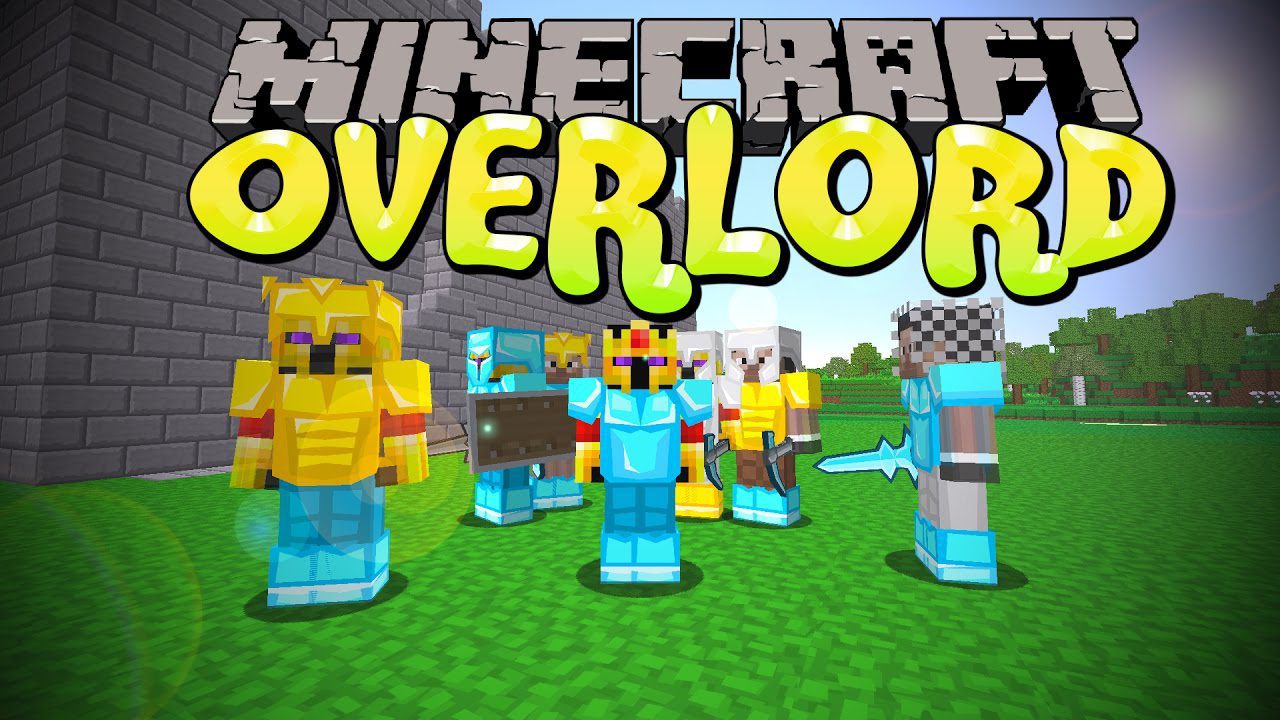
사용 방법:
- 먼저, 스켈레톤 제작기(Skeleton Maker)와 오버로드의 인장(Overlord’s Seal)을 제작하세요.
- 오버로드의 인장을 손에 들고 우클릭하여 자신의 것으로 등록하세요. 인장이 빛나기 시작할 것입니다.
- 스켈레톤 제작기 블록을 세상에 설치하세요.
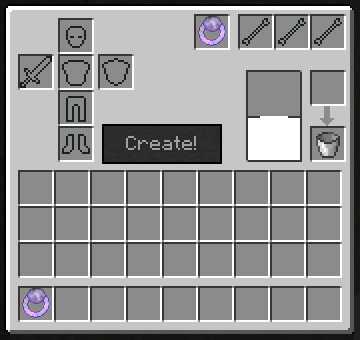
- 스켈레톤 전사를 생성하려면 뼈, 우유 양동이, 그리고 등록된 인장을 스켈레톤 제작기 인터페이스에 넣으세요. 스폰될 때 장착할 갑옷이나 무기도 추가할 수 있습니다.
- 스켈레톤을 더 강하게 만들려면, 스켈레톤을 우클릭하여 메뉴를 열고 인벤토리에 우유 양동이를 넣어 레벨을 올리세요.
- 스켈레톤이 다쳤을 경우, 우유 양동이를 든 채로 Shift+우클릭을 하여 치료할 수 있습니다.
주요 기능:
- 당신을 위해 싸우고 기지를 방어할 스켈레톤을 소환합니다.
- 개별 스켈레톤이나 군단 전체에 구체적인 명령을 내립니다.
- 명령 지팡이(Orders Wand)를 사용하여 주변의 모든 스켈레톤에게 동시에 명령을 내립니다.
- 더 나은 조직과 통제를 위해 스켈레톤을 분대(Squads)로 그룹화합니다.
- 스켈레톤에게 우유를 먹여 레벨을 올리고, 더 빠르고 강하게 만듭니다.
- 부상당한 스켈레톤에게 우유를 주어 치료합니다.
- 다른 플레이어와 동맹을 맺어 군대를 합칩니다.
- 스킨 슈트를 제작하여 스켈레톤을 변장시키고 햇빛에 타지 않도록 보호합니다.
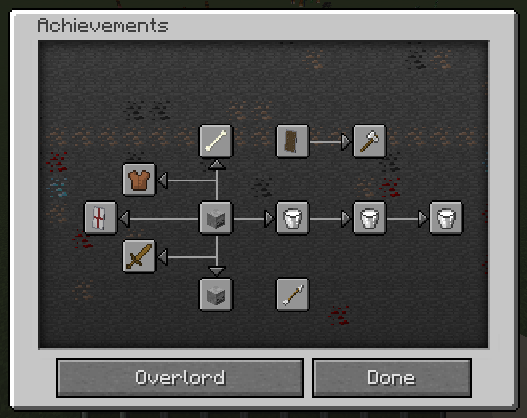
- 언데드 세력을 키워가며 일련의 발전 과제를 잠금 해제하세요.
AI 모드:
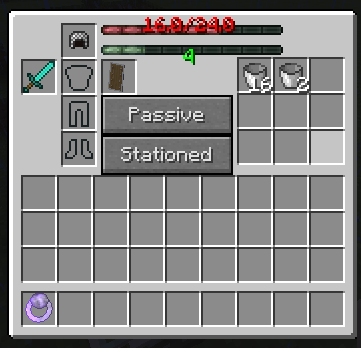
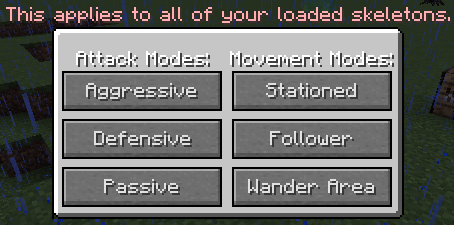
- 이동 모드: 스켈레톤의 이동 방식을 선택하세요. 한 곳에 주둔하거나, 반려동물처럼 당신을 따르거나, 설정된 구역 내를 배회하게 할 수 있습니다.
- 공격 모드: 전투 행동을 제어하세요. 모든 위협을 공격하는 공격적 모드, 도발당했을 때만 싸우는 방어적 모드, 또는 전투를 완전히 피하는 수동적 모드로 설정할 수 있습니다.
명령어:
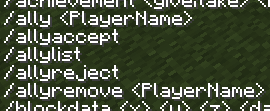
이 모드에는 다른 플레이어와의 동맹을 관리하기 위한 명령어가 포함되어 있습니다:
/alliance create [name]– 새로운 동맹을 창설합니다./alliance invite [player]– 플레이어를 동맹에 초대합니다./alliance accept [name]– 동맹 초대를 수락합니다./alliance kick [player]– 동맹에서 플레이어를 제거합니다./alliance leave– 현재 동맹에서 탈퇴합니다./alliance disband– 소유한 동맹을 해체합니다.
스크린샷:
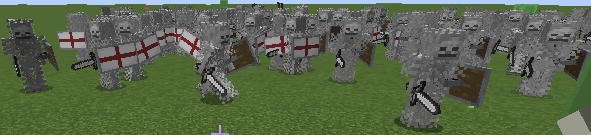
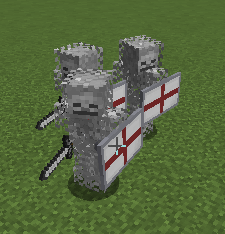
십자군 복장을 한 수많은 스켈레톤 전사들
스켈레톤 전사 GUI
스켈레톤 제작기 GUI
발전 과제 페이지
동맹 명령어
오버로드의 인장 GUI (군대 전체의 AI를 한 번에 제어하는 곳)
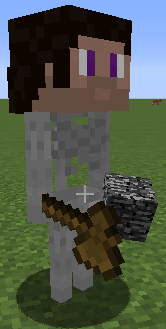
DJACOB처럼 차려입은 스켈레톤 전사
십자군 복장을 한 몇 명의 스켈레톤 전사들
필수 요소:

Overlord Mod 다운로드 링크
마인크래프트 1.12.2, 1.12.1, 1.12용
Forge 버전: 서버 1에서 다운로드 – 서버 2에서 다운로드
마인크래프트 1.15.2용
Fabric 버전: 서버 1에서 다운로드 – 서버 2에서 다운로드
마인크래프트 1.16.5용
Fabric 버전: 서버 1에서 다운로드 – 서버 2에서 다운로드
마인크래프트 1.17.1용
Forge 버전: 서버 1에서 다운로드
Fabric 버전: 서버 1에서 다운로드 – 서버 2에서 다운로드
마인크래프트 1.18.1용
Fabric 버전: 서버 1에서 다운로드 – 서버 2에서 다운로드
마인크래프트 1.18.2용
Forge 버전: 서버 1에서 다운로드
Fabric 버전: 서버 1에서 다운로드 – 서버 2에서 다운로드
마인크래프트 1.19.2용
Forge 버전: 서버 1에서 다운로드 – 서버 2에서 다운로드
Fabric 버전: 서버 1에서 다운로드 – 서버 2에서 다운로드
이 글을 평가하려면 클릭하세요!
[Total: 0 Average: 0]
이런 것도 좋아할 거예요








이 글에는 아직 댓글이 없습니다. 첫 번째로 남겨보세요 — 댓글이 여기에 표시됩니다.