InventoryProfile (save and load items)
EClip (Elytra Clip Matrix bypass)
Meteor Highway Tools Addon
Show Spoiler
Highway Tools is a utility addon for Meteor Client, specifically designed to build highways on anarchy servers.
Features:
Modules
AfkLogout
ArmorNotify
AutoCenter
AutoEat+
AutoWalk+
DiscordRPC
HandManager
HIGPrefix
HighwayBuilder+
HighwayTools
InvManager
NetherBorers
NoCaveCulling
Scaffold+
HUD
Binds HUD
Greetings HUD
Commands
.coords
.disconnect
.toggle higtools
Meteor TrapHax/TrapClient Addon
Show Spoiler
A Client that aims to improve Meteor Client with more Modules and Features.
Meteor BlackOut Addon
Show Spoiler
An addon for Meteor client that adds a variety of new/improved features to the Meteor client such as a new and improved CrystalAura, BedAura and PacketFly and a lot more of new things to push you above the competition.
Meteor Trouser-Streak Addon
Show Spoiler
Trouser-Streak is a compilation of modules, updated to the latest version and optimized for maximum grief.
Features:
Airstrike+: Rains whatever entities you desire from a list similar to Boom. It used to only rain fireballs, and I also changed the positioning of the spawning.
AnHero: Become An Hero! (A quick way back to spawn.)
AutoDrop: Drops the stack in your selected slot automatically, or you can choose a slot to dump. You can shift click your inventory items to dump your trash easily.
AutoLavaCaster Simple timer based bot for lavacasting. Aim at the top of the block you want to cast on and activate the module. It places lava, then after an amount of time removes the lava, places the water after a specified delay, removes it after a specified delay, it will build the mountain upward, tower you up and repeat. Position yourself on a block above and diagonally, mostly perpendicular from the targeted block for best results.
AutoLavaCaster Notes:
If not choosing the amount of time lava flows for, there are lava timing estimation modes.
The UseLastMountain timing mode uses your last Mountain to predict the LavaTimer and calculates the flow rate if the top of the mountain is a 45 degree angle and the rest is going straight down to the ground.
Do not disable AutoMountain before done building the mountain you want to cast on, it can break the timing for the above option. Pause by pressing useKey if you intend to make more stairs on that mountain.
The FortyFiveDegreeStairs timing mode estimates based on 45degree stairs down to sealevel(Y63), or down to Y-60 if you are below Y64.
The ChooseBottomY timing mode estimates time based on 45degree stairs going down to the Y level you set in the timer options from your position.
If you insist upon not starting AutoMountain paused, you can get the correct timing for the UseLastLowestBlockfromAutoMountain in AutoLavaCaster by 1: ENABLE
ResetLowestBlockOnDEACTIVATE in AutoLavaCaster and 2: DISABLE ResetLowestBlockOnACTIVATE in AutoMountain. This will return the lowest block placed with AutoMountain until AutoLavacast is used.
You can reset lowestblock after doing the above by enabling and disabling AutoLavaCaster or by pressing the button in AutoMountain options.
The AutoPosition option moves you to automatically to a position suitable for casting if you are not on a block. May break caster if you enable it while right at the edge of a block. (Not actually on a block)
The .castertimer Command tells you how long each cycle has been running for.
The .lavacalc command gives you an approximation of how long lava will take to flow from top to bottom across a 45 degree staircase at 20TPS (input numbers), or the last Mountain you made from your Y level.
Do not use Timer with this module.
Rotating your character will break AutoLavaCaster. Disable rotate options in Freecam, Killaura, and any others that will rotate you when casting.
Fish buckets, and other water buckets with entities do not work. Put the fishy somewhere safe before mountaining.
If Build up is enabled, and not holding a block, appropriate blocks are selected from your hotbar automatically from left to right.
Autoreplenish is recommended if building up, but disable search hotbar option.
Do not use Flammable blocks if building up, and firespread is on.
Reducing timing options while it’s on can break it.
AutoMountain: AutoMountain builds stairs in the direction you aim. It builds upward if you are looking toward the horizon or higher, and builds downward if you are looking down.
The MountainMakerBot option builds stairs from bottom to top, and when it goes u it starts lavacasting on your staircase. Just click and wait for a mountain. Not intended for use in a closed in space (cave).
AutoMountain Controls:
UseKey (Right Click) starts and pauses mountain building.
Left and RightKeys turn Mountain building.
ForwardKey Turns mountain up, Back Key turns mountain down.
JumpKey adjusts spacing of stairs according to the OnDemandSpacing value.
Start building, then hold SneakKey and also hold Left or RightKey as well to build stairs diagonally. Release left or right key first to continue building in the direction you were prior.
AutoStaircase: Builds stairs upward in the direction you are facing by running forward and jumping.
BaseFinder: Automatically detects if a Base or Build could be in a chunk by checking every block in each chunk to see if there are “Un-natural” blocks within them.
BaseFinder Notes:
The Blocks Lists have been tuned to reduce any false positives while throwing the maximum amount of “good” results for builds. Adjust if you feel you need to, or add/remove things as needed.
The Number of Blocks to Find options is the total amount any of the blocks from one of the lists to find before throwing a base coord.
Do not do the same block in more than one list, it will be a waste of CPU time. The torches and signs in by default are fine because they are actually two different blocks, “WALL_TORCH” and just “TORCH”.
The “Unnatural Spawner Finder” option locates spawners and if they do not have one of the blocks that spawners have around them in nature (Mossy Cobblestone, Stone Brick Stairs, Cobweb, Nether Brick Fence, and Chain), then flag the spawner as unnatural.
.base command returns the nearest base to you, .base add or remove will add or remove the location you are in as a base coord, or you can input X,Y. There are buttons in the options menu to do the same things.
Base location data will be stored in the “BaseChunks” folder, in your Minecraft folder.
BetterAutoSign: Automatically writes signs with the text you specify, and can also apply glow ink or dye.
BetterScaffold: Give you more options for scaffolding, bigger range and others.
Boom+: Throws entities or spawns them on the targeted block when you click.
ExplosionAura: Spawns creepers at your position as you move that explode instantly. Like a bigger, more laggy Nuker module for creative mode. The use of the module Velocity is recommended to avoid being thrown around.
FlightAntikick: Moves you down on a tick-based timer. Added in to substitute the lack of an antikick for velocity flight in MeteorClient (not a great antikick it’s just something). Bind it to the same key as flight.
HandOfGod: Runs the “/fill” command on the world around you in different ways as you fly, and as you click. Operator status required.
Inventory Dupe: Duplicates things in your crafting slots when the module is enabled and the Dupe button is pressed in your inventory. Only works on Minecraft servers on the version 1.17, not any version before or after.
InstaKill: Shoots arrows and tridents with incredible power and velocity. Enabling multiple buttons causes the amount of packets to add up.
LecternCrash: Crash 1.18.X vanilla servers and possibly below.
NewerNewChunks: NewChunks module with new newchunk estimation exploits, and the ability to save chunk data for later! Also with special options for tracing servers that have been updated from a version before the build limit updates, which throw false positives normally.
NewerNewChunks Notes:
The TickExploit option estimates possible newchunks based on block ticking packets. SOME OF THESE CHUNKS MAY BE OLD. Advanced Mode is needed to filter any false positives out.
See Special Options notes for usage.
The TickExploit option can produce false positives if you are hanging around in the same location for a while. It’s best to keep moving fast for it to work best.
NewerNewChunks stores your NewChunks data as text files seperately per server and per dimension in the NewChunks folder in your Minecraft folder.
Save and Load ChunkData options are for the stored files.
This enables you to chunk trace multiple different servers and dimensions without mixing NewChunks data.
If the game crashes, chunk data is saved! No loss in tracing progress.
Send chunk data to your friends! Just copy the appropriate folder and send it.
There is also an option for deleting chunk data in that particular dimension on the server.
The .newchunkcount command can tell you how many chunks have been saved in data in the dimension you are in.
NewerNewChunks Special Options: (These are to be used when the server has two distinct diamond layers, and two distinct lava pool layers underground at spawn.)
The “AdvancedMode” highlights chunks that have flow only below Y0 as well as chunks that have been detected with the TickExploit option.
If there is nothing but FlowBelowY0 chunks and OldChunks as well as a few TickExploit chunks, then you are updating Old Chunks to the new build limits and those are OLDCHUNKS. If the FlowIsBelowY0 are mixed with NewChunks and Tick Exploit coloured chunks they are NEWCHUNKS.
When using Advanced mode if the Tick Exploit chunks appear infrequently and are combined with Old Chunks, then the chunks you are in are OLD. If there is alot of Tick Exploit chunks appearing and/or they are mixed with NewChunks then the chunks are NEW.
AdvancedMode can be confusing, do not use if you can’t interpret the chunk data.
The “IgnoreFlowBelow0” will render as an oldchunk if liquid flow is only below Y zero, and will show as a newchunk if flow is above Y zero, or both above AND below Y zero.
Meteor Villager Roller Addon
Show Spoiler
Module for Meteor Client that continiously breaks and places work block of villager until it has desired trade.
Meteor Numby Hack Addon
Show Spoiler
A simple Meteor addon focused on giving users more customization options. Made in honor of Number81.
Modules:
General:
Auto Log Plus: Automatically disconnects you when a specific condition is met
Better Place: Allows you to place blocks in weird ways
Bayblade: People see you spin.
Chat Encrypt: Encrypts your chat messages
Chorus Exploit: Exploits chorus teleports
Condition Toggle: Toggles modules based on conditions
Confetti: Changes the color of totem pop particles
FloRida: Makes you spin and look cool
Game Settings: Allows you to change some game settings
God Bridge: Positions you in the best way for bridging
Ignore Deaths: Ignores death messages from specific players
Jump Helper: Shows how far you can jump
Log Out Spots: Shows where a player has logged out
New Chunks: Finds new chunks based on flowing liquids
No Strip: Prevents you from stripping logs
Number81: Counts to 81 in chat
Numby Chat: Improves your chat experience in various ways
NumbyRPC: Displays Numby Hack as your presence on Discord
Ride Stats: Nametag with information about rideable entities.
Safe Fire: Does not allow you to walk into fire sources
Safety Net: Places a block under you if your reach a set Y level
Egap Finder: Searches for Egaps in single players and saves their location
Tunnel ESP: Tries to find player made tunnels
Wurst Glide: Allows you to glide
HUD:
81: Number81 On Top!
Item Counter: Counts specific items from your inventory
Logo: Displays Numby Hack logo on screen
Key Press HUD: Displays the key you pressed
Kills: Shows the amount of player kills
Deaths: Shows the amount of deaths
KDR: Shows kill death ratio
High Score: Shows high score
Kill Streak: Shows your kill streak
Text Radar: Shows you the names of players in your render distance along with their stats
Server Brand: Shows the server brand
Commands:
.clear: Clears your chat
.head: Puts the item you are holding in your head slot
.trash: Allows you to destroy any item in your hand
Features:
player particle: Renders particles around specific players
Meteor Additions Addon
Show Spoiler
Meteor Additions Addon is intended to be used with the latest development build of Meteor.
Features:
ModMenu integration for Meteor Client (opens the ClickGUI)
“Servers” option in the multiplayer menu:
Server discovery (discover new servers based on another IP of a hosting provider)
Clean up (remove outdated servers or ones that no longer exist)
Easy saving/loading of servers between instances
“Spawn Items” module to create a lot of item entities in creative
Creative tab with several OP items partially taken from wurst modules (add items using the .save-item command or by editing .minecraft/meteor-client/additions_items.txt)
AutoSpectre
Translator module to configure googlechat mod (google chat is included in Meteor Additions)
This addon assists players in exploiting item duplication glitches in the game, particularly when using Shulker Boxes on servers with the ShulkerPacks plugin installed.
Meteor Gui Particles Addon
Show Spoiler
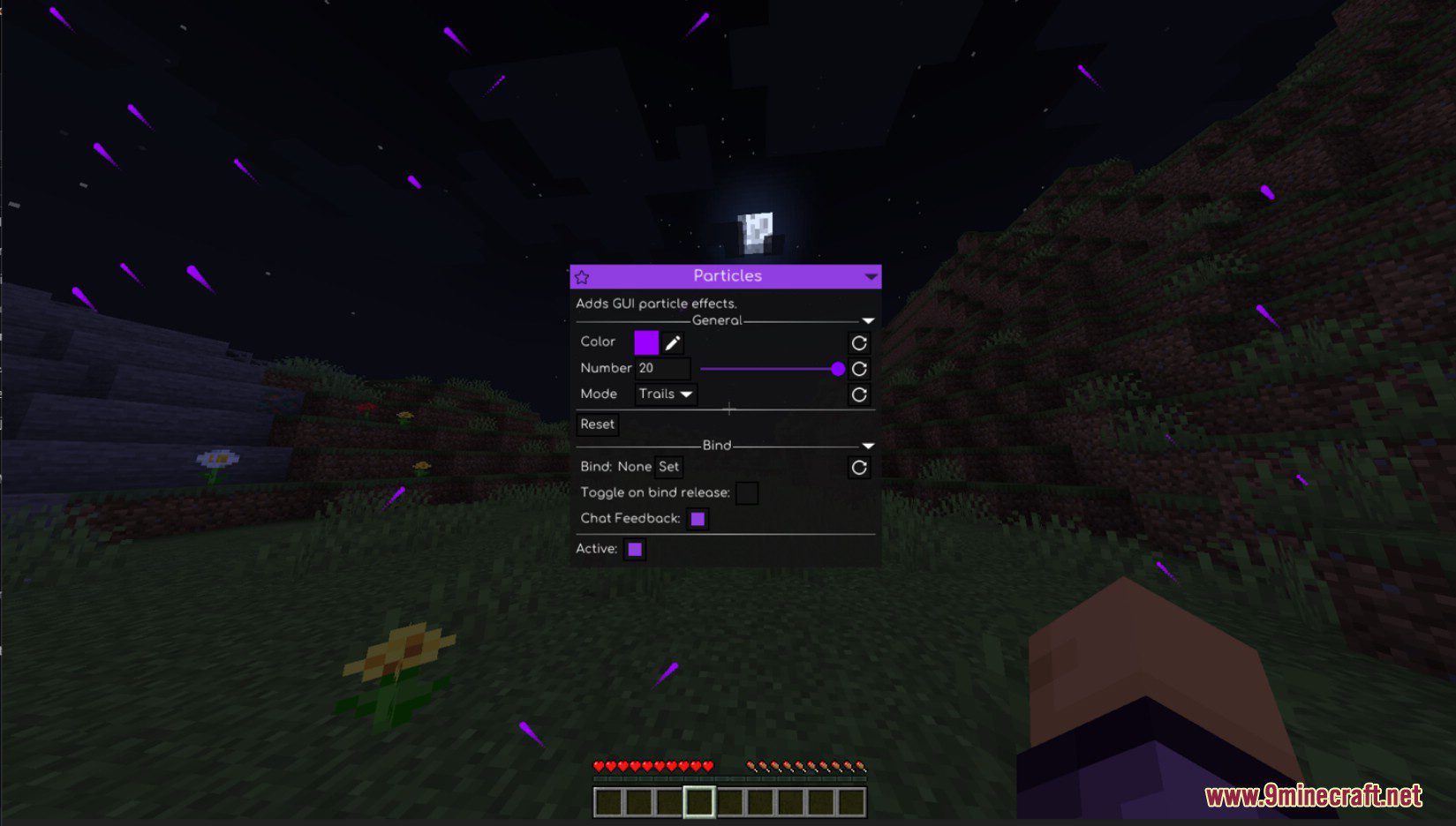
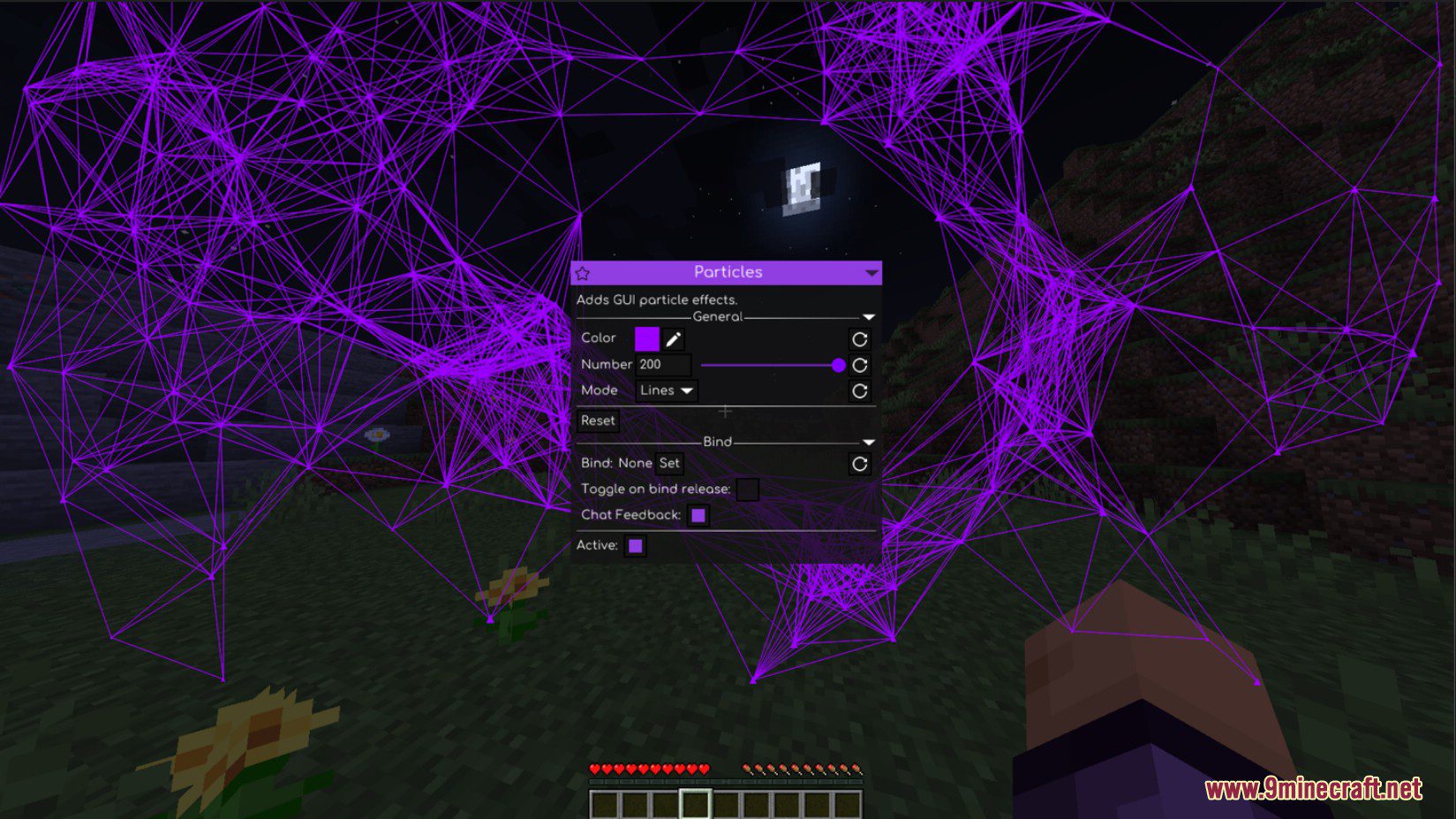
This addon adds particles to Minecraft’s and Meteor’s GUIs.
Meteor Server Seeker
Show Spoiler
Search for basically any Minecraft server that exists. Basically Google, but Minecraft servers.
Features:
Find servers with many parameters, for example: Cracked, Description, Player count, much more…
Server database with around 1.000.000 servers!
Over 80.000.000 players tracked!
Search for ANY server you want!
Join misconfigured BungeeCord backends with any name you want!
How to use:
Logging in:
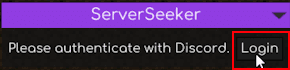
Click on the big button saying “ServerSeeker”
Be aware that all information I get from Discord is “public” information (username, profile picture, etc.)
Searching for servers
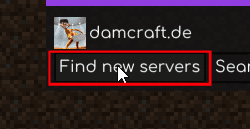
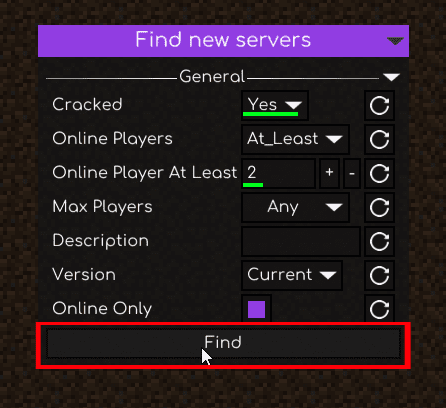
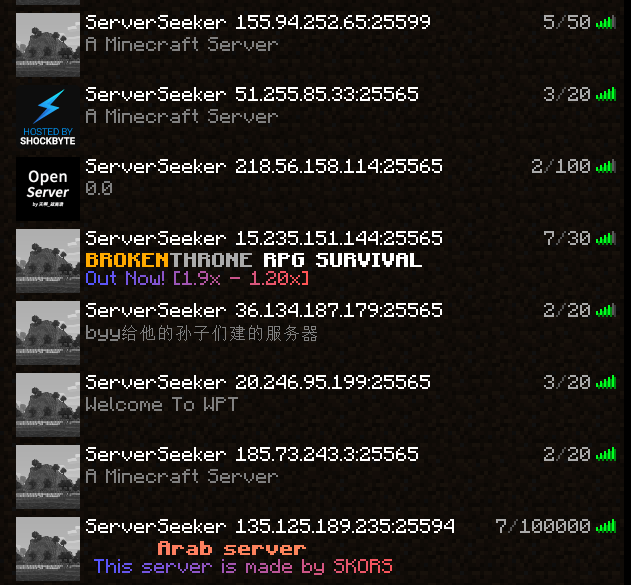
Let’s say we want to find cracked servers with at least 2 players online.
The mod searches servers automatically for your current Minecraft version.
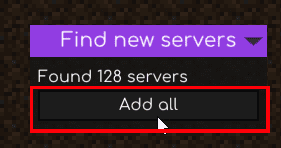
After clicking on “Find”, we can now just add all servers
And just that easy, the servers are now in your server list!
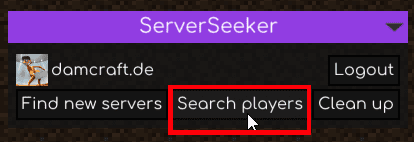
Searching for players
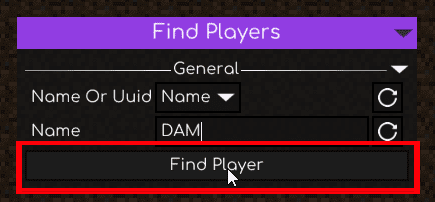
Let’s say we want to find the player with the name “DAM”. We just type “DAM” into the box, and click on “Find Player”
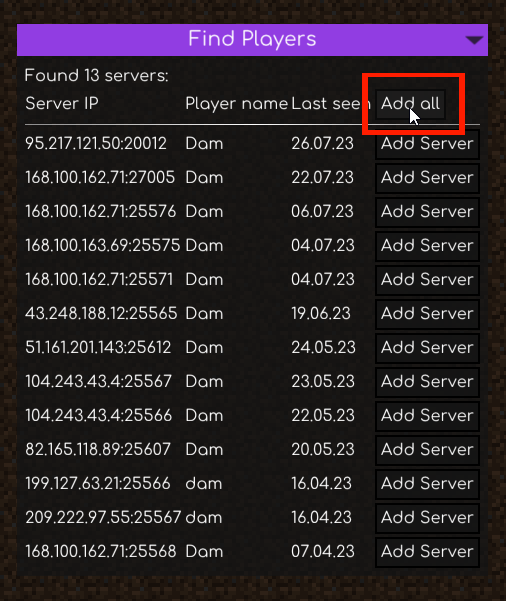
Now we can just add the servers we want, or even add all!
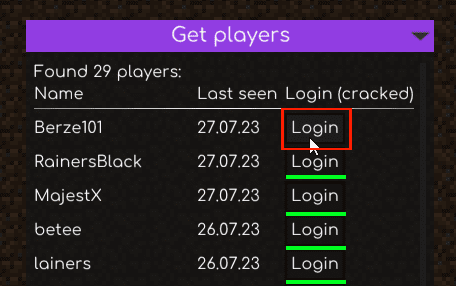
Getting players on a server
Simply select a server and click on “Get players”!
You can now see the player history. Clicking on “Login” will log you into the account in cracked mode.
Meteor AntiP2W Tools Addon
Show Spoiler
AntiP2W Tools is a rolling release addon for Meteor Client that provides utilities against pay to win servers.
Commands
.foreach: Explained below
Definitions
Time Range
Minimum time (see time syntax below)
Optional “..” and maximum time. If not provided, the minimum time will also be the maximum.
Examples of Time Span
3..5
3s..5s
60t..100t
4
4s
80t
0
Time Syntax
Time: Integer value
Optional time unit:
t for ticks
s for seconds
Default: Seconds
Parameters
<iterations> <delayBetweenCommands> <command>
<iterations> <command>: Runs a command multiple times. If the command contains %iteration%, it will be replaced with the current iteration.
players <delayBetweenCommands> <command>
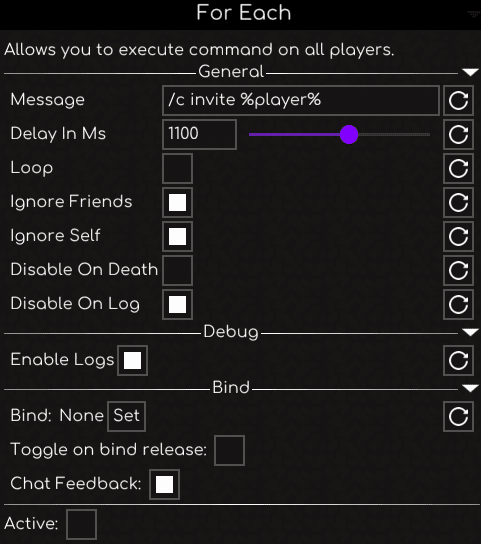
players <command>: Runs a command for every player on the server. If the command contains %player%, it will be replaced with the player’s name.
DelayBetweenCommands is treated as a time range because the system supports random delays.
Special Commands
.hologram, .holo: Loads an image into the world (requires Creative Mode).
.loverfella-dupe, .lf-dupe: Executes the Loverfella dupe exploit.
.offhand-crash: Attempts to crash the server by rapidly swapping the offhand item. Requires many nearby players and an item with a large data size (bytes).
.purpur-crash, .funny-crash: Sends custom payload packets that force the server to generate chunks at random locations. Only works on Minecraft 1.18.2 and below.
.reconnect, .rejoin: Reconnects to the current server, optionally using a different username.
Modules
Anti Exploit: Attempts to block harmful packets that can disrupt the game.
Auto Auth: Automatically logs you in on supported servers.
Better Macros: Allows macros to be used while a menu or screen is open.
Better Toasts: Provides advanced customization for in-game toast notifications.
Book Colors: Replaces & with proper Minecraft color codes inside books.
Free Interact: Removes interaction limitations.
Meteor Brew Addon
Show Spoiler
Features:
Interact, place blocks, and attack entities from long distance.
Supports Macekill from far away.
Currently the only public addon with this feature.
Combat & Protection Modules:
Anti Creeper
Automatically kills Creepers when they explode.
Anti Void
Teleports player upward when falling into the void.
Automatically enables flight.
Designed to be more secure than Meteor.
Click TP
Teleports player to the targeted block with a key press.
Scary Players System:
Automatically logs you out when specific players enter render distance.
Planned future features:
Automatic combat response.
Meteor RusherHack Integration Addon
Show Spoiler
Adds rusher tab to Meteor Client GUI
Meteor Nerv Printer Addon
Show Spoiler
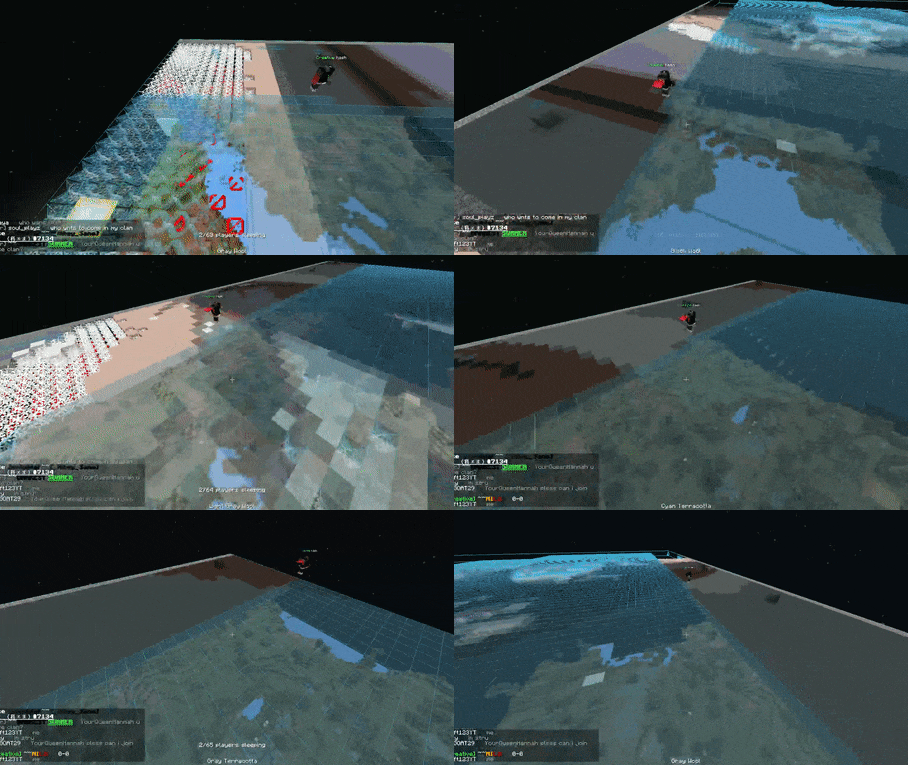
Nerv Printer is an addon for the meteor client allowing you to build flat mapart from a batch of NBT files. It works 100% autonomously and supports both carpet and fullblock maps. Its main focus is reliability and compatibility with strict anti-cheat servers. Besides Meteor no other mod is needed to run this addon. However, you might need a mod that caches chunks (such as Bobby) if your render distance is too small. The required distance is described in the module-specific documentation.
Carpet Printer:
The Carpet Printer prints the map line-by-line and does not reuse carpet items, making it only suited for servers where carpet duping is enabled. You can find the full documentation here.
Fullblock Printer:
The Fullblock Printer utilizes a TNT-bomber and a large item sorter to reuse most materials used to build the map. However, it is only compatible with servers where TNT duplication is enabled. You can find the full documentation here.
Map Namer:
Semi-automatically names unnamed map items in inventory. Pauses on anvil break and insufficient xp and can be resumed.
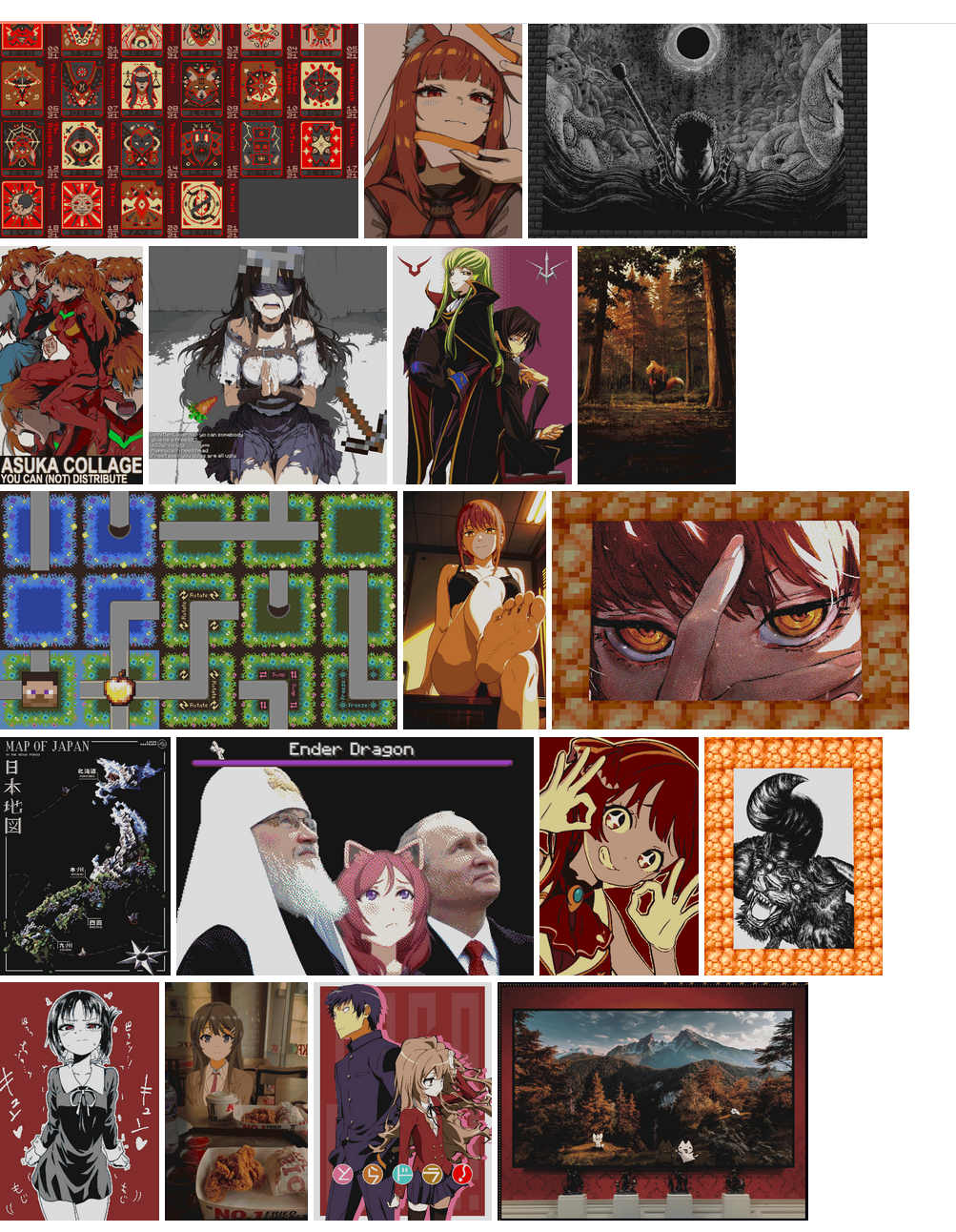
Mapart Gallery:
A collection of maps printed with this addon:
Meteor Stardust Addon
Show Spoiler
Stardust is an addon for Meteor Client designed for use on the anarchy Minecraft server 2b2t. It contains original modules to enhance your experience on Old Server, with a focus on configurability and polish.
Custom GUI Themes – Multiple Meteor UI color variants.
Game of Life HUD
Cellular simulation for visual effect.
Photosensitivity warning applies.
Minigames
Minesweeper – Classic puzzle game in Meteor.
Meteorites – Asteroids-style arcade shooter.
Meteor Stash Hunting Addon (or Jeff Mod)
Show Spoiler
This module provides some additional uses of an elytra. While the module is enabled and you are wearing an elytra, you will always be “flying” which can be useful for easily bouncing around or jumping 2 blocks high.
Modules
ElytraFlyPlusPlus
Has a bounce mode with a baritone obstacle passer for highways, including ring-roads.
Motion Y Boost mode can go up to 200 bps. (Patched on 2b2t)
Fake fly option allows you to fly with a chestplate on to minimize lost durability. (Patched on 2b2t)
TrailFollower
Follows trails in all dimensions using either pitch40 or baritone. May break on path splits or other cases.
TrailMaker
Saves the chunks you plot using the xaeros map, and adjusts your yaw to face each chunk in order as you go to each one.
BetterStashFinder
Pretty much the same as meteors stash finder except some extra features:
It doesn’t look for stashes in unloaded chunks
It can mark the stash finds on the Xaero Minimap
It can send stash hits to a discord webhook
OldChunkNotifier
Sends a message to a discord webhook when old chunks are found.
DiscordNotifs
Logs different things to a discord webhook.
Pitch40Util
Used alongside meteors pitch40. Auto sets min and max bounds so that you continue to gain height. Also has an auto firework mode for when you lose velocity.
NoJumpDelay
Removes the delay between jumping.
GrimAirPlace
Meteor’s airplace code but with a grim bypass.
Search Area
Requires some other mod to make you move.
Spirals you or goes in a rectangle area by changing where you look.
AutoLogPlus
Provides some additional triggers to log out, such as logging at a certain Y value, or on low armor durability.
ChestIndex
Automatically opens chests in range and collects a list of every item inside.
GotoPosition
Looks at the position specified and holds w.
HighlightOldLava
Highlights lava that is of a certain height.
AFKVanillaFly
Keeps you at the same Y value by adjusting your pitch up and down.
VanityESP
Highlights item frames that have mapart in them, and banners.
AutoPortal
Automatically places and lights a portal.
HUD
Weather
Displays the current weather in the world.
EntityList
Displays the count of all the entities within render distance.
Settings
Toggle Elytra – Switch chestpiece to elytra on activation and back on deactivation.
Bounce – Enables all elytra bounce related options.
Lock Pitch
Pitch – Sets fixed pitch when auto adjust is disabled.
Lock Yaw
Use Custom Yaw
Yaw – Custom yaw value.
Y Motion Boost
Speed – Speed cap in BPS.
Highway Obstacle Passer
Use Custom Start Position
Start Position – Click “Set Here” on the highway.
Away From Start Position
Distance
Y Level
Avoid Portal Traps
Portal Avoid Distance
Portal Scan Width
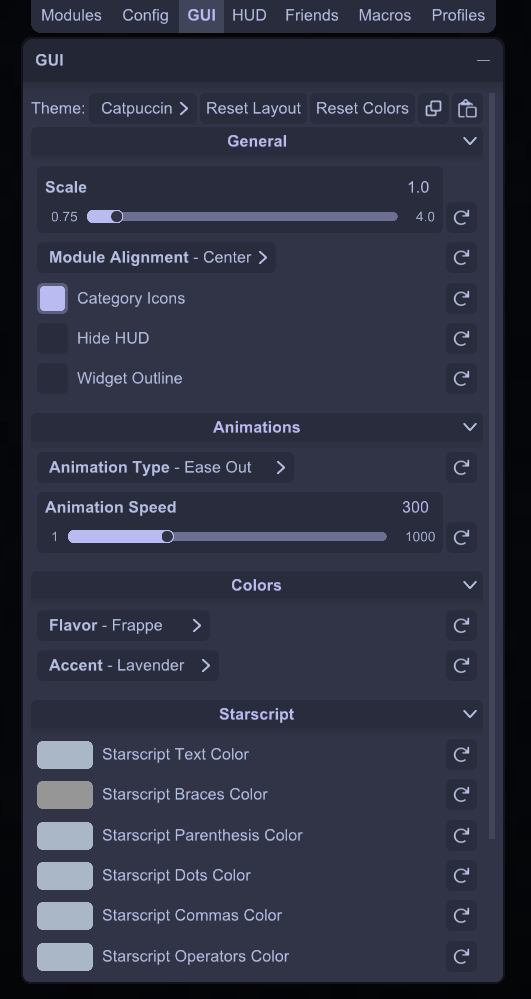
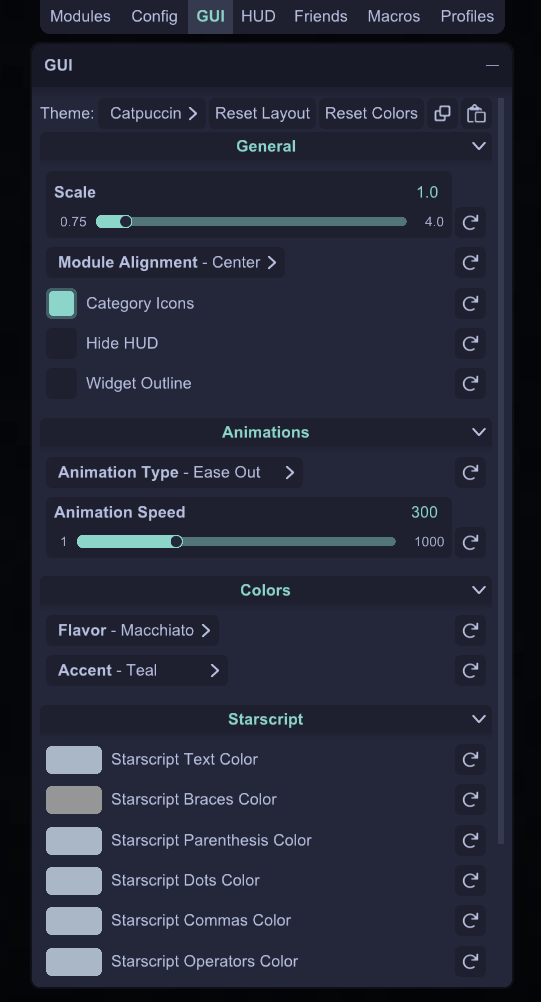
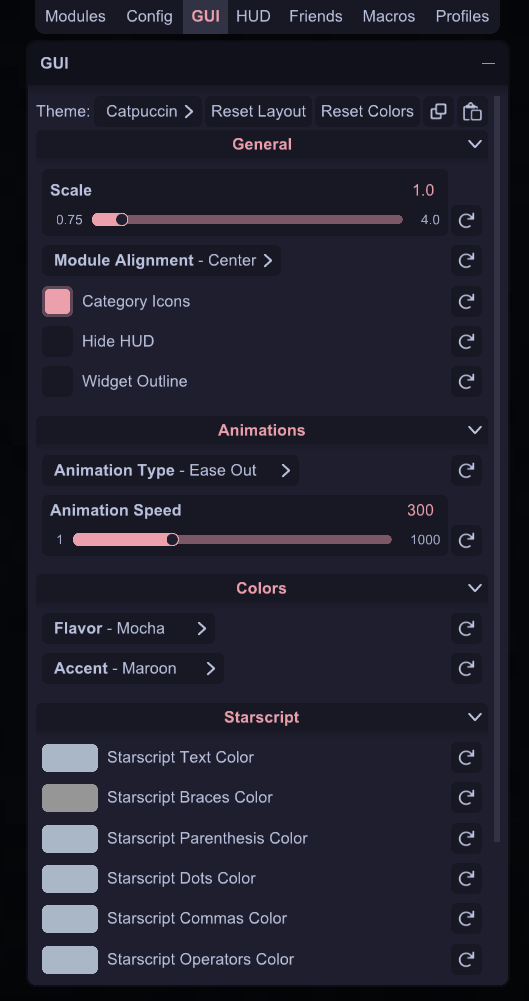
Meteor Catpuccin Addon
Show Spoiler
Soothing pastel theme for Meteor Client
Features:
Epic rounded corners
Epic flavors from the Catppuccin Palette: Latte, Frappé, Macchiato, Mocha
Epic smooth animations: Configurable duration and type: Linear, Ease In, Ease Out, etc.
Epic font rendering: Supports bold, italic, and dynamic font style switching
Epic snap-to-grid for Modules Screen: Keeps your GUI very epic looking and organized
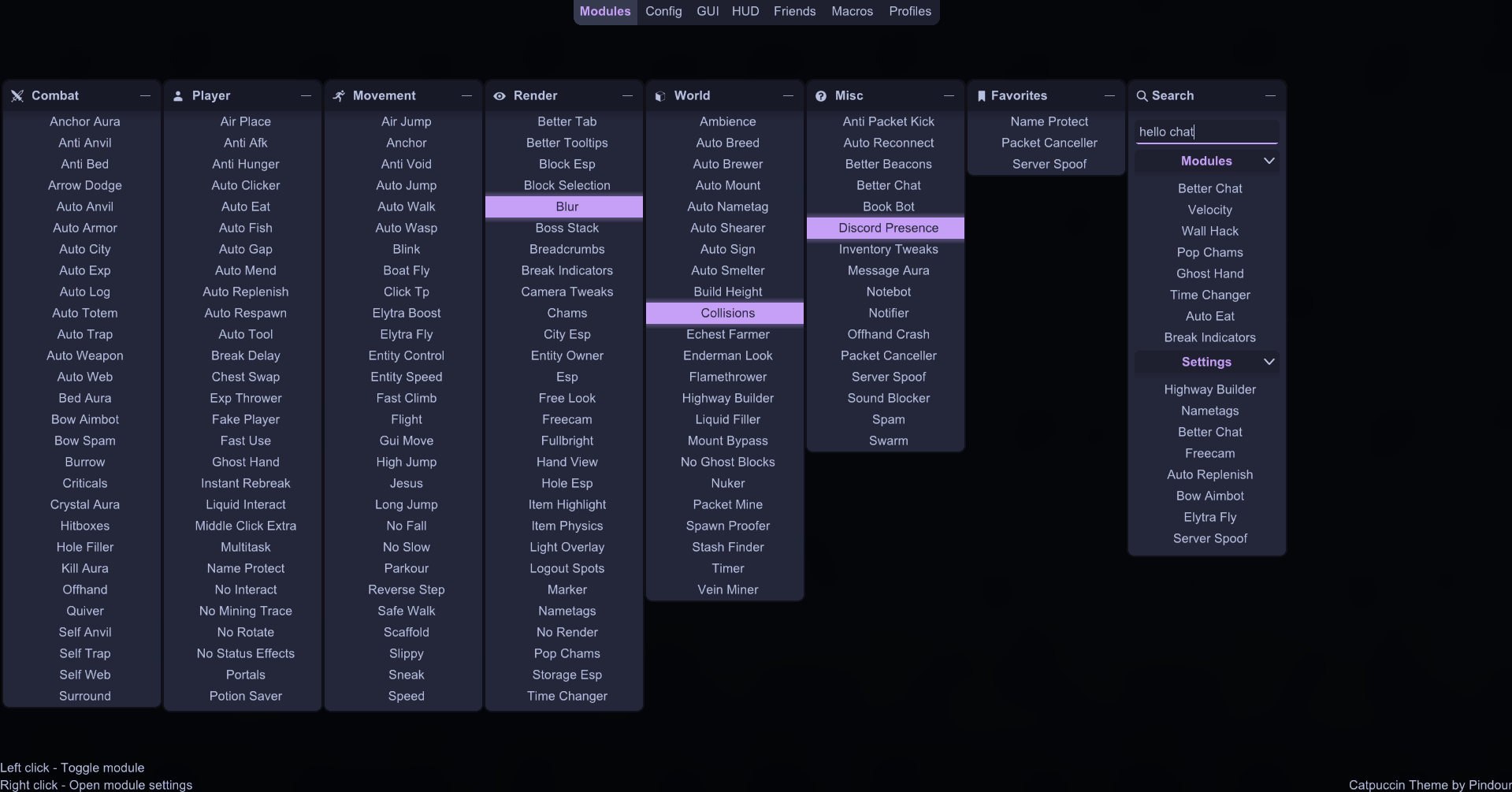
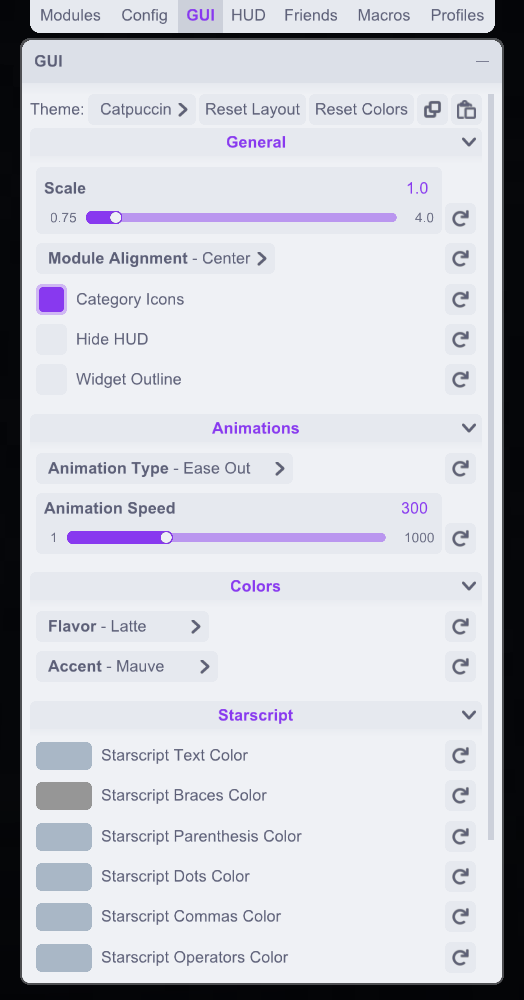
Screenshots:
Latte
Frappé
Macchiato
Mocha
How to use:
Open the ClickGUI (Right Shift by default).
Go to the “GUI” tab and select the “Catppuccin” theme from the “Theme” dropdown.
(Optional) In the “Config” tab, set your font to Arial or another one that supports multiple font styles (bold, italic…).
Meteor Taco Addon
Show Spoiler
Adds random things. Now you can finally watch Subway Surfers gameplay while playing Minecraft. Now you can finally have the dancing taco on your hotbar through the comfort of a Meteor addon.
Features:
HUD:
Dancing Taco: taco from Wurst as hud element
Subway Surfers: helps you focus
Modules:
AntiStrip: Protects you from accidentally stripping logs
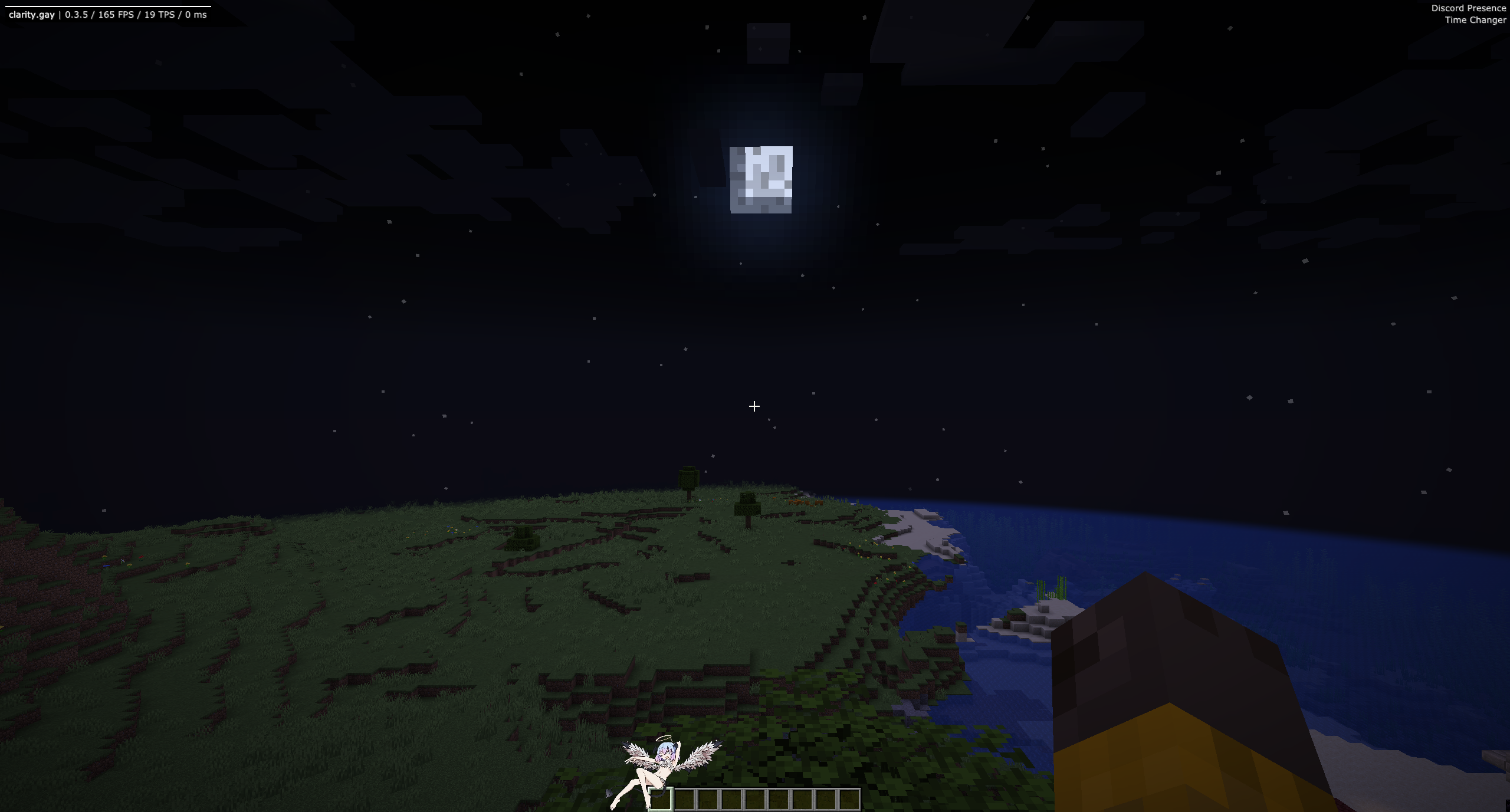
Meteor Clarity Addon
Show Spoiler
Meteor Clarity Addon provides a collection of tools focused on network packets, exploit testing, and advanced movement mechanics.
Features:
Modules
Minehut Crash
Recipe Crash
Skill Crash
Velocity Crash
Position Spam
PaperOOM Crash
BetterBoatFly
BoatPlace
BoatUAV
BungeeGuard
Channel Fetcher
Chat Bypass
Claritytags
Packet Charge
Packet Delay
Packet Logger
Commands
clickslot <slot> <button> <count> <type>
changeusername <accesstoken> <username>
getaccesstoken
safedisconnect
HUD
Clarity-Chan
Clarity Arraylist
Watermark
Logo
Meteor Walper Rewrite Addon
Show Spoiler
is a continuation of the original Walper Addon for Meteor Client. In the rewrite, most modules have been rewritten, cleaned, and optimized, junk features removed, and new features added. This addon is notable for its rendering–offering multiple styles of gradients for block renders, more GuiThemes modeling other popular clients, customization injections into the Gui System, and circular renders. The addon is mostly miscellaneous, but provides some ghost and combat features too.
Features:
Walper Tab Settings:
Tabs X – adjusts the X position of the Meteor tabs menu
Tabs Y – adjusts the Y position of the Meteor tabs menu
Sort modules by title length – changes the module display order
Presets: Provides starter text-based HUD elements using Walper Starscript components.
Meteor Nora Tweaks Addon
Show Spoiler
Nora Tweaks is a custom addon for the Meteor Client that introduces quality-of-life features.
Features:
Custom Category Manager: Create, manage, and sort your own custom module categories, which appear seamlessly in the module list.
Auto Dirt Path: Automatically creates paths from dirt-like blocks when holding a shovel.
Auto Farm Land: Automatically creates farm land from dirt-like blocks when holding a hoe.
Auto Farm: Harvests and replants configured crops automatically. (Adapted from Meteor Rejects)
Auto Log Strip: Automatically places, strips, and breaks logs for efficient processing with configurable delays and auto-refill.
Mace Combo: Auto-attacks targets and chains mace combos with wind charges for enhanced combat.
Legit Mace Kill: Makes the Mace powerful when swung by amplifying your actual fall distance (only works when falling).
Chat Utility: A collection of chat-related tools including keyword notifications, auto-messaging, and desktop toast notifications.
Hotkey Utility: Set up quick hotbar changes with key combination.
Wind Charge Jump: Automatically jumps when you throw a wind charge underneath yourself for enhanced mobility.
Deepslate ESP: Highlights deepslate-related blocks/entities for visibility.
Pearl Checker: Shows owner nametags on ender pearls, sends throw/land chat notifications, and predicts landing.
Auto Trap Plus: Enhanced trapping helper for faster, more reliable traps.
Ore Sim: Seed-aware ore position simulator with optional Baritone goal syncing. (Adapted from Meteor Rejects)
Commands:
.mobchecker – Count nearby mobs with optional range and name filter
.mobchecker → default range 64
.mobchecker <range> → e.g. .mobchecker 96
.mobchecker <range> <filter> → e.g. .mobchecker 96 zombie
.calculator – Evaluate math expressions or quick damage/survival formulas.
.seed – Store world seed. (Adapted from Meteor Rejects)
.seed-locate – Locate structures via the stored seed using Cubiomes; prints coordinates and distance. (Adapted from Meteor Rejects)
Meteor IKEA Addon
Show Spoiler
IKEA addon for Meteor Client designed to provide missing utility features such as NoChestRender, created to handle large stash performance issues on 6b6t while keeping the main version stable and widely compatible.
Meteor Satellite Addon
Show Spoiler
This addon extends Meteor Client by adding several utility modules and commands. Below is a simplified explanation of each feature, written to be easy for new players to understand.
Features:
Auto Frame Dupe
Automatically performs the item frame duplication method.
EventlessFly
Allows flying without triggering normal movement events.
Useful for bypassing certain movement checks.
InfiniteClickTP
Teleports you to the block you click.
Maximum distance: 200 blocks.
KnockbackTweaks
Lets you control the direction of knockback when hitting entities.
NBTTooltip
Shows detailed NBT data when hovering over an item.
Phase
Allows you to move through solid blocks.
SeedMap
Automatically updates your location on the Chunkbase seed map.
SpeedBypass
Bypasses the vanilla speed limit of 10 blocks/tick.
Can reach speeds up to 200 blocks/tick.
UiUtils
Integrates UI Utils mod features directly into Meteor Client.
VecFly
Allows flying at a precise, configurable speed.
Designed to bypass specific anticheat systems.
Commands:
.framedrop
Drops all items from nearby item frames.
.tpcam
Teleports you to the camera entity.
.tp <player>
Teleports you directly to the specified player.
Meteor PowHax Addon
Show Spoiler
PowHax is an addon designed for non-vanilla servers. It mainly targets servers that use popular plugins such as EssentialsX, mcMMO, and similar systems.
Features:
Modules
Armor-Buster
Attempts to damage and break a player’s armor.
Uses the armor impact ability from mcMMO.
Auto-Endorse
Automatically places a sign with custom text.
The last line shows the name of the nearest player.
Auto-Login
Automatically runs the /login command when joining a server.
Basic implementation for authentication plugins.
Auto-Sell
Automatically sells a full stack of items.
Works with Dynamic Shop and TradeView systems.
Bedrock-Printer
Logs the coordinates of Nether bedrock to a file.
Mainly used for seed cracking purposes.
Death-Commands
Executes commands automatically after respawning.
Supports StarScript.
Fly-Speed
Adjusts your flying speed.
Requires flight access such as /fly from EssentialsX.
Smite-Aura
Automatically strikes lightning on nearby entities.
Uses lightning commands from EssentialsX.
Commands:
ClearChat
Clears all messages in your chat.
Aliases: clear, cls
Coords
Displays your current coordinates.
Aliases: coords, position, pos
Xp
Adds experience on the client side only.
Aliases: xp, experience
Meteor Extras Addon
Show Spoiler
This addon adds extra features primarily for Anarchy servers without anti-cheats.
ElytraBot – Elytra autopilot with A* pathfinding, firework refill, and Baritone support
Flight, PacketFly, Jetpack, Glide
Combat & PvP
AimAssist, KillAura, ShieldBypass
AutoPot, AutoSoup, AutoBedTrap
World & Utility
RaidTimer – Accurate raid timing and automatic ominous potion refills
NewChunks, ServerFinder, CoordLogger
SoundLocator, SkeletonESP
Visual & HUD
Radar HUD – Minimap-style radar overlay
Meteor Rounded Theme
Meteor Baritone Controller Addon
Show Spoiler
A Meteor Addon that provides a simple frontend for baritone commands.
Features:
Buttons for common baritone commands.
Go To command builder.
Sel command builder.
Tunnel command builder.
Meteor WebGUI Addon
Show Spoiler
Real-time, bi-directional web interface for every Meteor Client module and setting. Full control of Meteor Client from within the browser
Features:
Bi-directional Sync
Real-time synchronization between browser and game
Module toggles and setting changes update instantly
Powered by a NanoHTTPD-based WebSocket channel
Automatic Module Catalog
Automatically detects all Meteor Client modules
Includes modules from installed addons
Organizes modules into categories and favorites
Type-Aware Settings Editor
Supports over 30 setting types
Includes:
Bool, Int, Double, String
Enum, Color, Keybind, Font
Potion
Lists: blocks, items, entities
Maps with full validation
UI controls adapt automatically to each type
Registry Streaming
Blocks, items, and entities are streamed on demand
Prevents performance issues in Meteor Client
Improves advanced list editor usability
Fully Bundled Web Interface
Vue 3 + TypeScript front-end
Built automatically using Gradle
Served directly from inside the addon
Real-time HUD Display
Live text previews of active HUD elements
Automatic updates and state synchronization
Full HUD settings control from the browser
How to use:
Check requirements
Java 21+
Node.js 18+ (only required for WebUI development)
Start the WebGUI server
Press Right Shift to open the Meteor GUI
Open the WebGUI tab
Configure:
Host (default 127.0.0.1)
Port (default 8080)
Optional auto-start
Click Start Server
Open the interface
Production mode:
Visit http://127.0.0.1:8080
Development mode:
Run:
cd webui
npm install
npm run dev
Visit http://localhost:3000
WebSocket traffic is proxied to localhost:8080
Configs
Host – Address the WebGUI server binds to (default 127.0.0.1)
Port – Port used by the WebGUI server (default 8080)
Auto Start – Automatically start the WebGUI server when joining a world
Meteor Kawaii v2 Addon
Show Spoiler
This addon displays catgirl images + more, adding some kawaii flair to your client (meme addon)!
Features:
Displays catgirl images in your HUD
Coordleaker command for lolz a.k.a cuddle command
Player spinner
Crashout command to cool-down after getting killed
Chinese hat
Meteor Super User Addon
Show Spoiler
A Meteor Client addon for super users.
Commands:
The .execute command works similarly to the vanilla /execute command, but it is designed specifically for the Meteor Client. It allows you to run commands with conditions, delays, repeats, and variable storage.
Terminal Operations
run <command>Executes a Meteor Client command.
send <command>Executes a normal Minecraft chat command.
Modifiers
if <script>Runs the command only if the Starscript expression returns true.
unless <script>Runs the command only if the Starscript expression does not return true.
delayed (ticks|millis|seconds) <delay>Waits for a specific time before running the following command.
Commands delayed by millis or seconds run off-thread.
Only use thread-safe commands in this case.
repeat <times> instantImmediately runs the command multiple times.
repeat <times> (ticks|millis|seconds) <delay>Repeats the command with a delay between each execution.
store (result|success) <variable>Saves the command result or success state into a Starscript variable.
Scheduling Commands
.schedule (ticks|millis|seconds) <delay> <command>Runs a command after a delay. Behavior is the same as using delayed with .execute.
Starscript Utilities
.starscript eval <expression>Evaluates a Starscript expression and prints the result.
.starscript get <variable>Displays the value of a stored Starscript variable.
Command Results
Every executed command returns:
success: true or false
result: an integer value depending on the command
These values can be stored using store result or store success.
Forked commands (such as repeat instant) combine results into a total sum.
Delayed commands return 1 immediately, then update after execution.
Result Notes
The send operation always returns 1 on success due to client limitations.
For .starscript:
If the output is a number, that number is returned.
Otherwise, the result is 1.
Meteor MC Games Addon
Show Spoiler
Play some games while you are traveling, getting started in a new world, or just bored.
Features
This mod offers several simple and interactive gameplay activities that are easy to understand, even for new players.
Getting Started
Focus on collecting essential items and basic gear as quickly as possible.
Hangman
Guess letters one by one to uncover a hidden word.
Navigator
Guides you to a random location near your current position.
Scavenger Hunt
Search for and collect specific items scattered around the world.
Tic-Tac-Toe
Play the classic Tic-Tac-Toe game inside Minecraft.
Wordle
Play Wordle with unlimited attempts and new words.
Meteor Browse Install Update Addons Addon
Show Spoiler
Browse, install, and update Meteor Client addons without leaving Minecraft.
Features:
In-Game Addon Browser
Browse available Meteor addons directly inside Minecraft using an integrated GUI.
One-Click Installation
Download and install addons with a single click.
No manual file management required.
Automatic Updates
Built-in update system with hash verification to ensure addon integrity.
Smart Filtering
Automatically filters addons by Minecraft version compatibility.
Shows only verified and working addons.
Grid & List Views
Switch between grid cards and compact list views based on your preference.
Icon Preloading
Asynchronous icon loading with GPU texture caching for smooth performance.
Detailed Addon Information
View full metadata such as description, author, download count, and last update.
How to use:
Open the Meteor Client GUI (default key: Right Shift).
Go to the Addons tab.
Browse online addons or view installed ones.
Select any addon to view details or install it.
Meteor Model Context Protocol (MCP) Addon
Show Spoiler
A Meteor Client addon that bridges the Model Context Protocol (MCP) with Minecraft. Connect to MCP servers and call their tools directly from StarScript expressions, chat commands, and optionally via Gemini AI.
Features:
MCP Server Management
Connect to multiple MCP servers with saved configurations.
Servers can auto-connect when Minecraft starts.
StarScript Integration
Access MCP tools using {serverName.toolName(args)}.
Works in HUD elements, chat macros, and all StarScript-supported areas.
Dynamic Chat Commands
Automatically creates commands like .serverName:toolName.
Includes built-in help and tab completion.
Gemini AI (Optional)
Send direct prompts using .gemini.
Use MCP tools automatically with .gemini-mcp.
How to use:
Connecting MCP Servers (GUI)
Open the Meteor GUI (default key: Right Shift).
Go to the MCP tab and select Add Server.
Enter a server name and start command (example: node /path/to/server/dist/index.js).
Enable Auto Connect if you want it to connect automatically.
Save and connect to the server.
Example MCP Server
Spotify MCP
Allows control of music playback and access to track information.
StarScript Examples
After connecting a server, its tools can be used like this:
{spotify.spotify_get_track_name()}
{spotify.spotify_get_track_progress_formatted()}
These expressions work in:
HUD text elements
Chat macros
Any location that supports StarScript placeholders
Chat Command Examples
.spotify:spotify_next
.spotify:spotify_set_volume volume_percent=50
Gemini AI Integration (Optional)
Setup
Open the MCP tab and select Configure Gemini API.
Enter your API key from ai.google.dev.
Select a Gemini model such as Gemini 2.5 Pro, Flash, or Flash Lite.
Test the connection and save your settings.
Usage
Simple prompts:
.gemini "Explain what StarScript is"
{gemini("What is the current Minecraft version?")}
MCP-enhanced prompts:
.gemini-mcp "Play some jazz music"
{gemini_mcp("What song is currently playing?")}
The .gemini-mcp command lets Gemini automatically find and use connected MCP tools.



 581,192
 5
5
 February 24, 2026
 Meteor Client





























Uno del más reciente
I need 1.21.9 bruh
1.21.9 is inside Other Versions. Click the spoiler button at the top.
i would want rejects to 1.21.8 please
I want this client