
Mezz ConfigGUI Mod (26.3, 1.20.1) – Tweak Client Mod Settings Straight
 48
 0

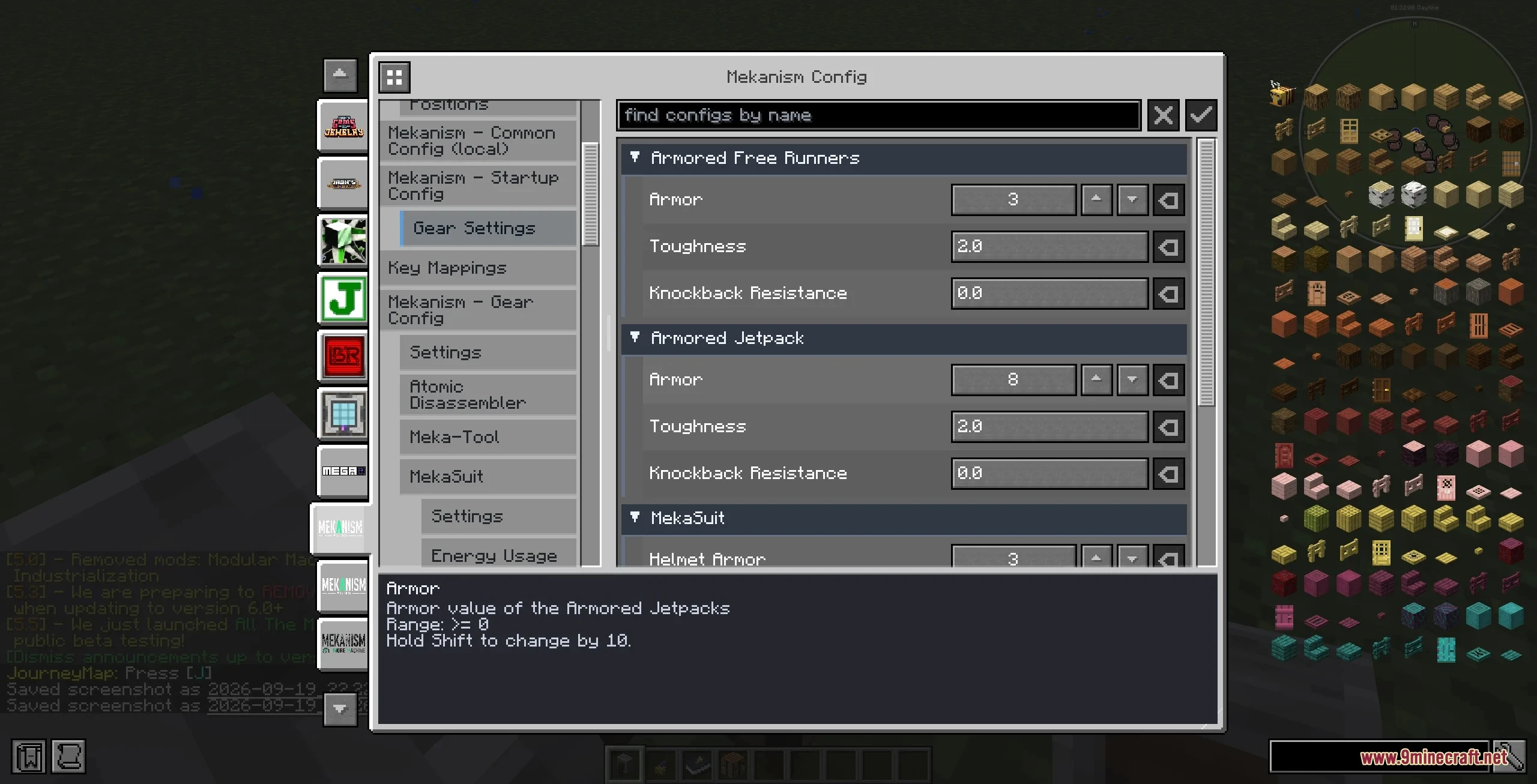
Mezz ConfigGUI Mod adds a clean in-game screen to edit client settings for installed mods. It lets you adjust common options directly from inside the game without editing text files manually. The mod works automatically with default NeoForge configs and displays your options in neat collapsible menus.

Features:
- Adds collapsible subsections that keep setting menus neat and organized.
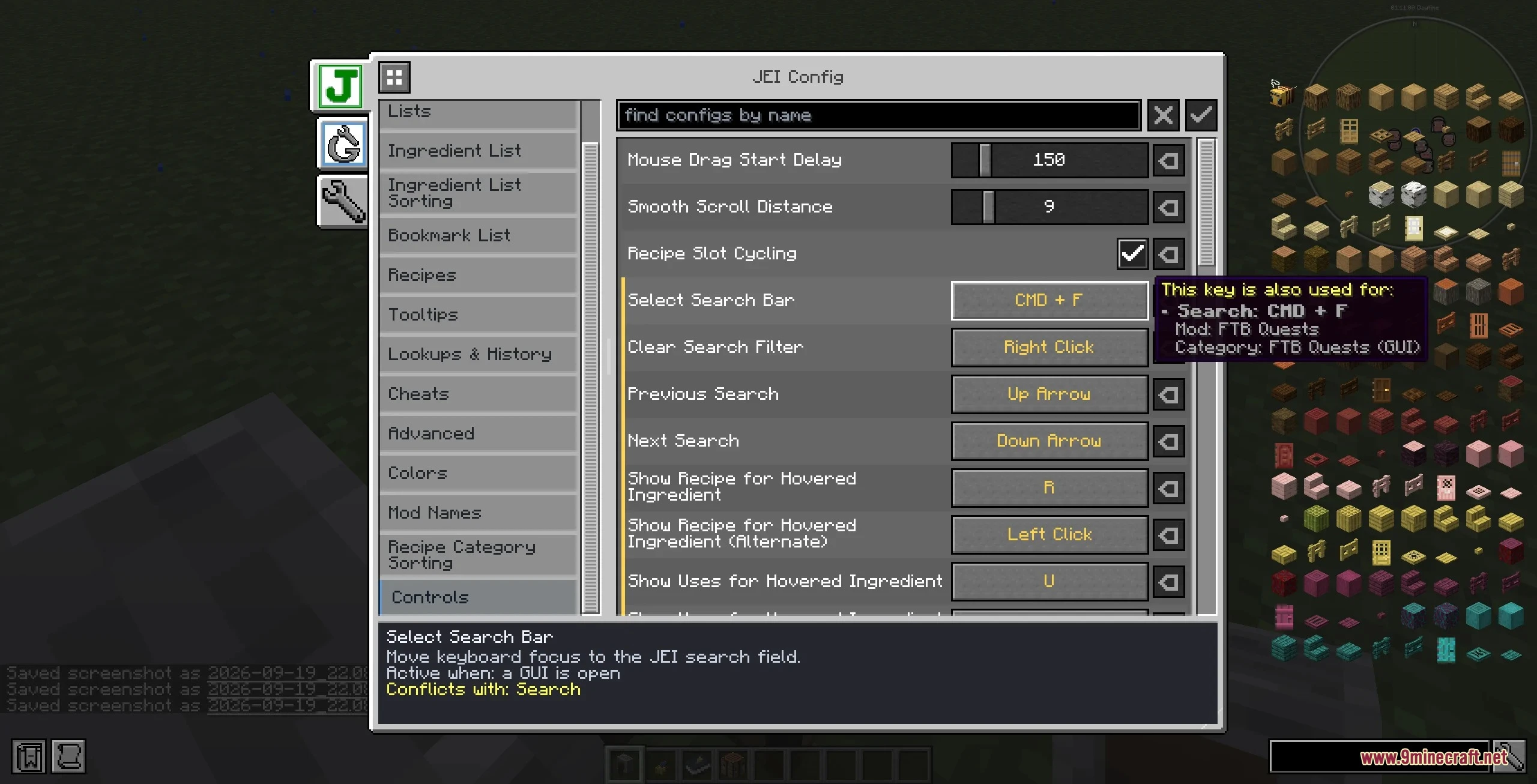
- Displays key bindings and highlights key conflicts right next to mod options.
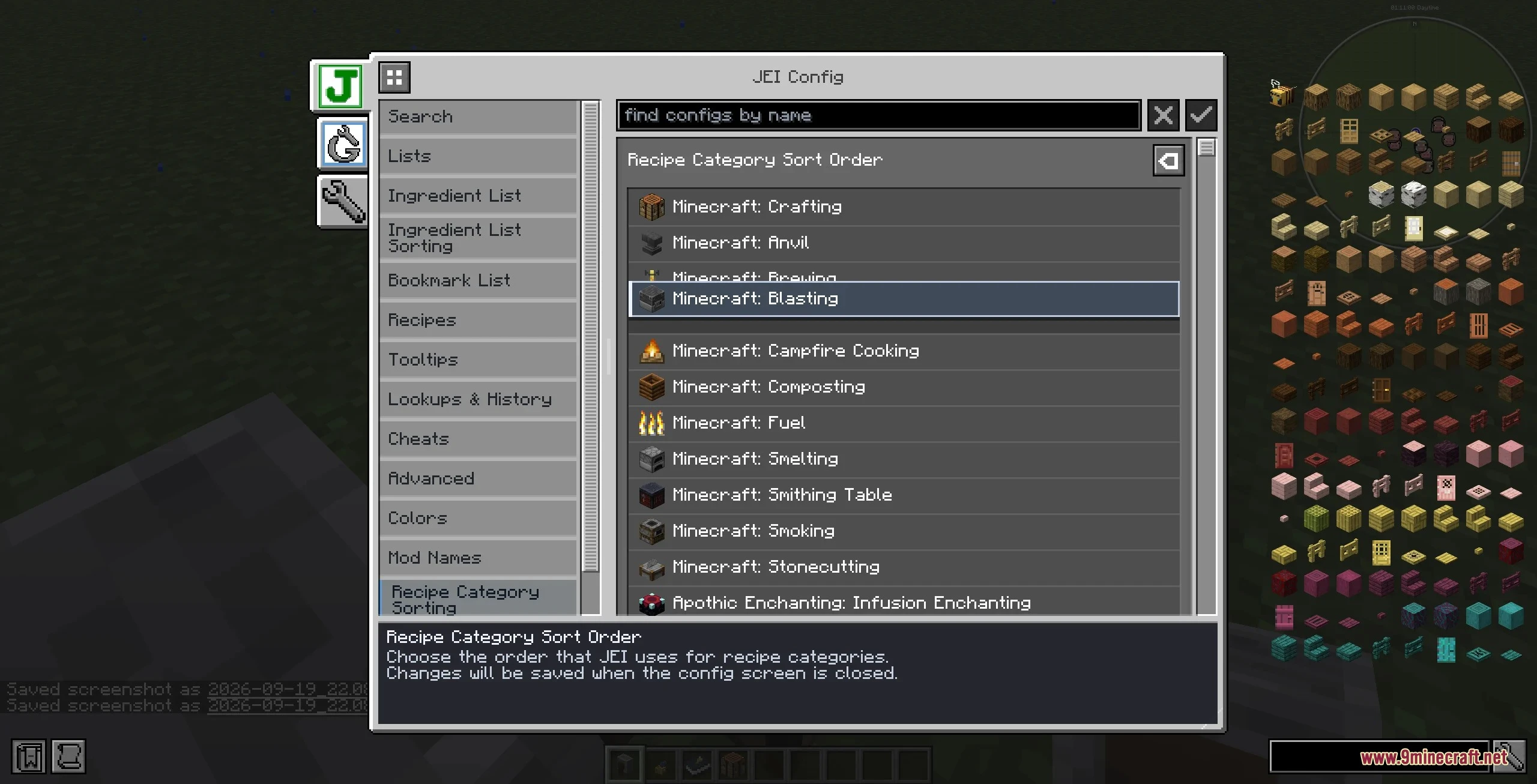
- Lets you rearrange list entries by dragging rows or clicking arrow buttons.
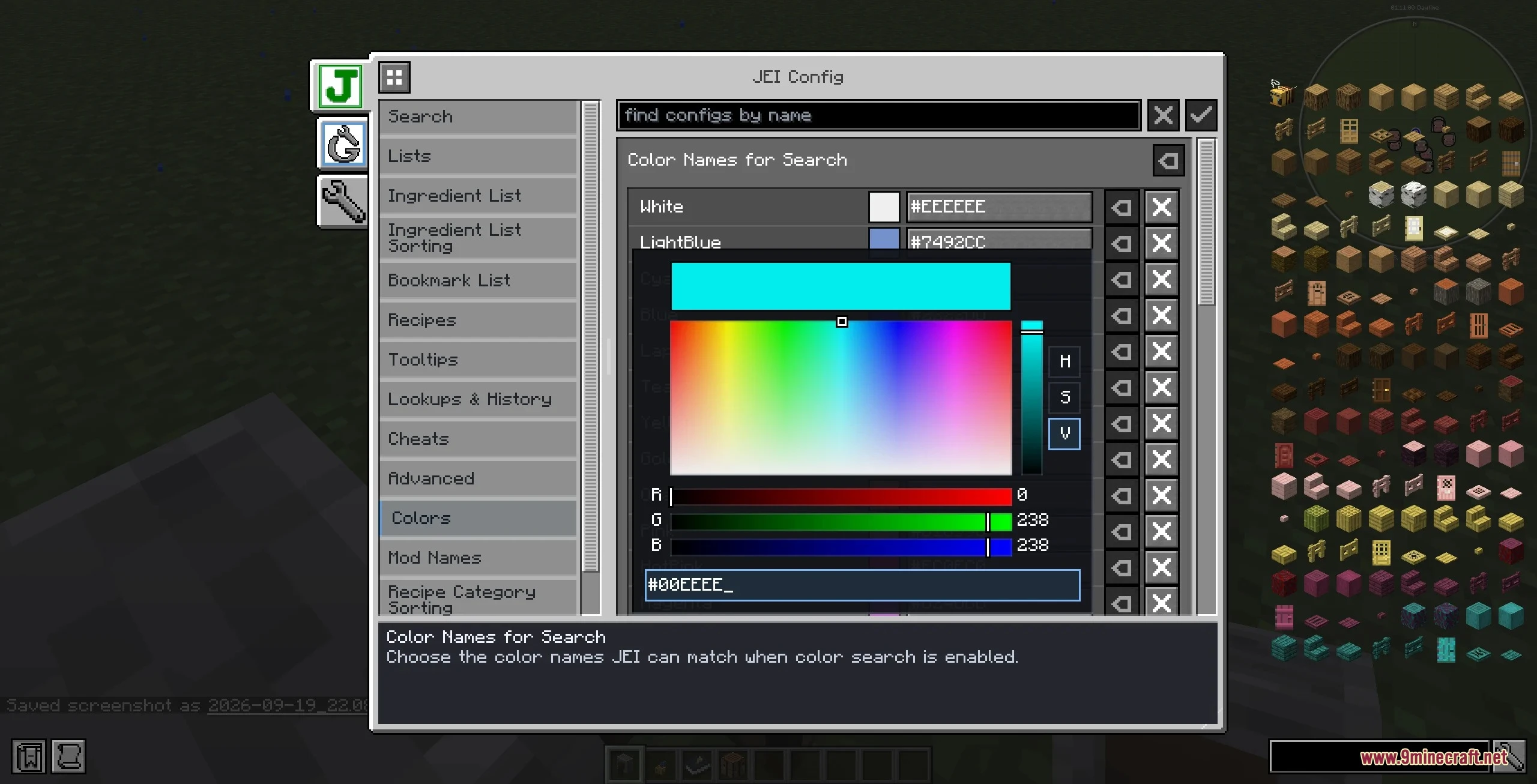
- Includes a visual color picker for setting custom color values.
- Works automatically with standard NeoForge configs without extra setup.
- Customizes how special menus like Just Enough Items show their settings.
How to Use:
- Open your mod menu or pause screen in-game.
- Select an installed mod to view its configuration page.
- Click subsection headers to unfold option categories.
- Pick colors, rearrange lists, or adjust sliders to your liking.
- Save your changes to apply them right away.
Screenshots:
How to Install:
New to Minecraft? Follow our step-by-step guide to install Mods on your PC.View Guide
Requirements:



Mezz ConfigGUI Mod Download Links
For Minecraft 26.3
For Minecraft 26.2
For Minecraft 26.1.2, 26.1.1, 26.1
For Minecraft 1.21.11
For Minecraft 1.21.1, 1.21
For Minecraft 1.20.1, 1.20
For Minecraft 1.19.2
Click to rate this post!
[Total: 0 Average: 0]
You May Also Like
Picked for this page
 More Beautiful Stairs Mod (26.3, 1.20.1) – 100+ New Stairs!
 VanillaConfig Mod (26.3, 1.20.1) – Library for TreSet’s Mods
 Anvil Too Expensive Mod (26.1.2, 1.20.1) – Removes the “Too Expensive” text
 Arrows Info Mod (26.3, 1.20.1) – Arrow Display HUD
 Title Fixer Mod (26.2, 1.20.1) – Customize Your Titles
 Cookie Block Mod (26.3, 1.20.1) – Block Made Out Of Cookies
 Panorandom Mod (26.3, 1.21.11) – Picks Panorama From All Resource Packs
 Replant Swamp Trees Mod (26.1.1, 1.18.2) – Bringing Variety To Swamp Biomes
 Slime Merger Mod (26.2, 1.20.1) – Merge Your Way To Giant Slimes
 MCMod Splashes Plus Plus Mod (26.1.2, 1.20.1) – Read Funny Chinese Memes
 Vivid Structure Architect Mod (26.3, 1.21.1) – Test Custom Worldgen
 Moonlight Core Mod (26.1.2, 1.20.1) – Keep Your Favorite Mods Running Smoothly
Most viewed in Mods over the last 7 days
 Ala Industrial Mod (26.3) – Run Electric Power Grids and Automated Factories
 PleasureCraft Mod (26.3, 1.21.1) – Jenny Mod Remake for Fabric
 Jennycraft Mod (26.3, 1.20.1) – Virtual Girlfriend in Minecraft
 Fapcraft Mod (26.3, 1.12.2) – Comprehensive and Detailed Content
 Jenny Mod (Fapcraft) Official Complete Guide – How to use, Tutorial
 BangCraft Mod (1.20.1) – Jenny, Ellie and Elliot
 Fabric Loader (26.3, 1.20.1) – Fabric Installer for All Minecraft Versions
 The Shooting Star Demo Mod (26.3, 1.20.1) – Vaporize Terrain From Orbit
 Meteor Client Mod (26.3, 1.20.1) – Xray, HUD, Fly
 OptiFine HD (26.3, 1.20.1) – Run Faster, FPS Boost, Shaders Support
 Aristois Client Mod (1.21.4, 1.20.1) – World Class Minecraft Utility
 Prestige Client Mod (1.21.11, 1.21.4) – Powerful Ghost Features for Crystal & Sword PvP
More from Mods
 MCPersist Mod (26.3) – Keep Your World Online for Friends Even After Logging Off
 Minecraft Java MCP Server Mod (1.21.11) – Command Your World Through External AI Tools
 Arcanism Mod (26.2) – Build Magic Factories and Program Custom Spells
 Archangel Client Mod (1.21.11) – Master Every PvP Duel with Clean Screen Stats
 Block Front Survival Patch Mod (1.21.1) – Wage Tactical Warfare in Survival
 Better Enchantment Bookshelf Placement Mod (26.2, 1.20.1)
 SimpleRPGCore Mod (1.21.4, 1.21.1) – Fight with Classic RPG Stats
 Bard RPG Series Plus by Fichte Mod (1.21.1, 1.20.1) – Buff Allies in Combat
 Fabric Gui ImGui Mod (26.3, 1.21.11) – Clean Custom Menus and In-Game Control
 Multi Item Lib Mod (1.20.1) – Wield Custom Gear with Flawless Hand Animations
 Universe3090 Mod (1.20.1) – Survive Corrupted Dimensions Filled
 Wireless Automate Mod (1.21.1) – Automate Base Logistics Without Messy Pipes

This post has no comments yet. Be the first — your comment will appear here.