
Modify Player Data Mod (26.3, 1.20.1) – Tweak Player Stats Live in Chat
 1,103
 0


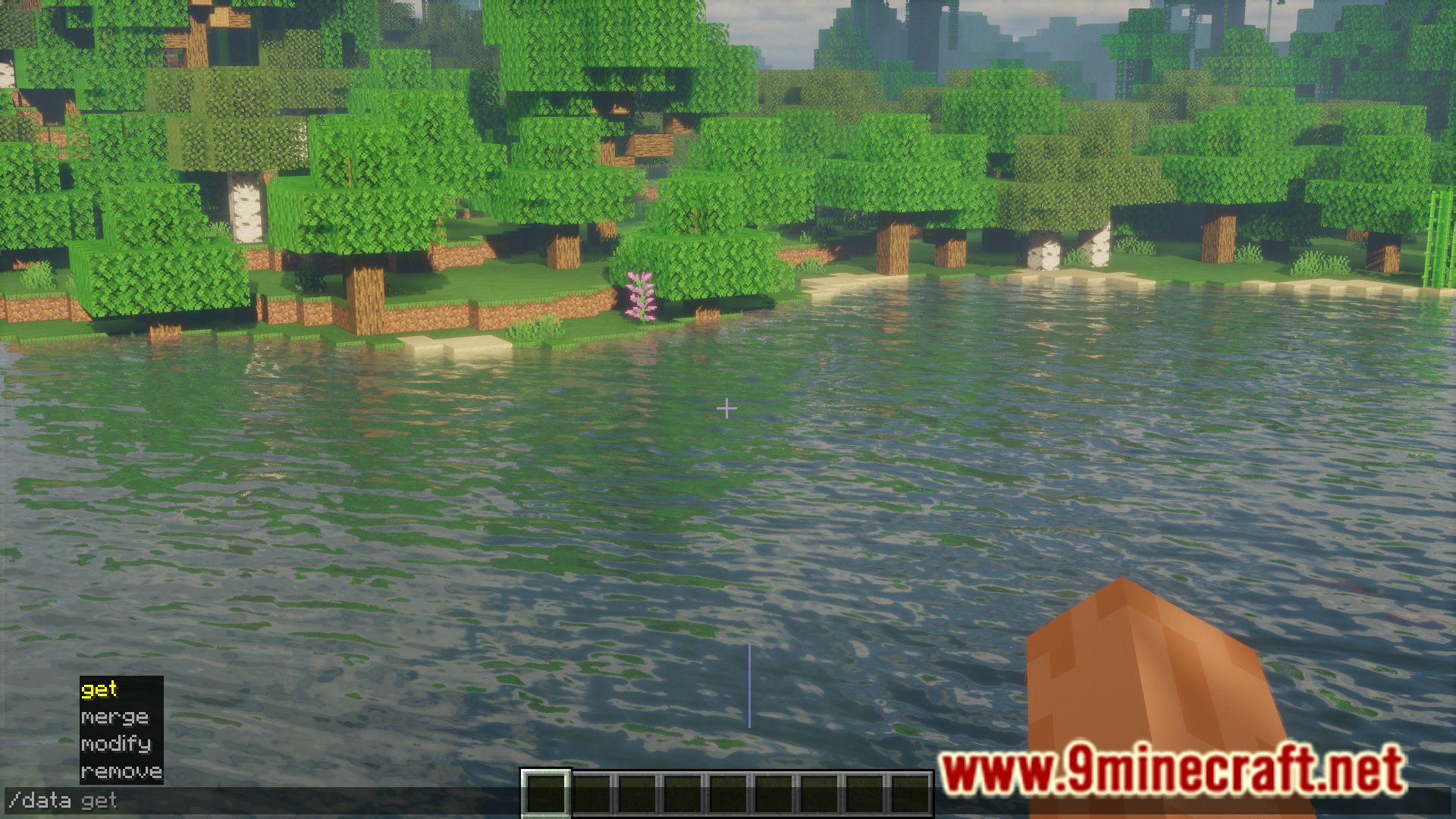
Modify Player Data Mod lets you edit player data with vanilla Minecraft commands like /data and /execute store. The base game stops these commands from changing player NBT tags, and this mod unlocks 47 supported tags for movement, health, items, hunger, and player stats. It runs only on the server side, so players do not need to install it on their clients to join. On Fabric, the mod also works without the Fabric API.

Features:
- Lets you edit player NBT data directly with vanilla commands such as
/dataand/execute store. - Runs only on the server side, so players do not need to install this mod on their clients to join a server.
- Works on Fabric without the Fabric API.
Supported NBT Tags:
- Supports movement and falling tags, including
Pos,Motion,Rotation,fall_distance,FallFlying,NoGravity,current_explosion_impact_pos,current_impulse_context_reset_grace_time, andspawn_extra_particles_on_fall. - Allows editing health and status tags such as
Health,AbsorptionAmount,Fire,HasVisualFire,Air,TicksFrozen,Invulnerable,Glowing,active_effects, andattributes. - Allows editing combat tracking tags including
last_hurt_by_player,last_hurt_by_player_memory_time,last_hurt_by_mob, andticks_since_last_hurt_by_mob. - Lets you modify inventory and gear tags like
Inventory,EnderItems,equipment,SelectedItem,SelectedItemSlot, andLeftHanded. - Supports hunger, score, and ability tags such as
foodLevel,foodTickTimer,foodSaturationLevel,foodExhaustionLevel,abilities, andScore. - Covers world and general player tags including
PortalCooldown,Tags,data,SleepTimer,warden_spawn_tracker,entered_nether_pos,seenCredits,recipeBook,respawn, andraid_omen_position. - Includes
SilentandHurtTime, though both do not do much because of vanilla client limits.
Screenshots:




How to Install:
New to Minecraft? Follow our step-by-step guide to install Mods on your PC.View Guide


Modify Player Data Mod Download Links
For Minecraft 26.3
For Minecraft 26.2
For Minecraft 26.1.2, 26.1.1, 26.1
For Minecraft 1.21.11
For Minecraft 1.21.10, 1.21.9
For Minecraft 1.21.8, 1.21.7, 1.21.6
For Minecraft 1.21.5
For Minecraft 1.21.4
For Minecraft 1.21.1, 1.21
For Minecraft 1.20.6
For Minecraft 1.20.4
For Minecraft 1.20.1, 1.20
Click to rate this post!
[Total: 1 Average: 5]
You May Also Like
Picked for this page
 Harvest With Ease Mod (26.1.2, 1.20.1) – Right-Click Harvesting
 Player Tracking Mod (26.3, 1.20.1) – Find And Raid
 Perfect Accuracy Mod (26.3, 1.20.1) – True Aim Mechanics
 Liteminer Mod (26.3, 1.20.1) – Mines Entire Veins of Ore, Trees, or Block Groups
 Break Free Mod (26.3, 1.20.1) – Keep Breaking Blocks When Switch Items
 Banner Flags Mod (26.3, 1.20.1) – Customize Your World With Banner Flags
 Client Crafting Mod (26.3, 1.20.1) – Instant Crafting
 Peek Mod (26.3, 1.20.1) – Elevating Your Minecraft Experience
 Magic Particles Mod (26.3, 1.20.1) – Creating Custom Particle Effects
 DarkSleep Mod (26.3, 1.20.1) – Dynamic Night Skipping With DarkSleep
 Ordinary Crook Mod (26.2, 1.20.1) – Boost Your Leaf Drops
 Forward Forge Client Reset Packet Mod (1.20.1) – Better Server Switching
Most viewed in Mods over the last 7 days
 Ala Industrial Mod (26.3) – Run Electric Power Grids and Automated Factories
 PleasureCraft Mod (26.3, 1.21.1) – Jenny Mod Remake for Fabric
 Jennycraft Mod (26.3, 1.20.1) – Virtual Girlfriend in Minecraft
 Fapcraft Mod (26.3, 1.12.2) – Comprehensive and Detailed Content
 Jenny Mod (Fapcraft) Official Complete Guide – How to use, Tutorial
 BangCraft Mod (1.20.1) – Jenny, Ellie and Elliot
 Fabric Loader (26.3, 1.20.1) – Fabric Installer for All Minecraft Versions
 The Shooting Star Demo Mod (26.3, 1.20.1) – Vaporize Terrain From Orbit
 Meteor Client Mod (26.3, 1.20.1) – Xray, HUD, Fly
 OptiFine HD (26.3, 1.20.1) – Run Faster, FPS Boost, Shaders Support
 Aristois Client Mod (1.21.4, 1.20.1) – World Class Minecraft Utility
 Prestige Client Mod (1.21.11, 1.21.4) – Powerful Ghost Features for Crystal & Sword PvP
More from Mods
 LiquidBounce Client Mod (26.3, 1.20.1) – LiquidLauncher, A Free Client
 Create Hand Made Mod (1.21.1) – Craft Create Recipes By Hand in Your Workshop
 Seed Map for Xaero Mod (26.1) – See Rare Biomes and Dungeons Before You Travel
 MCPersist Mod (26.3) – Keep Your World Online for Friends Even After Logging Off
 Minecraft Java MCP Server Mod (1.21.11) – Command Your World Through External AI Tools
 Arcanism Mod (26.2) – Build Magic Factories and Program Custom Spells
 Archangel Client Mod (1.21.11) – Master Every PvP Duel with Clean Screen Stats
 Block Front Survival Patch Mod (1.21.1) – Wage Tactical Warfare in Survival
 Better Enchantment Bookshelf Placement Mod (26.2, 1.20.1)
 SimpleRPGCore Mod (1.21.4, 1.21.1) – Fight with Classic RPG Stats
 Bard RPG Series Plus by Fichte Mod (1.21.1, 1.20.1) – Buff Allies in Combat
 Fabric Gui ImGui Mod (26.3, 1.21.11) – Clean Custom Menus and In-Game Control

This post has no comments yet. Be the first — your comment will appear here.