
MyWorldGen Mod (1.8.9, 1.7.10) – Find Custom Structures Across Every Biome

 0


MyWorldGen Mod lets you add your own custom structures to world generation using standard schematic files. Instead of adding new biomes or fixed buildings, this mod reads schematics from your worldgen folder or resource packs and spawns them across the land. It gives you a Schematic Save Wand, a Load Wand, 10 types of anchor blocks, ignore blocks, and optional NBT tags to control loot, spawners, biomes, and placement. You can build your own designs in creative mode or import free schematics from tools like MCEdit and WorldEdit. Everything works smoothly alongside modded blocks and modded biomes. The mod runs in both single-player worlds and multiplayer servers, and it respects each world’s generate structures setting.
Features:
- Custom Schematic Generation: Places structures from standard schematic files stored in your
.minecraft/worldgenfolder straight into newly generated worlds. - Schematic Save and Load Wands: Lets you mark two opposite corners of a build with a glowing wand and blue selection box to save it, or right-click a block to test-place saved builds facing away from you with a lossless or as-generated switch.
- Anchor and Ignore Blocks: Controls where structures spawn by matching existing terrain blocks before turning into ignore blocks, while ignore blocks keep original world blocks in place instead of replacing them with air.
- Works on multiplayer servers so communities can share custom world generation, and respects the world’s generate structures setting.
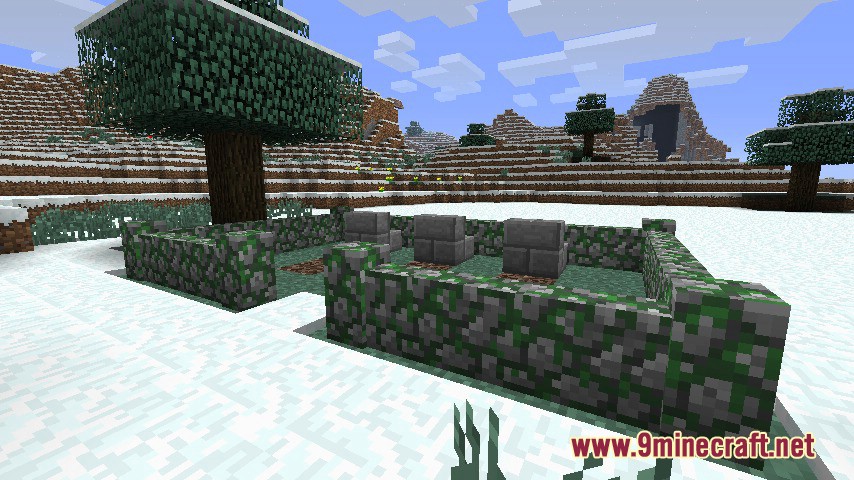
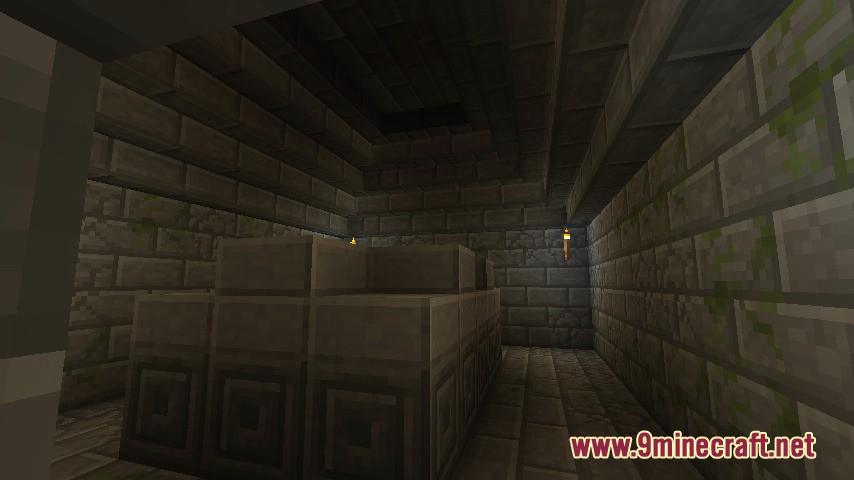
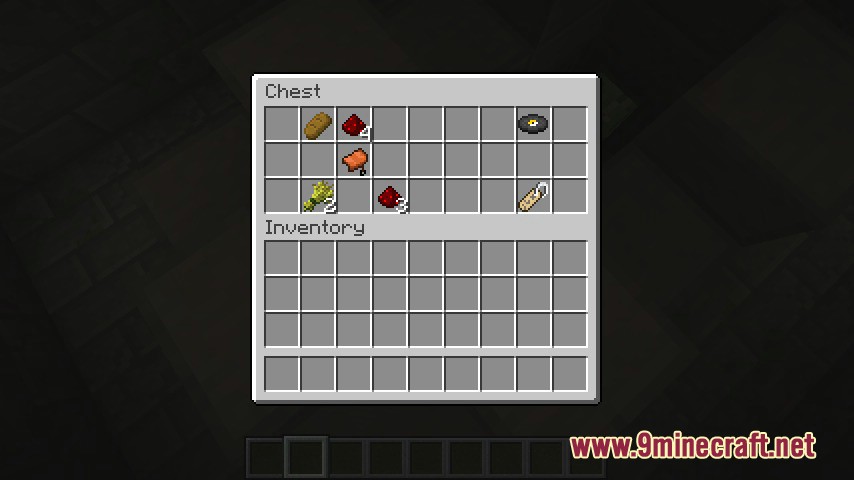
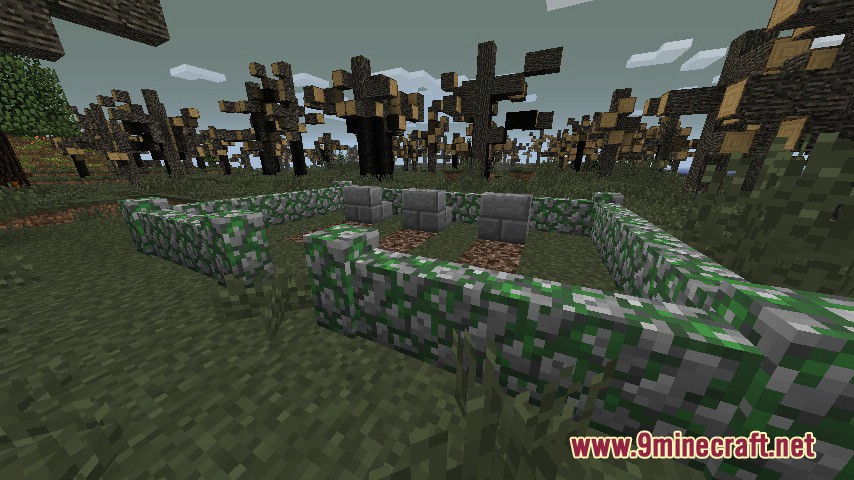
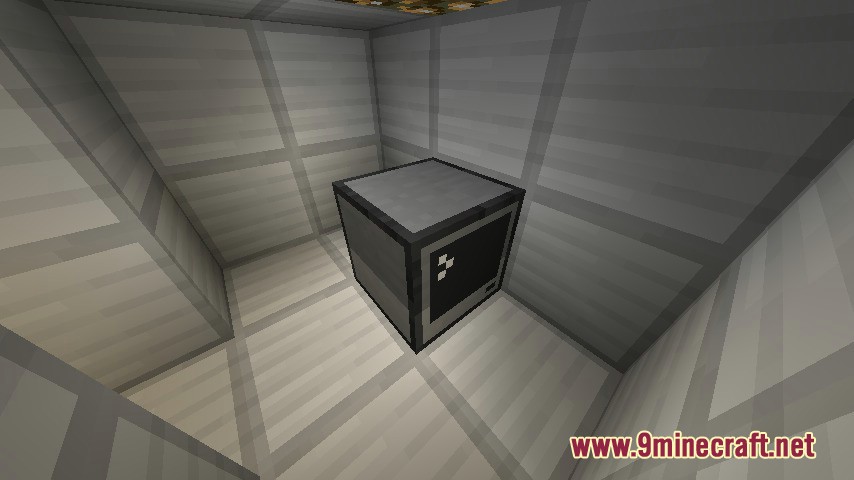
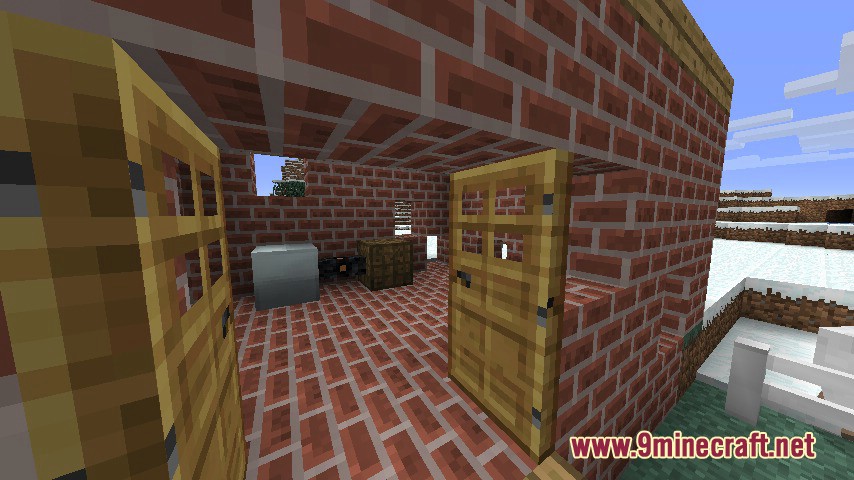
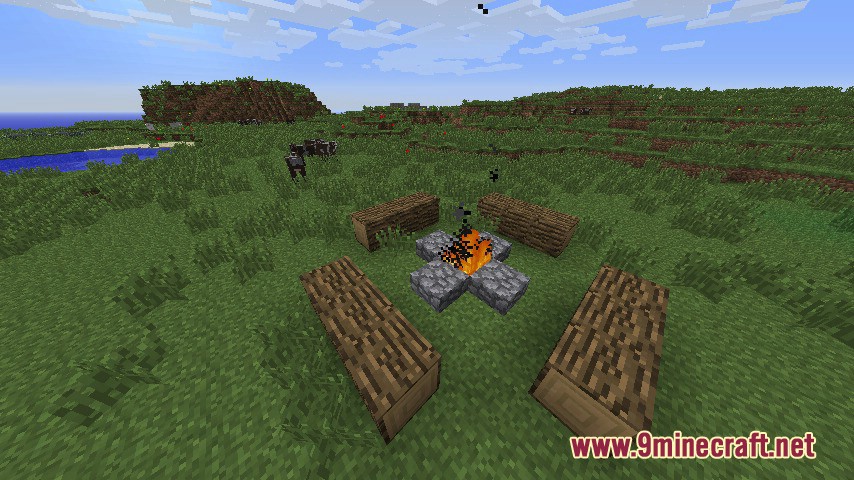
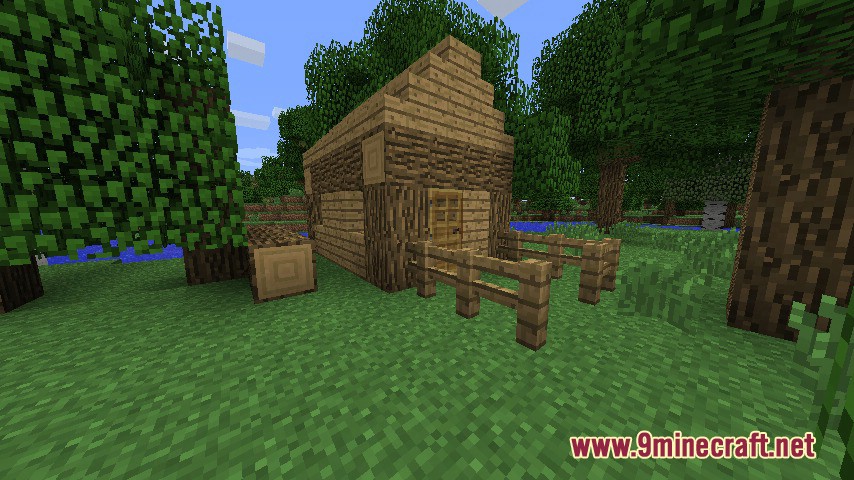
- Includes built-in example schematics such as an underground crypt with loot, a graveyard, a mineshaft entrance, and an abandoned power plant.
- Supports standard schematic files from external tools like MCEdit and WorldEdit, as well as free downloads from sites like Minecraft Schematics.com, Minecraft-Schematics.net, and Planet Minecraft.
- Loads schematics from resource packs using a JSON index that lets you set or override spawn parameters.
- Doubles as a simple copy-and-paste tool for creative builds when you use the save and load wands together.
- Adds a dedicated creative tab holding the wands and special placement blocks, which use iron material so water cannot break them.
- Works with modded blocks and modded biomes like Biomes O’ Plenty, storing a block ID map so schematics stay compatible across different setups.
- Supports optional NBT tags to adjust spawn weight, chest loot tables, biome filters, rotation locks, mob spawners, fuzzy matching, and terrain smoothing.
- Applies all block updates at once during placement to avoid extra updates, guards against infinite recursion, and supports placing schematics even without anchor blocks.
Anchor Block Types:
- Ground Anchor: Matches the top block of the current biome, such as grass in normal biomes, sand in deserts, or mycelium in mushroom biomes.
- Air Anchor: Matches any replaceable non-liquid block, including air, tall grass, ferns, dead shrubs, and fallen snow.
- Stone Anchor: Matches any rock-material block mined with a pickaxe, including stone, ores, netherrack, and end stone.
- Lava Anchor: Matches either still or flowing lava blocks.
- Water Anchor: Matches either still or flowing water blocks.
- Wood Anchor: Matches wood-material blocks.
- Dirt Anchor: Matches dirt-material blocks.
- Sand Anchor: Matches sand-material blocks.
- Leaves Anchor: Matches leaf-material blocks.
- Inventory Anchor: Holds up to 9 blocks in its inventory and matches any one of those blocks in the world, such as matching either stone or grass if both are placed inside.
Configuration:
enableItemsAndBlocks: Mod config option that must be turned off on a dedicated server if you want Forge clients without the mod installed to join.randomWeight: Optional NBT integer (default10) that controls how often a schematic spawns; higher numbers make it appear more often and make other schematics appear less often.chestType: Optional NBT string (defaultdungeonChest) that picks which loot table fills chests. Leave it blank to keep the items already saved inside the chests. Supported values includemineshaftCorridor,pyramidDesertyChest,pyramidJungleChest,pyramidJungleDispenser,strongholdCorridor,strongholdLibrary,strongholdCrossing,villageBlacksmith, andbonusChest.excludeBiomes: Optional NBT list of biome names where the structure will not spawn. Cannot be used together withonlyIncludeBiomes.onlyIncludeBiomes: Optional NBT list of the only biomes where the structure can spawn. Cannot be used together withexcludeBiomes.lockRotation: Optional NBT boolean (defaultfalse) that keeps the structure facing the same direction instead of rotating it.generateSpawners: Optional NBT boolean (defaulttrue) that gives spawner blocks a random dungeon mob when placed; turn it off to keep the exact mob saved in the spawner.fuzzyMatching: Optional NBT boolean (defaultfalse) that picks one random anchor block to find a spawn spot instead of matching every anchor, making spawns faster and more reliable with rougher terrain results.terrainSmoothing: Optional NBT boolean (defaultfalse) made to work withfuzzyMatching; fills empty space around placed anchor blocks to match the terrain, such as adding dirt beneath a mismatched ground anchor.MWGIDMap: Optional NBT map that tracks block IDs for compatibility across installs. Avoid editing this unless you know what it does.
How to Use:
- Build your structure in a creative world, then open the “MyWorldGen” creative tab to grab the Schematic Save Wand, Load Wand, Anchor blocks, and Ignore blocks.
- Place at least one anchor block in your build so the mod knows what terrain to match; without anchors it drops randomly on the surface, while too many anchors make spawn spots hard to find.
- Place ignore blocks anywhere inside your build’s box where you want existing world blocks to stay untouched instead of turning into air, which helps with oddly-shaped underground builds.
- Hold the Schematic Save Wand and Right-click the first corner block of your structure; the wand starts glowing and shows a blue box around your selection.
- Right-click the opposite corner block to open the save dialog, type a name (leaving the rest at default if you want), and save the schematic straight into your
.minecraft/worldgenfolder. - Hold the Load Wand, Right-click a block in the world, and pick your saved file to test-place the structure facing away from you and make sure it saved properly; you can also toggle the Load Wand between lossless and as-generated modes.
- To add ready-made builds from tools like MCEdit, WorldEdit, or online databases, drop the schematic files straight into
.minecraft/worldgen, or pack them inside a resource pack underassets/myworldgen/worldgenwith a JSON index. - To adjust spawn weight, chest loot, biome rules, rotation locks, spawners, fuzzy matching, or terrain smoothing, open your schematic file in an NBT editor like NBTExplorer and add or edit the optional NBT tags.
- If you run this mod on a dedicated server and want Forge clients without the mod to join, turn off
enableItemsAndBlocksin the config file.
Screenshots:
How to Install:
New to Minecraft? Follow our step-by-step guide to install Mods on your PC.View Guide
MyWorldGen Mod Download Links
For Minecraft 1.8.9
Forge version: Download from Server 1
For Minecraft 1.7.10
Forge version: Download from Server 1 – Download from Server 2
For Minecraft 1.6.4
Forge version: Download from Server 1
How often do you actually finish a progression-based modpack (reaching the final quest or endgame item)?
25 responses · See the full results →
You May Also Like
Picked for this page
 Custom Crosshair Mod (26.3, 1.20.1) – Customize With New Shapes, Colors and Sizes
 Armor Stand Editor Mod (26.3, 1.20.1) – In-Game Editing Tool
 Async Particles Mod (26.3, 1.20.1) – Optimize And Enhance Minecraft’s Particle System
 Vectorientation Mod (26.3, 1.20.1) – Improve Minecraft’s Visuals
 XyCraft Override Mod (26.1.2, 1.20.1) – Vanilla Modifications in XyCraft Style
 No Nether Portal Overlay Mod (26.2, 1.20.1) – Overlay Removal
 Permanent Sponges Mod (26.3, 1.20.1) – Sponges to Keep an Area Permanently Dry
 Super Simple Home Mod (1.21.11, 1.20.6) – Simple Home Teleportation Commands
 Caxton Mod (26.3, 1.20.1) – TrueType and OpenType Font Support
 Omni-Hopper Mod (26.1.2, 1.20.1) – Moving items, Transporting fluids, and More
 BBL Flight Blocks Mod (26.1.2, 1.21.1) – Fly In Survival Mode
Most viewed in Mods over the last 7 days
 Ala Industrial Mod (26.3) – Run Electric Power Grids and Automated Factories
 PleasureCraft Mod (26.3, 1.21.1) – Jenny Mod Remake for Fabric
 Jennycraft Mod (26.3, 1.20.1) – Virtual Girlfriend in Minecraft
 Fapcraft Mod (26.3, 1.12.2) – Comprehensive and Detailed Content
 Jenny Mod (Fapcraft) Official Complete Guide – How to use, Tutorial
 BangCraft Mod (1.20.1) – Jenny, Ellie and Elliot
 Fabric Loader (26.3, 1.20.1) – Fabric Installer for All Minecraft Versions
 The Shooting Star Demo Mod (26.3, 1.20.1) – Vaporize Terrain From Orbit
 Meteor Client Mod (26.3, 1.20.1) – Xray, HUD, Fly
 OptiFine HD (26.3, 1.20.1) – Run Faster, FPS Boost, Shaders Support
 Aristois Client Mod (1.21.4, 1.20.1) – World Class Minecraft Utility
 Prestige Client Mod (1.21.11, 1.21.4) – Powerful Ghost Features for Crystal & Sword PvP
More from Mods
 Artemis’ Thin Logs Mod (26.3, 1.20.1) – Build Custom Trees and Detailed Wood
 Asterion Mod (26.3, 1.20.1) – Survive Ancient Mazes and Slay the Legendary Minotaur
 Passthrough Signs Mod (26.3, 1.20.1) – Right-Click Through Wall Signs
 Packing Tape Mod (26.3, 1.20.1) – Move Chests, Machines
 No XP Anvils Mod (26.3, 1.20.1) – Repair And Enchant Without XP
 Naruto Shippuden Mod (26.3, 1.16.5) – Immerse Yourself in The World of Ninja
 Araxer’s Bestiary Mod (26.3, 1.20.1) – Build an In-Game Encyclopedia of Every Mob
 Villagers Plus Mod (26.3, 1.20.1) – Expanded Villager Types and Villages
 Ore Excavation 9minecraft Mod (26.3) – Mine Ores and Chop Trees in a Single Swing
 Dirigo Mod (26.1.2, 1.21.1) – Walk Across Nether Lava Seas and Automate Animal
 HandLib Mod (26.3, 1.21.1) – Keep Your Multiplayer World Stable
 Happy Ghasts Boost Mod (26.1.2, 1.20.1) – Fly Across Vast Distances at Top Speed

This post has no comments yet. Be the first — your comment will appear here.