
Neko’s Enchanted Books Mod (1.21.4, 1.20.1) – Never Hover Over Stored Books
 10,510
 0


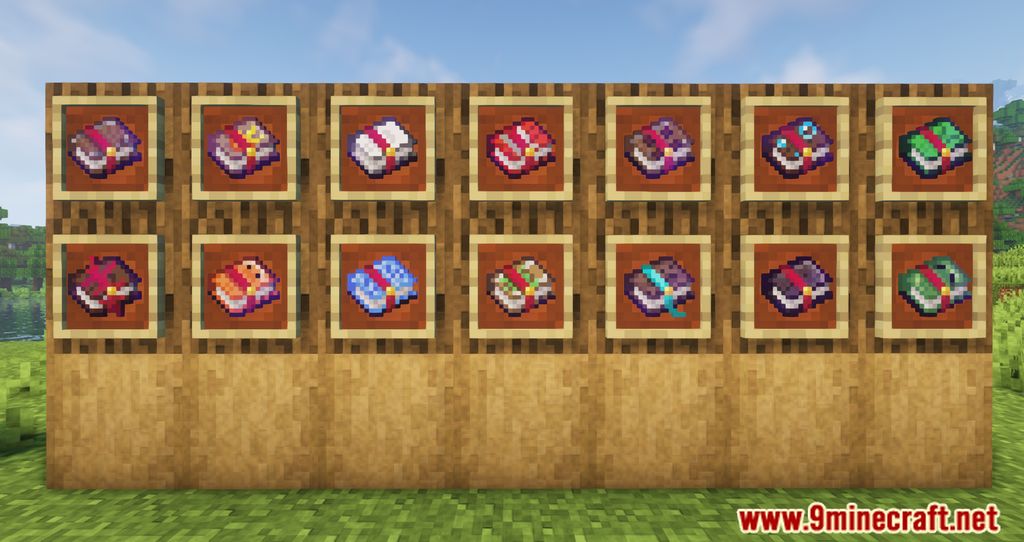
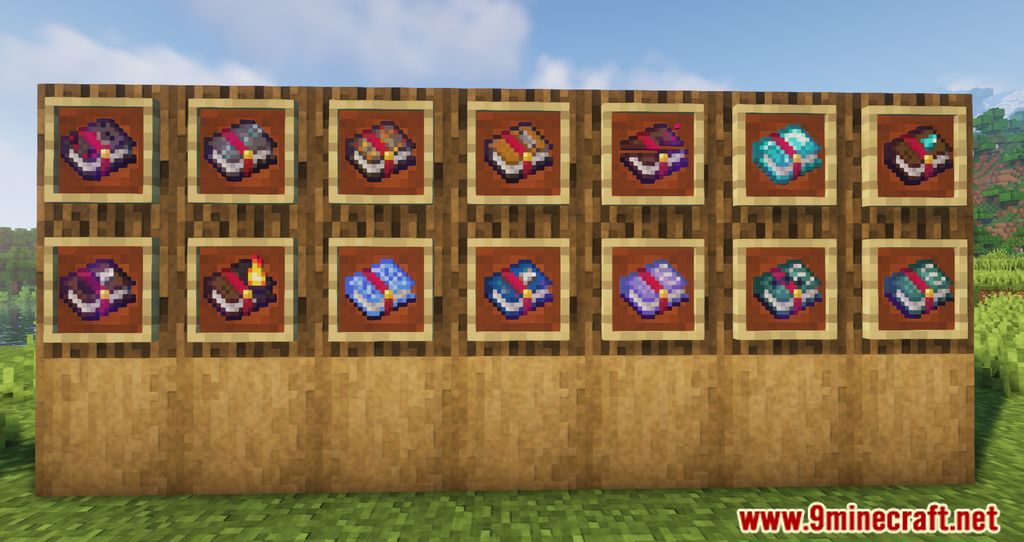
Neko’s Enchanted Books Mod gives every enchanted book in Minecraft its own custom texture. In the base game, all enchanted books look the same, so you have to check them one by one inside storage chests. With this mod, each book has a colorful cover design that lets you spot the right enchantment right away. It also adds custom book icons for over 40 other mods, including Create, Farmer’s Delight, Ars Nouveau, Alex’s Mobs, and Apotheosis. This Forge mod runs on the client side only, so you can use it in singleplayer, custom modpacks, and on multiplayer servers without adding it to the server.

Features:
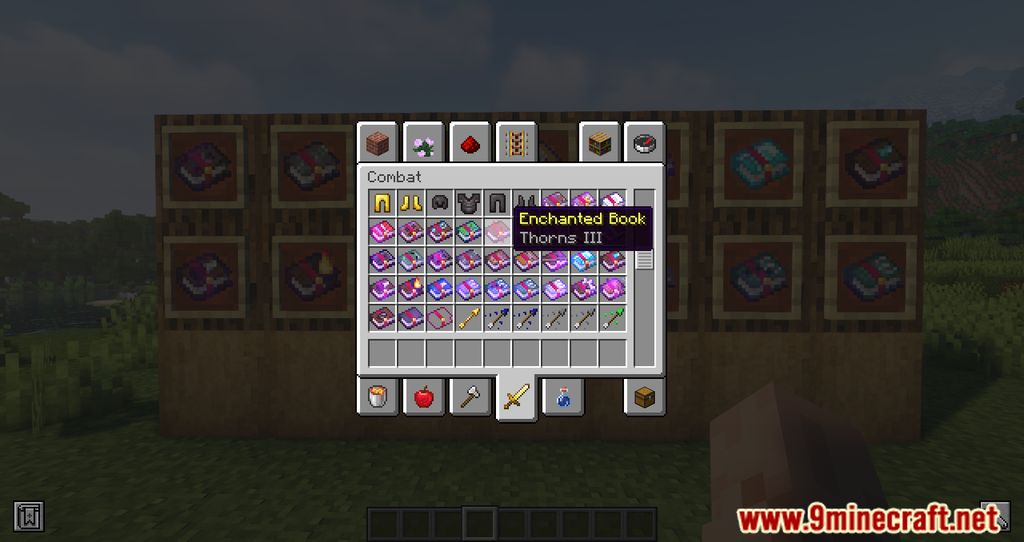
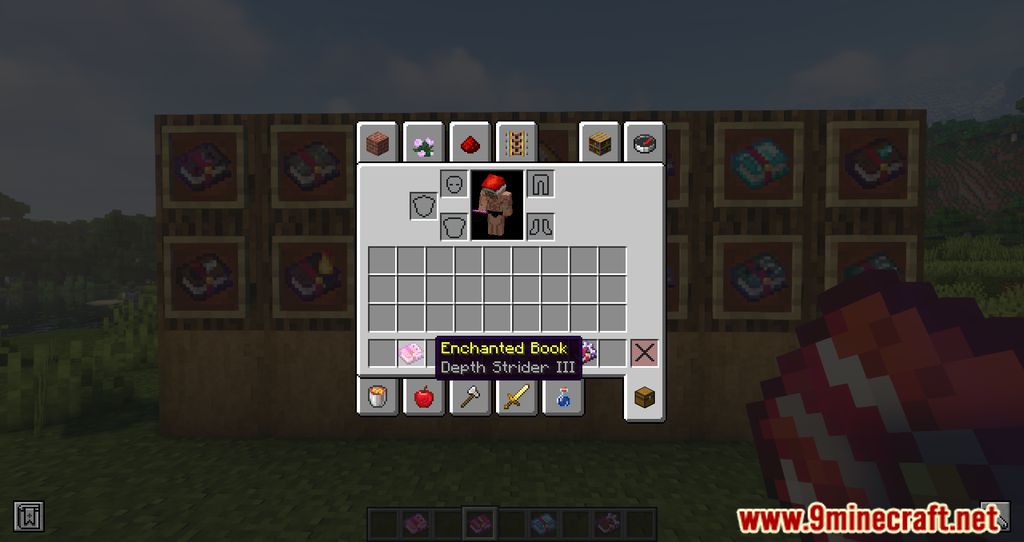
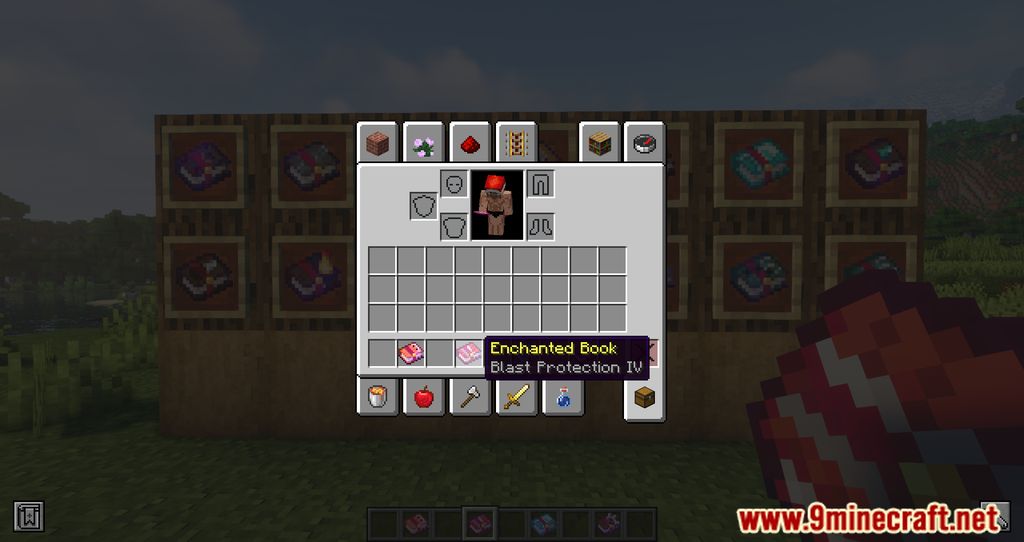
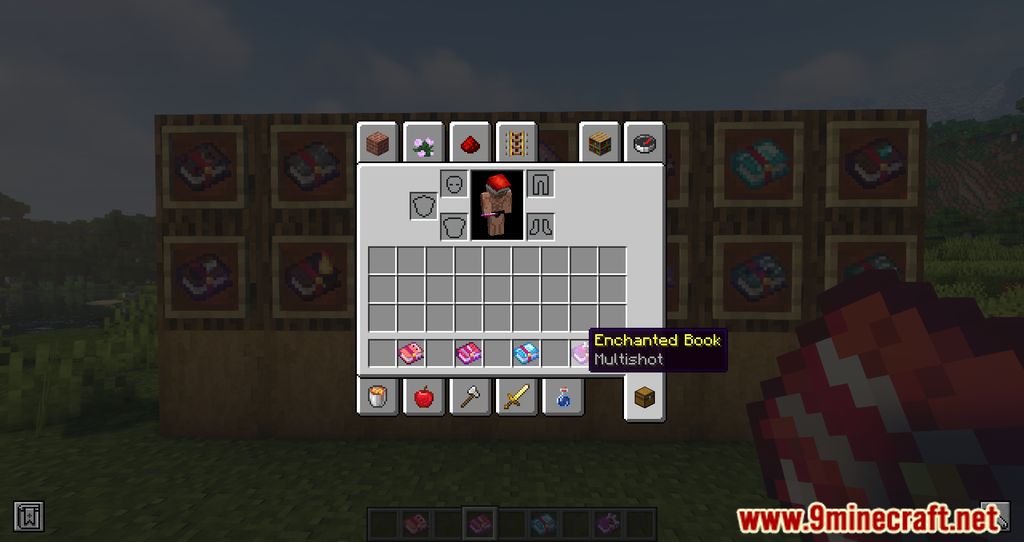
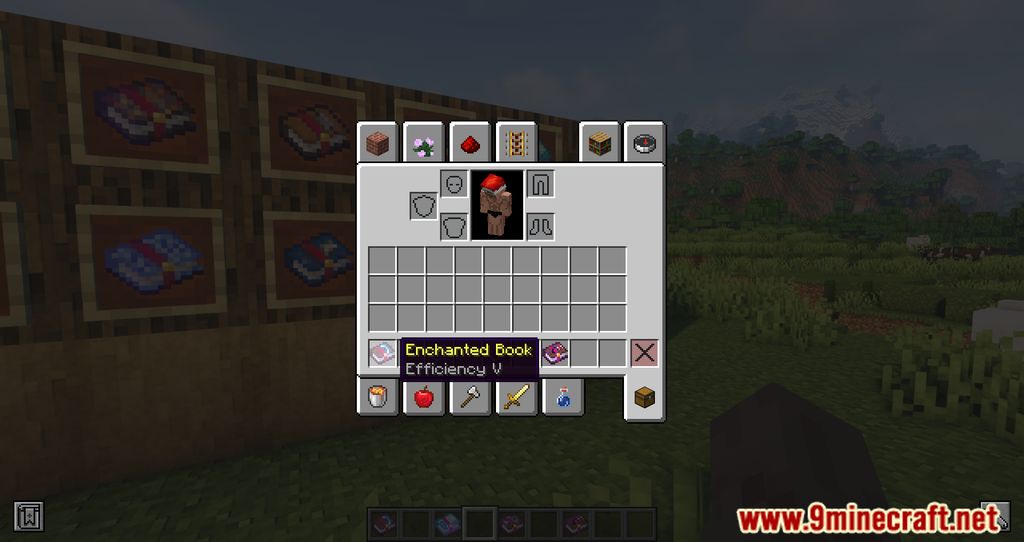
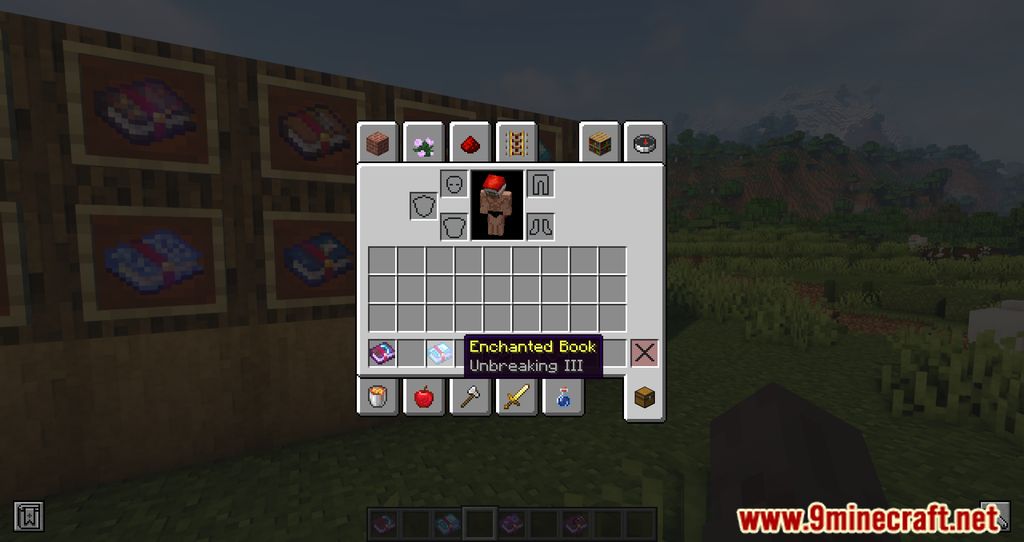
- Gives every vanilla enchanted book a unique, colorful cover texture, including Efficiency, Unbreaking, Thorns, Blast Protection, Depth Strider, Multishot, Lure, and Respiration.
- Helps you tell different enchantments apart at a glance inside your survival inventory, creative menu, storage chests, or item frames on walls.
- Adds custom enchanted book textures for over 40 other mods so modded books are easy to tell apart too.
- Runs purely on the client side for Forge, so you do not put it in a multiplayer server’s mods folder.
- Allows free use in custom modpacks and keeps adding new enchantment icons straightforward.
Compatible Mods:
- Advent of Ascension 3
- Aileron
- Alex’s Mobs
- Allurement
- Apotheosis
- Ars Nouveau
- AutoSmelt
- BetterDefaultBiomes
- BetterEnd (Forge)
- Big Brain
- BlockSwapper
- Brooms
- Charm
- CombatRoll
- Consecration
- CopperOverhaul
- Corpse Complex
- Create
- Domestication Innovation
- Elenai Dodge 2
- Ensorcellation
- Farmer’s Delight
- Fins and Tails
- GrapplingHookMod
- Greed N’ Bleed
- Inventorio
- Jellyfishing
- Kobolds
- Locks
- Ma Enchants
- Mining Master
- Momentum
- Mythic Botany
- Origins
- Seeker’s Compass
- Shulker Enchantments
- Spells and Shields
- Step, Leap, Dash
- Supplementaries
- The Wild Backport
- VanillaTweaks
- Veinmining
- Wall-Jump!
- Wonderful Enchantments / MajruszsEnchantments
How to Use:
- Open the Options menu in Minecraft and select Resource Packs.
- Move Mod Resources to the top of your active resource pack list; otherwise, the custom book textures from Neko’s Enchanted Books Mod may not show up in-game.
Screenshots:
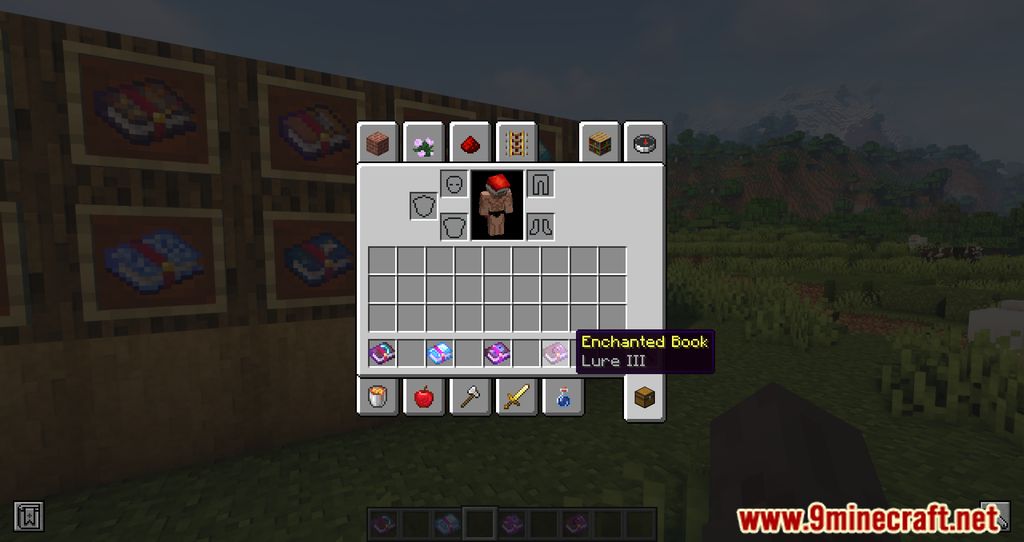
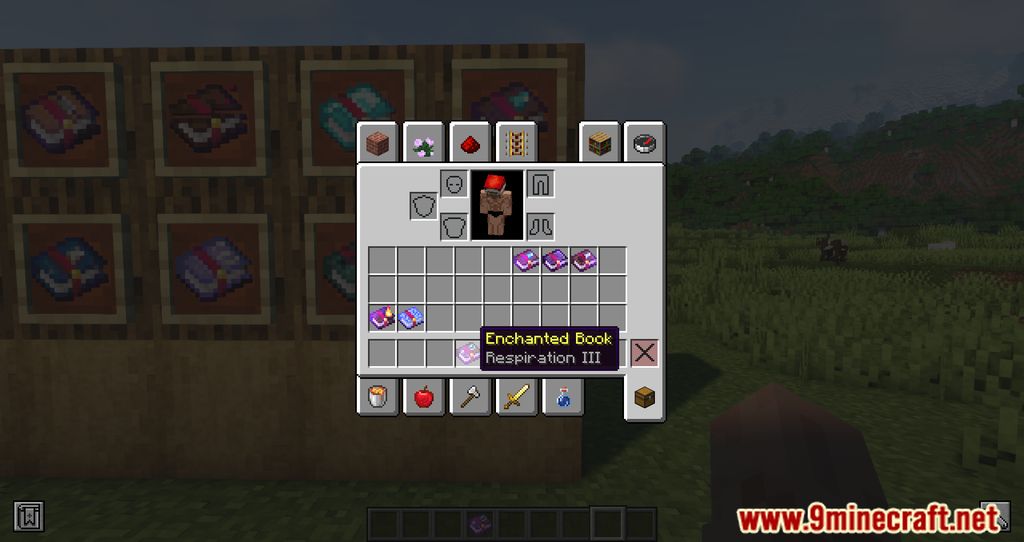
How to Install:
New to Minecraft? Follow our step-by-step guide to install Mods on your PC.View Guide
Neko's Enchanted Books Mod Download Links
For Minecraft 1.21.4
Forge Version: Download from Server 1 – Download from Server 2
For Minecraft 1.21.3, 1.21.2
Forge Version: Download from Server 1 – Download from Server 2
For Minecraft 1.21.1, 1.21
Forge Version: Download from Server 1 – Download from Server 2
For Minecraft 1.20.6
Forge Version: Download from Server 1
For Minecraft 1.20.4, 1.20.2, 1.20.1
Forge Version: Download from Server 1 – Download from Server 2
For Minecraft 1.19.2
Forge Version: Download from Server 1
For Minecraft 1.19
Forge Version: Download from Server 1
For Minecraft 1.18.2
Forge Version: Download from Server 1
For Minecraft 1.17.1
Forge Version: Download from Server 1
For Minecraft 1.16.5
Forge Version: Download from Server 1
How often do you tweak mod configuration files (.cfg or .toml)?
30 responses · See the full results →
You May Also Like
Picked for this page
 Trinkets Mod (1.21.11, 1.20.1) – New Accessory System
 Packed Up Mod (26.3, 1.20.1) – Backpacks Made from Various Materials
 Enchantment Descriptions Mod (26.3, 1.20.1) – Display a Brief Description
 Milk All The Mobs Mod (26.3, 1.20.1) – Milk More than Cows
 Benched Mod (26.3, 1.20.1) – Now You Can Craft Picnic Benches
 AntiGhost Mod (1.20.1) – Remove Ghost Blocks in Minecraft
 Pumpkillager’s Quest Mod (26.3, 1.20.1) – Challenging Questline
 Easy Villager Trade Mod (26.2, 1.20.1) – Get Perfect Books Without the Grind
 Menu Music Mod (26.2, 1.20.1) – Change The Title Menu Music
 Flower Map Mod (26.3, 1.20.1) – Discover Minecraft’s Floral Distribution
 Transparent Nametags Mod (26.2, 1.21.11) – Makes Nametag Backgrounds Transparent
 MixinTrace Reloaded Unofficial Mod (26.1.2, 1.20.1) – Find Out Which Mod
Most viewed in Mods over the last 7 days
 Ala Industrial Mod (26.3) – Run Electric Power Grids and Automated Factories
 PleasureCraft Mod (26.3, 1.21.1) – Jenny Mod Remake for Fabric
 Jennycraft Mod (26.3, 1.20.1) – Virtual Girlfriend in Minecraft
 Fapcraft Mod (26.3, 1.12.2) – Comprehensive and Detailed Content
 Jenny Mod (Fapcraft) Official Complete Guide – How to use, Tutorial
 BangCraft Mod (1.20.1) – Jenny, Ellie and Elliot
 Fabric Loader (26.3, 1.20.1) – Fabric Installer for All Minecraft Versions
 The Shooting Star Demo Mod (26.3, 1.20.1) – Vaporize Terrain From Orbit
 Meteor Client Mod (26.3, 1.20.1) – Xray, HUD, Fly
 OptiFine HD (26.3, 1.20.1) – Run Faster, FPS Boost, Shaders Support
 Aristois Client Mod (1.21.4, 1.20.1) – World Class Minecraft Utility
 Prestige Client Mod (1.21.11, 1.21.4) – Powerful Ghost Features for Crystal & Sword PvP
More from Mods
 TRMT Reimagined the Roads More Travelled Mod (26.3, 1.20.1)
 Morrowless Mod (1.21.1) – Defend Your Shelter From Nightmare Creatures
 THE SLOPSTROSITY Mod (1.21.1) – Battle a Ridiculous Slime Boss
 Decoween Mod (1.21.1, 1.20.1) – Transform Ordinary Survival Bases
 Simply Light 9minecraft Mod (26.3) – Decorate Builds Without Torches
 Alex’s Caves Continued Mod (26.3, 1.20.1) – Conquer Six Massive Underground
 Anvil Uses Mod (26.3, 1.20.1) – Track Item Anvil Usage
 Animal Info Mod (26.3, 1.21.11) – Quick Stats For Your Animals
 Timber Tales Dynamic Tree System Mod (26.3, 1.20.1) – Watch Entire Trees Topple
 Gabou’s Libs Mod (26.3, 1.20.1) – Keep Custom Weather and Survival Mods Stable
 /Sit Mod (26.3, 1.21.1) – Make The Player Sit Down
 Arcane Redstone Dial Mod (26.3, 1.20.1) – Trigger Commands and Shortcuts

This post has no comments yet. Be the first — your comment will appear here.