North Client (1.8.9) – Smooth PvP Advantage
 1,075
1,075
 0
0
 February 10, 2026
 North Client
North Client is a custom Minecraft client focused on PvP gameplay. It provides an advanced in-game menu and visual tools that help players manage combat, movement, and on-screen information more efficiently. The interface is designed to be simple for new users, with clear menus and adjustable settings.
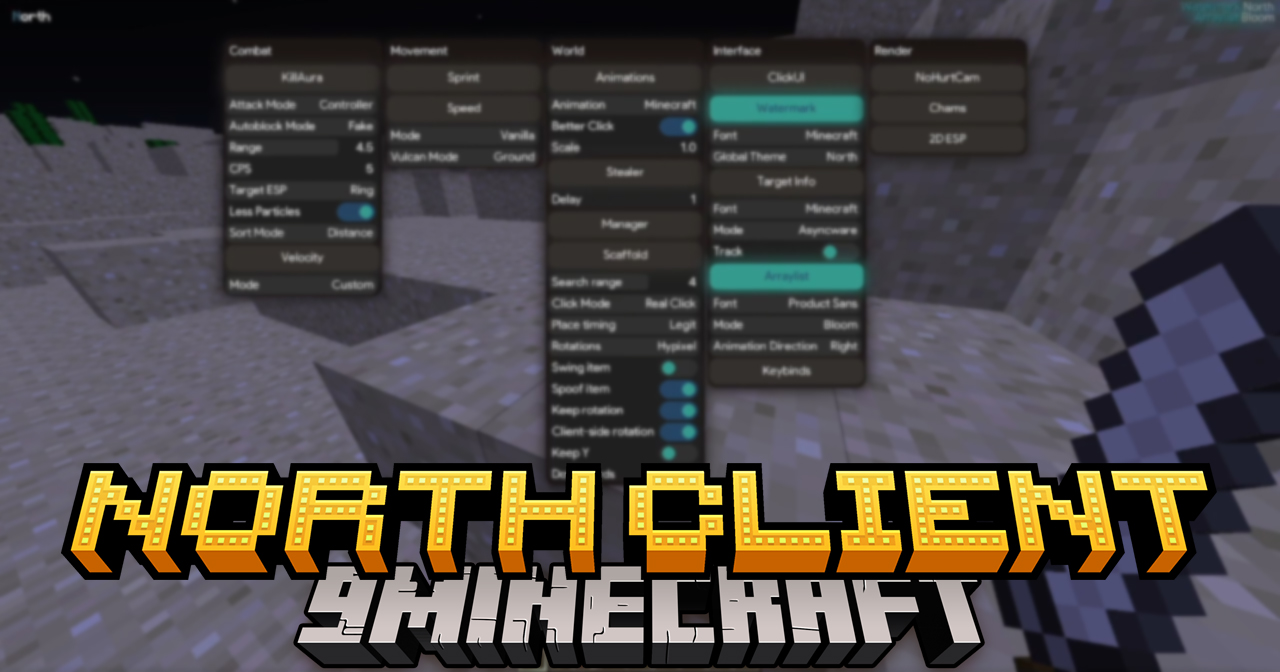
Features:
Combat Tools
- KillAura – Automatically attacks nearby targets within a set range
- Adjustable attack speed (
CPS) and targeting rules - Target highlight effects (
Target ESP) - Auto block behavior modes
- Particle reduction for cleaner visuals
- Velocity – Controls how much knockback is received when hit
Movement Tools
- Sprint – Automatic sprinting
- Speed – Movement speed modes for different server conditions
Building & World Tools
- Scaffold – Automatically places blocks while moving
- Adjustable placement timing and search range
- Rotation and animation options
- Keep-height and downward placement support
Interface & UI
- ClickUI – Click-based control panel for all modules
- Switchable fonts (default Minecraft or custom)
- Adjustable UI scale
- Theme and watermark customization
- On-screen target info panel
- Module array list with visual effects
- Keybind manager for quick toggles
Render & Visual
- NoHurtCam – Removes screen shake when taking damage
- ESP overlays for player visibility
- Chams style player highlighting
- Glow and bloom visual effects
Customization
- Most features include sliders, modes, and toggles
- Visual elements can be resized and restyled
- Settings can be adjusted to match user preference and performance needs
Screenshots:
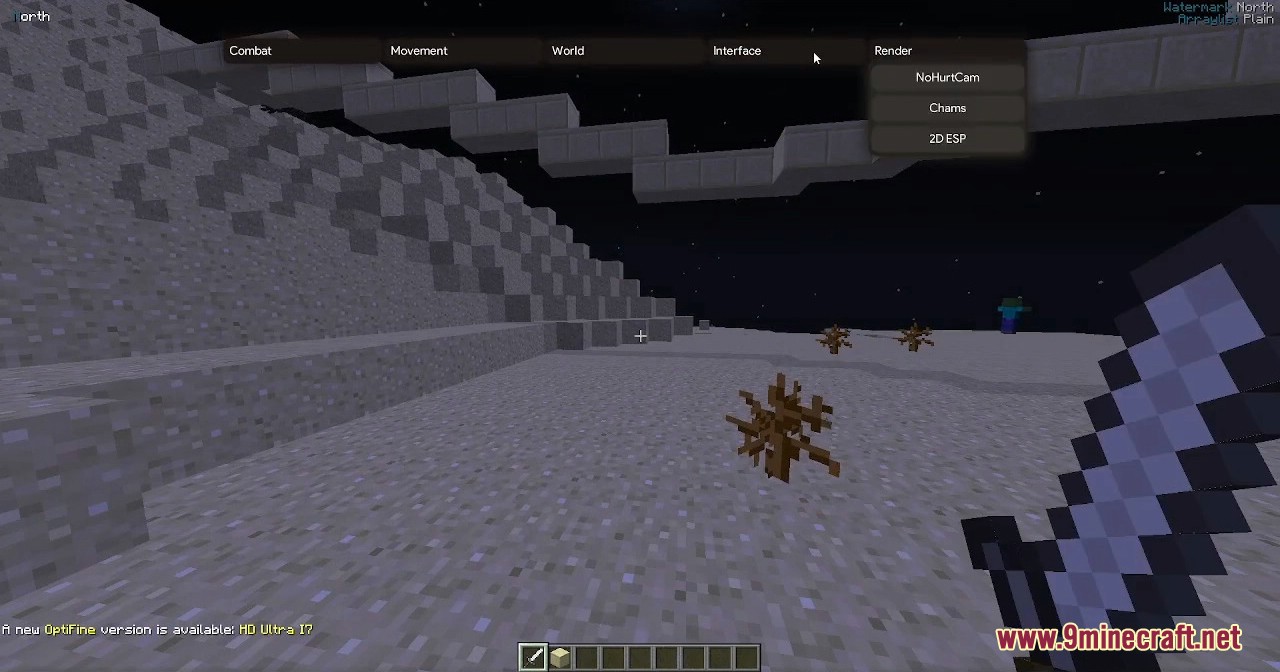
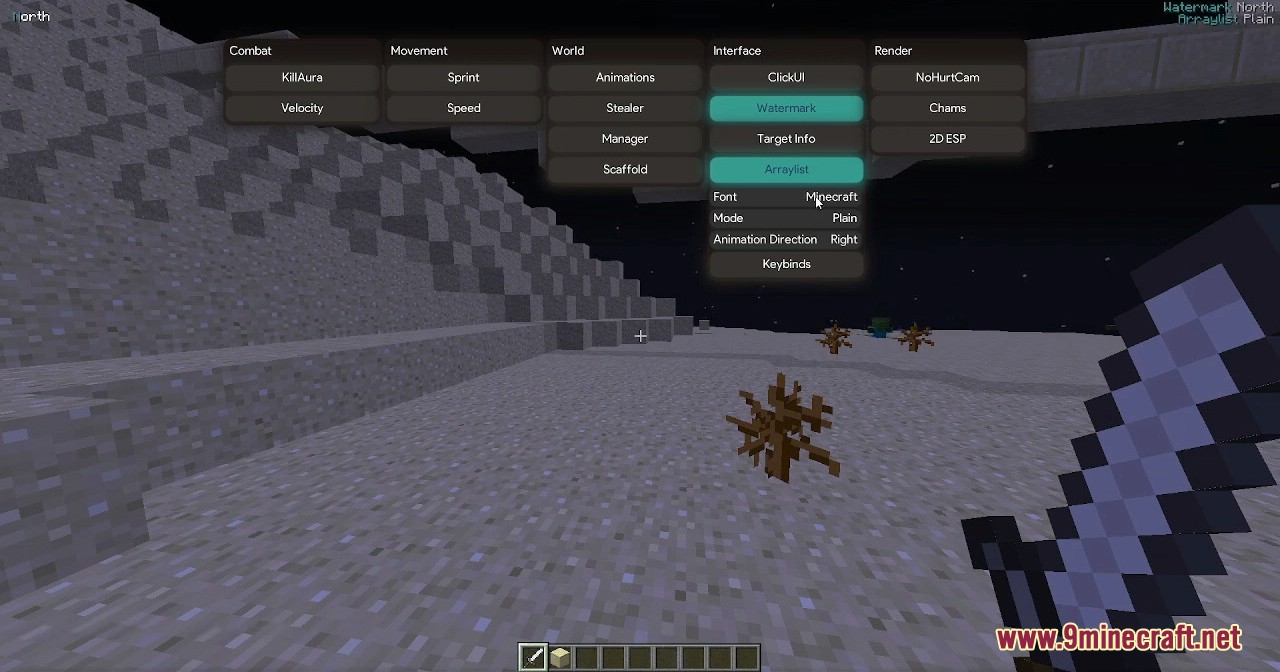
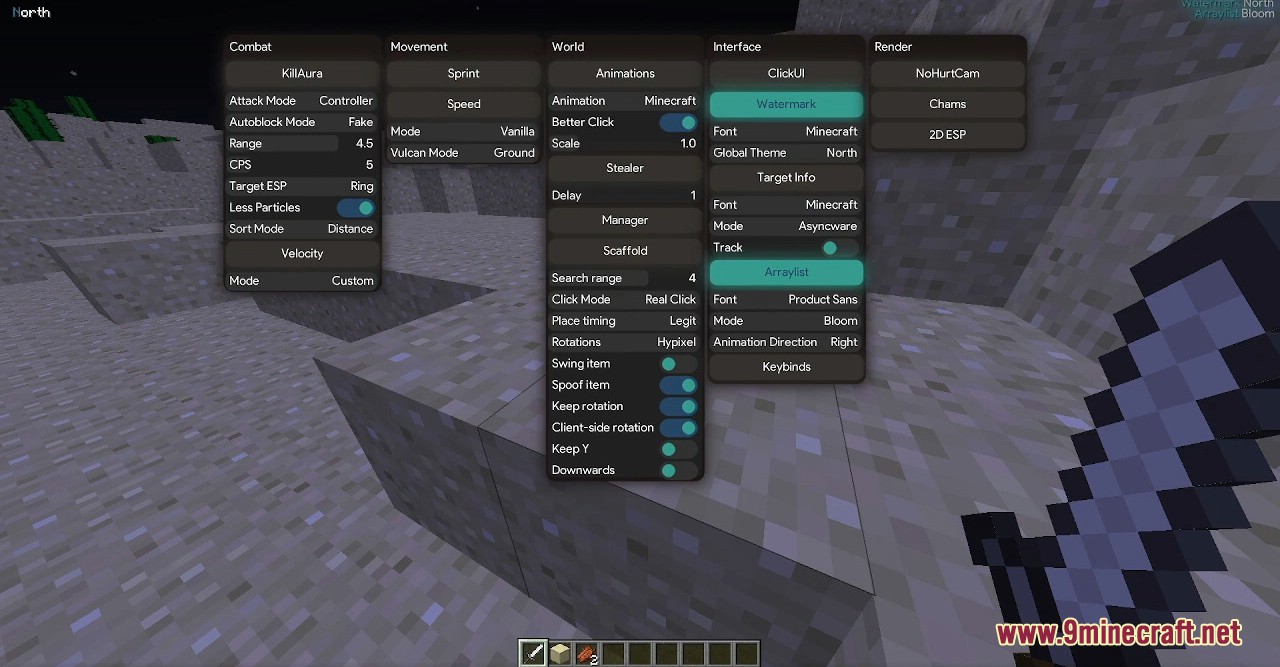
How to use:
- Click Right Shift (RShift) to open the client menu and manage all modules.
Requires:
Java 7 or above
How to install:
- Please visit the following link for full instructions: How To Download & Install Minecraft Client
North Client Download Links
For Minecraft 1.8.9
Click to rate this post!
[Total: 5 Average: 3.8]
You May Also Like