
Novus Minecraft Launcher – Manage Java, Mods, and Multiplayer in One Tool
 4
 0

Novus Minecraft Launcher lets you install Java, manage game versions and mods, and join friends online from one tool. It runs on Windows 7 and later, so older computers are covered. The launcher also checks its own files and signs you in with your Microsoft account.

Features:
- Windows Bootstrapper: A small native Windows program finds or installs the Java you need, then downloads and starts the launcher. It comes in 32-bit and 64-bit builds.
- Safe Updates: Checks downloaded launcher files against SHA-256 hashes. If a new release fails to start, it goes back to the last working version.
- Microsoft Sign-in: Uses a Microsoft account with the device code login. You can manage more than one account.
- Modrinth Browser: Lets you search and download mods and modpacks from Modrinth. Chinese descriptions come from an offline mapping table.
- Multiplayer Relay: Offers room-based multiplayer and a virtual LAN mode so you can play with friends. Each connection closes after 60 seconds of no activity.
- Downloads vanilla game files for the versions you pick.
- Installs mod loaders such as Fabric and Forge.
- Reads crash logs and helps you find what went wrong.
- Shows a skin preview.
- Gets its update list and file hashes from a separate version server. Changes to that server need an admin token.
How to Use:
- Run the downloaded installer.
- Sign in with your own account.
- Pick a version and start the game.
Novus Minecraft Launcher Download Links
Click to rate this post!
[Total: 0 Average: 0]
You May Also Like
Picked for this page
 Amethyst Android Launcher v1.1.7 (26.3, 1.20.1) – Java Edition for Android and iOS
 Zalith Launcher (26.3, 1.20.1) – Playing Java Edition on Android
 Zalith v2 Launcher v2.8 (26.3, 1.20.1) – Best Launcher for Android in 2026
 Portable Minecraft Launcher (26.3, 1.20.1) – Command-Line Launcher
 Freesm Launcher (26.3, 1.20.1) – Support Playing Minecraft for Free
 Shattered Prism Launcher (26.3, 1.20.1) – Easy to Customize, Feature-Rich
 Hytale Full Game Download – Playing Offline on PC
 Legacy Console Edition Launcher – Play Classic Console Minecraft on PC
Most viewed in Launchers over the last 7 days
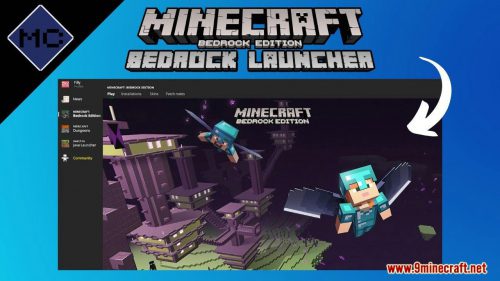 Bedrock Launcher v2026.10.19.270 (26.60, 1.21) – Minecraft Bedrock for Windows
 TL Legacy Launcher (26.3, 1.20.1) – TLauncher Legacy, Stable and Simple
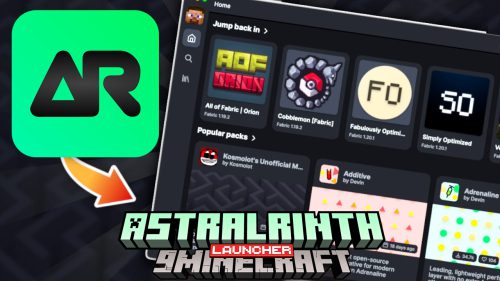 AstralRinth Launcher (26.3, 1.20.1) – Playing Minecraft for Free Account
 Pojav Glow Worm Launcher (26.3, 1.20.1) – Playing Minecraft Java on Mobile
 Hello Minecraft Launcher v3.16.4 (26.3, 1.20.1) – Play Minecraft For Free
 Dawn Client Launcher (26.3, 1.20.1) – Play Java and Bedrock Together
 Shiginima Launcher (26.3, 1.20.1) – Free Playing Minecraft, No Premium
 PojavLauncher v4.0 (26.3, 1.20.1) – Free APK, iPA Launcher for Android, iOS
- Amethyst Android Launcher v1.1.7 (26.3, 1.20.1) – Java Edition for Android and iOS
- Zalith v2 Launcher v2.8 (26.3, 1.20.1) – Best Launcher for Android in 2026
 Mojo Launcher (26.3, 1.20.1) – Boosting Maximum FPS
 Lunar Client Launcher (26.3, 1.20.1) – FPS Boost, Best for PvP
More from Launchers
 Betacraft Launcher – Minecraft Alpha & Beta Launcher
 Launcher Fenix (26.3, 1.20.1) – No Premium, Free Playing
 Eaglercraft Launcher (1.12.2, 1.8.8) – Offline Html Download
 OxLauncher (1.20.1, 1.18.2) – Playing OxFORTPACK Easier
 Minecraft Story Mode PlayStation Portable (PSP) – All Episodes
 Tuff Client Launcher (1.12.2) – Play Minecraft for Free in Web Browser
 PollyMC Launcher (26.3, 1.20.1) – DRM-free Prism Launcher Fork
 X Minecraft Launcher (26.3, 1.20.1) – XMCL Launcher with Modern UX, UI
 Quantum Launcher (26.3, 1.20.1) – Playing Minecraft without an Account
 Salwyrr Client Launcher (26.3, 1.20.1) – Top 1 for PvP, Bedwars, SkyWars
 Badlion Client Launcher (26.3, 1.20.1) – Best Minecraft PvP Client
 Prism Launcher (26.3, 1.20.1) – Lightweight & Customizable

This post has no comments yet. Be the first — your comment will appear here.