
OOF Mod (1.8.9) – Trigger Custom Death Sounds in PvP Matches

 0


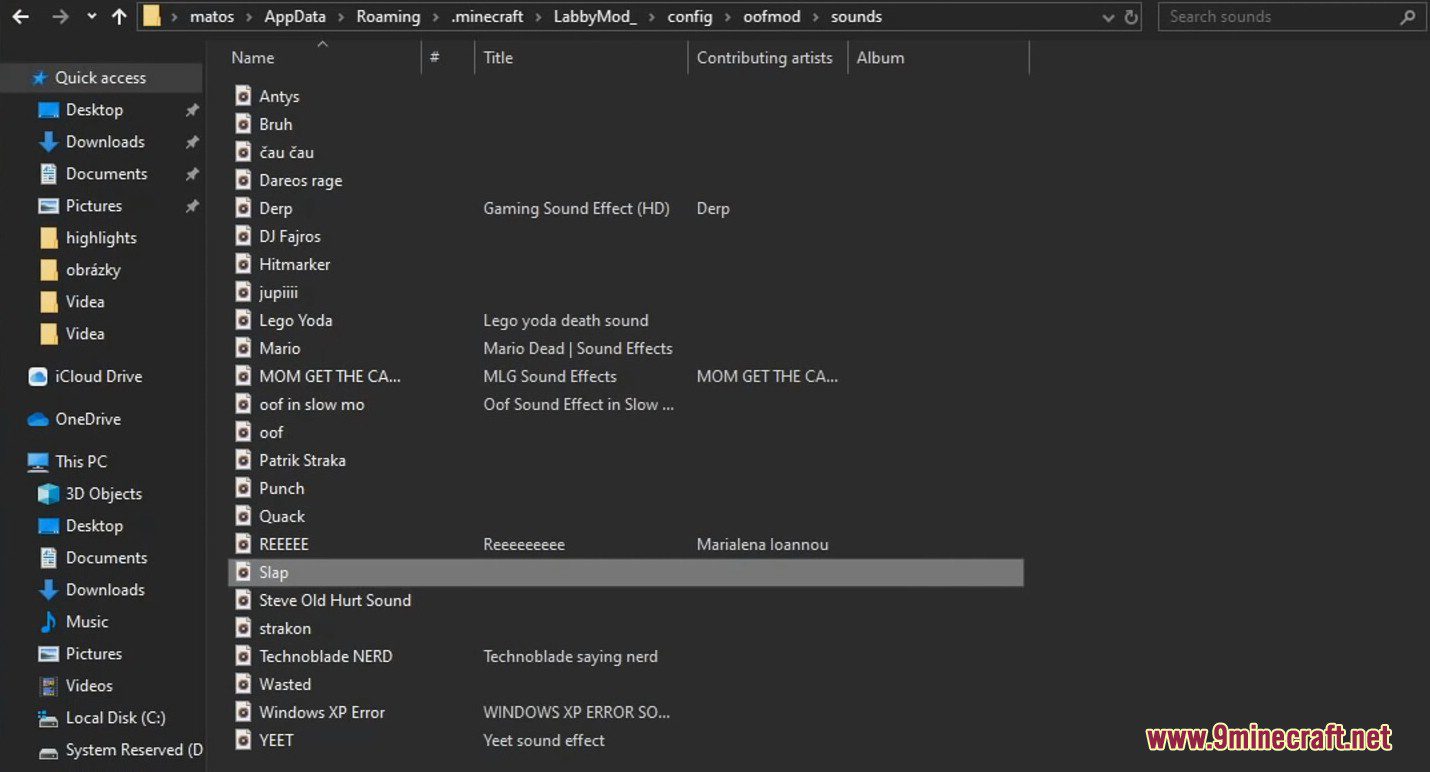
Oof Mod brings custom sound effects to PvP gameplay by playing specific audio files when you perform actions. It lets you configure and play custom sounds whenever you eliminate another player, break a bed, or experience a death in the game using .wav files.

Features:
- Plays custom sounds when you get a kill, typically used on multiplayer networks.
- Triggers custom audio cues when you successfully break a bed during Bedwars matches.
- Plays a custom sound effect whenever you die.
- Includes a revamped settings menu designed with Vigilance.
- Features a dedicated custom screen using Essential’s design for sound configurations.
- Improves overall error handling and removes multiple game-breaking bugs.
Screenshots:



How to Install:
New to Minecraft? Follow our step-by-step guide to install Mods on your PC.View Guide
Requirements:
OOF Mod Download Links
For Minecraft 1.8.9
Powns’s Forge Version: Download from Server 1 – Download from Server 2
deftu’s Forge Version: Download from Server 1 – Download from Server 2
Starter Sounds Pack (Put into /minecraft/config/offmod/sounds): Download from Server 1 – Download from Server 2
Click to rate this post!
[Total: 6 Average: 3.8]
You May Also Like
Picked for this page
 Universal Enchants Mod (26.3, 1.20.1) – Better Enchantments
 Sound Physics Mod (26.3, 1.20.1) – Amazing Sound Shaders in Minecraft
 Reap Mod (26.3, 1.20.1) – Auto Tree Mining, Auto Farming
 Alin Perspective Mod (1.21.11, 1.21.1) – 360 Camera Rotation
 Coords Mod (26.3, 1.20.1) – Shows Player Coordinates In Overlay
 AFKFish Mod (26.3, 1.20.1) – Effortless Fishing
 Scoreboard Overhaul Mod (26.3, 1.20.1) – A Fresh Look For Your Sidebar
 Advanced Loot Info Mod (26.3, 1.20.1) – Clear Loot Insights
 Cycle Title Screen Splash Mod (26.3, 1.20.1) – Configurable Splash Text
 Immersive Weathering Pandas Compat Mod (1.20.1) – Adds Ivy to Falling Trees
 Icarus X Transmog Compat Mod (1.20.1, 1.20) – Transmog Support For Icarus Wings
 Legendary Tooltips X Traveler’s Backpack Fix Mod (1.20.1, 1.20) – Prevent Backpack Inventory FPS Spikes
Most viewed in Mods over the last 7 days
 Ala Industrial Mod (26.3) – Run Electric Power Grids and Automated Factories
 PleasureCraft Mod (26.3, 1.21.1) – Jenny Mod Remake for Fabric
 Jennycraft Mod (26.3, 1.20.1) – Virtual Girlfriend in Minecraft
 Fapcraft Mod (26.3, 1.12.2) – Comprehensive and Detailed Content
 Jenny Mod (Fapcraft) Official Complete Guide – How to use, Tutorial
 BangCraft Mod (1.20.1) – Jenny, Ellie and Elliot
 Fabric Loader (26.3, 1.20.1) – Fabric Installer for All Minecraft Versions
 Meteor Client Mod (26.3, 1.20.1) – Xray, HUD, Fly
 The Shooting Star Demo Mod (26.3, 1.20.1) – Vaporize Terrain From Orbit
 OptiFine HD (26.3, 1.20.1) – Run Faster, FPS Boost, Shaders Support
 Aristois Client Mod (1.21.4, 1.20.1) – World Class Minecraft Utility
 Prestige Client Mod (1.21.11, 1.21.4) – Powerful Ghost Features for Crystal & Sword PvP
More from Mods
 Enhanced Overlay Mod (26.3, 1.21.11) – Remove Screen Clutter
 Flint Mod (1.21.11) – Run DiamondFire Community Addons Without Crashing
 Not Just Sandwich Mod (26.3, 1.20.1) – Edibles, Sandwiches
 Waddles Mod (26.3, 1.20.1) – Make Icy Biomes Feel Alive
 Artemis’ Thin Logs Mod (26.3, 1.20.1) – Build Custom Trees and Detailed Wood
 Asterion Mod (26.3, 1.20.1) – Survive Ancient Mazes and Slay the Legendary Minotaur
 Passthrough Signs Mod (26.3, 1.20.1) – Right-Click Through Wall Signs
 Packing Tape Mod (26.3, 1.20.1) – Move Chests, Machines
 No XP Anvils Mod (26.3, 1.20.1) – Repair And Enchant Without XP
 Naruto Shippuden Mod (26.3, 1.16.5) – Immerse Yourself in The World of Ninja
 Araxer’s Bestiary Mod (26.3, 1.20.1) – Build an In-Game Encyclopedia of Every Mob
 Villagers Plus Mod (26.3, 1.20.1) – Expanded Villager Types and Villages

This post has no comments yet. Be the first — your comment will appear here.