
PlaceholderAPI Plugin (26.1.2, 1.20.1) – Keep Player Stats Visible Everywhere
 3,904
 0

PlaceholderAPI Plugin lets server owners show data from many different plugins in one clean, matching format on Spigot servers. It connects to over 230 expansions for popular plugins like Essentials, Factions, LuckPerms, and Vault. This plugin starts with no placeholders by default, so you only add the ones you need by downloading expansions right inside the game or using plugins with built-in support. It fits Spigot servers of any type or size and keeps core settings and expansion options tidy in one config file. Server admins also get built-in commands and OP-by-default permissions to manage expansions and check placeholders.

Screenshost:
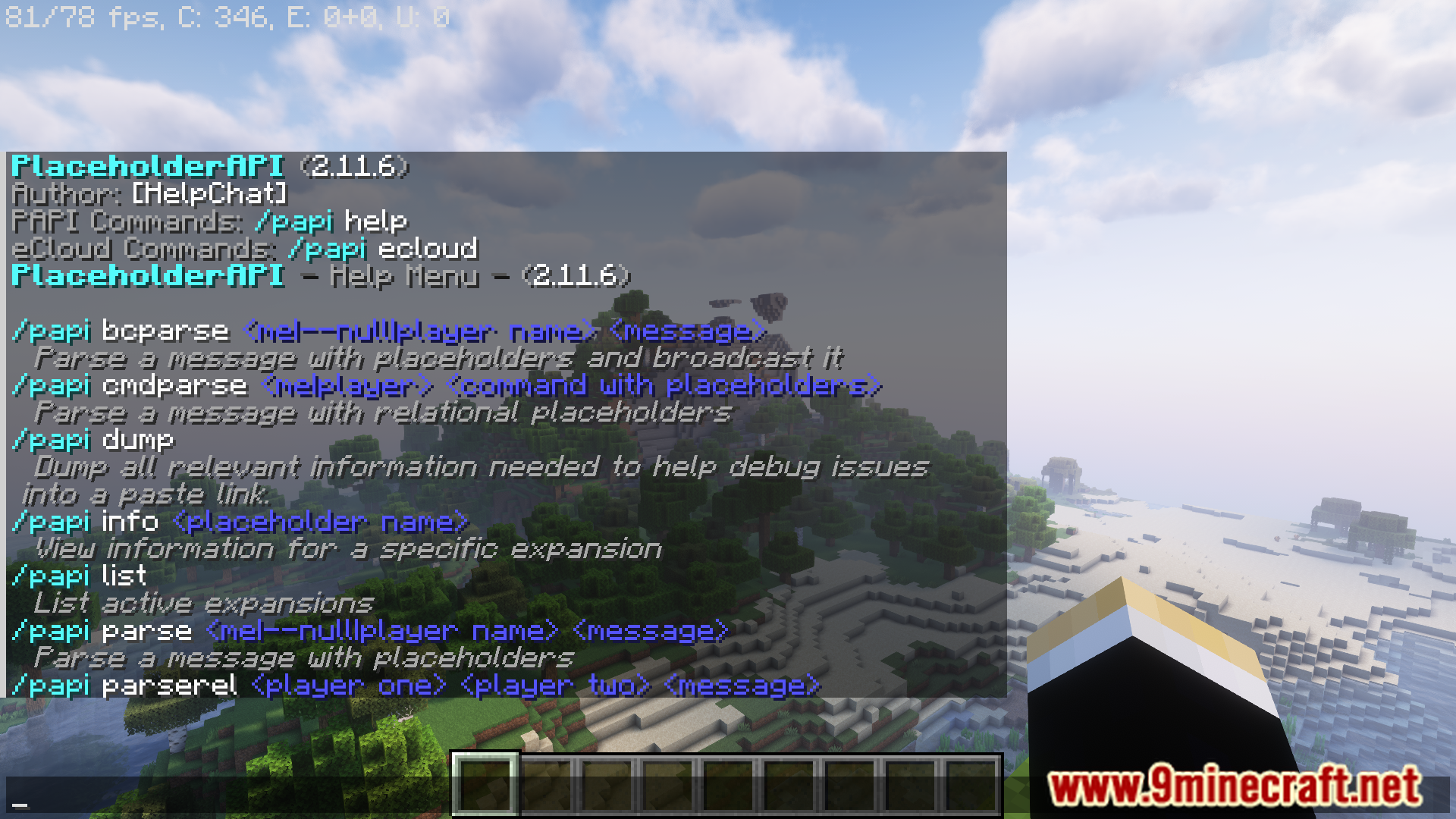
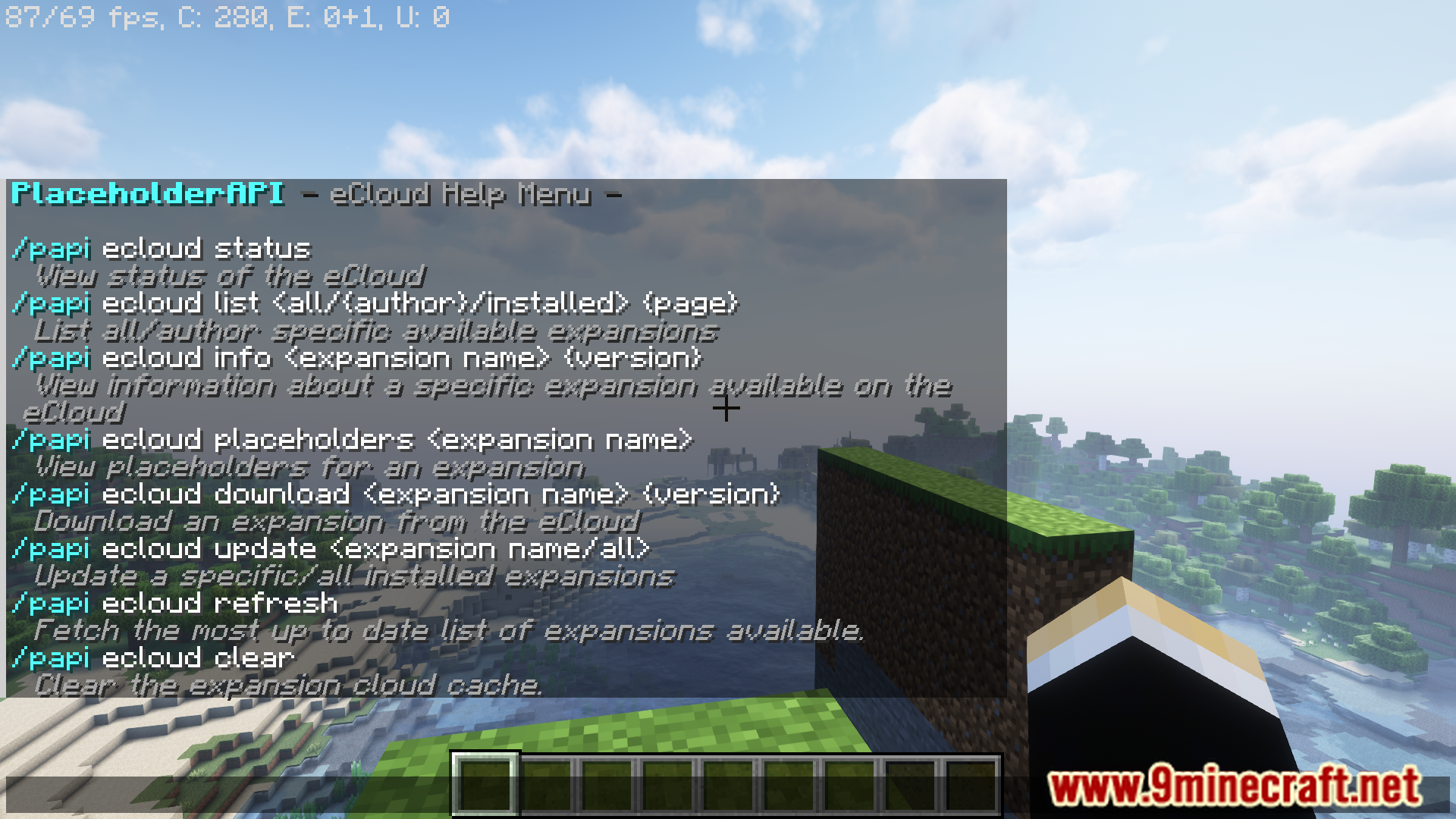
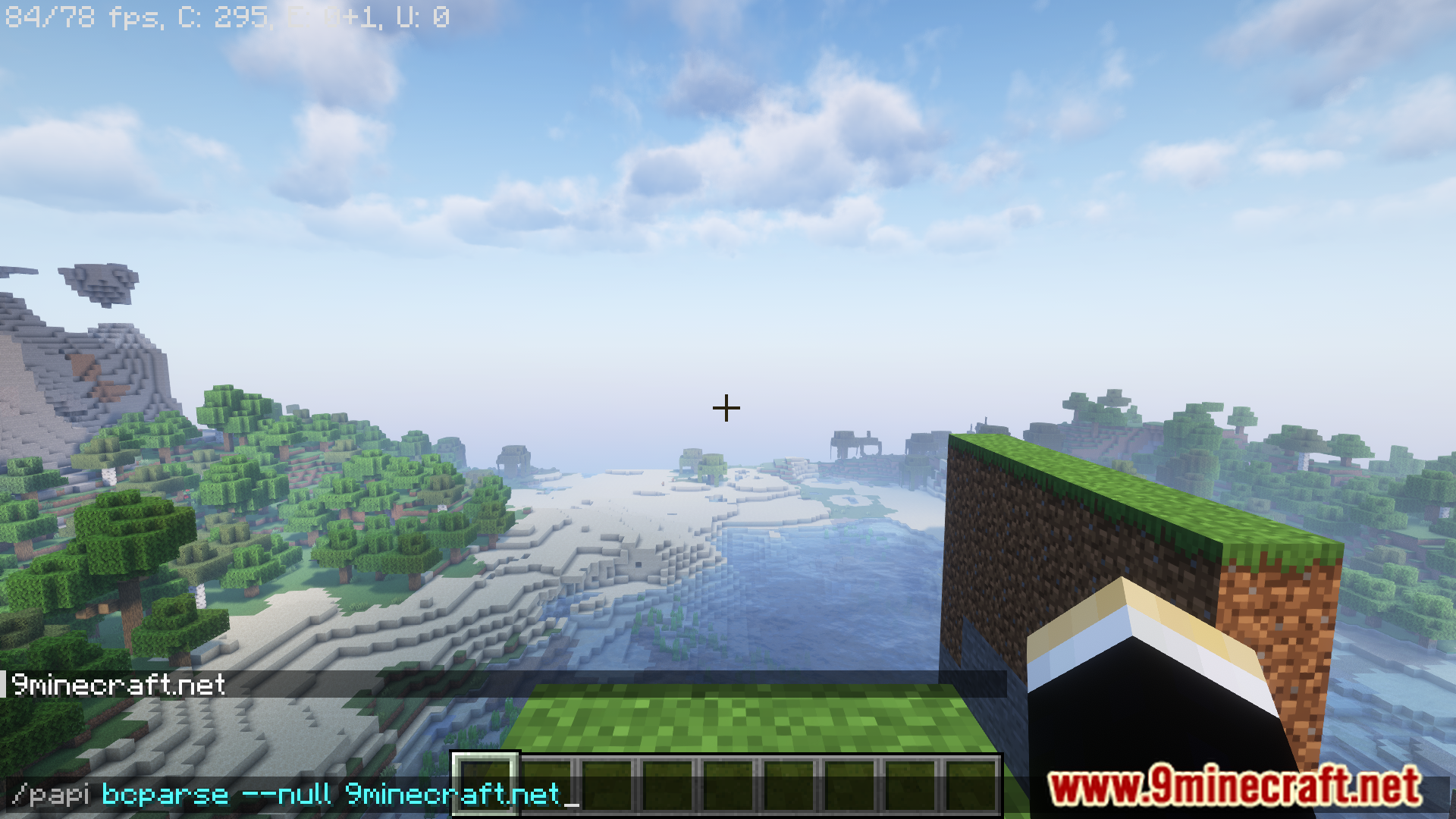
Features:
- Uniform Plugin Data: Shows information from multiple plugins in one clean, matching format across your Spigot server.
- Over 230 In-Game Expansions: Connects to the Expansion Cloud (eCloud) so you can download over 230 expansions right inside the game for plugins like Essentials, Factions, LuckPerms, and Vault.
- Supports specific plugins either directly through the plugin itself or by loading separate expansion files.
- Includes no placeholders by default, keeping your setup clean until you add the expansions you want.
- Stores core settings in
config.ymland automatically adds extra options for each expansion when that expansion loads. - Lets you toggle update checks, eCloud access, unverified expansions, and debug mode, plus customize eCloud sorting, date format, and true or false text labels.
- Protects all commands with OP-by-default permission nodes so server owners control who runs admin commands, parses placeholders, or manages eCloud expansions.
- Uses bStats to collect anonymous server usage statistics.
Commands:
Parse Commands
/papi bcparse <player|--null|me> <string>: Broadcasts a parsed text string to players or the server console./papi cmdparse <player|me> <string>: Parses placeholders and runs the command as the chosen player or console./papi parse <player|--null|me> <string>: Parses placeholders inside a text string./papi parserel <player> <player> <string>: Parses relational placeholders between two players.
ECloud Commands
/papi ecloud status: Checks the status of the Expansion Cloud./papi ecloud clear: Clears the local eCloud expansion cache./papi ecloud download <expansion> [version]: Downloads an expansion from the eCloud./papi ecloud update <expansion/all>: Updates one or all registered eCloud expansions./papi ecloud info <expansion> [version]: Shows details about a specific cloud expansion./papi ecloud list <all|<author>|installed> [page]: Lists expansions on the eCloud by all, installed, or filtered results./papi ecloud placeholders <expansion>: Shows the placeholders provided by an eCloud expansion./papi ecloud refresh: Refreshes the local eCloud expansion cache.
Expansion Commands
/papi info <expansion>: Shows details about a registered expansion./papi list: Lists all active expansions on your server./papi register <jar file>: Registers an expansion from a jar file./papi unregister <jar file>: Unregisters an expansion jar file.
Utility Commands
/papi dump: Dumps server and plugin details for debugging./papi reload: Reloads the plugin and its config file./papi version: Shows the installed plugin version./papi help: Shows the list of available commands.
Configuration:
Config Options (config.yml)
check_updates: Turns update checks on or off (default:true).cloud_enabled: Turns eCloud access on or off (default:true).cloud_sorting: Sets how eCloud expansions are sorted (default:"name").cloud_allow_unverified_expansions: Allows or blocks unverified expansions from the eCloud (default:false).boolean: Sets custom text for'true'(default:'yes') and'false'(default:'no') values.date_format: Sets how dates and times display (default:MM/dd/yy HH:mm:ss).debug: Turns debug mode on or off (default:false).
Permissions
placeholderapi.*: Gives access to all commands, including both admin and eCloud groups.placeholderapi.admin: Gives access to all admin commands (help,info,list,parse,reload,version,register,unregister, andupdatenotify).placeholderapi.ecloud.*: Gives access to all eCloud commands.placeholderapi.help: Lets you view the list of commands (default:op).placeholderapi.info: Lets you view expansion details (default:op).placeholderapi.list: Lets you list active expansions (default:op).placeholderapi.ecloud: Lets you access the eCloud (default:op).placeholderapi.parse: Lets you parse placeholders (default:op).placeholderapi.reload: Lets you reload the plugin and its config file (default:op).placeholderapi.version: Lets you check the installed version (default:op).placeholderapi.register: Lets you register expansions (default:op).placeholderapi.unregister: Lets you unregister expansions (default:op).placeholderapi.updatenotify: Sends a notice when an update is available (default:op).placeholderapi.ecloud.info: Lets you view cloud expansion details (default:op).placeholderapi.ecloud.list: Lets you list eCloud expansions (default:op).placeholderapi.ecloud.clear: Lets you clear the local eCloud expansion cache (default:op).placeholderapi.ecloud.status: Lets you view the status of eCloud expansions (default:op).placeholderapi.ecloud.update: Lets you update registered eCloud expansions (default:op).placeholderapi.ecloud.refresh: Lets you refresh the local eCloud expansion cache (default:op).placeholderapi.ecloud.download: Lets you download an expansion from the eCloud (default:op).placeholderapi.ecloud.placeholders: Lets you view the placeholders of an eCloud expansion (default:op).
How to Install:
New to Minecraft? Follow our step-by-step guide to install Plugins on your PC.View Guide
PlaceholderAPI Plugin Download Links
For Minecraft
26.1.2,
26.1.1,
26.1
All Versions Covered
26.1.2
26.1.1
26.1
1.21.11
1.21.10
1.21.9
1.21.8
1.21.7
1.21.6
1.21.5
1.21.4
1.21.3
1.21.2
1.21.1
1.21
1.20.6
1.20.5
1.20.4
1.20.3
1.20.2
1.20.1
1.20
1.19.4
1.19.3
1.19.2
1.19.1
1.19
1.18.2
1.18.1
1.18
1.17.1
1.17
1.16.5
1.16
1.15.2
1.15.1
1.15
1.14.4
1.14.3
1.14.2
1.14.1
1.14
1.13.2
1.13.1
1.13
1.12.2
1.12.1
1.12
1.11.2
1.11.1
1.11
1.10.2
1.10.1
1.10
1.9.4
1.9.3
1.9.2
1.9.1
1.9
1.8.9
1.8.8
1.8.7
1.8.6
1.8.5
1.8.4
1.8.3
1.8.2
1.8.1
1.8
For Minecraft
1.21.11,
1.21.10,
1.21.9
All Versions Covered
1.21.11
1.21.10
1.21.9
1.21.8
1.21.7
1.21.6
1.21.5
1.21.4
1.21.1
1.21
1.20.6
1.20.5
1.20.4
1.20.3
1.20.2
1.20.1
1.20
1.19.4
1.19.3
1.19.2
1.19.1
1.19
1.18.2
1.18.1
1.18
1.17.1
1.17
1.16.5
1.16
1.15.2
1.15.1
1.15
1.14.4
1.14.3
1.14.2
1.14.1
1.14
1.13.2
1.13.1
1.13
1.12.2
1.12.1
1.12
1.11.2
1.11.1
1.11
1.10.2
1.10.1
1.10
1.9.4
1.9.3
1.9.2
1.9.1
1.9
1.8.9
1.8.8
1.8.7
1.8.6
1.8.5
1.8.4
1.8.3
1.8.2
1.8.1
1.8
For Minecraft 1.8 –> 1.20.6
You May Also Like
Picked for this page
 Skript Plugin (26.1.2, 1.21.1) – Bukkit, Paper, Spigot
 SkinsRestorer Plugin (26.3, 1.20.1) – Ability To Restore/Change Skins On Servers
 Spawn Plugin (26.1.2, 1.21.1) – Spigot
 Orebfuscator Plugin (26.1.2, 1.20.1) – Bukkit, Spigot, Paper
 TAB Plugin (26.3, 1.20.1) – Make an Awesome Animated Tablist
 ValhallaMMO Plugin (26.1.2, 1.20.1) – Bukkit, Spigot, Paper
 SuperVanish Plugin (26.2, 1.20.1) – Bukkit, Spigot, Paper
 Interactive Chat Plugin (26.1.2, 1.20.1) – Show Items & Inventory in Chat
 Interaction Visualizer Plugin (26.1.2, 1.20.1) – Spigot
 Grim Anticheat Plugin (26.3, 1.20.1) – Realtime Cheat Detection Plugin
 BetterGUI Plugin (26.1.2, 1.20.1) – A Simple Menu Designing Tool
 Aj Leaderboards Plugin (26.1.2, 1.20.1) – Spigot
Most viewed in Plugins over the last 7 days
 Dynmap 9minecraft Plugin (26.3) – A Live Google-Maps-Style View of Your Whole Server
 Vulcan Anti Cheat Plugin (1.21.8, 1.20.1) – A Powerful Shield Against Cheating
 Citizens Plugin (1.21.10, 1.20.1) – The Best NPC Plugin
 Displaymotion Plugin (1.21.4) – Amaze Players with Custom Animations and No Client Mods
 Citizens2 Plugin (1.21.8, 1.20.1) – Craft Unique NPCs
 MMOItems Premium Plugin (1.21.8, 1.20.1) – Create Stunning Custom Items
 Ultimate Donut SMP Plugin (26.3, 1.20.1) – Build Teams Trade Goods
 WorldEdit Plugin (1.21.11, 1.20.1) – Easy In-Game Minecraft Map Editor
 MythicCrucible Plugin (1.21.8, 1.20.1) – Addon for MythicMobs
 MythicMobs Premium Plugin (1.21.9, 1.20.1) – Craft Epic Custom Mobs And Bosses
 Vehicles Plus Plugin (1.21.11, 1.20.1) – Realistic Vehicle Plugin
 Fish Rework Fishing Plugin (26.3, 1.21.1) – Turn Simple Fishing
More from Plugins
 TFMCCore Plugin (1.21.10) – Custom Item Lore and Animal Whistles for Roleplay Servers
 Economy SMP Plugin (26.2, 1.21.1) – Turn Survival Worlds Into Active Trading
 Audio Navigation Plugin (1.21.10) – Helping Blind Players Explore Every Server
 VFBuilders Plugin (1.21.10) – Give Players Real Workshops to Assemble Vehicles
 DenarEconomy Plugin (1.21.10) – Give Each Roleplay Character Their Own Coin Purse
 Thievery Plugin (1.21.10) – Turn Every Burglary Into a High-Stakes Roleplay Heist
 BarterShops Plugin (1.21.10) – Turn Empty Towns Into Bustling Player Markets
 BirdMessenger Plugin (1.21.10) – Carrier Birds Deliver Mail Across Roleplay Towns
 VehicleFramework Plugin (1.21.4) – Drive, Sail, and Fly Across the Map Together
 RPCharacters Plugin (1.21.10) – Let Players Build Deep Personas and Rich Stories
 TLibs Plugin (1.21.4) – Custom Gear That Actually Looks Right with Shaders
 Games Plugin (1.21.10) – Gather Around Tavern Tables for High-Stakes Card Games

This post has no comments yet. Be the first — your comment will appear here.