
Ratatouille Mod (1.21.8, 1.20.1) – Turn Squeaky Rat Plushies Into Music

 0


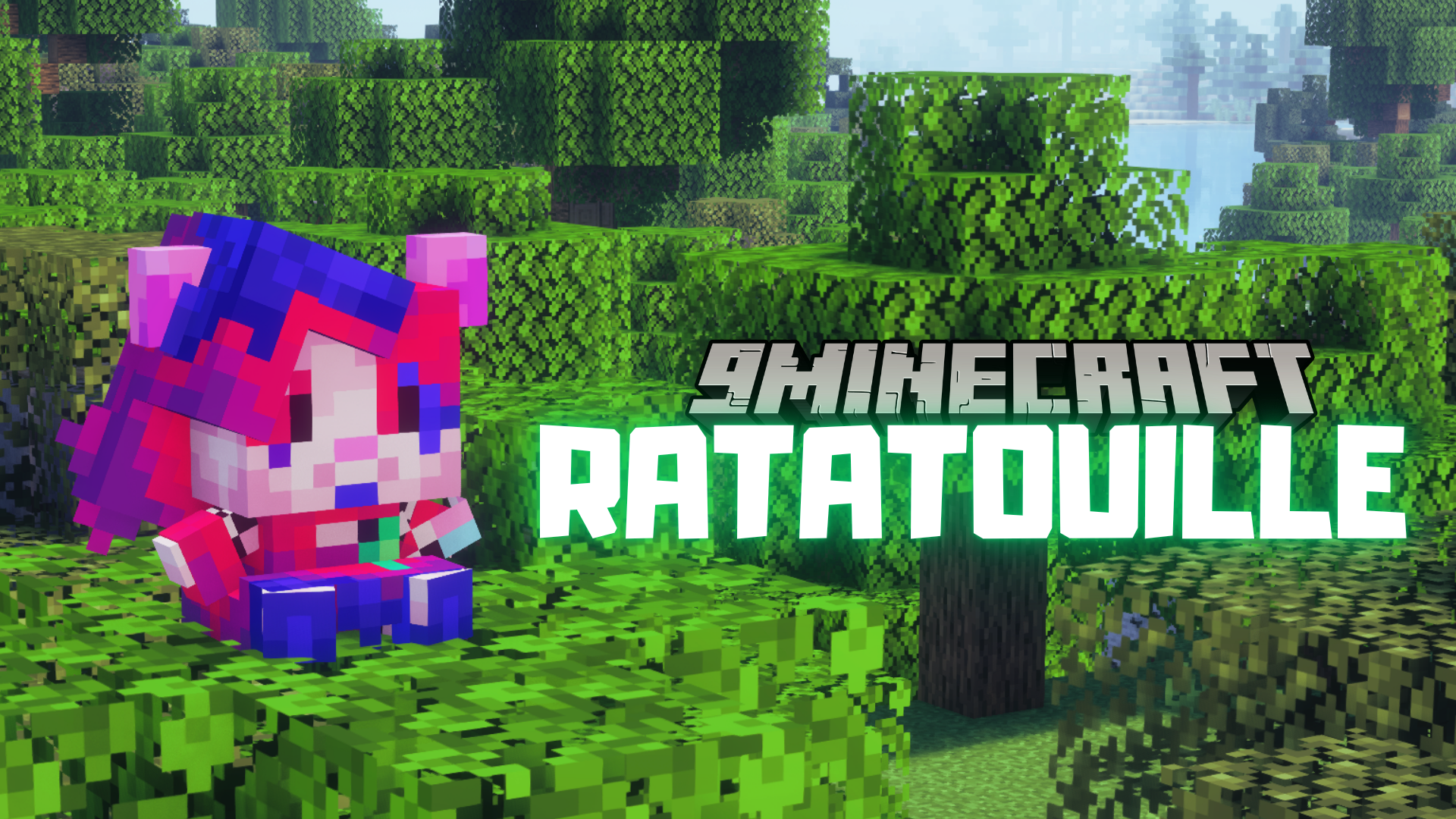
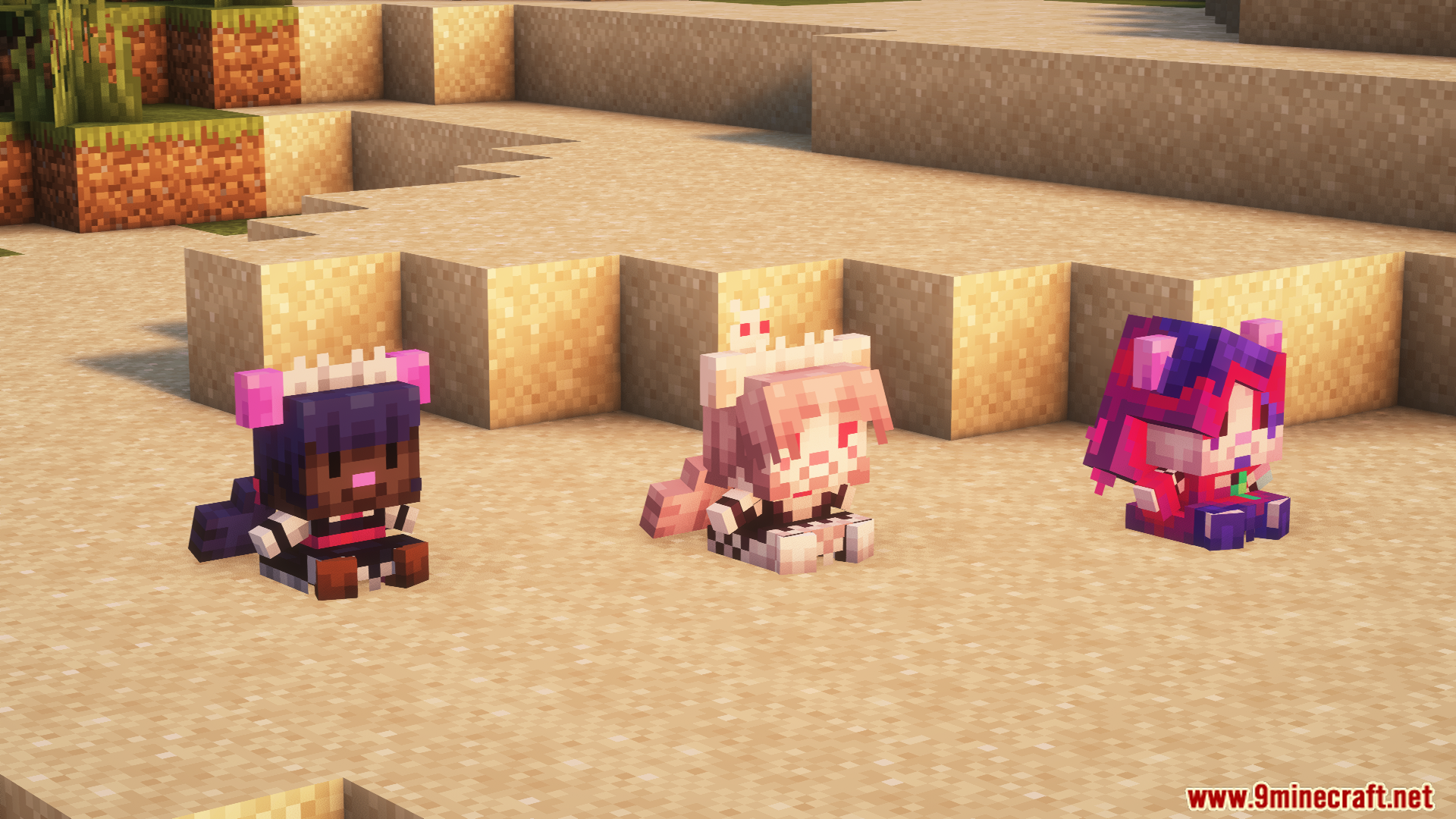
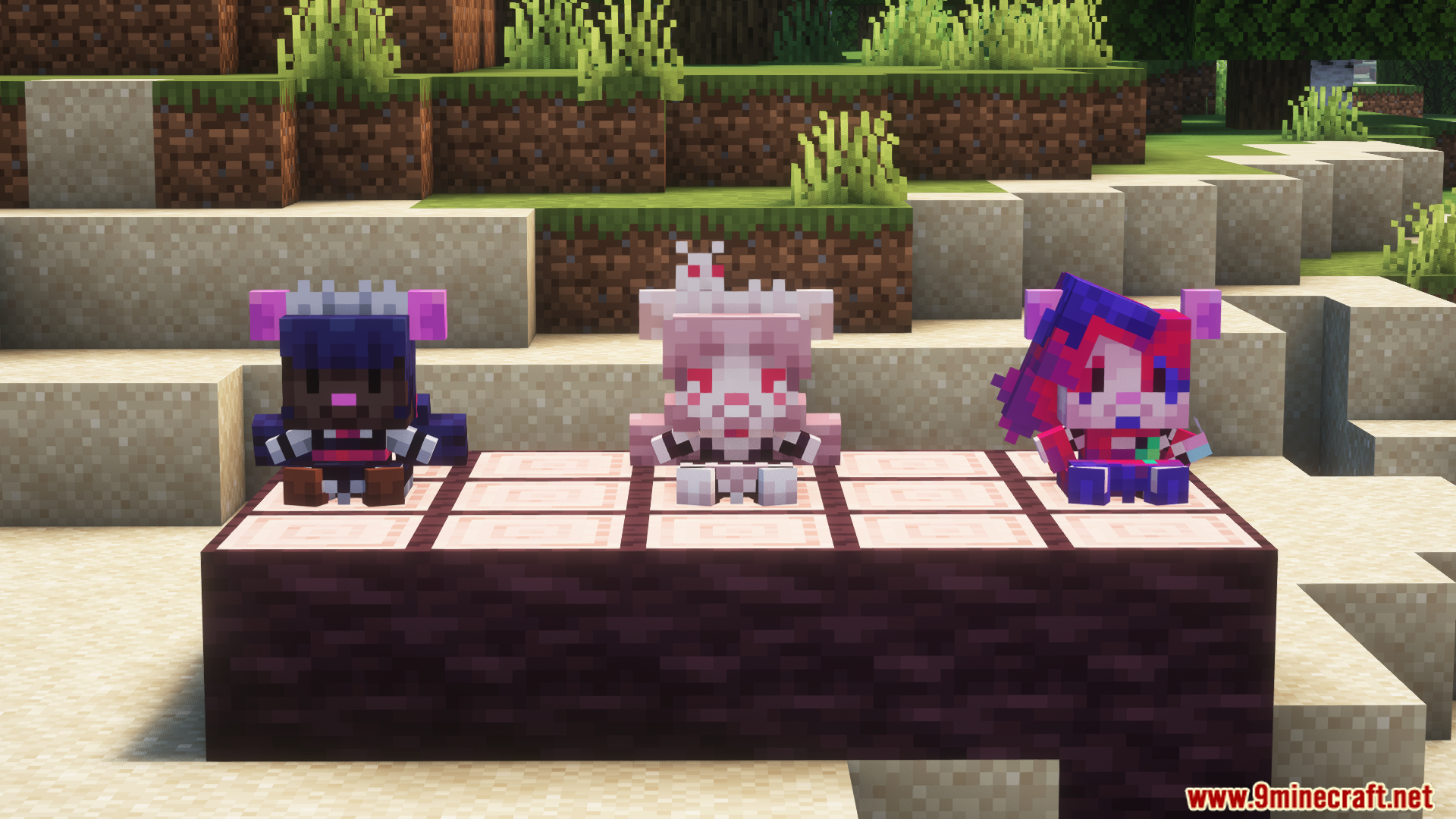
Ratatouille Mod brings cute plush toys, supporter cosmetics, mob dressing tools, and a shared library for other mods. It adds three RAT plushies named Rat Maid, Folly, and Mauve that honk when you interact with them and act like musical instruments under a note block. In Creative mode, this mod lets you put items and armor right onto mobs or knock all their equipped gear off with an empty hand. Ko-Fi and YouTube members also get a colored name, a special icon next to their name, and a cosmetics menu to wear plushies on their head. Behind the scenes, it gives other mods simple tools for visual effects, custom hit sounds and particles, first-person hand visuals, 3D armor models, and looping background sounds. This mod needs Fabric API to run.
Features:
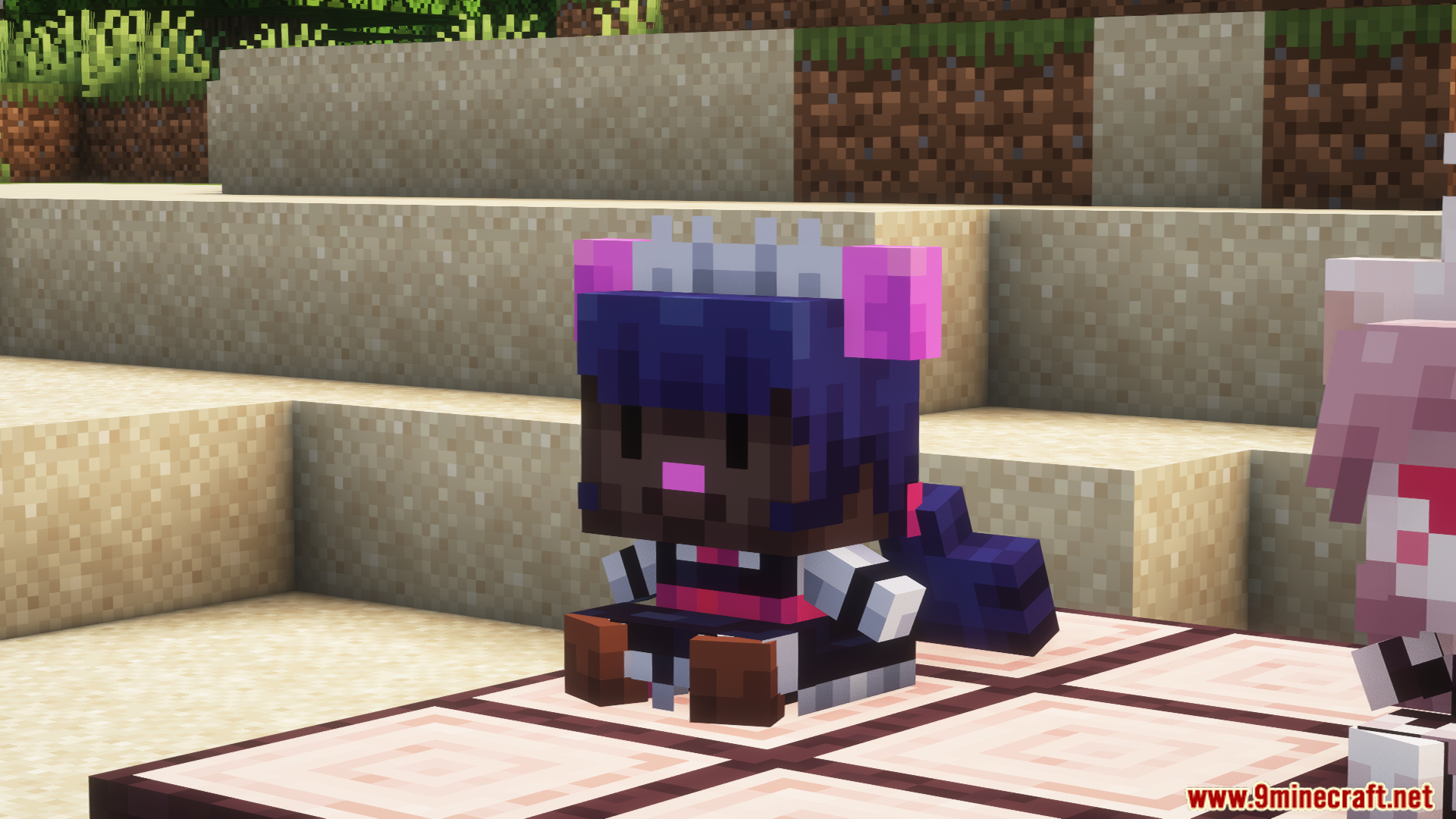
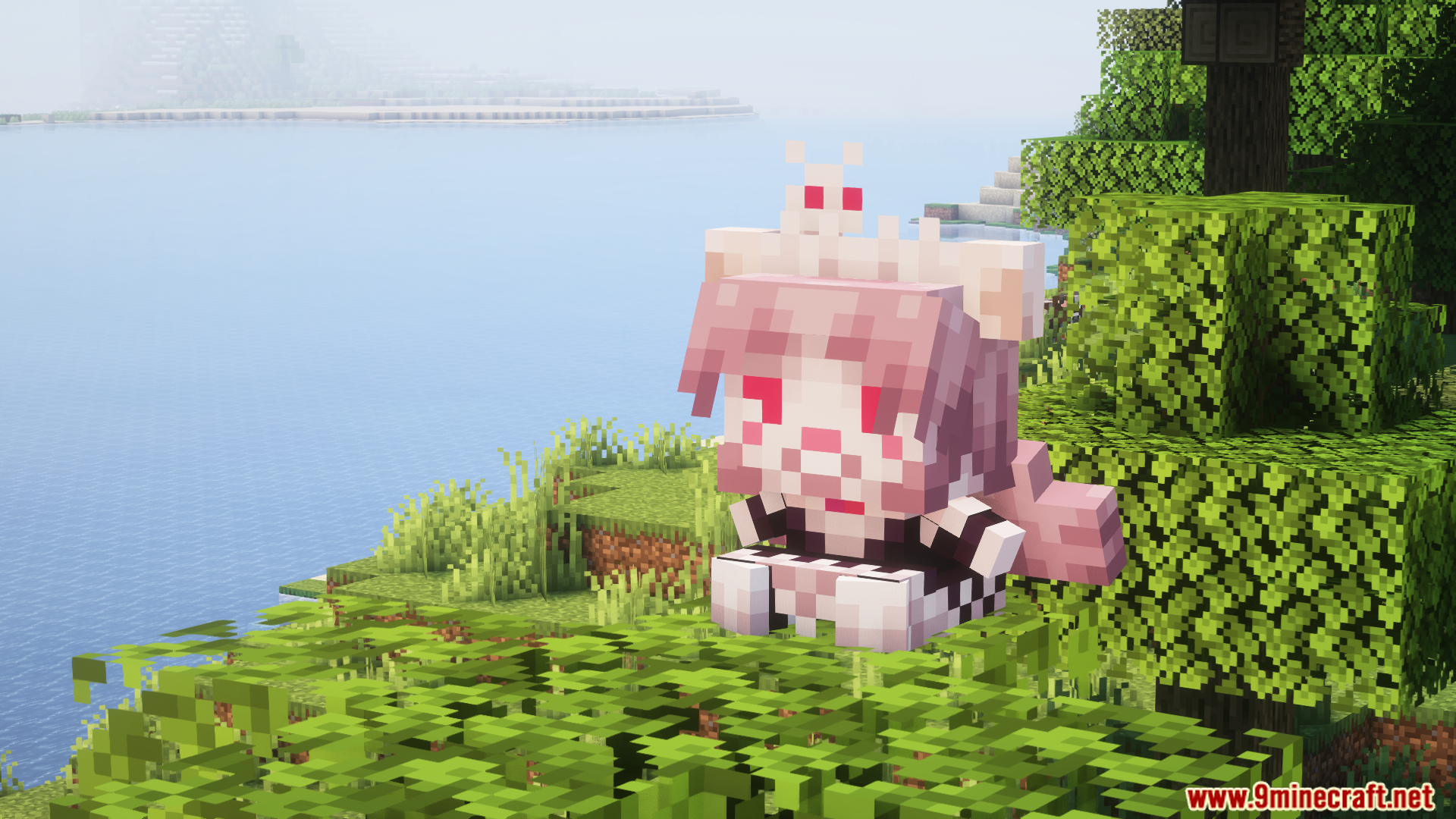
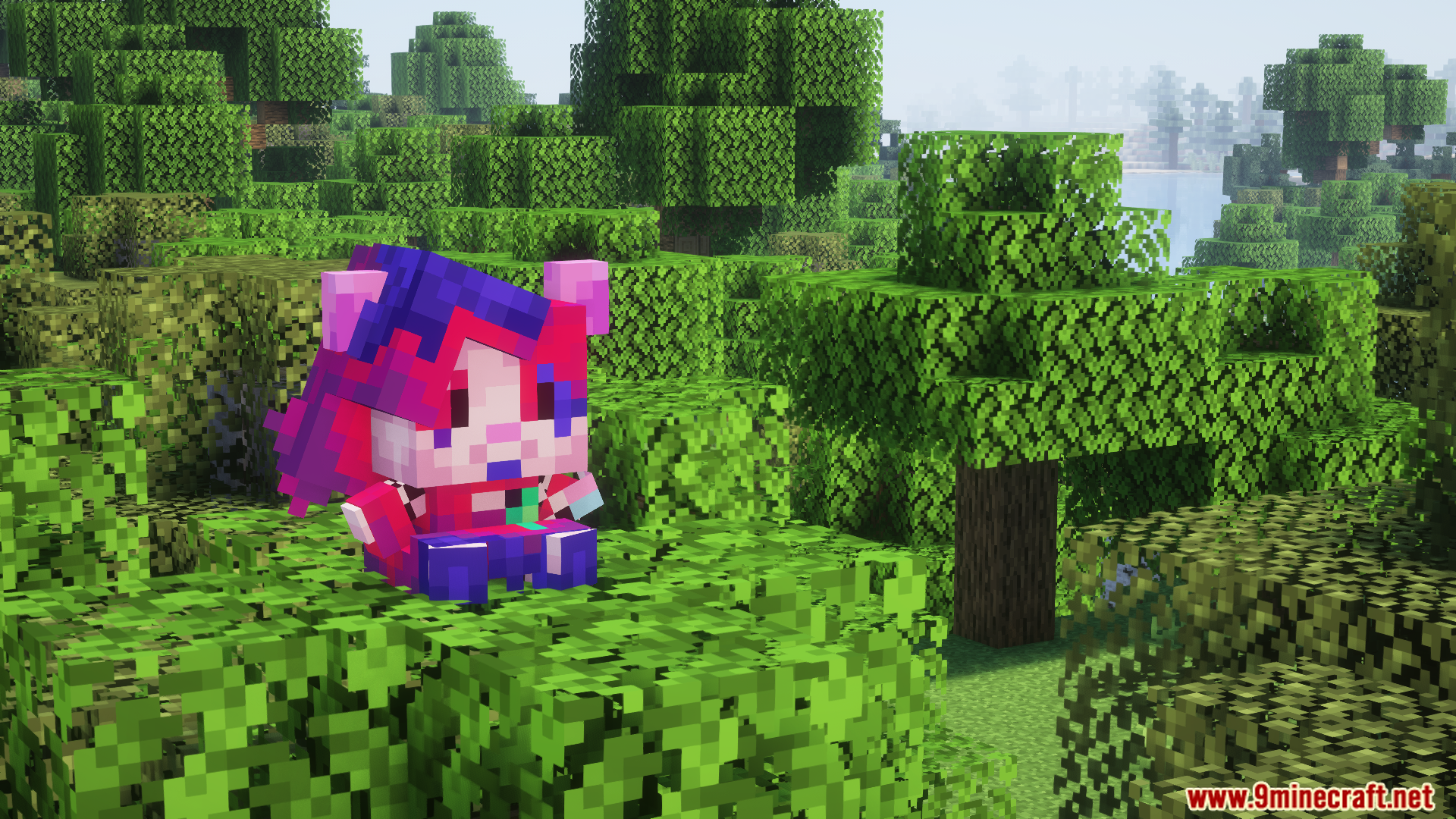
- RAT Plushies: Adds three plush toys named Rat Maid, Folly, and Mauve. You can interact with them to hear a honk, or place a note block on top to play the plushie’s honk as a musical instrument.
- Creative Mob Equipping: Lets you give items and armor to mobs in Creative mode by sneaking and interacting with them while holding an item. Sneaking and hitting an equipped mob with an empty hand in Creative mode makes it drop all of its gear.
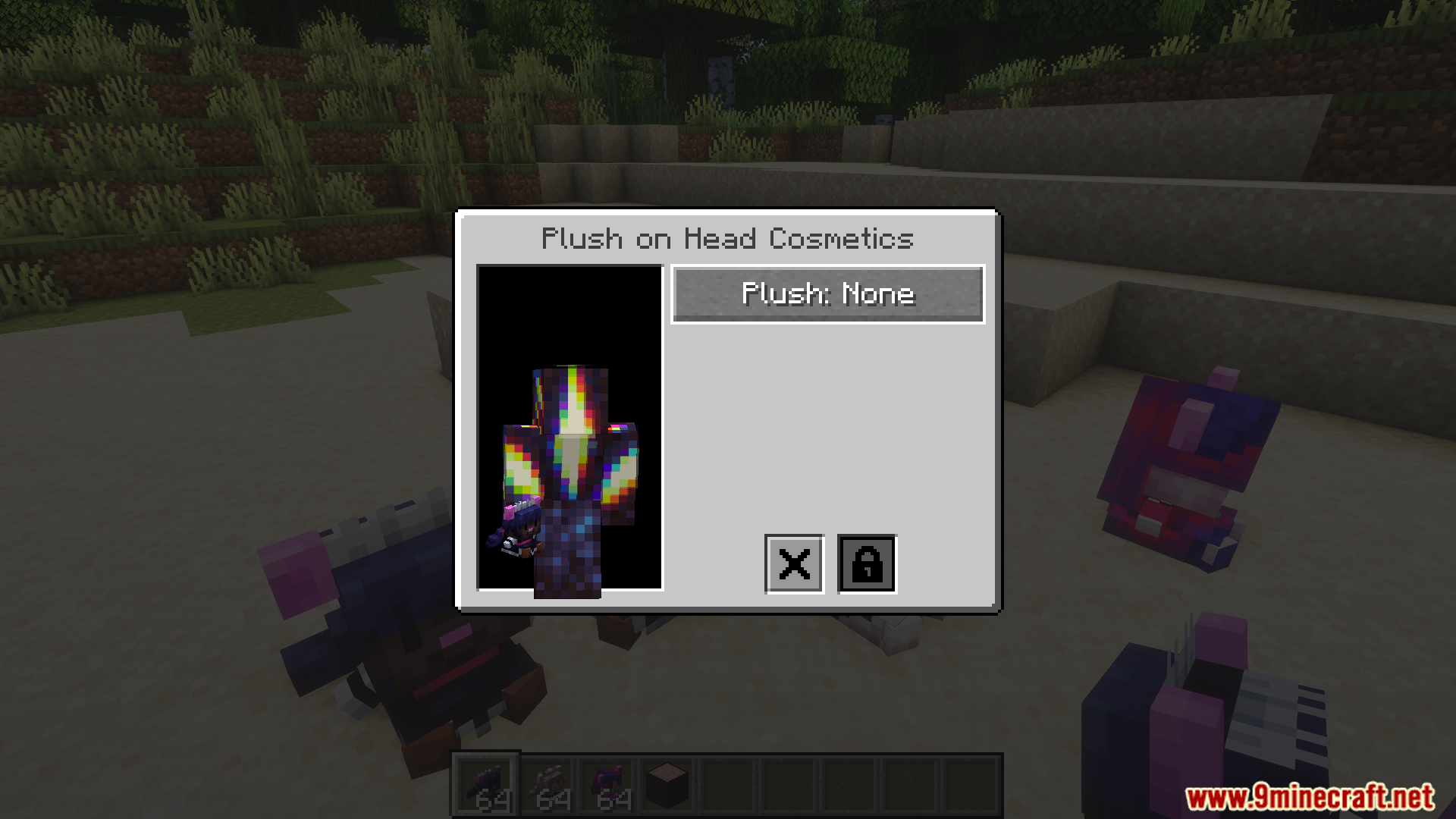
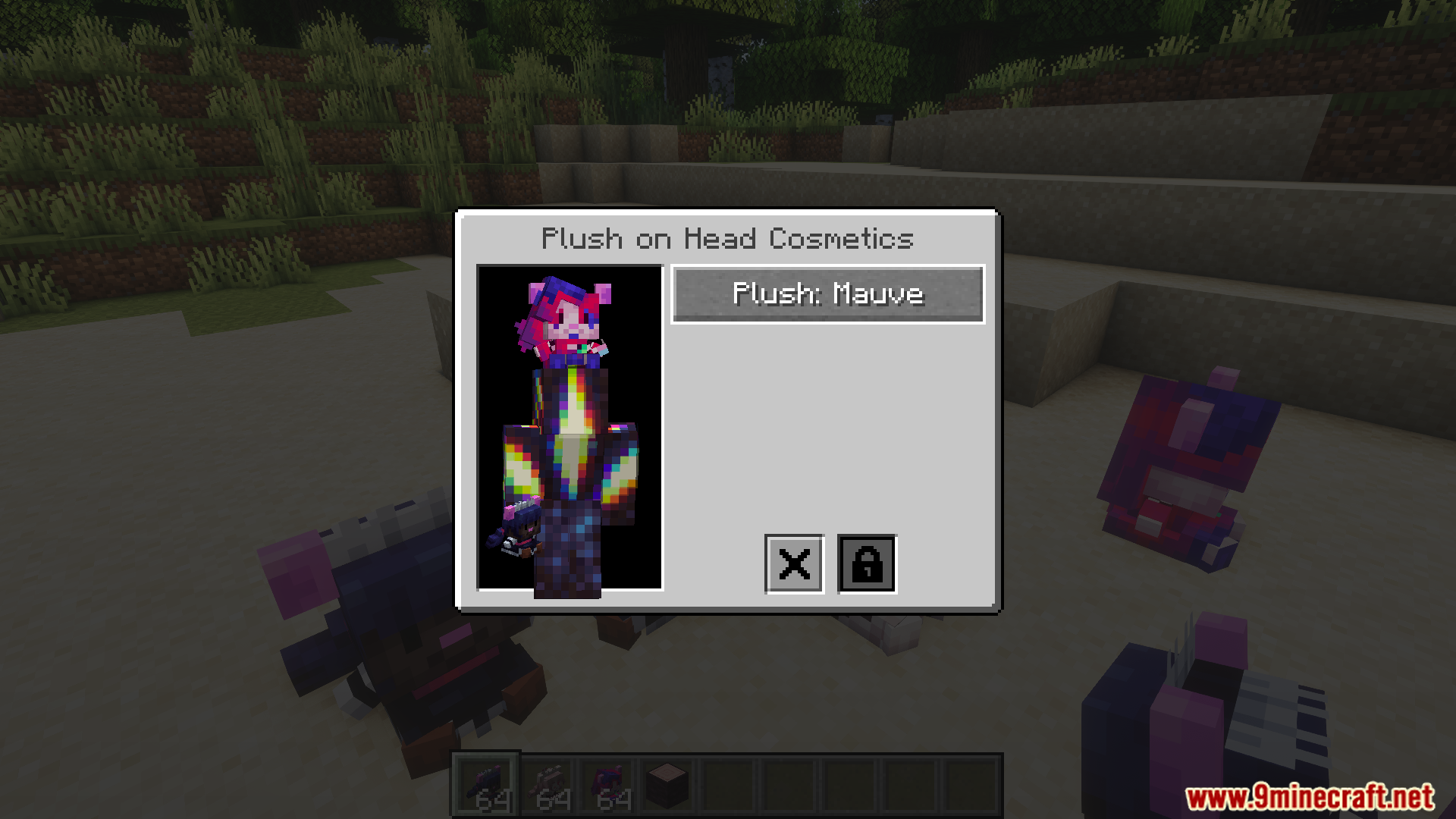
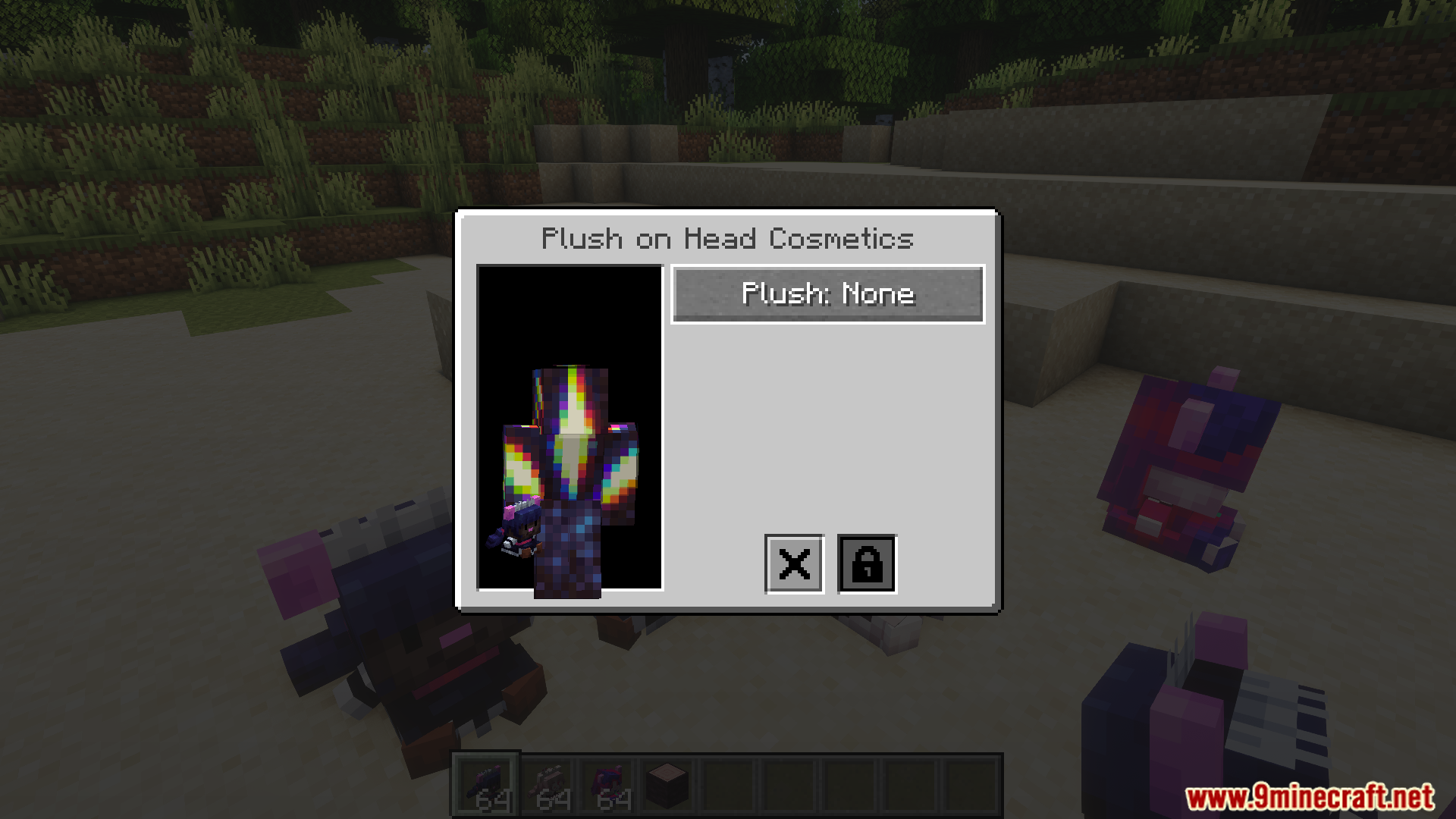
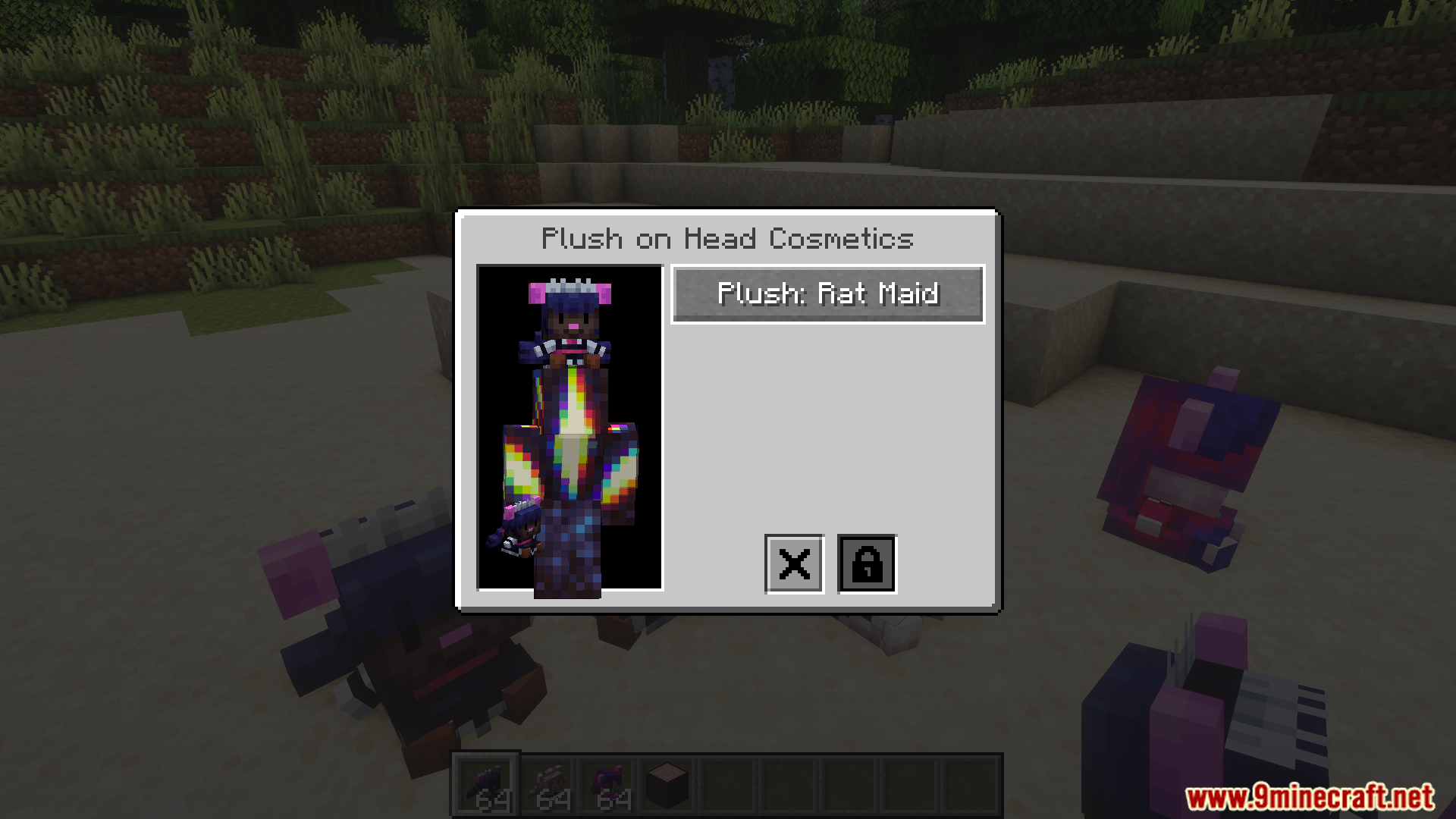
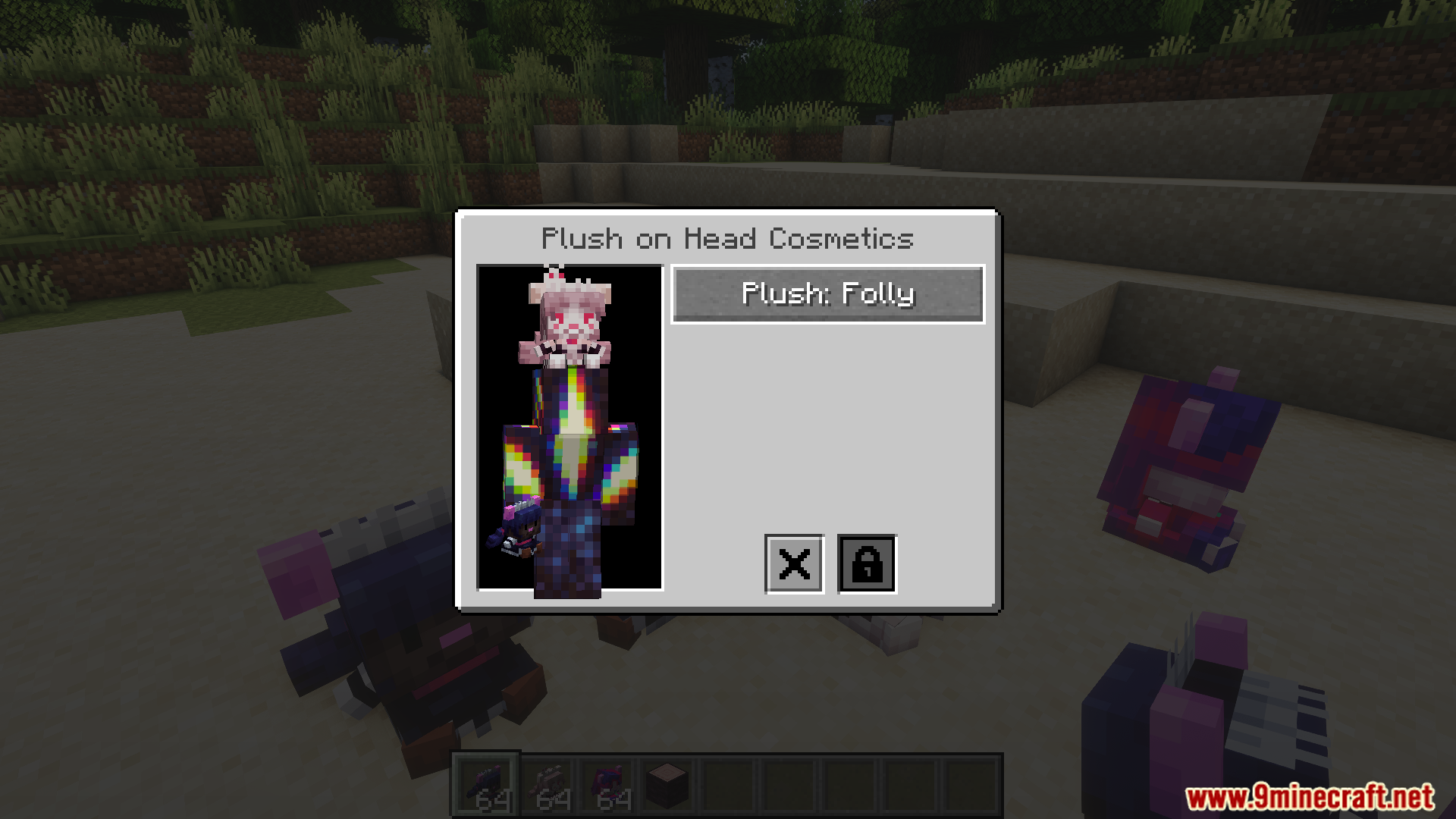
- Supporter Cosmetics: Gives Ko-Fi and YouTube members a colored name, a special icon next to their name, and a cosmetics screen to wear plushies on their head.
Library Tools:
- Includes rendering tools based on Lodestone to help other mods make custom visual effects.
- Provides a ready-to-use cosmetics customization tool that other cosmetic mods can use right away.
- Adds tools that let items play custom hit sounds and show custom hit particles.
- Supports first-person hand rendering so custom visuals can show right on the player’s hand in first-person view.
- Registers custom 3D armor sets for helmets, chestplates, leggings, and boots in one step using a Blockbench model template. It displays custom armor parts on players, armor stands, mobs, and first-person hands, hides missing vanilla armor textures, and supports both standard item checks and custom display rules.
- Plays looping background sounds or block-based ambient sounds with custom sound categories, custom play checks for players or blocks, and fade-in and fade-out times measured in ticks.
How to Use:
- Place a RAT plushie (Rat Maid, Folly, or Mauve) down and interact with it to make it honk.
- Place a note block on top of a RAT plushie so the note block plays the plushie’s honk sound as an instrument.
- Hold any plush item, hold Sneak, and use it while not aiming at a block to open the cosmetics screen and pick a plushie to wear on your head (available for Ko-Fi and YouTube members).
- Switch to Creative mode, hold an item or piece of armor, hold Sneak, and interact with a mob to equip that item on it.
- Stay in Creative mode with an empty hand, hold Sneak, and hit an equipped mob to make it drop all of its equipped items.
Screenshots:
How to Install:
New to Minecraft? Follow our step-by-step guide to install Mods on your PC.View Guide
Ratatouille Mod Download Links
For Minecraft 1.21.8, 1.21.7, 1.21.6
Fabric/Quilt Version: Download from Server 1 – Download from Server 2
For Minecraft 1.21.1, 1.21
Fabric/Quilt Version: Download from Server 1 – Download from Server 2
For Minecraft 1.20.1
Fabric/Quilt Version: Download from Server 1 – Download from Server 2
Which mod loader do you use the most often?
6 responses · See the full results →
You May Also Like
Picked for this page
 Iron Furnaces Mod (1.21.11, 1.20.1) – New Furnaces, More Efficient
 GeckoLib Mod (26.3, 1.20.1) – Powerful Animation and Rendering Engine
 Citadel Mod (26.3, 1.20.1) – Library for Advanced Animations
 Neat Mod (26.2, 1.20.1) – HUD Status Bar Above Mobs
 Diamethysts Mod (1.21.1, 1.20.1) – Strong, Mystical, Crystalline Material
 Lambda Better Grass Mod (26.3, 1.20.1) – Connected Textures for Grass Blocks
 Dynamic Trees Plus Mod (1.21.1, 1.20.1) – More Than Just Trees
 Moa Decor Lights Mod (1.21.8, 1.20.1) – Lights-Themed Decorations
 Tool Progression Mod (1.12.2) – Configurable Harvest Levels for Tools
 Default Options Mod (26.3, 1.20.1) – Default Settings and Keybindings
 JJKF Mod (1.20.1, 1.16.5) – Advanced Domain And Technique Mechanics
 LYIVX’s Core Mod (1.21.11, 1.20.1) – Run LYIVX Furniture Packs
Most viewed in Mods over the last 7 days
 Ala Industrial Mod (26.3) – Run Electric Power Grids and Automated Factories
 PleasureCraft Mod (26.3, 1.21.1) – Jenny Mod Remake for Fabric
 Jennycraft Mod (26.3, 1.20.1) – Virtual Girlfriend in Minecraft
 Fapcraft Mod (26.3, 1.12.2) – Comprehensive and Detailed Content
 Jenny Mod (Fapcraft) Official Complete Guide – How to use, Tutorial
 BangCraft Mod (1.20.1) – Jenny, Ellie and Elliot
 Fabric Loader (26.3, 1.20.1) – Fabric Installer for All Minecraft Versions
 Meteor Client Mod (26.3, 1.20.1) – Xray, HUD, Fly
 The Shooting Star Demo Mod (26.3, 1.20.1) – Vaporize Terrain From Orbit
 OptiFine HD (26.3, 1.20.1) – Run Faster, FPS Boost, Shaders Support
 Aristois Client Mod (1.21.4, 1.20.1) – World Class Minecraft Utility
 Prestige Client Mod (1.21.11, 1.21.4) – Powerful Ghost Features for Crystal & Sword PvP
More from Mods
 Huge Structure Blocks Mod (26.3, 1.20.1) – Pushing Limits With Huge Structure Blocks Mod
 Rctapi Fix Mod (1.21.1) – Fight Cobblemon Trainers Without Any Server Crashes
 Better Title Screen Mod (26.3, 1.20.1) – Adding Custom Text Messages
 Log Cleaner Mod (26.3, 1.20.1) – Cleans Old and Unused Log Files
 Brick Variety Mod (26.3, 1.20.1) – More Brick Variants
 Fast Xp Mod (26.3, 1.21.1) – Faster XP Bottle Usage
 Cherry Villages Mot’s Structures Mod (26.3, 1.21.11) – Find Fresh Settlements
 XinexLib Mod (1.21.1) – Keep Your Ultreon Studios Mods Running
 Libvulpes – Fixed Mod (1.12.2) – Launch Rockets with Fewer Bugs
 Freelook Perspective Mod (26.3, 1.21.1) – Watch Your Back While Sprinting
 FAUNA Engine Mod (1.21.1, 1.20.1) – Powering Legendary Dragons
 Avali Nexus Mod (26.3) – Settle Frozen Frontiers with High-Tech Bird Tribes

This post has no comments yet. Be the first — your comment will appear here.