
Sky Orchards Mod (1.12.2) – Harvest Raw Ores Without Mining
 10,530
 0

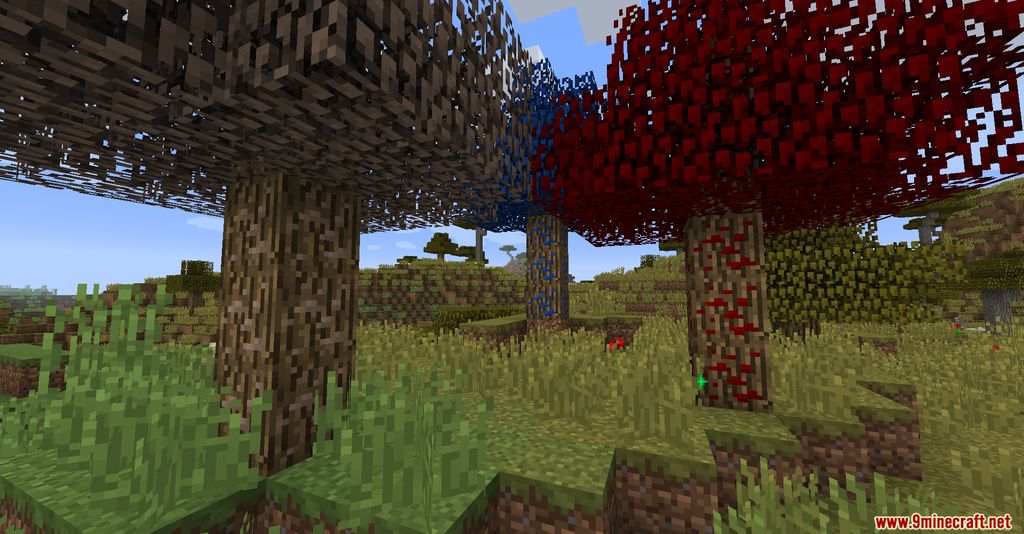
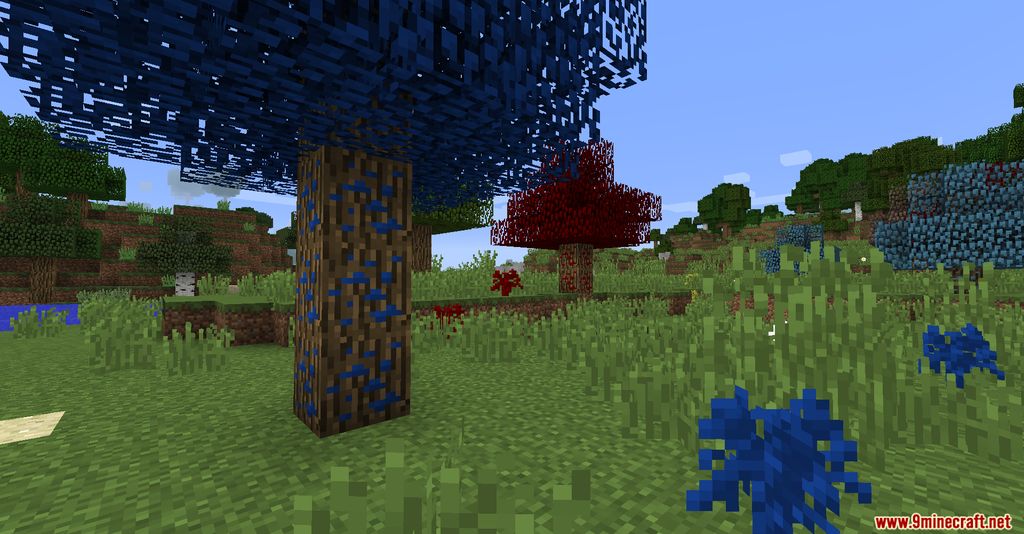
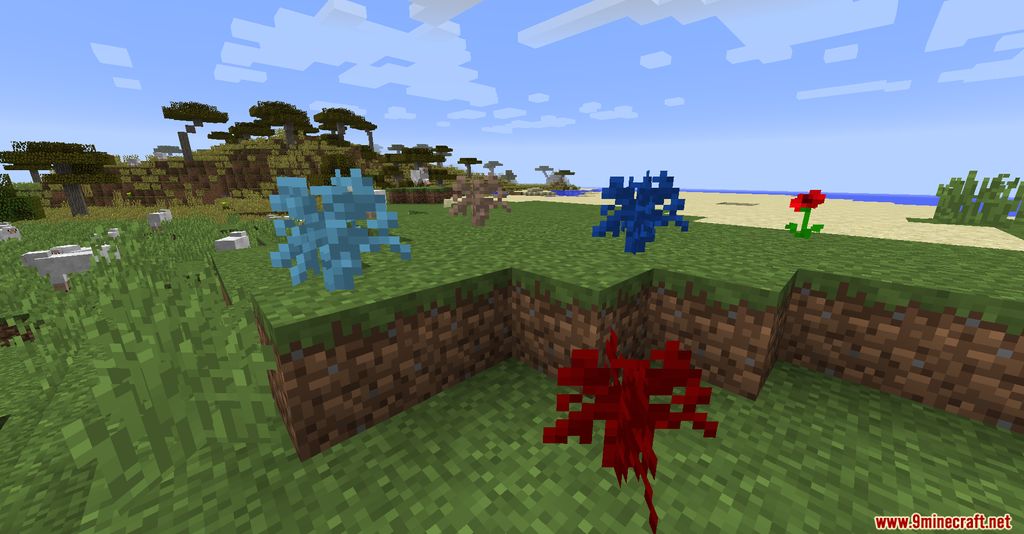
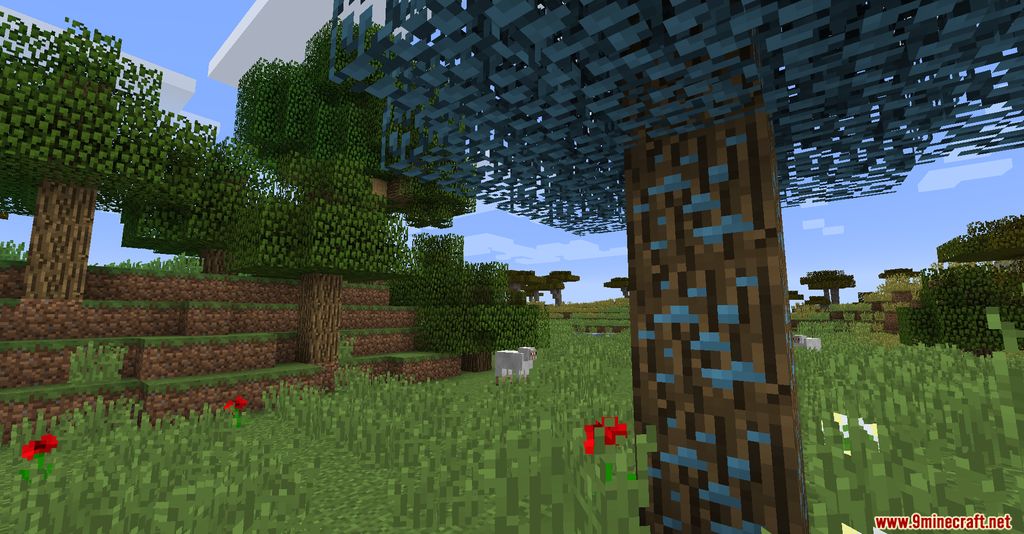
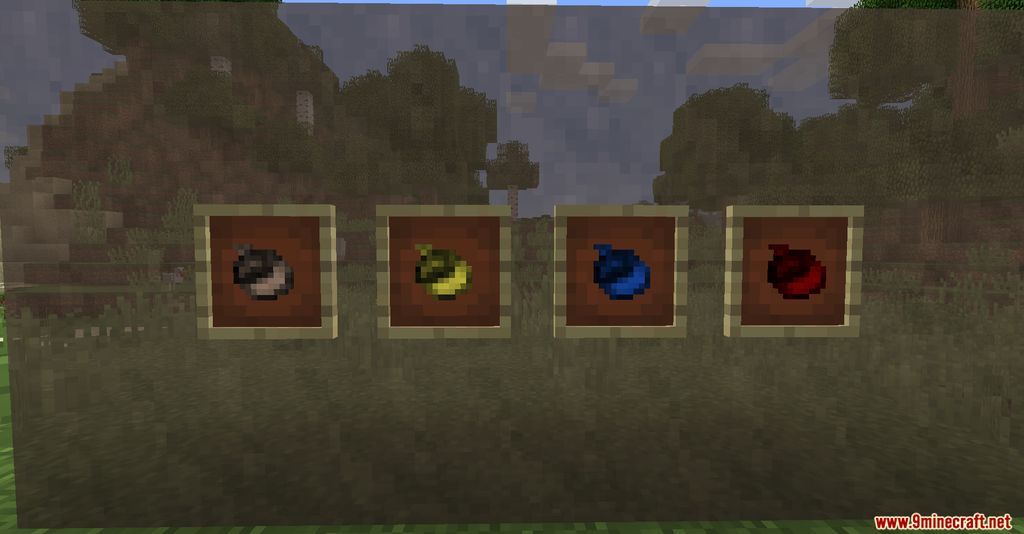
Sky Orchards Mod spawns custom resource trees on small floating sky islands across your world. Each tree uses Ore Logs and Ore Leaves that drop Ore Acorns, Ore Resin, vanilla oak logs, and extra items set in the config. The mod also adds Ore Saplings that grow like normal trees, Ore Amber blocks, and Ore Acorns that you can eat or cook into Roasted Ore Acorns. You can edit the configuration files to add new tree types with custom leaf drops and RGB colors, or change how floating islands spawn across different dimensions. Default items and blocks have no crafting recipes, since this mod is built for modpacks like Sky Factory IIII that add custom recipes with CraftTweaker. It also pairs well with the Bonsai Trees mod to give players a fresh way to gather resources.
Features:
- Floating Sky Islands: Spawns small floating sky islands randomly across your world, each carrying a custom resource tree.
- Resource Trees: Builds every tree out of Ore Logs and Ore Leaves, where “Ore” is a loose term for any tree type such as Redstone, Bacon, or String.
- Custom Tree Config: Lets you add your own tree types in the configuration file with custom leaf drops, drop amounts, metadata, drop chances, and RGB colors.
- Modpack Ready: Includes pre-configured vanilla ore trees as examples and leaves all items and blocks without default crafting recipes so modpacks can set their own using tools like CraftTweaker.
- Drops Ore Resin and vanilla oak logs whenever you chop down Ore Logs.
- Drops Ore Acorns from Ore Leaves at a default 1:3 chance, along with any extra items set in the config.
- Lets you plant and grow Ore Saplings in the same way as standard vanilla trees.
- Adds Ore Amber as a resource block that modpacks can include in custom recipes.
- Allows you to eat Ore Acorns directly or cook them into Roasted Ore Acorns.
- Lets you customize floating island world generation in the config, including dimensions, height range, island size, chunk spawn chance, spawn weight, and top or under-layer blocks.
- Pairs with the Bonsai Trees mod for tree-based resource farming, with custom support available through Sky Bonsais.
- Requires a full game restart before newly added trees or island changes appear in the world.
Configuration:
Sky Island Worldgen Options:
Floating Islands Should Generate: Set totrueorfalseto turn floating island generation on or off.Smallest Radius Islands Should Generate: Sets the smallest radius for generated islands (must be at least 1).Largest Radius Islands Should Generate: Sets the largest radius for generated islands (4 by default).(1:Amount) Chance that an Island Will Generate in Chunk: Sets the 1-in-X chance for an island to spawn in a chunk (150 by default).- Leaf acorn drop setting: Sets how often Ore Acorns drop when breaking leaves (
1:3by default).
Custom Tree Syntax:
- Format:
name, modName:itemName#amount#metaData#dropChance, r, g, b - Example:
cottonwood,minecraft:string#1#0#4,255,245,255 name: The name of the tree (for example,cottonwood).modName:itemName: The item that leaves drop (for example,minecraft:string). Usenullorunusedif you do not want a drop.amount: How many items drop at once (for example,1).metaData: The metadata or damage value of the dropped item (for example,0).dropChance: The 1-in-X chance for the item to drop (for example,4means a 1:4 chance).r, g, b: Three numbers between 0 and 255 for the RGB color of the tree (for example,255,245,255).
Custom Island Spawn Syntax:
- Format (must stay on one line):
dimInt#orename#minHeight,maxHeight#spawnWeight#modname:block,blockMeta,modname:block,blockMeta - Example (Overworld Cottonwood island between Y20 and Y200 with grass on top and dirt below):
0#cottonwood#20,200#4#minecraft:grass,0,minecraft:dirt,0 dimInt: The dimension ID where the island spawns (for example,0is the Overworld).orename: The name of your custom tree (for example,cottonwood).minHeightandmaxHeight: The lowest and highest Y levels where the island can spawn (for example,20and200).spawnWeight: How often this island spawns compared to other island types (for example,4).modname:blockandblockMeta(first pair): The block ID and metadata for the top layer of the island (for example,minecraft:grassand0).modname:blockandblockMeta(second pair): The block ID and metadata for the rest of the island under the top layer (for example,minecraft:dirtand0).
How to Use:
- Explore your world to find small floating sky islands holding resource trees; default vanilla ore trees come pre-configured as examples.
- Chop down Ore Logs to collect Ore Resin and vanilla oak logs.
- Break Ore Leaves to get Ore Acorns (at a 1:3 default chance) along with any extra drop items configured for that tree type.
- Plant Ore Saplings on the ground to grow new resource trees just like standard vanilla trees.
- Eat Ore Acorns directly, or cook them to turn them into Roasted Ore Acorns.
- Use CraftTweaker or another modpack recipe tool to add crafting recipes for Sky Orchards Mod items and blocks, such as Ore Amber, since none exist by default.
- Open the configuration files to add custom tree types (with custom leaf drops and RGB colors) or edit floating island worldgen settings like dimensions, height range, radius, chunk spawn chance, and island blocks.
- Do a full game restart after saving your config changes so any newly added trees or sky islands appear in your world.
Screenshots:
How to Install:
New to Minecraft? Follow our step-by-step guide to install Mods on your PC.View Guide
Sky Orchards Mod Download Links
For Minecraft 1.12.2
What is your favorite type of Minecraft mod?
26 responses · See the full results →
You May Also Like
Picked for this page
 Serene Seasons Mod (26.3, 1.20.1) – Real Life Seasons in Minecraft
 CleanView Mod (1.21.11, 1.20.1) – No More Swirlies
 Midnight Controls Mod (26.2, 1.20.1) – New Controls Settings
 IngotCraft Mod (26.3, 1.20.1) – New Metals And More
 Villages & Pillages Mod (26.3, 1.20.1) – Bandit Villages
 Lava Turns Sand into Glass Mod (26.3, 1.20.1)
 AdaPaxels Mod (26.1.2, 1.20.1) – All In One Tool
 Dynamic Trees Terralith Mod (1.21.1, 1.20.1) – Compatibility Addon
 Tacz Sbw Playerrevive Gun Mod (1.20.1) – Connects PlayerRevive And Gun Mods
 AutoWalk Mod (26.3, 1.20.1) 1.12.2, 1.11.2 (Can’t Stop Walking)
 Underground Rivers Mod (26.2, 1.20.1) – Flowing Life Beneath The Surface
 Preventer Mod (26.3, 1.20.1) – Prevents You From Doing Unwanted Actions
Most viewed in Mods over the last 7 days
 Ala Industrial Mod (26.3) – Run Electric Power Grids and Automated Factories
 PleasureCraft Mod (26.3, 1.21.1) – Jenny Mod Remake for Fabric
 Jennycraft Mod (26.3, 1.20.1) – Virtual Girlfriend in Minecraft
 Fapcraft Mod (26.3, 1.12.2) – Comprehensive and Detailed Content
 Jenny Mod (Fapcraft) Official Complete Guide – How to use, Tutorial
 BangCraft Mod (1.20.1) – Jenny, Ellie and Elliot
 Fabric Loader (26.3, 1.20.1) – Fabric Installer for All Minecraft Versions
 The Shooting Star Demo Mod (26.3, 1.20.1) – Vaporize Terrain From Orbit
 Meteor Client Mod (26.3, 1.20.1) – Xray, HUD, Fly
 OptiFine HD (26.3, 1.20.1) – Run Faster, FPS Boost, Shaders Support
 Aristois Client Mod (1.21.4, 1.20.1) – World Class Minecraft Utility
 Prestige Client Mod (1.21.11, 1.21.4) – Powerful Ghost Features for Crystal & Sword PvP
More from Mods
 Soulscraft Tarnished Legacy Mod (1.21.1) – Hunt Relics to Forge Dark Fantasy
 Fetzi’s Displays Mod (26.1.2, 1.20.1) – Turn Rare Gear and Weapons
 Primal Plushies Paleo Pals Mod (1.21.1, 1.20.1) – Decorate Your Base
 Ipla Mod (26.3, 1.20.1) – Showcase Your Favorite Items
 MesdagPortLib Mod (1.20.1) – Run Modern Minecraft Mechanics on Older Versions
 Hellion’s API Mod (1.21.11, 1.21.1) – Play Hellion Series Addons Without Crashes
 Terrestria Mod (26.3, 1.20.1) – Highly Detailed Biomes
 Tre’s Tack Library Mod (1.20.1) – Outfit Your Horses with Fully Detailed Tack
 YDM’s coreX Library Mod (1.20.1) – Loot RPG Gear with Random Names
 Gunpowder Recipe Mod (26.3, 1.20.1) – Gunpowder is Craftable
 Villager Timetable Mod (26.3, 1.20.1) – Master Villager Schedules
 Artemis Laboratory Blocks Mod (26.3, 1.20.1) – Lab Blocks And Dynamic Decorations

This post has no comments yet. Be the first — your comment will appear here.