
Smooth Capes Mod (26.3, 1.21.11) – Watch Your Cape Flutter in the Wind
 15
 0

Smooth Capes Mod turns the stiff vanilla cape into cloth that hangs from your neck and actually moves. It bends back when you walk, lifts and flutters when you sprint, and swings a little before it settles when you stop. The mod also gives LabyMod cloaks the same cloth physics.

Features:
- Cloth Movement: The cape bends back at walking speed and flutters at a sprint instead of staying flat like a board.
- LabyMod Cloaks: Your LabyMod 4 cloaks get the same cloth physics and keep their own textures, even high resolution ones.
- Weather and Water: A light breeze keeps the cape moving when you stand still. Gusts get stronger in rain and thunderstorms under open sky. In water the cape hangs lighter and moves slowly.
- Test Cape: Turn it on in the settings and every player without a cape gets a test cape with markers that show which way it faces. Only you can see it.
- Client Side Only: Servers do not need this mod. Other players see your cape move only if they have the mod too.
- Sprint-jumping flicks the cape even higher, and the air blows it upward when you fall.
- The cape swings out to the side when you strafe or turn on the spot, then comes back behind you.
- It does not clip into your back or legs, even while sneaking or wearing a chestplate.
- It works with Mojang capes, capes from other mods like Capes or HDSkins, and capes on mannequins.
- Elytra, invisibility and the Cape toggle in Skin Customization still hide the cape the same way vanilla does.
- Capes of other players get the physics too. You choose how far away it works, and the default is 64 blocks.
Configuration:
Stiffness: sets how stiff the cape feels. 0 is silk and 1 is leather.Gravity: changes how strongly the cape is pulled down.Air Resistance: changes how much the air slows the cape.Flutter: changes how much the cape flutters.LabyMod Integration: connects the mod to LabyMod. It is on by default.
You can also turn the breeze and weather gusts on or off, and limit how far up the cape can swing. Every option has a tooltip.
Commands:
/smoothcapes: shows the current values and tells you if the LabyMod connection is active./smoothcapes config: opens the settings screen from chat./smoothcapes set <option> <value>: changes one option, for example/smoothcapes set stiffness 0.8. Tab completion lists the option names./smoothcapes toggle: turns the mod on or off./smoothcapes reset: puts everything back to default.
How to Use:
- Open the settings under Options > Skin Customization, or in Mod Menu if you have it.
- If you like, bind a key under Options > Controls > Key Binds. No key is set by default.
- For LabyMod 4, install the Fabric Loader addon inside LabyMod.
- Put this mod and Fabric API into LabyMod’s Fabric mods folder. You can use the Mods Folder > Open button in the addon settings, or find it at
.minecraft/labymod-neo/fabric/<version>/mods. - Restart the game. In the LabyMod settings, go to Ingame > Cosmetics and set Cloak Animation to this mod.
- Type
/smoothcapesin chat to check that the LabyMod connection works. - If Cloak Animation is set to something else, LabyMod animates its cloaks the usual way and this mod leaves them alone, so you never see two capes on one player.
Screenshots:


How to Install:
New to Minecraft? Follow our step-by-step guide to install Mods on your PC.View Guide


Smooth Capes Mod Download Links
For Minecraft 26.3
For Minecraft 26.2
For Minecraft 26.1.2, 26.1.1, 26.1
For Minecraft 1.21.11
For Minecraft 1.21.10, 1.21.9
Click to rate this post!
[Total: 0 Average: 0]
QUICK MINECRAFT SURVEY · ONE TAP
Mods & Modpacks
Which mod loader do you use the most often?
28 responses · See the full results →
You May Also Like
Picked for this page
 UnionLib Mod (26.2, 1.20.1) – Library for Stereowalker’s Mods
 Cubes Without Borders Mod (26.3, 1.20.1) – Alt-Tab Without Minimizing
 Villager Death Messages Mod (26.3, 1.20.1) – Track Every Fallen Villager
 Additional Banners Mod (26.3, 1.20.1) – Design Unique Banner Art
 Accessorify Mod (1.21.10, 1.20.1) – Carry Extra Gear and Free Up Inventory Slots
 Deepslate Instamine Mod (26.2, 1.20.1) – Mine Tough Underground Stone
 Book Copy Mod (26.3, 1.20.1) – Transfer Written Books Between Different
 Wavify Mod (26.3, 1.20.1) – Transform Your Coastlines with Rolling Ocean Waves
 Replaceitem Maze World Mod (26.3, 1.20.1) – Survive in an Infinite Labyrinth
 Option Focus Fix Mod (26.1.2, 1.20.1) – Stop Sticking Buttons in Menus
 Modded Gateways Mod (1.21.1, 1.20.1) – Connect Your Modded Dimensions
 Ancient Tusk Biomes Mod (26.1.2, 1.21.1) – Hunt Dinosaurs in Primeval Forests
Most viewed in Mods over the last 7 days
 Ala Industrial Mod (26.3) – Run Electric Power Grids and Automated Factories
 PleasureCraft Mod (26.3, 1.21.1) – Jenny Mod Remake for Fabric
 Jennycraft Mod (26.3, 1.20.1) – Virtual Girlfriend in Minecraft
 Fapcraft Mod (26.3, 1.12.2) – Comprehensive and Detailed Content
 Jenny Mod (Fapcraft) Official Complete Guide – How to use, Tutorial
 Meteor Client Mod (26.3, 1.20.1) – Xray, HUD, Fly
 Let it Walk Mod (1.21.1) – Pilot Spider Tanks and Mechs Built From Your Blocks
 BangCraft Mod (1.20.1) – Jenny, Ellie and Elliot
 OptiFine HD (26.3, 1.20.1) – Run Faster, FPS Boost, Shaders Support
 CatLean Client Mod (26.2, 1.21.11) – ThunderHack Recode Alternatives
 Fabric Loader (26.3, 1.20.1) – Fabric Installer for All Minecraft Versions
 SeedCrackerX Mod (26.3, 1.20.1) – Find Any World Seed
More from Mods
 Goat Expansion Mod (26.3, 1.21.1) – Milk Goats, Cook Goat Ham
 Cave Stuff Mod (1.20.1) – Explore Guano and Glowworm Caves Full of 37 New Mobs
 Forager Bow Enchantment Mod (1.20.1) – Your Arrows Pull XP and Loot Straight
 Bluestone Over Powered Mod (26.3, 1.20.1) – Wire Separate Power Lines Up Walls
 Death Sorter Mod (1.21.11, 1.20.1) – Get Every Item Back in Its Original Slot
 Cobble Create Badges Mod (1.21.1) – Collect and Display Gym Badges
 Mte’s Eneterite Mod (26.1.2, 1.21.1) – Forge Gear Stronger Than Netherite
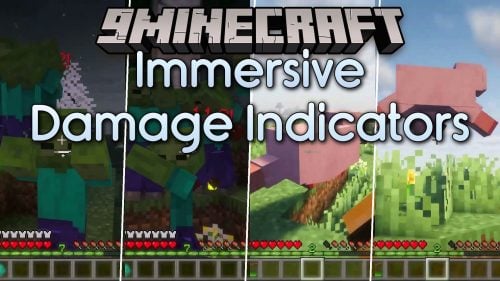 Immersive Damage Indicators Mod (1.21.1, 1.20.1) – Watch Every Hit Pop
 The Reliquary Horror Npc Mod (26.3) – A Flying Shrine Horror Hunts You at Night
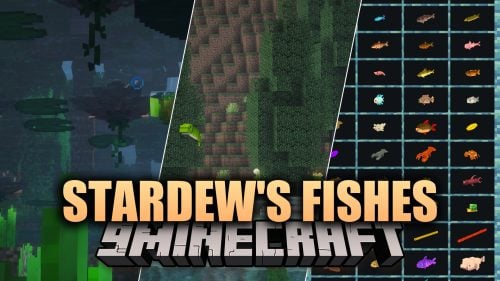 Stardew’s Fishes Mod (1.21.1) – Meet 60+ Stardew Fish in Swamps, Rivers
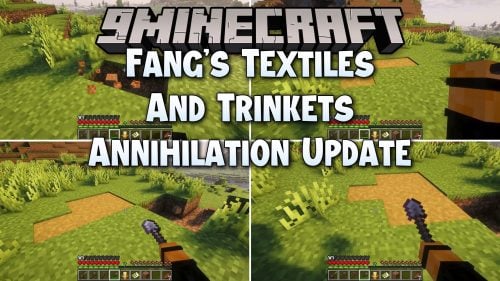 Fang’s Textiles and Trinkets Annihilation Update Mod (1.20.1)
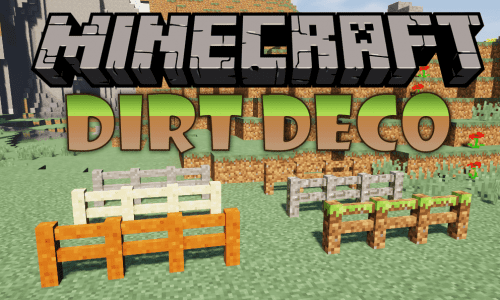 Dirt Deco Mod (26.3, 1.20.1) – Carve Natural Dirt Paths

This post has no comments yet. Be the first — your comment will appear here.