
Tycoon Calendar Mod (1.21.1) – Track Real Dates and Years
 1
 0

Tycoon Calendar Mod gives your world a real calendar date with a day, month, and year. Instead of just counting ticks, this mod tracks actual dates in the top corner of your screen as the sun moves. It adds no blocks or items, acting as a shared clock that other mods use to set prices, rents, and birthdays. Every player and mod in your world shares the exact same date.

Features:
- Custom Start Year: You can pick any starting year from 1995 to today using the Start date button on the Game tab when creating a new world.
- On-Screen Date Display: Shows the current weekday, day, month, and year in the top left corner, and automatically hides when you press F1 or open the F3 screen.
- Fast Time Progression: Passes 24 calendar days per single Minecraft day by default, which equals a new calendar day every 50 seconds and a full year in about five hours.
- Translates month and weekday names automatically to match your game language setting.
- Syncs the starting date and calendar speed from the server to every joining player so everyone sees the same day.
- Prompts the first server operator who joins a new server world to pick the starting year via a menu screen or clickable chat line.
- Updates the calendar date automatically whenever you use the vanilla
/time setcommand. - Provides a small API (
CalendarAPI) for other mods like Tycoon Citizens, TCG Packs, and Street Trade to track aging, birthdays, and historical card prices.
Commands:
/calendar: Shows today’s date in the chat./calendar tempo: Checks how fast calendar days pass in your world./calendar tempo: Changes how many calendar days pass during one Minecraft day without needing a restart./calendar start <YYYY-MM-DD>: Sets the starting date for a new server world, or addforceto change it later./calendar date <YYYY-MM-DD>: Jumps forward or backward to make that specific date today without changing the time of day.
Configuration:
calendar.startDate: Presets the default starting date for newly created worlds without changing existing saves.calendar.daysPerMcDay: Presets how many calendar days pass per Minecraft day in new worlds.
How to Use:
- Click the Start date button under the Game tab on the Create New World screen to pick your starting year.
- Look at the top left corner of your screen in-game to see the current date, or press F1 to hide it.
- Type
/calendar date <YYYY-MM-DD>or/calendar tempoin chat if you have operator permissions and want to adjust the current date or speed.
How to Install:
New to Minecraft? Follow our step-by-step guide to install Mods on your PC.View Guide
Requirements:

Tycoon Calendar Mod Download Links
For Minecraft 1.21.1, 1.21
Click to rate this post!
[Total: 0 Average: 0]
You May Also Like
Picked for this page
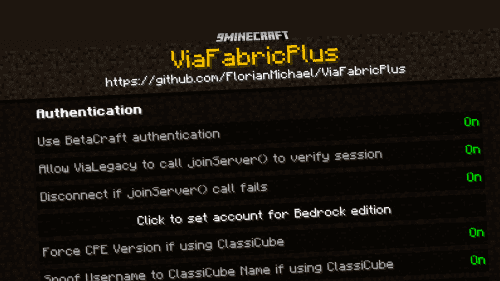 ViaFabricPlus Mod (26.3, 1.20.1) – No More Version Switching
 Llama Steeds Mod (26.2, 1.20.1) – Ride Llamas in Caravans
 EMI Loot Mod (1.21.11, 1.20.1) – Check Mob Drops and Chest Loot Directly in Game
 WITS Mod (26.3, 1.20.1) – Instantly ID Any Structure
 CinematicInteractions Mod (1.21.1) – Watch Your Hands Work at Every Crafting Table
 Polydex Mod (26.3, 1.20.1) – Check Recipes Without Installing Client Mods
 Emerald Equipment Mod (26.2, 1.20.1) – Craft Emerald Armor to Survive Harder
 SCP-323 Wendigo Skull Mod (1.20.1) – Feed or Fight a Starving Wendigo That Stalks You
 Blockstream Sculptor Mod (26.2, 1.20.1) – Export Minecraft Builds Directly
 Bedrock Stuff for Java Forge Fabric Neo Forge Mod (26.2, 1.20.1)
 Chunk Storage Api Mod (1.20.1) – Let Fabric Mods Save Custom Data Inside Every
 Potions Return Mod (1.20.1) – Brew Luck Potions From Flower Forest Clovers
Most viewed in Mods over the last 7 days
 Ala Industrial Mod (26.3) – Run Electric Power Grids and Automated Factories
 PleasureCraft Mod (26.3, 1.21.1) – Jenny Mod Remake for Fabric
 Jennycraft Mod (26.3, 1.20.1) – Virtual Girlfriend in Minecraft
 Fapcraft Mod (26.3, 1.12.2) – Comprehensive and Detailed Content
 Jenny Mod (Fapcraft) Official Complete Guide – How to use, Tutorial
 Meteor Client Mod (26.3, 1.20.1) – Xray, HUD, Fly
 BangCraft Mod (1.20.1) – Jenny, Ellie and Elliot
 Let it Walk Mod (1.21.1) – Pilot Spider Tanks and Mechs Built From Your Blocks
 OptiFine HD (26.3, 1.20.1) – Run Faster, FPS Boost, Shaders Support
 CatLean Client Mod (26.2, 1.21.11) – ThunderHack Recode Alternatives
 Fabric Loader (26.3, 1.20.1) – Fabric Installer for All Minecraft Versions
 SeedCrackerX Mod (26.3, 1.20.1) – Find Any World Seed
More from Mods
 Wild Horse Behavior Mod (1.20.1) – Tame Wild Herds and Breed Horses Naturally
 Strange Statue Mod (26.3) – Spot Weathered Stone Ruins Across High Mountain
 Sunset Torch Mod (26.3) – Light Your Base with Torches That Dim in Daylight
 Armor Gui Mend Wise Mod (26.3) – Never Waste XP Bottles Repairing Your Armor
 Nearby Inventory Tabs Mod (26.1.2, 1.20.1) – Hop Between Nearby Chests
 TaCZ Zero Contact Mod (1.20.1) – Survive Gunfights with Armor Plates
 Needle in a Haystack Mod (26.2) – Sift Through Haystacks for Chaotic Loot
 Nitro Orchard Client Mod (1.21.11) – Survive Chaotic Anarchy PvP Battles
 Ragdoll Deaths Mod (26.3, 1.21.1) – Send Defeated Mobs Flying with Real Physics
 Undiscovered Abyss Deep Waters Mod (1.21.1) – Pilot Submarines and Build Ocean
 Trashlib Mod (1.21.4) – Core Library Keeps Your Dependent Mods Running Smoothly
 Eclipse Core Client Mod (1.21.1) – Team Up with Friends for Epic Cobblemon Raid

This post has no comments yet. Be the first — your comment will appear here.